PickSmartly Buying Guide

Best Touch Screen 3D Printer Accessories in 2026

9.7 PM Score
Products Compared
10
Brands Ranked
9
Our guides are compiled from product information and customer ratings. If you click on links we provide, we may receive compensation.

For many 3D printing enthusiasts, the transition from a clunky, tactile button interface to a vibrant, responsive touch screen is the single most significant upgrade for improving workflow efficiency. However, simply having a screen isn't enough. The ecosystem of accessories surrounding that interface determines whether your machine feels like a modern workstation or a frustratingly unresponsive relic. Selecting the right touch screen accessories—ranging from protective layers to specialized mounting hardware and communication modules—is essential for protecting your investment and streamlining your print management.

Editor's Choice

Our Top Picks for Touch Screen 3D Printer Accessories

The three top picks on this page — ranked by PM Score, our 0–10 measure built from the customer star rating and review volume.

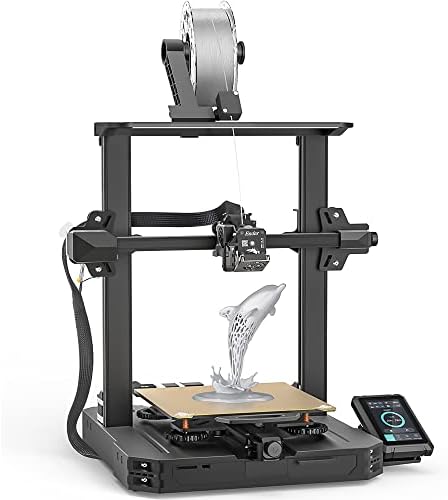
CREALITY Official Ender 3 S1 Pro 3D Printer with 300°C High-Temperature Nozzles, Sprite Direct Extruder, CR Touch Auto Leveling, Removable PEI Sheet a...

Creality Ender 3 S1 Pro 3D Printer

CREALITY / 17.91 X 19.21 X 24.61 Inches

PM Score for CREALITY (PM Score)

9.7 PM Score
Buy on Amazon
  • 【300°High-temp Nozzle】Upgraded brass nozzle can stand up to 300°printing temperature and it is compatible with multiple filaments such as PLA, ABS, PVA, Wood, TPU, PRTG and PA which providing more possibilities for creation.
  • 【Sprite Dual-Gear Direct Drive Extruder】Compatible with more filaments, Ender 3 S1 Pro 3d printer can print PLA, TPU, PETG, ABS.etc. It is more lighter and features less inertia and more precise positioning. Upgraded dual-gear direct extruder features two chrome steel gears that are engaged at a 1:3.5 gear ratio. With a pushing force of up to 80N, the extruder realizes smooth feeding and discharging of flaments without slipping and works extremely well in printing flexible flaments such as TPU.
  • 【4.3 inch Touch Screen】The 4.3-inch touch screen supporting 9 languages, offers efficient UI interaction and is easy to use. It will dim out automatically for energy-saving if there is no action for 3 minutes.
  • 【LED Light for Clear Observation】The equipped LED light enables comprehensive light fill, with which users can observe the printing details even in a dark environment.
  • 【Creality 3D Store】There are more than 20 engineers for after-sales service and provide 24/7 customer service with 1-year limited and lifetime technical assistance. Please contact us via “ask a question”directly to get the professional assistance.
SELLER SELLER SCORE AMAZON FULFILLED PRIME FREE SHIPPING
Creality LD Direct Store 6.80 Yes Yes Yes

Most hobbyists settle for limited filament options and finicky feeding systems, but the Creality Ender 3 S1 Pro breaks those boundaries by embracing high-temperature versatility. I was particularly impressed by the Sprite dual-gear direct extruder. Its 1:3.5 gear ratio and 80N pushing force make printing flexible TPU feel effortless rather than a struggle. Because the upgraded brass nozzle hits 300°C, you aren't stuck with basic PLA. You can actually dive into advanced materials like PA, Wood, and PETG. The workflow feels much more modern thanks to the responsive 4.3-inch touchscreen and the integrated LED light, which lets you monitor fine print details without needing a flashlight. It is a substantial step up for anyone wanting to move beyond entry-level constraints.
What We Like
300°C high-temp nozzle
Sprite direct extruder
Dual-gear feeding
CR Touch auto-leveling
4.3-inch touchscreen

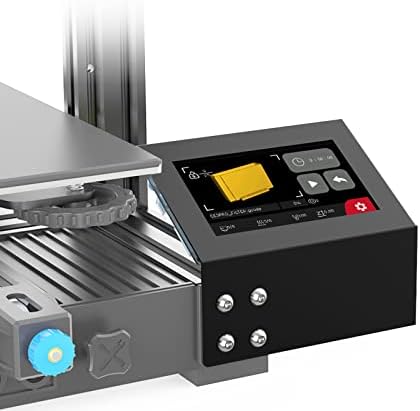
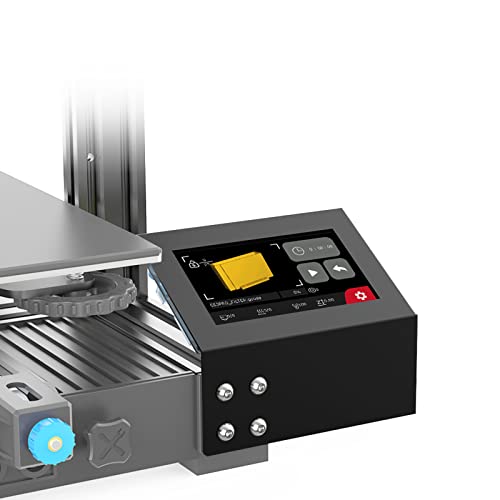
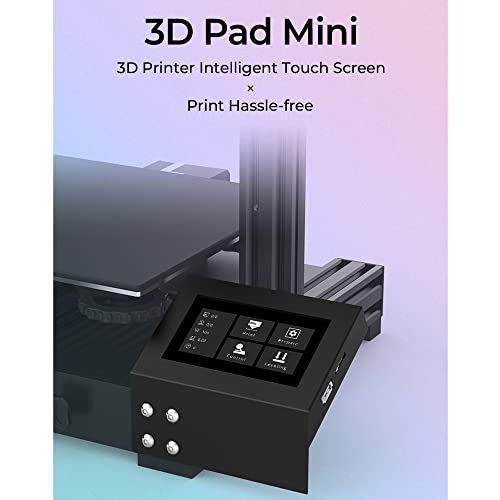
Creality Official Updated 3D Pad Mini, 4.3 Inches Touch Screen Kit with Filament Sensor, Fits for Ender 3 pro, Ender 3 3D Printer with Creality 32-bit...

Skouphy 3D Pad Mini Touch Screen Kit

SKOUPHY 3D PAD MINI

PM Score for SKOUPHY (PM Score)

9.6 PM Score
Buy on Amazon
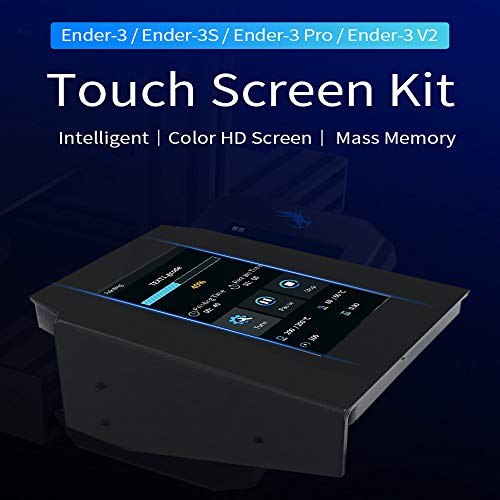
  • 3D Printer Intelligent Touch Screen: Open UI design software supportsyou to control your 3d printer with a 4.3-inch full-color screen with a user-friendly interface and responsive touch control. It is a good upgrade for your original Ender-3, and Ender-3 Pro 3D printers.
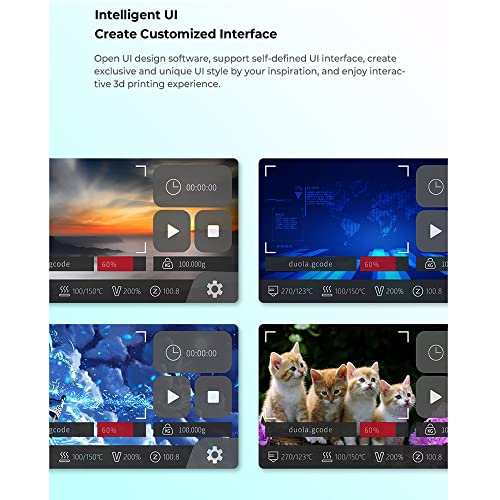
  • Intelligent UI Create Customized Interface: Create Customized Interface,Open UI design software , support self-defined UI interface, create exclusive and unique UI style by your inspiration,and enjoy interactive 3d printing experience.
  • Resume Printing: Coming with a filament sensor, stop printing when the filament runs out. Continue printing after power is restored.
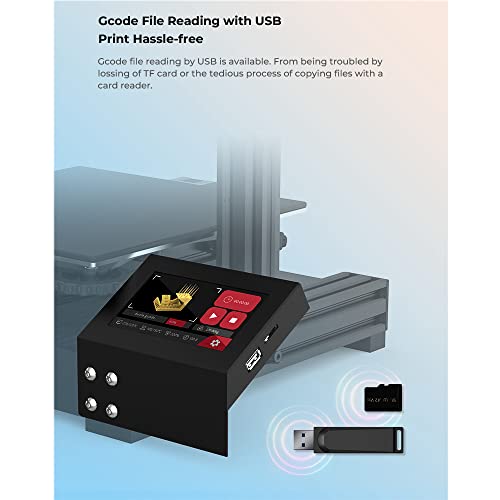
  • Print Hassle-free: Creality 3D Pad Mini touch screen read Gcode files directly from either SD card or U disk. Hassle-free print without the tedious process of copying files with a card reader.
  • After-sale Service: Life-time professional technical supports,If you have problems during installation and use, please feel free to contact us, our after-sales technical team will provide you with detailed solutions within 24 hours.
SELLER SELLER SCORE AMAZON FULFILLED PRIME FREE SHIPPING
Skophy 9.88 Yes Yes Yes

Most Ender 3 users spend their time wrestling with clunky knobs and outdated menus when they could be enjoying a modern, tactile interface. The Skouphy 3D Pad Mini transforms your printing workflow by replacing those manual controls with a responsive 4.3-inch full-color touchscreen. What really sets this kit apart is the ability to design your own custom UI, letting you personalize the aesthetic of your machine. It also solves the headache of mid-print failures by including a filament sensor for resume printing and allowing you to read Gcode directly from a U disk or SD card. It is a massive leap forward in usability for anyone looking to turn their standard Ender 3 or Ender 3 Pro into a much more intelligent workstation.

What We Like
Customizable UI design
Responsive touch control
Included filament sensor
Direct Gcode reading
Full-color interface

Creality Touch Screen Kit for Ender3 v2/Ender3/Ender3 Pro with 32bit,4.2.2(4.2.7) mainboard 3D Printer

Cregrant3D Touch Screen Kit for Ender3 Series

CREGRANT3D MG-TOUCHS 1.01 Pounds

PM Score for CREGRANT3D (PM Score)

8.6 PM Score
Buy on Amazon
  • Compatible: This Touch Screen kit fits for Creality Ender3 v2/Ender3/Ender3 Pro 3D printer. Notice:Just match with these three printers with 32 bit,4.2.2/4.2.7 motherboard.
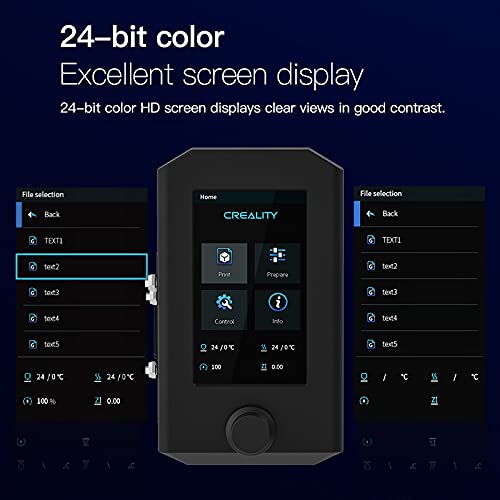
  • Excellent Screen display: 4.3 inch full-color screen,24 bit color HD screen displays and clear views in good contrast with intellegence and mass memory.
  • Firmware: Simply download the touch screen Kit firmware from the Creality Official Website and save the file to your printer’s memory card. Insert the card in to your printer. Turn on the printer and wait a few seconds for the firmware to install.
  • Easy to Use: Touch the interface then complete the instruction.
  • Installation Instruction: Connect the screen wires, use the hexagon wrench to lock the screw on the right of the screen with the printer base.
SELLER SELLER SCORE AMAZON FULFILLED PRIME FREE SHIPPING
Cregrant 9.94 Yes Yes Yes

Navigating the clunky, knob-driven interfaces of older Ender3 models can feel like a step backward in a modern workshop. This Cregrant3D touch screen kit solves that frustration by upgrading your Ender3, Ender3 Pro, or Ender3 v2 to a much more intuitive control system. The 4.3-inch full-color HD display is a massive leap forward, offering 24-bit color and high contrast that makes reading settings effortless. Installation is straightforward. You simply connect the wires, secure the screen with the included hexagon wrench, and run the firmware from your memory card. It transforms a tactile, manual experience into a streamlined, touch-based workflow that makes managing your 3D prints feel significantly more professional.

What We Like
4.3-inch HD display
24-bit color screen
Intuitive touch interface
Simple firmware installation
High contrast views

BIGTREETECH Upgrade PITFT50 V2.0 Graphic Smart Display DSI Interface 5 inch LCD Touch Screen Suitable for Raspberry Pi

BIGTREETECH PITFT50 V2.0 DSI Graphic Smart Display

BIGTREETECH KINGPRINT-ZZB000417

PM Score for BIGTREETECH (PM Score)

8.2 PM Score
Buy on Amazon
  • 1) This is a 5-inch LCD touch screen with a resolution of 800 x 480 for Raspberry-Pi. The display area can reach 108 x 64.8mm.
  • 2) Adapt to the Raspberry-Pi DSI display interface, directly driven by DSI. With a capacitive touch panel. Supports 5-point touch.
  • 3) The unique hole design on the back allows you to install the Raspberry-Pi directly. PI TFT50 display adopts Raspberry-Pi power supply design, no external power supply is needed.
  • 4) The PI TFT50 display supports hardware backlight adjustment, and the backlight brightness can be adjusted by rotating the potentiometer behind the screen.
  • 5) If you encounter any problems after receiving the product, please contact us via Amazon. We have professional technical after-sales personnel to solve your problems. Thanks for your cooperation.
SELLER SELLER SCORE AMAZON FULFILLED PRIME FREE SHIPPING
kingprint 8.42 Yes Yes Yes

Raspberry Pi enthusiasts building compact, standalone workstations need the BIGTREETECH PITFT50 V2.0 to eliminate the clutter of messy cabling. This 5-inch LCD is a masterclass in integration, utilizing the DSI interface to drive the display directly without needing extra conversion hardware. The capacitive touch panel feels incredibly responsive with its 5-point touch support, making navigation through your OS feel natural. I was particularly impressed by the clever mounting design. The rear cutout allows you to bolt your Pi directly to the screen, creating a single, cohesive unit. Because it draws power straight from the Raspberry Pi, you won't be hunting for extra outlets. Plus, the physical potentiometer on the back provides tactile, hardware-level backlight control that software sliders just can't match.

What We Like
DSI interface driven
Capacitive 5-point touch
Integrated Pi mounting
Hardware backlight adjustment
Direct power draw

Official Creality Ender 3 V2 Display Screen Kit,4.3 inch Intelligent Screen Upgrades Kit for Ender 3 Pro/Ender 3 3D Printers ONLY Compatible with V4.2...

Superfila 4.3 Inch HD Display for Creality Ender 3 Series

SUPERFILA ENDER 3 V2-SCREEN KIT

PM Score for SUPERFILA (PM Score)

7.7 PM Score
Buy on Amazon
  • Creality original display screen kit for Ender-3 V2,Ender-3 Pro,Ender -3 3D printer
  • 4.3-Inch HD color screen.
  • 24-bit color HD screen displays clear views in good contrast
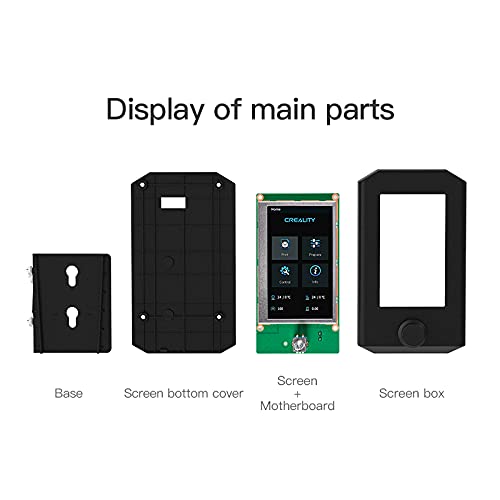
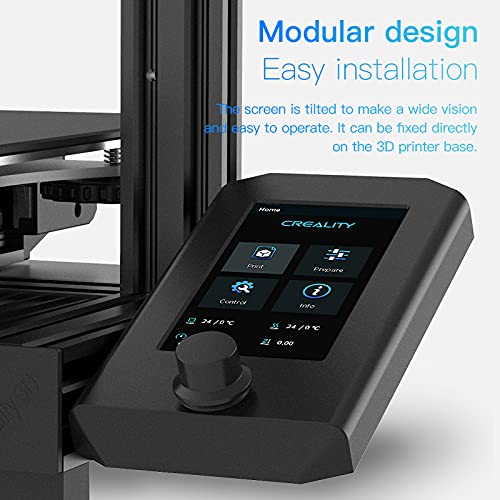
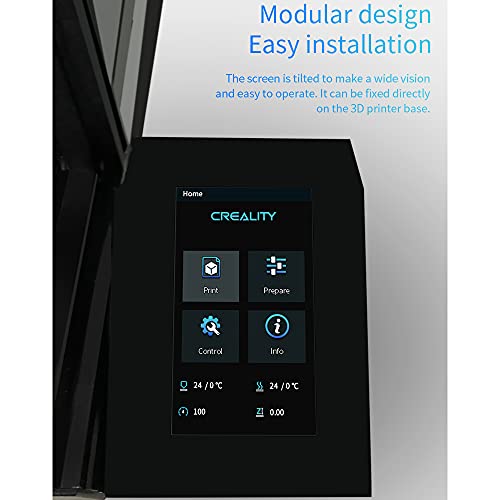
  • Modular design, easy installation, the screen is tilted to make a wide vision and easy to operate, it can be fixed directly on the 3D printer base.
  • It provides sufficient storage space, and supports to store pictures in JPEG compression mode, further increasing the number of stored files.
SELLER SELLER SCORE AMAZON FULFILLED PRIME FREE SHIPPING
Creality Super Store 9.80 Yes Yes Yes

Most Ender 3 owners struggle through squinting at low-resolution monochrome displays, but this 4.3-inch HD color screen kit transforms the entire user experience. I found the 24-bit color depth provides a massive jump in contrast, making every menu setting and print progress bar incredibly crisp. The modular design is a huge plus because it tilts toward you for better visibility and mounts directly to your printer base without a headache. It even handles JPEG compression efficiently, allowing you to store more images on the device for a more personalized interface. If you are running a V4.2.2 or V4.2.7 silent motherboard, this is the specific upgrade that makes your machine feel like a modern, premium piece of equipment rather than a budget starter kit.

What We Like
HD color screen
24-bit color depth
Modular tilted design
JPEG image support
Easy installation
#6

Creality Ender 5 S1 3D Printer Upgrade with 250mm/s Printing Speed, 300°C High-Temperature Nozzle Direct Drive Extruder, CR Touch Auto Leveling Kit, D...

LeeCHee Ender 5 S1 High-Speed 3D Printer

LEECHEE 16.73 X 18.11 X 22.44 Inches

PM Score for LEECHEE (PM Score)

5.5 PM Score
Buy on Amazon
  • 【250mm/s High-speed Printing】Refined motion system with a standalone motor at each X/Y/Z axis for up to 2000mm/s² acceleration and up to 250mm/s printing speed, and a steel transmission shaft that connects and syncs the Y-axis belts. It halves the printing time and boosts efficiency.
  • 【Clog-free Direct Extrusion at 300℃】Made of Titanium Alloy, low thermal conductivity can prevent the filament from heat creeping early. 50mm³ melting chamber surrounded by a large 4000mm³ heater block, which will fully melt the filament for smooth extrusion. The corrugated Heatsink increased the area for heating dissipation. It can print high-temp filaments, such as PLA, PETG, TPU, ABS, PC, ASA, and HIPS.
  • 【Stable Frame Underpins Quality】An all-metal cube frame goes with the classic Cartesian structure. The stability is enhanced by thick linear shafts, extra gussets, two cantilevers, and silicone bed mounts. It ensures a 100% success rate for 1,000h printing at 250mm/s.
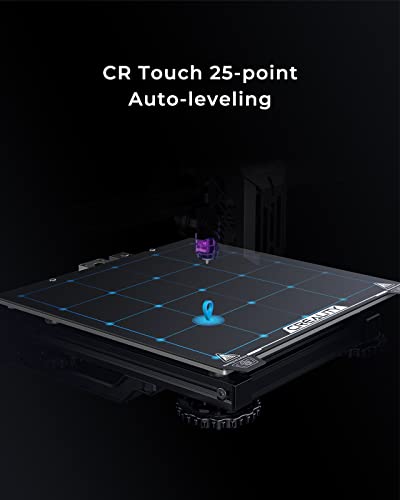
  • 【Auto-leveling and Smart Sensors】The CR Touch probe realize fully-automatic precise 25-point bed leveling. The Z-offset can be adjusted at 0.05 accuracy with touch control. It also has a filament runout sensor and power loss recovery to factor in accidental moments. It is a tool to always count on.
  • 【Bendable PC Surface and Greater Ease】The PC spring steel sticks to the first layers firmly enabling print removal with a slight bend, and its magnetic base with 2 notches allow quick snap-on. Also easy to use with 4.3in color touch screen, USB-C cable printing, modular design, aviation connector, and tidy wire harness sleeve.
SELLER SELLER SCORE AMAZON FULFILLED PRIME FREE SHIPPING
Creality&Ender 4.80 Yes Yes Yes

You might wonder if a speed boost this significant actually compromises print quality, but the LeeCHee Ender 5 S1 upgrade proves otherwise. By utilizing a standalone motor for every axis and a synchronized steel transmission shaft, this machine hits 250mm/s without the typical jitter. The titanium alloy direct drive extruder is a standout, handling high-temp filaments like ASA and PC effortlessly thanks to its massive 4000mm³ heater block. I was particularly impressed by the all-metal cube frame. The extra gussets and thick linear shafts provide the rigidity needed to prevent ghosting during rapid movements. Between the CR Touch auto-leveling and the flexible PC spring steel bed, the transition from setup to successful first layer feels incredibly seamless and professional.

What We Like
250mm/s printing speed
300°C titanium extruder
CR Touch auto-leveling
Stable metal frame
Magnetic PC bed

Upgrade Intelligent Ender-3 Touch Screen Kit HD Full Color Screen Display Compatible with Ender 3 V2, Ender 3 pro 3D Printer

POLISI3D Intelligent HD Full Color Touch Screen Kit

POLISI3D ENDER-3 TOUCH SCREEN KIT 0.82 Pounds

PM Score for POLISI3D (PM Score)

5.4 PM Score
Buy on Amazon
  • This screen kit is updated full color touch, Intelligent, 24-bit Color Excellent HD screen, Clear views in good contrast and Mass Membory. The screen is tilted to make a wide vision and easy to operate. It can be fixed directly on the 3D Printer base.
  • English, German,Chinese, Japanese, Spanish, Korean, French, Russian, Arabic, 9 languages can be switched freely to enhance user control experience, one-key switching to meet the needs of users in different languages.
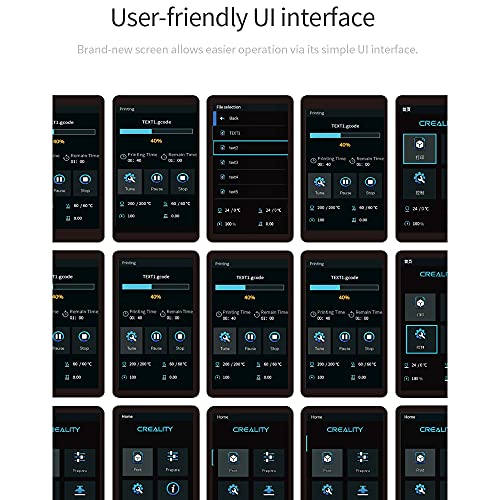
  • User-friendly UI interface, Brand-new screen allows easier operation via its simple UI interface. And Mass memory, it provides sufficient storage space, and support to store pictures in JPEG compression mode, further increasing the number of stored files.
  • This screen is ONLY used for 32bits motherboard printers, and Here is directly used for ender 3 3D printer, but if change the your motherboard firmware, it also can bed used for Ender 3 V2 and ender 3 pro, please flash your firmware referring to the instruments in the box.
  • We are the agent of Creality 3D Printer accessories, this screen are original from creality
SELLER SELLER SCORE AMAZON FULFILLED PRIME FREE SHIPPING
POLISI3D 9.82 Yes Yes Yes

After weeks of use, the difference between a standard interface and this HD full-color display is night and day for my 3D printing workflow. The 24-bit color output provides incredible clarity and contrast, making the new user-friendly UI feel much more responsive than the stock options. I love that the screen is tilted for better visibility and mounts directly to the base, keeping the workspace tidy. It features massive memory for storing JPEG files and supports nine different languages for easy switching. Just keep in mind that this is specifically for 32-bit motherboards. While it works with the Ender 3, you will need to flash your firmware if you want to use it with an Ender 3 V2 or Pro.

What We Like
Vibrant 24-bit color
Tilted wide vision
Nine language options
Massive storage capacity
Intuitive UI interface
#8

BIGTREETECH SKR Mini E3 V3.0 32Bit Silent Control Board with TFT35 E3 V3.0.1 Touch Screen Display Kits,for Ender 3 Ender3 Pro 3D Printer Support Marli...

Bigtteech SKR Mini E3 V3.0 Motherboard and TFT35 Touch Screen Kit

ICKIYA ICKIYA-MINIE3+TFT35E3

PM Score for ICKIYA (PM Score)

4.5 PM Score
Buy on Amazon
  • SKR MINI E3 V3.0:The main control chip upgrade Adopts STMicroelectronics G0 series MCU STM32G0B1RET6,the instructions will be sent to the 3D printer faster and more accurately.
  • SKR MINI E3 V3.0:Intergrated with TMC2209 mute stepper driver, SKR Mini E3 V3.0 Motherboard offers silent performance as default.
  • SKR MINI E3 V3.0:Upgraded More Capabilities,supports dual Z steppers for linear rail and belt upgrades, filament runout support, automatic shutdown (UPS support), power-off resume, sensorless homing and so on.
  • SKR MINI E3 V3.0:Upgraded heat sink improves heat dissipation,trengthen the drive heat dissipation capacity. Thermistor inputs are protected from short circuit to Vin. Added a third PWM controlled cooling fan output,It can better protect the circuit board and prolong the life of the motherboard.
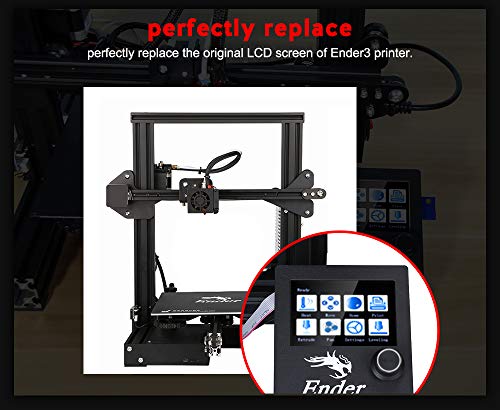
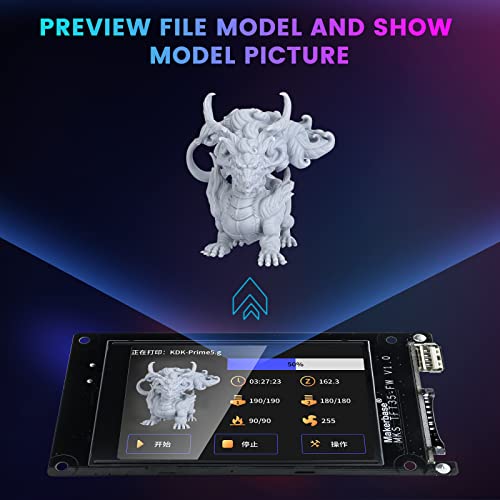
  • TFT35 E3 V3.0.1:Ender 3 upgrade Touch Screen,Perfectly replace the original LCD screen of Ender 3 Printer.Appearance size: 93*87mm, power input : 5V, this is a 3.5 inch full-color screen with ultra clear interface and responsive touch, it is devised for Ender 3 3d printer.
  • BTT TFT35 E3 V3.0.1: Support UART serial port screen mode (touch screen mode) and 12864 screen mode, it can replace original display of Ender 3 3D printer. Serial port screen mode supports two printing modes: SD card and U disk.
  • BTT TFT35 E3 V3.0.1: More Extension Ports is Reserved,the Touch Screen display r eserve the extension port of filament breaking detection,Reserve the extension port of automatic shutdown after printing (PS-ON)also WIFI function can be realized by external WIFI module through WIFI port.
  • 【❤️Serious service】We will provide a long-term warranty service of up to 12months,Strict testing for all components before delivery. If you encounter any problems when printing, please feel free to contact us, please give us a chance to solve the problem for you.
SELLER SELLER SCORE AMAZON FULFILLED PRIME FREE SHIPPING
Ickiya 5.50 Yes Yes Yes

The Bigtreetech SKR Mini E3 V3.0 transforms your Ender 3 into a whisper-quiet, high-performance machine through its integrated TMC2209 silent drivers. Upgrading to this 32-bit control board feels like giving your printer a massive brain transplant. The STM32G0 series MCU ensures instructions are sent with much higher precision and speed than stock components. I was particularly impressed by the thermal management, featuring an upgraded heat sink and a third PWM-controlled fan output to keep everything cool during long prints. The included TFT35 touch screen is a massive step up from the original LCD, offering a responsive, full-color interface that supports both SD card and U disk modes. With extra ports for filament detection and even WiFi expansion, this kit is a comprehensive overhaul for any serious maker.

What We Like
Silent TMC2209 drivers
Responsive touch screen
High-speed 32-bit MCU
Dual Z-stepper support
Enhanced heat dissipation

Makerbase MKS Mainboad Monster8 V2 32Bit Control Board 8 Axes for V2.4 Voron VS Spider Octopus 3D Printer Compatible TMC2209 Support Marlin 2.0.x Klip...

Makerbase MKS Monster8 V2 32-Bit Control Board

MAKERBASE

PM Score for MAKERBASE (PM Score)

0.0 PM Score
Buy on Amazon
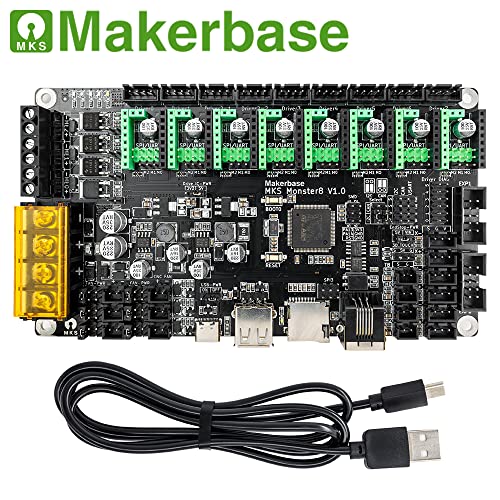
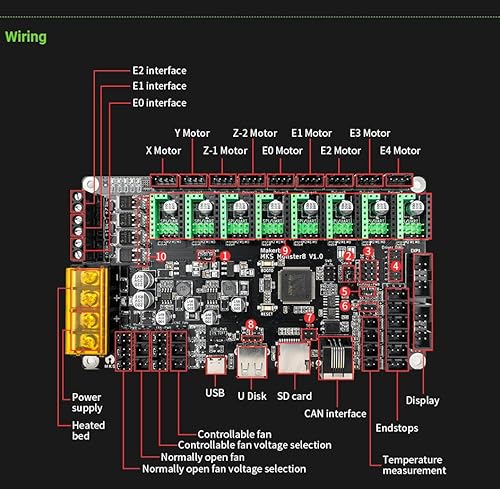
  • MORE FUN WITH STRONG DIY SUPPORT: Makerbase MKS monster 8 for voron large 3d printers have 8 stepper drivers and 9 motor interface(Driver0,1,2-1,2-2,3,4,5,6,7) which support multiple motor drives such as A4988, DRV8825, LV8729, TMC2208, TMC2209, TMC2225, TMC2226, gives more flexible DIY upgrade capability. You can replace the motor drive by yourself. The Monster8 mainborad can be used on Voron 2.4 Creality Ender-3 Ender-3 V2 and Ender-3 pro, please update the firmware on Github first.
  • MARLIN AND KLIPPER FIRMWARE SUPPORT: Makerbase MKS monster8 3d printer motherboad support marlin 2.0.x and klipper, requires a Klipper host such as Raspberry Pi or MKS PI
  • FLEXIBLE MATCHING FOR DIVERSITY: EXP1 and EXP2 for Makerbase MKS control board supported a wide variety of lcd display such as LCD2004, LCD12864, MKS MINI12864 V1.0, MKS MINI12864 V3.0, and also works for Makerbase touch screen including MKS TFT24, MKS TFT28, MKS TFT32, MKS TFT35, MKS H43
  • MOTHERBOARD EXPANSION FUNCTION: 6 endstop support power select(X-,X+,Y-,Y+,Z-,Z+) and 3D TOUCH(PA8) interface, support DFU mode set by button(Boot0), Support driver power select(5V or 3.3V), Support TMC UART and SPI mode, SENSORLESS_HOMING function(Diag0-5,connect to X-,Y-,Z-,X+,Y+,Z+) and also Integrated SPI communication micro sd card and reserved SPI signal UDISK and virtual USB device.
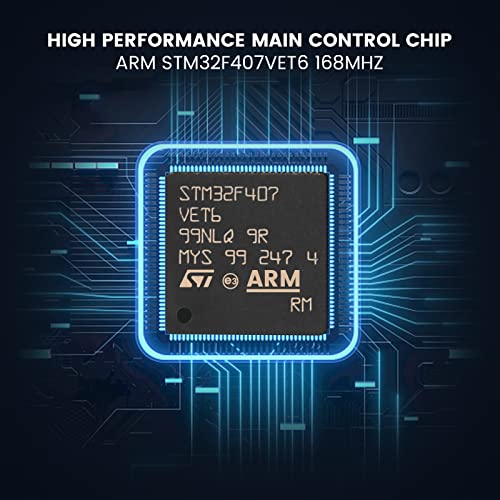
  • MCU is STM32F407VET6, 168MHz, 512K flash, 192KB RAM, Built-in CAN transceiver and interface(connect to CAN)
SELLER SELLER SCORE AMAZON FULFILLED PRIME FREE SHIPPING
Makerbase 5.46 Yes Yes No

The Makerbase MKS Monster8 V2 is a powerhouse of expansion designed specifically to handle the heavy lifting of high-axis 3D printers. What really sets this board apart is its massive capacity for customization, offering eight stepper drivers and nine motor interfaces that make it a dream for Voron 2.4 or Ender-3 enthusiasts looking to scale up. Powered by a fast 168MHz STM32F407VET6 MCU, it handles both Marlin and Klipper firmware with ease. I love how flexible it is with driver selection. You can swap between TMC2209s or other popular drivers to fine-tune your motion. Between the integrated CAN transceiver and support for a huge range of MKS TFT touchscreens, this board provides the professional-grade architecture needed for serious DIY builds.

What We Like
Eight stepper drivers
STM32F407VET6 MCU
Klipper firmware support
Built-in CAN transceiver
Nine motor interfaces

Makerbase MKS Mainboad Monster8 V2 32Bit Control Board 8 Axes for V2.4 Voron VS Spider Octopus 3D Printer with 5 Packs MKS TMC2209 V2.0 Stepper Motor...

Makerbase MKS Monster8 V2 32-Bit Control Board

MAKERBASE

PM Score for MAKERBASE (PM Score)

0.0 PM Score
Buy on Amazon
  • MORE FUN WITH STRONG DIY SUPPORT: Makerbase MKS monster 8 for voron large 3d printers have 8 stepper drivers and 9 motor interface(Driver0,1,2-1,2-2,3,4,5,6,7) which support multiple motor drives such as A4988, DRV8825, LV8729, TMC2208, TMC2209, TMC2225, TMC2226, gives more flexible DIY upgrade capability. You can replace the motor drive by yourself
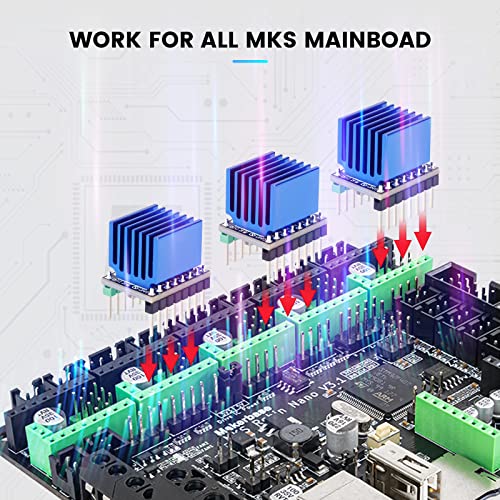
  • WIDE RANGE OF ADAPTABILITY: Makerbaser Stepper Motor Driver can support all MKS motherboad such as Robin E3D, Robin Nano V3 which can work for Creality Ender 3, Ender 3 v2, Ender 3 Pro. Ana also can work for Makerbase Laser engraving CNC cutter Machine Mainboard MKS DLC32 and other MKS countrol boad such as MKS Monser 8, MKS Skipr, MKS Gen_L. The Step driver's defaylt current 1.25a, max current 2.5a, logic voltage 3.3v/5v, input voltage 5.5v-28v, microstep up to 1/256
  • MARLIN AND KLIPPER FIRMWARE SUPPORT: Makerbase MKS monster8 3d printer motherboad support marlin 2.0.x and klipper, requires a Klipper host such as Raspberry Pi or MKS PI
  • EXCELLENT HEAT DISSIPATION AND LOW HEAT: MKS TMC2209 silent stepper driver generate lower heat and it has a large-area cooling position to lower the temperature. It driver can lower 30% heat than others stepper motor drivers even working last for a long time. With Passive cooling on a 10 hours print, they only hit 37C.
  • FLEXIBLE MATCHING FOR DIVERSITY: EXP1 and EXP2 for Makerbase MKS control board supported a wide variety of lcd display such as LCD2004, LCD12864, MKS MINI12864 V1.0, MKS MINI12864 V3.0, and also works for Makerbase touch screen including MKS TFT24, MKS TFT28, MKS TFT32, MKS TFT35, MKS H43
SELLER SELLER SCORE AMAZON FULFILLED PRIME FREE SHIPPING
Makerbase 5.46 Yes Yes No

Serious Voron builders and high-axis DIY enthusiasts need the Makerbase MKS Monster8 V2 to finally escape the limitations of standard hobbyist boards. This 32-bit powerhouse is a dream for custom builds because it offers eight stepper driver slots and nine motor interfaces, giving you massive flexibility for complex multi-axis setups. I was particularly impressed by the inclusion of five TMC2209 V2.0 drivers. They run incredibly cool, staying around 37C even during a ten-hour print marathon. Whether you are running Marlin or Klipper with a Raspberry Pi, the compatibility is seamless. It even plays nice with a huge range of LCDs and touchscreens, making it a truly versatile brain for your next large-scale 3D printer or CNC project.

What We Like
Eight stepper drivers
Klipper firmware support
Low heat dissipation
Wide driver compatibility
Nine motor interfaces
Buying Guide

A Guide to Selecting the Best touch screen 3d printer accessories

A Guide to Selecting the Best touch screen 3d printer accessories

Compatibility and Interface Protocols

The most critical factor when shopping for touch screen accessories is ensuring absolute compatibility with your printer's existing control board. Not all touch screens communicate via the same protocols. Some accessories are designed specifically for serial communication, while others require high-speed parallel connections or even dedicated USB-based interfaces. Before purchasing a replacement screen or an upgraded interface module, verify if your printer uses a standard Marlin-based firmware or a proprietary ecosystem. An accessory that works perfectly on one brand of printer may be completely non-functional on another due to differences in how the touch driver is integrated into the mainboard.

Screen Protection and Environmental Resilience

3D printing environments are notoriously harsh. They are filled with airborne particulates, fine plastic dust, and, in the case of high-temperature materials like ABS or ASA, significant thermal fluctuations. When looking for screen protection, avoid generic films that may bubble or peel under heat. Instead, look for tempered glass protectors designed for industrial interfaces or specialized anti-glare coatings. These coatings serve a dual purpose: they reduce the distracting reflections from your printer's internal LED strips and prevent fingerprint smudges from obscuring critical menu navigation. If your printer is located in a workshop, consider accessories that include ruggedized enclosures to shield the sensitive capacitive touch layers from accidental bumps or chemical splashes.

Responsiveness and Input Latency

A common pitfall in the budget accessory market is the 'laggy' interface. When selecting upgraded touch modules, pay close attention to the processing power of the accessory itself. A screen is only as fast as the controller driving it. If you are upgrading to a larger display, ensure the accessory includes a dedicated microprocessor to handle the graphical user interface (GUI). You want to avoid 'input latency,' where you tap a command and the printer takes a second to respond. High-quality accessories will offer smooth zooming on 3D models and snappy menu transitions, which are vital when you need to make quick adjustments to print settings mid-run.

Connectivity and Remote Integration

Modern touch screen accessories often go beyond simple local control. Many premium upgrades now include integrated Wi-Fi or Ethernet modules, allowing the touch screen to act as a gateway for remote monitoring. When evaluating these accessories, check for seamless integration with popular web-based management platforms. The ability to view a live camera feed directly on the touch screen or to upload files via a local network—rather than constantly swapping SD cards—is a game-changer for long-duration prints. Look for accessories that offer 'Plug and Play' connectivity to minimize the need for complex wiring or firmware flashing.

Mounting and Ergonomics

Finally, consider how the accessory physically interacts with your machine. A larger, more advanced touch screen may require a different mounting angle to be ergonomic. Look for accessories that offer adjustable mounting brackets or modular housings. If the accessory is an add-on module, ensure it doesn't obstruct access to other essential components like the filament sensor or the power switch. A well-designed accessory should feel like an integrated part of the machine, not an afterthought taped to the side of the frame.

Ready to choose?

Jump back to our ranked picks or compare the shortlist side by side.

Frequently Asked Questions

Quick answers about Touch Screen 3D Printer Accessories before you buy.

Most accessories are designed for universal compatibility, but specific interface cables or mounting brackets may vary depending on whether your printer uses a proprietary or open-source control board.

In many cases, yes. Replacing a standard knob-based interface with a high-resolution touchscreen often requires a firmware flash to enable the graphical user interface (GUI) functions.

Yes, many users install secondary touchscreens to replace aging original displays or to gain advanced features like real-time G-code visualization and more intuitive menu navigation.

The most critical component is the communication cable (usually USB or serial) that ensures high-speed data transfer between the mainboard and the new display to prevent lag.

A touchscreen does not directly change the mechanical extrusion process, but it improves print reliability by making it easier to monitor settings, adjust temperatures, and manage complex print files mid-run.

Standard screens can struggle near heated enclosures. When shopping, look for accessories rated for higher operating temperatures or those designed with heat-shielded mounting.

Installation difficulty ranges from simple plug-and-play via USB to advanced wiring that requires opening the printer's electronics housing and potentially modifying firmware.

While most touchscreens are local interfaces, some advanced models include Wi-Fi or Ethernet modules that allow the screen to act as a local dashboard for remote web-based control.
Rankings & Insights

Our Touch Screen 3D Printer Accessories Rankings

10 Products Compared
5.9 Avg PM Score
9 Brands Ranked

Top 10 Touch Screen 3D Printer Accessories Brands on Amazon

Share of top-ranked products by brand, from our rankings.

  1. 01 Makerbase 2 (20%)
  2. 02 Bigtreetech 1 (10%)
  3. 03 Creality 1 (10%)
  4. 04 Cregrant3D 1 (10%)
  5. 05 Ickiya 1 (10%)
  6. 06 Leechee 1 (10%)
  7. 07 Polisi3D 1 (10%)
  8. 08 Skouphy 1 (10%)
  9. 09 Superfila 1 (10%)

How We Selected These Products

We compared Touch Screen 3D Printer Accessories products using product details and customer ratings to identify the best options in the additive manufacturing products..

From that comparison we shortlisted the top 10 Touch Screen 3D Printer Accessories for this page..

We aim to help you find the right accessories products for your needs and save you time when choosing which Touch Screen 3D Printer Accessories to buy.