#TOP1

Organizing a vast collection of documents, trading cards, or archival records requires more than just a sturdy binder. It requires a system of identification that remains legible and intact over years of use. Label binder accessories are the unsung heroes of organizational efficiency, bridging the gap between a chaotic stack of folders and a streamlined, searchable archive. Whether you are a professional archivist, a hobbyist managing a high-value collection, or an office manager streamlining filing systems, choosing the right labeling components ensures that your retrieval time stays low and your contents stay protected.
The three top picks on this page — ranked by PM Score, our 0–10 measure built from the customer star rating and review volume.


9 Pocket Trading Card Binder, Simboom 900 Cards Zipper Binder Card Holder Collectors with 50 Removable Sleeves 4 Ring Card Collection Binder for Game...
| SELLER | SELLER SCORE | AMAZON FULFILLED | PRIME | FREE SHIPPING |
|---|---|---|---|---|
| Ya Ao Heng | 9.90 | Yes | Yes | Yes |
Most collectors settle for flimsy plastic sleeves that offer zero protection against the elements, but the Simboom 900 Card Binder treats your collection like the investment it actually is. I was immediately impressed by the high-density EVA foam and waterproof PU leather exterior, which feels incredibly premium and provides a solid shield against moisture and accidental drops. With 50 removable sleeves and a flexible 4-ring design, you can customize the storage to fit everything from Yu-Gi-Oh! to sports cards without feeling cramped. The inclusion of color-coded index labels is a thoughtful touch for rapid sorting, and the secure zipper ensures nothing slips out during travel. It is a rugged, organized, and visually striking way to keep your most prized cards in mint condition.
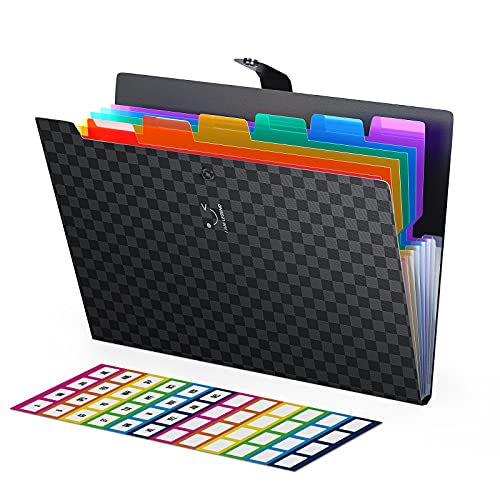


ABC life Cute Folders Expanding File Folder Organizer,7 Pockets File Jackets & File Pockets Accordion Document Organizer Letter A4, Cute Paperwork Org...
| SELLER | SELLER SCORE | AMAZON FULFILLED | PRIME | FREE SHIPPING |
|---|---|---|---|---|
| ABC life | 9.84 | Yes | Yes | Yes |
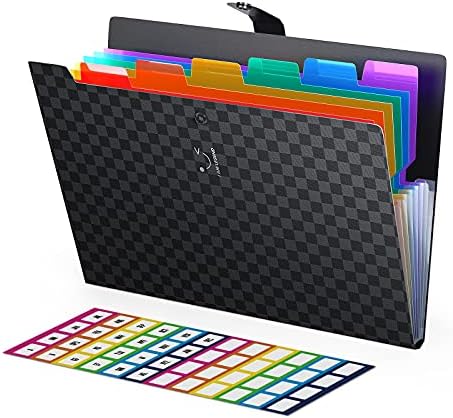
Students and busy home office managers desperately need this ABC life expanding file folder to stop the chaotic pile-up of loose paperwork. I was immediately impressed by the upgraded grid pattern design, which looks much more sophisticated than your standard plain plastic organizers. It manages to hold a massive 200 to 300 sheets of A4 or Letter size documents across seven distinct pockets, making it a powerhouse for sorting everything from school homework to travel receipts. The thick polypropylene construction feels incredibly durable and water-resistant, while the snap button closure provides a secure seal that actually stays shut. Plus, the inclusion of 48 colored labels takes the guesswork out of filing, ensuring you can find exactly what you need in seconds without digging through a mess.


ZEBRA ZD500t Thermal Transfer Desktop Printer 300 dpi Print Width 4 in Ethernet Parallel Serial USB ZD50043-T01200FZ
| SELLER | SELLER SCORE | AMAZON FULFILLED | PRIME | FREE SHIPPING |
|---|---|---|---|---|
| Sammy's Club | 6.70 | No | No | No |
Scaling a labeling operation often hits a wall when your current hardware can't handle the precision required for complex barcodes or high-volume shipping. The Zebra ZD500t solves this bottleneck by delivering professional 300 dpi print quality at a brisk 4 inches per second. I found the versatility particularly impressive. You can switch between thermal transfer for long-lasting labels and direct thermal for quick receipts without needing a different machine. It connects to almost anything via USB, Ethernet, Serial, or Parallel, making it a seamless addition to existing workflows. Plus, the Link-OS integration is a game-changer for anyone managing a fleet of printers across different sites, as it allows for remote troubleshooting and deployment from anywhere.
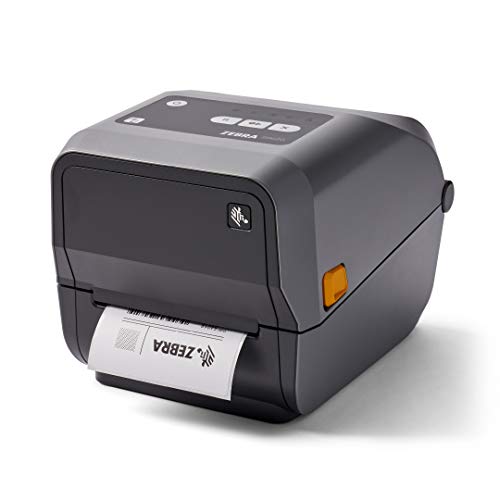

ZEBRA ZD620t Thermal Transfer Desktop Printer 203 dpi Print Width 4 in Ethernet Serial USB ZD62042-T01F00EZ
| SELLER | SELLER SCORE | AMAZON FULFILLED | PRIME | FREE SHIPPING |
|---|---|---|---|---|
| SELLC38 | 2.86 | No | No | No |
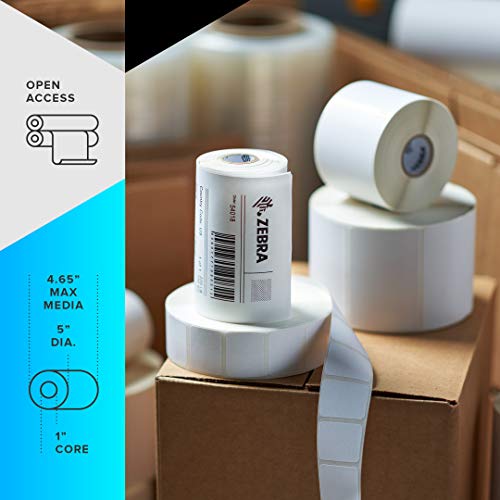
Most businesses struggle with inconsistent label quality and frequent downtime, but the Zebra ZD620t shifts the focus toward high-speed reliability. This desktop powerhouse handles everything from shipping and barcodes to wristbands and receipts with impressive efficiency. I found the dual-mode flexibility particularly useful. You can utilize thermal transfer with a ribbon for long-lasting labels or switch to direct thermal for quick, ribbon-free printing. It clocks in at a fast 8 inches per second, which makes a massive difference during heavy mailing sessions. Plus, the Link-OS integration is a game changer for anyone managing multiple printers across different sites, as it allows for remote troubleshooting and deployment. It is a rugged, versatile workhorse that scales easily with your growing operational needs.


ZEBRA GX420d Direct Thermal Desktop Printer Print Width of 4 in USB Serial and Parallel Port Connectivity Includes Peeler GX42-202511-000
| SELLER | SELLER SCORE | AMAZON FULFILLED | PRIME | FREE SHIPPING |
|---|---|---|---|---|
| Owl POS Printers | 6.55 | No | No | No |
Can a desktop printer actually drive your warehouse efficiency without becoming a maintenance headache? The Zebra GX420d answers with a resounding yes, offering a streamlined direct thermal solution that eliminates the need for messy ribbons. During testing, the 6 inch per second print speed felt incredibly snappy, making it a powerhouse for high-volume shipping, barcode, and mailing labels. I was particularly impressed by the versatility of its connectivity, which includes USB, Serial, and Parallel ports to fit almost any existing setup. Because it comes with a label liner peeler preinstalled, the workflow from printing to application is seamless. It is a dependable, Energy Star approved workhorse that Zebra engineers have specifically certified to keep your downtime to an absolute minimum.

Zebra ZD500t Thermal Transfer Desktop Printer 203 dpi Print Width 4 in Ethernet Parallel Serial USB ZD50042-T01200FZ
| SELLER | SELLER SCORE | AMAZON FULFILLED | PRIME | FREE SHIPPING |
|---|---|---|---|---|
| ElectroTechOutlet | 6.70 | No | No | No |
Your warehouse shipping station is currently a bottleneck of slow, smudged labels until you integrate the Zebra ZD500t into your workflow. I found that the dual-mode flexibility is a genuine game-changer. You can toggle between thermal transfer using a ribbon for long-lasting durability or switch to direct thermal for quick, ribbon-free tasks. At 6 inches per second, this desktop unit keeps pace with high-volume demands, whether you are printing shipping barcodes, file folder labels, or even wristbands. The connectivity options are impressively broad, offering Ethernet, USB, Serial, and Parallel ports to fit almost any existing setup. Plus, the Link-OS integration makes managing a fleet of these across different locations feel less like a chore and more like a streamlined, remote operation.

Zebra - GC420t Thermal Transfer Desktop Printer for Labels, Receipts, Barcodes, Tags, and Wrist Bands - Print Width of 4 in - USB, Serial, and Paralle...
| SELLER | SELLER SCORE | AMAZON FULFILLED | PRIME | FREE SHIPPING |
|---|---|---|---|---|
| No | No | No |
Your shipping station finally stops feeling like a bottleneck once you integrate a dedicated thermal transfer solution like this Zebra unit. Instead of wrestling with wasted sheets of 8.5 x 11 labels, you can print exact quantities of barcodes, shipping tags, or name badges on demand at a steady 4 inches per second. I found the versatility of the connectivity options particularly useful, as it supports USB, serial, and parallel ports to fit almost any existing setup. Since it utilizes wax or resin ribbons rather than expensive ink or toner, the long-term operating costs stay remarkably low. It handles a 4-inch print width with ease, making it a reliable workhorse for low to medium volume tasks across Windows, Mac, or Linux systems.

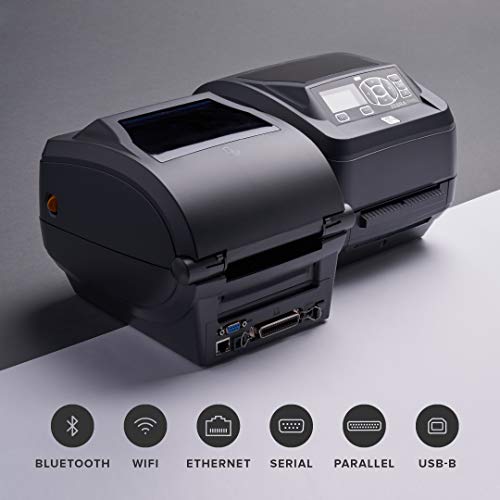
ZEBRA ZD500t Thermal Transfer Desktop Printer 203 dpi Print Width 4 in WiFi Bluetooth Ethernet Parallel Serial USB with Peeler ZD50042-T11A00FZ
| SELLER | SELLER SCORE | AMAZON FULFILLED | PRIME | FREE SHIPPING |
|---|---|---|---|---|
| Rouger SLI | 3.20 | No | No | No |
Most businesses settle for unreliable, single-connection printers that bottleneck productivity, but the Zebra ZD500t eliminates those connectivity headaches entirely. I found the sheer versatility of its connection options—ranging from WiFi and Bluetooth to Ethernet and Serial—to be a massive advantage for any office setup. Whether you are printing shipping labels, barcodes, or wristbands, the 6 inches per second print speed keeps things moving quickly. It is incredibly flexible because it supports both thermal transfer with ribbons and direct thermal media, meaning you aren't locked into one supply type. The preinstalled label liner peeler is a thoughtful touch that streamlines your workflow, and the Link-OS makes managing a large fleet of these machines feel surprisingly effortless.

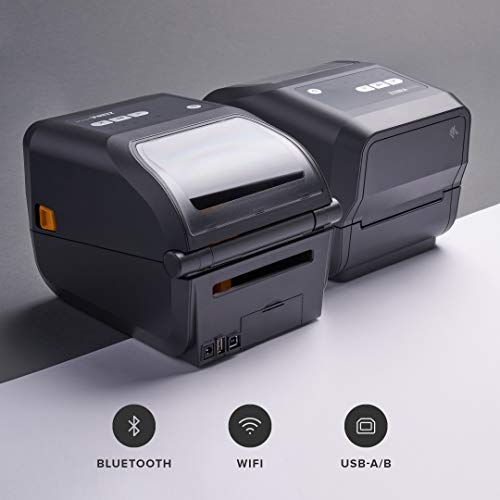

ZEBRA ZD420t Thermal Transfer Desktop Printer 203 dpi Print Width 4 in WiFi Bluetooth USB ZD42042-T01W01EZ
| SELLER | SELLER SCORE | AMAZON FULFILLED | PRIME | FREE SHIPPING |
|---|---|---|---|---|
| InStock901 | 5.64 | No | No | No |
Small business owners managing high-volume shipping and inventory need the Zebra ZD420t to eliminate the headache of unreliable labeling. This desktop workhorse is incredibly versatile because it handles both thermal transfer with ribbons and direct thermal media, giving you total flexibility over your label types. I was particularly impressed by how easily it integrates into a workflow via WiFi, Bluetooth, or USB. Whether you are printing barcodes, shipping labels, or even wristbands, the 6 inches per second print speed keeps things moving. The inclusion of Link-OS is a massive win for anyone managing multiple units, as it allows for remote troubleshooting and deployment without needing to be physically present at every station. It is a professional-grade tool that scales beautifully as your operation grows.

The first decision you must make is whether you want your labels to sit inside the binder spine or on the exterior surface. Spine inserts are the standard for ring binders and D-ring binders with clear plastic windows. These are ideal for high-volume filing because they allow you to slide labels in and out without damaging the binder itself. Look for inserts that match the exact width of your binder's spine. A label that is too narrow will wobble and tilt, while one that is too wide will buckle and create unsightly ridges.
External sleeve accessories, on the other hand, are better suited for binders that lack built-in windows or for those who require heavy-duty protection. These adhesive or clip-on sleeves allow you to apply labels to the front cover or the side, providing a secondary layer of identification that is often more visible from a distance.
Not all label materials are created equal. If your binders are stored in a climate-controlled office, standard paper inserts may suffice. However, if your collection is subject to humidity, frequent handling, or sunlight, you must prioritize material composition. For archival purposes, look for acid-free, lignin-free paper inserts to prevent the yellowing of labels or the transfer of chemicals to the binder's structure.
For high-traffic environments, consider synthetic or plastic-based label inserts. These are resistant to moisture, fingerprints, and tearing. If you are labeling binders that will be frequently moved or pulled from tight shelving, reinforced edge labels or heavy-gauge plastic sleeves will prevent the 'peeling effect' common with cheaper, thin-film alternatives.
Before purchasing, evaluate how you intend to generate your labels. There is a significant difference between hand-writing a label and using a thermal printer or a standard inkjet. If you use a dedicated label maker, ensure the accessory dimensions are compatible with the standard tape widths used by major brands.
If you prefer printing via a computer, look for accessories that are optimized for standard A4 or Letter-sized sheets. Many high-quality label accessories come in pre-perforated sheets that align perfectly with common word processing templates. This eliminates the frustration of misalignment and ensures that your text remains centered and professional-looking within the binder window.
When building an organizational system, always buy for the collection you intend to have, not just the one you have now. This means selecting label accessories that offer a consistent aesthetic. If you buy different styles of spine inserts at different times, your bookshelf will look cluttered and inconsistent. Aim for bulk packs of a single style to ensure uniformity. Furthermore, consider the 'indexing' capability. Some premium label systems allow for color-coded tabs or secondary small-scale labels that can be used for sub-categorization within a single large binder, providing a multi-tiered organizational structure.
Quick answers about Labels Binder Accessories before you buy.
Share of top-ranked products by brand, from our rankings.
We compared Labels Binder Accessories products using product details and customer ratings to identify the best options in the categories..
From that comparison we shortlisted the top 9 Labels Binder Accessories for this page..
We aim to help you find the right accessories products for your needs and save you time when choosing which Labels Binder Accessories to buy.
Compare the top 9 picks at a glance — select a column to sort.