PickSmartly Buying Guide

Best Xdo Bluetooth Network Adapters in 2026

9.6 PM Score
Products Compared
1
Brands Ranked
1
Our guides are compiled from product information and customer ratings. If you click on links we provide, we may receive compensation.

In an era where wireless connectivity is the backbone of productivity and entertainment, the demand for reliable Bluetooth integration has never been higher. XDO Bluetooth network adapters serve as a vital bridge for desktop computers, older laptops, or specialized hardware that lacks native wireless capabilities. Whether you are looking to connect a high-fidelity wireless headset, a precision gaming mouse, or a complex array of smart peripherals, choosing the right adapter is the difference between seamless multitasking and constant signal drops. This guide is designed to help you navigate the technical nuances of these compact devices to ensure your wireless ecosystem remains stable and high-performing.

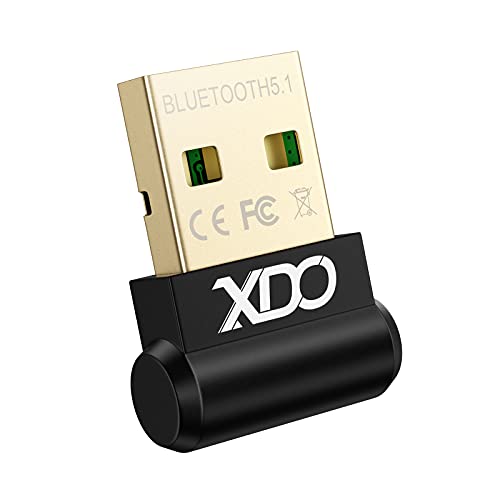
Bluetooth Adapter for PC, XDO USB Bluetooth Adapter 5.1 EDR, Bluetooth Dongle Wireless Bluetooth Receiver for Desktop, Laptop, Speaker, Mouse, Keyboar...

XDO Bluetooth 5.1 EDR USB Adapter for Windows

XDO 64615 1.10 X 0.59 X 0.31 Inches

PM Score for XDO (PM Score)

9.6 PM Score
Buy on Amazon
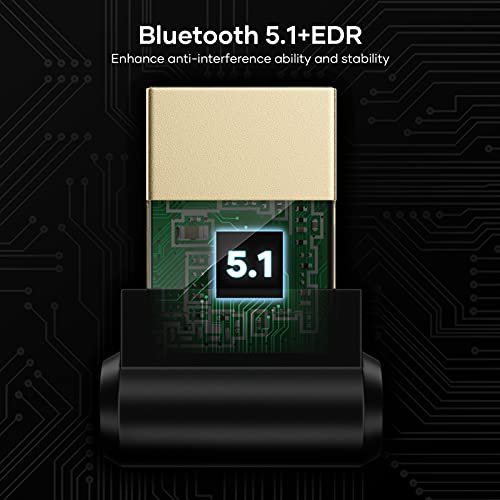
  • Bluetooth adapter 5.1 + EDR: The Bluetooth USB adapter uses the latest upgraded Bluetooth 5.1 + EDR technology. The anti-interference ability and stability is enhanced, and the transmission efficiency loss caused by interference in the 2.4 GHz frequency band is reduced.
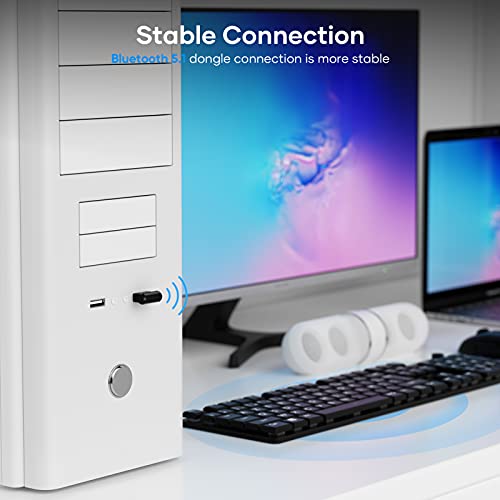
  • More Stable Connection: The Bluetooth 5.1 dongle has a more stable connection with transmission rate of up to 3Mbps. The configuration of Bluetooth low energy (BLE) and dual-mode Bluetooth transmission can obtain faster data transmission speed. The transmission distance can reach up to 32ft (10m) in an open place.
  • Wide Range of Applications: The wireless Bluetooth adapter can connect multiple devices, such as Bluetooth speakers, keyboards, headsets, and mice. You can make full use of the Bluetooth adapter to wirelessly transfer files while enjoying music.
  • Ultra-Small Size: The stylish and compact design makes the Bluetooth receiver perfect for placing on a laptop or PC without even noticing it. You can easily carry it on your laptop without blocking the USB ports next to it.
  • System support: USB Bluetooth adapter only supports Windows 11 / 10 / 8.1 / 8 / 7 (Not support Mac, Linux, TV, car stereo, PS4 or xbox). Driver is required. Backward compatible with Bluetooth 4.2/4.0/3.0/2.1.
SELLER SELLER SCORE AMAZON FULFILLED PRIME FREE SHIPPING
XDODirect 9.87 Yes Yes Yes

Most people assume a tiny USB dongle is just a cheap afterthought, but the XDO Bluetooth 5.1 adapter actually solves the massive headache of 2.4 GHz signal interference. By utilizing EDR technology, it manages to stabilize connections that usually stutter when your wireless mouse and keyboard compete for bandwidth. I found the 3Mbps transmission rate surprisingly snappy for multitasking, allowing me to stream music to a speaker while handling file transfers. The ultra-small footprint is a massive win too. It sits flush against your laptop without hogging the adjacent ports. Just keep in mind that this is strictly a Windows-based solution requiring a driver, so don't expect it to work on your Mac or gaming console.

What We Like
Bluetooth 5.1 EDR
Stable 3Mbps speed
Ultra-compact design
Dual-mode transmission
32ft wireless range
Buying Guide

A Guide to Selecting the Best xdo bluetooth network adapters

A Guide to Selecting the Best xdo bluetooth network adapters

Bluetooth Version and Protocol Support

The most critical factor in selecting an XDO adapter is the Bluetooth version it supports. Bluetooth technology evolves to offer better range, lower power consumption, and higher data throughput. When shopping, prioritize adapters that support Bluetooth 5.0 or higher. Versions 5.0 and above introduce features like 'Slot Availability Masking' and improved interference handling, which are essential if you plan on using multiple devices simultaneously. If you are strictly using the adapter for low-energy tasks like a wireless keyboard, older versions might suffice, but for audio streaming or high-speed data transfer, the latest standards are non-negotiable to prevent latency and stuttering.

Form Factor: Nano vs. High-Gain

XDO offers different physical configurations tailored to specific use cases. Nano adapters are incredibly small, often barely protruding from a USB port. These are ideal for laptop users who want to maintain a sleek profile or for users who need to plug the adapter into a crowded USB hub. However, their small size often means a smaller internal antenna, which can limit range. On the other hand, if you are setting up a desktop PC located under a desk or behind a monitor, look for adapters with external antennas or larger housings. These high-gain options provide significantly better penetration through walls and furniture, ensuring a stable connection even when your devices are several meters away.

Driver Compatibility and Operating System Integration

A Bluetooth adapter is only as good as its ability to communicate with your OS. Before purchasing, verify that the adapter is compatible with your specific environment—be it Windows, macOS, or Linux. Some adapters are 'plug-and-play,' meaning they utilize generic drivers built into the operating system for instant setup. Others may require specific driver installations to unlock their full potential, such as support for advanced audio codecs or specific gaming protocols. For a hassle-free experience, look for adapters that explicitly mention broad OS compatibility and ease of installation, reducing the risk of software conflicts that can plague wireless networking.

Concurrent Device Capacity and Bandwidth

Not all adapters are created equal when it comes to managing multiple connections. If your intention is to create a wireless workstation with a mouse, keyboard, headset, and printer all connected to one dongle, you must consider the adapter's bandwidth capacity. Low-end adapters may struggle with 'signal crowding,' leading to input lag on your mouse or audio dropouts in your headphones. High-quality XDO adapters are engineered to manage multiple data streams more efficiently. If you anticipate a heavy load of simultaneous connections, invest in a model that emphasizes stability under multi-device stress.

Final Recommendation Logic

To make your final decision, categorize your primary need. If you are a mobile professional looking to add wireless capability to a thin-and-light laptop, a Nano Bluetooth 5.0 adapter is your best bet for portability. If you are a gamer or a home office user seeking maximum stability and range, prioritize an adapter with an external antenna and the latest Bluetooth standard. Always weigh the trade-off between size and signal strength. A larger footprint almost always translates to a more robust wireless environment.

Ready to choose?

Jump back to our ranked picks or compare the shortlist side by side.

Frequently Asked Questions

Quick answers about Xdo Bluetooth Network Adapters before you buy.

Bluetooth 5.0 offers significantly faster data transfer speeds, greater range, and better stability compared to 4.0. It is also more power-efficient, making it ideal for modern peripherals.

Most modern adapters are plug-and-play on Windows 10/11 and macOS, but some may require manual driver installation from the manufacturer's website to access all features or specific Bluetooth versions.

Yes, that is the primary purpose of these adapters. Simply plug the USB dongle into an available port to add wireless connectivity to your desktop.

While a high-quality Bluetooth 5.0 or 5.3 adapter provides a more stable connection, Bluetooth inherently has more latency than wired connections or dedicated 2.4GHz wireless gaming dongles.

Yes, most adapters can handle multiple simultaneous connections, such as a mouse, keyboard, and headphones, though performance may dip if too many high-bandwidth devices are used at once.

Most standard USB Bluetooth adapters are designed for PCs and laptops. To use them with consoles, you typically need a specific adapter designed for that platform's operating system.

Yes. Plugging an adapter into the back of a metal computer case can shield the signal. For the best range, use a front-facing port or a USB extension cable to provide a clear line of sight.

For high-fidelity audio, look for adapters that support advanced codecs like aptX or LDAC. Standard adapters may result in compressed sound quality.
Rankings & Insights

Our Xdo Bluetooth Network Adapters Rankings

1 Products Compared
9.6 Avg PM Score
1 Brands Ranked

Top 10 Xdo Bluetooth Network Adapters Brands on Amazon

Share of top-ranked products by brand, from our rankings.

  1. 01 Xdo 1 (100%)

How We Selected These Products

We compared Xdo Bluetooth Network Adapters products using product details and customer ratings to identify the best options in the categories..

From that comparison we shortlisted the top 1 Xdo Bluetooth Network Adapters for this page..

We aim to help you find the right adapters products for your needs and save you time when choosing which Xdo Bluetooth Network Adapters to buy.

Side by Side

Comparison Table

Compare the top 1 picks at a glance — select a column to sort.

# Product Brand PM Score Where to Buy
1 XDO Bluetooth 5.1 EDR USB Adapter for Windows XDO 9.6 Buy on Amazon