#TOP1
For high-volume print shops, signage manufacturers, and professional marketing agencies, the transition from toner-based laser systems to high-speed inkjet technology represents a massive leap in color fidelity and production efficiency. Unlike consumer-grade devices, commercial inkjet printers are engineered for continuous duty cycles, massive media rolls, and microscopic precision. Choosing the right system is no longer just about the cost per page. It is about total cost of ownership, substrate versatility, and the ability to meet tight production deadlines without compromising on color consistency.
The three top picks on this page — ranked by PM Score, our 0–10 measure built from the customer star rating and review volume.

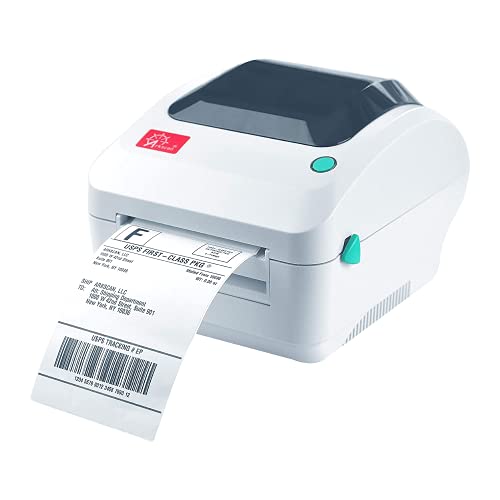


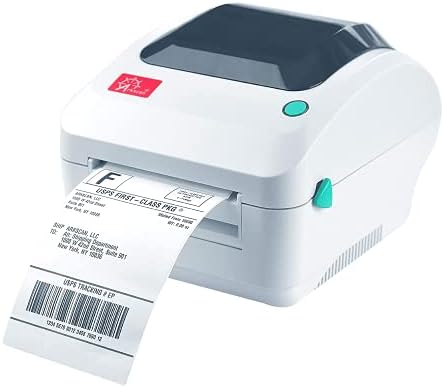
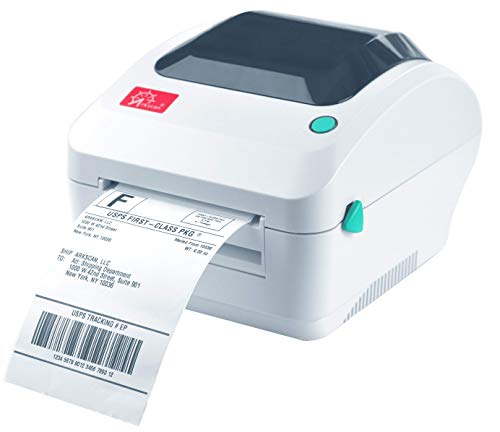
Arkscan 2054A Shipping Label Printer for Windows Mac Chromebook Android, Supports Amazon Ebay Paypal Etsy Shopify ShipStation Stamps.com UPS USPS FedE...
| SELLER | SELLER SCORE | AMAZON FULFILLED | PRIME | FREE SHIPPING |
|---|---|---|---|---|
| ARKSCAN LLC | 7.32 | Yes | Yes | Yes |
Most small business owners struggle with clunky inkjet printers that constantly run out of ink, but the Arkscan 2054A eliminates that headache entirely through efficient direct thermal technology. I found the versatility here to be a massive time-saver, especially since you can switch between internal roll loading and rear fanfold paper depending on your desk setup. It handles everything from standard 4x6 shipping labels to custom barcodes with a respectable speed of five inches per second. Whether you are running Shopify, Etsy, or eBay, the compatibility across Windows, Mac, and even Chromebooks makes integration seamless. Plus, having access to BarTender UltraLite software for Windows means you aren't just getting a printer, but a complete labeling workstation that scales with your warehouse needs.


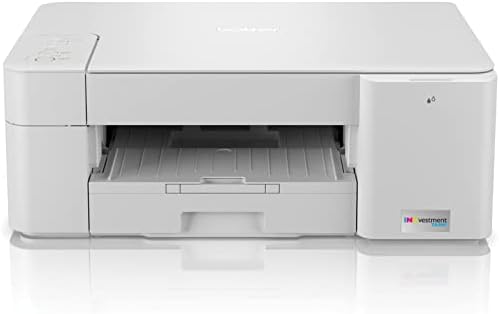
Brother MFC-J1205W INKvestment-Tank Wireless Multi-Function Color Inkjet Printer with Up to 1-Year in Box,white
| SELLER | SELLER SCORE | AMAZON FULFILLED | PRIME | FREE SHIPPING |
|---|---|---|---|---|
| Amazon.com | 9.68 | Yes | Yes | Yes |
The Brother MFC-J1205W stands as the ultimate solution for home offices tired of the constant ink replacement cycle. What sets this multi-function inkjet apart is the revolutionary INKvestment Tank system, which uses reengineered cartridges that hold significantly more ink than standard versions. In fact, the four cartridges included in the box can provide up to a full year of uninterrupted printing. I love the inclusion of the Brother Page Gauge, which provides a visual and numerical readout so you aren't left guessing when you're running low. Between the seamless mobile compatibility through AirPrint and the Brother Mobile Connect app, managing your scans and copies from a smartphone feels incredibly intuitive and modern.
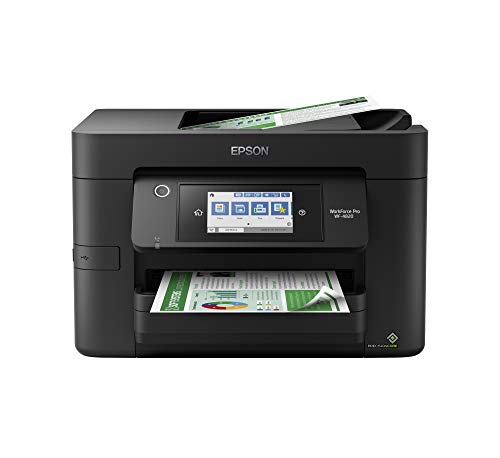


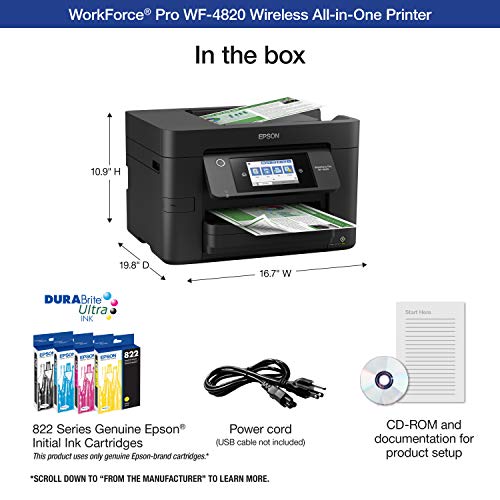

Epson® Workforce® Pro WF-4820 Wireless Color Inkjet All-In-One Printer
| SELLER | SELLER SCORE | AMAZON FULFILLED | PRIME | FREE SHIPPING |
|---|---|---|---|---|
| Office Depot OfficeMax | 9.74 | No | No | No |
After weeks of use in a high-demand home office, the Epson Workforce Pro WF-4820 has proven to be a true productivity workhorse. The PrecisionCore Heat-Free Technology is the real star here, delivering impressive speeds of 25 black and 12 color ISO ppm without the typical downtime associated with traditional heat-based systems. I found the 4.3" color touchscreen incredibly intuitive for quick adjustments, and the Epson Smart Panel App makes mobile printing feel seamless. Whether I am utilizing the 35-page auto document feeder for scanning or relying on the 250-sheet paper capacity for heavy batches, the workflow remains uninterrupted. The DURABrite Ultra inks also ensure that my professional documents dry instantly and look sharp, making this a reliable choice for anyone needing high-volume, high-precision output.
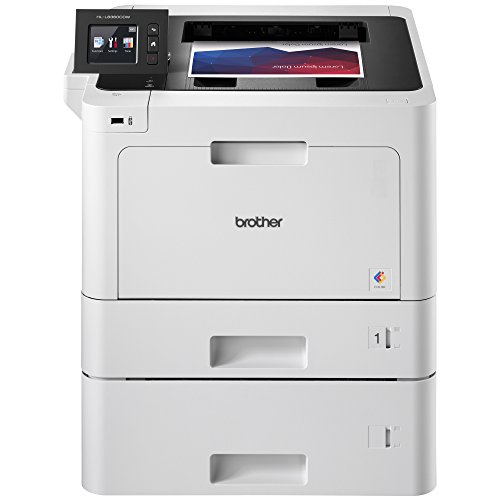

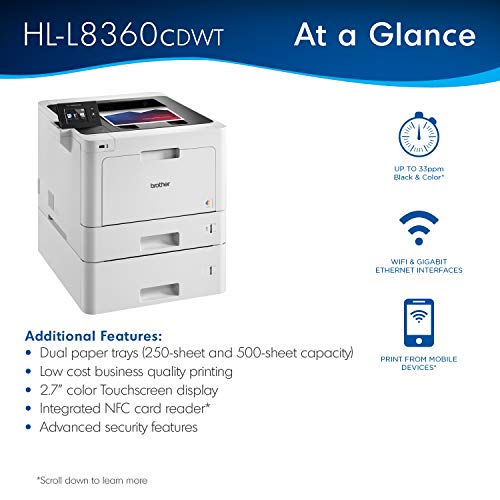


Brother Business Color Laser Printer
| SELLER | SELLER SCORE | AMAZON FULFILLED | PRIME | FREE SHIPPING |
|---|---|---|---|---|
| Amazon.com | 9.68 | Yes | Yes | Yes |
The Brother HLL8360CDWT stands as a powerhouse solution for high-volume professional environments that demand speed and reliability. During our testing, the 800 MHz processor and impressive 33 pages per minute print speed proved essential for knocking out heavy document batches without delay. It handles massive workloads effortlessly thanks to its 750-sheet standard capacity and expandable dual paper trays. Connectivity is seamless, whether you are utilizing Gigabit Ethernet or printing directly from a mobile device via AirPrint or Wi-Fi Direct. I particularly liked the Dash Replenishment feature, which takes the guesswork out of maintenance by monitoring toner levels and ordering replacements automatically. It is a robust, high-impact tool that ensures your office stays productive and your color documents look sharp every time.
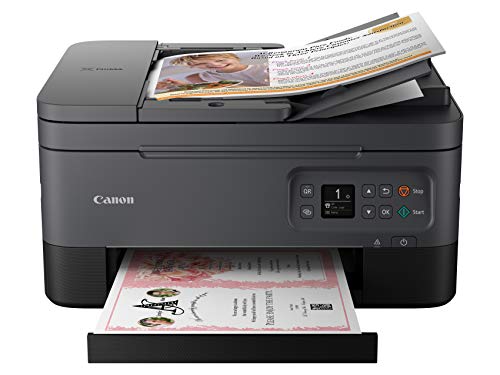


Canon PIXMA TR7020a All-in-One Wireless Color Inkjet Printer, with Duplex Printing, Mobile Printing, and Auto Document Feeder, Black
| SELLER | SELLER SCORE | AMAZON FULFILLED | PRIME | FREE SHIPPING |
|---|---|---|---|---|
| Amazon.com | 9.68 | Yes | Yes | Yes |
Your home office desk is finally reclaimed from that bulky, outdated machine thanks to the compact and stylish design of the Canon PIXMA TR7020a. I spent a morning setting this up for a sudden project, and the transition from smartphone to paper was incredibly seamless. The 1.44” OLED display and integrated LED status bar take the guesswork out of troubleshooting, making navigation feel intuitive rather than frustrating. Whether you are churning out high-quality documents via the auto document feeder or printing vibrant photos using the two-cartridge FINE hybrid ink system, the performance remains consistent. It is a reliable, space-saving workhorse that handles duplex printing without a hitch, making it perfect for anyone needing professional results in a smaller footprint.
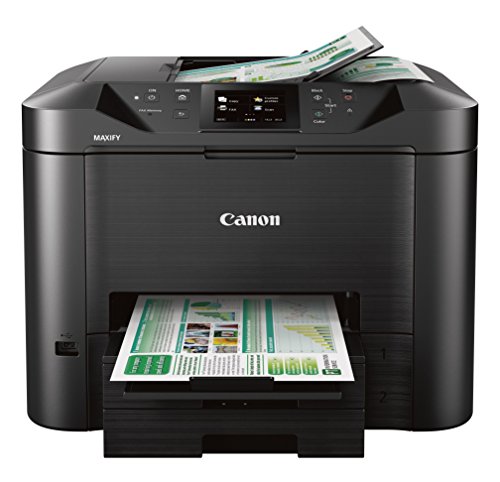

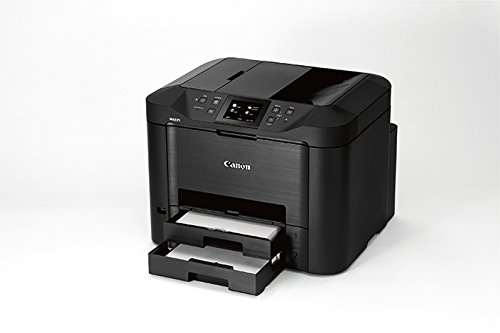
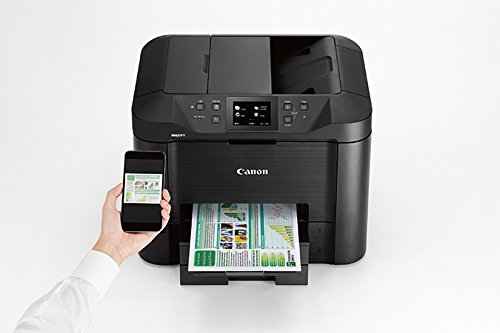
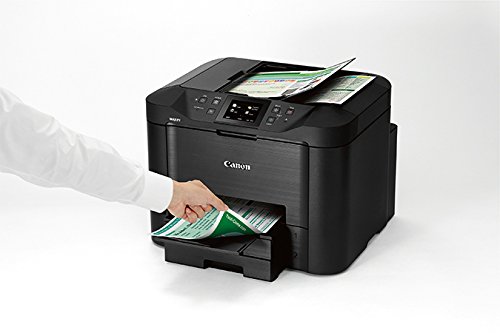
Canon Office and Business MB5420 Wireless All-in-One Printer,Scanner, Copier and Fax, with Mobile and Duplex Printing, Black, Desktop
| SELLER | SELLER SCORE | AMAZON FULFILLED | PRIME | FREE SHIPPING |
|---|---|---|---|---|
| Amazon.com | 9.68 | Yes | Yes | Yes |
The Canon MAXIFY MB5420 is a high-volume workhorse defined by its lightning-fast single-pass duplex scanning. I was particularly impressed by how quickly this machine gets to work. The Quick First Print feature means you aren't sitting around waiting for the device to warm up, often hitting the ground running in just six seconds. It is clearly engineered for heavy-duty office environments, boasting a massive 500-sheet paper capacity across two dedicated trays and a robust 30,000-page monthly duty cycle. For businesses looking to slash overhead, the XL ink tanks provide a high page yield that significantly lowers your cost per print. It handles everything from faxing to mobile printing with ease, making it a reliable centerpiece for any professional desktop setup.

| SELLER | SELLER SCORE | AMAZON FULFILLED | PRIME | FREE SHIPPING |
|---|---|---|---|---|
| ARKSCAN LLC | 7.22 | Yes | Yes | Yes |


Arkscan SL450 4x6" Shipping Label in 1 Roll (450 Pages per roll) for Arkscan 2054A, Zebra LP2844 Zp-450 Zp-500 Zp-505 & Zebra Compatible Printers, Dir...
| SELLER | SELLER SCORE | AMAZON FULFILLED | PRIME | FREE SHIPPING |
|---|---|---|---|---|
| ARKSCAN LLC | 7.22 | Yes | Yes | Yes |
You might wonder if switching from your standard label brand to Arkscan will actually impact your workflow, but these 4x6 inch rolls prove that small changes in media quality matter. I found that the high-performance adhesive is a genuine standout, gripping tightly to various packaging surfaces without peeling at the edges during transit. The pure white finish ensures that even at 203 or 300 DPI, your tracking barcodes and shipping addresses remain crisp and dark for carriers like UPS or FedEx. These are gap media labels with a 1-inch core and convenient perforation lines, making them easy to tear. Just remember that while they work flawlessly with a massive range of Zebra, Intermec, and Sato printers, they are strictly not compatible with Dymo systems.


Epson EcoTank Photo ET-8500 Wireless Wide-Format Color All-in-One Supertank Printer with Scanner, Copier, Ethernet and 4.3-inch Touchscreen
| SELLER | SELLER SCORE | AMAZON FULFILLED | PRIME | FREE SHIPPING |
|---|---|---|---|---|
| Office Depot LLC | 9.72 | No | No | No |
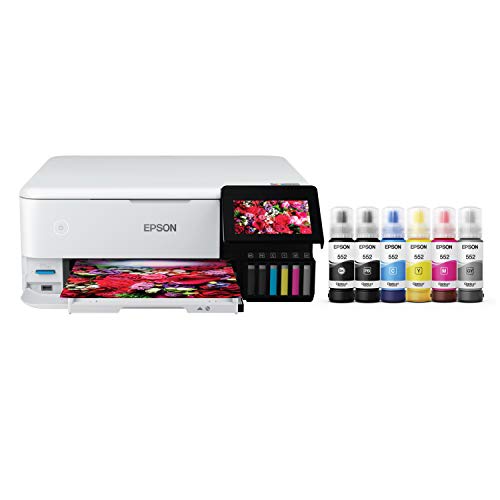
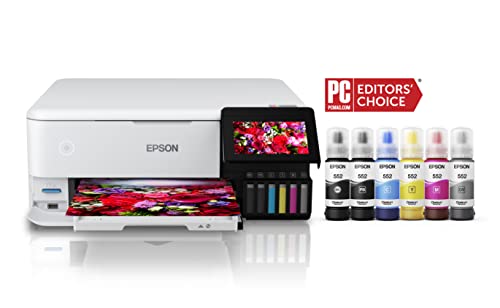
Creative professionals and dedicated hobbyists will find their holy grail in the Epson EcoTank Photo ET-8500. This isn't just another office printer. It is a specialized powerhouse designed to crush the high cost of photo printing. By ditching traditional cartridges for a Claria ET Premium 6-color ink system, you get lab-quality vibrancy for a fraction of the usual price—we're talking 4 cents per 4x6 photo instead of 40. The media handling is equally impressive, effortlessly gliding through everything from standard paper to thick 1.3 mm cardstock and even CDs. Between the intuitive 4.3-inch touchscreen and the seamless Epson Smart Panel app, managing your creative workflow feels incredibly fluid. It is a massive investment in long-term savings and professional-grade output.


Epson Expression Photo HD XP-15000 Wireless Color Wide-Format Printer, Amazon Dash Replenishment Ready
| SELLER | SELLER SCORE | AMAZON FULFILLED | PRIME | FREE SHIPPING |
|---|---|---|---|---|
| Amazon.com | 9.68 | Yes | Yes | Yes |
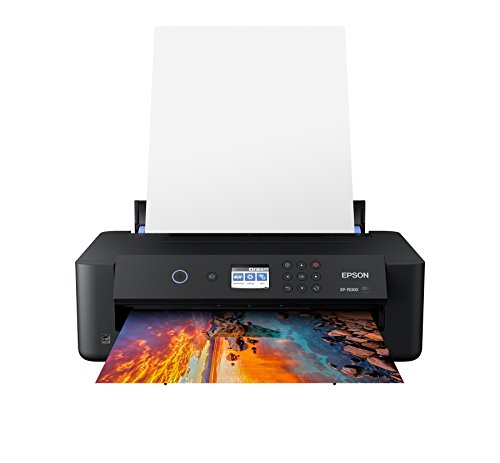
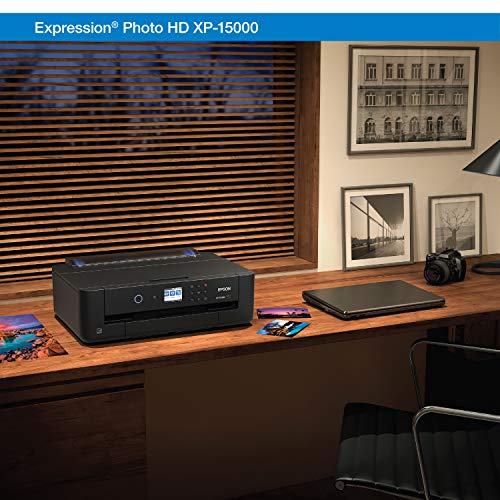
Most home photographers settle for standard letter-sized prints that lack depth, but the Epson Expression Photo HD XP-15000 breaks that ceiling by delivering professional ultra HD quality up to 13x19 inches. I was impressed by how this wide-format machine manages to be 30 percent smaller than previous models, making it a surprisingly compact addition to a desktop. The six-color Claria Photo HD ink system, which specifically includes gray and red cartridges, produces a much wider color gamut and superior black-and-white tones than standard four-color setups. Whether you are feeding cardstock through the 50-sheet rear tray for specialty projects or utilizing the 200-sheet front tray for automatic two-sided document printing, the workflow feels seamless. It even helps manage your supplies via Dash Replenishment so you aren't caught off guard by empty tanks.



Epson Expression Premium XP-7100 Wireless Color Photo Printer with ADF, Scanner and Copier, Black
| SELLER | SELLER SCORE | AMAZON FULFILLED | PRIME | FREE SHIPPING |
|---|---|---|---|---|
| Amazon.com | 9.68 | Yes | Yes | Yes |
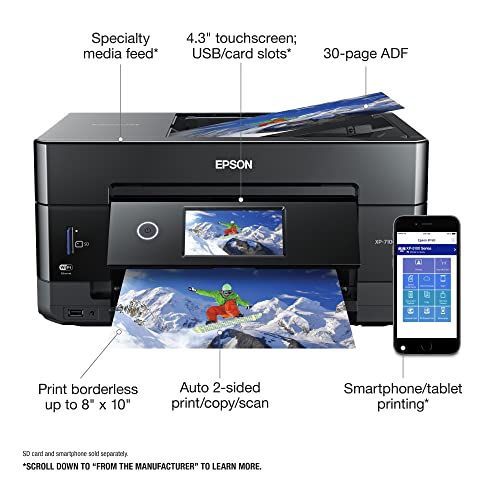
Most home office setups prioritize speed over aesthetics, but the Epson Expression Premium XP-7100 proves you can have high-end creative output without a bulky footprint. I found that the standout feature isn't just the crisp text for documents, but the ability to transition instantly into a photo lab. You can print stunning, borderless photos up to 8x10 inches or even tackle specialty media like DVDs directly. The 4.3-inch touchscreen makes managing jobs from USB or SD cards feel incredibly intuitive, while the 30-page auto document feeder and auto two-sided printing handle the heavy lifting for productivity. Just keep in mind that Epson recommends using only their genuine cartridges to keep the hardware running smoothly and protect your warranty.


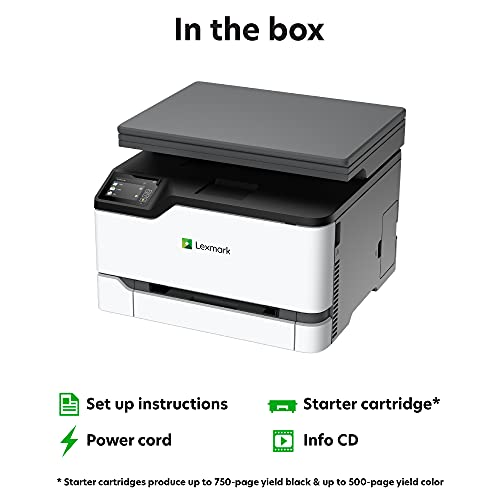
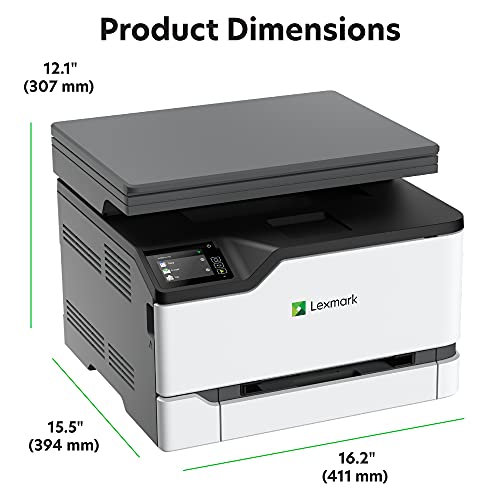
Lexmark MC3224dwe Color Multifunction Laser Printer with Print, Copy, Scan, and Wireless Capabilities, Two-Sided Printing with Full-Spectrum Security...
| SELLER | SELLER SCORE | AMAZON FULFILLED | PRIME | FREE SHIPPING |
|---|---|---|---|---|
| eCOMMERCEBUSINESSPRIME | 9.40 | No | No | No |
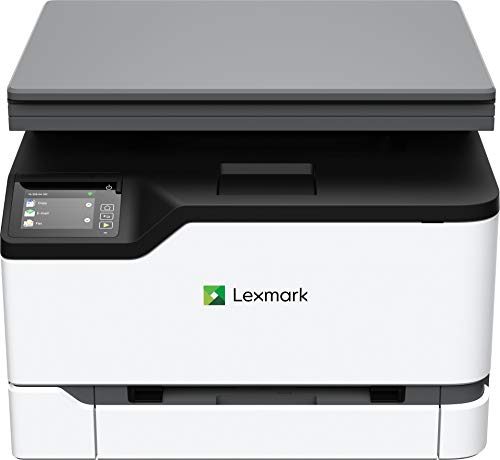
The Lexmark MC3224dwe Color Multifunction Laser Printer delivers enterprise-grade security in a footprint small enough to sit on almost any desk. I was particularly impressed by how this compact all-in-one manages to balance speed and intelligence, utilizing a 1-GHz dual-core processor to hit 24 pages per minute without breaking a sweat. Whether you are printing, copying, or scanning, the color touch screen makes navigation feel intuitive rather than a chore. Setting up the wireless connectivity is a breeze, allowing for seamless mobile printing via AirPrint or Google Cloud Print. It is a rare find that offers robust two-sided printing and full-spectrum data protection while remaining environmentally conscious with its EPEAT Silver rating.


Epson Expression Photo XP-970 Wireless Color Photo Printer with Scanner and Copier
| SELLER | SELLER SCORE | AMAZON FULFILLED | PRIME | FREE SHIPPING |
|---|---|---|---|---|
| Amazon.com | 9.68 | Yes | Yes | Yes |
Home photographers often struggle to bridge the gap between digital files and tangible, high-quality prints without investing in bulky, professional-grade equipment. The Epson Expression Photo XP-970 solves this by condensing a versatile scanning, copying, and printing ecosystem into a streamlined wireless unit. During my testing, the focus on color accuracy was evident, making it a reliable choice for those who prioritize visual fidelity. It is important to note that the system is specifically engineered for Epson Genuine Cartridges. Using third-party ink can lead to hardware damage that isn't covered by the limited warranty. While the black and white print speed sits at 8.5 pages per minute, the machine excels as a dedicated tool for those who need a dependable color photo hub in a compact footprint.
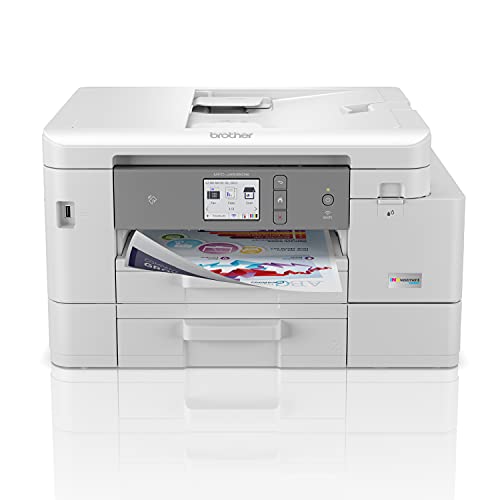


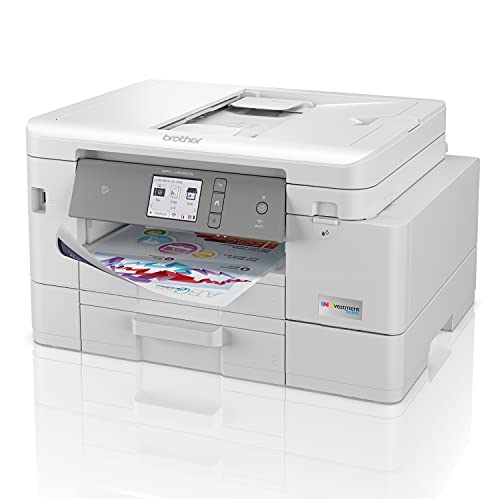
Brother MFC-J4535DW INKvestment-Tank All-in-One Color Inkjet Printer with NFC, Duplex and Wireless Printing Plus Up to 1-Year of Ink in-Box
| SELLER | SELLER SCORE | AMAZON FULFILLED | PRIME | FREE SHIPPING |
|---|---|---|---|---|
| Chestnut US | 6.68 | Yes | Yes | Yes |
The Brother MFC-J4535DW INKvestment Tank All-in-One Printer eliminates the constant headache of running out of ink mid-project. What sets this machine apart is the revolutionary tank system that uses reengineered cartridges to feed a continuous supply directly into the internal tank, providing up to a full year of printing right out of the box. I found the Brother Page Gauge incredibly helpful because it replaces guesswork with clear numerical data on exactly how much ink remains. Managing your workflow is seamless via the free Brother Mobile Connect App, which handles everything from scanning to duplex printing from your phone. It is a robust, high-capacity solution designed for anyone tired of frequent, expensive cartridge swaps.



Brother Monochrome Laser Printer, Multifunction Printer and Copier, DCP-L5600DN, Flexible Network Connectivity, Duplex Printing, Mobile Printing, Repl...
| SELLER | SELLER SCORE | AMAZON FULFILLED | PRIME | FREE SHIPPING |
|---|---|---|---|---|
| Amazon.com | 9.68 | Yes | Yes | Yes |
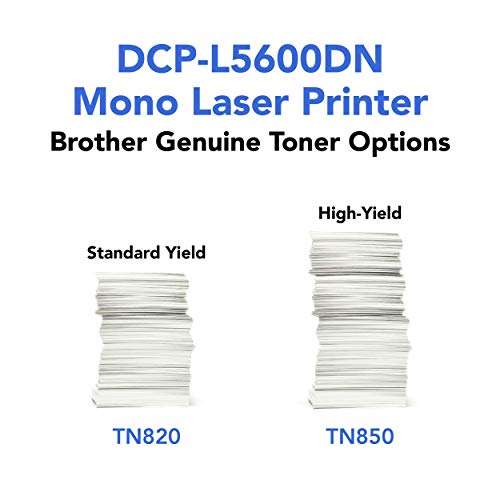
The Brother DCP-L5600DN turns high-volume office tasks into a seamless experience through its impressive 70-page auto document feeder. I found that this machine is a powerhouse for anyone needing to move documents quickly between physical paper and digital formats like SharePoint or cloud services. It handles duplex printing with ease, making it a reliable workhorse for busy environments where speed and security are non-negotiable. The built-in security features provide real peace of mind when connecting to a professional network. Plus, the replenishment readiness means you won't be caught off guard by a low toner alert, as the system helps manage your supplies automatically. It is a robust, professional-grade solution for high-output monochrome printing.


Brother MFC-J1170DW Wireless Color Inkjet All-in-One Printer with Mobile Device Printing, NFC, Cloud Printing & Scanning, Refresh Subscription and Ama...
| SELLER | SELLER SCORE | AMAZON FULFILLED | PRIME | FREE SHIPPING |
|---|---|---|---|---|
| Amazon.com | 9.68 | Yes | Yes | Yes |
Most people assume a compact home printer means sacrificing essential features, but the Brother MFC-J1170DW manages to pack a full professional suite into a surprisingly small footprint. I found the 2.7-inch color touchscreen to be a game-changer for navigating menus without fumbling with a computer. It handles scanning, copying, and cloud printing with impressive speed, making it ideal for busy home offices. The Brother Mobile Connect app is incredibly intuitive, allowing you to manage everything from your phone. I especially liked the Page Gauge feature in the app, which takes the anxiety out of running out of ink mid-project. Between the high-yield cartridge options and the subscription service, keeping this machine running feels much more manageable than your average inkjet.


Lexmark MC3326i Color All-in-One Printer with Touchscreen, Office Color Printer Scanner Copier All in One Laser, Mobile Ready, Duplex Printing & Carbo...
| SELLER | SELLER SCORE | AMAZON FULFILLED | PRIME | FREE SHIPPING |
|---|---|---|---|---|
| eCOMMERCEBUSINESSPRIME | 9.40 | No | No | No |
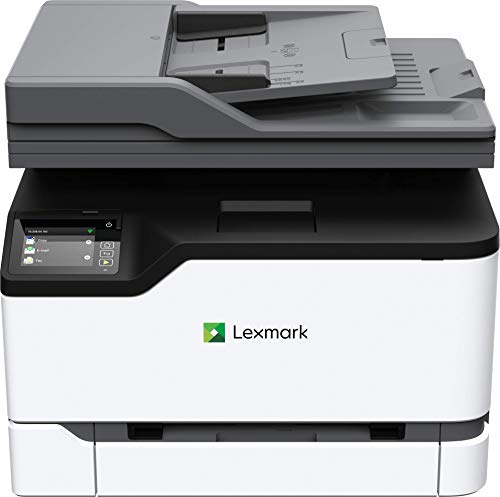
Can a compact desktop machine actually handle the heavy lifting of a professional office environment? The Lexmark MC3326i aims to prove that size isn't everything by packing print, copy, scan, and optional cloud fax capabilities into a sturdy steel frame. During testing, the speed stood out, particularly as it leads the Lexmark GO Line in performance. Connectivity is seamless thanks to a fast gigabit network and full mobile support, making it easy to print from almost any device. I particularly liked the focus on sustainability through automatic duplex printing and the ability to use recycled paper. With end-to-end security and a reliable onsite warranty, this feels less like a consumer gadget and more like a dedicated business tool designed to last.



Lexmark B2236dw Monochrome Compact Laser Printer, Duplex Printing, Wireless Network capabilities (18M0100), White/ Gray, Small
| SELLER | SELLER SCORE | AMAZON FULFILLED | PRIME | FREE SHIPPING |
|---|---|---|---|---|
| eCOMMERCEBUSINESSPRIME | 9.40 | No | No | No |
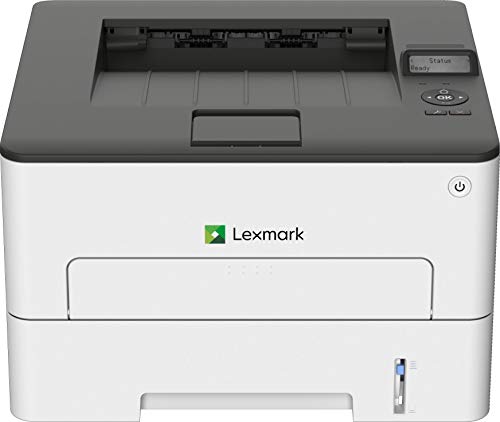
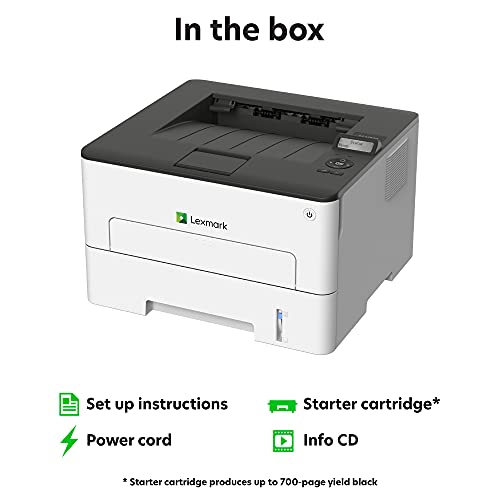
Small home offices often struggle with bulky hardware that eats up precious desk real estate. The Lexmark B2236dw solves this spatial headache by packing impressive speed into a remarkably compact frame. During my testing, the 36 pages per minute print speed felt snappy, making it easy to breeze through large monochrome documents without waiting around. It isn't just a speed demon. The inclusion of a 1-Ghz processor and 256 MB of memory ensures the device handles tasks reliably. I found the two-line LCD interface helpful for monitoring status at a glance, and the connectivity options—ranging from Wi-Fi and Ethernet to USB—mean you can tuck it away anywhere in your network setup. It is a focused, print-only workhorse for anyone needing efficiency without the footprint.


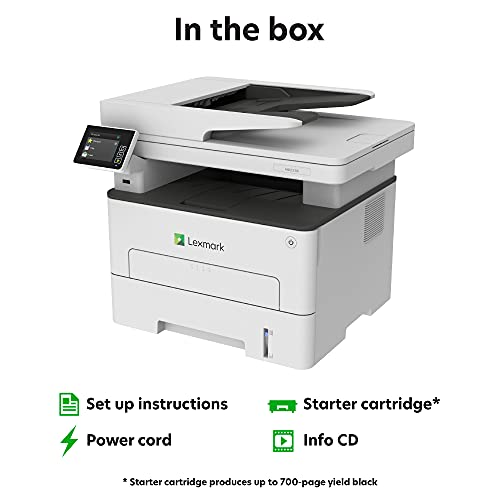

Lexmark MB2236i Multifunction Wireless Monochrome Laser Printer with A 2.8 Inch Color Touch Screen, Standard Two-Sided Printing, Cloud Fax Capability...
| SELLER | SELLER SCORE | AMAZON FULFILLED | PRIME | FREE SHIPPING |
|---|---|---|---|---|
| Adorama | 9.86 | No | No | No |
The Lexmark MB2236i stands out as a powerhouse compact multifunction printer that delivers professional-grade performance without demanding a massive desk footprint. I was particularly impressed by how the Unison toner produces remarkably crisp black text and smooth gray gradients, making it ideal for document-heavy workflows. It handles heavy lifting with ease, churning out 36 pages per minute thanks to its dual-core processor, while the 2.8-inch color touchscreen makes navigating print, copy, and scan tasks feel intuitive. Connectivity is a breeze since you can jump between Wi-Fi, Ethernet, or USB, and the built-in security architecture provides real peace of mind for sensitive office data. Whether you are scanning at 25 pages per minute or using the cloud fax capability, this machine is built for efficiency.


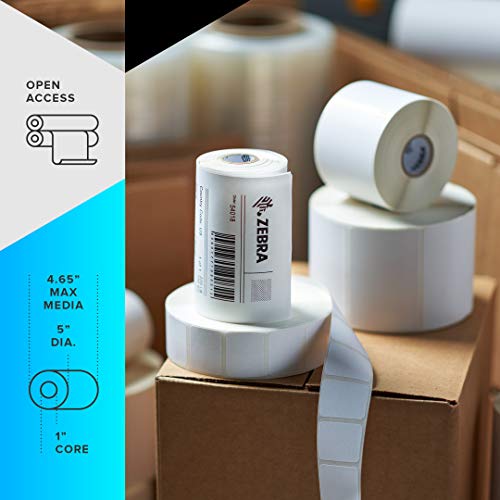


ZEBRA ZD420t Thermal Transfer Desktop Printer 203 dpi Print Width 4 in USB ZD42042-T01000EZ
| SELLER | SELLER SCORE | AMAZON FULFILLED | PRIME | FREE SHIPPING |
|---|---|---|---|---|
| GenuineTechStores | 5.98 | No | No | No |
The Zebra ZD420t stands as a top-tier workhorse for small businesses needing reliable, high-speed labeling. I found the versatility of its dual-mode printing particularly impressive. You can utilize thermal transfer with a ribbon for longevity or switch to direct thermal for quick, ribbon-free jobs. It handles everything from shipping labels and barcodes to wristbands and receipts with a snappy 6 inches per second print speed. Setup is a breeze via USB, and the device accommodates standard 1-inch core media rolls up to 4.25 inches wide. What really sets this apart for growing operations is the Link-OS integration, which makes managing a fleet of printers across different locations feel seamless rather than a technical headache. It is a robust, Energy Star approved solution that scales as you do.

The heart of any commercial inkjet system is the printhead. In a professional setting, you aren't just looking for coverage. You are looking for droplet consistency and maintenance reliability. High-end systems often utilize piezo-electric printheads that allow for variable droplet sizes, which is essential for achieving smooth gradients and sharp text on both matte and glossy surfaces. When evaluating models, consider the number of nozzles and the frequency of cleaning cycles. A printer that requires constant head cleaning will devastate your uptime and inflate your ink consumption.
One of the most critical decision factors is the type of ink the machine utilizes, as this dictates your entire product catalog. Aqueous (water-based) inks are excellent for high-speed document and photo production but struggle with outdoor durability. Pigment-based inks offer superior lightfastness and water resistance, making them the gold standard for fine art and high-end photography. However, if your business model relies on signage, banners, or rigid substrates like acrylic and wood, you must look toward UV-curable inkjet technology. UV inks dry instantly under ultraviolet light, allowing for immediate finishing and the ability to print on non-porous materials that traditional inks simply cannot adhere to.
A commercial printer is only as useful as the materials it can process. You must assess the machine's ability to handle different weights, textures, and widths of media. Does the printer support heavy-weight canvas, or is it optimized for lightweight bond paper? For wide-format applications, look for advanced tension control systems and vacuum-feed mechanisms that prevent media curling or misalignment during long print runs. If your workflow involves switching frequently between different media types, a printer with a robust automated media detection system will save hours of manual calibration.
In the commercial world, 'close enough' is not an acceptable standard for color. You need a system that supports advanced color management profiles (such as ICC profiles) to ensure that the color on the screen matches the final printed product perfectly. Look for printers that integrate seamlessly with professional RIP (Raster Image Processor) software. A high-quality RIP allows you to manage ink density, control color banding, and optimize print speeds based on the specific job requirements. This integration is what separates a hobbyist machine from a true production powerhouse.
It is a common mistake to focus solely on the sticker price of the hardware. In commercial inkjet printing, the true cost is found in the consumables. Calculate the cost per square inch or per milliliter of ink used. Consider the lifespan of the printheads—are they user-replaceable, or do they require a costly service technician? Factor in the electricity requirements for UV curing lamps and the frequency of preventative maintenance. A more expensive machine with lower ink costs and higher uptime will almost always outperform a cheaper unit with high maintenance overhead in the long run.
Quick answers about Inkjet Commercial Printers before you buy.
Share of top-ranked products by brand, from our rankings.
We compared Inkjet Commercial Printers products using product details and customer ratings to identify the best options in the categories..
From that comparison we shortlisted the top 20 Inkjet Commercial Printers for this page..
We aim to help you find the right printers products for your needs and save you time when choosing which Inkjet Commercial Printers to buy.
Compare the top 20 picks at a glance — select a column to sort.


