Best Gaming Computer Graphics Tablets in 2026
- Products Compared
- 15
- Brands Ranked
- 9
For gamers and digital creators who bridge the gap between high-octane play and precision artistry, a graphics tablet is more than a peripheral—it is an extension of the hand. Whether you are using a tablet to navigate complex strategy games with tactile precision, utilizing a stylus for custom character design, or integrating digital art into your streaming setup, the right hardware can transform your workflow. Unlike standard mice, gaming-oriented graphics tablets offer a level of nuanced input that allows for fluid, organic movement. This guide will help you navigate the technical nuances of pressure sensitivity, surface texture, and connectivity to ensure your next investment enhances your performance rather than hindering it.
Quick Filter
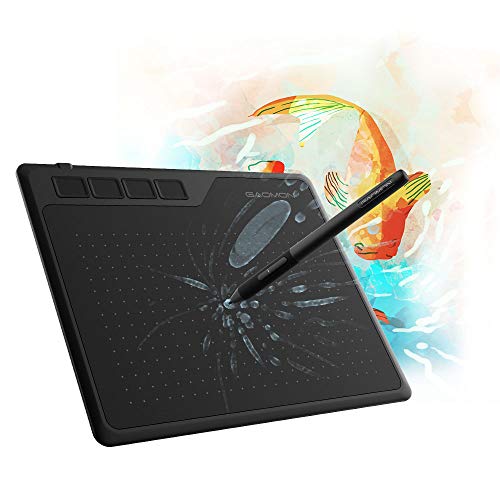
Showing 15 of 15GAOMON S620 6.5 x 4 Inches Graphics Tablet with 8192 Passive Pen 4 Express Keys for Digital Drawing & OSU & Online Teaching-for Mac Windows Android OS
GAOMON S620 Compact Graphics Drawing Tablet
- 【FOR DIGITAL ART & CREATION】-- Perfect for beginner who starts digital drawing, sketching, graphics design, 3D art work, animation, etc. Also meet basic use of professionals who requires portable feature especially during travel.【FOR ANNOTATING AND SIGNATURE】--You can sign and write in excel, word, pdf, ppt, etc.【FOR ONLINE MEETING & ONLINE CLASS】It works with most online meeting programs, like Zoom, and so on. 【FOR Osu! & GAMING】--It's a large help for playing rythm games like Osu!
- 【PASSIVE PEN】--Battery-free pen cuts the inconveneince of charging the pen. 【8192 HIGH LEVEL PEN PRESSURE & 4 CUSTOMIZABLE EXPRESS KEYS】It will provide you precise control and accuracy at your fingertips, to bring more natural lines and enhance creative performance. 4 customizable express keys could be set to more functions as you like. Using them while working will largely improve your work flow.
- 【COMPATIBILITY OR APPLICATION】-- It compatible with Windows OS 7/8/10 or above and mac-10.12 or above. Work with most art programs like Adobe Photoshop, Illustrator, Clip Studio, Lightroom, Sketchbook Pro, Manga Studio, CorelPainter, FireAlpaca, OpenCanvas, Paint Tool Sai2, Krita and so on. 【WORK WITH ANDROID DEVICES】--It works with android devices with 6.0 or above system which support OTG function. 【NEED PURCHASE EXTRAUSB ADAPTERS FOR ANDROID DEVICES】
- 【266 PPS REPORT RATE + 5080LPI RESOLUTION + 10MM PEN READING HEIGHT + 6.5*4 INCHES ACTIVE AREA】-- This size is more portable and lightweight, easy to be carried around in the laptop bag to the workplace, school, and travel. But it’s also big enough for digital painting, handwriting, playing games and animation design, etc.
- 【HUMANIZED DESIGN】-- 4 rubber feet are created to ensure the stability of the tablet from slipper. 【LEFT & RIGHT HANDED SUPPORT】--Set 180 degree roate inside GAOMON Driver to set left hand mode.
| SELLER | SELLER SCORE | AMAZON FULFILLED | PRIME | FREE SHIPPING |
|---|---|---|---|---|
| GAOMON US | 9.84 | Yes | Yes | Yes |
The GAOMON S620 is the definitive entry point for budget-conscious creators and rhythm gamers alike. This compact powerhouse delivers a surprisingly high 8192 levels of pressure sensitivity, making digital sketching and animation feel incredibly natural right out of the box. I found the battery-free passive pen to be a massive quality-of-life win, as you never have to worry about mid-project charging. While the 6.5 x 4-inch active area is specifically designed for extreme portability and fits easily into any laptop bag, it remains large enough for precise work in Photoshop or Krita. The four customizable express keys and stable rubber feet ensure that your workflow stays efficient and steady, whether you are annotating a PDF for class or dominating a game of Osu!.
One by Wacom Medium Graphics Drawing Tablet, Portable and Versatile for Students & Creators,10.9 x 7.4 inches, Ergonomic 2048 Pressure Sensitive Pen,...
Wacom One Medium Graphics Drawing Tablet
- One by Wacom, Portable, Versatile Drawing Tablet: Introduce your student to the love of learning through pen to paper feeling on this drawing pad and support homework, drawing and their creativity
- Compatible With All Software Technology: This drawing tablet can be used with Chromebook without requiring a driver but also works with any computer system and software for education and gaming
- What the Professionals Use: Wacom's industry leading pen technology and pen to paper feeling makes it the preferred drawing tablet of professional graphic designers
- Software and Training Bundle: This portable drawing pad contains a full software bundle including CSP, trials, and training for free access to learning how to best enhance productivity and creativity
- Wacom is the Global Leader in Drawing Tablet and Displays: With over 40 years in the pen display and tablet market, you can trust Wacom to help you bring your vision, ideas, and creativity to life
| SELLER | SELLER SCORE | AMAZON FULFILLED | PRIME | FREE SHIPPING |
|---|---|---|---|---|
| Amazon.com | 9.68 | Yes | Yes | Yes |
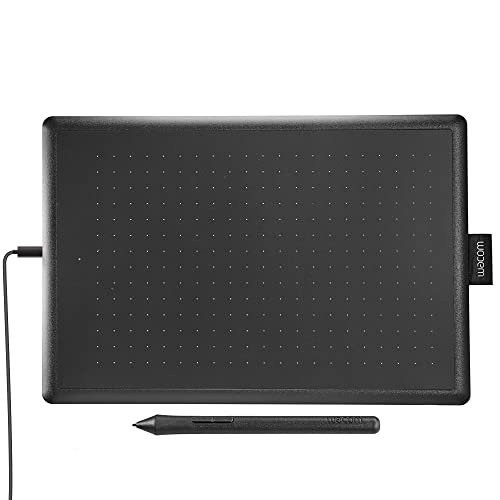
Can a single device bridge the gap between a student's first sketch and a professional's finished masterpiece? The One by Wacom Medium aims to do exactly that by providing a tactile, pen-to-paper sensation that feels remarkably natural. I found the 2048 levels of pressure sensitivity in the ergonomic pen to be incredibly responsive, making it a reliable tool for everything from homework to high-level digital art. It is impressively versatile, working seamlessly with Chromebooks without needing extra drivers, yet it remains powerful enough for any Windows or Mac setup. Plus, the included software bundle and training resources take the guesswork out of the learning curve. It is a portable, professional-grade entry point for anyone serious about digital creativity.
GEEKOM Mini PC AS5, AMD Ryzen 9 5900HX (8C/16T, up to 4.6GHz), 32GB DDR4 RAM 1TB PCIe Gen 3 M.2 SSD, Win 11 Pro Mini Computers Support 8K@60Hz/USB4.0/...
GEEKOM AS5 AMD Ryzen 9 Mini PC
- Powerful AMD Ryzen 9 5900HX - Geekom AS 5 mini pc is powered by AMD Ryzen 9 5900HX processor (8 Cores, 16 Threads, 16MB Cache, 3.3GHz~4.6GHz). With pre-installed Windows 11 Pro, you can easily use the mini PC for tasks such as browsing the Internet, reading email, editing docs, home office, and even photo editing with a user experience that is close to that of a desktop computer.
- 32GB RAM 1TB SSD Up to 2TB - GEEKOM mini pc with high-speed 32GB DDR4, built-in 1TB M.2 2280 PCIe 3x4 SSD.(M.2 is much better than mSATA/HDD in terms of both smaller size and higher transfer performance), and supports up to 2TB of 2.5" SATA HDD/SSD, allowing you can accommodate system files and massive games.
- 8K Resolution & Quad Display Support - AMD Radeon Vega 8 Graphics provides powerful graphics processing. 2*HDMI, 1*DP, and 1*USB 3.2 Typc-C support up to 4x 4K displays. DP/USB Type-C interface delivers stunning 8K vision. This mini desktop computer makes it easy to multitask, fully capable of using Microsoft Office, Adobe applications, watching 4K video, and playing games at the same time.
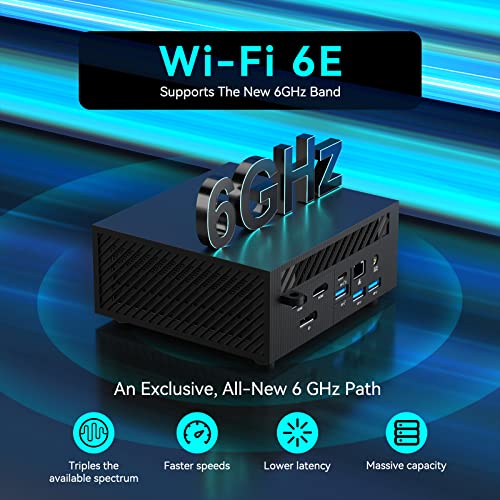
- Gaming-grade Network Transmission - The WiFi 6E-enabled GEEKOM mini gaming PC supports 2.4G/5G/6G bands for optimal gaming and video conferencing performance with high bandwidth, low interference and low latency. Its 2.5 Gigabit Ethernet provides ultra-fast network and data transfer speeds for more efficient multitasking.
- Why GEEKOM - GEEKOM focuses on mini PC, this AS5 mini computer is jointly produced by GEEKOM and ASUS, supporting enhanced software - MyASUS, which allows AI noise reduction, system diagnostics, intelligent fan control, etc. We offer lifetime technical support, 3-year worry-free warranty, 7/24 response service, please feel free to contact us with any questions!
| SELLER | SELLER SCORE | AMAZON FULFILLED | PRIME | FREE SHIPPING |
|---|---|---|---|---|
| No | No | No |
It is easy to doubt whether a device this small can actually replace a full-sized desktop, but the GEEKOM AS5 proves those doubts wrong almost immediately. Packing an AMD Ryzen 9 5900HX with 8 cores and 16 threads, this machine handles heavy photo editing and multitasking without breaking a sweat. The 32GB of RAM and 1TB SSD provide a massive performance cushion, and I was particularly impressed by the quad-display support that allows for an incredible 8K visual setup. Whether you are jumping into a gaming session or managing a complex home office, the inclusion of WiFi 6E and 2.5G LAN ensures your connection stays lightning-fast. It is a compact powerhouse that delivers a desktop-class experience in a fraction of the footprint.
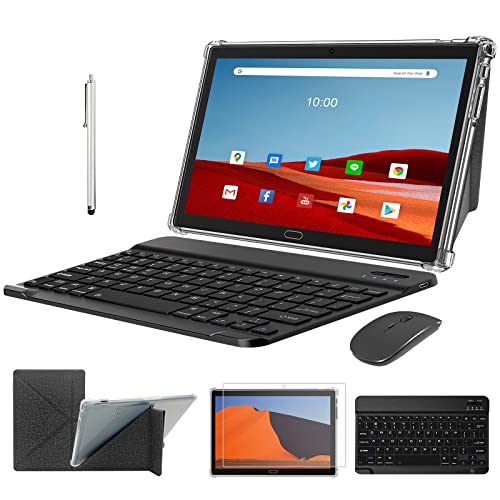
Tablet 2023 Newest 2 in 1 Tablet 10 inch Android 11 4G Cellular Tablet with Dual Sim Card Slot 4GB+64GB+512GB Expandable Storage Octa-Core 13MP Camera...
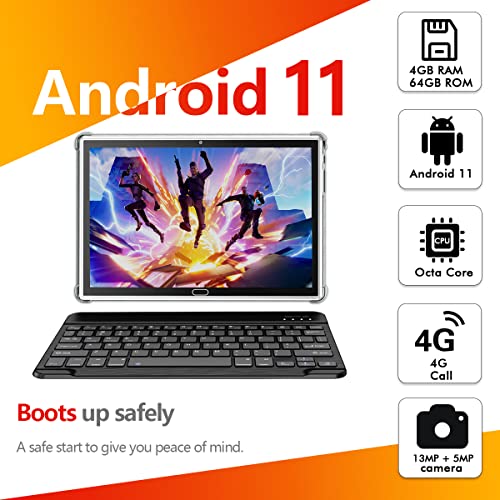
ZONKO 2-in-1 Android 11 Cellular Tablet with Keyboard
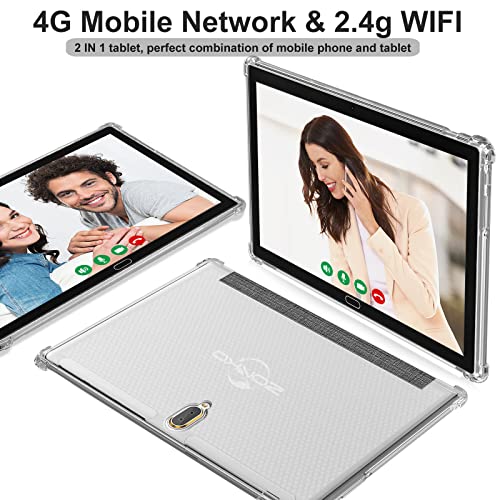
- [4G LTE calls and Dual Wifi]: 2 in 1, perfect combination of mobile phone and tablet. With the 4G phablet feature, Our tablet has Dual SIM capabilities that allow you to have two phone numbers in one device. You have both 2.4G Wi-Fi and 4G/3G/2G options for internet connectivity. Whenever Wi-Fi connection isn't available, you can rely on your data plan to connect to the internet. Notice: SIM CARD is NOT included.
- [64GB Internal Storage]: The ZONKO Tablet has 4GB+64GB internal storage, it's possible download more than 1 million APPs.Comes with Bluetooth Keyboard, Wireless Mouse and foldable protective case, it can flexibly turn tablet into a laptop mode, phone mode and computer mode for different usage- typing, browsing, gaming, video calling or watching movies, offers you limitless features and capabilities for your enjoyment. A perfect gift for students, writers, bloggers or businessman!
- [Octa Core Processor]: Runs on the latest Android 11 Octa core 1.6Ghz, high speed CPU and processor allows you to play games, watching movies, browsing the website, or reading fluently, ensures smooth running and ultimate multimedia experience and you can multi-task simultaneously whenever you like.
- [Android 11 OS]: The latest version of Android 11 system, the industry standard for high performance graphics. Reveals tons of new adventures to your tablet. Easy multi-tasking, rich notifications, resizable widgets and deep interactivity. The device will allow you the best experience inside out.
- [13MP Camera with HD Screen]: 10.1 inch tablet has 13MP rear camera with 5 MP front camera, offers clear images and stable response time. Brings brighter photos to life using wider viewing angles. 10 inch display with accurate color reproduction, perfect for watching amazing movies, playing casual games, reading comic books, and making video calls.
| SELLER | SELLER SCORE | AMAZON FULFILLED | PRIME | FREE SHIPPING |
|---|---|---|---|---|
| Zonko Store | 9.72 | Yes | Yes | Yes |
The constant struggle of carrying both a smartphone and a bulky laptop for light productivity tasks finds a clever solution in the ZONKO 2-in-1 tablet. This device effectively bridges the gap between a mobile phablet and a portable workstation by including a Bluetooth keyboard, wireless mouse, and a protective case right in the box. Running on Android 11 with an octa-core processor, it handles multitasking and media streaming with surprising fluidity for its price point. I found the dual SIM capability particularly useful for staying connected via 4G LTE when Wi-Fi is out of reach. Whether you are a student needing to type up notes or a traveler watching movies on the 10-inch HD screen, this kit offers a versatile, all-in-one setup that transitions seamlessly between phone and computer modes.
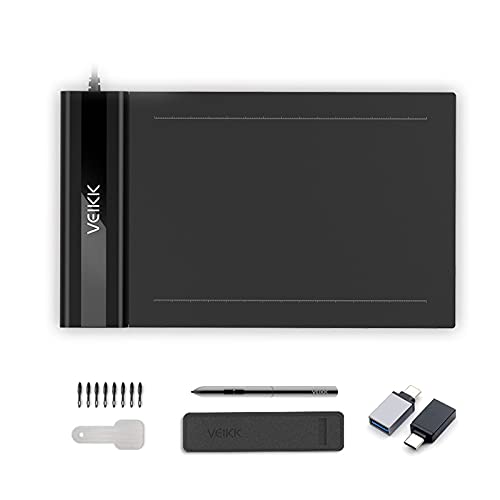
VEIKK S640 Graphics Drawing Tablet 6x4 Inch Ultra-thin Portable OSU Tablet with 8192 Levels Battery-free pen (For Drawing, Online class/E-learning and...
VEIKK S640 Portable Graphics Drawing Tablet
- VEIKK S640 graphic tablet is designed for drawing, online education, E-signature as well as OSU gaming etc. It is perfect replacement for a traditional mouse. S640 has 6x4 inch active area. Built-in USB cable design perfectly avoid the loss of the cable so that you won’t have the trouble of can’t start the art work because of the cable’s loss.
- S640 drawing tablet has Ultra-thin and Ultra-lightweight body, which is only 2mm thickness, 117g weight, it is the thinnest of all the same size computer graphics tablets. It is portable and you can create your art work anywhere.
- The P01 Battery-free pen, allowing you constant uninterrupted drawing and playing. 8192 level of pressure sensitivity can identify any subtle strokes, accurately determine the mouse position, and make fun for your artistic creation or game life.
- VEIKK S640 digital drawing tablet is compatible with Windows, Mac and Android. It can be used for E-learning, compatible with Microsoft Word, PowerPoint, Excel, OneNote, Zoom, Xsplit etc. It is also compatible with most drawing software such as Adobe Photoshop, SAI, AI, Autodesk Sketch Book, Comic studio, Maya etc.
- VEIKK provides one-year hardware warranty and lifetime free driver update, you will get professional suggestion if you meet any problem for all VEIKK drawing tablets. We are always here for our customers.
| SELLER | SELLER SCORE | AMAZON FULFILLED | PRIME | FREE SHIPPING |
|---|---|---|---|---|
| VEIKK TECH | 9.84 | Yes | Yes | Yes |
The VEIKK S640 redefines portability with an impossibly slim 2mm profile that fits into any bag. I was immediately struck by how lightweight it feels at just 117g, making it a dream for artists who need to work on the go. The built-in USB cable design is a clever touch, ensuring you never lose your connection mid-project. Using the P01 battery-free pen feels incredibly natural because the 8192 levels of pressure sensitivity capture even the tiniest nuances in your strokes. Whether you are diving into a high-stakes OSU gaming session, teaching an online class via Zoom, or sketching in Photoshop, this compact device acts as a highly precise alternative to a standard mouse.
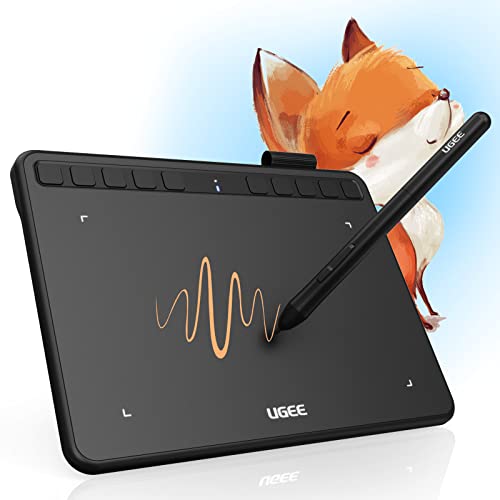
Drawing Tablet, UGEE Computer Graphics Tablets with 10 Hot Keys, 6.5x4 inch OSU Tablet with Battery Free Stylus of 8192 Levels Pressure Sensitivity,Di...
UGEE S640 Digital Graphics Drawing Tablet
- 【Instead of Mouse & Keyboard】This computer graphics tablets is ideal for online working,teaching & meeting. It has 10 hot keys that can be customized according to your preferences,to set zoom in,zoom out,undo,save,delete.8192 pressure Sensitivity battery free pen with 8 replacement refills. It can working long times for drawing,OSU gaming,and sign on line etc. It reduces the need to switch back and forth between mouse and keyboard,and has function of a click,keyboard shortcuts and editing input.
- 【Drawing enthusiast friendly】The drawing tablets simulates the frosted texture of paper,8192 pressure sensitive battery free stylus,60°tilt control,can adjust the pressure of the nib to more accurately reflect the natural thickness and darkness of the line. features delay-free cursor positioning,and pen body comes with a key to switch the eraser function,restore the true feeling of drawing. Left-handed easy as it can be 180°rotated,pen pockets on the top of the drawing pads to prevent pen loss.
- 【Convenient and Fast】Type-C Interface can connected with your digital drawing tablet, computer or phone easily and fast(the phone needs to use an OTG converter).Type-C interface design supports blind insertion. Easy driver download, you just need to enter the official website of UGEE, through support-download-select The type of drawing board - select the computer system - click download to install. The driver is downloaded from the official authoritative website,plug-and-play, safe and reliable.
- 【Environmentally friendly】This drawing tablet is truly paperless, avoiding paper waste .Easy to carry as it is very thin and light-1cm thick & weight 200g. The 6.5*4 inch size makes this drawing pad for computer perfect for limited desktop space. It can be used for drawing design,photo editing, sketching, animation drawing, letter writing.It is suitable for children learn to draw for the first time,students who need to record at any time,and elderly people who are not familiar with the keyboard.
- 【Wide Compatibility】UGEE S640 graphics drawing tablet is compatible with Mac,Windows and Linux, supports phone Android 6.0 or higher via the included OTG adapter, drawing through with phone at any time. It is also compatible with Chromebooks (note: requires Chrome OS 88.0.4324.109 and newer),it is apply to Word, PowerPoint, OneNote, Zoom, Xsplit,etc. And then it supports Adobe Photoshop,Paint Tool Sai, illustrator, Corel Draw, Corel painter,Sketchbook,Manga Studio,Clip Studio Paint for creation.
| SELLER | SELLER SCORE | AMAZON FULFILLED | PRIME | FREE SHIPPING |
|---|---|---|---|---|
| HONGKONG UGEE TECHNOLOGY | 6.36 | Yes | Yes | Yes |
Digital artists and OSU gamers on a budget need this compact powerhouse to ditch the clunky mouse and keyboard workflow. The UGEE S640 feels surprisingly professional for its size, offering a frosted, paper-like texture that makes sketching feel natural rather than slippery. I was particularly impressed by the battery-free stylus. With 8192 levels of pressure sensitivity and 60° tilt control, your line weight responds instantly to your hand movements. The ten customizable hot keys are a massive time-saver for zooming or undoing mistakes during intense sessions. It is incredibly thin and lightweight, making it easy to toss into a bag for mobile work on an Android phone or a laptop. Whether you are a student learning to draw or a pro editing photos, this tablet delivers reliable, delay-free precision.
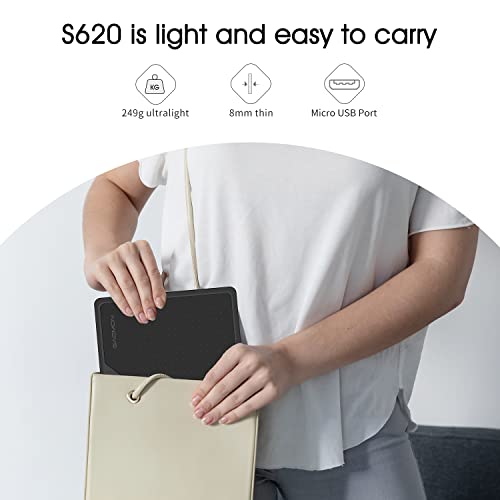
GAOMON S620 Graphics Tablet 6.5 x 4 Inches Pen Tablet with 4 Express Keys and Battery-Free Pen for Digital Drawing and Gaming on Windows&Mac OS & Andr...
GAOMON S620 Compact Graphics Tablet with Battery-Free Pen
- 【8192 Levels Battery Free Pen】 The pen uses state-of-the-art passive technology, no need to recharge, continuous drawing. 4 customizable shortcut keys on the pen provide you with a convenient working experience. 8192-level pressure sensitivity, making lines more convenient and natural. Report Rate: 266 RPS/ Resolution: 5080 LPI/ Read Height: 10mm/ Work Area: 6.5 x 4 inches/ USB Port: Micro USB.
- 【4 Customizable Shortcut Keys】 The digital graphics tablet comes with 4 customizable shortcut keys that can be set as needed to improve your productivity.
- 【Lightweight Design and Technical Support】 GAOMON S620 is only 8mm thick and weighs 1.23lbs. It's a portable and lightweight graphics tablet that you can take anywhere. GAOMON provides lifetime technical support for all GAOMON tablets/monitors. We consider excellent ongoing customer support part of our offering.
- 【Connected with Windows & Mac OS & Android】 Compatible with Win 7/8/10 and mac OS 10.12 or above, Android phone 6.0 or above. Please note that the Android phone must have OTG function. No need to install GAOMON driver on your Android phone.
- 【Wide Applicability & Multi-compatible Software】S620 drawing tablet support with most drawing programs: Adobe Photoshop, Illustrator, Clip Studio, Lightroom, Sketchbook Pro, Manga Studio, CorelPainter, FireAlpaca, OpenCanvas, Paint Tool Sai2, Krita, etc. It is suitable for digital drawing, painting,OSU games, distance education, sketching, electronic signature, online teaching, remote work, photo editing, etc.
| SELLER | SELLER SCORE | AMAZON FULFILLED | PRIME | FREE SHIPPING |
|---|---|---|---|---|
| DRAWSEED US | 5.42 | Yes | Yes | Yes |
The GAOMON S620 packs incredible pressure sensitivity into a remarkably portable frame. I found the 8192 levels of pressure sensitivity to be the real star here, allowing for incredibly natural line weights that mimic a real pencil without the constant headache of charging a pen. Since it uses passive technology, you can just pick it up and draw immediately. The four customizable shortcut keys are a huge time-saver for workflow efficiency, and the slim 8mm profile makes it easy to toss into a bag for sketching on the go. Whether you are diving into OSU gaming or professional photo editing in Photoshop, this little tablet handles the pressure with a responsive 266 RPS report rate that keeps your strokes feeling fluid and precise.
Drawing Tablet GAOMON S630 5x3.2 Inch OSU Tablet with 4 Express Keys - Android Supported Computer Graphics Tablet with Battery-Free Stylus and 8192 Le...
GAOMON S630 Digital Drawing and OSU Tablet
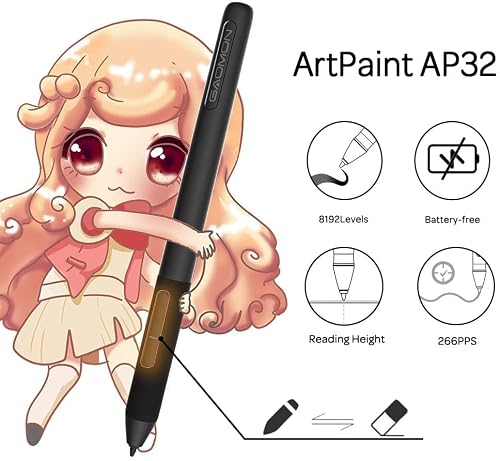
- 【❤ Drawing Pad with 4 Express Keys】They are available to be customized to different functions in different drawing programs. 【❤ Special Cute Tablet Cover】the GAOMON S630 pen tablet comes with a cute designed cover. 【❤ Osu Tablet with 266PPS Report Rate】S630 digital drawing tablet with small work area and 266PPS report rate is perfect for rythm game like Osu! 【❤ 1 Year Warranty & Life-time Tech Support】
- 【❤ Drawing Tablet with Battery-Free Stylus AP32 with 8192 Levels Pressure Sensitivity 】-no need to charge the pen any more.【❤ Gift Accessory】8 replacement nibs , a type-c to usb adapter, and a bookmark are included in the package of S630 art tablet. 【❤ 0.24Inch Ultra Thin Thickness and 0.37LB Lightweight】 【❤ Micro USB Cable】【❤ Plug and play, easy to set up】
- 【❤ Android Supported Digital Drawing Tablet】GAOMON S630 is not only drawing pad for computer, but also Android supported. Connect S630 art animation tablet to your smart Android Phone/ tablet with Type-c adapter and turn on the OTG of your phone. 【❤ Work Area for Phone Mode: 3.18x1.79Inch & 5.08x3.18Inch for Computer Mode】【❤ How to Improve Osu! Playing Experience】①Customize to a specic small work area by screen ratio in GAOMON Driver. ②Disable Pen Nib function in GAOMON Driver.
- 【❤ For Digital Art Beginners】-- GAOMON graphics tablet S630 is perfect choice for beginners of digital drawing, sketching, graphics design, 3D art work, animation, photo editing, painting, sketching manga, etc.【❤ For Annotating and E-Signature】--S630 signature pad supports to write in excel, word, pdf, ppt, etc.【❤ For Remote Work】You can use GAOMON S630 pen tablet for online meeting and remote learning. 【❤For Osu! Gaming】--It's a large help for playing rythm games like Osu!
- 【❤ Drawing Programs & OS Compatibility】S630 art tablet is compatible with Win 7/8/10 or above/Mac OS 10.12 or above/ Android 6.0 or above OS with OTG support. Work with art drawing programs like Adobe Photoshop, Illustrator, Clip Studio, Lightroom, Sketchbook Pro, Manga Studio, CorelPainter, FireAlpaca, OpenCanvas, Paint Tool Sai2, Krita etc.
| SELLER | SELLER SCORE | AMAZON FULFILLED | PRIME | FREE SHIPPING |
|---|---|---|---|---|
| GAOMON US | 9.87 | Yes | Yes | Yes |
Budget-conscious digital artists and rhythm gamers will find the GAOMON S630 to be an absolute steal for its price point. I was immediately struck by how incredibly thin and lightweight this device is, making it easy to toss into a bag for remote work or sketching on the go. The battery-free stylus feels natural thanks to its 8192 levels of pressure sensitivity, and the four customizable express keys actually streamline your workflow in programs like Photoshop or Krita. While it is marketed heavily for OSU! players due to the high 266PPS report rate, the Android compatibility makes it a versatile tool for annotating PDFs or sketching on a phone. It is a plug-and-play solution that delivers professional-feeling precision without the professional price tag.
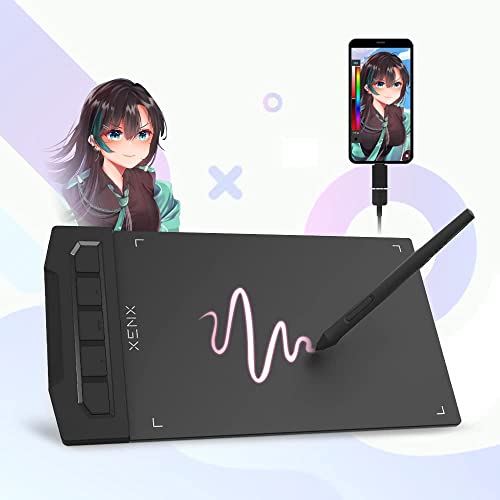
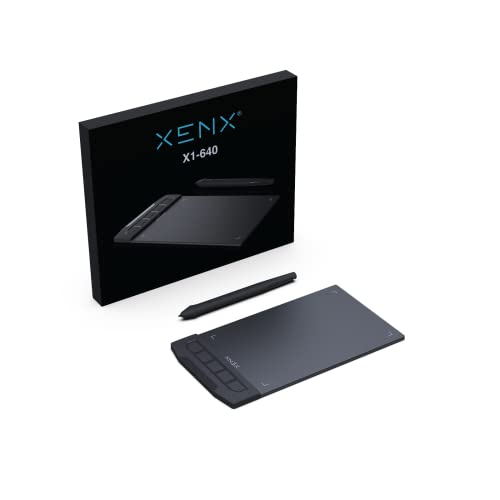
XENX X1-640 Ultra-thin Graphic Drawing Tablet 6x4 inch with 8192 Pressure Levels Battery-Free Pen for Digital Art, Design, E-learning/Online Classes,...
XENX X1-640 Ultra-thin Graphic Drawing Tablet
- 【Multifunction】XENX X1-640 is an ideal graphics drawing tablet for DIGITAL ART, PAINTING, PHOTO EDITING, GRAPHIC DESIGN and OSU GAMING. Besides, it is a great tool for DOCUMENT ANNOTATION, PEN INPUT for ONLINE CLASSES and MEETINGS as well as ELECTRONIC SIGNATURE application.
- 【Customized Buttons】6x4 inch drawing area which is adequate for digital art and OSU gaming. 5 customized shortcut keys which can be programmed.
- 【Ultra-thin】Ultra-thin design with only 2.85mm thickness at the drawing area. High report rate makes no visible delay of the pen strokes.
- 【Battery-free Pen】Our BATTERY-FREE PEN is enhanced by a HIGHLY PRECISE PRESSURE SENSOR which utilizes 8192 level of pressure sensitivity. Two customizable side buttons allow you to put your favorable shortcuts on it.
- 【Driver Compatibility】Xenx Tablet is COMPATIBLE with Mac OS 10.12 or later, Windows 7 64-bit or later, Android 6.0 or later. You can also enjoy driver free pen experience with Windows 10 and Android 6.0 or later.
| SELLER | SELLER SCORE | AMAZON FULFILLED | PRIME | FREE SHIPPING |
|---|---|---|---|---|
| Xenx Store | 5.93 | Yes | Yes | Yes |
The XENX X1-640 redefines entry-level digital input by packing professional-grade precision into an incredibly slim 2.85mm profile. While testing this tablet for digital art and OSU gaming, the 8192 pressure levels felt remarkably responsive, providing a natural flow that mimics real pen strokes without any noticeable lag. The 6x4 inch workspace is compact enough for tight desk setups but remains highly functional thanks to the five programmable shortcut keys. I found the battery-free pen especially convenient, as the two customizable side buttons allow for quick tool switching during intense design sessions or online teaching. Whether you are signing documents or diving into photo editing, this lightweight tool offers a seamless, driver-free experience on compatible Windows and Android systems.
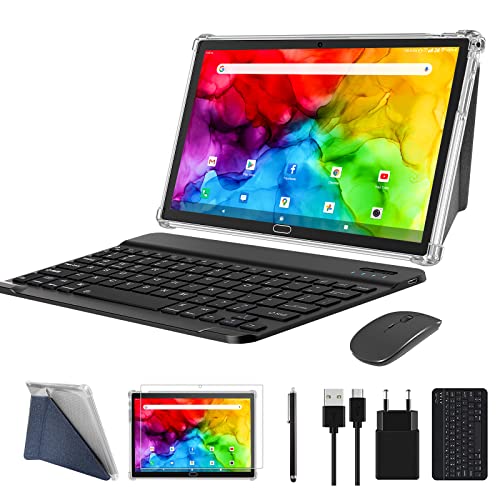
ZONKO Tablet 10 inch 2 in 1 4G Phone Tablet with Dual Sim Slot, 4GB+64GB Storage(Support 512GB Expand), Octa-Core Processor,13MP Camera, WiFi Android...
ZONKO 2-in-1 Android 11 Tablet with Keyboard and Mouse
- · [4G LTE calls and Dual Wifi]: 2 in 1, perfect combination of mobile phone and tablet. With the 4G phablet feature, Our tablet has Dual SIM capabilities that allow you to have two phone numbers in one device. You have both Wi-Fi and 4G/3G/2G options for internet connectivity. Whenever Wi-Fi connection isn't available, you can rely on your data plan to connect to the internet. Notice: SIM CARD is NOT included. T-mobile work better than other carriers.
- · [64GB Internal Storage]: The ZONKO Tablet has 4GB+64GB internal storage, it's possible download more than 1 million APPs.Comes with Bluetooth Keyboard, Wireless Mouse and foldable protective case, it can flexibly turn tablet into a laptop mode, phone mode and computer mode for different usage- typing, browsing, gaming, video calling or watching movies, offers you limitless features and capabilities for your enjoyment. A perfect gift for students, writers, bloggers or businessman!
- · [Octa Core Processor]: Runs on the latest Android 11 Octa core 1.6Ghz, high speed CPU and processor allows you to play games, watching movies, browsing the website, or reading fluently, ensures smooth running and ultimate multimedia experience and you can multi-task simultaneously whenever you like.
- · [Android 11 OS]: The latest version of Android 11 system, the industry standard for high performance graphics. Reveals tons of new adventures to your tablet. Easy multi-tasking, rich notifications, resizable widgets and deep interactivity. The device will allow you the best experience inside out.
- · [13MP Camera with HD Screen]: 10.1 inch tablet has 13MP rear camera with 5 MP front camera, offers clear images and stable response time. Brings brighter photos to life using wider viewing angles. 10 inch display with accurate color reproduction, perfect for watching amazing movies, playing casual games, reading comic books, and making video calls.
| SELLER | SELLER SCORE | AMAZON FULFILLED | PRIME | FREE SHIPPING |
|---|---|---|---|---|
| Zonko Store | 9.72 | Yes | Yes | Yes |
After weeks of use, the versatility of the ZONKO 10-inch tablet has become my go-to for switching between a mobile device and a lightweight workstation. What sets this apart is the true 2-in-1 capability. The included Bluetooth keyboard, wireless mouse, and stylus transform it from a simple media player into a functional laptop setup for writing or blogging. The Octa-Core processor keeps Android 11 running smoothly, whether I am multitasking between apps or streaming movies on the vibrant 10.1-inch screen. I especially value the Dual SIM 4G LTE support, which ensures I stay connected via data when Wi-Fi is out of reach. It is a surprisingly robust package for anyone needing a portable, multi-mode device for work or play.
XENX P3 MacOS and Android Supported Graphic Drawing Tablet P3-1060 10x6 inch with 10 Shortcut Keys, 8192 Pressure Levels Battery-Free Pen for Digital...
XENX P3 Graphic Drawing Tablet for Digital Art
- XENX P3-1060 is an ideal graphics tablet for digital art, painting, photo editing and graphic design. Besides, it is a great tool for document annotation, pen input for online classes and meetings as well as electronic signature application.
- 10 by 6.22 inches drawing area.
- Our battery-free pen is enhanced by a highly precise pressure sensor which utilizes 8192 level of pressure sensitivity. Two customizable side buttons allow you to put your favourable shortcuts on it.
- With Xenx Tablet Driver installed, you can customize the 10 on-tablet buttons to your favourite shortcuts. These shortcuts can be configured and saved per application.
- Xenx P3-1060 captures 266 sets of pen coordinates and pressure data per second.
- Xenx Tablet is compatible with Mac OS 10.12 or later, Windows 7 64-bit or later, Android 6.0 or later. You can also enjoy driver free pen experience with Windows 10 and Android 6.0 or later.
| SELLER | SELLER SCORE | AMAZON FULFILLED | PRIME | FREE SHIPPING |
|---|---|---|---|---|
| Xenx Store | 5.93 | Yes | Yes | Yes |
While testing it for digital sketching and photo editing, the 8192 pressure levels felt remarkably fluid, capturing subtle nuances without the lag you'd expect at this tier. The battery-free pen is a lifesaver since you never have to worry about charging mid-stroke, and the ten customizable shortcut keys allow you to tailor your workflow specifically to the software you use. Whether you are annotating documents for an online class or diving into OSU gaming, the 10 by 6.22 inch surface provides a comfortable workspace that works seamlessly across MacOS, Windows, and Android.
Artisul A801 Drawing Tablet 9 Inch Digital Drawing Pen Tablet Compatible with Windows, macOS and Android with 4 Shortcut Keys, 8192 Pressure Levels Ba...
Artisul A801 Digital Drawing Tablet with Battery-Free Pen
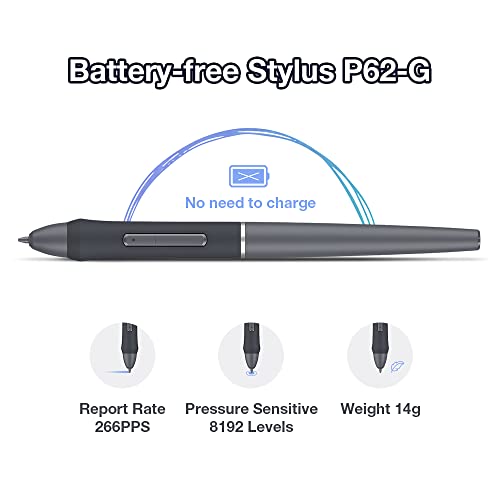
- 【8192 Levels Sensitivity Battery-free Pen】 Artisul A801 graphics drawing tablet comes with a P62-G battery-free pen. It provides 8192 levels of sensitivity pressure, which will effectively stimulate the feeling of real painting and writing. The core position on the pen is low, which can quickly and effectively sense with the tablet, makes the response more agile and flexible.
- 【4 Customizable shortcut Keys】 Designed with 4 shortcut keys, which are all customizable. Such as zoom in and out, copy, undo, etc. New function: if you keep pressing the shortcut key, it will continuously input, which will greatly improve the efficiency.
- 【Compact and Portable】 Artisul A801 digital drawing tablet is lightweight. Only 379.4g(0.84lb) you can feel free to take it around. 9-inch compact size makes it an ideal canvas for drawing on the go. Working Area for PC: 7.6 by 4.8 inches. For Android device:2.7 by 4.7inch (16:9).
- 【Strong Compatibility】 Compatible with macOS 10.12 or later, Windows 7/8/8.1/10, Android 6.0 or later. You can draw without installing the driver when it was connected to an Android device.
- 【Multiple Function】Now you can use Artisul A801pen tablet for digital drawing, design, E-learning, signature, and OSU gaming. Comes with one year warranty and lifetime technical support, no need to worry about after-sales.
| SELLER | SELLER SCORE | AMAZON FULFILLED | PRIME | FREE SHIPPING |
|---|---|---|---|---|
| No | No | No |
The Artisul A801 turns any workspace into a portable studio thanks to its incredibly lightweight 9-inch frame. I was particularly impressed by the P62-G battery-free pen. With 8192 levels of pressure sensitivity and a low-positioned sensor core, it mimics the tactile response of real paint with surprising agility. It is small enough to toss in a bag at just 379.4g, making it a dream for digital artists or OSU gamers on the move. The four customizable shortcut keys are a massive workflow booster, especially with the continuous input feature that saves endless clicks. Whether you are plugging into a Windows desktop or skipping the driver setup on an Android device, the connectivity feels seamless and professional.
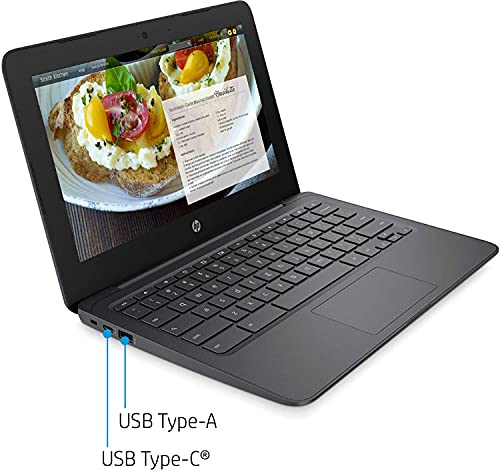
HP 2021 Flagship Chromebook, 11.6" HD (1366 x 768) Display, Intel Celeron N3350, 4GB DDR2, 32GB eMMC, OS, Graphics 500, Ash Gray, Kwalicable™ 32GB Mic...
HP 11.6-inch Flagship Chromebook with Intel Celeron
- HP Chromebook is a computer for the way the modern world works, with thousands of apps and cloud backups. It is secure, fast, up-to-date, versatile and simple.
- Intel Celeron processor N3350: Enjoy a computer with an Intel Celeron processor. Experience Intel performance with entertainment features and fast connectivity. The Intel Celeron processor delivers performance in a new computer that fits your lifestyle and budget.
- 11.6" HD display: Typical 1366 x 768 HD resolution. Energy-efficient WLED backlight. Intel HD Graphics 500 On-processor graphics with shared video memory provide everyday image quality for Internet use, basic photo editing and casual gaming.
- 4GB RAM 32GB eMMC : Adequate high-bandwidth RAM to smoothly run multiple applications and browser tabs all at once with an ultracompact memory system ideal for mobile devices and applications, providing enhanced storage capabilities, streamlined data management, quick boot-up times and support for high-definition video playback.
- Includes: Kwalicable 32GB Micro SD card, HDMI Cable and Cleaning Cloth
| SELLER | SELLER SCORE | AMAZON FULFILLED | PRIME | FREE SHIPPING |
|---|---|---|---|---|
| No | No | No |
This HP Flagship Chromebook serves as a highly portable, budget-friendly solution for anyone needing a reliable machine for cloud-based tasks and everyday internet browsing. I found the 11.6" HD display to be a practical choice for mobile users, especially with the energy-efficient WLED backlight keeping battery life in mind. While the Intel Celeron N3350 processor and 4GB of RAM are designed for streamlined productivity rather than heavy lifting, the system handles multiple browser tabs and basic photo editing with surprising agility. The inclusion of a 32GB Micro SD card and an HDMI cable makes this a ready-to-go bundle right out of the box. It is a versatile, secure, and straightforward device that excels at making modern digital workflows feel simple and accessible.
HP Newest Flagship 14" HD Business Laptop Computer, 4-Core i5-1135G7(Up to 4.2GHz, Beat i7-1060G7), 16GB RAM, 1TB PCIe SSD, Iris Xe Graphics, Webcam,...
HP 14 Inch Business Laptop with Intel Core i5
- 【14'' HD Display】 14'' diagonal, HD (1366 x 768), micro-edge, BrightView, 250 nits, 45% NTSC. SVA, anti-glare, micro-edge, Brilliant BrightView panel, Get the ideal indoor visual experience with a bright, clear picture.
- 【11th Gen Intel Core i5-1135G7】2.4 GHz base frequency, up to 4.2 GHz with Intel Turbo Boost Technology, Experience power and responsive performance to boost your productivity. Enjoy immersive entertainment and game, stream and create content with accelerated performance.
- 【Upgraded to 16 GB RAM and Upgraded to 1TB PCIe NVMe SSD Storage】Substantial high-bandwidth RAM to smoothly run your games and photo- and video-editing applications, as well as multiple programs and browser tabs all at once.And enjoy a snappier experience every time when you use your PC.
- 【Intel Iris Xe graphics】Impressive performance for creating, gaming, and entertainment. A new level of graphics performance and crisp, stunning visuals – with the convenience of a thin and light laptop.
- 【Operating System】 Experience the secure Windows 11 Home operating system, featuring secure boot-ups, increased responsiveness, and advanced protections to defend against the latest cyber threats.
- Camera Description: Front
- Model Year: 2022
- Wireless Comm Standard: 802_11_ABGNAC
- System Ram Type: ddr4_sdram
| SELLER | SELLER SCORE | AMAZON FULFILLED | PRIME | FREE SHIPPING |
|---|---|---|---|---|
| Computer Upgrade King | 9.73 | Yes | Yes | Yes |
The constant struggle of balancing heavy multitasking with a portable budget often leaves professionals stuck with sluggish hardware. This HP flagship solves that bottleneck by pairing an 11th Gen Intel Core i5 processor with a massive 16GB of RAM, ensuring your browser tabs and editing software don't crawl to a halt. I found the 1TB PCIe NVMe SSD makes a noticeable difference in how quickly the system wakes up and handles large files. While the 14-inch HD display is optimized for indoor brightness and anti-glare viewing, the real star is the Intel Iris Xe graphics, which brings a surprising level of visual crispness to both creative tasks and casual entertainment. It is a snappy, reliable workhorse for anyone needing serious productivity on the move.
Drawing Tablet Artisul A801 Graphics Tablet 9 Inch Art Tablet with 8192 Pressure Battery-Free Pen, 4 Hot Keys, Compatible with Windows, macOS & Androi...
Artisul A801 Compact Graphics Drawing Tablet
- 【Compact and Portable】 Artisul A801 weighs only 379.4g(0.84lb), with a 9-inch compact size, making it an ideal canvas for drawing on the go. A801 drawing tablet is easy to operate, it's perfect for OSU, beginners, teachers, students, creators, and artists.
- 【Fluent Drawing Experience】 Artisul A801 is equipped with a battery-free stylus, no need to charge the pen. 8192 levels of pressure sensitivity feel like a real pen, which can quickly sense with the tablet, providing nature and vivid lines.
- 【Improve Work Efficiency】 Designed with 4 shortcut keys, which are customizable, makes it easy to access zoom in and out, copy, undo, etc. It helps to improve the efficiency of your work. The A801 graphics tablet is also available for left and right hands.
- 【Strong Compatibility】 Compatible with macOS 10.12 or later, Windows 7/8/8.1/10, Android 6.0 or later. No need to install the driver when it was connected to an Android mobile. Plug and play. Feel free to draw anywhere, anytime.
- 【Multiple Function】Now you can use the Artisul A801 graphics tablet for digital drawing, design, editing images, E-learning, signature, and OSU gaming. Comes with one year warranty and lifetime technical support, no need to worry about after-sales.
| SELLER | SELLER SCORE | AMAZON FULFILLED | PRIME | FREE SHIPPING |
|---|---|---|---|---|
| Artisul-US | 5.94 | Yes | Yes | Yes |
The Artisul A801 is a surprisingly capable entry-level graphics tablet that punches well above its weight class for creators on a budget. Weighing less than a pound, this 9-inch canvas is incredibly easy to toss into a backpack, making it a reliable companion for digital sketching or OSU gaming on the move. The battery-free stylus is the real star here, offering 8192 levels of pressure sensitivity that mimic the nuanced feel of a traditional pen without the hassle of charging. I found the four customizable shortcut keys to be a massive time-saver for quick undos and zooming, while the plug-and-play Android compatibility adds a layer of versatility most budget tablets lack. Whether you are an animation student or a casual designer, this device provides a smooth, professional-feeling workflow.
A Guide to Selecting the Best Gaming Computer Graphics Tablets
Understanding the Two Primary Form Factors
The first decision you must make is between a pen tablet (non-screen) and a pen display (screen). A pen tablet is a matte, touch-sensitive surface that you connect to your computer. You look at your monitor while drawing on the tablet surface. These are preferred by many professional gamers and artists because they allow for better ergonomics and a more natural posture, as your neck remains straight. They are also significantly more durable and affordable. Conversely, a pen display allows you to draw directly onto a high-definition screen. This offers an intuitive, 'true-to-life' experience that is excellent for high-detail character modeling or immersive gaming, but it requires a more complex desk setup and carries a higher price tag.
Pressure Sensitivity and Tilt Support
In the world of digital precision, pressure sensitivity is king. This metric determines how much the tablet can detect the force of your stroke. While many entry-level tablets offer a decent range, gamers and digital artists should aim for a device that offers at least 8,192 levels of pressure sensitivity. This ensures that a light tap results in a thin line, while a heavy press creates a thick, bold stroke without jitter. Additionally, look for 'tilt support.' This feature allows the tablet to recognize the angle at which you hold your stylus, mimicking the behavior of real-world charcoal or brushes. For those using tablets for gaming macros or specialized inputs, higher sensitivity translates to more granular control over in-game movements.
Surface Texture and Pen Ergonomics
The 'feel' of the tablet is often overlooked but is critical for long-term comfort. Some tablets have a glass-like smoothness, which is great for speed but can feel slippery and lead to hand fatigue. Others feature a textured, paper-like surface that provides 'tooth' or friction. This friction is vital for gamers who need steady, controlled movements rather than rapid, uncontrolled sliding. Furthermore, consider the stylus itself. An ergonomic, lightweight pen with a comfortable grip will prevent cramping during marathon gaming sessions or long digital painting stints. Avoid pens that feel top-heavy, as they can throw off your precision during intense gameplay.
Connectivity and Latency
For gamers, latency is the ultimate enemy. Any delay between your hand movement and the cursor appearing on the screen will break your immersion and ruin your accuracy. When selecting a tablet, prioritize devices with high polling rates and minimal input lag. While wireless tablets offer the convenience of a clean, cable-free desk, they must utilize low-latency technologies like Bluetooth 5.0 or dedicated 2.4GHz dongles to be viable for competitive use. If you prioritize absolute stability and zero lag, a wired USB-C connection remains the gold standard for professional-grade performance.
Resolution and Workspace Size
Finally, consider your physical space and your screen's resolution. If you use a 4K monitor, a small tablet will feel claustrophobic because a single inch of movement on the tablet might correspond to several inches on the screen. Match your tablet's active area to your monitor's scale. A medium-sized tablet is generally the 'sweet spot' for most users, providing enough room for expansive gestures without taking up your entire gaming desk.
Frequently Asked Questions
Quick answers about Gaming Computer Graphics Tablets before you buy.
Our Gaming Computer Graphics Tablets Rankings
Top 10 Gaming Computer Graphics Tablets Brands on Amazon
Share of top-ranked products by brand, from our rankings.
How We Selected These Products
We compared Gaming Computer Graphics Tablets products using product details and customer ratings to identify the best options in the categories..
From that comparison we shortlisted the top 15 Gaming Computer Graphics Tablets for this page..
We aim to help you find the right tablets products for your needs and save you time when choosing which Gaming Computer Graphics Tablets to buy.
Comparison Table
Compare the top 15 picks at a glance — select a column to sort.