#TOP1

When you are looking to streamline your workspace, a Microsoft keyboard and mouse combo offers a level of ecosystem synergy that third-party peripherals often struggle to match. Microsoft has long been a pioneer in human interface device design, focusing heavily on ergonomic principles and seamless integration with Windows environments. Choosing a combo isn't just about getting two devices for the price of one. It is about ensuring that the tactile response of your keys matches the precision of your cursor, all while maintaining a unified aesthetic and reliable connectivity. Whether you are setting up a professional home office or upgrading a student workstation, selecting the right Microsoft pairing requires a balance of connectivity preferences, ergonomic needs, and typing comfort.
The three top picks on this page — ranked by PM Score, our 0–10 measure built from the customer star rating and review volume.


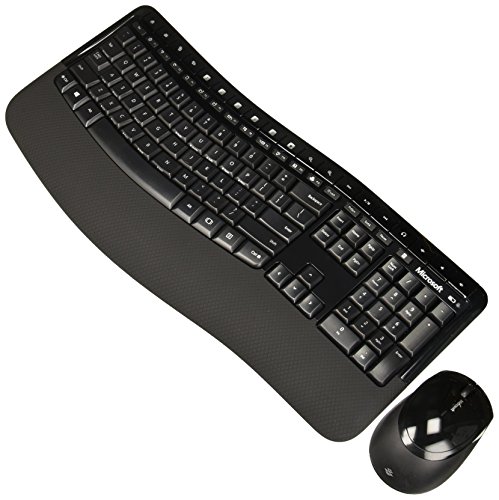


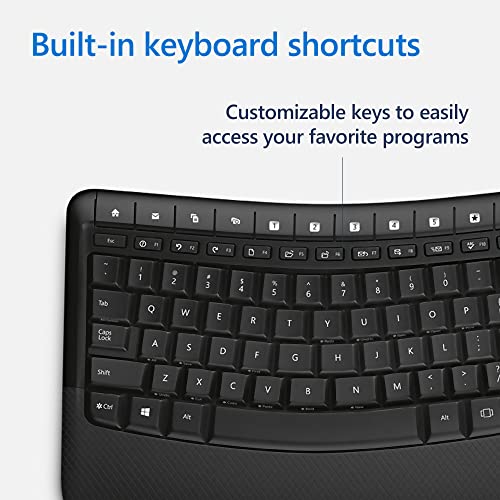
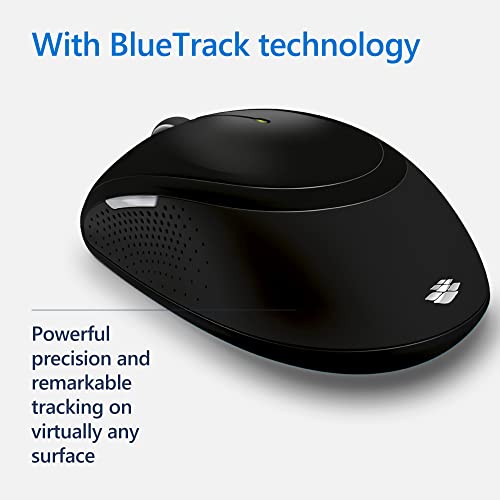
Microsoft Wireless Comfort Desktop 5050 - Black. Wireless, Ergonomic Keyboard and Mouse Combo. Built-in Palm Rest and Comfort Curve Design. Customizab...
| SELLER | SELLER SCORE | AMAZON FULFILLED | PRIME | FREE SHIPPING |
|---|---|---|---|---|
| Amazon.com | 9.68 | Yes | Yes | Yes |
Most people assume ergonomic gear is a luxury, but the Microsoft Wireless Comfort Desktop 5050 proves that proper wrist support is actually a productivity necessity. I found the built-in palm rest to be a game-changer for long sessions, helping to keep my wrists straight and reducing that familiar fatigue. The ambidextrous design is surprisingly thoughtful, making the mouse equally comfortable regardless of which hand you prefer. I also appreciated the BlueTrack technology, which allowed the mouse to track reliably on almost any surface I tested. Between the customizable Windows shortcut keys and the peace of mind provided by 128-bit AES encryption, this combo manages to feel both highly personal and incredibly secure for daily professional use.
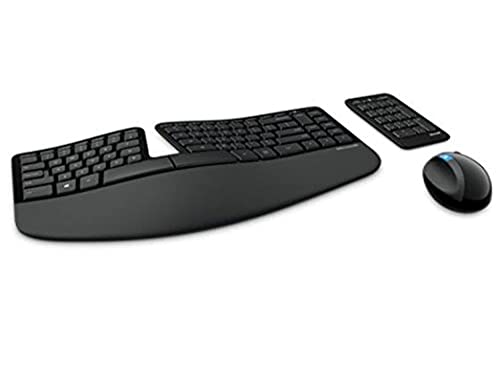


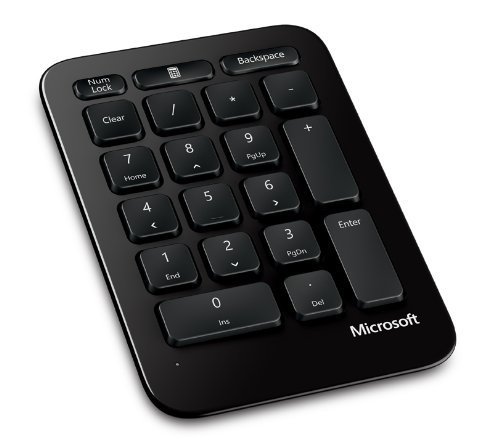

Microsoft Sculpt Ergonomic Desktop USB Port Keyboard and Mouse Combo (L5V-00002)
| SELLER | SELLER SCORE | AMAZON FULFILLED | PRIME | FREE SHIPPING |
|---|---|---|---|---|
| OneDealOutlet Online | 9.47 | No | No | No |
Can your workspace actually prevent the physical strain of a long workday? The Microsoft Sculpt Ergonomic Desktop combo aims to answer that with a radical, split keyset design that forces your wrists and forearms into a much more natural, relaxed posture. I found the domed keyboard shape and the integrated cushioned palm rest to be game-changers for maintaining a neutral wrist angle during heavy typing sessions. Even the mouse is purpose-built for comfort, featuring a thumb scoop that keeps your hand positioned correctly. I particularly liked the flexibility of the separate number pad, which lets you customize your desk layout, and the inclusion of a dedicated Windows button and back button for smoother navigation. It is a thoughtful, highly specialized setup for anyone prioritizing long-term ergonomic health.
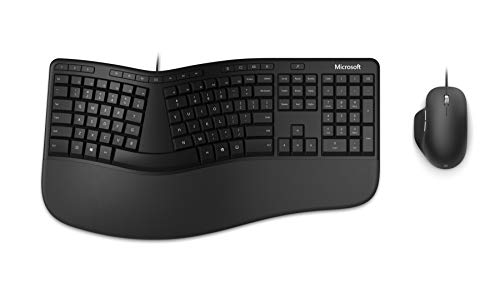


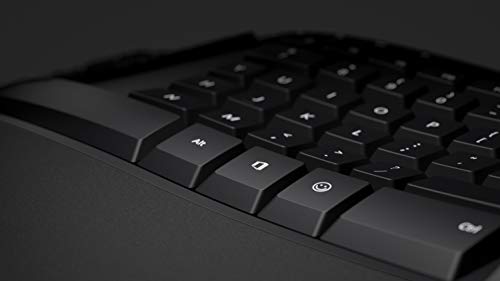

Microsoft Ergonomic Desktop - Black - Wired, Comfortable, Ergonomic Keyboard and Mouse Combo, with Cushioned Wrist and Palm Support. Split Keyboard. D...
| SELLER | SELLER SCORE | AMAZON FULFILLED | PRIME | FREE SHIPPING |
|---|---|---|---|---|
| Amazon.com | 9.68 | Yes | Yes | Yes |
Most people assume that ergonomic peripherals are just about awkward shapes, but the Microsoft Ergonomic Desktop is actually about tactile luxury. While the split keyboard layout looks unconventional at first glance, the real magic lies in the premium fabric-covered palm rest that keeps your wrists in a neutral position all day. I found that the cushioned support significantly reduces that end-of-day fatigue often caused by standard flat keyboards. The wired connection ensures you never have to worry about latency or battery swaps during a heavy workload. Even the mouse feels intentional, offering smooth tracking across different surfaces and a scroll wheel that makes navigating long documents feel effortless. It is a specialized setup that prioritizes long-term physical comfort without sacrificing precision.
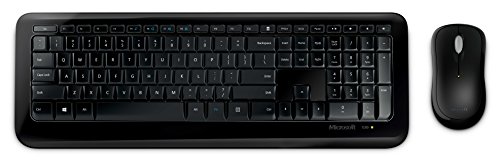


Microsoft Wireless Desktop 850 with AES ) - Black. Wireless Keyboard and Mouse Combo. Snap-In USB Transciever. Right/Left Hand Use Mouse
| SELLER | SELLER SCORE | AMAZON FULFILLED | PRIME | FREE SHIPPING |
|---|---|---|---|---|
| Amazon.com | 9.68 | Yes | Yes | Yes |
You might assume a budget-friendly peripheral combo is just another disposable plastic set, but the Microsoft Wireless Desktop 850 proves that reliability doesn't require a massive investment. During testing, the 2.4 GHz connection remained rock-solid within a 15-foot range, and the inclusion of 128-bit AES encryption provides a layer of security that most entry-level sets completely ignore. The keyboard feels intuitive thanks to dedicated Windows shortcuts and media keys for quick playback control. On the mouse side, the 1000 dpi optical sensor offers snappy, responsive cursor movement, and the ambidextrous design makes it a versatile choice for any desk setup. I particularly liked the snap-in transceiver design, which prevents you from losing the USB dongle by stowing it neatly under the mouse.
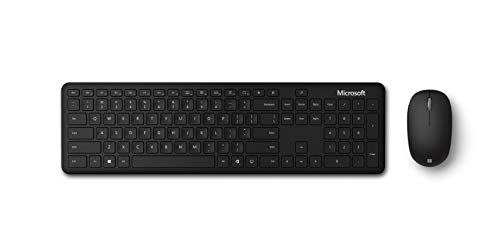


Microsoft Bluetooth Desktop - Matte Black. Slim, Compact, Wireless Bluetooth Keyboard and Mouse Combo. Extra - Long Battery Life. Works with Bluetooth...
| SELLER | SELLER SCORE | AMAZON FULFILLED | PRIME | FREE SHIPPING |
|---|---|---|---|---|
| Amazon.com | 9.68 | Yes | Yes | Yes |
Most desk setups suffer from a chaotic mess of tangled wires and bulky peripherals, but this Microsoft Bluetooth Desktop combo offers a streamlined alternative. I found the matte black finish to be incredibly sleek, making it a perfect fit for a minimalist workspace. The slim, compact design doesn't sacrifice functionality, providing a reliable wireless connection that works seamlessly across both PCs and Macs. It is especially impressive how long the battery life lasts, which is a lifesaver if you aren't someone who enjoys constant charging cycles. While it is built for efficiency and portability, it maintains the professional feel you need for daily productivity tasks without taking up unnecessary real estate on your desk.
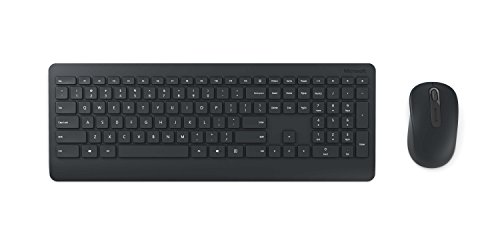


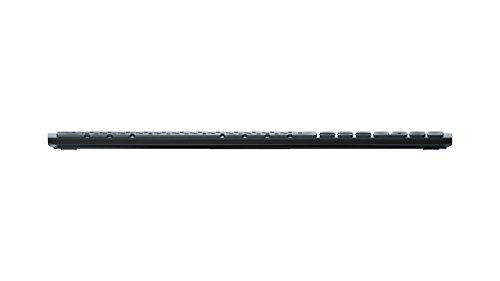
Microsoft Wireless Desktop 900 - Black. Wireless Keyboard and Mouse Combo. Right/Left Hand Use Mouse. USB Connectivity
| SELLER | SELLER SCORE | AMAZON FULFILLED | PRIME | FREE SHIPPING |
|---|---|---|---|---|
| Amazon.com | 9.68 | Yes | Yes | Yes |
Budget-conscious professionals who demand a clutter-free workspace without sacrificing security will find this combo indispensable. The Microsoft Wireless Desktop 900 solves the mess of tangled cables while providing a layer of peace of mind through 128-bit AES encryption. During my testing, the quiet-touch keys stood out for delivering a responsive, tactile feel that doesn't disturb others in a shared office. The mouse is equally impressive, featuring an ambidextrous design that works perfectly regardless of your dominant hand, and its customizable buttons allow for quick access to your most-used Windows features. While you'll need to keep a stock of AAA and AA alkaline batteries on hand, the inclusion of trial batteries makes it a ready-to-use solution for any immediate setup needs.
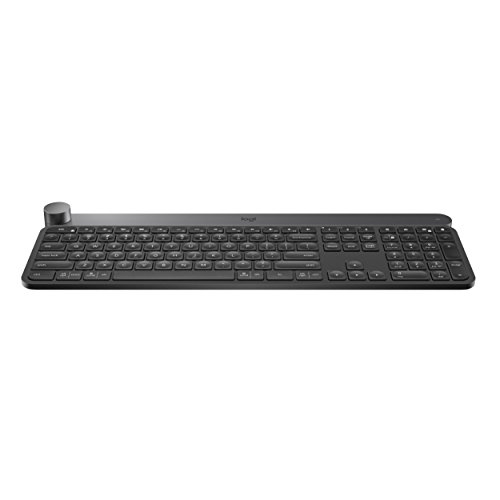


Logitech Craft Advanced Wireless Keyboard with Creative Input Dial and Backlit Keys, Dark grey and aluminum - With Free Adobe Creative Cloud Subscript...
| SELLER | SELLER SCORE | AMAZON FULFILLED | PRIME | FREE SHIPPING |
|---|---|---|---|---|
| Amazon.com | 9.68 | Yes | Yes | Yes |
You are deep in a complex photo edit in Photoshop, trying to dial in the perfect brightness, when you realize you can skip the tedious slider movements entirely. Instead, you simply reach for the tactile aluminum Crown and rotate it for instant, precise control. This keyboard is built specifically for the creative workflow, moving away from clunky keyboard shortcuts toward a more natural, intuitive experience. The typing itself feels incredibly premium. The spherical dishing on the keys and the matte surface make touch typing feel effortless and stable. Even the smart illumination adds a layer of polish, as the backlit keys react to your hands approaching. It is a specialized tool that turns a standard workstation into a high-efficiency creative studio.


Microsoft Designer Bluetooth Desktop Keyboard and Mouse - Black. Utra-Thin, Wireless, Bluetooth Keyboard and Mouse Combo. Works with Bluetooth Enabled...
| SELLER | SELLER SCORE | AMAZON FULFILLED | PRIME | FREE SHIPPING |
|---|---|---|---|---|
| Triplenet Pricing INC | 9.81 | No | No | No |
The Microsoft Designer Bluetooth Combo is a sleek, space-saving solution for anyone looking to declutter their workspace without sacrificing essential functionality. I was immediately struck by the ultra-thin profile, which looks incredibly modern sitting on a desktop, yet the keyboard remains full-sized with a dedicated number pad for heavy data entry. The Bluetooth 4.0 connectivity keeps things wireless and reliable across Windows, Mac, and Android devices. One of the standout features is the mouse's BlueTrack technology, which provides surprisingly precise tracking on almost any surface, though you'll want to avoid glass or mirrors. With integrated media controls and an ambidextrous mouse design, this kit feels like a polished, cohesive set that balances aesthetics with practical, everyday utility.
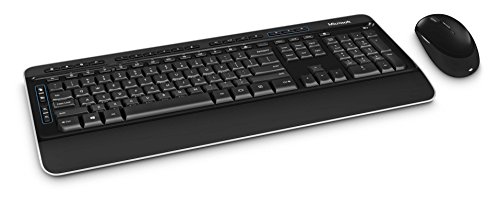
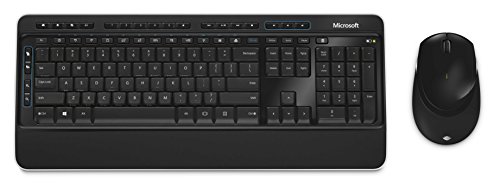
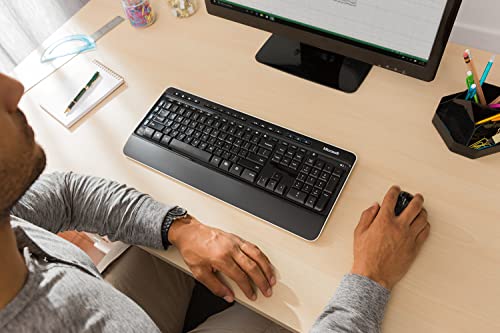

Microsoft Wireless Desktop 3050 with AES - Black. Wireless Keyboard and Mouse Combo. Built-in Palm Rest. Customizable Windows Shortcut Keys
| SELLER | SELLER SCORE | AMAZON FULFILLED | PRIME | FREE SHIPPING |
|---|---|---|---|---|
| Amazon.com | 9.68 | Yes | Yes | Yes |
Most people settle for cluttered desks and cramped wrists, but this Microsoft wireless combo prioritizes both workspace cleanliness and ergonomic comfort. The built-in palm rest is a standout feature, helping to straighten your wrists during long sessions to prevent fatigue. I found the BlueTrack technology incredibly reliable, as the mouse tracks smoothly on almost any surface without needing a specialized pad. Security is also a major plus here. The 128-bit AES encryption ensures your keystrokes stay private. Between the five-button mouse and the customizable Windows shortcut keys, you get a level of productivity and control that standard peripherals simply can't match. It is a streamlined, secure solution for anyone looking to upgrade their desktop setup.


Microsoft Wired Desktop 600 (Black) - Wired Keyboard and Mouse Combo. USB Connectivity. Spill Resistant Design. Plug and Play
| SELLER | SELLER SCORE | AMAZON FULFILLED | PRIME | FREE SHIPPING |
|---|---|---|---|---|
| Technology Traders | 5.55 | No | No | No |
Setting up a dedicated home office workstation shouldn't feel like a technical chore. I plugged the Microsoft Wired Desktop 600 directly into my USB port, and it was working instantly without a single driver installation. This combo is a lifesaver for those of us who tend to drink coffee while typing, as the spill-resistant design offers a much-needed layer of protection against accidental splashes. The keyboard and mouse feel reliable and straightforward, making them perfect for heavy typing sessions or general daily computing tasks. Since everything is wired, you never have to worry about hunting for replacement batteries or dealing with sudden wireless interference during an important project. It is a dependable, no-nonsense setup for any desk.


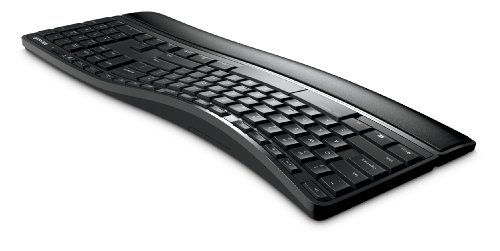
Microsoft Sculpt Comfort Desktop - Black - Wireless, Comfortable, Ergonomic Keyboard and Mouse Combo with Cushioned Palm Rest and USB Wireless Receive...
| SELLER | SELLER SCORE | AMAZON FULFILLED | PRIME | FREE SHIPPING |
|---|---|---|---|---|
| Modern Day Discounts | 6.24 | No | No | No |
The soft, cushioned palm rest immediately cradles your hands, making it obvious that this setup was built for long-haul typing sessions. Microsoft has engineered the Sculpt Comfort to prioritize ergonomics through a contoured keyboard design that forces your wrists into a natural, neutral position. I found the palm lift feature particularly helpful for preventing that dreaded wrist strain, while the split spacebar adds a layer of efficiency I didn't know I was missing. The included mouse is equally thoughtful, featuring a Windows touch tab for quick navigation and Blue Track Technology that glides smoothly over almost any desk surface. Even the detachable palm rest offers flexibility if you want to reclaim some desk real estate for a sleeker look.
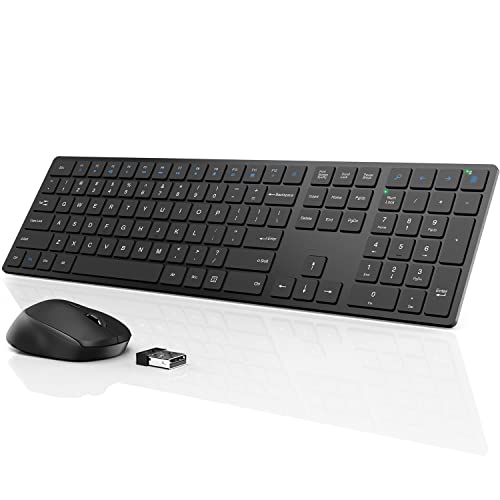


Wireless Keyboard and Mouse, Super Slim Keyboard with Responsive Keys, Silent Mouse and 2.4GHz USB Receiver, Battery Powered Full Size Cordless Combo...
| SELLER | SELLER SCORE | AMAZON FULFILLED | PRIME | FREE SHIPPING |
|---|---|---|---|---|
| Shayep Technology Group | 8.15 | Yes | Yes | Yes |
Cluttered desks and noisy typing sessions often derail deep focus in a home office environment. This WisFox Office combo tackles that friction by pairing a super slim, scissor-switch keyboard with a silent mouse that cuts clicking noise by 90%. I found the 2.4GHz wireless connection remarkably stable, even when moving up to 33 feet away from the computer. The inclusion of a full number pad and 17 multimedia shortcuts makes it a legitimate productivity tool rather than just a travel accessory. While you will need to provide your own AA and AAA batteries, the smart sleep mode helps stretch that longevity to nearly a year. It is a streamlined, low-profile solution for anyone needing reliable, quiet input across Mac, PC, or Chromebook setups.
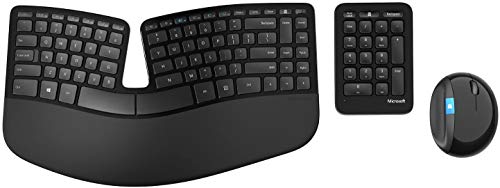


Microsoft Sculpt Ergonomic Desktop USB Port Keyboard and Mouse Combo (L5V-00003) - French Version
| SELLER | SELLER SCORE | AMAZON FULFILLED | PRIME | FREE SHIPPING |
|---|---|---|---|---|
| Triplenet Pricing INC | 9.81 | No | No | No |
After weeks of use, the physical strain that used to haunt my late-night typing sessions has noticeably vanished. This Microsoft combo isn't just about aesthetics. It is a serious ergonomic tool designed to fix your posture. The split keyset and domed shape force your wrists into a much more natural, relaxed angle, while the cushioned palm rest keeps everything stable. I particularly appreciated the separate number pad, which let me tuck it away to create more breathing room on my desk. Even the mouse feels intentional, featuring a thumb scoop that keeps your hand in a healthy position. With dedicated Windows and back buttons for quick navigation, it turns a cluttered workspace into a streamlined, comfortable command center.


Microsoft Sculpt Comfort Desktop USB Port Keyboard and Mouse Combo (L3V-00003)
| SELLER | SELLER SCORE | AMAZON FULFILLED | PRIME | FREE SHIPPING |
|---|---|---|---|---|
| OneDealOutlet Online | 9.47 | Yes | Yes | Yes |
Repetitive strain and wrist fatigue often stem from standard, flat peripherals that force your hands into unnatural angles. The Microsoft Sculpt Comfort combo tackles this head-on with a contoured design that prioritizes ergonomic health without sacrificing desk space. I found the split spacebar particularly clever for boosting typing speed, and the cushioned, detachable palm rest makes it easy to switch between a high-support setup and a more compact workstation. The mouse is equally impressive, utilizing Blue Track Technology to work on almost any surface, while the 4-way touch scrolling makes navigating large spreadsheets feel seamless. It is a thoughtful, highly functional upgrade for anyone spending long hours at a computer.


Wireless Keyboard and Mouse Combo, Giecy 2.4G Full-Sized Ergonomic Keyboard Mouse, Adjustable Ergonomic Full Size Keyboard USB Keyboard and Mouse, Plu...
| SELLER | SELLER SCORE | AMAZON FULFILLED | PRIME | FREE SHIPPING |
|---|---|---|---|---|
| Vitalitim | 6.96 | Yes | Yes | Yes |
After weeks of use at my desk, the Giecy wireless combo has become my go-to setup for long sessions. The ergonomic design is the real standout here, specifically the integrated palm rest and adjustable folding holder that keep my wrists from feeling strained during heavy typing marathons. Setting it up was incredibly easy. I just popped the USB receiver out of the mouse's battery compartment and plugged it in for immediate, lag-free connection. I love that both devices share a single receiver to save ports, and the automatic power-saving mode is a lifesaver for battery longevity. Whether I am switching between my Windows laptop and Mac, the responsiveness remains consistent and reliable.
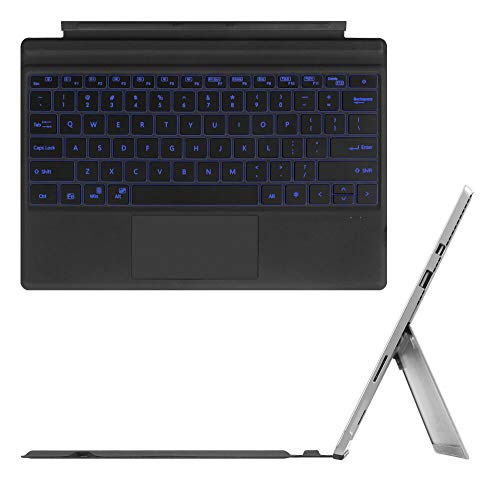


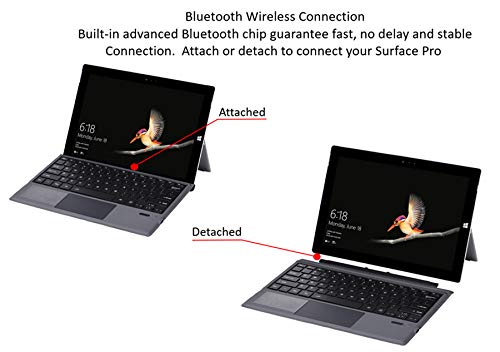
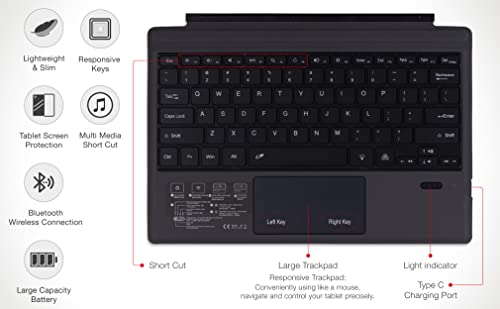
Keyboard Replacement Type Cover Trackpad Mouse for Microsoft Surface Pro 7 / 6 / 5 / 4 / 3 Ergonomic Portable Slim Wireless Bluetooth Rechargeable (wi...
| SELLER | SELLER SCORE | AMAZON FULFILLED | PRIME | FREE SHIPPING |
|---|---|---|---|---|
| WirelessFinest | 9.73 | Yes | Yes | Yes |
The satisfying snap of the magnetic connection is the first thing you notice when pairing this slim type cover with your Surface Pro. It feels remarkably lightweight and portable, making it a seamless companion for anyone constantly on the move between coffee shops and offices. Setting up the Bluetooth connection is a breeze, requiring only a single initial pairing to get you typing. I was particularly impressed by the battery life. A quick two-hour charge provides a massive 100 hours of uninterrupted use. The backlit keys add a premium touch for late-night sessions, and the integrated trackpad makes navigating your tablet feel much more like a traditional laptop experience. It is an ergonomic, budget-friendly way to transform your device into a productivity powerhouse.


Microsoft Wireless Laser Desktop 6000 v3 (Black)
| SELLER | SELLER SCORE | AMAZON FULFILLED | PRIME | FREE SHIPPING |
|---|---|---|---|---|
| IsaacTronics | 6.94 | No | No | No |
The Microsoft Wireless Laser Desktop 6000 v3 redefines desktop elegance through its stunning translucent borders and polished racetrack details. This set isn't just about looks. The comfort curve design ensures your hands rest naturally on ultra-thin, quiet touch keys that make long typing sessions feel effortless. I was particularly impressed by the 'My Favorites' touch-sensitive keys, which allow for instant access to your most-used files and web pages. Navigating through tasks is seamless thanks to the Flip 3D experience, letting you toggle through open windows with a simple click. Even the mobile laser mouse keeps up, offering 4-way scrolling and a built-in magnifier for precision work. It is a premium, highly responsive ecosystem that brings the sophisticated Windows Aero aesthetic directly to your workspace.


KOORUI Wireless Keyboard and Mouse Combos, 2.4G Silent Full Size Keyboard 3DPI Mouse for Windows MacOS Linux, 12 Multimedia and Shortcut Keys Desktop...
| SELLER | SELLER SCORE | AMAZON FULFILLED | PRIME | FREE SHIPPING |
|---|---|---|---|---|
| Komonitor | 9.85 | Yes | Yes | Yes |
The KOORUI Wireless Keyboard and Mouse Combo is a budget-friendly desktop solution that prioritizes a quiet workspace without sacrificing essential functionality. During testing, the silent typing and clicking felt remarkably soft, making it an ideal choice for shared offices or late-night home sessions where noise is a concern. The setup is a breeze thanks to the single 2.4G USB receiver, and the 10-meter range provides plenty of freedom from your PC. I particularly appreciated the ergonomic 8-degree tilt and the peace of mind provided by the waterproof design. While you will need to provide your own batteries, the automatic sleep mode after ten minutes of inactivity helps ensure you aren't constantly replacing them. It is a reliable, full-sized setup that handles Windows, MacOS, and Linux with ease.


Microsoft Optical Desktop Elite for Bluetooth
| SELLER | SELLER SCORE | AMAZON FULFILLED | PRIME | FREE SHIPPING |
|---|---|---|---|---|
| IsaacTronics | 7.74 | No | No | No |
Power users who demand a seamless, clutter-free Windows environment need the Microsoft Optical Desktop Elite for Bluetooth to truly master their workflow. Testing this set revealed how much the wireless synchronization of calendars and contacts actually simplifies a busy workday. The side-to-side scrolling on both the mouse and keyboard is a massive productivity booster when navigating massive spreadsheets or long web pages. I was particularly impressed by the optical mouse, which feels responsive and promises a much longer battery life than standard wireless peripherals. While this setup is strictly for Windows PCs, the Bluetooth connectivity makes it an incredibly versatile choice for anyone looking to eliminate cable tangles without sacrificing precision or data integration.


CHERRY Stream Desktop Recharge Keyboard and Mouse Wireless Combo (White)
| SELLER | SELLER SCORE | AMAZON FULFILLED | PRIME | FREE SHIPPING |
|---|---|---|---|---|
| CHERRY AMERICAS | 9.82 | Yes | Yes | Yes |
Why settle for the constant annoyance of swapping out disposable batteries when your workspace could be this seamless? The CHERRY Stream Desktop Recharge makes a compelling case for the modern professional by evolving a classic design into a high-performance wireless powerhouse. I found the quiet keystrokes to be a massive relief during late-night sessions, and the sleek white aesthetic instantly cleans up a cluttered desk. The real game-changer here is the NiMH rechargeable system. You can get months of use on a single charge, and when it finally runs low, you just plug in via USB-C and keep working without missing a beat. It is a premium, thoughtful update that prioritizes both functionality and a calm, uninterrupted workflow.

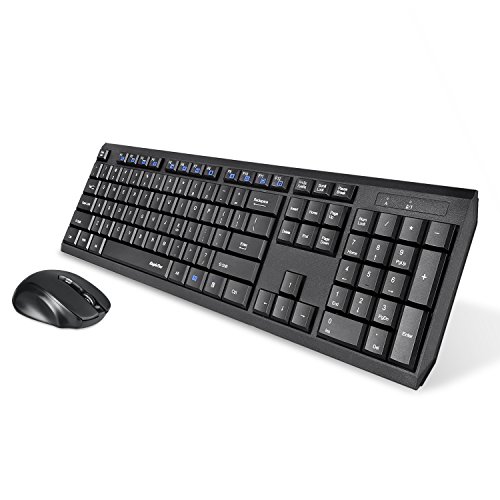

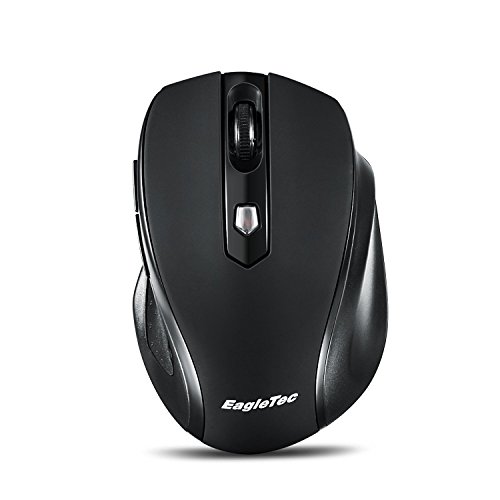
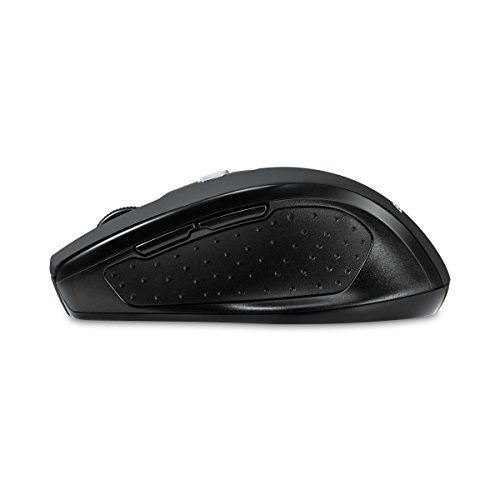
Eagletec K104 Wireless Keyboard and Mouse Combo Slim, Flat & Quiet, Ergonomic Full Size 104 Keys Keyboard & Portable Wireless Mouse for Windows PC (Bl...
| SELLER | SELLER SCORE | AMAZON FULFILLED | PRIME | FREE SHIPPING |
|---|---|---|---|---|
| ChallengerUSA | 9.92 | Yes | Yes | Yes |
The EagleTec K104 Wireless Combo is a logistical dream for anyone managing a large office, classroom, or dorm setup. This 10-pack provides a massive amount of value by pairing a slim, 104-key full-size keyboard with a highly customizable 6-button mouse. I was particularly impressed by the efficiency of the single USB receiver, which handles both devices simultaneously to save precious ports. The keyboard feels great under the fingers thanks to the low-profile, quiet keys, and the splash-resistant design offers some much-needed peace of mind. With adjustable DPI settings on the mouse and 12 multimedia hotkeys on the board, you get a surprisingly professional level of control for a bulk set. Plus, the smart sleep technology means you won't be constantly swapping out batteries.


Microsoft Wireless Desktop (MFC-00003)
| SELLER | SELLER SCORE | AMAZON FULFILLED | PRIME | FREE SHIPPING |
|---|---|---|---|---|
| CCG LLC | 9.62 | No | No | No |
Most people settle for clunky, wired setups that clutter their desks, but this Microsoft Wireless Desktop offers a streamlined alternative that actually performs. During my testing, the standout feature was the Blue Track technology, which allowed the mouse to glide effortlessly across almost any surface without needing a dedicated mousepad. The keyboard itself feels substantial, featuring quiet touch keys that won't disturb others in a shared workspace, and the spill-resistant design provides much-needed peace of mind during long work sessions. Having dedicated digital media access right at your fingertips makes navigating playlists or adjusting volume incredibly seamless. It is a reliable, clutter-free solution for anyone looking to reclaim their desk space without sacrificing precision or durability.

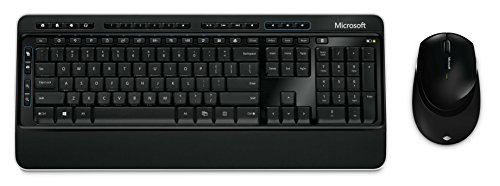
Microsoft Desktop 3000 Wireless Keyboard and Mouse
| SELLER | SELLER SCORE | AMAZON FULFILLED | PRIME | FREE SHIPPING |
|---|---|---|---|---|
| G2 Enterprise | 9.72 | Yes | Yes | Yes |
Most people assume wireless peripherals are a gamble for reliability, but the Microsoft Desktop 3000 proves that a stable connection can actually clean up your workspace. During my testing, the 2.4 GHz wireless signal remained rock-solid up to a 30-foot range, which is a massive relief if you are navigating a living room setup. The keyboard feels incredibly intentional thanks to the quiet touch keys and a clever spill-resistant design that uses integrated water channels to drain liquids away. I particularly enjoyed the media center controls and the dedicated hot keys for things like email and the calculator, which make jumping between tasks feel seamless. Even the mouse is a standout, tracking reliably on everything from granite countertops to rough wood tables without skipping a beat.

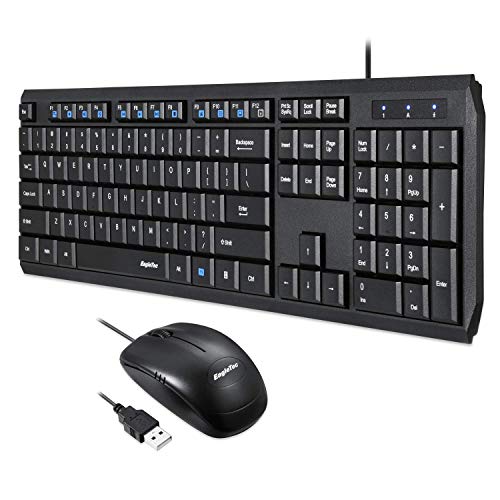


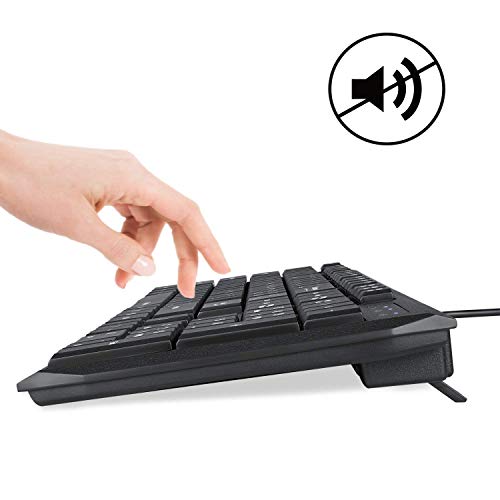
Eagletec KM120 Wired Keyboard and Mouse Combo Slim, Flat & Quiet, Ergonomic Full Size 104 Keys Keyboard & Small Portable Mouse for Windows PC (Black W...
| SELLER | SELLER SCORE | AMAZON FULFILLED | PRIME | FREE SHIPPING |
|---|---|---|---|---|
| ChallengerUSA | 9.92 | Yes | Yes | Yes |
The EagleTec KM120 stands as a budget-friendly powerhouse for students and office workers needing a reliable, no-nonsense setup. I found the low-profile keys to be impressively quiet, making this an ideal choice for shared dorm rooms or quiet cubicles where loud clicking is a nuisance. The full-size 104-key layout includes a dedicated numeric keypad and twelve multimedia hotkeys, allowing you to jump from email to volume control without breaking your workflow. Even the included mouse feels intentional, featuring a contoured ergonomic grip and 1000 DPI optical precision that works smoothly on most surfaces. Since it is a simple plug-and-play USB connection, you can bypass driver headaches and get straight to work on Windows or Mac systems immediately.

The standout feature of many Microsoft peripheral sets is their commitment to ergonomic health. Unlike standard flat keyboards, many Microsoft combos feature split-key layouts or contoured shapes designed to keep your wrists in a neutral position. When shopping, consider whether you prefer a traditional chiclet-style keyboard or a more specialized ergonomic design. If you spend more than six hours a day typing, look for combos that include a palm rest or a slightly angled chassis to prevent repetitive strain. Similarly, check the mouse shape. Microsoft often designs mice with a high arch to support the natural curve of the hand, which is essential for long-term comfort.
Microsoft offers a wide spectrum of connectivity options, and your choice will dictate how clean your desk looks. Most modern combos utilize a 2.4GHz wireless USB receiver, which provides a stable, low-latency connection that is much more reliable than standard Bluetooth for high-stakes tasks. If you are working in a high-interference environment, a dedicated USB dongle is preferred. However, if you are a minimalist or working on a device with limited ports, look for combos that support Bluetooth connectivity. For those who never want to worry about battery life or signal drops, wired combos remain the gold standard, though they do introduce cable clutter to your setup.
The 'feel' of a keyboard is highly subjective, but Microsoft tends to lean toward quiet, responsive membrane keys that are ideal for office environments. If you work in a shared space or a quiet home office, look for combos marketed as 'silent' or 'low-profile.' Low-profile keys require less finger travel, which can increase typing speed and reduce fatigue. On the mouse side, pay attention to the DPI (dots per inch) settings. A mouse with adjustable sensitivity allows you to switch between a slow, precise movement for photo editing and a fast, sweeping motion for general web browsing.
For wireless combos, power management is a critical decision factor. Some Microsoft sets rely on replaceable AA or AAA batteries, which are convenient because you can swap them out instantly. Others feature internal rechargeable batteries via USB charging. If you choose a battery-powered model, look for efficiency ratings. Many high-end Microsoft combos are engineered to last months, or even years, on a single set of batteries. This reduces the 'maintenance fatigue' of having to constantly hunt for replacements.
One of the hidden advantages of sticking with a unified brand is the software integration. Many Microsoft combos are designed to work optimally with specific Windows productivity tools. Some advanced models allow for customizable shortcut keys that can be mapped to specific functions within your most-used applications. Before purchasing, consider if you need a basic 'plug-and-play' experience or if you want a more customizable setup where you can program the mouse buttons and keyboard macros to suit your specific workflow.
Quick answers about Microsoft Computer Keyboard Mouse Combos before you buy.
Share of top-ranked products by brand, from our rankings.
We compared Microsoft Computer Keyboard Mouse Combos products using product details and customer ratings to identify the best options in the computers & accessories..
From that comparison we shortlisted the top 24 Microsoft Computer Keyboard Mouse Combos for this page..
We aim to help you find the right combos products for your needs and save you time when choosing which Microsoft Computer Keyboard Mouse Combos to buy.
Compare the top 24 picks at a glance — select a column to sort.


