#TOP1

For professionals who spend upwards of eight hours a day at a workstation, the standard mouse-and-keyboard setup often leads to repetitive strain injuries and ergonomic fatigue. Trackball keyboard combos offer a specialized solution by decoupling hand movement from desk space and prioritizing neutral wrist positions. Unlike a traditional mouse that requires you to move your entire arm to navigate the screen, a trackball relies on thumb or finger manipulation of a stationary sphere. When paired with an ergonomically optimized keyboard, these combos transform your workspace into a high-efficiency zone designed for longevity and comfort. This guide will help you navigate the specific technical nuances of these specialized peripherals to ensure your next investment supports your productivity rather than hindering it.
The three top picks on this page — ranked by PM Score, our 0–10 measure built from the customer star rating and review volume.


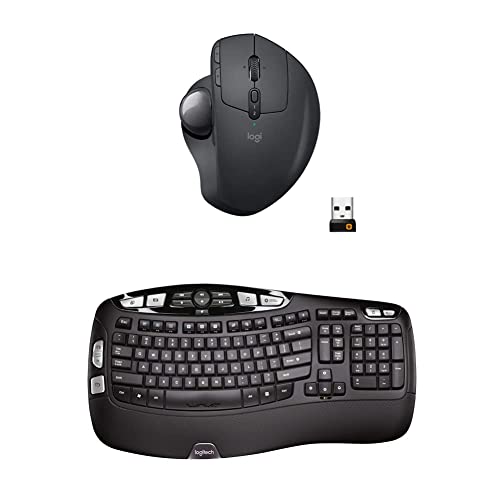
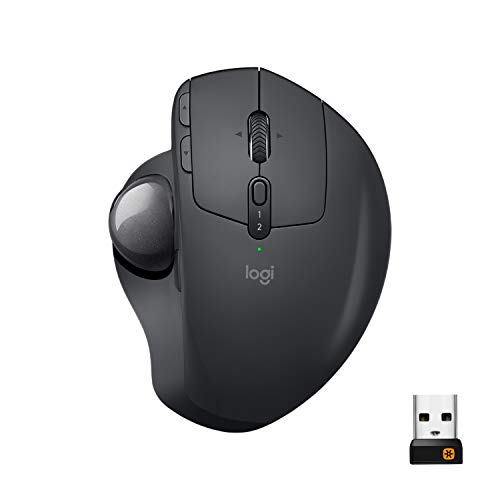


Logitech MX Ergo Wireless Trackball Mouse – Adjustable Ergonomic Design (Bluetooth or USB), Graphite & K350 2.4Ghz Wireless Keyboard
| SELLER | SELLER SCORE | AMAZON FULFILLED | PRIME | FREE SHIPPING |
|---|---|---|---|---|
| Amazon.com | 9.68 | Yes | Yes | No |
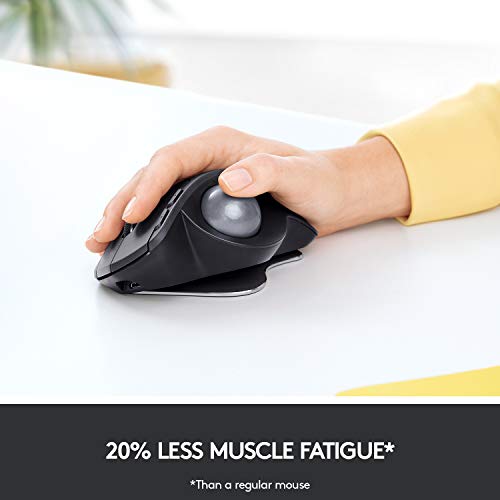
Your wrist begins to ache halfway through a heavy spreadsheet session, but switching to this setup changes the entire physical dynamic of your desk. The MX Ergo trackball is a standout because of its adjustable hinge, letting you tilt the device between 0 and 20 degrees to find a natural angle that kills muscle strain. Pairing it with the K350 keyboard makes for a powerhouse workstation. The wave design and cushioned palm rest keep your hands comfortable for hours. I found the cross-computer control via Logitech Flow incredibly useful for moving files between two different machines seamlessly. With dual connectivity through Bluetooth or the Unifying receiver, you can jump between three devices without missing a beat.
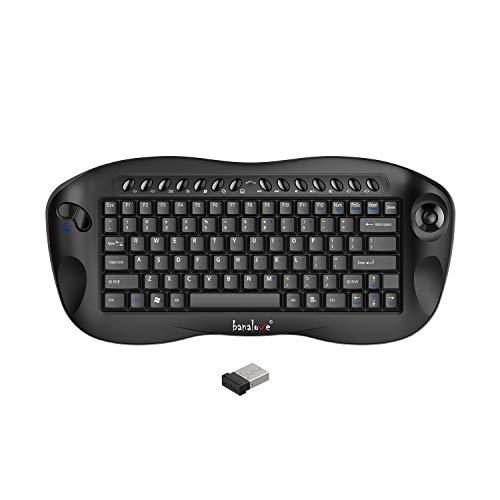


2.4Ghz Wireless Debounce Keyboard and Trackball Mouse Combo,Mini Portable Keyboard with Built in Mouse Combination,HTPC Home Theater Keyboard,Smart TV...
| SELLER | SELLER SCORE | AMAZON FULFILLED | PRIME | FREE SHIPPING |
|---|---|---|---|---|
| Banalove | 8.32 | Yes | Yes | Yes |
The textured, ergonomic handle of this mini keyboard immediately feels secure in your palm, preventing those frustrating accidental keypresses while you're lounging on the couch. I found the debounce processing to be a standout feature, effectively eliminating the ghost typing and continuous character repeats that plague cheaper wireless peripherals. Powered by a stable Nordic chipset, the 2.4Ghz connection remains rock-solid whether you are navigating a Windows desktop or a PS4 interface. The integrated optical trackball provides surprisingly precise movement for a handheld device, making it an ideal companion for HTPC setups or smart TV multimedia boxes. It is a compact, thoughtful solution for anyone tired of trying to type with a standard remote.


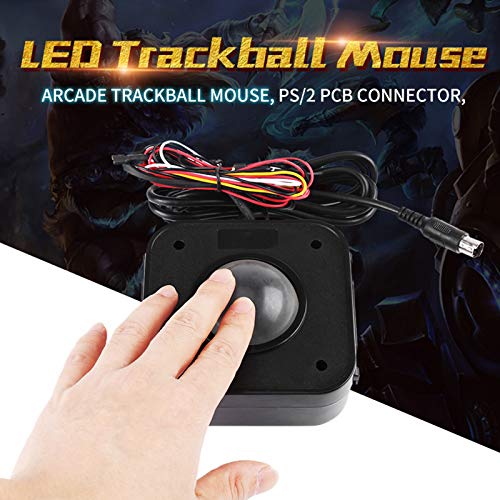

Walfront Round LED Trackball 4.5cm Mouse Lighted Illuminated PS/2 PCB Connector Wired Trackball for Arcade Game Machine
| SELLER | SELLER SCORE | AMAZON FULFILLED | PRIME | FREE SHIPPING |
|---|---|---|---|---|
| Thenki038 | 9.62 | Yes | Yes | Yes |
Building a custom arcade cabinet or retro gaming station requires components that feel authentic to the era. This Walfront LED trackball delivers that tactile, old-school sensation while remaining practical for modern PC use. The 4.5cm ball rolls with a remarkably smooth action, making it feel responsive during intense gaming sessions rather than sluggish or gritty. Because it uses a standard PS/2 PCB connector, it integrates seamlessly into various console designs and works with almost any PC application. The high-quality plastic construction feels durable enough to withstand heavy use, and the built-in illumination adds a nice visual pop to your control panel. Whether you are a left-handed player or a right-handed enthusiast, this compact unit offers a reliable, low-cost way to bring true arcade physics to your desk.
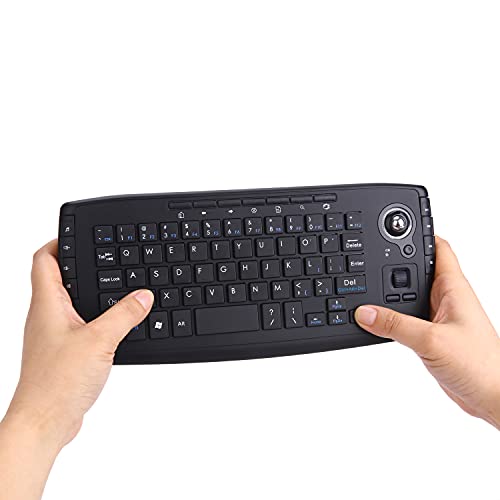
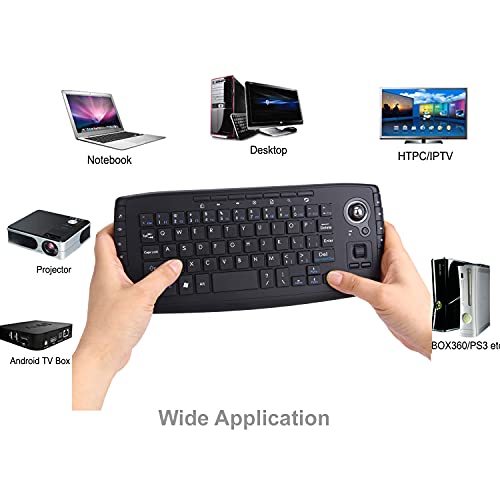


Fonicer Multimedia 2.4Ghz Wireless Mini Keyboard with Trackball Mouse Scroll Wheel for PCMacAndroid Tv Box, Remote Controller,X Structure, Black
| SELLER | SELLER SCORE | AMAZON FULFILLED | PRIME | FREE SHIPPING |
|---|---|---|---|---|
| Fonicer | 7.56 | Yes | Yes | Yes |
Why settle for a clunky desktop setup when you can control your entire media center from the comfort of your sofa? The Fonicer Multimedia keyboard transforms your streaming experience by combining a full QWERTY layout with a highly sensitive trackball. Unlike standard remote controls, this device features dedicated media keys, F11-F12 functions, and mouse buttons that make web browsing and gaming feel natural. The X-structure design provides surprisingly tactile, soft-touch feedback that prevents fatigue during longer typing sessions. It is a true plug-and-play solution that works seamlessly across PC, Mac, and Android TV boxes. Plus, the dedicated power switch is a thoughtful touch for preserving battery life when you aren't in the middle of a movie marathon.

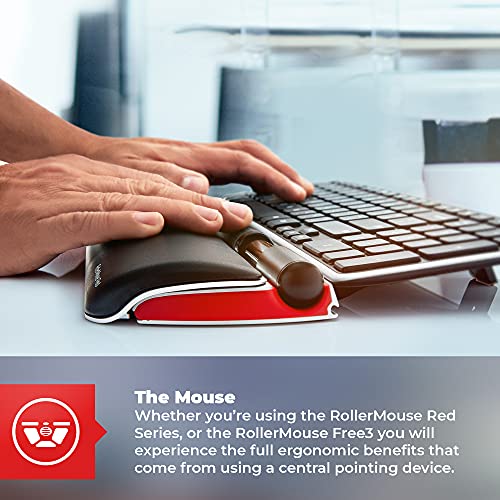


Contour Design Ultimate Workstation Red Wired - Includes RollerMouse Red & Balance Keyboard - Wired Ergonomic Keyboard and Mouse Combo - Compatible wi...
| SELLER | SELLER SCORE | AMAZON FULFILLED | PRIME | FREE SHIPPING |
|---|---|---|---|---|
| Contour Design | 6.11 | No | No | No |
Chronic wrist pain and repetitive strain are the enemies of productivity, and the Contour Design Ultimate Workstation is the heavy-duty defense you need. This setup isn't just a mouse and keyboard. It is a complete ergonomic overhaul. The RollerMouse Red uses a patented Rollerbar that lets you control the cursor with fluid finger or thumb movements, which is a total game-changer for ambidextrous use. I love how the Balance Keyboard manages to squeeze a full ten-digit number pad into a compact footprint, significantly reducing your reach and keeping your posture aligned. Whether you are on a Mac or a PC, this wired combo plugs in and immediately starts working to promote better posture. It is a serious investment for anyone looking to transition from reactive pain management to proactive workstation wellness.
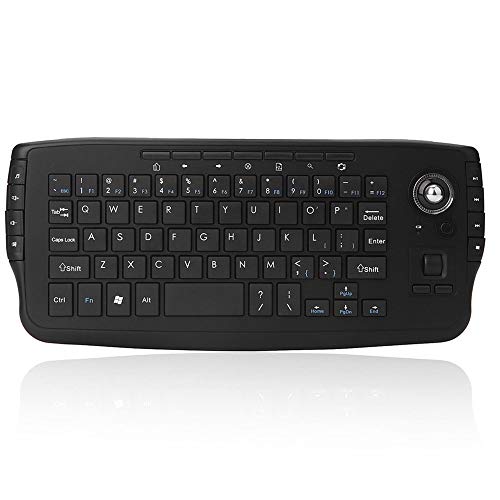


Docooler 2.4GHz Wireless Keyboard w/Trackball Mouse Scroll Wheel Remote Control Plug and Play w/USB Receiver for Android TV Box Smart TV PC Notebook (...
| SELLER | SELLER SCORE | AMAZON FULFILLED | PRIME | FREE SHIPPING |
|---|---|---|---|---|
| QUETIANXIN | 8.91 | Yes | Yes | Yes |
Most people settle for the clunky struggle of navigating a smart TV with a standard remote, but the Docooler wireless keyboard turns your couch into a command center. I found that the integrated optical trackball mouse is a total game-changer for HTPC setups where a traditional mousepad simply isn't an option. The 2.4GHz connection is incredibly reliable, giving you a solid nine-meter range without the headache of installing drivers. Between the classic key layout and the convenient scroll wheel tucked in the corner, you get precise control over your Android TV box, laptop, or even gaming consoles like the PS3. It is a streamlined, plug-and-play solution that makes digital browsing feel much more natural from a distance.
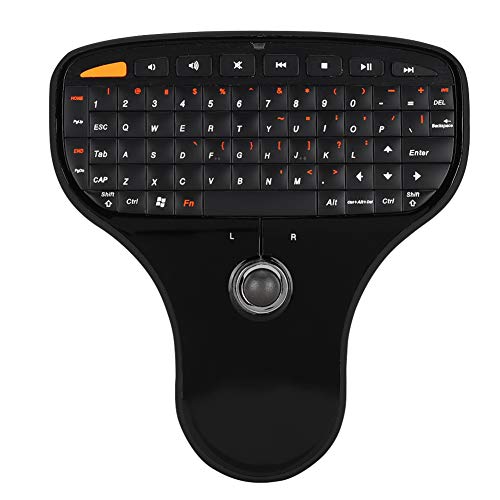


Mini USB MultiMedia Keyboard ,2.4G USB Wireless Keyboard Trackball Wireless Keyboard Controller and Mouse Combo with Touchpad for TV Computer
| SELLER | SELLER SCORE | AMAZON FULFILLED | PRIME | FREE SHIPPING |
|---|---|---|---|---|
| Sanpyl | 9.59 | Yes | Yes | Yes |
Living room media setups are a nightmare without the Sanpyl Mini USB Multimedia Keyboard, especially when you're trying to navigate a PC from the comfort of your couch. This ultra-portable 2-in-1 device solves the distance problem by combining a full keyboard with a built-in trackball, giving you precise mouse control without needing a desk. I found the ergonomic, non-slip curves make it surprisingly comfortable to hold in one hand, even though it is designed to be pocket-sized. The 2.4G wireless connection stays stable up to 10 meters, which is plenty of range for most home theaters. It is a streamlined, lightweight solution for anyone tired of getting up to click through Windows menus or video playback controls.

The primary reason to invest in a trackball combo is ergonomics, so the physical layout of both components is your first major decision. You will generally find two types of keyboard styles in these sets: standard chiclet/mechanical layouts and split ergonomic designs. A split keyboard allows your hands to rest at a more natural angle, preventing 'ulnar deviation' (the outward bending of the wrists). When evaluating a combo, check if the keyboard features a tenting mechanism or a palm rest. A palm rest is crucial for trackball users because it provides a stable base for the hand while the fingers work the ball, preventing the wrist from hovering in a stressful, unsupported position.
Not all trackballs are created equal, and this is the most significant functional difference you will encounter. You must decide between thumb-operated and finger-operated models. Thumb-operated trackballs use your thumb to move the ball, leaving your other fingers free to rest on the keyboard or mouse buttons. This is often preferred by those who want a more traditional mouse feel. Finger-operated trackballs, however, place the ball directly under your index and middle fingers. This can be more precise for graphic designers or CAD users but requires a different muscle memory. Consider your existing dexterity and whether you prefer to isolate your thumb movement or utilize your entire hand for navigation.
Since these are combos, you need to consider how the devices communicate with your computer. Most high-end sets offer dual-mode connectivity: a dedicated 2.4GHz wireless dongle for near-zero latency and Bluetooth for multi-device switching. If you are a gamer or a video editor where every millisecond counts, prioritize a combo that includes a high-speed wireless receiver. If you are a multitasker who jumps between a laptop, a tablet, and a desktop, look for 'Easy-Switch' technology that allows you to toggle between devices with a single button press. Avoid combos that rely solely on Bluetooth if you require high-precision movement, as Bluetooth can occasionally suffer from micro-stutters.
A trackball is only as good as its sensor. Look for high DPI (Dots Per Inch) capabilities, which allow you to adjust how fast the cursor moves across the screen. High-resolution sensors are essential if you work on large 4K monitors. Otherwise, you will find yourself spinning the ball excessively just to reach the corners of your screen. Furthermore, software customization is a non-negotiable feature. Premium combos allow you to remap buttons. For example, you might want to assign 'Copy' and 'Paste' functions to the thumb buttons of your trackball or create custom macros on your keyboard. This level of integration turns a simple peripheral set into a powerful productivity tool.
Trackballs have a unique maintenance requirement: they collect dust and skin oils around the bearing ring. When shopping, look for designs where the ball can be easily popped out for cleaning without unscrewing the entire chassis. A ball that is difficult to clean will eventually become 'sticky,' leading to jerky cursor movement. Additionally, check the weight and material of the keyboard. A heavy, stable keyboard is less likely to slide around your desk when you are applying pressure to the trackball, providing a more cohesive and professional user experience.
Quick answers about Trackball Computer Keyboard Mouse Combos before you buy.
Share of top-ranked products by brand, from our rankings.
We compared Trackball Computer Keyboard Mouse Combos products using product details and customer ratings to identify the best options in the computers & accessories..
From that comparison we shortlisted the top 7 Trackball Computer Keyboard Mouse Combos for this page..
We aim to help you find the right combos products for your needs and save you time when choosing which Trackball Computer Keyboard Mouse Combos to buy.
Compare the top 7 picks at a glance — select a column to sort.


