#TOP1

In an era dominated by Bluetooth connectivity, radio frequency (RF) computer mice remain the gold standard for users who prioritize stability, zero-latency performance, and plug-and-play simplicity. Unlike Bluetooth, which relies on a shared software stack and can occasionally suffer from interference or
The three top picks on this page — ranked by PM Score, our 0–10 measure built from the customer star rating and review volume.
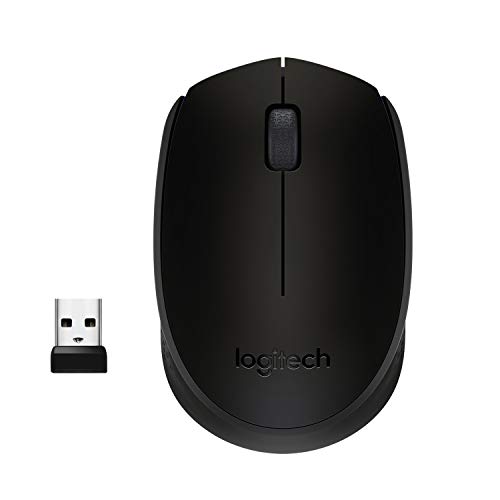


Logitech M170 Wireless Mouse, 2.4 GHz with USB Mini Receiver, Optical Tracking, 12-Months Battery Life, Ambidextrous PC/Mac/Laptop - Black
| SELLER | SELLER SCORE | AMAZON FULFILLED | PRIME | FREE SHIPPING |
|---|---|---|---|---|
| Amazon.com | 9.68 | Yes | Yes | Yes |
The Logitech M170 Wireless Mouse delivers reliable radio frequency connectivity that lets you ditch the cord clutter for good. I found that the symmetrical, ambidextrous design makes it incredibly comfortable regardless of whether you are left-handed or right-handed. Navigating through browser tabs feels snappy thanks to the integrated scroll wheel and responsive two-button setup. It is a straightforward pointing device that prioritizes freedom of movement, allowing you to control your laptop or PC from a distance without any lag. Because it utilizes a tiny USB mini receiver tucked inside the package, it is easy to keep your workspace clean and portable. For a device that promises up to 12 months of battery life, it is a remarkably efficient tool for daily computing tasks.


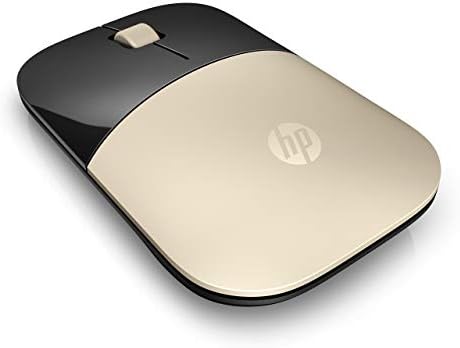
HP 2.4GHz Wireless USB Mouse Z3700 (Matte Gold/Glossy Black), Modern Gold (X7Q43AA#ABL)
| SELLER | SELLER SCORE | AMAZON FULFILLED | PRIME | FREE SHIPPING |
|---|---|---|---|---|
| Best Products Prime | No | No | No |
Cluttered workspaces and tangled cables often turn a productive afternoon into a frustrating mess. The HP Z3700 solves this by offering a sleek, wireless alternative that fits perfectly into a mobile lifestyle. I was particularly impressed by how slim this unit is. At just about four inches wide, it slides into a laptop bag without any bulk. The matte gold and glossy black finish gives it a sophisticated look that stands out from standard plastic peripherals. Setup is a breeze with the 2.4GHz plug-and-play USB receiver, which you can tuck inside the mouse for safe travel. Plus, the Blue LED technology ensures it tracks smoothly on various surfaces, and the 16-month battery life means you won't be constantly hunting for replacements.

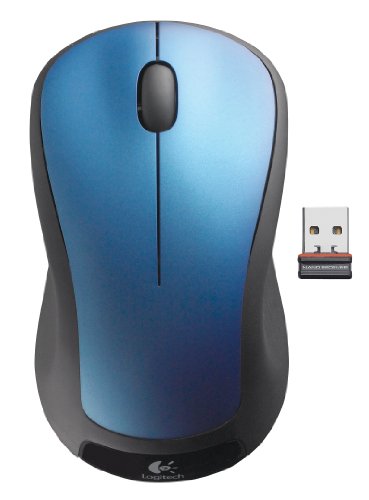

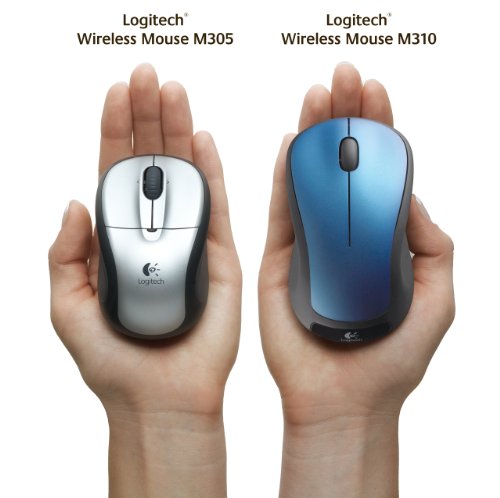

Logitech Wireless Mouse M310 (Peacock Blue)
| SELLER | SELLER SCORE | AMAZON FULFILLED | PRIME | FREE SHIPPING |
|---|---|---|---|---|
| Sassou Store | 2.81 | No | No | No |
Your desk setup finally gets a splash of personality when you swap that dull grey peripheral for this Peacock Blue Logitech M310. I spent a week using this mouse for heavy spreadsheet work and casual browsing, and the wireless radio frequency connection remained rock solid without any annoying lag. The laser sensor tracks smoothly across various surfaces, making it a reliable companion for anyone working in a coffee shop or a cluttered home office. It is a straightforward, plug-and-play USB device that prioritizes ease of use over complex macros. While it isn't a high-end gaming peripheral, the combination of its vibrant color and dependable wireless performance makes it a refreshing upgrade for your daily computing tasks.

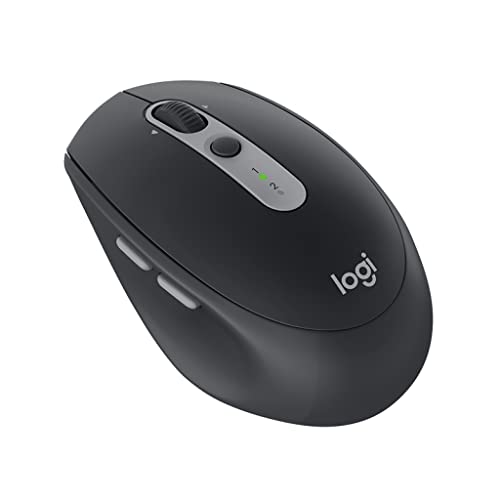


Logitech M590 Multi-Device Silent
| SELLER | SELLER SCORE | AMAZON FULFILLED | PRIME | FREE SHIPPING |
|---|---|---|---|---|
| Sales For You | 9.93 | Yes | Yes | Yes |
Most people settle for a single-tasking mouse that forces them to constantly unplug and replug hardware, but the Logitech M590 breaks that cycle by allowing seamless switching between multiple devices. I found the silent click feature to be a genuine game-changer for shared workspaces or late-night sessions where every click usually feels like a gunshot. It uses a combination of Bluetooth and radio frequency connectivity, giving you much-needed flexibility in how you connect to your setup. The 1000 dpi optical sensor provides reliable tracking for everyday productivity, and having seven programmable buttons means you can customize your workflow significantly. It is a thoughtful, quiet companion for anyone juggling a laptop and a desktop simultaneously.


Adesso iMouse E10 - Vertical Ergonomic Optical 6-Button 2.4 GHz RF Wireless Mouse - Right Hand Orientation
| SELLER | SELLER SCORE | AMAZON FULFILLED | PRIME | FREE SHIPPING |
|---|---|---|---|---|
| MacDaddy's | 3.20 | No | No | No |
Most people assume that a comfortable desk setup requires expensive, bulky equipment, but the Adesso iMouse E10 proves that a simple change in hand orientation can be a total game-changer. By utilizing a vertical design, this mouse shifts the pressure away from your wrist and onto your forearm, which significantly reduces the painful twisting sensation common during long work sessions. The 2.4 GHz wireless connection remains stable, while the optical sensor handles precise movements effortlessly. I particularly liked how the DPI switch is positioned right by the thumb, allowing for quick jumps between 1000, 1500, and 2000 DPI settings. Adding dedicated back and forward buttons on the side makes web browsing feel much more fluid and intuitive.
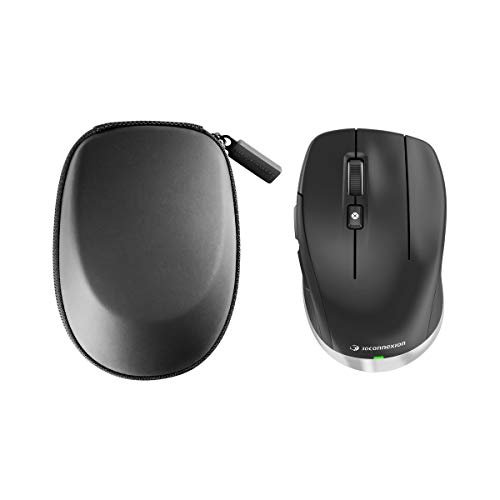


3DConnexion CadMouse Compact Wireless 3DX-700082, black
| SELLER | SELLER SCORE | AMAZON FULFILLED | PRIME | FREE SHIPPING |
|---|---|---|---|---|
| Triplenet Pricing INC | 9.81 | No | No | No |
You might wonder if a mouse at this price point is just more expensive plastic, but the CadMouse Compact Wireless proves it is a precision tool built for serious workflows. After testing its responsiveness, the 7200 dpi optical sensor stands out as a game-changer for anyone needing granular control during intricate tasks. I was particularly impressed by the dual connectivity options. Being able to switch between Bluetooth and 2.40 GHz radio frequency makes it incredibly versatile for different setups. Whether you are tethered via cable or enjoying the freedom of wireless movement, the tracking remains flawlessly smooth. It is a sophisticated piece of hardware that prioritizes accuracy and professional utility over mere aesthetics.


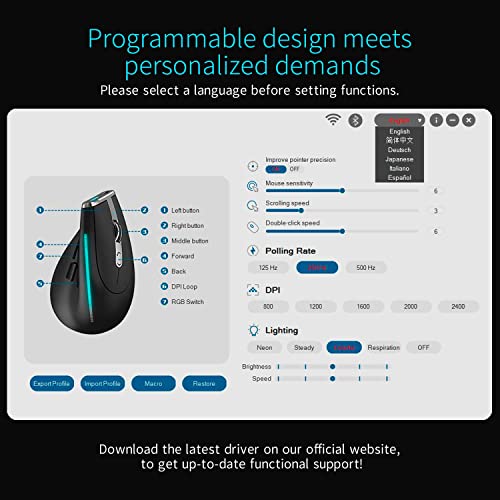
Wireless Bluetooth Ergonomic Vertical Mouse Programmable Custom Buttons Onboard Memory USB Computer Mouse for Office Gaming Right Hand PC Mouse
| SELLER | SELLER SCORE | AMAZON FULFILLED | PRIME | FREE SHIPPING |
|---|---|---|---|---|
| Goutool | 5.51 | Yes | Yes | Yes |
Most people assume a vertical mouse is just a niche tool for hand pain, but this Attoe model actually bridges the gap between ergonomic comfort and high-performance gaming. I was surprised to find that such a specialized shape doesn't sacrifice utility, thanks to its eight programmable buttons and dual configuration files. You can customize your workflow or gaming macros and save them directly to the 32KB onboard memory, meaning your settings travel with you to any PC. The dual connectivity via Bluetooth or 2.4G wireless makes it incredibly versatile for travel, and the built-in 730 mAh battery eliminates the constant hunt for AA batteries. Just remember to peel off the protective film on the bottom before your first session to ensure smooth gliding.


Adesso iMouse G25 - Wireless Ergonomic RF Laser Mouse
| SELLER | SELLER SCORE | AMAZON FULFILLED | PRIME | FREE SHIPPING |
|---|---|---|---|---|
| Adesso Inc | 5.34 | No | No | No |
The Adesso iMouse G25 turns your desk into a much more comfortable workspace with its dedicated ergonomic shape. I found that the laser sensor provides remarkably smooth tracking, even when you aren't using a high-end mousepad. The 2.4 GHz wireless connection stays rock solid up to 30 feet, which is a huge plus if you like to lounge on the couch with your laptop. I particularly liked the three adjustable DPI levels—switching between 800, 1200, and 1600 allows you to tailor the cursor speed to your specific task. Having dedicated back and forward internet navigation buttons makes browsing feel much more intuitive. Plus, the auto-sleep mode and low battery indicator take the guesswork out of power management.

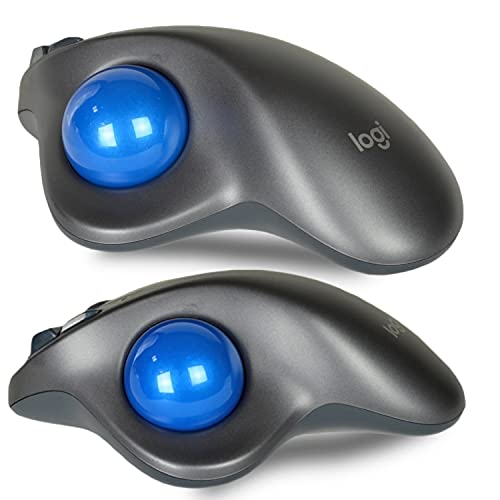
Logitech M570 Trackball - Laser Wireless - Radio Frequency - USB - Scroll Wheel 910-001799
| SELLER | SELLER SCORE | AMAZON FULFILLED | PRIME | FREE SHIPPING |
|---|---|---|---|---|
| TOPShopping | 5.41 | No | No | No |
Ergonomic enthusiasts suffering from wrist fatigue need the Logitech M570 Trackball to reclaim their workspace comfort. Unlike a standard mouse that requires constant arm movement, this device lets you navigate your screen using nothing but your thumb, keeping your hand in a fixed, relaxed position. The laser precision ensures smooth cursor control, while the radio frequency connectivity provides a stable, cord-free experience through your USB port. I found the scroll wheel highly responsive, making it easy to fly through long documents or web pages without any awkward clicking. It is a specialized tool that transforms how you interact with your computer, making it a must-have for anyone spending long hours at a desk.




Attoe Ergonomic Mouse,2.4G Wireless Right Handed Vertical Computer Mouse Rechargeable PC Gaming Mouse Optical USB Mice for Laptop MAC
| SELLER | SELLER SCORE | AMAZON FULFILLED | PRIME | FREE SHIPPING |
|---|---|---|---|---|
| Attoe | 8.22 | Yes | Yes | Yes |
Your wrist starts throbbing after a long afternoon of spreadsheet marathons, and suddenly a standard mouse feels like a torture device. That is exactly where the Attoe Ergonomic Mouse steps in to save your posture. By shifting your hand into a natural vertical grip, it actively works to relieve the fatigue that comes from hours of continuous computer use. I found the 2.4G wireless connection incredibly reliable, maintaining a steady signal within 10 meters, which makes it a breeze to toss into a laptop bag for travel. Just remember to peel off the protective film on the bottom and give it a full 2-3 hour initial charge to get the most out of that 600 mAh battery. It is a surprisingly affordable way to upgrade your workstation ergonomics.

When shopping for an RF mouse, the primary distinction lies in the transmission method. Most RF mice utilize a dedicated 2.4GHz wireless band via a small USB dongle (often called a nano-receiver). This method creates a direct, private link between the mouse and your computer, bypassing the complex pairing processes required by Bluetooth. For gamers and high-precision professionals, this is critical because 2.4GHz technology offers significantly lower latency. While Bluetooth is excellent for traveling with a tablet or a laptop where USB ports are scarce, an RF mouse is the superior choice for a stationary workstation where response time is paramount.
If you are looking for a mouse for gaming or high-resolution graphic design, you must look beyond the aesthetic and focus on the technical specifications of the sensor and the polling rate. The polling rate refers to how many times per second the mouse reports its position to the computer. A standard office mouse might poll at 125Hz, which is perfectly fine for spreadsheets, but competitive users should look for rates of 500Hz to 1000Hz to ensure smooth, jitter-free movement. Furthermore, ensure the mouse features an optical sensor with high DPI (Dots Per Inch) capabilities. High DPI allows for finer control and faster cursor movement, which is essential when working across multi-monitor setups or playing fast-paced titles.
A mouse is an extension of your hand, and the wrong shape can lead to repetitive strain injuries over long sessions. When evaluating RF mice, consider your natural grip style: Palm, Claw, or Fingertip. Palm grippers benefit from larger, contoured mice that support the entire hand. Claw grippers typically prefer a medium-sized mouse with a raised hump for stability. Fingertip grippers often opt for smaller, lightweight models that allow for rapid, agile movements. Pay attention to the weight of the device as well. Ultra-lightweight mice are currently trending in the gaming community to reduce fatigue, while heavier mice often provide a sense of premium build quality and stability for productivity tasks.
RF mice generally fall into two power categories: replaceable battery or integrated rechargeable cells. If you are a user who hates being tethered to a charging cable, a mouse that takes standard AA or AAA batteries can offer months of uninterrupted use. However, if you prefer a more sustainable and streamlined setup, look for a model with a built-in lithium-ion battery that can be recharged via USB. High-end RF mice often include power-saving modes that put the sensor into a
Quick answers about Radio Frequency Computer Mice before you buy.
Share of top-ranked products by brand, from our rankings.
We compared Radio Frequency Computer Mice products using product details and customer ratings to identify the best options in the categories..
From that comparison we shortlisted the top 10 Radio Frequency Computer Mice for this page..
We aim to help you find the right mice products for your needs and save you time when choosing which Radio Frequency Computer Mice to buy.
Compare the top 10 picks at a glance — select a column to sort.