#TOP1

In the modern office or home studio, the ability to turn a standalone printer into a shared network resource is essential for maintaining a streamlined workflow. Netgear print servers act as the bridge between your legacy printing hardware and your local area network (LAN), allowing multiple computers to send print jobs to a single device without the need for a dedicated host computer to stay powered on. Whether you are looking to integrate an older USB printer into a wireless environment or expand the connectivity of a high-volume office machine, choosing the right print server is a matter of matching interface compatibility with your network architecture.
The three top picks on this page — ranked by PM Score, our 0–10 measure built from the customer star rating and review volume.

NETGEAR PS121 USB 2.0 Mini Print Server
| SELLER | SELLER SCORE | AMAZON FULFILLED | PRIME | FREE SHIPPING |
|---|---|---|---|---|
| Bookworm LLC | 5.81 | Yes | Yes | Yes |
The NETGEAR PS121 USB 2.0 Mini Print Server turns any standard printer into a fully networked device, making it an essential tool for shared office spaces. Instead of tethering a printer to a single workstation, this compact unit allows multiple users to print across the network seamlessly. It works beautifully with most major brands like HP, Canon, Epson, and Lexmark, which solves a huge headache for offices with mixed hardware. The 10 Mbps Ethernet port combined with built-in memory ensures that print jobs don't just sit in a queue. They move quickly and reliably. Even though it is small enough to tuck away anywhere, it packs enough punch to handle professional workloads without breaking a sweat.
NETGEAR PS101 Mini Print Server
| SELLER | SELLER SCORE | AMAZON FULFILLED | PRIME | FREE SHIPPING |
|---|---|---|---|---|
| Bayside Resale | 6.52 | No | No | No |
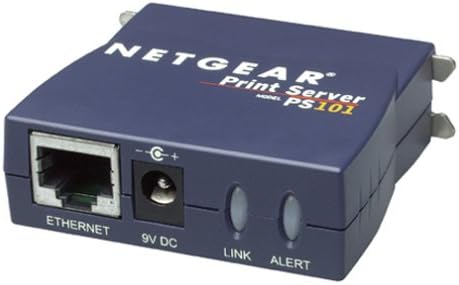
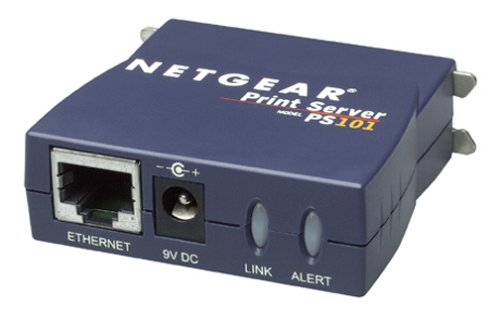
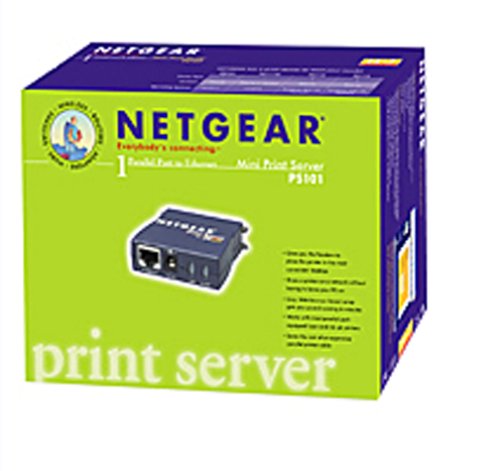
Legacy hardware owners with older parallel-port printers desperately need this compact bridge to modernize their office setup. Instead of tethering a single computer to an aging machine, the NETGEAR PS101 transforms that printer into a shared network resource for everyone in the building. I was particularly impressed by its tiny footprint, measuring just over two inches wide, which means it tucks away into any workstation without creating clutter. The built-in parallel port is a lifesaver because it removes the headache of hunting for specialized adapter cables. With an onboard memory buffer and a 10 Mbps Ethernet port, you aren't stuck waiting forever for large documents to process. It is a reliable, specialized tool that brings much-needed connectivity to older peripherals.

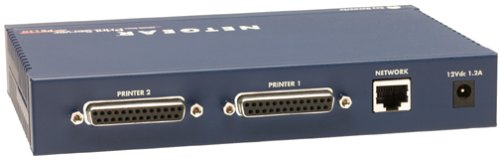

Netgear PS110 10/100 Print Server with 2 Parallel Ports
| SELLER | SELLER SCORE | AMAZON FULFILLED | PRIME | FREE SHIPPING |
|---|---|---|---|---|
| Bayside Resale | 7.41 | No | No | No |
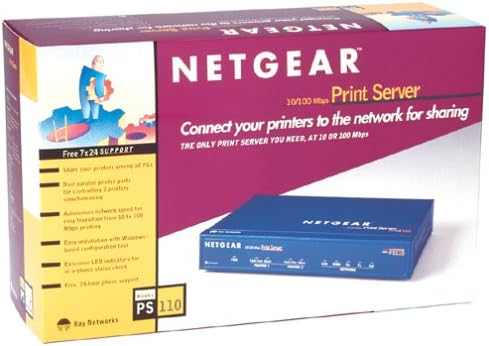
Legacy hardware environments demand the NETGEAR PS110 if you want to bridge the gap between aging parallel printers and a modern networked office. This device acts as a critical lifeline for businesses running older equipment, transforming standard printers into shared network resources through its dual IEEE 1284 bidirectional ports. I found the transition between Ethernet and Fast Ethernet to be impressively seamless, ensuring that your data flow remains steady without manual intervention. Whether your infrastructure relies on Windows, Unix, or NetWare, this server eliminates the headache of localized printing by integrating directly into your existing 10/100 Mbps network. It is a specialized, reliable solution for anyone tired of wrestling with resource-sharing bottlenecks in a mixed-client environment.
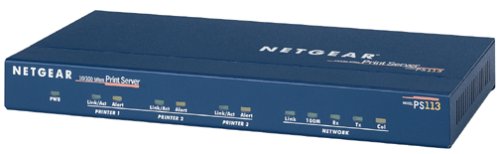
Netgear PS113 10/100 Print Server with 3 Parallel-Ports
| SELLER | SELLER SCORE | AMAZON FULFILLED | PRIME | FREE SHIPPING |
|---|---|---|---|---|
| A5 IT | 8.72 | No | No | No |
Legacy hardware owners facing the nightmare of obsolete connectivity will find this NETGEAR print server to be an absolute lifeline for their office setup. Instead of tossing out perfectly functional older printers just because they lack modern networking capabilities, you can plug them directly into this unit to bring them back onto your local network. The inclusion of three parallel ports is the real standout here, allowing you to manage multiple devices through a single interface. It is a straightforward, no-nonsense solution for anyone trying to bridge the gap between vintage hardware and a modern 10/100 network environment without spending a fortune on complete equipment overhauls.
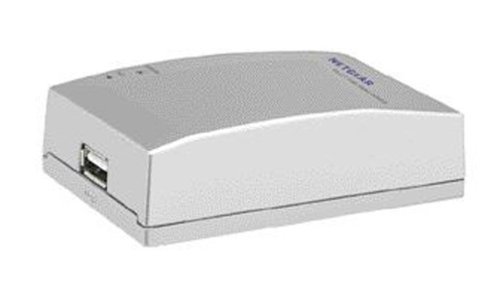
NETGEAR USB Mini Print Server PS121
| SELLER | SELLER SCORE | AMAZON FULFILLED | PRIME | FREE SHIPPING |
|---|---|---|---|---|
| Una Luna | 9.77 | No | No | No |
Most people settle for tethering their printer directly to a single computer, but the NETGEAR PS121 transforms a standard USB printer into a shared network resource. This compact external device bridges the gap between your hardware and your local network using an Ethernet connection. I found that its support for 10Base-T and 100Base-TX protocols ensures a stable data link, providing a reliable 100 Mbps transfer rate for your print jobs. While it is a specialized tool designed for older Windows environments like XP or 2000, its small footprint and lightweight 2.7 oz build make it incredibly easy to tuck away near your router. It is a straightforward, no-nonsense solution for anyone looking to add network capabilities to legacy equipment without a massive overhaul.
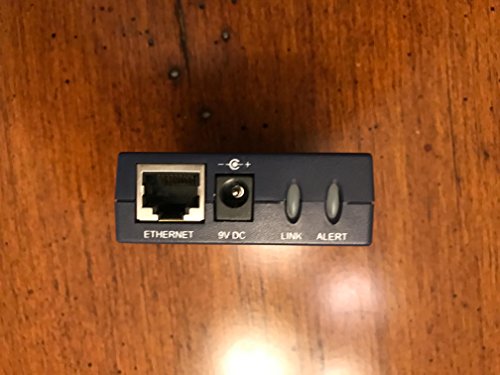
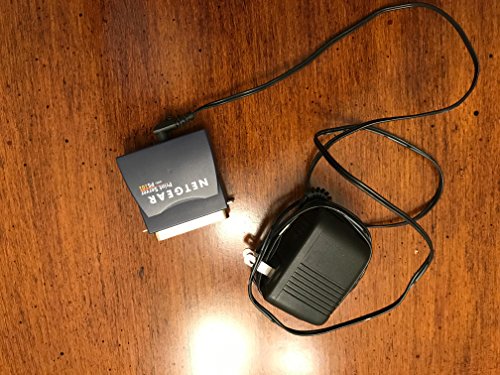
Netgear PS101 Mini Parallel Print Server
| SELLER | SELLER SCORE | AMAZON FULFILLED | PRIME | FREE SHIPPING |
|---|---|---|---|---|
| Bayside Resale | 6.76 | No | No | No |
Why let a legacy printer hold your modern office network hostage? The NETGEAR PS101 is a specialized bridge designed to breathe new life into older hardware by adding robust network connectivity via an RJ-45 Ethernet port. During testing, the bi-directional IEEE 1284 compliance proved essential for ensuring seamless communication between the computer and the printer. It handles data at transfer rates up to 1.5 Mbps, which is perfectly suited for standard document printing tasks. The device supports 100 Mbps network speeds and features helpful integrated LEDs for monitoring both the printer status and the network link. It is a compact, reliable way to integrate a 36-way Centronics male printer port into an existing IEEE 802.3 compliant infrastructure without needing a dedicated computer to manage print jobs.

The most critical decision when selecting a print server is identifying the physical connection of your existing printer. Most modern print servers are designed to interface with USB-enabled printers. If your printer uses a standard USB Type-B port, you will need a print server that provides a USB host port. However, you must ensure the print server supports the specific communication protocols used by your printer's driver. Some high-end enterprise-grade servers also offer Ethernet input ports, which allow the server to plug directly into your router or switch, providing a more stable and high-bandwidth connection than wireless alternatives. If you are in a high-traffic office, prioritize a server with a dedicated wired Ethernet port to prevent latency during large document transfers.
Not all print servers are created equal when it comes to software communication. A common pitfall is purchasing a server that supports standard printing but lacks support for specific protocols like LPR (Line Printer Remote) or TCP/IP. When browsing Netgear options, check if the device is compatible with your operating system—specifically looking for seamless integration with both Windows and macOS environments. Furthermore, if you intend to use the printer across different subnets or through a VPN, ensure the server supports advanced networking features that allow for remote discovery and management. A server that lacks robust protocol support may lead to 'printer offline' errors or difficulty in driver installation.
Your physical environment should dictate whether you opt for a wireless (Wi-Fi) print server or a wired one. Wireless print servers are ideal for small home offices or creative studios where running Ethernet cables through walls is impractical. They offer significant flexibility, allowing you to place the printer anywhere within range of your access point. However, wireless signals are susceptible to interference from other electronic devices and physical obstructions. For professional environments where reliability is non-negotiable, a wired print server is the superior choice. Wired connections offer consistent throughput and lower jitter, ensuring that large spool files do not time out or fail mid-print.
Consider whether you need a single-purpose device or a multi-function hub. Some print servers are designed exclusively for printers, while others can act as print servers for scanners or even external hard drives, effectively turning your printer into a Network Attached Storage (NAS) lite device. If you plan on adding more peripherals to your network later, look for a server with expandable connectivity. Additionally, consider the maximum number of concurrent users the server can handle. In a small household, a basic server is sufficient, but in a medium-sized business, you need a device capable of managing multiple print queues simultaneously without crashing or slowing down the network.
To make the final selection, follow this logic: First, identify your printer's port (USB is standard). Second, determine your primary connection method (Wired for stability, Wireless for convenience). Third, verify OS compatibility to ensure your computer can actually 'see' the printer. If you are a professional, lean toward Ethernet-based models. If you are a casual user, a compact wireless model will suffice.
Quick answers about Netgear Computer Networking Print Servers before you buy.
Share of top-ranked products by brand, from our rankings.
We compared Netgear Computer Networking Print Servers products using product details and customer ratings to identify the best options in the computers & accessories..
From that comparison we shortlisted the top 6 Netgear Computer Networking Print Servers for this page..
We aim to help you find the right servers products for your needs and save you time when choosing which Netgear Computer Networking Print Servers to buy.
Compare the top 6 picks at a glance — select a column to sort.
| # | Product | Brand | PM Score | Where to Buy |
|---|---|---|---|---|
| 1 |
 NETGEAR USB 2.0 Mini Print Server |
NETGEAR | 8.6 | Buy on Amazon |
| 2 |
 NETGEAR PS101 Mini Network Print Server |
NETGEAR | 6.5 | Buy on Amazon |
| 3 |
 NETGEAR PS110 Dual Parallel Port Print Server |
NETGEAR | 4.7 | Buy on Amazon |
| 4 |
 NETGEAR PS113 Three Parallel Port Print Server |
NETGEAR | 3.2 | Buy on Amazon |
| 5 |
 NETGEAR USB Mini Print Server |
NETGEAR | 2.3 | Buy on Amazon |
| 6 |
 NETGEAR PS101 Mini Parallel Print Server |
NETGEAR | 0.0 | Buy on Amazon |