#TOP1

In an era where wireless connectivity is the standard for every smart device in our homes and offices, many legacy printers are being left behind. These robust, high-capacity machines often lack built-in Wi-Fi, creating a bottleneck in modern workflows. A wireless computer networking print server acts as the bridge, transforming a standard USB-connected printer into a fully networked device capable of receiving print jobs from any laptop, tablet, or smartphone on your local area network. Instead of tethering a computer to a printer via a cable, a print server allows for true mobility and shared access across multiple users without the need for a dedicated, always-on host computer.
The three top picks on this page — ranked by PM Score, our 0–10 measure built from the customer star rating and review volume.




IOGEAR 1-Port USB 2.0 Print Server, GPSU21
| SELLER | SELLER SCORE | AMAZON FULFILLED | PRIME | FREE SHIPPING |
|---|---|---|---|---|
| Trusted Sports | 9.61 | No | No | No |
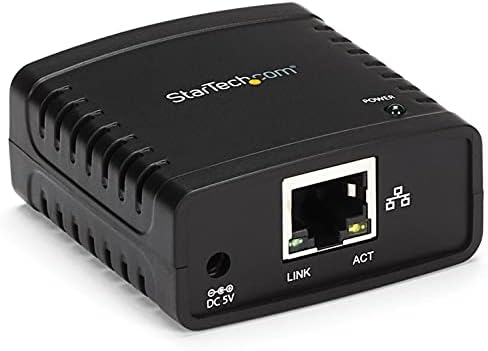
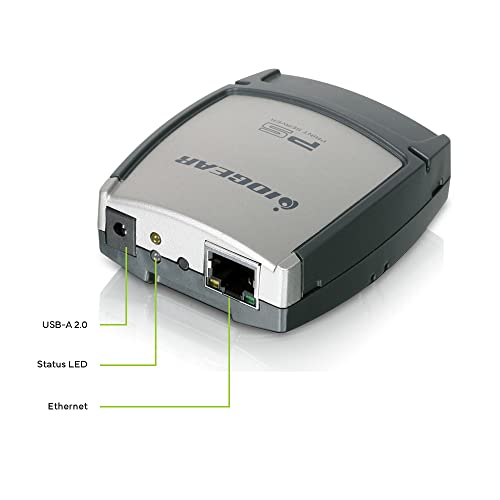
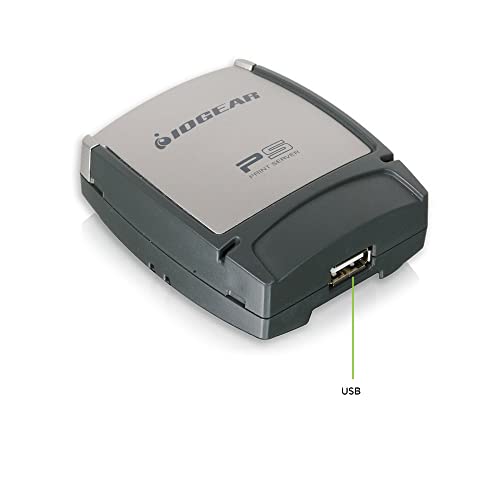
Your aging USB printer isn't obsolete just because it lacks built-in Wi-Fi. The IOGEAR USB 2.0 Print Server breathes new life into standalone hardware by bridging the gap between a single-user device and a fully networked asset. By plugging your printer into this compact unit and connecting it to your network via the included Cat 5 cable, you suddenly grant printing access to every computer in the office or even across the internet. It handles the heavy lifting with auto-sensing Ethernet and supports multiple network protocols, making setup relatively straightforward through web management or Telnet. It is a pragmatic, low-cost way to avoid upgrading your entire printing setup when all you really need is shared connectivity.


StarTech.com StarTech.com 1-Port Wireless N USB 2.0 Network Print Server - 10/100 Mbps Ethernet USB Printer Server Adapter - Windows 10 - 802.11 b/g/n...
| SELLER | SELLER SCORE | AMAZON FULFILLED | PRIME | FREE SHIPPING |
|---|---|---|---|---|
| StarTechDirect | 9.81 | Yes | Yes | Yes |
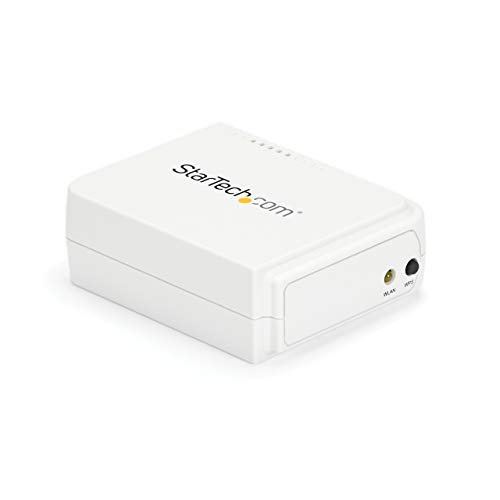
A small, unassuming plastic box sits on your desk, but it holds the power to liberate your printer from a single workstation. This StarTech wireless print server effectively bridges the gap between older USB printers and your modern network by utilizing 802.11b/g/n wireless standards. Whether you prefer a wireless setup or want to use the 10/100 Mbps Ethernet port for a more stable wired connection, this adapter handles both with ease. It is a professional-grade tool designed for IT environments, offering Simple Network Management Protocol support and compatibility across both Mac and Windows systems. While it won't work with AirPrint or iOS devices, it serves as a reliable backbone for small offices needing to share printing capabilities across multiple computers without the headache of constant cable swapping.


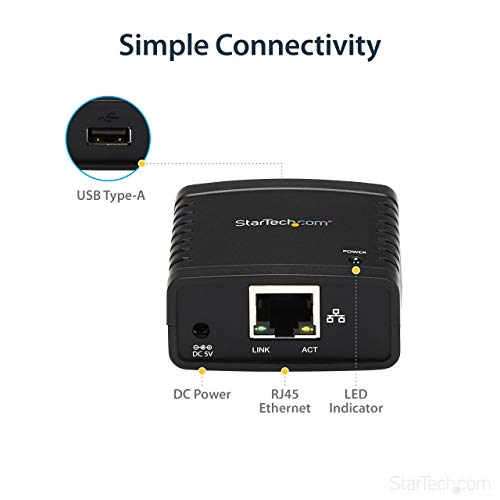
StarTech.com 10/100Mbps Ethernet to USB 2.0 Network Print Server - Windows 10 - LPR - LAN USB Print Server Adapter (PM1115U2)
| SELLER | SELLER SCORE | AMAZON FULFILLED | PRIME | FREE SHIPPING |
|---|---|---|---|---|
| Amazon.com | 9.68 | Yes | Yes | Yes |
Why should a single USB printer limit your entire office to one workstation? This StarTech print server solves that exact headache by transforming a standard USB printer into a fully networked device. Instead of tethering a machine to a single PC, you plug this adapter into your router using the included RJ45 cable, allowing anyone on your LAN to print seamlessly. It handles the heavy lifting with 10/100Mbps auto-sensing technology, ensuring a stable connection whether you are in a small home office or a large educational institution. Because it supports both Mac and Windows along with Bonjour Print Services, the setup feels intuitive rather than a technical chore. It is a straightforward, reliable way to bridge the gap between legacy hardware and modern network environments.
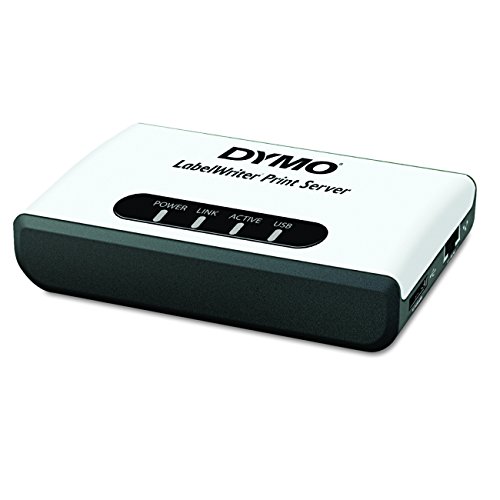
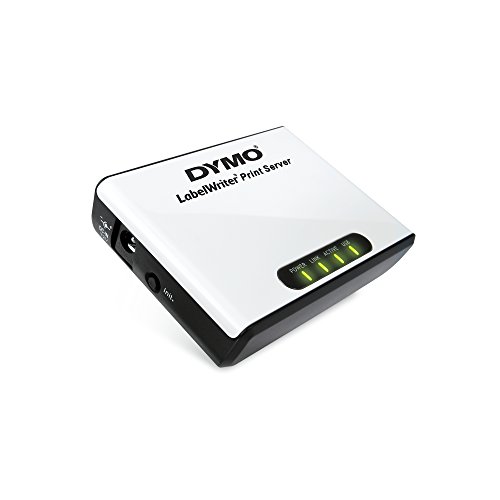

DYMO 1750630 LabelWriter Print Server
| SELLER | SELLER SCORE | AMAZON FULFILLED | PRIME | FREE SHIPPING |
|---|---|---|---|---|
| Amazon.com | 9.68 | Yes | Yes | Yes |
The DYMO LabelWriter Print Server is a vital networking upgrade that transforms a standalone label maker into a shared office asset. Instead of tethering your printer to a single workstation via USB, this device bridges the gap between your hardware and your local network. Setup is remarkably straightforward, requiring only a standard USB connection and an Ethernet cable to get things moving. Once it is live, anyone on your wireless network can send print jobs directly from their own computers, whether they are running Windows or Mac. It is a practical solution for small teams that need to eliminate the bottleneck of a single-user setup without investing in an entirely new printer system.


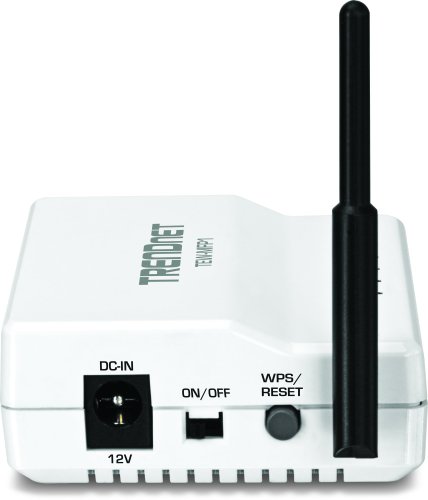
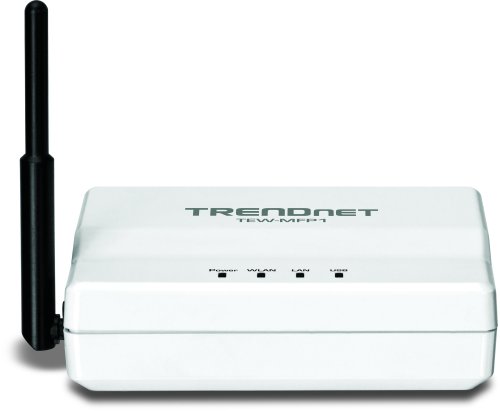

TRENDnet Wireless N 1-Port Multi-Function USB Print Server TEW-MFP1
| SELLER | SELLER SCORE | AMAZON FULFILLED | PRIME | FREE SHIPPING |
|---|---|---|---|---|
| Product Plus+ | 5.71 | No | No | No |
The TRENDnet Wireless Multi-Function USB Print Server transforms any standalone printer into a powerhouse shared network resource. I found that this compact device is a lifesaver for home offices or small workspaces where running long Ethernet cables isn't an option. By utilizing IEEE 802.11n technology, it provides high-speed wireless data rates up to 150Mbps, ensuring your documents move quickly across the network. What makes this particularly impressive is its versatility. It doesn't just handle printing, but also allows you to scan and fax from any workstation. The setup is remarkably smooth thanks to Universal Plug & Play support and an intuitive utility that plays nicely with both Windows and Mac OS. It is a straightforward, effective way to breathe new life into your existing All-In-One hardware.
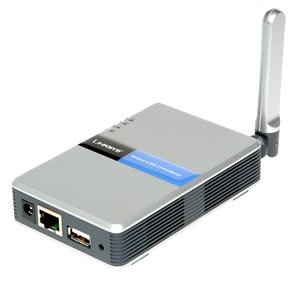
Cisco-Linksys WPS54G Wireless-G 802.11g Print Server
| SELLER | SELLER SCORE | AMAZON FULFILLED | PRIME | FREE SHIPPING |
|---|---|---|---|---|
| Keepingthefaith2020 | 4.10 | No | No | No |
Why should a single printer tether you to one specific desktop? The Linksys WPS54G transforms a standard USB 1.1 or 2.0 printer into a fully networked asset that anyone on your Wi-Fi can access. I found that the biggest headache with older setups is having to leave your main computer running all night just so someone else can print a document, but this device eliminates that necessity entirely. It bridges the gap between your hardware and your network using either 10/100 wired Ethernet or 54 Mbps Wireless-G connectivity. By offloading the print management to this dedicated server, you stop your PC from slowing down under the weight of heavy print queues from other users. It is a practical, streamlined way to modernize your office workflow without buying all-new hardware.
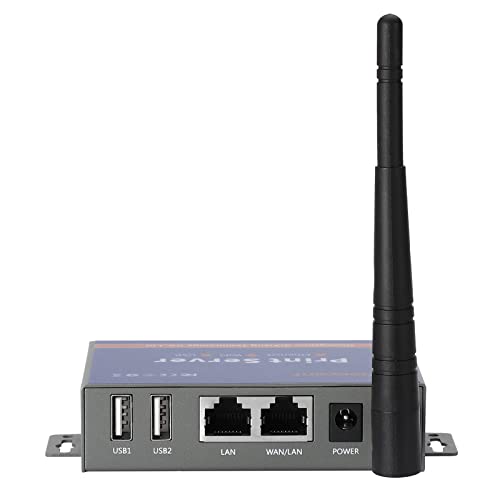


Wireless Print Server (NOT Plug&Play), 2 Port USB Print Server, Computer Networking Print Servers - Convert USB Printer to Wireless WiFi Ethernet Netw...
| SELLER | SELLER SCORE | AMAZON FULFILLED | PRIME | FREE SHIPPING |
|---|---|---|---|---|
| XiXi Direct | 5.51 | Yes | Yes | Yes |
Your old reliable USB printer is currently gathering dust in a corner because it lacks modern connectivity, but this CHEECENT print server breathes new life into it. Instead of tethering your machine to a single host PC that has to stay powered on all day, you can finally integrate it into your office network via WiFi or Ethernet. I found the metal shell design quite sturdy, and the dual USB ports are a massive win if you need to share two separate printers across your local network simultaneously. Just a heads-up: this isn't a plug-and-play device. You will need to follow the provided setup videos and manual closely to configure your network settings and ensure your printer drivers are ready, but once it's running, it's a total lifesaver for avoiding an unnecessary printer upgrade.
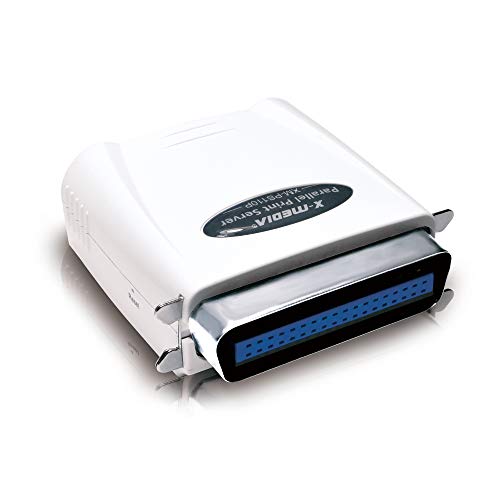


X-MEDIA XM-PS110P 1-Port 10/100Mbps Fast Ethernet Parallel Print Server, Parallel Centronics Port Network Print Server
| SELLER | SELLER SCORE | AMAZON FULFILLED | PRIME | FREE SHIPPING |
|---|---|---|---|---|
| X-MEDIA USA | 7.04 | Yes | Yes | Yes |
After weeks of use in a busy office environment, this X-MEDIA print server has proven to be a vital bridge for our legacy hardware. It breathes new life into older printers by connecting them directly to the network via a Centronics port, effectively eliminating the need for a dedicated host computer to be constantly powered on. The setup process is remarkably straightforward, making it easy to integrate into almost any existing network environment regardless of your operating system. I particularly value the built-in POST and e-mail alert system, which provides immediate notification if a printing error occurs. It is a reliable, low-cost solution for anyone needing to modernize their parallel printing capabilities without replacing expensive equipment.

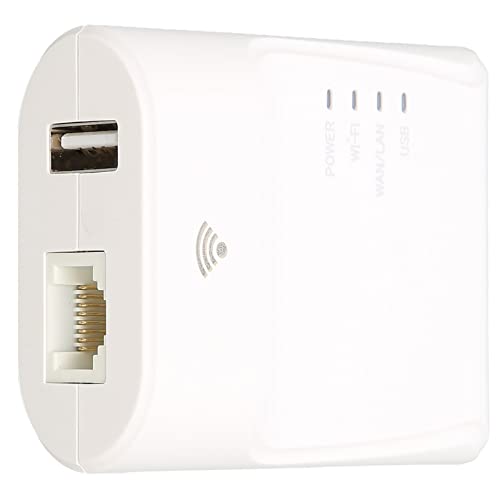


Tuzoo Print Server, 10/100 Mbps Fast Wireless Ethernet USB Printer Server Adapter Adaptive 480Mbps Transmission High Speed Network Print Server Print...
| SELLER | SELLER SCORE | AMAZON FULFILLED | PRIME | FREE SHIPPING |
|---|---|---|---|---|
| foukin | 4.68 | Yes | Yes | Yes |
You might wonder if a small adapter can actually solve your office cable nightmare, but the Tuzoo Print Server proves that network connectivity doesn't require a massive hardware overhaul. Instead of tethering your printer to a single workstation, this device bridges the gap between your USB printer and your wireless network via a 10/100 Mbps Ethernet port. I found the 480Mbps USB 2.0 transmission rate impressive, allowing for rapid print jobs without the usual lag. It is a massive space-saver for small offices because it eliminates the need for extra printers or messy long-distance cables. Just keep in mind that it won't work with Lottomr, Inkjet, or Thermal models, but for standard setups, it offers a professional-grade, energy-efficient solution backed by solid technical support.
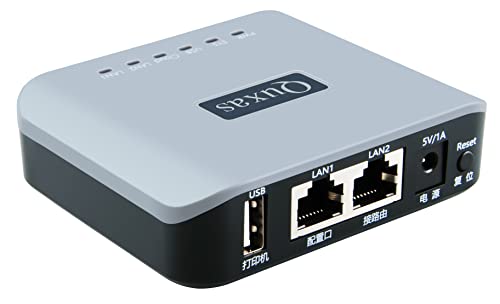


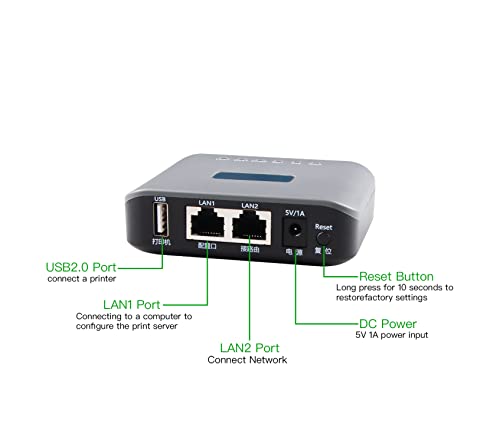

Quxas 2.4G Wireless Network Print Server,1 Port USB Print Server(LP-N110W)
| SELLER | SELLER SCORE | AMAZON FULFILLED | PRIME | FREE SHIPPING |
|---|---|---|---|---|
| niulan | 0.00 | Yes | Yes | Yes |
Most people settle for tethering their printer to a single desk, but the Quxas 2.4G Wireless Print Server breaks that physical limitation entirely. Instead of running long USB cables across your office, this compact device converts any standard USB printer into a fully functional WiFi printer. I found it incredibly useful for transforming older inkjet or laser models into shared network assets that any computer on your LAN can access. It handles simultaneous print jobs through a queue system, making it a lifesaver for busy home offices or small educational settings. While it won't work with every single model—specifically avoiding the Canon LBP series—its compatibility with Windows, Mac OS, and Linux makes it a versatile bridge for modernizing your existing hardware setup.
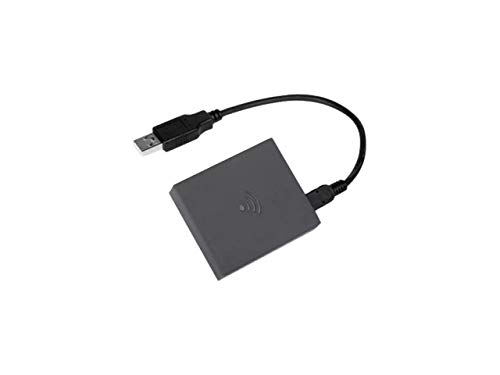
Lexmark 27X6410 Marknet N8372 Wireless Print Server
| SELLER | SELLER SCORE | AMAZON FULFILLED | PRIME | FREE SHIPPING |
|---|---|---|---|---|
| Triplenet Pricing INC | 9.81 | No | No | No |
The subtle glow of the front Wi-Fi FSM indicator is the first thing you'll notice, signaling that your office setup is finally breaking free from messy ethernet cables. This Lexmark Marknet N8372 is a dedicated solution for transforming stationary Lexmark printers into agile, wireless assets. By supporting 802.11 a/b/g/n/ac standards, it ensures a stable connection across a massive range of compatible hardware, from the CS and CX series to the robust MX and MS models. Instead of rewiring your entire workspace, you can simply plug this server in to unlock wireless capabilities for your existing B2442, MS622, or MX721 machines. It is a straightforward, professional-grade bridge that brings modern connectivity to high-performance office printing environments without the headache of a full hardware overhaul.


LOYALTY-SECU Print Server for Android and Computer: Wirelessly Print from Multiple Devices
| SELLER | SELLER SCORE | AMAZON FULFILLED | PRIME | FREE SHIPPING |
|---|---|---|---|---|
| Shenzhen LOYALTY-SECU Technology Co ., LTD | 4.05 | No | No | No |
The LOYALTY-SECU Print Server is a budget-friendly lifeline for anyone stuck with a legacy USB printer that lacks modern connectivity. Instead of replacing your perfectly functional hardware, this compact device breathes new life into it by converting a standard USB 2.0 interface into a fully wireless network printer. I found that the ability to bridge the gap between Android smartphones and computers via 2.4GHz WiFi makes office collaboration much smoother. While the setup requires some basic technical savvy and a bit of patience with the manual, the payoff is a seamless multi-user environment. It even includes an RJ45 LAN port for those who prefer a hardwired connection for maximum stability. It is a smart, cost-effective way to modernize an old workstation.


ATNEDCVH USB 2.0 WiFi Print Server, Wireless LAN Print Share Server for USB Printers,RAW IPP Print Protocol 10/100Mbps USB Network Print Server Adapte...
| SELLER | SELLER SCORE | AMAZON FULFILLED | PRIME | FREE SHIPPING |
|---|---|---|---|---|
| No | No | No |
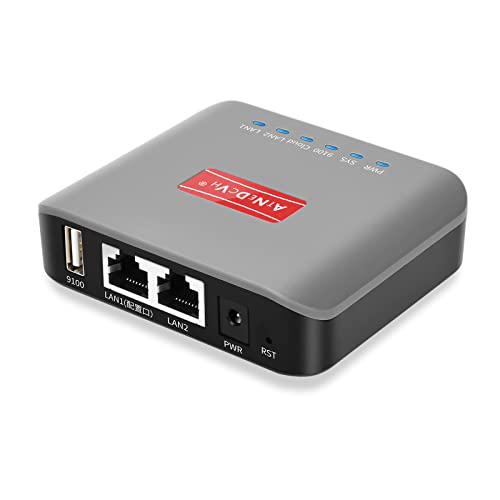
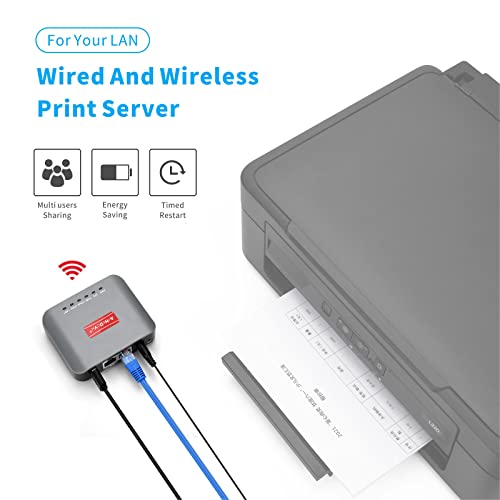
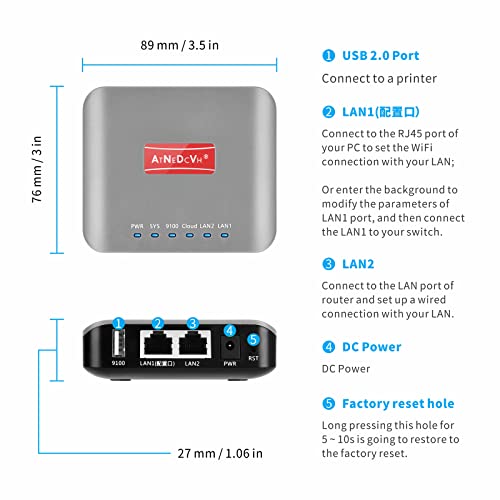
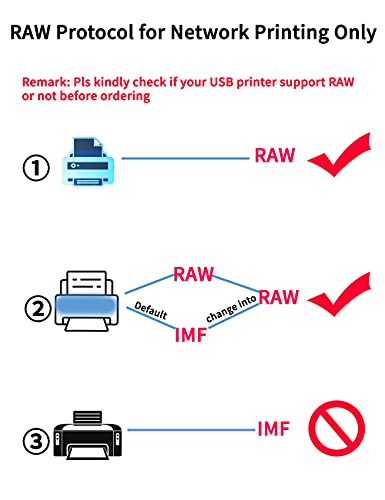
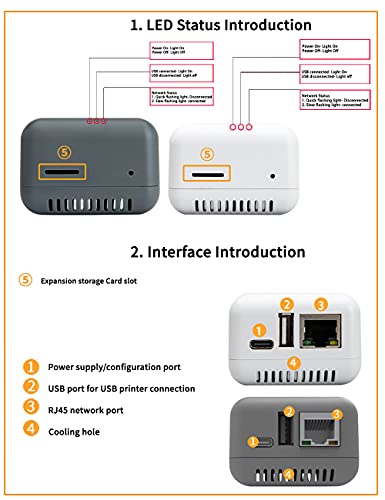
The ATNEDCVH USB Print Server is a vital lifeline for anyone stuck with a high-quality legacy printer that lacks modern networking capabilities. This compact grey adapter breathes new life into older hardware by allowing you to bridge the gap between a standard USB printer and your local network via Wi-Fi or an Ethernet cable. I found the dual-network capability particularly impressive, as it can theoretically juggle three different LAN segments simultaneously to keep different departments or home offices connected. While it handles almost any inkjet, laser, or thermal printer with ease on Windows and Linux, Mac users should double-check for H/P jetdirect - socket protocol support before diving in. It is a clever, resourceful way to eliminate the need for a dedicated computer just to host a print job.


LOYALTY-SECU Mini Wireless Print Server USB WiFi for USB Printer White
| SELLER | SELLER SCORE | AMAZON FULFILLED | PRIME | FREE SHIPPING |
|---|---|---|---|---|
| Shenzhen LOYALTY-SECU Technology Co ., LTD | 4.05 | No | No | No |
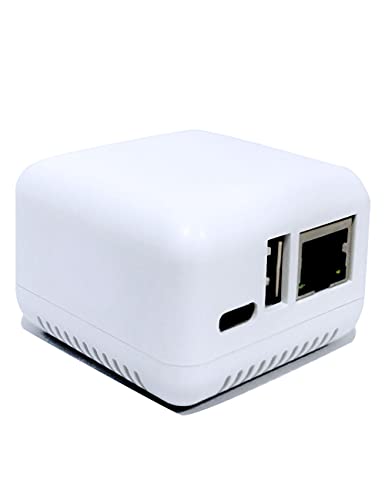
The LOYALTY-SECU Mini Wireless Print Server is the ultimate workspace decluttering tool for small offices stuck with legacy hardware. Instead of wrestling with long, cumbersome USB cables or tethering a printer to a single workstation, this compact white device bridges the gap between your old-school printer and modern WiFi networks. It integrates seamlessly with 802.11b/g/n networks, allowing multiple users to print text and images simultaneously from mobile devices or computers across the LAN. The setup is remarkably straightforward thanks to the plug-and-play USB 2.0 interface and the inclusion of an RJ45 LAN port for added stability. It effectively transforms a standard wired printer into a versatile, wireless shared resource without a massive hardware overhaul.

DS-520AN 802.11n Wireless and Gigabit Ethernet USB Device Server
| SELLER | SELLER SCORE | AMAZON FULFILLED | PRIME | FREE SHIPPING |
|---|---|---|---|---|
| Amazon.com | 9.68 | Yes | Yes | Yes |
Tethered USB peripherals often create a frustrating bottleneck in modern networked environments, but the Silex Technology DS-520AN breaks those physical constraints. I found that this device server effectively transforms standard USB hardware—ranging from scanners and printers to webcams—into fully accessible network resources. What sets it apart is the Virtual Link software, which makes the connection feel local even when it is spanning your entire office. It handles complex tasks like Isochronous Transfer Mode for sound cards and webcams without a hitch. Whether you are managing a multi-user Windows Server environment or running virtualization via VMware or Citrix, this server bridges the gap between legacy USB hardware and high-speed network connectivity seamlessly.

D-Link DP-311U Wireless Print Server, 1-USB Port, 802.11b, 11Mbps
| SELLER | SELLER SCORE | AMAZON FULFILLED | PRIME | FREE SHIPPING |
|---|---|---|---|---|
| Expensive Showers LLC | 4.90 | Yes | Yes | Yes |
The D-Link DP-311U Wireless Print Server turns any standard USB printer into a fully networked device without the clutter of a dedicated PC. This little unit is a lifesaver for home offices that need to bridge the gap between older hardware and modern wireless networks. It supports both infrastructure and ad-hoc modes, giving you flexibility in how you connect. I found the configuration process remarkably straightforward, whether you prefer using a web browser or a Windows-based setup tool. It actually transmits data to high-speed laser printers faster than a traditional PC parallel port, which is a massive win for productivity. At under a hundred dollars, it is a portable, budget-friendly alternative to keeping a computer running just to manage print jobs.


LOYALTY-SECU USB WiFi Network Wireless Print Server
| SELLER | SELLER SCORE | AMAZON FULFILLED | PRIME | FREE SHIPPING |
|---|---|---|---|---|
| Shenzhen LOYALTY-SECU Technology Co ., LTD | 4.05 | No | No | No |
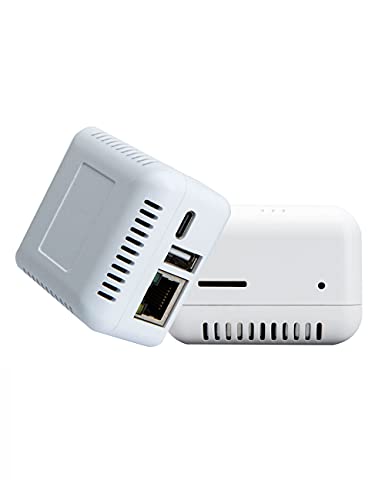
Small offices and home studios stuck with aging hardware desperately need the LOYALTY-SECU USB WiFi Network Wireless Print Server to bridge the gap between legacy equipment and modern connectivity. This little device breathes new life into a standard USB printer by transforming it into a fully wireless network resource that anyone in the house can access. I found it incredibly convenient that you can jump straight from an Android smartphone or a laptop to a print job without hunting for cables. It handles everything from Excel spreadsheets to PDF documents and images seamlessly. Since it supports multi-user sharing via a standard USB 2.0 interface and includes an RJ45 LAN port, setting up a shared workstation environment becomes surprisingly painless thanks to the included configuration tool.

Airlink101 AMPS240W Wireless Multi-Functional Print Server
| SELLER | SELLER SCORE | AMAZON FULFILLED | PRIME | FREE SHIPPING |
|---|---|---|---|---|
| B&B Toys & Collectibles | 5.08 | No | No | No |
You might assume a small box like this is just another unnecessary networking gimmick, but the AirLink AMPS240W actually solves the headache of an isolated printer. I found that it breathes new life into older hardware by turning a standard USB 2.0 printer into a fully networked asset. Unlike basic print servers that only handle document output, this unit supports the full spectrum of Multi-Function Printer capabilities, including scanning and faxing. It features a 10/100 auto-MDIX Fast Ethernet LAN port for reliable wired connectivity, ensuring your data moves quickly through the network. For anyone stuck with a high-quality All-in-One printer that lacks built-in Wi-Fi, this device provides a seamless, affordable bridge to modern office connectivity.


SEDNA - 10/100/1000 Mbps Gigabit 4 Port USB over IP Device Server
| SELLER | SELLER SCORE | AMAZON FULFILLED | PRIME | FREE SHIPPING |
|---|---|---|---|---|
| AS Trend Shop | 7.92 | Yes | Yes | Yes |
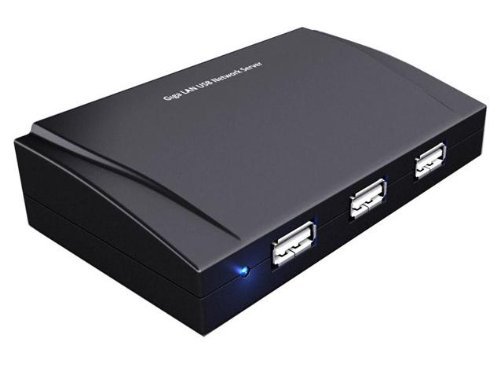
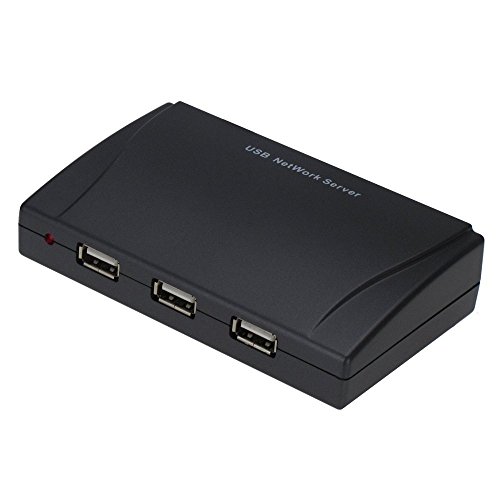
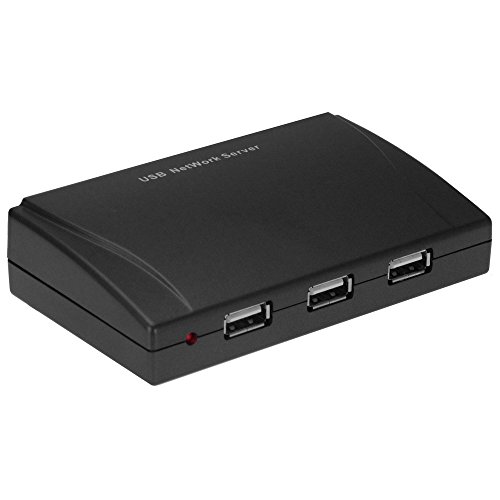
Most people settle for tethering devices to a single workstation, but the AddOn SEDNA transforms isolated hardware into shared network assets. Instead of constantly swapping cables, you can broadcast your USB storage, printers, scanners, or webcams across your entire wired or wireless network. I found the four horizontal ports particularly convenient for organized setups, and the Gigabit connectivity ensures you aren't bottlenecked during critical tasks. With transfer speeds reaching up to 40MB/s, it handles data movement with impressive efficiency. Whether you are connecting via a wireless router or a direct wired connection, this device server makes multi-user environments feel seamless by allowing multiple servers to coexist on the same network without conflict.


Lexmark MarkNet N8350 Wireless Print Server (27X0225)
| SELLER | SELLER SCORE | AMAZON FULFILLED | PRIME | FREE SHIPPING |
|---|---|---|---|---|
| No | No | No |
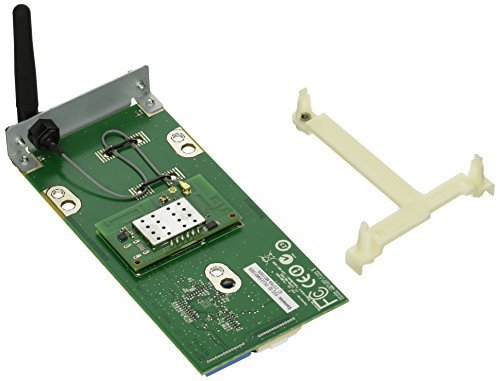
Imagine trying to position a high-capacity printer in a shared workspace or a remote corner of a warehouse, only to realize you are tethered to a wall by a restrictive Ethernet cable. The Lexmark MarkNet N8350 solves this exact headache by liberating your hardware from the constraints of existing LAN connections. I found the setup flexibility particularly impressive. You can choose to configure the device via a traditional USB cable or go completely wireless to get things running. By utilizing the 2.4 GHz band through a dedicated RP SMA connector and antenna, this server ensures your assets stay connected to major wireless networks without needing a dedicated drop in every room. It is a practical, essential bridge for anyone looking to optimize office layout and connectivity.



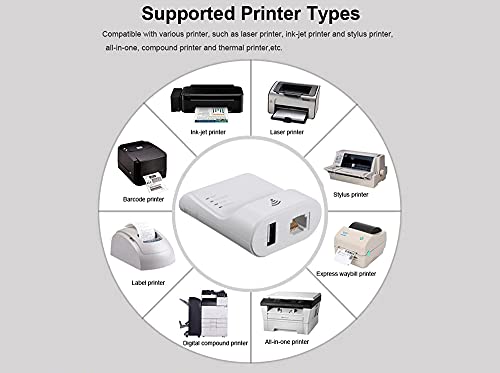
Dual Wired and Wireless USB Print Server for Sharing USB Printer Through Wi-Fi Or Wired Network for All Computer Users
| SELLER | SELLER SCORE | AMAZON FULFILLED | PRIME | FREE SHIPPING |
|---|---|---|---|---|
| AllAboutAdapters | 6.85 | No | No | No |
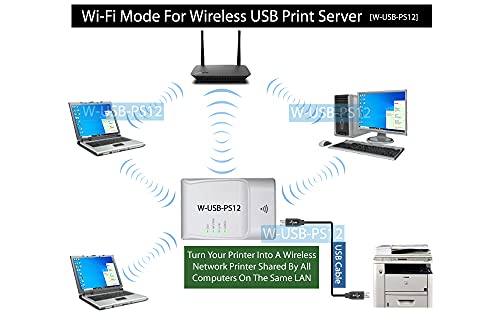
After weeks of use, the frustration of tethering a printer to a single workstation has finally vanished from my home office. This AllAboutAdapters print server is a clever, cost-saving solution that breathes new life into any standard USB printer by bringing it onto your local network. Whether you prefer a stable wired connection or the flexibility of Wi-Fi, this device ensures every computer in the house can access the printer directly. I found the smartphone-based Wi-Fi configuration remarkably intuitive, allowing for quick IP address setup without a headache. The built-in LED indicators provide instant peace of mind regarding power and connectivity status. It is a seamless way to upgrade your hardware without the massive expense of buying a brand-new networked printer.


AllAboutAdapters USB Printer Sharing Server Box for Accessing Single USB Printer Over Local Network
| SELLER | SELLER SCORE | AMAZON FULFILLED | PRIME | FREE SHIPPING |
|---|---|---|---|---|
| AllAboutAdapters | 6.85 | No | No | No |
Small office setups and home studios desperately need the AllAboutAdapters USB Printer Sharing Server to escape the nightmare of tethered hardware and cable clutter. Instead of being stuck next to your printer, this 2-in-1 adapter lets you place your device anywhere within Wi-Fi or LAN range, effectively turning a standard USB printer into a true network resource. Whether you are running a Windows 10 workstation or a Mac OS environment, you can send print jobs wirelessly or via a wired connection without breaking a sweat. It is incredibly versatile, handling everything from standard laser printers to specialized thermal label and barcode printers. This little box is a massive space-saver that eliminates the need for multiple expensive networked machines by allowing every user on your local network to share one reliable unit.

The most critical factor when selecting a print server is ensuring it matches your printer's physical connection. Most consumer and small office printers utilize a USB Type-B port. When shopping, verify that the print server offers a high-speed USB interface to prevent data bottlenecks during large document transfers. Beyond the physical port, consider the communication protocols supported. Look for devices that support standard printing protocols such as TCP/IP, LPR/LPD, and IPP (Internet Printing Protocol). Support for IPP is particularly important if you intend to print from mobile devices or modern operating systems that rely on driverless printing technologies.
Since the primary purpose of these devices is to eliminate cables, the quality of the wireless radio is paramount. Avoid older models that only support the 2.4GHz band if your office environment is crowded with other wireless signals. A dual-band print server that supports both 2.4GHz and 5GHz frequencies is highly recommended. The 5GHz band offers faster data throughput and less interference, which is essential when sending high-resolution image files or complex PDF documents. Furthermore, check the wireless range and antenna design. An external antenna often provides better signal penetration through office walls than an internal chip-based antenna.
A print server is a gateway into your network, making security a non-negotiable consideration. Ensure the device supports robust encryption standards such as WPA2 or WPA3 to protect your wireless data from interception. Additionally, look for administrative features that allow you to manage access permissions. In a professional setting, you want to ensure that only authorized users on your specific subnet can send jobs to the printer. Some advanced servers also offer web-based management interfaces, allowing you to monitor the status of the printer and adjust network settings remotely without needing specialized software installed on every workstation.
One of the most common pitfalls in purchasing a print server is assuming it will work seamlessly with every printer driver. While many print servers operate at the hardware level (meaning they simply pass data packets to the printer), some require specific client-side software to function correctly. Before purchasing, cross-reference your printer's operating system (Windows, macOS, Linux, or ChromeOS) with the print server’s compatibility list. The most reliable servers are those that act as transparent print servers, allowing you to use the original manufacturer's drivers on your computer as if the printer were plugged directly into the machine.
Consider how many users will be accessing the printer simultaneously. While a single-user home setup can handle basic traffic, a small office environment requires a server with sufficient memory and processing power to manage a print queue. A server that can handle multiple concurrent print jobs without crashing or losing data is essential for maintaining productivity. If you have a complex setup with multiple printers, you might also look for print servers that offer expandable capabilities or those that can be integrated into a larger networked print management system.
Quick answers about Wireless Computer Networking Print Servers before you buy.
Share of top-ranked products by brand, from our rankings.
We compared Wireless Computer Networking Print Servers products using product details and customer ratings to identify the best options in the computers & accessories..
From that comparison we shortlisted the top 22 Wireless Computer Networking Print Servers for this page..
We aim to help you find the right servers products for your needs and save you time when choosing which Wireless Computer Networking Print Servers to buy.
Compare the top 22 picks at a glance — select a column to sort.


