#TOP1

For professionals, small office administrators, and home-based businesses, the manual placement of single sheets into a scanner tray is a significant bottleneck to productivity. An Automatic Document Feeder (ADF) transforms a standard printer into a high-speed scanning powerhouse, allowing you to load a stack of papers and walk away while the machine handles the heavy lifting. Whether you are digitizing years of tax records or simply processing daily invoices, choosing the right ADF-equipped printer requires understanding the nuances of paper handling, scanning speeds, and feeding mechanisms.
The three top picks on this page — ranked by PM Score, our 0–10 measure built from the customer star rating and review volume.


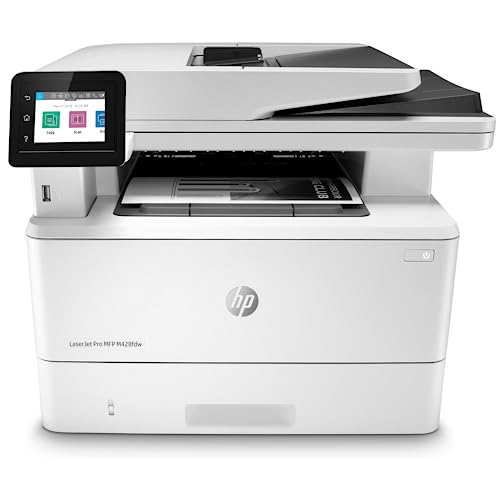
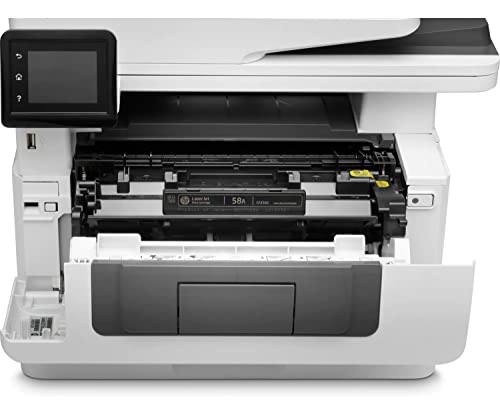
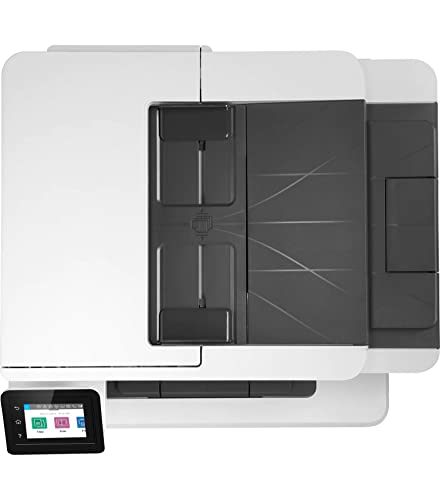


HP LaserJet Pro MFP M428fdw Wireless Monochrome All-in-One Printer with built-in Ethernet & 2-sided printing, works with Alexa (W1A30A)
| SELLER | SELLER SCORE | AMAZON FULFILLED | PRIME | FREE SHIPPING |
|---|---|---|---|---|
| Desire Base Electronics | 5.38 | No | No | No |
The HP LaserJet Pro MFP M428fdw dominates the small office space with its blistering 40-page-per-minute print speed. I found that this machine is built for teams that cannot afford downtime, especially with its single-pass, 2-sided scanning and a 50-sheet auto document feeder that breezes through heavy workloads. Security is a major win here too. The HP WOLF PRO SECURITY suite provides hardware-level protection that gives you real peace of mind regarding company data. You can easily automate your most repetitive, complicated workflows via the customizable control panel, saving precious minutes every day. Whether you are printing via Wi-Fi Direct on your phone or using the built-in Ethernet, this monochrome workhorse stays incredibly efficient and ready to scale with your business growth.

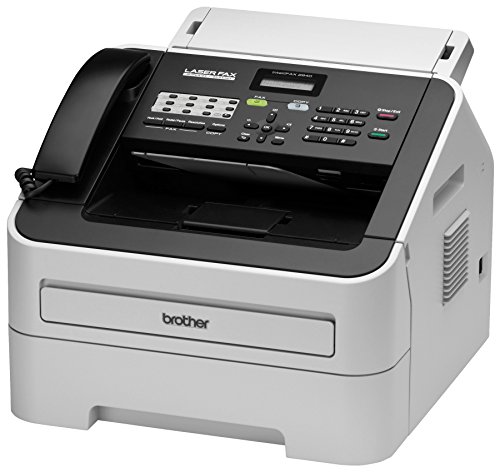
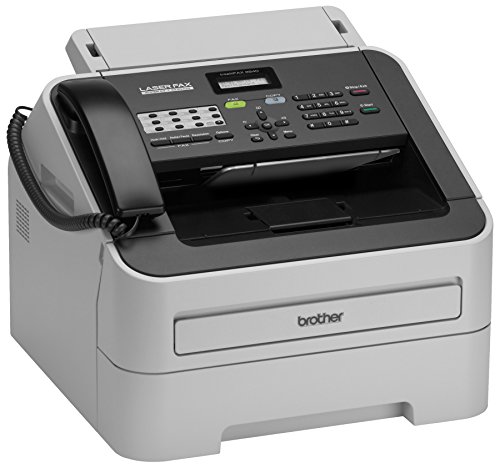
Brother RFAX2840 High Speed Mono Laser Fax Machine (Renewed Premium)
| SELLER | SELLER SCORE | AMAZON FULFILLED | PRIME | FREE SHIPPING |
|---|---|---|---|---|
| Amazon.com | 9.68 | Yes | Yes | Yes |
Most people assume fax machines are relics of a bygone era, but the speed of this Brother mono laser unit proves that professional-grade document transmission is still a vital office necessity. I was particularly impressed by the 33.6K bps modem, which manages to push a page through in just about 2.5 seconds. It handles heavy lifting easily thanks to the 250-sheet adjustable paper tray and a 20-page auto document feeder that keeps workflows moving. Even with its refurbished status, the machine feels incredibly robust, supported by 16MB of dual-access memory to manage larger jobs. Whether you are broadcasting to 272 locations or using the 222-station auto dialing, this unit delivers the reliable, high-speed performance required for a modern professional environment.
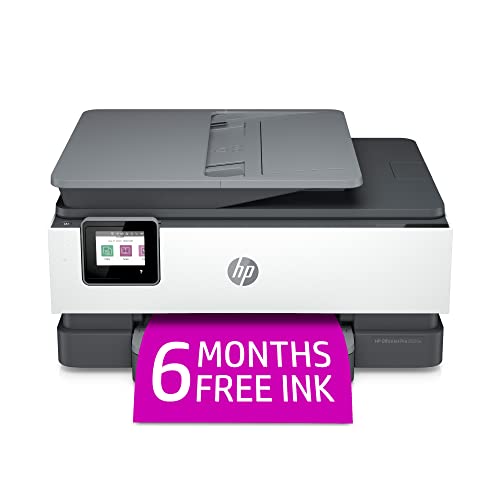
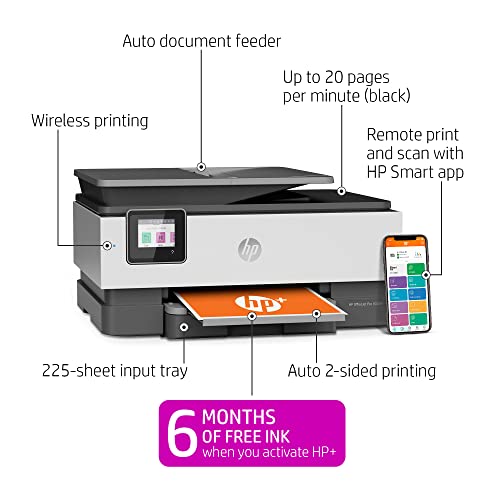


HP OfficeJet Pro 8025e Wireless Color All-in-One Printer with bonus 6 free months Instant Ink with HP+ (1K7K3A)
| SELLER | SELLER SCORE | AMAZON FULFILLED | PRIME | FREE SHIPPING |
|---|---|---|---|---|
| Amazon.com | 9.68 | Yes | Yes | Yes |
The HP OfficeJet Pro 8025e stands as a top-tier contender for anyone managing a high-volume home office or a growing small business. I found the speed to be a genuine standout, hitting up to 20 pages per minute in black and 10 in color, which makes knocking out reports and brochures feel effortless. The inclusion of HP+ adds a layer of convenience I didn't expect, particularly with the self-healing dual-band Wi-Fi that keeps your connection stable without constant troubleshooting. Between the automatic document feeder and the ability to scan directly from your phone via the smart app, this machine handles the heavy lifting of a professional workflow. Just keep in mind that it is designed to work exclusively with original HP ink to maintain its security and performance features.

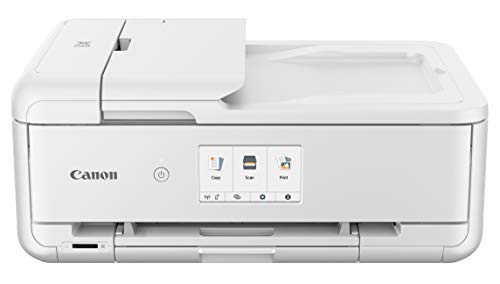

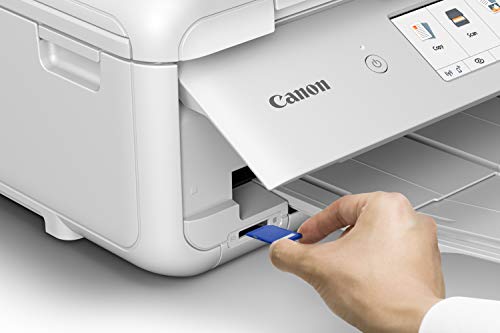

Canon TS9521C All-In-One Wireless Crafting Photo Printer, 12X12 Printing, White, Amazon Dash Replenishment Ready
| SELLER | SELLER SCORE | AMAZON FULFILLED | PRIME | FREE SHIPPING |
|---|---|---|---|---|
| Amazon.com | 9.68 | Yes | Yes | Yes |
The crisp, vibrant colors of a freshly printed 12x12 photo immediately signal that this isn't your standard office machine. I was particularly impressed by how the PIXMA TS9521C handles specialized crafting projects, moving effortlessly from oversized scanning to booklet layouts. It utilizes a five-ink system designed for longevity, with ChromaLife100 technology ensuring your memories stay vivid for decades. Connectivity is seamless across smartphones and tablets via Air Print and Wi-Fi, making it a true hub for any creative workspace. Even the automation feels smart. The Alexa integration allows you to voice-command print jobs like shopping lists or coloring pages, and it even manages your ink reorders automatically to ensure you never run dry mid-project.
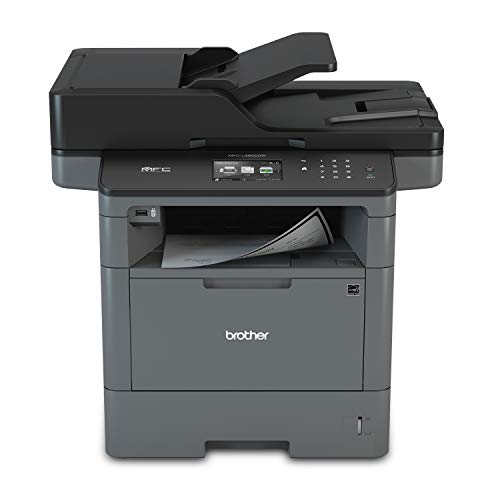


Brother Monochrome Laser Printer, Multifunction Printer, All-in-One Printer, MFC-L5800DW, Wireless Networking, Mobile Printing & Scanning, Duplex Prin...
| SELLER | SELLER SCORE | AMAZON FULFILLED | PRIME | FREE SHIPPING |
|---|---|---|---|---|
| Triplenet Pricing INC | 9.81 | No | No | No |
The rhythmic, rapid-fire sound of 42 pages per minute flying through the duplex tray is the first thing you'll notice when this workhorse is in high gear. This Brother monochrome laser printer is built for high-volume environments where waiting for a document is not an option, boasting a lightning-fast first page out time of just 7.2 seconds. I found the 70-page auto document feeder incredibly reliable for unattended scanning and faxing, while the ability to send files directly to SharePoint or cloud services simplifies a busy workflow. Security is a major win here, as it includes advanced features to protect your network from unauthorized access. Whether you are printing from a mobile device via AirPrint or managing large batches, this machine handles the heavy lifting with professional-grade efficiency.

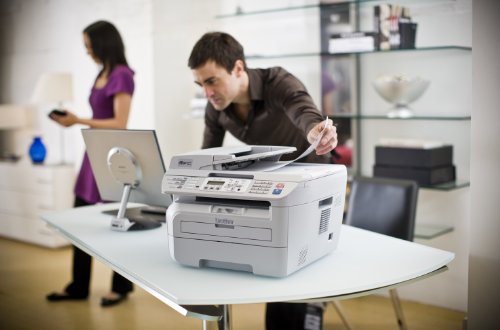


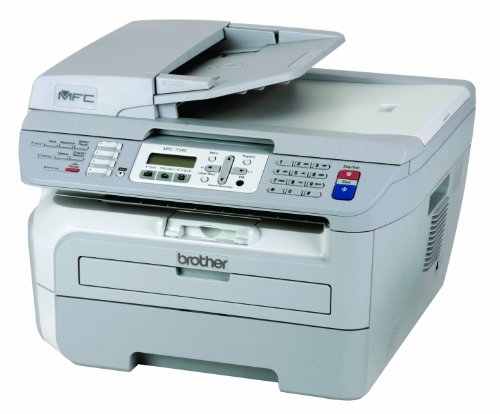
Brother MFC-7340 Flatbed Laser Multi-Function Center
| SELLER | SELLER SCORE | AMAZON FULFILLED | PRIME | FREE SHIPPING |
|---|---|---|---|---|
| surplusthewaytogo | 9.19 | No | No | No |
The Brother MFC-7340 Flatbed Laser Multi-Function Center delivers professional-grade monochrome precision that makes it a powerhouse for small office workflows. I found the 2400 x 600 dpi resolution produces remarkably crisp, rich black text that looks sharp on every page. It handles high-volume tasks easily thanks to the 21 pages per minute print and copy speeds, while the 35-page auto document feeder takes the headache out of multi-page scanning. Managing different media is a breeze with the 250-sheet tray that adjusts for both letter and legal sizes, plus a manual bypass slot specifically for envelopes. Whether you are utilizing the flatbed color scanner or churning through documents, this machine feels built for reliability and speed.


Brother MFC-J6535DW All-in-One Color Inkjet Printer, Wireless Connectivity, Automatic Duplex Printing, Amazon Dash Replenishment Ready
| SELLER | SELLER SCORE | AMAZON FULFILLED | PRIME | FREE SHIPPING |
|---|---|---|---|---|
| Photo Supplies Online(Serial Number Recorded) | 7.28 | No | No | No |
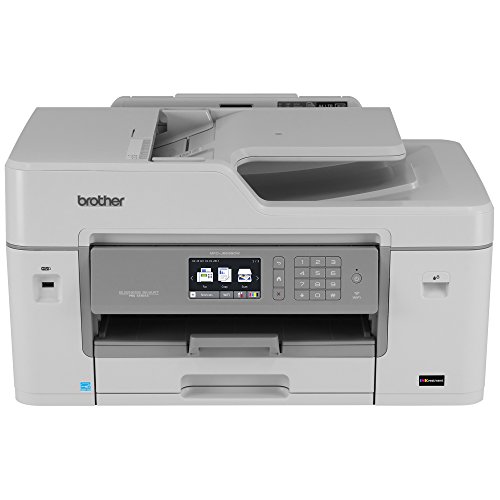
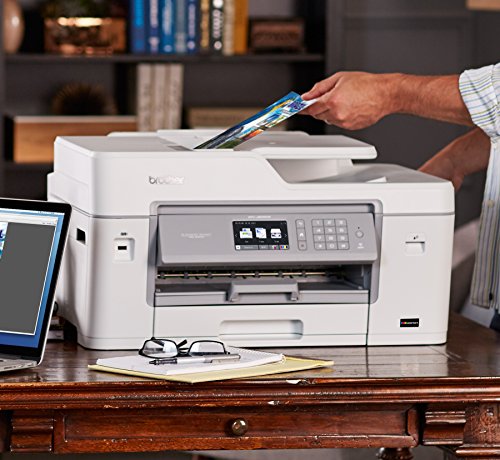
High-volume home offices and small businesses demand the Brother MFC-J6535DW if they want to stop babysitting their hardware and start producing professional-grade documents. This machine is a powerhouse that handles printing, copying, scanning, and faxing with ease, making it a true central hub for any workspace. What really sets it apart is the revolutionary Investment tank Ink System, which utilizes an internal storage tank to hold more ink for much longer stretches between refills. You won't have to worry about running dry mid-project either, thanks to the seamless replenishment technology that monitors levels and orders more automatically. Between the 250-sheet tray and the 50-sheet auto document feeder, the paper handling is incredibly versatile for heavy workloads.


Canon TR8620 All-In-One Printer For Home Office | Copier |Scanner| Fax |Auto Document Feeder | Photo and Document Printing | Airprint (R) and Android...
| SELLER | SELLER SCORE | AMAZON FULFILLED | PRIME | FREE SHIPPING |
|---|---|---|---|---|
| Mobile deals | 9.80 | No | No | No |
Most home office setups struggle with clunky, single-task machines, but the Canon TR8620 manages to bridge the gap between a basic inkjet and a professional workstation. I found the 4.3" LCD touchscreen incredibly intuitive, making it easy to navigate tasks without fumbling through endless menus. The 20-sheet auto document feeder is a genuine lifesaver for scanning multi-page documents quickly, and the auto 2-sided printing feature is a smart way to cut down on paper waste. Whether you are printing high-quality photos directly from an SD card or sending a quick document via AirPrint, the connectivity feels seamless. It is a versatile, all-in-one solution that handles everything from faxing to creative photo projects with ease.


Brother MFC-L3710C Digital Color LED All-in-One Wireless Laser Printer - Print Copy Scan Fax - 3.7" LCD Touchscreen, 19 ppm, 600 x 2400 dpi, 8.5 x 14...
| SELLER | SELLER SCORE | AMAZON FULFILLED | PRIME | FREE SHIPPING |
|---|---|---|---|---|
| Hott Tech Geek | 9.18 | No | No | No |
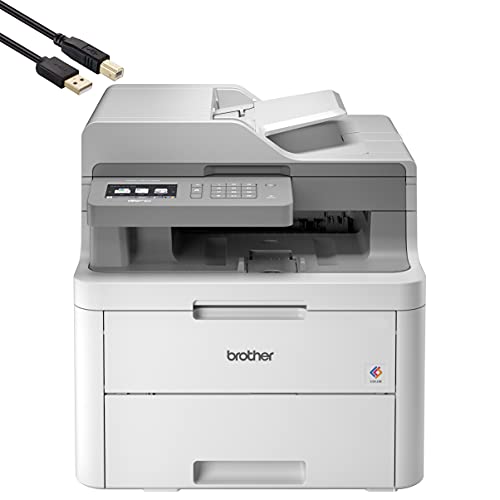
Your home office desk is cluttered with loose documents until you finally deploy the Brother MFC-L3710C to centralize your workflow. I found that the 3.7-inch LCD touchscreen makes navigating complex scan and fax settings surprisingly intuitive, even when you are in a rush. The LED technology delivers sharp 600 x 2400 dpi color output, which is a massive step up from standard inkjet setups for professional-looking reports. Managing multi-page jobs is seamless thanks to the 50-sheet automatic document feeder, and the 250-sheet tray handles both letter and legal sizes without constant refilling. Since it supports Apple AirPrint and Mopria, I could easily send documents straight from my phone without fumbling with cables. It is a robust, all-in-one workhorse that truly earns its spot in a small business environment.



NEEGO HP Wireless Inkjet Color Printer Mobile Print, Scan & Copy, Auto Document Feeder Features 2-Sided Printing, Multi-Page scanning, Smart contextua...
| SELLER | SELLER SCORE | AMAZON FULFILLED | PRIME | FREE SHIPPING |
|---|---|---|---|---|
| PHOTOTECH | 9.90 | Yes | Yes | Yes |
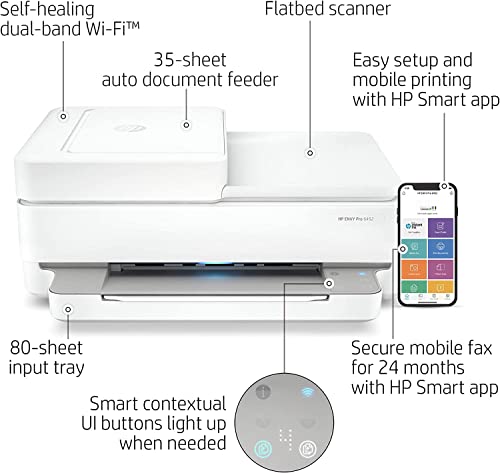
Can a home office setup truly feel seamless without constant connectivity headaches? The NEEGO HP Wireless Inkjet Color Printer aims to solve that exact frustration by combining high-speed utility with smart, intuitive design. I found the 35-page auto document feeder to be a massive time-saver for multi-page scanning and copying jobs, while the auto duplex feature keeps paper waste to a minimum. What really sets this unit apart is the smart contextual control panel. The buttons actually light up only when you need them, making the interface feel incredibly modern. Between the self-healing Wi-Fi that fixes its own connection issues and the ease of the HP Smart app for mobile printing, this machine is built for people who want to print borderless photos or documents from their phone without a struggle.


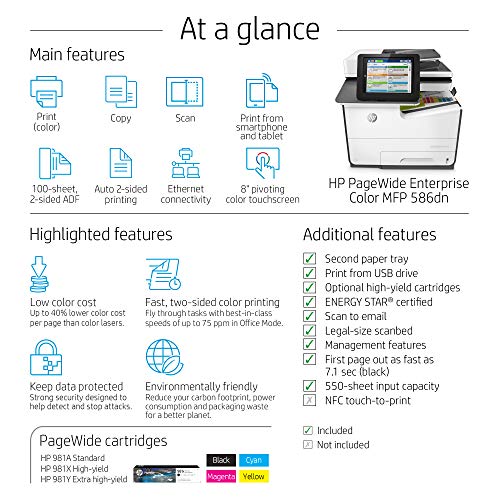


HP PageWide Enterprise Color 586dn Multifunction Duplex Printer (G1W39A)
| SELLER | SELLER SCORE | AMAZON FULFILLED | PRIME | FREE SHIPPING |
|---|---|---|---|---|
| AIM Savings | 7.26 | No | No | No |
High-volume office environments demanding relentless speed and security will find their perfect match in the HP PageWide Enterprise Color 586dn. I was genuinely impressed by how this machine handles heavy workloads, pushing out up to 75 ppm and delivering the first page in a blistering 7.1 seconds. It isn't just about raw speed, though. The PageWide technology significantly slashes energy consumption compared to other multifunction printers in its class. You also get a massive win for the bottom line with up to 40% lower color costs per page. Between the single-pass, 2-sided scanning via the 100-sheet feeder and the robust multi-level security features, this unit is built to manage complex enterprise workflows without breaking a sweat or your budget.


HP Color Laserjet Pro M183fw Wireless All-in-One Laser Printer, White - Print Scan Copy Fax - 16 ppm, 600 x 600 dpi, Voice-Activated, Auto Duplex Prin...
| SELLER | SELLER SCORE | AMAZON FULFILLED | PRIME | FREE SHIPPING |
|---|---|---|---|---|
| No | No | No |
Most people assume small office printers are slow, sluggish machines that stall your workflow, but the HP Color LaserJet Pro M183fw challenges that expectation with an impressive 11.5-second first-page-out time. I found that the real magic happens when you lean into the HP Smart app. Being able to scan and print directly from your smartphone makes document organization feel significantly faster than traditional methods. While it prints at a steady 16 pages per minute, the inclusion of a 35-page automatic document feeder and auto-duplex printing means you aren't constantly hovering over the machine. It handles the heavy lifting of color printing and faxing with ease, all while utilizing Auto-On/Auto-Off technology to keep your energy consumption in check during downtime.

The most critical decision you will make is determining whether you need a simplex or a duplex feeder. A simplex ADF can only scan one side of a page at a time. If you have a stack of double-sided documents, you will either have to manually flip the pages or run the stack through the machine twice. For anyone dealing with significant amounts of paperwork, a Single-Pass Duplex ADF is the gold standard. This mechanism uses two scanning sensors to capture both sides of a page simultaneously as it passes through the feeder. This not only saves immense amounts of time but also reduces the mechanical wear on the paper, as the sheets are handled more efficiently.
Not all feeders are created equal when it comes to volume. When reviewing specifications, look closely at the 'sheet capacity.' A low-capacity feeder might hold 20 to 30 sheets, which is sufficient for light home use, whereas professional-grade units often boast capacities of 50, 100, or even more sheets. Beyond capacity, you must consider the 'monthly duty cycle.' This refers to the volume of documents the feeder is designed to process before it requires maintenance or risks hardware failure. If you are digitizing a large archive, a printer with a high-capacity ADF and a robust duty cycle is non-negotiable to avoid frequent paper jams and mechanical fatigue.
The primary frustration with ADF units is the dreaded paper jam. To minimize this, look for printers that offer advanced paper handling features. High-quality feeders often include ultrasonic multi-feed detection, which uses sound waves to sense if two pages have accidentally stuck together, preventing the machine from scanning the same page twice. Additionally, consider the weight and texture of the paper you intend to use. If you frequently scan thick cardstock, receipts, or even thin, fragile documents, ensure the ADF is rated for a wide range of media weights. Some premium feeders feature adjustable guides that prevent skewed scans, ensuring your digital files are perfectly aligned.
Speed is often measured in Pages Per Minute (PPM) or Images Per Minute (IPM). For a high-volume office, you should prioritize units that offer high IPM counts, especially during duplex scanning. Furthermore, consider how the ADF interacts with your digital workflow. Does the printer support 'Scan to Cloud' or 'Scan to Email' directly from the feeder interface? Does it offer OCR (Optical Character Recognition) software that converts your scans into searchable PDF files? A printer that integrates seamlessly with your existing computer software and network infrastructure will provide much more value than a fast machine that requires tedious manual file management.
When making your final selection, follow this logic: If you are a casual user scanning occasional documents, a simplex ADF with a moderate sheet capacity is a cost-effective choice. If you are a power user or business owner, prioritize a Single-Pass Duplex ADF with ultrasonic multi-feed detection and high-speed PPM. Always weigh the cost of the machine against the time saved by its scanning capabilities. In a professional environment, the efficiency gained from a high-end ADF usually pays for itself through increased productivity.
Quick answers about Auto Document Feeder Computer Printers before you buy.
Share of top-ranked products by brand, from our rankings.
We compared Auto Document Feeder Computer Printers products using product details and customer ratings to identify the best options in the categories..
From that comparison we shortlisted the top 12 Auto Document Feeder Computer Printers for this page..
We aim to help you find the right accessories products for your needs and save you time when choosing which Auto Document Feeder Computer Printers to buy.
Compare the top 12 picks at a glance — select a column to sort.


