#TOP1

For many computer users, the traditional mouse is a source of repetitive strain or ergonomic discomfort. Trackballs offer a solution by keeping the wrist stationary, but most high-end models are designed exclusively for right-handed users. This creates a significant barrier for lefties or those who prefer to switch hands depending on their workstation setup. An ambidextrous trackball solves this by offering symmetrical designs or modular components that allow for a seamless experience regardless of which hand is doing the work. Whether you are a digital artist, a coder, or a casual browser, finding a trackball that fits your hand shape and grip style is essential for long-term comfort and productivity.
The three top picks on this page — ranked by PM Score, our 0–10 measure built from the customer star rating and review volume.


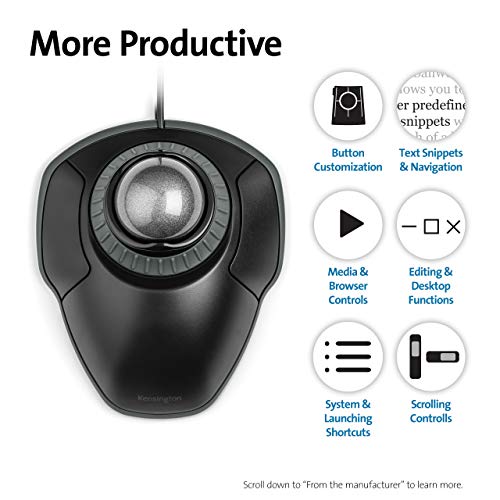
Kensington Orbit Trackball Mouse with Scroll Ring (K75327WW)
| SELLER | SELLER SCORE | AMAZON FULFILLED | PRIME | FREE SHIPPING |
|---|---|---|---|---|
| Amazon.com | 9.68 | Yes | Yes | Yes |
You might doubt that a trackball can actually outperform a standard mouse, but the Kensington Orbit changes that conversation the moment you start scrolling. The standout feature is definitely the unique scroll ring, which makes navigating long documents feel incredibly fluid compared to traditional wheels. Because the optical tracking is so precise, you can zip across the screen with minimal hand movement, which is a massive win for long-term productivity. I also found the detachable wrist rest to be a game-changer for comfort. It cradles your hand in a way that prevents that typical fatigue during heavy workloads. Plus, the downloadable software lets you customize the two buttons and adjust speeds, making this an ambidextrous powerhouse that feels tailor-made for your specific workflow.


Kensington Orbit Trackball Mouse with Scroll Ring (K72337US), 4 1/2X5 1/2X2"
| SELLER | SELLER SCORE | AMAZON FULFILLED | PRIME | FREE SHIPPING |
|---|---|---|---|---|
| Amazon.com | 9.68 | Yes | Yes | Yes |
Digital artists and data analysts who suffer from repetitive strain need the Kensington Orbit Trackball Mouse to reclaim their workspace comfort. The standout feature is the 40mm blue spherical ball, which offers incredibly precise optical tracking that lets you navigate the screen with minimal hand movement. I found the unique scroll ring to be a total game-changer for flying through long documents without the usual wrist fatigue. Because the design is ambidextrous, it doesn't matter if you are left or right-handed. The included detachable wrist rest provides a soft, ergonomic cradle that makes long sessions much more tolerable. While ChromeOS users can use the basic functions, power users should stick to Windows or Mac to fully utilize the KensingtonWorks software for custom button mapping.


Kensington Wired SlimBlade Trackball Mouse (K72327U), Black
| SELLER | SELLER SCORE | AMAZON FULFILLED | PRIME | FREE SHIPPING |
|---|---|---|---|---|
| G & W | 9.73 | Yes | Yes | Yes |
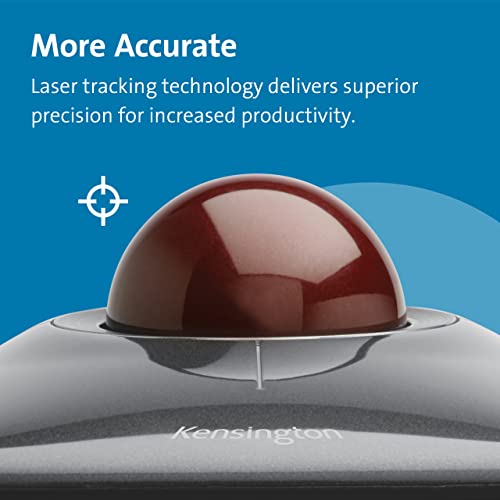
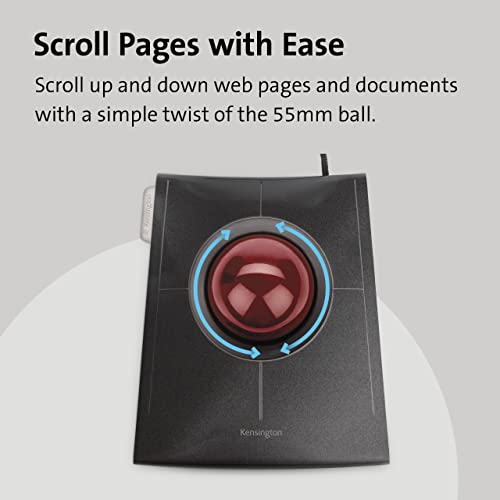
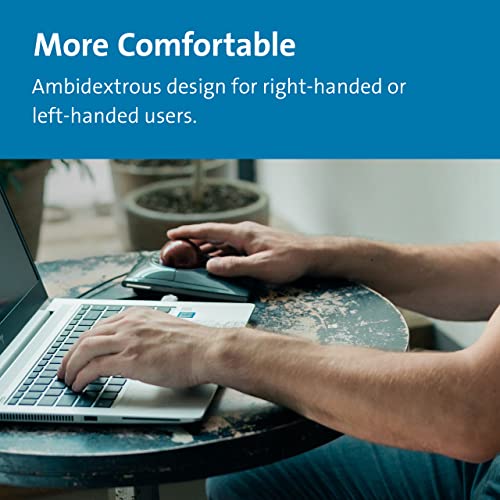
Desk space is a premium resource that most professionals waste on unnecessary mouse movement, making the Kensington SlimBlade a mandatory upgrade for anyone working in tight setups. I found that the low-profile shape and sleek silver metallic finish actually look sophisticated on a modern workstation rather than looking like a bulky piece of medical equipment. Because you use your thumb to navigate rather than sliding the device across the desk, your wrist stays stationary, which significantly reduces fatigue during long sessions. The laser tracking is impressively precise, and the ambidextrous design ensures it feels natural regardless of your dominant hand. Plus, the included KensingtonWorks software lets you tailor the buttons to your specific workflow, turning a simple input device into a highly customized tool.

Kensington Orbit Wireless Trackball with Scroll Ring - Space Gray (K72675WW)
| SELLER | SELLER SCORE | AMAZON FULFILLED | PRIME | FREE SHIPPING |
|---|---|---|---|---|
| Amazon.com | 9.68 | Yes | Yes | Yes |
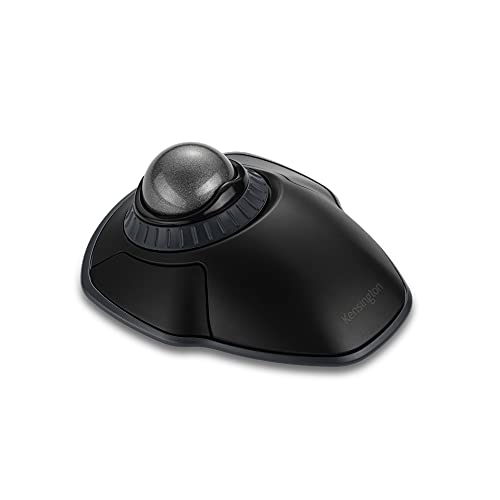
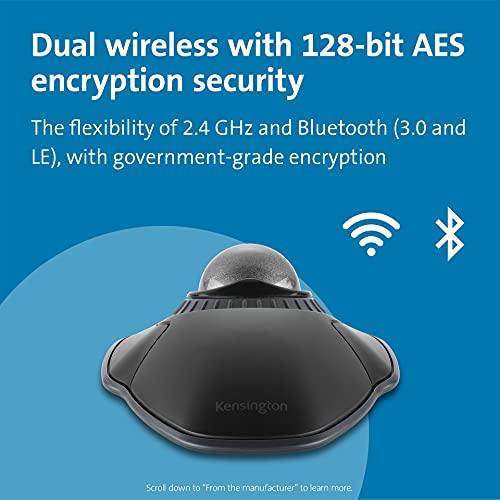
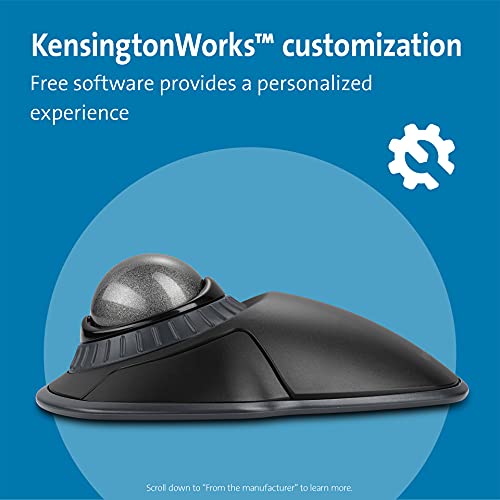
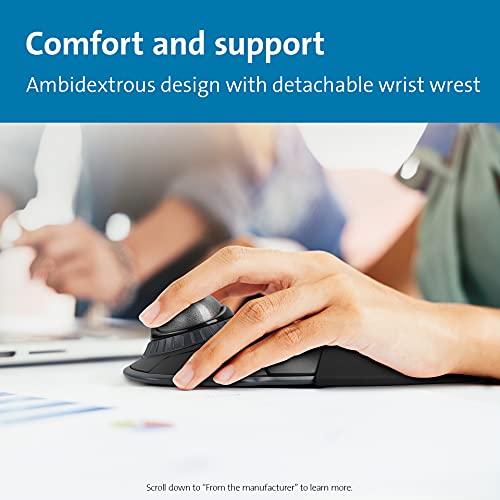
Digital creators and office professionals fighting repetitive-stress injuries need the Kensington Orbit Wireless Trackball in their workflow immediately. This space gray powerhouse swaps traditional mouse movement for a precision 40mm ball, allowing you to navigate your screen with minimal wrist strain. I found the dedicated scroll ring to be a total game-changer for flying through long documents or web pages without constant clicking. You can toggle between four DPI settings to switch from surgical precision during editing to rapid movement for browsing, and the dual wireless connectivity via Bluetooth or 2.4 GHz makes switching between a Mac and a PC seamless. With the included detachable wrist rest and customizable KensingtonWorks software, it feels like a highly personalized workstation tool rather than just another peripheral.
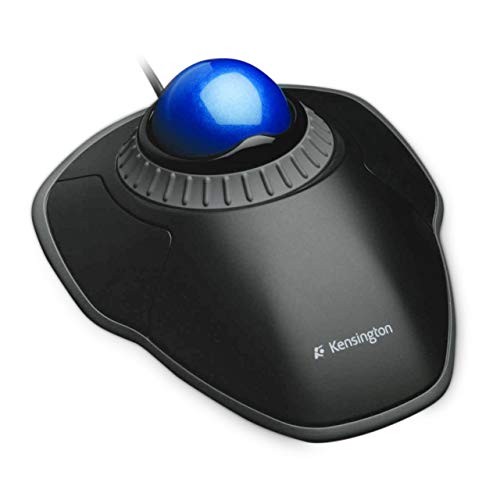


Kensington Orbit Mouse - Wired Ergonomic TrackBall Mouse for PC, Mac and Windows with Scroll Ring, Ambidextrous Design and Optical Tracking - Blue (K7...
| SELLER | SELLER SCORE | AMAZON FULFILLED | PRIME | FREE SHIPPING |
|---|---|---|---|---|
| Triplenet Pricing INC | 9.81 | No | No | No |
Your wrist begins to ache halfway through a heavy spreadsheet session, but the Kensington Orbit Mouse changes the physical dynamic of your desk setup. Instead of sliding a traditional mouse across a pad, you simply use your thumb to spin the blue 40 mm spherical ball for incredibly precise optical tracking. The dedicated scroll ring makes navigating long documents feel fluid rather than a chore, and the detachable wrist rest provides much-needed cushioning for those marathon workdays. Since it uses a reliable wired USB connection, you never have to hunt for replacement batteries or worry about wireless interference. It is a highly customizable tool that works just as well for lefties as it does for righties, making it a versatile staple for any professional workstation.
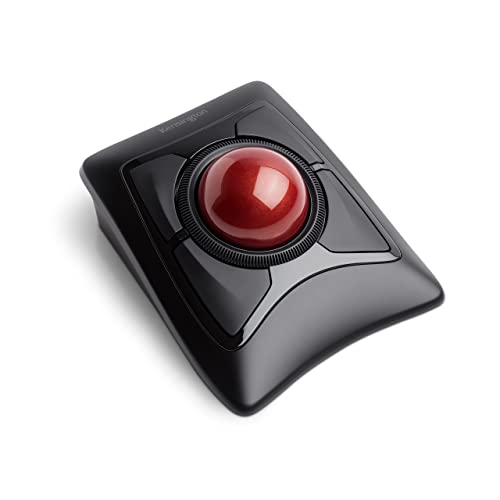


Kensington Expert Wireless Trackball Mouse (K72359WW) Black, 3.5" x 6.1" x 8"
| SELLER | SELLER SCORE | AMAZON FULFILLED | PRIME | FREE SHIPPING |
|---|---|---|---|---|
| OneDealOutlet Online | 9.47 | No | No | No |
Your desk setup finally stops feeling like a repetitive strain hazard during those grueling eight-hour spreadsheet marathons. The Kensington Expert Wireless Trackball Mouse replaces frantic wrist movements with smooth, thumb-driven precision thanks to its massive 55mm ball and Diamond Eye optical tracking. I found the patented scroll ring incredibly intuitive for flying through long documents, and the detachable ergonomic wrist rest provides much-needed support that stays comfortable all day. Because it offers both Bluetooth 4.0LE and a 2.4Ghz USB dongle, you can switch between your laptop and desktop seamlessly. The ability to customize button layouts and cursor speeds through the KensingtonWorks software makes this a truly professional-grade tool for anyone serious about workstation ergonomics.


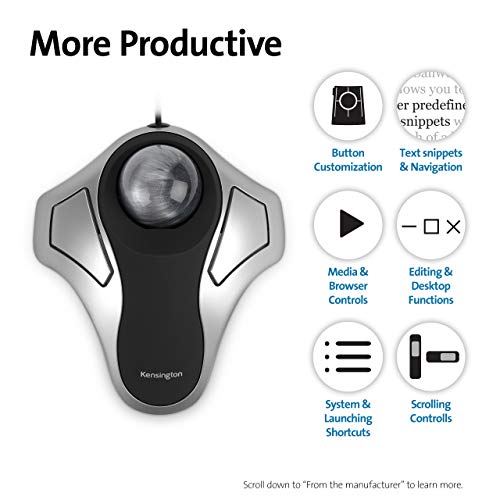
Kensington Orbit Trackball Mouse (K64327F)
| SELLER | SELLER SCORE | AMAZON FULFILLED | PRIME | FREE SHIPPING |
|---|---|---|---|---|
| Amazon.com | 9.68 | Yes | Yes | Yes |
The Kensington Orbit Trackball Mouse redefines desk efficiency with its space-saving, ambidextrous design. I found that the optical tracking provides incredibly smooth cursor control, making it a reliable choice for tight workspaces where a traditional mouse would feel cramped. It feels surprisingly sturdy for its compact footprint, and because it is ambidextrous, it works equally well regardless of your grip preference. If you are on Windows or macOS, the KensingtonWorks software allows you to customize the two-button layout to fit your specific workflow perfectly. ChromeOS users will still get full HID functionality, though they should note that software customization isn't available on that platform. It is a practical, precision-focused tool that delivers high-end control without a high-end price tag.


Kensington Expert Trackball Mouse (K64325), Black Silver, 5"W x 5-3/4"D x 2-1/2"H
| SELLER | SELLER SCORE | AMAZON FULFILLED | PRIME | FREE SHIPPING |
|---|---|---|---|---|
| Linlife health home | 5.62 | Yes | Yes | Yes |
Precision-focused professionals who suffer from wrist fatigue need to ditch the standard mouse for the Kensington Expert Trackball. After testing its large 55mm ball and Diamond Eye optical tracking, the cursor control feels incredibly snappy and intentional. The patented scroll ring is a genuine game-changer for navigating long documents without the repetitive strain of a traditional wheel. I especially appreciated the detachable ergonomic wrist rest, which provides much-needed support during marathon sessions. Because it is an ambidextrous design, it works equally well for left or right-handed users. While the wired USB-A connection keeps your desk clutter-free and reliable, remember that ChromeOS users will get standard HID functions but won't be able to use the KensingtonWorks software for deeper customization.

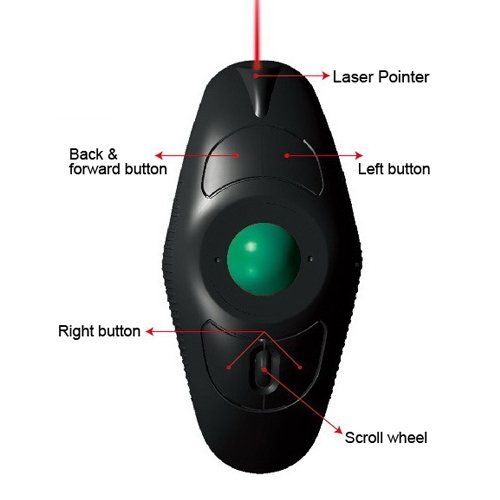

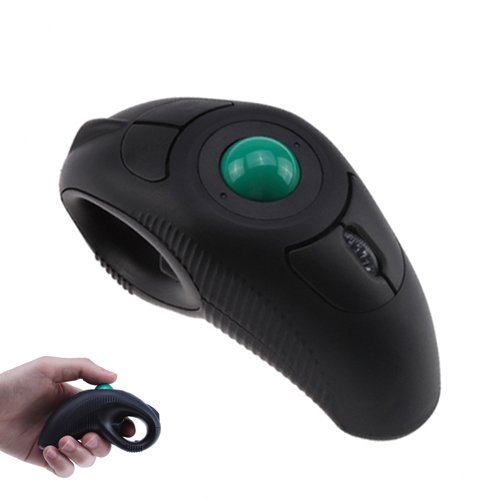

YUMQUA Y-10L Finger Handheld Trackball Mouse with Laser Pointer, 2.4G USB Wireless Trackball Mouse for Laptop Computer PC Black
| SELLER | SELLER SCORE | AMAZON FULFILLED | PRIME | FREE SHIPPING |
|---|---|---|---|---|
| WhasrpOnline | 9.56 | Yes | Yes | Yes |
Picture yourself standing in front of a crowded boardroom, navigating complex slides with nothing but a handheld device in your palm. The YUMQUA Y-10L transforms the way you present by integrating a built-in laser pointer directly into its ergonomic dolphin-shaped body. Unlike traditional mice that require a flat desk, this trackball uses a thumb-controlled system that lets you operate it anywhere, effectively easing the strain on your palm joints and muscles during long sessions. It is a true plug-and-play solution that works seamlessly across Windows, Mac, and Linux via a simple USB connection. Whether you are a left-handed user or a righty, the ambidextrous design ensures a comfortable grip while you focus on delivering your pitch.

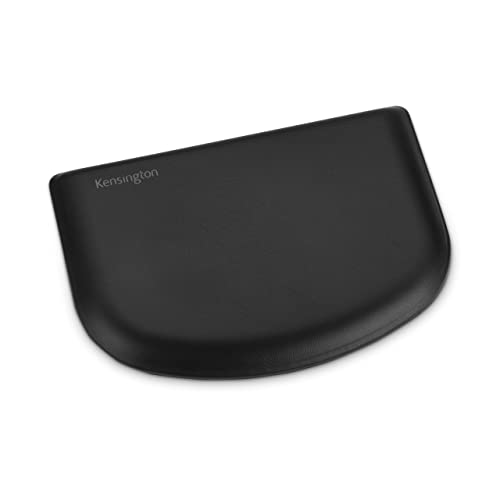
Kensington SlimBlade Trackball Mouse (K72327U) & ErgoSoft Wrist Rest for Slim Mouse/Trackpad, Black (K52803WW)
| SELLER | SELLER SCORE | AMAZON FULFILLED | PRIME | FREE SHIPPING |
|---|---|---|---|---|
| Amazon.com | 9.68 | Yes | Yes | No |
Digital professionals fighting desk clutter and repetitive strain deserve this sophisticated ergonomic duo. The Kensington SlimBlade trackball is a masterclass in space-saving design, utilizing a low-profile shape and a striking silver metallic finish that looks as good as it performs. Because the laser tracking handles the heavy lifting, you can ditch the sweeping arm movements of a traditional mouse for precise, stationary thumb control. Pairing this with the ErgoSoft wrist rest elevates the experience. Its gel-cushioned padding and unique curved design offer ergonomist-approved support that keeps your alignment perfect. The non-skid rubber backing ensures the rest stays put during intense workflows, making this a seamless, high-end setup for anyone prioritizing both aesthetics and long-term wrist health.


Kensington Orbit Wireless Trackball with Scroll Ring - Black-Red (K70990WW),
| SELLER | SELLER SCORE | AMAZON FULFILLED | PRIME | FREE SHIPPING |
|---|---|---|---|---|
| Amazon.com | 9.68 | Yes | Yes | Yes |
The Kensington Orbit Wireless Trackball redefines desktop efficiency with its intuitive integrated scroll ring. While standard mice require constant arm movement, this trackball lets you navigate long documents with a simple flick of the dial. I found the 40mm hard-surface ball provides incredibly smooth, precise tracking that feels much more controlled than cheaper alternatives. You can toggle between four DPI settings to switch from high-speed browsing to surgical precision for editing, which is a massive productivity boost. The dual wireless connectivity—supporting both Bluetooth and 2.4 GHz—makes it easy to jump between devices, and the detachable wrist rest ensures you stay comfortable during long sessions. It is a versatile, ambidextrous tool that genuinely helps reduce the repetitive strain often caused by traditional mice.

Not all 'ambidextrous' trackballs are created equal. When shopping, you will encounter two distinct types of designs. The first is a truly symmetrical device, where the thumb or finger controls are placed centrally, making the device identical from both sides. These are ideal for users who want a single device that can be swapped between hands without any learning curve. The second type involves modularity. Some manufacturers design trackballs with interchangeable shells or swappable thumb rests. While these offer more customization, they require a bit more setup time to ensure the device feels natural in your non-dominant hand.
The most critical decision factor is how you interact with the ball. Thumb-operated trackballs use your thumb to roll the sphere, while finger-operated (or finger-tip) models require you to use your index and middle fingers. For ambidextrous users, thumb-operated models are often easier to find in symmetrical shapes, but they can feel cramped if you have larger hands. Finger-operated models tend to offer more precision for fine tasks like photo editing, but finding a truly symmetrical finger-operated model can be more challenging, as many are contoured specifically to cradle the right hand.
The physical sensation of the trackball is determined by the diameter of the sphere and the quality of the bearings. A larger ball generally provides a smoother, more stable glide, which is excellent for navigating large high-resolution monitors. However, a smaller ball allows for quicker, more flick-like movements. You should also look for high-quality ceramic or synthetic ruby bearings. These materials minimize friction and prevent the 'gritty' feeling that occurs when dust accumulates. In an ambidextrous setup, ensuring the ball can be easily popped out and cleaned is vital, as you will likely be adjusting your grip frequently while switching hands.
Since many users who seek ambidextrous options are looking to optimize their ergonomic workflow, software customization is a major advantage. Look for devices that allow you to remap buttons via a dedicated application. This is particularly helpful for left-handed users who may need to move primary functions (like left-click or scroll) to different physical buttons to match their natural movement. Additionally, consider your connection preference. Wireless models with low-latency 2.4GHz connections are preferred for professional work to avoid the clutter of cables, while wired models offer the most consistent reliability for heavy-duty tasks.
Finally, consider how you hold the device. Do you prefer a 'palm grip,' where your hand rests heavily on the device, or a 'fingertip grip,' where you hover slightly above it? Ambidextrous models should ideally have a low profile to accommodate both styles. If a device has a high arch designed to support a right-handed palm, it will likely feel awkward and unstable when used with the left hand. Aim for a flatter, more neutral silhouette to ensure versatility across both sides of your desk.
Quick answers about Ambidextrous Computer Trackballs before you buy.
Share of top-ranked products by brand, from our rankings.
We compared Ambidextrous Computer Trackballs products using product details and customer ratings to identify the best options in the categories..
From that comparison we shortlisted the top 11 Ambidextrous Computer Trackballs for this page..
We aim to help you find the right trackballs products for your needs and save you time when choosing which Ambidextrous Computer Trackballs to buy.
Compare the top 11 picks at a glance — select a column to sort.


