#TOP1

In the realm of signal processing and connectivity, converters serve as the essential bridge between legacy hardware and modern digital ecosystems. When looking for high-performance signal conversion solutions, specifically within the specialized niche of high-fidelity media and data transmission, the goal is to ensure zero latency and maximum signal integrity. A converter is not merely a plug-and-play accessory. It is a critical component that determines whether your high-definition video or high-fidelity audio reaches its destination with its original quality intact or becomes a degraded, stuttering mess. This guide is designed to help you navigate the technical nuances of signal conversion to ensure your hardware setup remains seamless and future-proof.
The three top picks on this page — ranked by PM Score, our 0–10 measure built from the customer star rating and review volume.


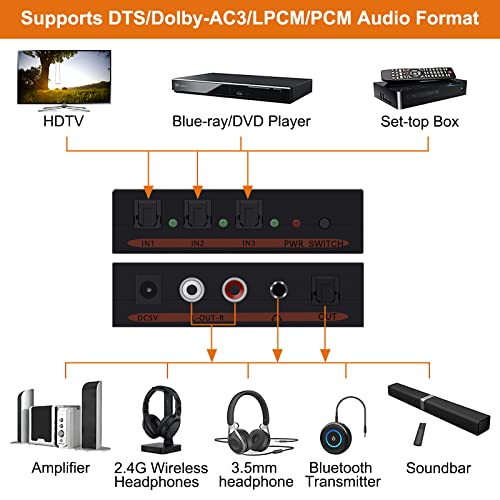
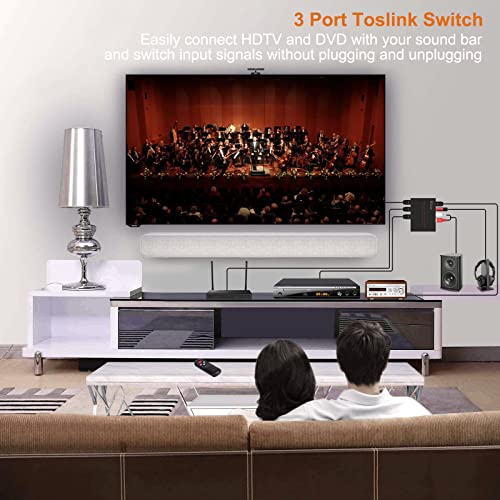
Wiistar Toslink Switch 3x1 Digital Optical Audio Switch 3x1 with Analog RCA and 3.5mm Support 5.1CH 5.1CH/ LPCM2.0/ DTS
| SELLER | SELLER SCORE | AMAZON FULFILLED | PRIME | FREE SHIPPING |
|---|---|---|---|---|
| Wiistar | 6.22 | Yes | Yes | Yes |
Most home theater enthusiasts settle for messy cable tangles or expensive receivers when they run out of optical ports, but the Wiistar Toslink Switch offers a much cleaner solution. I found that this compact unit handles three separate digital inputs with ease, utilizing a 24bit DSP and 96KHZ/24bit DAC to ensure the audio decoding remains incredibly fast and crisp. It isn't just a digital switcher. It’s a versatile hub that provides L/R analog RCA and 3.5mm headphone outputs, automatically converting various formats like DTS and AC3 into stereo analog. The durable metal enclosure feels premium, and the dual-function button makes toggling between inputs or powering the unit down a seamless experience. It is a true plug-and-play tool for anyone looking to expand their audio setup without losing signal integrity.


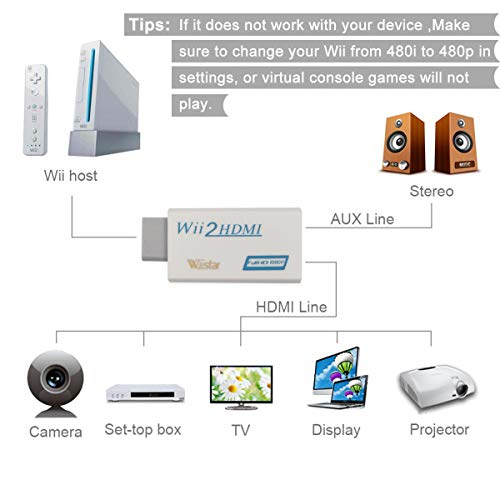
Wiistar Wii to HDMI Converter Output Video Audio Adapter HDMI Converter - Supports All Wii Display Modes to HDTV & Monitor
| SELLER | SELLER SCORE | AMAZON FULFILLED | PRIME | FREE SHIPPING |
|---|---|---|---|---|
| Wiistar | 6.22 | Yes | Yes | Yes |
Retro gamers stuck with aging hardware need the Wiistar Wii to HDMI converter to bridge the gap between classic consoles and modern high-definition displays. This little adapter eliminates the headache of messy composite cables by converting your Wii signal directly to HDMI without noticeable transmission loss. I found that the advanced signal processing and motion adaptive de-interlacing do a fantastic job of handling 480i and 576i inputs, keeping colors vibrant and resolutions sharp. Just a quick heads-up: if your HDTV isn't picking up a signal, head into your Wii system settings and manually switch the output from 480i to 480p. Many modern screens struggle with lower resolutions over HDMI, so that simple adjustment is the secret to getting your favorite games running smoothly on a big screen.
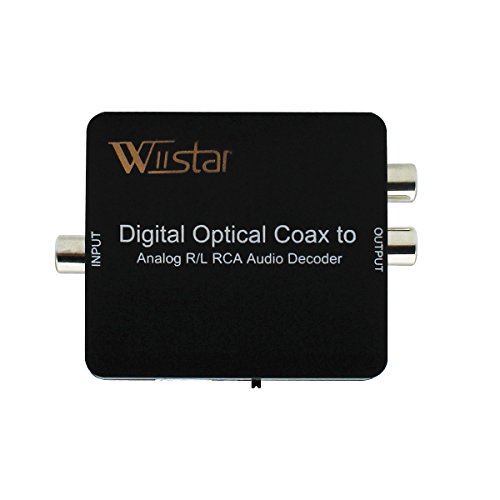
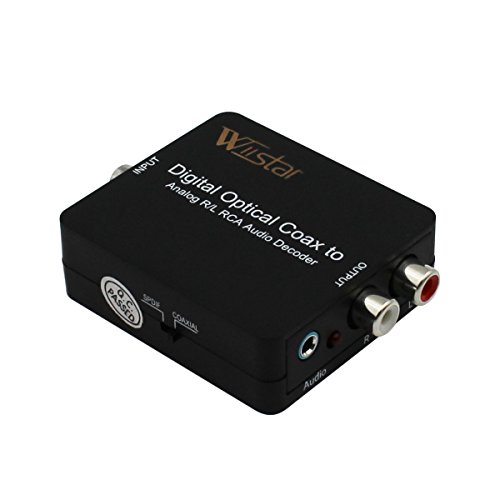
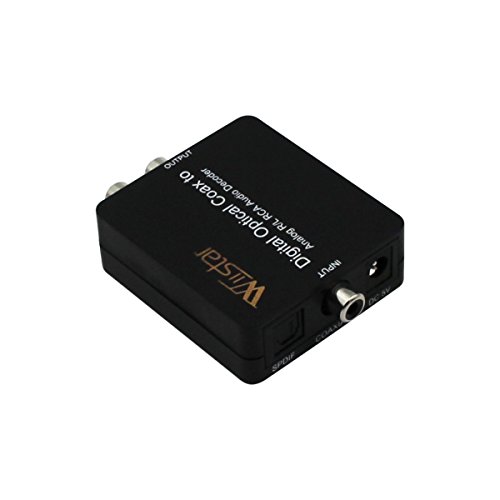


Wiistar Fiber Optical Decoder Support AC3/DTS/Toslink Coaxial Digital to Analog Audio L/R Decoder 3.5mm Earphone
| SELLER | SELLER SCORE | AMAZON FULFILLED | PRIME | FREE SHIPPING |
|---|---|---|---|---|
| Wiistar | 6.22 | Yes | Yes | Yes |
Why should a modern TV's digital output prevent you from using your favorite vintage stereo speakers? The Wiistar Fiber Optical Decoder solves this exact compatibility gap by bridging the divide between high-def digital signals and traditional analog setups. During testing, the device proved incredibly versatile, handling everything from Optical SPDIF to Coaxial inputs with ease. It successfully downmixes complex 5.1CH DTS and PCM signals into clear 2CH stereo, making it a lifesaver for home theater enthusiasts. The inclusion of 96KHz/24bit ADC and DAC chips ensures that the audio fidelity remains high, avoiding the muddy sound often found in cheaper converters. Best of all, the plug-and-play design means you can go from unboxing to listening in seconds, with the option to switch between RCA outputs and 3.5mm headphones simultaneously.


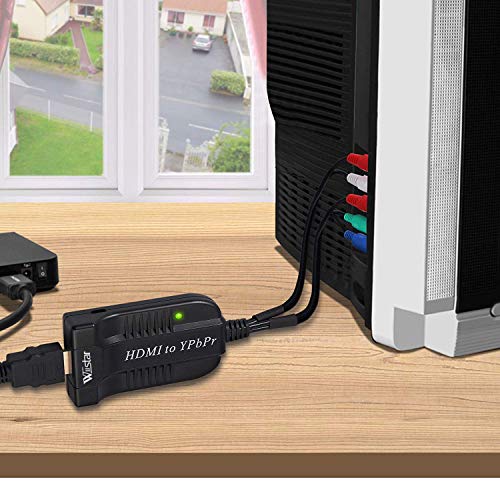
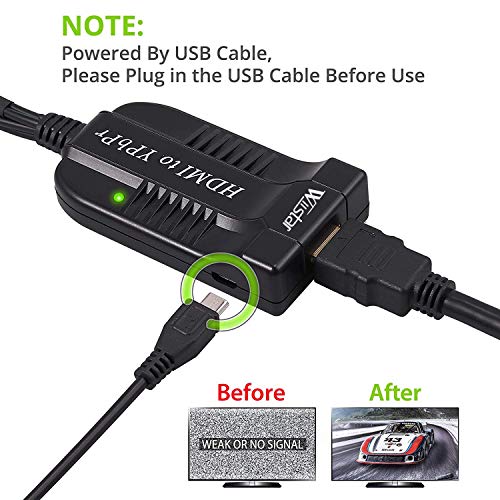
Wiistar HDMI to Male Component Video YPbPr Converter Adapter 1080P with R/L Audio Black for PS3, PS4, Blu-ray Player, DVD, Xbox, Notebook
| SELLER | SELLER SCORE | AMAZON FULFILLED | PRIME | FREE SHIPPING |
|---|---|---|---|---|
| Wiistar | 6.07 | No | No | No |
The tactile snap of a secure HDMI connection is the first thing you'll notice when plugging this compact black adapter into your legacy setup. This Wiistar converter serves as a vital bridge for anyone trying to connect modern hardware like a PS4, Blu-ray player, or notebook to older component displays. It handles a wide range of resolutions from 480i all the way up to a crisp 1080p, ensuring your video signal remains nondestructive and clear. Setting it up is a breeze because it is a true plug-and-play device that requires no messy driver installations or software. Just keep in mind that it isn't designed for hot-plugging, so you'll want to power everything down before connecting, and if you are using a PS4, you'll need to provide external power via a Micro USB cable.


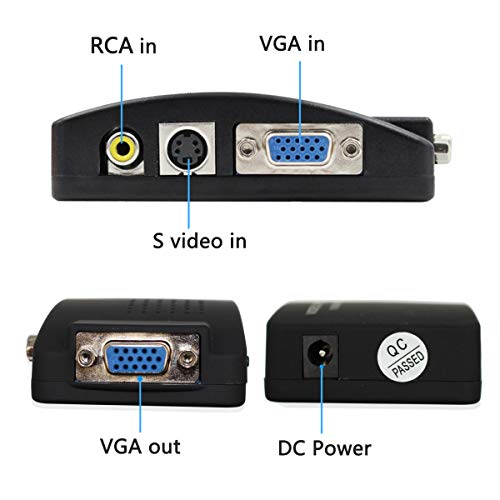

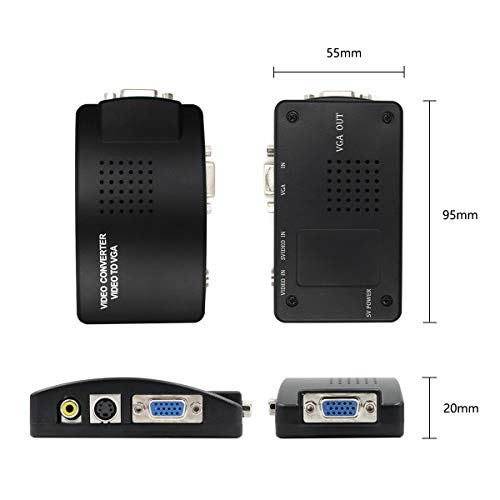
Wiistar AV S-Video Composite to VGA Video Converter Box for DVD DVR VCR Monitor
| SELLER | SELLER SCORE | AMAZON FULFILLED | PRIME | FREE SHIPPING |
|---|---|---|---|---|
| Wiistar | 6.17 | Yes | Yes | Yes |
Old hardware enthusiasts and CCTV operators will find this Wiistar converter box to be an absolute lifesaver for bridging the gap between legacy gear and modern displays. I found that it handles the heavy lifting of converting interlaced signals from your VCR, DVR, or camera into stable, non-interlacing VGA signals that actually look decent on a PC monitor or LCD. The setup is incredibly straightforward, whether you are running through a 4-pin S-video, BNC, or composite input. I particularly liked the single-button interface, which makes switching between different input sources feel seamless rather than a technical chore. Just keep in mind that this is designed specifically for monitors and is not a solution for connecting to an HDTV.


Wiistar VGA+Audio to HD SD 3G SDI Converter for PC SDI Monitor
| SELLER | SELLER SCORE | AMAZON FULFILLED | PRIME | FREE SHIPPING |
|---|---|---|---|---|
| Wiistar | 6.07 | Yes | Yes | Yes |
Bridging the gap between legacy PC outputs and professional broadcast monitoring often requires expensive, bulky equipment, but the Wiistar VGA to 3G SDI converter simplifies this workflow significantly. I found that it handles a wide range of VGA input resolutions, from standard 640x480 up to crisp 1920x1080p60, making it incredibly versatile for various computer setups. What really stands out is the dual SDI output capability, supporting SD, HD, and 3G-SDI signals via SMPTE standards. It manages high transmission rates of up to 2.97Gbit/s, and the ability to push signals across distances up to 300 meters is a massive win for large-scale installations. It is a reliable, straightforward solution for anyone needing to feed a computer signal into a professional SDI monitor environment without a headache.


Wiistar HDMI Audio Extractor Converter 1080P HDMI to HDMI + SPDIF + RCA Stereo Audio Extractor Splitter for Chromecast Fire Stick Blu-Ray Player
| SELLER | SELLER SCORE | AMAZON FULFILLED | PRIME | FREE SHIPPING |
|---|---|---|---|---|
| Wiistar | 6.22 | Yes | Yes | Yes |
Most people assume that a modern TV handles all the heavy lifting for audio, but your high-end sound system might actually be starving for a direct connection. The Wiistar HDMI Audio Extractor solves this specific bottleneck by pulling digital audio straight from your HDMI source and feeding it to your speakers. Whether you are running a Fire Stick, a Blu-ray player, or a gaming console, this little metal box acts as a bridge between your video signal and your audio gear. I found the three audio modes particularly useful. You can toggle between PASS, 2CH, and 5.1CH to match your specific setup, whether that is a simple pair of stereo speakers or a full surround sound system. It handles 1080P video smoothly and feels built to last thanks to its sturdy metal enclosure.
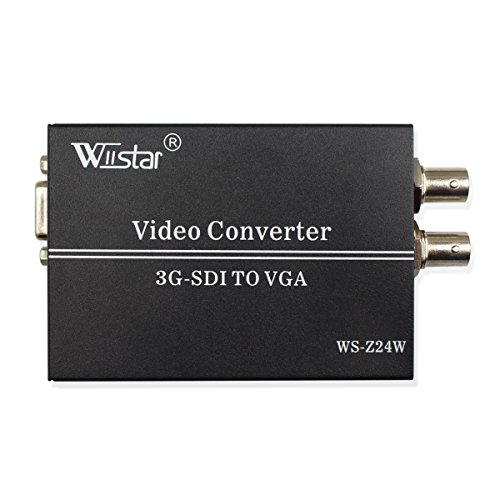


Wiistar SDI to VGA Audio Converter Support 1080P for VGA SDI Monitor
| SELLER | SELLER SCORE | AMAZON FULFILLED | PRIME | FREE SHIPPING |
|---|---|---|---|---|
| Wiistar | 6.27 | Yes | Yes | Yes |
The Wiistar SDI to VGA Converter serves as a vital bridge for professional setups needing to transition high-definition SDI signals to legacy VGA monitors. During testing, the auto-detection feature proved incredibly useful, seamlessly identifying various SDI source resolutions ranging from 480i up to 1080p. It handles a wide spectrum of bit rates, including 2.970Gbit/s, ensuring compatibility with modern broadcast standards. I was particularly impressed by the signal stability over long distances, as the hardware supports transmission up to 300 meters. With an integrated SDI loop out and dedicated ML/MR audio ports, this converter doesn't just move video. It manages a complete signal workflow for professional environments where 1080P clarity and reliable audio are non-negotiable.

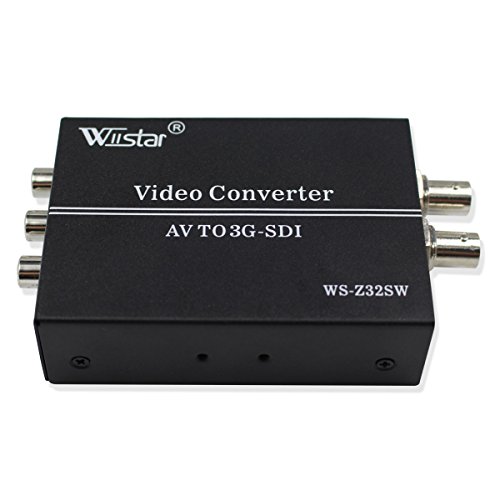
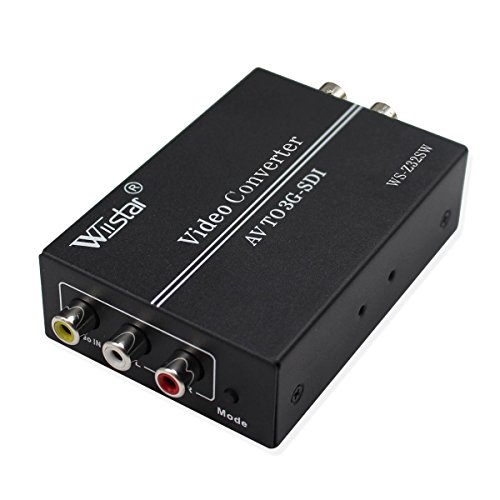


Wiistar AV CVBS to 3G-SDI Audio Video Converter Support 1080P for CRT HDTV to Camera
| SELLER | SELLER SCORE | AMAZON FULFILLED | PRIME | FREE SHIPPING |
|---|---|---|---|---|
| BTS VIDEO | 5.80 | Yes | Yes | Yes |
Can a single compact box bridge the massive technical gap between legacy analog gear and modern digital broadcasting? The Wiistar AV CVBS to 3G-SDI converter does exactly that, turning aging composite signals into high-quality 1080p digital outputs. During testing, the versatility stood out. You can toggle between 16:9 and 4:3 aspect ratios while maintaining resolutions up to 1080p at various frame rates. It handles everything from SD to 3G-SDI with impressive transmission rates, and the dual SDI output ports make it a breeze to split signals in a professional broadcast room or CCTV setup. Whether you are working in non-linear editing or a training showroom, the ability to push signals up to 300 meters for SD ensures your setup remains flexible and robust.

The most critical factor when selecting a converter is the bandwidth capacity of the device. If you are converting video signals, you must ensure the converter supports the specific resolution and refresh rate of your display. For instance, a converter designed for standard high definition will fail to drive a 4K display, resulting in either a black screen or a significantly downscaled, blurry image. Look for specifications that explicitly mention support for high frame rates (such as 60Hz or 120Hz) if you are using the device for gaming or high-motion cinema. For audio-centric converters, focus on bit depth and sampling rates. A converter that cannot handle 24-bit audio will strip the nuance from your high-resolution music files.
One of the most common mistakes consumers make is assuming that a converter works bi-directionally. Most converters are designed with a specific signal flow in mind—for example, converting an HDMI source to a VGA display, or a DisplayPort source to an HDMI monitor. These devices are rarely reversible. Before making a purchase, you must identify your 'Source' (the device sending the signal, like a laptop or console) and your 'Sink' (the device receiving the signal, like a projector or monitor). If you buy a converter designed to go from Digital to Analog when you actually need Analog to Digital, the device will be completely non-functional for your setup.
When dealing with complex signal transformations, especially long-distance cable runs, you will encounter the distinction between passive and active converters. Passive converters rely on the host device to provide the necessary power and signal modulation, which often limits them to short distances and simple conversions. Active converters, however, contain internal circuitry to actively boost and reshape the signal. If you are attempting to convert signals over a distance of more than a few meters, or if you are dealing with complex protocols, an active converter with an external power input is highly recommended to prevent signal dropouts and flickering.
Because converters sit in the middle of your signal chain, they are susceptible to electromagnetic interference (EMI) from nearby power cables, routers, and other electronics. High-quality converters utilize superior shielding and high-grade internal components to maintain a clean signal path. Look for devices with robust housing—metal casings are often preferable to plastic as they provide better heat dissipation and electromagnetic shielding. Additionally, check for the presence of gold-plated connectors, which help prevent oxidation and ensure a stable, low-resistance connection over years of use.
Finally, ensure the converter supports the specific version of the protocol you are using. For video, this means checking for compatibility with HDMI 2.0 or 2.1 standards, or DisplayPort 1.4. For audio, ensure the device can handle the specific digital formats used by your hardware. A converter that lacks the correct handshake protocols may cause 'handshake' issues, where the two devices fail to communicate, leading to intermittent connectivity or a total loss of signal.
Quick answers about Wiistar Converters before you buy.
Share of top-ranked products by brand, from our rankings.
We compared Wiistar Converters products using product details and customer ratings to identify the best options in the categories..
From that comparison we shortlisted the top 9 Wiistar Converters for this page..
We aim to help you find the right converters products for your needs and save you time when choosing which Wiistar Converters to buy.
Compare the top 9 picks at a glance — select a column to sort.


