#TOP1
In an era of digital transformation, transitioning from paper-heavy workflows to streamlined digital archives requires more than just a basic flatbed scanner. Whether you are a small business owner looking to digitize decades of receipts or a home office professional managing high volumes of legal documents, selecting the right document scanner is a critical investment in your productivity. The market is flooded with options ranging from portable, single-sheet devices to high-speed, industrial-grade production scanners. This guide is designed to help you navigate these technical specifications so you can choose a device that matches your specific throughput needs and document types.
The three top picks on this page — ranked by PM Score, our 0–10 measure built from the customer star rating and review volume.


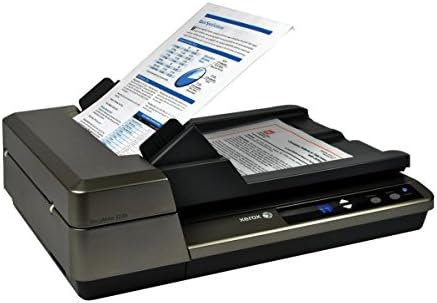
Xerox DocuMate 3220 Duplex Document Scanner with Flatbed
| SELLER | SELLER SCORE | AMAZON FULFILLED | PRIME | FREE SHIPPING |
|---|---|---|---|---|
| larrylibooks | 6.41 | No | No | No |
The Xerox DocuMate 3220 solves the headache of mixed-media digitizing by combining a high-speed automatic feeder with a dedicated flatbed. I found that having both a 50-sheet ADF and a flatbed area is a game-changer when you are jumping between thick stacks of standard reports and delicate, single-page items like IDs or bound books. It hits a solid rhythm at 23 ppm for black and white documents, making it efficient enough for a busy office environment. Whether you are on a PC or a Mac, the included TWAIN, ICA, and WIA drivers ensure the setup process is seamless. It is a substantial piece of hardware, but that footprint is exactly what you need for reliable, versatile scanning tasks.

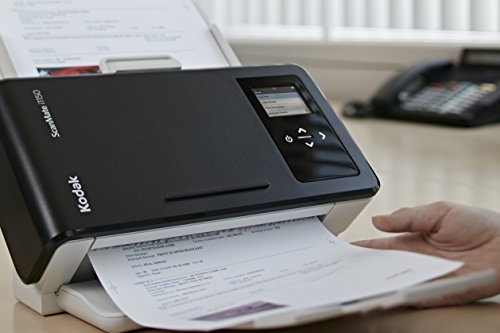


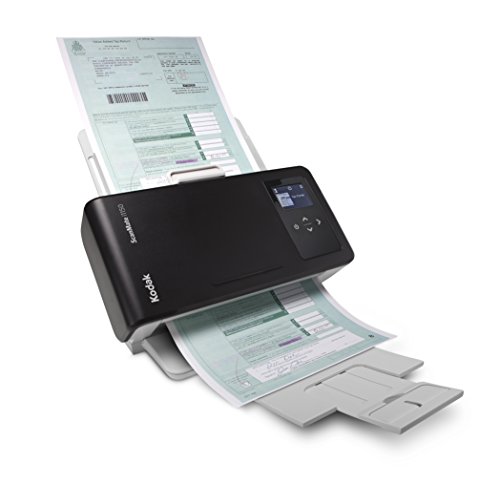
Kodak Scanmate i1150 1664390 Document Scanner, Black/gray
| SELLER | SELLER SCORE | AMAZON FULFILLED | PRIME | FREE SHIPPING |
|---|---|---|---|---|
| Prime Warehouse Inc. | 9.61 | No | No | No |
High-volume administrative hubs like medical offices and bank teller desks require hardware that prioritizes speed and document safety, which is exactly where the Kodak ScanMate i1150 shines. I found the Transaction Mode incredibly efficient, pushing through 40 ppm at 200 dpi to keep queues moving. What truly sets this unit apart is the Intelligent Document Protection. It actually detects potential jams or misfeeds before they happen, saving you from the headache of damaged paperwork. The Smart Touch technology is a massive time-saver, allowing you to execute nine different tasks—like emailing or cloud uploading—with a single button press. Even the graphical display panel is helpful, giving you instant updates on paper status so you aren't left guessing during a busy shift.

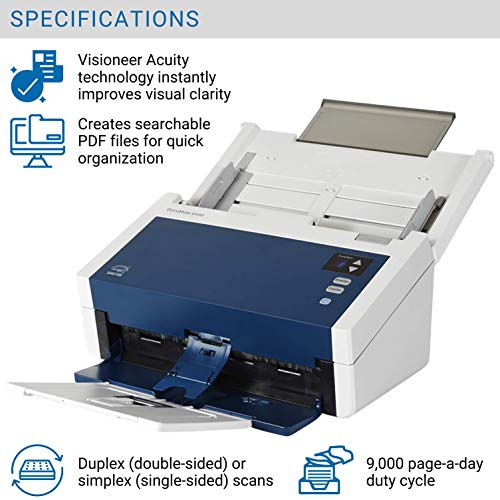


Visioneer Xerox DocuMate 6440 Duplex Document Scanner for PC and Mac, Automatic Document Feeder (ADF), white & navy (XDM6440-U)
| SELLER | SELLER SCORE | AMAZON FULFILLED | PRIME | FREE SHIPPING |
|---|---|---|---|---|
| PA Home & Outdoors (Serial #'s recorded for fraud) | 7.35 | No | No | No |
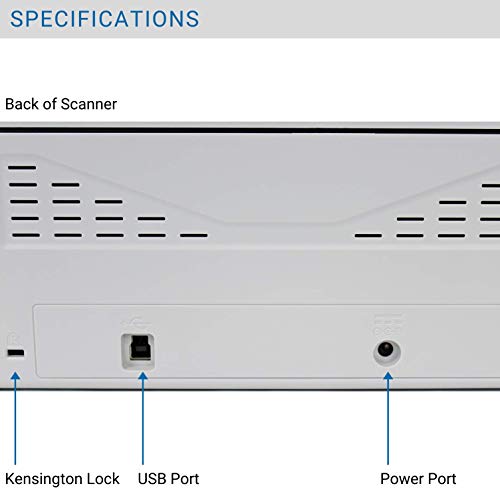
Your desk is buried under a mountain of loose receipts, passports, and aging contracts that need to be digitized before the end of the business day. The Visioneer Xerox DocuMate 6440 is built for exactly this kind of high-pressure workflow, tackling massive stacks with an 80-page automatic document feeder and a heavy-duty 9,000-page daily duty cycle. I was particularly impressed by the Visioneer Acuity technology, which cleans up imperfect originals to ensure every scan looks professional. Whether you are scanning fragile checks or thick plastic cards, the flexible media handling keeps things moving. The one-touch scanning feature is a massive time-saver, allowing you to bypass tedious file-saving steps by sending documents directly to your chosen destination with a single press. It is a robust, high-speed solution for any serious office setup.


Xerox XTS-D Duplex Travel Scanner for PC and Mac, USB Powered Travel Scanner
| SELLER | SELLER SCORE | AMAZON FULFILLED | PRIME | FREE SHIPPING |
|---|---|---|---|---|
| Amazon.com | 9.68 | Yes | Yes | Yes |
The Visioneer Xerox XTS-D Duplex Travel Scanner turns your mobile workspace into a high-speed document processing station. I found the one-touch scanning feature particularly impressive because it bypasses the usual software menu fatigue, sending files directly to your chosen destination with a single press. Whether you are digitizing receipts, checks, or important travel documents, the Visioneer Acuity technology does a fantastic job of cleaning up imperfect originals to ensure visual clarity. It handles both color and grayscale effortlessly, maintaining a steady pace of about eight seconds per page at 200 dpi. For a device designed for life on the move, its USB-powered design and ability to convert paper into searchable PDFs make it a powerhouse for anyone needing to stay organized without being tethered to a desk.


Plustek PSD300 Plus Document Scanner with ADF, Directly scan to Cloud, SharePoint, Office 365 and Built-in Barcode Recognition Function
| SELLER | SELLER SCORE | AMAZON FULFILLED | PRIME | FREE SHIPPING |
|---|---|---|---|---|
| Plustek Inc. | 9.78 | Yes | Yes | Yes |
The rhythmic whir of the 50-page auto document feeder is the first thing you notice as this compact powerhouse tackles a stack of paperwork. The Plustek PSD300 Plus is built for professionals who need to bridge the gap between physical filing cabinets and digital workflows without a hitch. It handles everything from tiny business cards to massive 200-inch documents at a brisk 30ppm. What really sets it apart is the intelligence under the hood. The built-in barcode recognition automatically renames and splits files, while the integrated ABBYY FineReader engine turns scans into searchable PDFs. Whether you are pushing files directly to SharePoint, Google Drive, or Dropbox with a single touch, this scanner makes digitizing a demanding office workload feel remarkably effortless.


Visioneer Patriot H60 Duplex Scanner with Document Feeder
| SELLER | SELLER SCORE | AMAZON FULFILLED | PRIME | FREE SHIPPING |
|---|---|---|---|---|
| Sammy's Club | 6.62 | No | No | No |
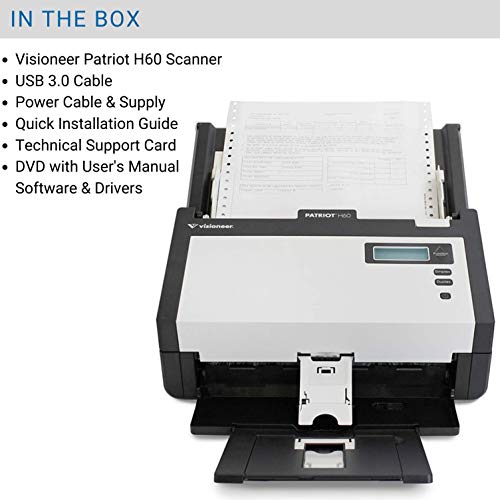
High-volume office environments demand heavy-duty hardware like the Visioneer Patriot H60 to prevent document processing from becoming a bottleneck. I was particularly impressed by the sheer speed of this unit, which pushes up to 140 images per minute and handles a massive 11,000-page daily duty cycle without breaking a sweat. Whether you are feeding in delicate receipts or thick stacks of documents, the 120-page automatic feeder keeps things moving. The standout feature for me is the Acuity technology. It breathes new life into imperfect originals by instantly sharpening visual clarity. Combined with one-touch scanning that sends files directly to your preferred destination, this scanner turns a tedious administrative chore into a streamlined, one-step workflow.



Compact Document Scanner Carrying Case – Travel Bag for Fujitsu ScanSnap ix1300, Plustek, Epson and Brother Scanner use. Dust-Proof, Anti-Static, Dust...
| SELLER | SELLER SCORE | AMAZON FULFILLED | PRIME | FREE SHIPPING |
|---|---|---|---|---|
| Plustek Estore | 8.12 | Yes | Yes | Yes |
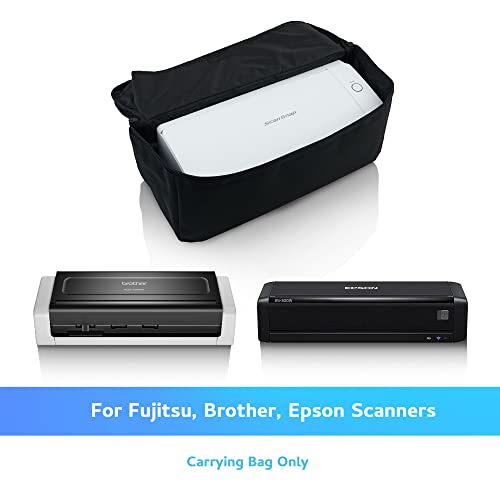
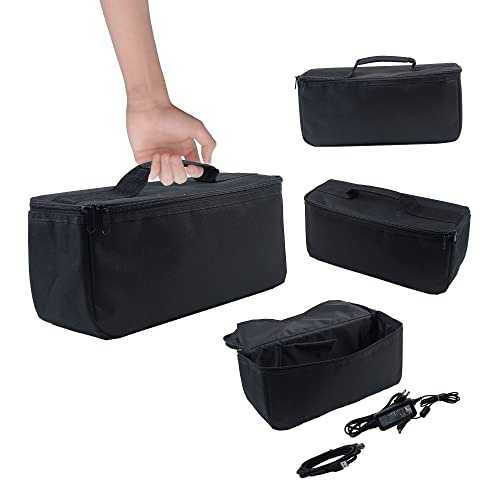
Why risk your expensive scanning hardware to dust and scratches during a commute? This Plustek carrying case offers a specialized solution for professionals who need to move their gear between the office and home without the anxiety of damage. I found the top-loading design incredibly intuitive, making it easy to slide in devices like the Fujitsu iX1300 or Epson ES series. The build feels surprisingly sturdy, featuring a comfortable handle for portability and double zippers that glide smoothly without catching. It serves as an excellent anti-static shield, keeping your scanner pristine in various environments. While it is strictly a protective shell and doesn't include the scanner itself, it provides the stylish, durable security every mobile professional requires.



Plustek SmartOffice S30 High Speed A3 Large Format Duplex Document Scanner, with 100-page Auto Document Feeder (ADF). Scan 12” x 17” Size or Legal-Siz...
| SELLER | SELLER SCORE | AMAZON FULFILLED | PRIME | FREE SHIPPING |
|---|---|---|---|---|
| Plustek Inc. | 9.78 | Yes | Yes | Yes |
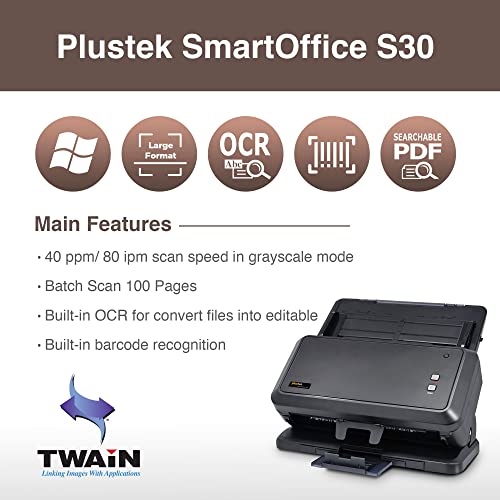
Your desk is currently buried under a mountain of oversized blueprints, legal contracts, and loose receipts that simply won't fit in a standard desktop scanner. The Plustek SmartOffice S30 solves this chaos by handling massive 12" x 17" documents and even extra-long pages up to 200" with ease. I found the 100-page auto document feeder incredibly efficient for clearing through thick stacks at 40 pages per minute, while the reverse friction roller kept the paper moving steadily without the usual jams or damage. It isn't just about speed, though. The built-in OCR and full-text search engine turn your scanned piles into a searchable, editable digital library. Whether you are digitizing ID cards or complex spreadsheets, this machine integrates seamlessly into your existing workflow via TWAIN drivers.



Visioneer Patriot P15 Portable Document Scanner
| SELLER | SELLER SCORE | AMAZON FULFILLED | PRIME | FREE SHIPPING |
|---|---|---|---|---|
| Amazon.com | 9.68 | Yes | Yes | Yes |
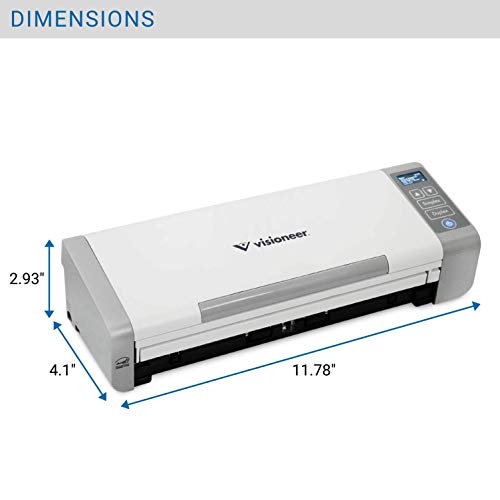
The Visioneer Patriot P15 Portable Document Scanner turns a mountain of paperwork into a streamlined digital library with impressive speed. I found the Visioneer Acuity technology to be a total game-changer, as it instantly fixes up imperfect originals to ensure every scan looks crisp and professional. Whether you are feeding in receipts, checks, or standard documents, the 20-page automatic document feeder handles the heavy lifting at a brisk 20 pages per minute. The one-touch scanning feature is particularly helpful for busy workflows, allowing you to send files straight to your preferred destination without clicking through endless menus. It is a robust little machine that manages a 1,000-page daily duty cycle without breaking a sweat.

The first decision you must make is how you intend to feed your documents. Most high-volume document scanners utilize an Automatic Document Feeder (ADF). This mechanism allows you to stack a pile of papers and let the machine pull them through one by one, making it essential for scanning multi-page reports or thick stacks of invoices. However, ADFs are designed for standard, single-sided or double-sided sheets. If you frequently need to digitize delicate items like old photographs, thick bound books, or fragile historical manuscripts, a flatbed scanner is non-negotiable. Flatbed scanners provide a controlled environment where the document stays stationary under a glass lid, preventing the mechanical jams or physical damage that can occur in an ADF.
When browsing scanners, you will often see speed measured in Pages Per Minute (PPM) or Images Per Minute (IPM). For a casual user, a scanner that handles 15–25 PPM is sufficient. However, if your goal is to digitize entire filing cabinets, you should look for professional-grade models that exceed 40–60 PPM. Pay close attention to the 'duplex' capability—this refers to the scanner's ability to capture both sides of a page in a single pass. Single-pass duplex scanning is significantly faster and more reliable than 'reversing' duplex scanning, where the machine pulls the paper back through to scan the second side.
While many consumers focus on megapixels, document scanning is more about Optical Resolution (DPI - Dots Per Inch). For standard text documents, 300 DPI is the industry standard and provides excellent legibility. If you are scanning high-resolution images or fine-print legal documents, you may want a device capable of 600 DPI or higher. Be wary of manufacturers that tout 'interpolated resolution,' which is essentially software upscaling that doesn't add real detail. Look for the 'Optical Resolution' spec to ensure you are getting true physical detail.
A scanner is only as good as the software that accompanies it. Modern workflows often require seamless integration with cloud services like Google Drive, Dropbox, or OneDrive. Look for scanners that offer 'Scan-to-Cloud' functionality directly from the device's interface. Additionally, consider the connection type: USB-based scanners are reliable and fast for a single workstation, while Wi-Fi or Ethernet-enabled scanners allow multiple users on a network to share the device. Finally, ensure the software includes robust Optical Character Recognition (OCR). OCR is the technology that turns a static image of text into a searchable, editable PDF or Word document—a feature that is indispensable for organized digital filing.
Not all paper is created equal. If your workflow involves various media types—such as business cards, long receipts, or thick cardstock—check the scanner's 'media handling' specifications. High-end scanners often include ultrasonic sensors to detect 'double-feeds' (when two pages stick together), preventing you from losing important data. If you work with varying paper weights, ensure the scanner can handle both thin thermal paper and heavier cardstock without jamming.
Quick answers about 200 Document Scanners before you buy.
Share of top-ranked products by brand, from our rankings.
We compared 200 Document Scanners products using product details and customer ratings to identify the best options in the office electronics products..
From that comparison we shortlisted the top 9 200 Document Scanners for this page..
We aim to help you find the right scanners products for your needs and save you time when choosing which 200 Document Scanners to buy.
Compare the top 9 picks at a glance — select a column to sort.


