#TOP1

In the world of industrial automation and electrical engineering, the integrity of your internal components is only as reliable as the housing that protects them. Nimitz enclosures represent a high-standard tier of industrial protection, designed to safeguard sensitive electronic controls, power supplies, and communication modules from the harsh realities of manufacturing environments. Whether you are building a custom control panel for a food processing plant or mounting a junction box in a heavy-duty fabrication shop, selecting the right enclosure is a critical decision that impacts long-term system uptime and safety compliance.
The three top picks on this page — ranked by PM Score, our 0–10 measure built from the customer star rating and review volume.




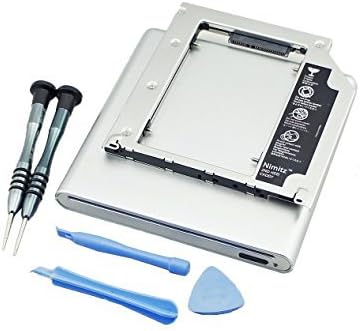
Nimitz 2nd HDD SSD Hard Drive Caddy Adapter Compatible with Dell E6430 E6530 E6420 E6520 E6320 E6330 Modular Bay with Ejector
| SELLER | SELLER SCORE | AMAZON FULFILLED | PRIME | FREE SHIPPING |
|---|---|---|---|---|
| outian | 6.92 | Yes | Yes | Yes |
The Nimitz 2nd HDD SSD Hard Drive Caddy Adapter turns your aging Dell Latitude into a storage powerhouse by utilizing the modular bay. This specific adapter is a precision fit for the E6430, E6530, and several other E-series models, making it a lifesaver for anyone looking to add a secondary drive without sacrificing portability. I found the installation process straightforward since the drive secures to the caddy from the side using long screws. It even includes a matched faceplate and a built-in eject/lock mechanism, so your laptop maintains its original aesthetic and functionality. The integrated LED is a nice touch for monitoring drive activity, ensuring this isn't just a piece of plastic but a fully functional hardware upgrade.



Nimitz 2nd HDD SSD Hard Drive Caddy for Lenovo Thinkpad T420 T430 T510 T520 T530 W510 W520 W530
| SELLER | SELLER SCORE | AMAZON FULFILLED | PRIME | FREE SHIPPING |
|---|---|---|---|---|
| outian | 6.62 | Yes | Yes | Yes |
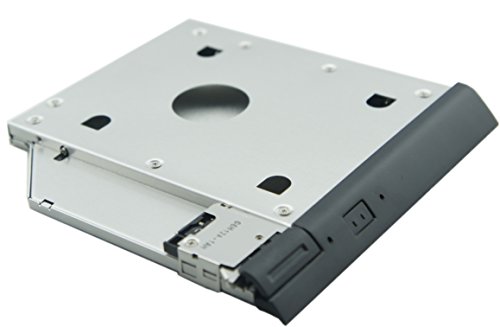
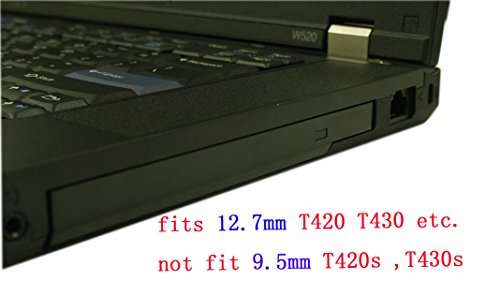
Owners of aging Lenovo ThinkPads can breathe new life into their machines by ditching the rarely used optical drive for massive storage expansion. The Nimitz HDD/SSD Caddy is a precision-engineered solution designed to slide directly into the 12.7mm Ultrabay of T-series and W-series laptops. What makes this particular upgrade stand out is the inclusion of a matched faceplate, which ensures the installation looks factory-original rather than a DIY hack. You won't have to mess around with complicated cables, external power supplies, or finicky software drivers because it integrates seamlessly into the existing hardware. It is an incredibly efficient way to add a secondary 2.5-inch SATA drive, turning a legacy laptop into a modern storage powerhouse without breaking the bank.


Nimitz 2nd HDD SDD Hard Drive Caddy for MacBook Pro Unibody with External USB Enclosure
| SELLER | SELLER SCORE | AMAZON FULFILLED | PRIME | FREE SHIPPING |
|---|---|---|---|---|
| outian | 6.66 | No | No | No |
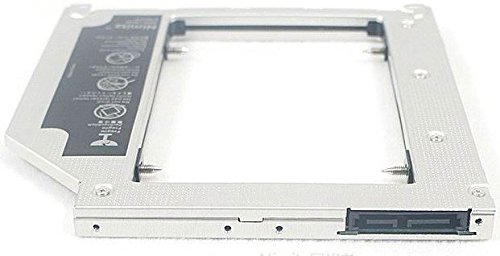
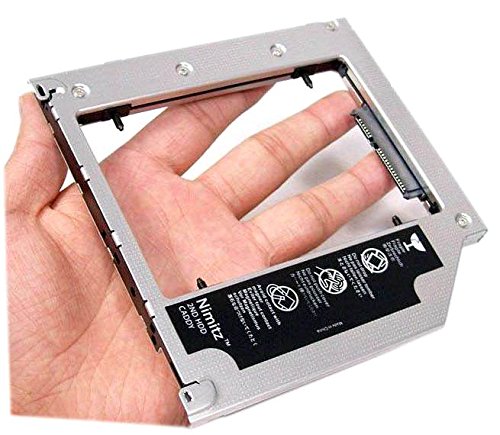
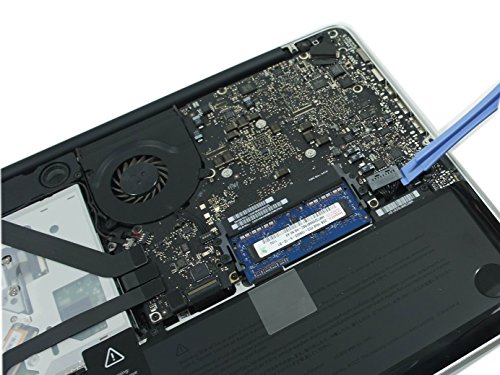
You are staring at a 'Disk Full' warning while trying to back up your entire photo library, and the only solution is to expand your aging MacBook Pro's storage. The Nimitz hard drive caddy solves this exact headache by allowing you to swap out your unused SuperDrive for a second internal hard drive or SSD. This updated version is a significant improvement because it lacks the bottom cover, ensuring your laptop's casing closes perfectly flush without any awkward gaps. It is specifically designed for Unibody models ranging from late 2008 through 2012, so double-check your specs before diving in. The kit is impressively complete, providing an external USB enclosure and a full toolkit with Torx and Phillips screwdrivers to get the job done right.

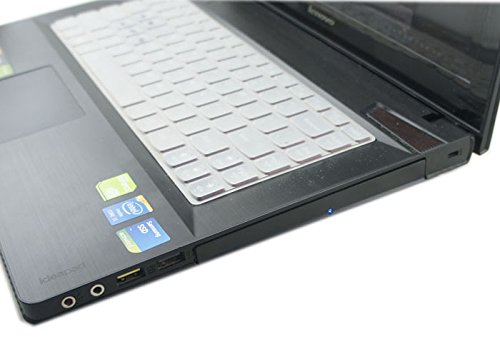

Nimitz 2nd HDD SSD Hard Drive Caddy for Lenovo Ideapad Y400 Y410p Y430p with Bezel
| SELLER | SELLER SCORE | AMAZON FULFILLED | PRIME | FREE SHIPPING |
|---|---|---|---|---|
| outian | 6.67 | No | No | No |
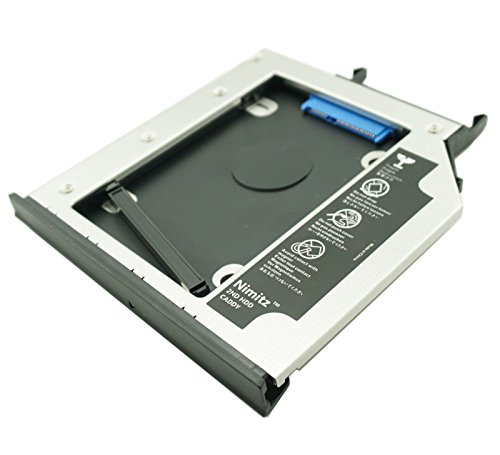
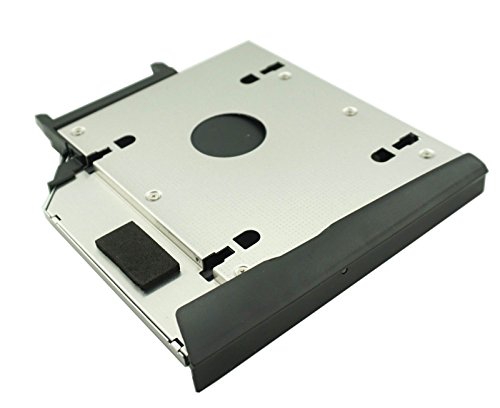
Owners of the Lenovo Ideapad Y400, Y410P, or Y430P series need this Nimitz caddy immediately if they want to breathe new life into aging hardware through expanded storage. Instead of letting your optical drive go to waste, this clever solution lets you swap that bulky disc player for a high-speed SSD or a secondary HDD. The installation process is straightforward, utilizing a side-mounting screw system to secure your drive firmly within the chassis. What really sets this apart from cheap generic alternatives is the included matched bezel and functional LED, ensuring the laptop looks factory-original once the swap is complete. It is a highly specific component, so just ensure you aren't trying to force it into a Y510P, as it is engineered strictly for these specific Ideapad models.


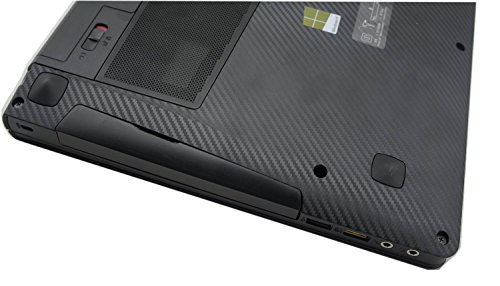
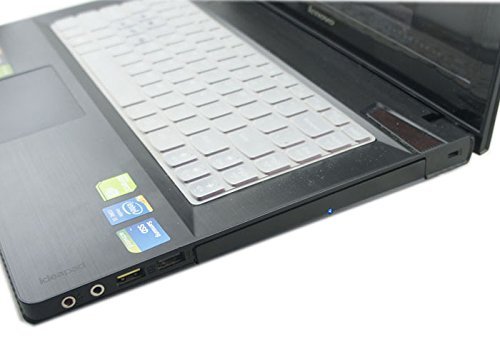
Nimitz 2nd HDD SSD Hard Drive Caddy Compatible with Lenovo Ideapad Y500 Y510p with Bracket Replace Graphics Card
| SELLER | SELLER SCORE | AMAZON FULFILLED | PRIME | FREE SHIPPING |
|---|---|---|---|---|
| outian | 6.62 | Yes | Yes | Yes |
The Nimitz Hard Drive Caddy offers a clever way to expand your laptop's storage by replacing the secondary graphics card or optical drive. If you are running a Lenovo Ideapad Y500 or Y510p, this component is a lifesaver for anyone needing more space without buying a new machine. It is specifically designed to house 2.5" SATA drives or SSDs with a height of 9.5mm or less. I was particularly impressed that it includes a matched faceplate and bracket, which ensures the installation looks seamless and professional rather than like a DIY hack. The inclusion of an LED indicator is a thoughtful touch for monitoring drive activity. Just be careful with your model number, as this is a precision fit that won't work with the Y400 or Y510 series.
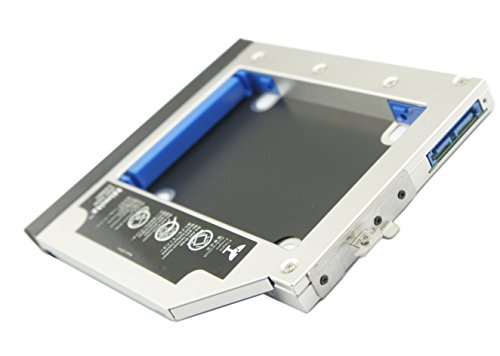


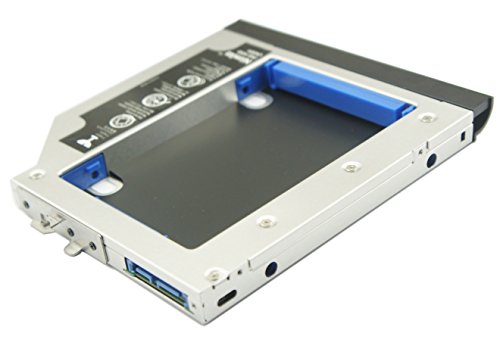

Nimitz 2nd HDD SSD Hard Drive Caddy for Hp Elitebook 6930p 8440p/w 8530p/w 8540p/w 8730w 8740w with Faceplate/Bezel
| SELLER | SELLER SCORE | AMAZON FULFILLED | PRIME | FREE SHIPPING |
|---|---|---|---|---|
| outian | 6.71 | No | No | No |
Owners of aging HP EliteBook and ProBook workstations desperately need this Nimitz caddy to breathe new life into their hardware through a seamless storage upgrade. Instead of being stuck with a single drive, you can utilize the secondary upgrade bay to add a high-speed 2.5" SSD or a secondary SATA hard drive. What sets this specific kit apart is that it includes a matched faceplate and mounting bracket, ensuring the installation looks factory-original rather than a DIY afterthought. It fits a wide range of legacy models, including the 8440w and 8740w series, as well as various Compaq and ProBook iterations. It is a remarkably cost-effective way to expand your capacity without needing to replace your entire laptop.


Nimitz 2nd HDD SSD Hard Drive Caddy for Hp Elitebook 2540p 2530p with Faceplate
| SELLER | SELLER SCORE | AMAZON FULFILLED | PRIME | FREE SHIPPING |
|---|---|---|---|---|
| outian | 6.66 | No | No | No |
The Nimitz 2nd HDD SSD Hard Drive Caddy turns your aging HP EliteBook into a dual-drive powerhouse by repurposing the optical bay. I found that the inclusion of a matching faceplate makes a massive difference in maintaining that clean, original aesthetic of the 2540p or 2530p chassis. While the 2530p requires a quick DIY step of swapping the original bracket from your DVD drive onto this caddy, the fitment is otherwise seamless once installed. It accommodates any 2.5-inch SATA drive up to 9.5mm in height, making it an ideal candidate for adding a high-capacity SSD. Beyond just extra storage, this setup actually supports installing a second operating system and managing boot selections, which is a game-changer for power users needing isolated environments.

The most fundamental decision when selecting a Nimitz-style enclosure is the material. Industrial environments vary wildly. A clean-room pharmaceutical lab has vastly different needs than an outdoor marine terminal. Stainless steel is the gold standard for high-corrosion environments, offering superior resistance to chemical washdowns and salt spray. However, for indoor applications where weight and cost-efficiency are priorities, high-grade polycarbonate or reinforced thermoplastics may be more appropriate. When choosing, consider the IP (Ingress Protection) rating. If your application involves high-pressure water jets or heavy dust accumulation, you must prioritize enclosures with high IP ratings (such as IP66 or IP67) to ensure that fine particulates and liquids cannot breach the seal.
One of the most common causes of premature electronic failure is overheating. As you pack more sophisticated controllers and power converters into a sealed box, the internal ambient temperature rises. You must evaluate whether the enclosure requires passive or active cooling. Passive cooling typically involves heat sinks or louvers that allow for natural convection. Active cooling requires the integration of fans or heat exchangers, which often necessitates more complex sealing to maintain the enclosure's environmental rating. If you are housing high-wattage components, look for enclosures designed with integrated mounting plates that facilitate heat dissipation, or ensure there is sufficient internal volume to prevent thermal buildup.
The ergonomics of your enclosure are just as important as its durability. Consider how often technicians will need to access the internal components. Enclosures with hinged doors and high-quality gasket seals provide the best balance of easy access and environmental protection. Furthermore, security is a vital factor. If the enclosure is located in a public or unsecured area, look for models featuring locking mechanisms or specialized tamper-resistant hardware. From an installation standpoint, check for pre-drilled mounting points or the availability of gland plates. A gland plate allows for easier cable entry and exit, making the wiring process significantly more streamlined and professional.
A common mistake in enclosure selection is choosing a size that is just large enough for current components. Electrical installations often undergo upgrades. We recommend selecting an enclosure that provides at least 20% to 30% more internal volume than your current hardware requires. This extra space allows for better airflow, easier cable management, and provides the headroom necessary for adding new modules or expanding control logic in the future. Always account for the 'bend radius' of your cables. A box that looks large on paper might feel cramped once thick, high-voltage wiring is routed through the entry points.
Quick answers about Nimitz Enclosures before you buy.
Share of top-ranked products by brand, from our rankings.
We compared Nimitz Enclosures products using product details and customer ratings to identify the best options in the categories..
From that comparison we shortlisted the top 7 Nimitz Enclosures for this page..
We aim to help you find the right enclosures products for your needs and save you time when choosing which Nimitz Enclosures to buy.
Compare the top 7 picks at a glance — select a column to sort.