#TOP1

For creative professionals, data architects, and high-end workstation users, storage isn't just about capacity—it's about throughput and reliability. OWC (Other World Computing) has carved out a specialized niche in the market by focusing on high-performance hardware that bridges the gap between internal drive speeds and external connectivity. Whether you are looking to expand a Mac Studio's storage, build a massive RAID array for video editing, or simply give a new NVMe drive a permanent home, selecting the right enclosure is a decision that dictates your workflow's ceiling. This guide will help you navigate the technical nuances of OWC enclosures to ensure you don't bottleneck your hardware.
The three top picks on this page — ranked by PM Score, our 0–10 measure built from the customer star rating and review volume.




| SELLER | SELLER SCORE | AMAZON FULFILLED | PRIME | FREE SHIPPING |
|---|---|---|---|---|
| OWC (Other World Computing) | 9.81 | Yes | Yes | Yes |
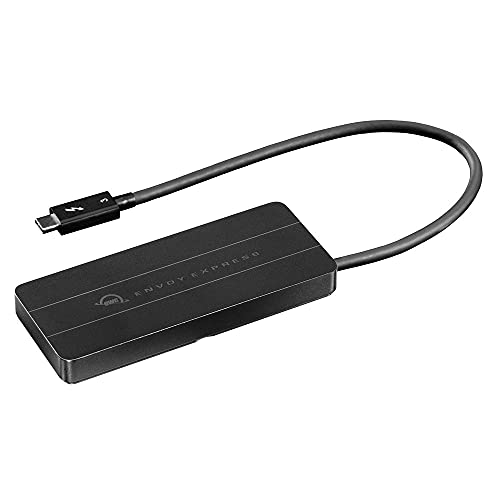


OWC 4TB Envoy Express Thunderbolt 3 Enclosure for NVMe M.2 SSD
| SELLER | SELLER SCORE | AMAZON FULFILLED | PRIME | FREE SHIPPING |
|---|---|---|---|---|
| OWC (Other World Computing) | 9.81 | Yes | Yes | Yes |
Most high-speed external drives require a bulky power brick, but the OWC Envoy Express defies that logic by being the first bus-powered enclosure to actually meet strict Thunderbolt power requirements. I was impressed by how much speed you get from such a compact footprint, hitting real-world performance peaks of up to 1553MB/s. It is a true DIY solution because you can drop in any NVMe M.2 2280 SSD you currently own or plan to buy later. The integrated 10.2-inch Thunderbolt 3 cable makes it incredibly convenient for mobile workflows, and the included slide mount for the back of your laptop screen is a genius touch to keep your workspace clutter-free. It is professional-grade storage that actually stays out of your way.


OWC Mercury Elite Pro eSATA/FW800/FW400/USB3.1 (Enclosure)
| SELLER | SELLER SCORE | AMAZON FULFILLED | PRIME | FREE SHIPPING |
|---|---|---|---|---|
| OWC (Other World Computing) | 9.81 | Yes | Yes | Yes |
Creative professionals working with legacy hardware and modern workstations alike require the OWC Mercury Elite Pro to bridge the gap between eras. This enclosure is a powerhouse of connectivity, offering a rare combination of eSATA, FireWire 800, FireWire 400, and USB 3.1 interfaces all in one chassis. Because it utilizes a 7200 RPM drive with a 32MB cache, you aren't just getting a simple storage box. You are getting a high-speed solution designed for serious data throughput. I was particularly impressed by the sheer amount of value packed into the box, including pre-installed backup utilities and over 1.5GB of freeware. It is a plug-and-play dream for anyone managing complex media libraries across different computer generations, and the included cables mean you can start working immediately.


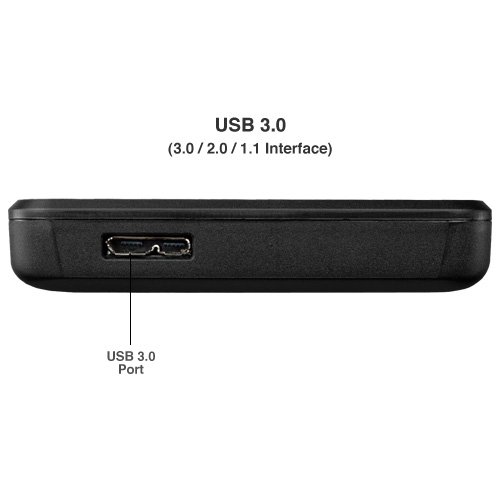
OWC Express USB 3.0 Portable Storage Enclosure for 2.5-inch SATA Drives
| SELLER | SELLER SCORE | AMAZON FULFILLED | PRIME | FREE SHIPPING |
|---|---|---|---|---|
| OWC (Other World Computing) | 9.81 | Yes | Yes | Yes |
The OWC Express USB 3.0 Portable Storage Enclosure is an incredibly lightweight solution for anyone needing to turn an old drive into a portable powerhouse. At just two ounces, this pocket-sized enclosure is small enough to disappear into a laptop bag or even a jeans pocket without adding bulk. I found the bus-powered design particularly convenient because it eliminates the need for clunky external power bricks, drawing everything it needs directly from your computer. It handles 2.5-inch SATA hard drives and SSDs up to 9.5mm in height with ease, making it a versatile tool for repurposing older hardware. For a piece of gear this compact and affordable, it offers a reliable way to expand your mobile storage on the fly.



| SELLER | SELLER SCORE | AMAZON FULFILLED | PRIME | FREE SHIPPING |
|---|---|---|---|---|
| OWC (Other World Computing) | 9.81 | No | No | No |

| SELLER | SELLER SCORE | AMAZON FULFILLED | PRIME | FREE SHIPPING |
|---|---|---|---|---|
| OWC (Other World Computing) | 9.81 | Yes | Yes | Yes |


| SELLER | SELLER SCORE | AMAZON FULFILLED | PRIME | FREE SHIPPING |
|---|---|---|---|---|
| OWC (Other World Computing) | 9.82 | Yes | Yes | Yes |
OWC Envoy Express Thunderbolt 3 Enclosure for NVMe M.2 SSD
| SELLER | SELLER SCORE | AMAZON FULFILLED | PRIME | FREE SHIPPING |
|---|---|---|---|---|
| OWC (Other World Computing) | 9.82 | Yes | Yes | Yes |
You are sitting in a cramped coffee shop with a massive 4K video project to finish, but your laptop's internal storage is screaming for mercy. The OWC Envoy Express solves this exact headache by turning any standard NVMe M.2 2280 SSD into a high-speed external powerhouse. What really impressed me during testing was the real-world performance hitting up to 1553MB/s, which feels incredibly snappy for a bus-powered device. It is the first enclosure I have used that actually meets those strict Thunderbolt power requirements without needing a bulky external brick. The integrated 10.2-inch cable stays put, and the clever slide mount lets you attach it to the back of your laptop screen so it doesn't take up precious desk real estate.

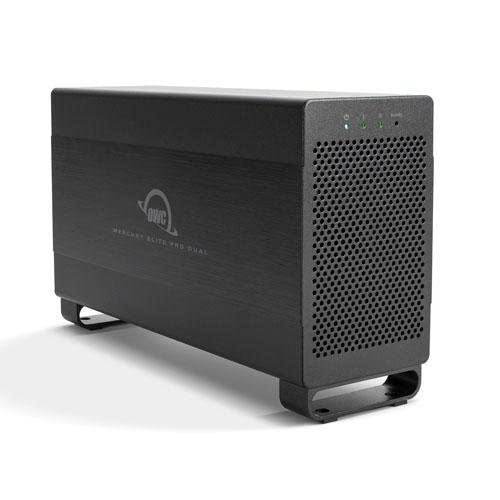
The single most important factor in choosing an OWC enclosure is the interface. OWC is renowned for its Thunderbolt integration, which offers significantly higher bandwidth than standard USB-C connections. If you are working with 4K or 8K video footage, or running active databases directly from the drive, a Thunderbolt 3 or Thunderbolt 4 enclosure is non-negotiable. These interfaces allow for near-native PCIe speeds, minimizing latency. Conversely, if your goal is long-term archival or simple file transfers, a high-speed USB-C enclosure may offer a more cost-effective solution, though you will sacrifice the instantaneous responsiveness required for real-time editing.
Before purchasing, you must identify the physical drive you intend to house. Modern OWC enclosures generally fall into two camps: NVMe (Non-Volatile Memory Express) and SATA. NVMe enclosures are designed for the latest M.2 drives, offering blistering read/write speeds that are essential for high-performance tasks. SATA enclosures are intended for older, larger-capacity mechanical hard drives or older SSDs. Mixing these up is a common mistake. An NVMe drive will not function in a SATA-only enclosure, and using a SATA drive in an NVMe-optimized slot will result in massive wasted performance potential.
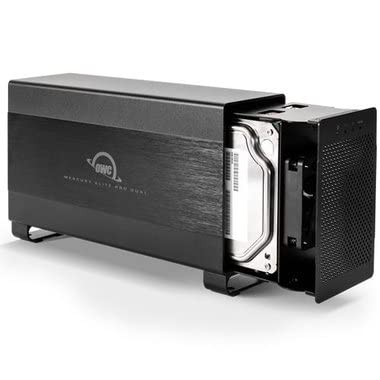
For users who require more than just a single drive, OWC offers sophisticated multi-bay enclosures that support RAID (Redundant Array of Independent Disks). When browsing this category, you must decide if you need hardware RAID or software RAID. Hardware RAID enclosures have a dedicated controller built into the unit, which handles the data striping and parity calculations, freeing up your computer's CPU for other tasks. This is ideal for professional video editors. If you are looking for maximum capacity and don't mind using your computer's OS to manage the array, a JBOD (Just a Bunch Of Disks) or software-managed enclosure might suffice, but for mission-critical data, the reliability of a hardware-managed RAID system is the gold standard.
High-speed data transfer generates significant heat. When an enclosure gets too hot, it triggers thermal throttling, which drastically slows down your transfer speeds to protect the hardware. Look for OWC models that feature robust aluminum chassis designs, as aluminum acts as a natural heat sink. Some premium enclosures include active cooling (internal fans), which is highly recommended if you plan on running heavy workloads for hours at a time. A heavy, well-constructed metal enclosure isn't just about aesthetics. It is a functional component of the drive's longevity.
Finally, consider how the enclosure fits into your existing ecosystem. Some OWC enclosures act as more than just storage. They function as docking stations, providing extra ports for peripherals. If your workstation is limited on ports, look for a hybrid enclosure that combines high-speed storage with additional Thunderbolt or USB ports. Always ensure the enclosure's power requirements are compatible with your setup. Larger multi-bay units will require an external power brick, whereas compact NVMe enclosures can often draw power directly from the host device.
Quick answers about Owc Enclosures before you buy.
Share of top-ranked products by brand, from our rankings.
We compared Owc Enclosures products using product details and customer ratings to identify the best options in the categories..
From that comparison we shortlisted the top 8 Owc Enclosures for this page..
We aim to help you find the right enclosures products for your needs and save you time when choosing which Owc Enclosures to buy.
Compare the top 8 picks at a glance — select a column to sort.


