#TOP1
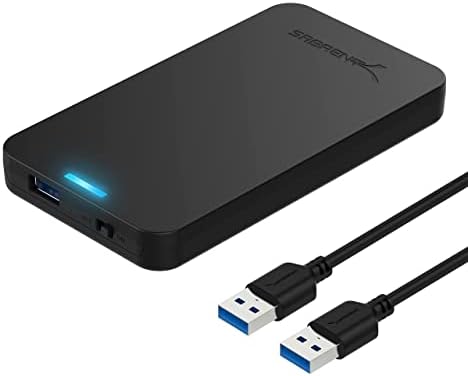
When building a high-performance workstation, a dedicated media center, or a custom storage array, the chassis is the foundation upon which your entire ecosystem rests. Syba enclosures have carved out a specific niche for enthusiasts who require versatility beyond the standard off-the-shelf PC case. Whether you are looking to expand your storage capabilities via external drive bays or seeking a compact, aesthetically pleasing housing for a home theater PC, choosing the right enclosure requires a nuanced understanding of thermal management, interface connectivity, and physical compatibility. This guide is designed to help you navigate the technical specifications of these enclosures to ensure your hardware remains protected, cool, and highly accessible.
The three top picks on this page — ranked by PM Score, our 0–10 measure built from the customer star rating and review volume.
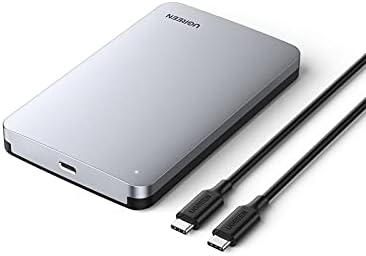


SABRENT 2.5 Inch SATA to USB 3.0 Tool Free External Hard Drive Enclosure [Optimized for SSD, Support UASP SATA III] Black (EC-UASP)
| SELLER | SELLER SCORE | AMAZON FULFILLED | PRIME | FREE SHIPPING |
|---|---|---|---|---|
| Store4PC | 9.94 | Yes | Yes | Yes |
Old laptop drives often end up gathering dust in drawers because most people lack the technical setup to repurpose them easily. The Sabrent EC-UASP enclosure solves this exact problem by offering a completely tool-free installation process that lets you slide a 2.5-inch SATA or SSD directly into the housing. I found the plug-and-play functionality incredibly seamless. You won't have to hunt for drivers whether you are on a Windows machine or a Mac. Since it supports UASP and SATA III, it is specifically optimized to squeeze the best performance out of modern solid-state drives, hitting transfer speeds up to 5 Gbps. It is a compact, hot-swappable solution that makes data recovery or expanding your external storage feel effortless and instant.
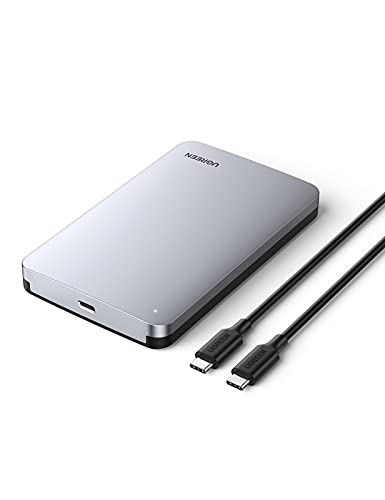

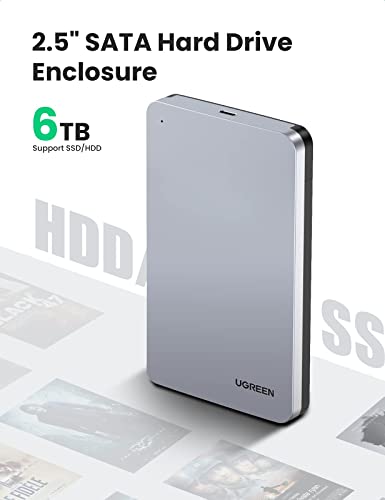

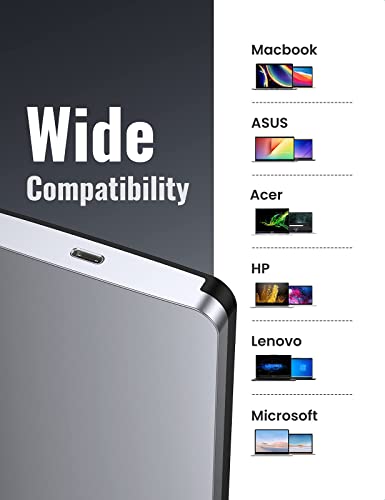
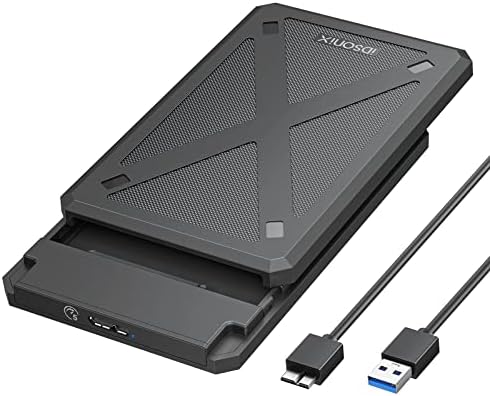
UGREEN USB C Hard Drive Enclosure for 2.5" SATA SSD HDD Aluminum USB C to SATA Adapter USB 3.1 Gen 2 Support UASP SATA III Compatible with MacBook Pro...
| SELLER | SELLER SCORE | AMAZON FULFILLED | PRIME | FREE SHIPPING |
|---|---|---|---|---|
| UGREEN GROUP LIMITED | 9.98 | Yes | Yes | Yes |
Most people assume a simple drive enclosure is just a plastic shell, but the UGREEN USB-C enclosure proves that thermal management is actually the most critical component. By utilizing a premium aluminum alloy housing paired with the ASM235CM chipset, this device manages heat dissipation naturally without the need for a noisy internal fan. It pushes massive data through a 6Gbps SATA III interface, utilizing UASP technology to deliver speeds up to 70% faster than traditional USB 3.0 setups. I found the tool-free installation incredibly seamless. You just slide your 2.5-inch SSD or HDD inside and plug it into your MacBook or PC. Whether you are recovering data from an old Samsung 850 EVO or expanding storage on a PS4, the USB 3.1 Gen 2 connectivity ensures you aren't being throttled by outdated tech.

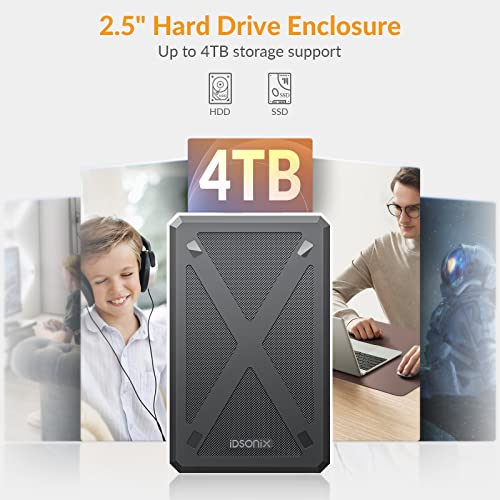


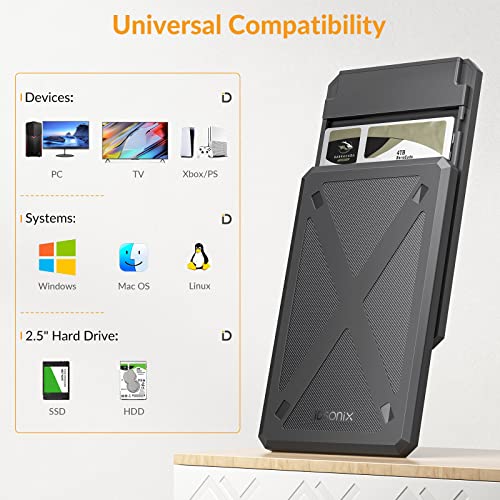
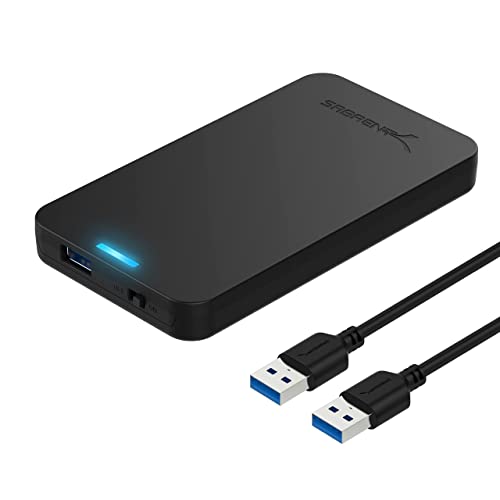
iDsonix 2.5 inch Hard Drive Enclosure USB 3.0 to SATA III Tool-Free External Hard Drive Enclosure for 7mm/9.5mm 2.5" SSD HDD with UASP, for Toshiba Sa...
| SELLER | SELLER SCORE | AMAZON FULFILLED | PRIME | FREE SHIPPING |
|---|---|---|---|---|
| iDsonix | 9.80 | Yes | Yes | Yes |
Budget-conscious tech enthusiasts and gamers needing extra storage for consoles like the PS5 or Xbox should grab this enclosure immediately. I found the tool-free design incredibly satisfying. You just pop the cover, slide in your 7mm or 9.5mm SSD or HDD, and you are ready to go without a single screwdriver. The inclusion of UASP protocol is a massive win here, delivering speeds up to 5Gbps that feel significantly snappier than standard USB 3.0 connections. It feels secure thanks to the high-quality ABS plastic housing and the included EVA foam pad that cushions your drive against bumps. Whether you are backing up a laptop or expanding a TV's media library, this little black box handles the job with reliable, plug-and-play simplicity.


ORICO 2.5 inch External Hard Drive Enclosure USB 3.0 to SATA III for 7mm and 9.5mm SATA HDD SSD Tool Free [UASP Supported] Black (25PW1-U3)
| SELLER | SELLER SCORE | AMAZON FULFILLED | PRIME | FREE SHIPPING |
|---|---|---|---|---|
| ORICO Direct US Store | 9.95 | Yes | Yes | Yes |
You just pulled a dusty, old laptop drive out of a drawer and realized all your precious family photos are trapped inside. Instead of stressing over data recovery, you can slide that drive into this ORICO enclosure and have your files back in seconds. The tool-free design is a lifesaver because you don't need a screwdriver to get started. You just pop the cover, click the drive in, and plug it into your USB port. It handles both 7mm and 9.5mm drives, making it incredibly versatile for upgrading old hardware or expanding storage for a PS4 or Xbox. Thanks to UASP support, the transfer speeds feel snappy, especially when moving large video files across a compatible connection.
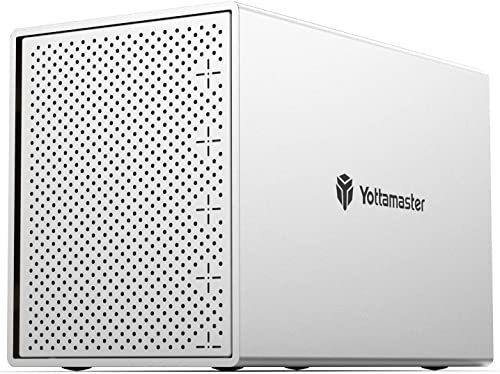

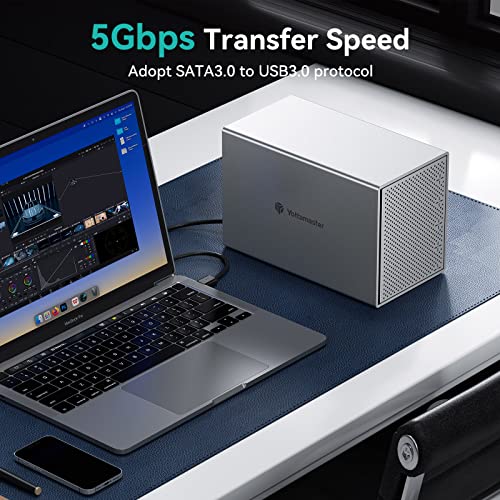


Yottamaster 5 Bay External Hard Drive Enclosure, Aluminum USB3.0 3.5" HDD Enclosure for 3.5 2.5 Inch SATA HDD Support 5 x 16TB, Mac Style Direct Attac...
| SELLER | SELLER SCORE | AMAZON FULFILLED | PRIME | FREE SHIPPING |
|---|---|---|---|---|
| Yottamaster Technology Co.,Ltd | 9.68 | Yes | Yes | Yes |
Your video editing timeline suddenly grinds to a halt because your primary drive is choking on uncompressed 4K footage. This Yottamaster enclosure solves that storage bottleneck by turning five separate drives into a massive 80TB digital archive. I found the push-to-open front door incredibly intuitive for swapping drives without fumbling with tools, and the aluminum chassis feels premium on a desktop. It handles both 3.5-inch HDDs and smaller 2.5-inch SSDs with ease, making it a versatile hub for any creative workflow. Even with five drives running at full tilt, the internal 80mm silent fan keeps the heat managed without creating a distracting hum in your workspace. It is a rugged, high-capacity solution for anyone tired of managing a messy collection of individual external drives.


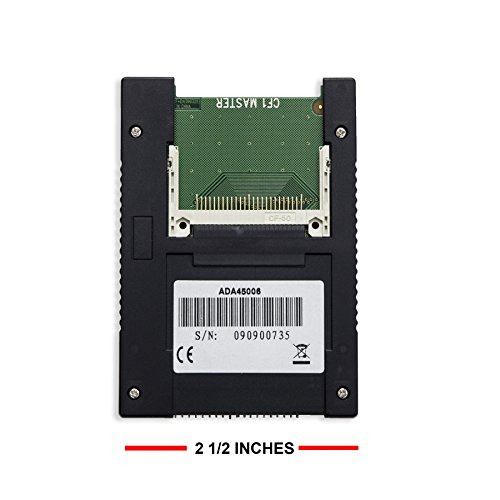


Syba Dual Compact Flash CF to 44 Pin IDE/PATA 2.5" Adapter Enclosure, Black SD-ADA45006
| SELLER | SELLER SCORE | AMAZON FULFILLED | PRIME | FREE SHIPPING |
|---|---|---|---|---|
| SQLogic | 8.17 | Yes | Yes | Yes |
The Syba Dual Compact Flash to IDE Adapter Enclosure turns legacy hardware into a modern storage powerhouse by leveraging two CF card slots. This little black box is a lifesaver for anyone trying to breathe new life into older 2.5" IDE/PATA systems. I was particularly impressed by the inclusion of dedicated LED indicators for power, master, slave, and drive activity, which makes troubleshooting a breeze during setup. Because it supports the UDMA IDE interface, you aren't just stuck with basic file storage. You can actually utilize this as a primary boot device. It fits perfectly into the standard 2.5" form factor, making it a seamless replacement for aging hard drives in compact vintage machines.


Syba 8 Bay Tool Less Tray Hot Swappabe 2.5" 3.5" SATA Non Raid External USB 3.0 Enclosure SY-ENC50119
| SELLER | SELLER SCORE | AMAZON FULFILLED | PRIME | FREE SHIPPING |
|---|---|---|---|---|
| Amazon.com | 9.68 | Yes | Yes | Yes |
After weeks of use in a high-capacity storage workflow, the Syba 8 Bay Enclosure has proven to be a reliable workhorse for anyone managing massive data libraries. This unit is specifically designed for non-RAID setups, making it a straightforward solution for expanding your storage without the complexity of a NAS. I found the tool-less tray design incredibly convenient for swapping drives, and the ability to use individual control switches for each drive is a game-changer for managing power and heat. With support for drives up to 18TB and a robust steel housing, it handles heavy workloads with ease. The smart fan system is particularly impressive, offering three speed levels to keep everything cool while maintaining a relatively quiet environment during intense file transfers.
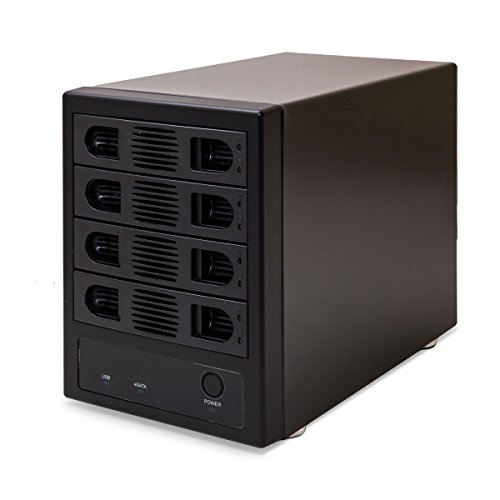


Syba SY-ENC50104 4 Bay 3.5” SATA III HDD Non-RAID Enclosure – Supports USB 3.0 & eSATA Interface, Black
| SELLER | SELLER SCORE | AMAZON FULFILLED | PRIME | FREE SHIPPING |
|---|---|---|---|---|
| Amazon.com | 9.68 | Yes | Yes | Yes |
The steady, controlled hum of the adjustable cooling fan is the first thing you notice when setting up this Syba storage solution. It is a robust piece of hardware designed to house up to four 3.5-inch hard drives, with each slot capable of supporting massive 18TB capacities. Unlike many bulky external setups, this unit utilizes a direct DC power connection, eliminating the need for a traditional A/C adapter. I found the forced convection system particularly impressive, as it actively circulates air to keep the drives stable during heavy data transfers. You can toggle the fan through low, high, or auto settings to balance noise against thermal management, making it a versatile choice for anyone needing a non-RAID expansion via USB 3.0 or eSATA.
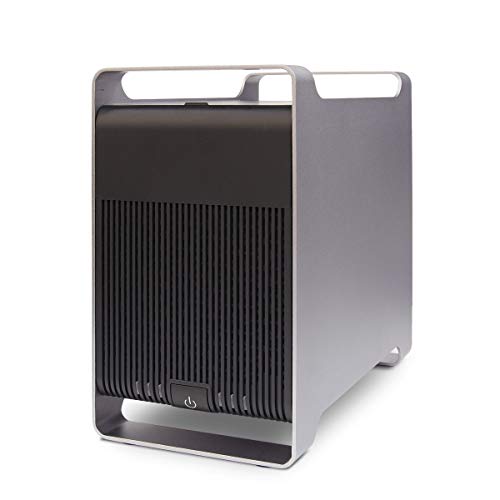


Syba 5 Bay 2.5" and 3.5" SATA HDD External USB 3.0 / eSATA RAID Hard Drive Enclosure Support 80TB & RAID 0/1/5/10/JBOD RAID Mode SY-ENC50122
| SELLER | SELLER SCORE | AMAZON FULFILLED | PRIME | FREE SHIPPING |
|---|---|---|---|---|
| Amazon.com | 9.68 | Yes | Yes | Yes |
How much storage can you actually trust when your digital life is scattered across multiple drives? The Syba 5-Bay Enclosure solves this headache by consolidating up to 80TB of capacity into a single, streamlined unit. I found the tray-less design incredibly intuitive. You just pull the handle to swap drives without fumbling with tiny screws. It supports a massive range of RAID modes, including RAID 0, 1, 5, and 10, giving you plenty of flexibility for either raw speed or data redundancy. Whether you connect via the high-speed USB 3.0 interface or use eSATA, the performance remains snappy, especially with UASP support. It is a heavy-duty solution for anyone needing to manage a growing library of 2.5" or 3.5" SATA drives under one roof.


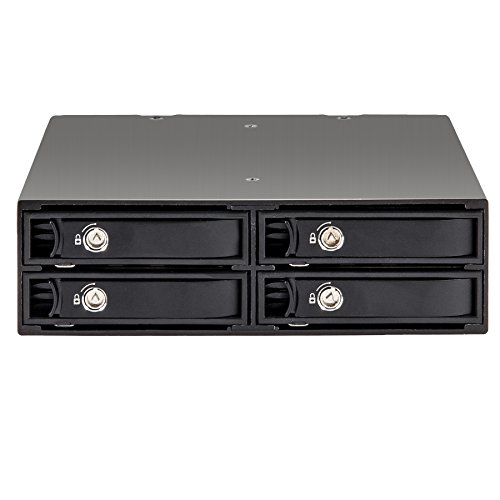

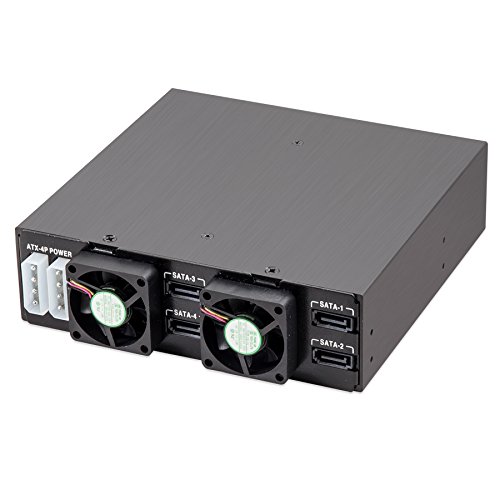
Syba 4 Bay 2.5” SATA Hard Drive Mobile Rack Mount for 5.25" Drive Bays, for HDD SSD SY-MRA25038
| SELLER | SELLER SCORE | AMAZON FULFILLED | PRIME | FREE SHIPPING |
|---|---|---|---|---|
| Huzzatek | 5.97 | Yes | Yes | Yes |
Data hoarders and home lab enthusiasts desperately need this Syba mobile rack to turn their aging desktop towers into high-speed storage hubs. Instead of wrestling with internal cables every time you need to swap a drive, this unit converts a standard 5.25-inch bay into a convenient four-slot hot-swap station. The aluminum metal housing feels incredibly sturdy, providing much better heat dissipation than cheap plastic alternatives. I particularly like the inclusion of dedicated LED indicators for power, drive access, and fan status, which take the guesswork out of monitoring your hardware. Because it supports SATA III speeds up to 6 Gbps and accommodates various drive heights from 5-15mm, it handles both standard HDDs and slim SSDs with ease. The lockable trays add a necessary layer of security for anyone storing sensitive data in a shared environment.

The first step in selecting a Syba enclosure is identifying its functional purpose. These products generally fall into three distinct categories: external storage expansion, media center housings, and internal component mounting solutions. If your goal is data redundancy or expanding a NAS (Network Attached Storage) setup, you should prioritize enclosures that feature multi-bay configurations and robust controller chips. If you are building a living room computer, your focus shifts toward form factor and silent operation. A media enclosure must be small enough to fit on a bookshelf but powerful enough to handle high-bitrate video playback without loud fan noise distracting from your viewing experience.
An enclosure is only as fast as the connection that links it to your motherboard. When browsing options, pay close attention to the interface standards. For external drive enclosures, look for high-speed connections such as USB 3.1 Gen 2 or Thunderbolt compatibility to ensure that data transfer speeds do not become a bottleneck for your workflow. If you are selecting an enclosure for high-speed NVMe drives, ensure the internal bridge chip is optimized for the specific bandwidth of your drives. For internal mounting solutions, ensure the enclosure supports the specific SATA or M.2 protocols required by your existing hardware to avoid compatibility headaches during assembly.
Heat is the primary enemy of longevity in both computing and storage. A common mistake is choosing an enclosure based solely on its compact size without considering how heat will escape. High-density enclosures, especially those housing multiple hard drives, generate significant ambient heat. Look for models that feature active cooling (integrated fans) or highly efficient passive cooling designs with ample ventilation slots. For external enclosures, check if the chassis is constructed from materials like aluminum, which acts as a natural heat sink, helping to dissipate warmth away from sensitive drive electronics more effectively than plastic alternatives.
Before finalizing your purchase, you must perform a rigorous compatibility check. This involves two layers: component fit and spatial footprint. First, ensure that your drives (3.5-inch HDD vs. 2.5-inch SSD) match the internal bays of the enclosure. Second, consider the 'footprint' of the device. If you are adding an enclosure to a crowded desk, a vertical orientation might be preferable. If you are integrating it into a larger server rack or a custom build, check the mounting hole patterns and overall depth. A mismatch in dimensions can lead to wasted desk space or, worse, an inability to secure your hardware properly within the chassis.
Finally, evaluate the tactile quality of the enclosure. A high-quality enclosure should feel substantial. Flimsy plastic casings can lead to vibration issues, which are particularly detrimental to mechanical hard drives. Check the placement and quantity of front-facing ports. For media enclosures, having easy access to USB ports for peripherals is vital. For storage enclosures, ensure the power supply included is sufficient for the total wattage required by all drives in the array, as underpowered units can lead to data corruption or drive failure during heavy read/write cycles.
Quick answers about Syba Enclosures before you buy.
Share of top-ranked products by brand, from our rankings.
We compared Syba Enclosures products using product details and customer ratings to identify the best options in the categories..
From that comparison we shortlisted the top 10 Syba Enclosures for this page..
We aim to help you find the right enclosures products for your needs and save you time when choosing which Syba Enclosures to buy.
Compare the top 10 picks at a glance — select a column to sort.


