#TOP1
In an era where ultra-thin laptops and high-performance workstations are increasingly stripping away essential connectivity, Wavlink hubs have emerged as a vital bridge for professionals and creatives alike. Whether you are trying to transform a single USB-C port into a multi-monitor workstation or simply need to connect a legacy mouse and a high-speed external drive simultaneously, choosing the right hub is the difference between a seamless workflow and a frustrating bottleneck. Wavlink specializes in high-bandwidth solutions, ranging from compact portable dongles to heavy-duty docking stations, making it essential to understand the specific technical requirements of your setup before investing.
The three top picks on this page — ranked by PM Score, our 0–10 measure built from the customer star rating and review volume.
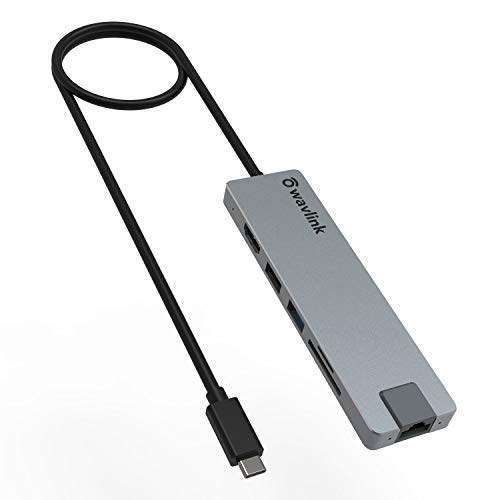


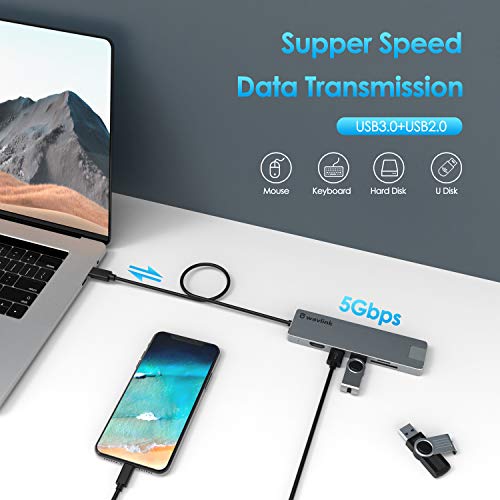
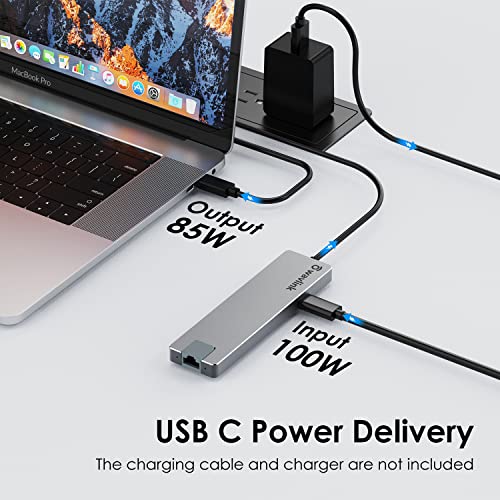
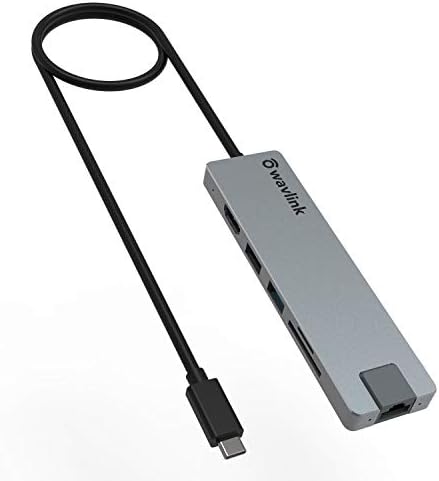
USB C Hub, WAVLINK USB C to 4K HDMI Display with Gigabit Ethernet, SD/TF Card Reader,USB Ports, 100W PD for USB C Laptops and Type C Devices
| SELLER | SELLER SCORE | AMAZON FULFILLED | PRIME | FREE SHIPPING |
|---|---|---|---|---|
| WAVLINK Direct | 9.76 | Yes | Yes | Yes |
Modern laptop users with limited ports are essentially being held hostage by a lack of connectivity, but this WAVLINK hub breaks that cycle immediately. I found that the 7-in-1 expansion is a massive relief for anyone working from a thin ultrabook or a tablet. You can jump from a stable Gigabit Ethernet connection to a crisp 4K display at 30Hz without needing to hunt for drivers. The standout feature for me is the 100W PD pass-through charging. It manages to feed 85W directly to your laptop while still leaving enough juice to power your peripherals. Whether you are swapping SD cards or moving files via the 5 Gbps USB 3.0 port, this little device turns a single USB C port into a full-scale workstation.


USB C Hub, WAVLINK USB 3.2 Hub with 4 USB-C to USB-C Port, Data Speed Up to 10GBPs, Support 87W Power Delivery, USB Type C Hub for MacBook Pro/Air iMa...
| SELLER | SELLER SCORE | AMAZON FULFILLED | PRIME | FREE SHIPPING |
|---|---|---|---|---|
| Magic digital | 9.78 | Yes | Yes | Yes |
Modern laptop users with a shortage of USB-C ports are practically begging for a solution as streamlined as this WAVLINK hub. Instead of juggling a mess of adapters, you get four dedicated USB-C ports that actually keep up with high-speed workflows, boasting 10Gbps transfer rates that make moving massive files feel instantaneous. I was particularly impressed by the Power Delivery capability. It can pass through up to 87W of power, meaning you can charge your MacBook or Dell XPS while simultaneously backing up data to an external drive. The aluminum alloy build feels premium and stays cool under pressure, while the reinforced cable is clearly designed to survive being tossed into a backpack daily. Just keep in mind that this is a data-centric tool, so don't expect it to run your external monitors.


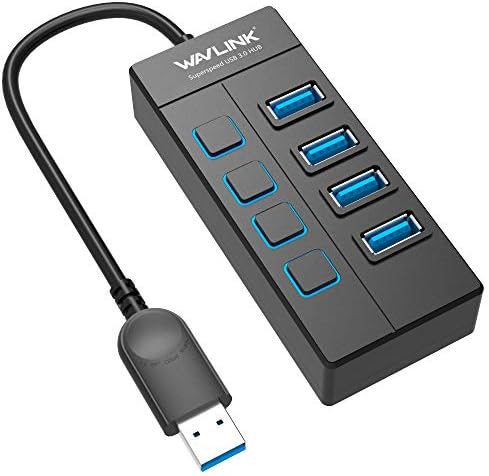
4 Port USB 3.0 Hub,Wavlink USB Hub with Individual Power Switches and LEDs Super Speed 5Gbps Data Transfer Hub for Mac Laptop Ultrabook and Tablet PC
| SELLER | SELLER SCORE | AMAZON FULFILLED | PRIME | FREE SHIPPING |
|---|---|---|---|---|
| Magic digital | 9.78 | Yes | Yes | Yes |
Most people assume a USB hub is just a way to add more ports, but the real luxury is actually being able to turn them off without unplugging anything. The Wavlink hub uses a clever parallel vertical design that solves the biggest headache of compact hubs: port crowding. Because the ports are staggered vertically, you can actually plug in wider USB devices without them blocking each other. It delivers a solid 5Gbps transfer speed, which makes moving high-definition video files feel snappy rather than sluggish. I love that it is truly plug-and-play with no driver headaches, and the individual LED indicators and power switches give you precise control over your peripherals. It is a compact, efficient way to reclaim your desktop space.


USB C Docking Station,WAVLINK 12 in 1 Multiport USB C Adapter Windows and Mac(2* HDMI, and VGA,Gigabit Ethernet, Audio, 2 USB 3.0 Ports, 2 USB 2.0 Po...
| SELLER | SELLER SCORE | AMAZON FULFILLED | PRIME | FREE SHIPPING |
|---|---|---|---|---|
| Magic digital | 9.78 | Yes | Yes | Yes |
The WAVLINK 12-in-1 Docking Station serves as a massive connectivity overhaul for anyone struggling with limited laptop ports, and it delivers an impressive array of utility for its price. I was particularly struck by the triple-display capability, offering two HDMI ports and a VGA output to bridge the gap between modern 4K monitors and older legacy screens. While Mac users should keep in mind that the system only supports mirror mode for displays, the sheer variety of connections is hard to beat. You get high-speed USB 3.0 data transfers, a reliable Gigabit Ethernet port for lag-free networking, and 87W PD fast charging to keep your workstation powered up. It effectively transforms a single USB-C port into a full-scale desktop command center.


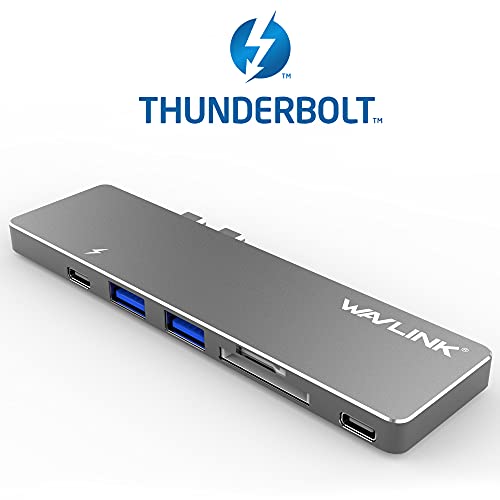

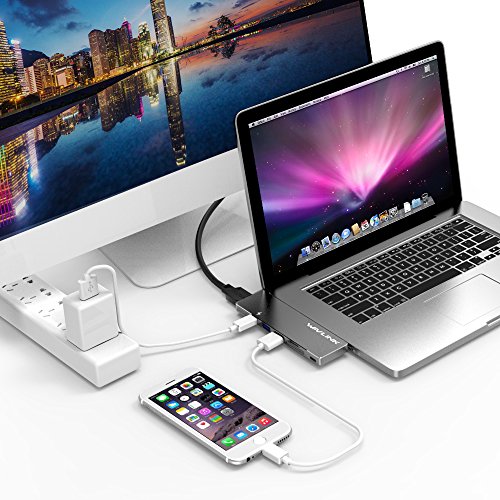
WAVLINK Aluminum USB-C Hub Adapter for MacBook Pro 2016/2017/2018 13?15'', USB Min Dock - 5K@60Hz, 40Gb/S, 4K HDMI, Pass-Through Charging, SD/Micro Ca...
| SELLER | SELLER SCORE | AMAZON FULFILLED | PRIME | FREE SHIPPING |
|---|---|---|---|---|
| WAVLINK Direct | 9.76 | No | No | No |
You are sitting in a crowded coffee shop, trying to finish a presentation, but you realize your MacBook Pro is missing the ports needed for your external drive and monitor. The WAVLINK Aluminum USB-C Hub solves this instantly by turning a single connection into a full workstation. I was particularly impressed by the high-speed 40Gb/s data transfer and the ability to drive a 5K display or dual 4K monitors at 60Hz, which is a massive jump in performance for a device this compact. It handles pass-through charging up to 100W, so you can keep your battery topped off while simultaneously using the SD card reader and dual USB 3.0 ports. It is a true plug-and-play solution that feels like a natural extension of your laptop's premium aluminum build.


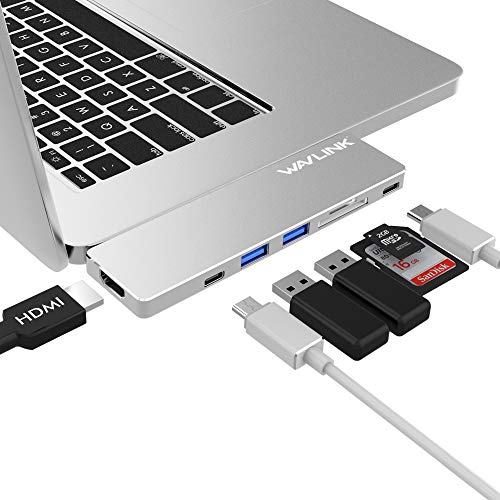
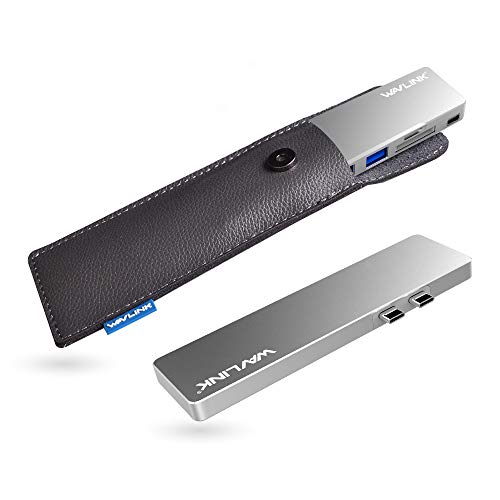

Wavlink MacBook Pro Docking Station Dual 4K Display 7 in 2 Multiport Laptop Docking Station for MacBook Pro 2016+, Upper USB C Port 4K@60Hz & 100W PD,...
| SELLER | SELLER SCORE | AMAZON FULFILLED | PRIME | FREE SHIPPING |
|---|---|---|---|---|
| WAVLINK Direct | 9.76 | No | No | No |
MacBook Pro users who are tired of the constant 'dongle dance' need this Wavlink hub to finally reclaim their desktop workflow. Unlike standard single-connector hubs that can feel flimsy, this unit utilizes dual USB-C connectors to ensure a stable, high-speed connection that maintains 40Gbps throughput. I was particularly impressed by the ability to drive a 4K display at 60Hz through the upper port, which is a massive upgrade for smooth video work. It manages to pack three USB 3.0 ports, an SD/TF card reader, and 100W Power Delivery into a chassis that actually matches the Apple aesthetic. It is a true plug-and-play solution that eliminates the need for extra drivers while keeping your workspace organized with its included leather carrying case.

The most common mistake when selecting a Wavlink hub is overlooking the underlying data protocol. If you are connecting high-speed NVMe SSDs or professional camera gear, you must look for hubs that support USB 3.2 Gen 2 or Thunderbolt standards. A hub that claims to have many ports but only offers USB 2.0 speeds for data transfer will act as a massive bottleneck, slowing your file transfers to a crawl. When reading specifications, distinguish between 'charging ports' and 'data ports.' Often, a hub will have several USB ports intended solely for power delivery, which will not work for transferring files from a thumb drive.
For users looking to expand their screen real estate, the video output capabilities are the most critical decision factor. You need to verify two things: the resolution support and the multi-monitor configuration. Some hubs can support a single 4K monitor at 60Hz, while others might drop to 30Hz, which results in noticeable mouse lag and jittery motion. Furthermore, if you are using a dual-monitor setup, check if the hub supports MST (Multi-Stream Transport) for Windows users, or if it is limited to mirrored displays on macOS. Always match the hub's HDMI or DisplayPort version to your monitor's requirements to ensure you can achieve the highest refresh rates possible.
A high-quality Wavlink hub should do more than just connect peripherals. It should keep your laptop charged. Look for hubs that feature Power Delivery (PD) pass-through. This allows you to plug your laptop's charger directly into the hub, which then feeds power to both the laptop and the connected devices. However, be aware that using a hub consumes a small amount of power itself. If your laptop requires 65W, look for a hub that supports at least 85W or 100W input to ensure your device stays charged under heavy workloads. Additionally, because hubs process significant amounts of data and electricity, they can get warm. Opt for models with aluminum alloy housings, as these act as passive heat sinks to prevent thermal throttling during long sessions.
Your choice should ultimately depend on your environment. If you are a digital nomad, a compact, bus-powered hub that draws electricity directly from your laptop is ideal. These are lightweight and fit easily in a laptop sleeve but are limited in the number of high-power devices they can run. Conversely, if you have a permanent desk setup, a powered docking station with its own dedicated AC adapter is superior. These stations can drive multiple high-resolution monitors, large external hard drives, and Ethernet connections simultaneously without risking a power drop or connection instability.
Finally, ensure the host connection matches your hardware. While most modern laptops use USB-C, not all USB-C ports are created equal. Some ports support video output (DisplayPort Alt Mode), while others are data-only. If you have a high-end workstation, investing in a Thunderbolt-compatible Wavlink hub will provide significantly higher bandwidth for daisy-chaining devices and high-speed peripherals, though these come at a higher price point compared to standard USB-C hubs.
Quick answers about Wavlink Hubs before you buy.
Share of top-ranked products by brand, from our rankings.
We compared Wavlink Hubs products using product details and customer ratings to identify the best options in the categories..
From that comparison we shortlisted the top 6 Wavlink Hubs for this page..
We aim to help you find the right hubs products for your needs and save you time when choosing which Wavlink Hubs to buy.
Compare the top 6 picks at a glance — select a column to sort.