#TOP1

Upgrading your workstation or server with a high-performance networking card is one of the most effective ways to eliminate data bottlenecks and ensure seamless connectivity in high-demand environments. Whether you are building a dedicated media server, a high-frequency trading rig, or a robust home laboratory, the internal networking card serves as the critical bridge between your system's CPU and your local area network. Selecting the right component requires more than just looking at speed ratings. It demands an understanding of interface compatibility, latency requirements, and the specific protocols your network architecture supports.
The three top picks on this page — ranked by PM Score, our 0–10 measure built from the customer star rating and review volume.


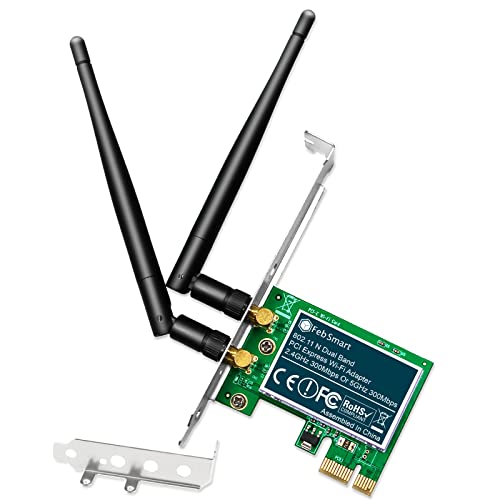
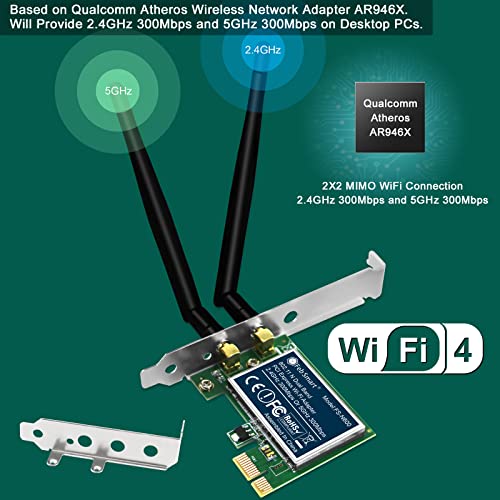


FebSmart Wireless N Dual Band 600Mbps (2.4GHz 300Mbps or 5GHz 300Mbps) PCIE WiFi Adapter for Windows 11, 10, 8.x, 7, XP (32/64bit) and Windows Server...
| SELLER | SELLER SCORE | AMAZON FULFILLED | PRIME | FREE SHIPPING |
|---|---|---|---|---|
| FebSmart | 9.80 | Yes | Yes | Yes |
Why settle for a tethered desktop when a simple internal upgrade can liberate your setup from ethernet cables? The FebSmart FS-N600 brings much-needed wireless flexibility to your PC by utilizing a Qualcomm Atheros chipset to ensure stable connections across Intel, AMD, or ARM platforms. I found the dual-band 600Mbps capability—splitting 300Mbps between the 2.4GHz and 5GHz frequencies—to be a sweet spot for standard HD streaming and online gaming without breaking the bank. The inclusion of two detachable 3dBi antennas is a smart touch, allowing you to optimize reception range based on your router's location. It is a versatile little card that fits everything from slim builds to full-sized towers, making it a reliable fix for aging desktops needing modern connectivity.


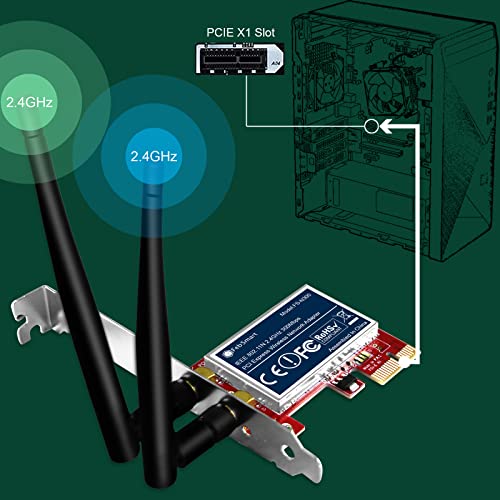
FebSmart Wireless N 2.4GHz 300Mbps PCIE Wireless Network Adapter for Windows 11, 10, 8.1, 8, 7, XP (32/64bit), Windows Server and Linux PCs, PCIE WiFi...
| SELLER | SELLER SCORE | AMAZON FULFILLED | PRIME | FREE SHIPPING |
|---|---|---|---|---|
| FebSmart | 9.80 | Yes | Yes | Yes |
Budget-conscious desktop users with aging hardware or lack of built-in Wi-Fi need this FebSmart adapter to breathe new life into their office setups. Built around the reliable Qualcomm Atheros AR928X chipset, this card provides a stable 2.4GHz connection that handles everything from basic web surfing to video streaming without breaking a sweat. The dual 3dBi external antennas are a massive plus, significantly boosting signal reception compared to tiny internal chips. Installation is a breeze on modern Windows 11 or 10 systems thanks to the plug-and-play design, though you'll need to grab drivers for older XP or 7 machines. Whether you are running a slim workstation or a full-sized tower, the included bracket options ensure it fits your specific PCIe slot configuration perfectly.
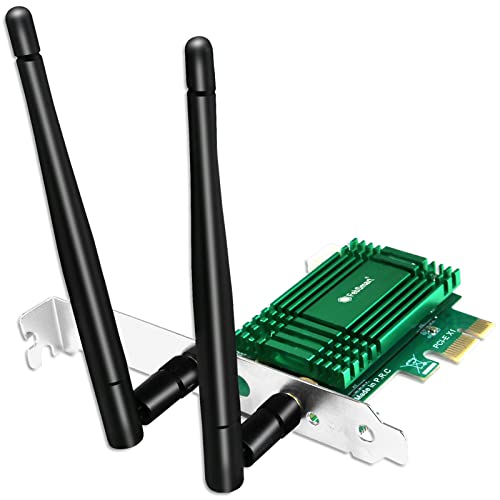


FebSmart WiFi 6 PCIE Wireless Network Adapter for Windows 11, 10 64bit, Linux Kernel 5.1+ Desktop PCs, for Gaming and Video Streaming, 2.4GHz 574Mbps...
| SELLER | SELLER SCORE | AMAZON FULFILLED | PRIME | FREE SHIPPING |
|---|---|---|---|---|
| FebSmart | 9.80 | Yes | Yes | Yes |
The FebSmart AX3000 delivers blistering dual-band speeds that turn a standard desktop into a high-performance streaming powerhouse. By utilizing the Intel AX200NGW module, this adapter hits impressive peaks of 2400Mbps on the 5GHz band, making 8K video streaming and lag-free gaming actually feasible. I found the setup versatile since it includes both full-size and low-profile brackets to fit everything from massive towers to slim builds. It also handles modern security with WPA3 encryption, ensuring your wireless privacy stays intact. Just keep in mind that you really need a WiFi 6 router to see those top-tier speeds, and you'll want to ensure you have an available PCIe slot ready for installation.



FebSmart Wireless-AC 1200Mbps PCIE Wi-Fi Card with WiFi Stereo Adapter for Windows 11, 10 (32/64bit), Windows 8.1 64bit and Windows Server 2012, 2012R...
| SELLER | SELLER SCORE | AMAZON FULFILLED | PRIME | FREE SHIPPING |
|---|---|---|---|---|
| FebSmart | 9.80 | Yes | Yes | Yes |
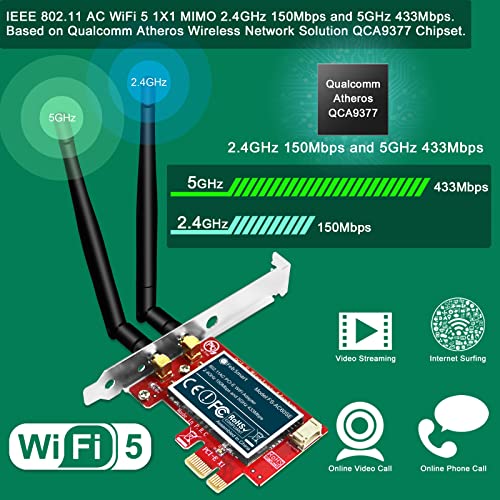
The FebSmart Wireless-AC 1200Mbps PCIe Wi-Fi Card turns your desktop into a high-speed wireless powerhouse with its unique stereo adapter inclusion. While most network cards focus solely on data, this unit leverages a Marvell chipset to handle both 867Mbps 5GHz speeds and low-latency wireless audio transmission for headsets or soundbars. It is a versatile solution for anyone needing to bridge the gap between a stationary PC and modern wireless audio ecosystems. Installation is straightforward thanks to the plug-and-play compatibility across Windows and even Linux, and the dual-bracket design ensures it fits into both slim-profile and standard desktop towers. Whether you are streaming Pro-HD video or trying to eliminate cables from your audio setup, this card offers a surprisingly comprehensive connectivity upgrade.


FebSmart Mini PCIE WiFi Adapter with WiFi Stereo Adapter, Wireless-AC 1200Mbps (2.4GHz 300Mbps or 5G 867Mbps), for Windows 7, 8.1, 10, 11(32/64bit) &...
| SELLER | SELLER SCORE | AMAZON FULFILLED | PRIME | FREE SHIPPING |
|---|---|---|---|---|
| FebSmart | 9.80 | Yes | Yes | Yes |
Legacy laptop owners struggling with dropped connections or slow streaming need this specific upgrade to breathe new life into their aging hardware. The FebSmart Wireless-AC 7265HMW isn't just a standard networking fix. It’s a dual-purpose powerhouse that integrates a WiFi stereo adapter, allowing you to transmit audio directly to TWS earphones or soundbars without messy cables. Powered by the Intel Wireless AC 7265D2W chipset, it delivers a combined 1200Mbps throughput, hitting up to 867Mbps on the 5GHz band for seamless HD video and gaming. Whether you are running a modern Windows 11 setup or a Linux kernel 4.2+ environment, the inclusion of WPA3 encryption ensures your wireless privacy remains airtight while you enjoy high-speed connectivity.

FebSmart Wireless-AC Dual Band 600Mbps PCIE WiFi Card with WiFi Stereo Adapter for Windows XP, 7, 8.x, 10, 11 (32/64bit) and Windows Server Desktop PC...
| SELLER | SELLER SCORE | AMAZON FULFILLED | PRIME | FREE SHIPPING |
|---|---|---|---|---|
| FebSmart | 9.80 | Yes | Yes | Yes |
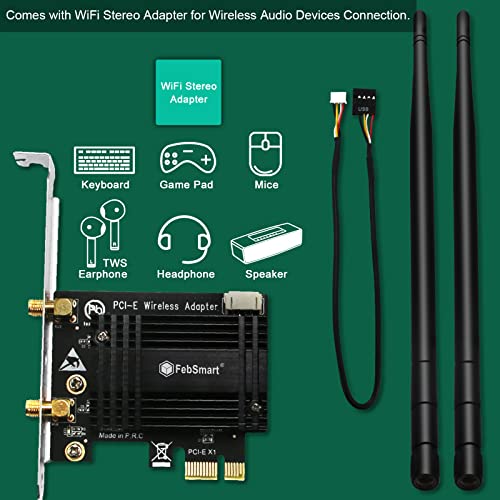
Desktop users struggling with dropped connections during intense gaming sessions or HD streaming need the FebSmart Wireless-AC card to stabilize their home network immediately. By utilizing the Qualcomm Atheros chipset, this card delivers a reliable dual-band experience, splitting speeds between 150Mbps on the 2.4GHz band and a much faster 433Mbps on the 5GHz band. I found the inclusion of two detachable 3dBi omni-directional antennas particularly useful for maintaining a robust signal even when the router isn't in the same room. It is a massive upgrade for older machines, especially since it offers a built-in stereo adapter for wireless audio peripherals. Just ensure you have an available PCIe slot and check if you need the low-profile bracket for slim chassis before installing.


FebSmart WiFi 6E 5400Mbps Tri-band PCIE WiFi Card for Windows 11, 10 64bit and Linux Kernel 5.1 Desktop PCs, 2.4GHz 574Mbps, 5GHz 2400Mbps and 6GHz 24...
| SELLER | SELLER SCORE | AMAZON FULFILLED | PRIME | FREE SHIPPING |
|---|---|---|---|---|
| FebSmart | 9.80 | Yes | Yes | Yes |
Your high-stakes gaming session or 8K ultra-HD stream shouldn't be ruined by a sudden lag spike or a dropped connection. The FebSmart AX5400 turns a standard desktop into a high-speed wireless powerhouse by utilizing the Intel AX210NGW module to tap into the 6GHz band. I found that having access to the 2400Mbps speeds on both the 5GHz and 6GHz bands makes a massive difference when your household is crowded with other devices. It is a versatile piece of hardware too, since it includes both full-size and low-profile brackets to fit everything from massive towers to slim workstations. Just remember that you need an available PCIe slot and a 9-pin USB 2.0 header on your motherboard to get this thing up and running properly.

The first step in your selection process is defining the throughput requirements of your network. For standard office tasks and general web browsing, a Gigabit Ethernet card is more than sufficient. However, if you are managing large-scale data transfers, 4K video editing over a network, or virtualization environments, you should look toward 2.5GbE, 5GbE, or even 10GbE options. Higher bandwidth prevents the network card from becoming a bottleneck when your internal storage speeds (like NVMe SSDs) exceed the capabilities of a standard connection. Always match your card's speed to your network switch and router capabilities to ensure you aren't paying for performance you cannot actually utilize.
Before purchasing, you must audit your motherboard's available expansion slots. Most modern networking cards utilize the PCI Express (PCIe) interface. It is vital to distinguish between the physical size of the slot (such as x1, x4, or x16) and the electrical bandwidth the card requires. A card designed for a PCIe x4 slot will not function in a x1 slot, even if it physically fits. Furthermore, consider the lane allocation of your CPU and chipset. Installing a high-speed networking card might reduce the available lanes for your GPU or NVMe storage. Check your motherboard manual to ensure that adding a networking card won't inadvertently throttle your other critical components.
In professional and gaming environments, raw speed is only half the story. Latency is the other. The quality of the onboard controller chipset dictates how efficiently the card processes incoming and outgoing packets. High-quality controllers offer lower CPU overhead by utilizing features like Offloading (TCP/UDP/IP checksum offloading) and Receive Side Scaling (RSS). These features allow the network card to handle much of the heavy lifting, freeing up your system's processor for other tasks. If you are working in low-latency environments like competitive gaming or real-time financial data processing, prioritize cards known for stable driver support and efficient interrupt handling.
You must decide whether your infrastructure relies on traditional RJ45 copper cabling or high-speed fiber optics. Copper-based cards (using Cat5e, Cat6, or Cat6a cables) are easier to deploy and more cost-effective for short to medium distances. However, if you are connecting hardware across different rooms or in an environment prone to electromagnetic interference, SFP+ (Small Form-factor Pluggable) cards are the superior choice. SFP+ cards allow you to swap out modules for either copper or fiber, providing immense flexibility for future-proofing your network setup.
High-speed networking generates significant heat, especially during sustained high-bandwidth transfers. Look for cards that feature robust heat sinks or are designed with efficient airflow in mind. A card that overheats will trigger thermal throttling, leading to dropped packets and inconsistent connection speeds. Additionally, ensure the card offers stable driver support for your specific operating system, whether you are running Windows, Linux, or a specialized hypervisor, to avoid connectivity drops during critical operations.
Quick answers about Febsmart Internal Computer Networking Cards before you buy.
Share of top-ranked products by brand, from our rankings.
We compared Febsmart Internal Computer Networking Cards products using product details and customer ratings to identify the best options in the categories..
From that comparison we shortlisted the top 7 Febsmart Internal Computer Networking Cards for this page..
We aim to help you find the right cards products for your needs and save you time when choosing which Febsmart Internal Computer Networking Cards to buy.
Compare the top 7 picks at a glance — select a column to sort.


