#TOP1
In an era where high-resolution photography, 4K video recording, and massive data storage are the norms, the bottleneck in your workflow is often not the storage medium itself, but the bridge used to transfer that data to your computer. MMC (MultiMediaCard) internal memory card readers are specialized components designed to interface directly with your system's bus, offering a level of stability and speed that external USB dongles often struggle to match. Whether you are retrofitting an older laptop, building a custom workstation, or upgrading a media production rig, selecting the right internal reader is critical to ensuring your data transfers are seamless and your hardware remains reliable.
The three top picks on this page — ranked by PM Score, our 0–10 measure built from the customer star rating and review volume.


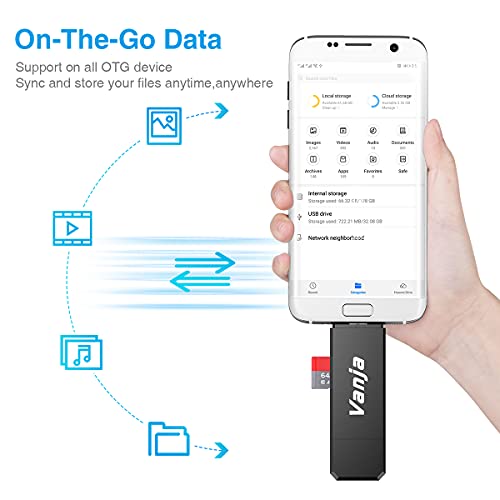

Vanja SD Card Reader, Micro USB OTG Adapter and USB 2.0 Portable Memory Card Reader for SD TF SDXC SDHC MMC RS-MMC Micro SD Micro SDXC Micro SDHC Card...
| SELLER | SELLER SCORE | AMAZON FULFILLED | PRIME | FREE SHIPPING |
|---|---|---|---|---|
| Vanja Direct | 9.87 | Yes | Yes | Yes |
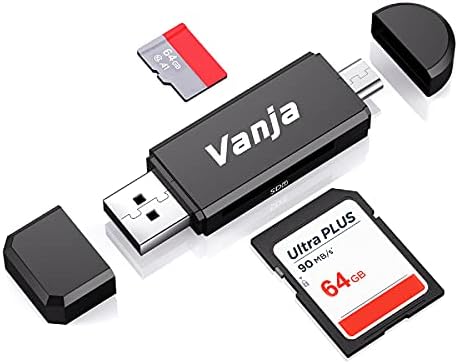
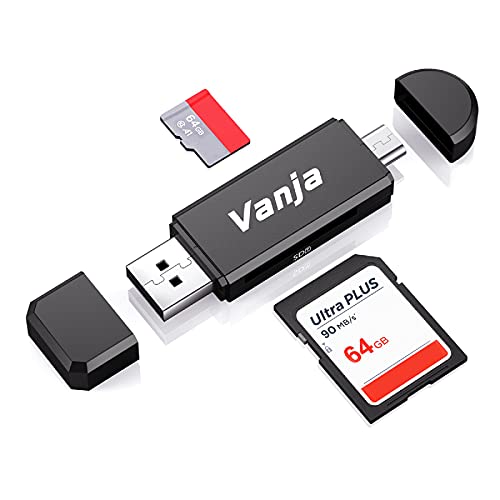
Why struggle with limited mobile storage when your entire photo library can live on a tiny memory card? The Vanja SD Card Reader is a clever little bridge that solves the headache of transferring files between cameras and mobile devices. Because it features both a standard USB 2.0 plug and a Micro USB OTG adapter, it works seamlessly with Android phones and tablets that support OTG functionality. I found it incredibly convenient for playing music or watching videos directly from an SDXC or Micro SD card without eating up precious internal device space. It is a true plug-and-play tool that requires zero driver installations on Windows, Mac, or Android, making it an essential pocket companion for anyone managing high-capacity UHS-I or MMC cards on the go.
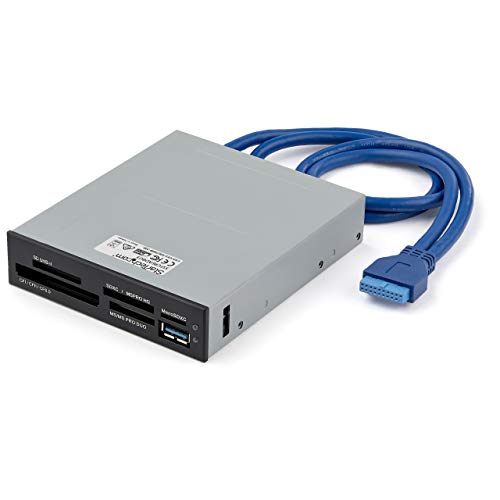

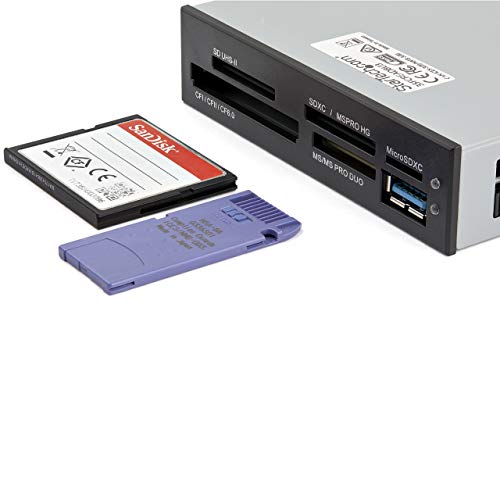
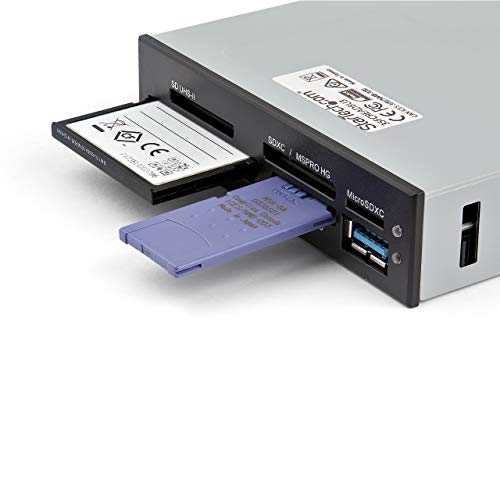

StarTech.com USB 3.0 Internal Multi-Card Reader with UHS-II Support - SecureDigital/Micro SD/Memory Stick/Compact Flash Memory Card Reader (35FCREADBU...
| SELLER | SELLER SCORE | AMAZON FULFILLED | PRIME | FREE SHIPPING |
|---|---|---|---|---|
| Amazon.com | 9.68 | Yes | Yes | Yes |
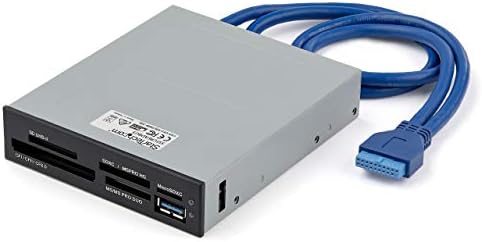
The StarTech.com USB 3.0 Internal Multi-Card Reader is a powerhouse of versatility for anyone tired of fumbling with external dongles. By installing this directly into a 3.5-inch drive bay, you gain professional-grade access to everything from CompactFlash and SDXC to legacy MemoryStick and xD formats. What really sets this apart during my testing is the ability to access four different card slots simultaneously, which is a total game-changer when you're moving massive video files between different media types. It connects via a standard 20-pin motherboard header and even includes a front-facing USB 3.0 port for extra convenience. Whether you are a YouTuber or a professional photographer, having this reliable, OS-independent hub tucked neatly inside your desktop makes your entire workflow feel much more seamless.
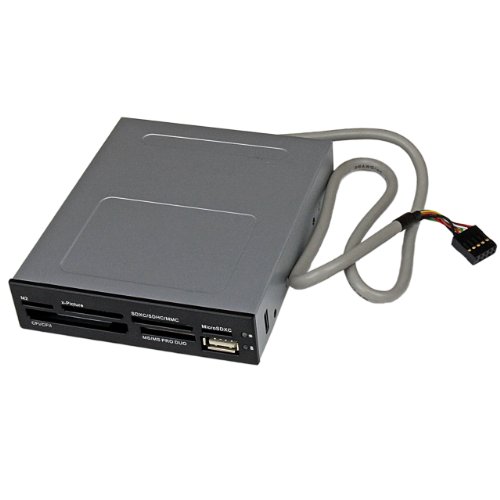


StarTech.com 3.5in Front Bay 22-in-1 USB 2.0 Internal Multi Media Memory Card Reader with Simultaneous Access - CF/SD/MMC/MS/xD - Black (35FCREADBK3)
| SELLER | SELLER SCORE | AMAZON FULFILLED | PRIME | FREE SHIPPING |
|---|---|---|---|---|
| ComegaCity | 9.78 | No | No | No |
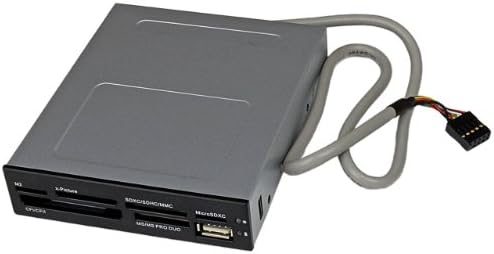
Most desktop users settle for a single external dongle that clutters their workspace, but this StarTech internal reader integrates directly into your chassis for a much cleaner setup. By utilizing a standard 3.5-inch front bay and a 9-pin motherboard connection, it turns your PC into a high-capacity media hub. The real standout feature is the ability to access different card types simultaneously. You can actually transfer files between an SD card and a CompactFlash card without swapping them out. It covers an incredible range of formats, from microSD to xD Picture cards, making it a versatile tool for photographers and videographers. While the USB 2.0 interface is standard, the convenience of having built-in power and activity LEDs right on your front panel makes managing large media transfers feel much more professional.
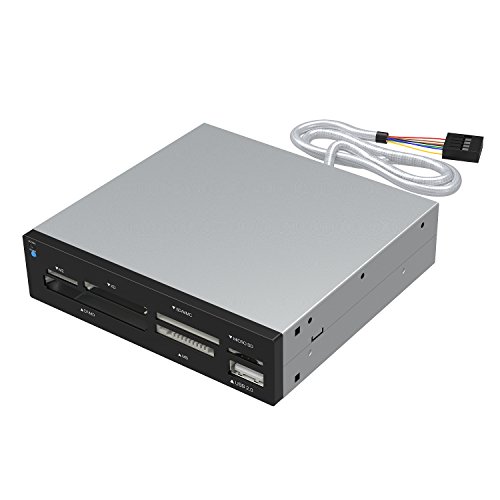


SABRENT 74 in 1 3.5 Inch Internal Flash Media Card Reader/Writer with USB Port (CR-USNT)
| SELLER | SELLER SCORE | AMAZON FULFILLED | PRIME | FREE SHIPPING |
|---|---|---|---|---|
| Store4PC | 9.94 | Yes | Yes | Yes |
A tangle of aging memory cards from old digital cameras and handheld devices finally finds a home with this Sabrent internal reader. It is a rare find for enthusiasts who still rely on legacy formats like XD, M2, or CF, as it covers a staggering 74 different media types through six dedicated slots. Beyond just reading cards, the built-in USB 2.0 port acts as a convenient hub for other peripherals. Because it uses an internal power connector, you don't have to worry about the USB hub losing stability when you plug in external devices. It is a straightforward, high-utility solution for anyone looking to bridge the gap between vintage flash media and modern Windows or Mac systems.
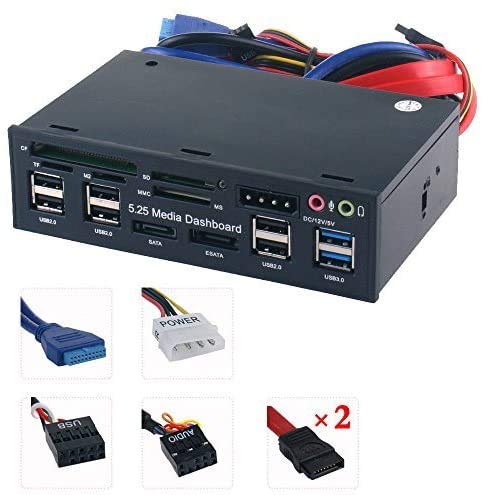


eoocvt 5.25 inch Multi-Function USB 3.0 Hub CF TF M2 SD MS Card Reader CD-ROM Front Panel Media Dashboard SATA eSATA Audio Headphone Mic
| SELLER | SELLER SCORE | AMAZON FULFILLED | PRIME | FREE SHIPPING |
|---|---|---|---|---|
| eoocvt | 9.82 | Yes | Yes | Yes |
Cramped desktop setups often leave you constantly reaching behind a heavy PC tower just to plug in a single thumb drive or camera card. This eoocvt media dashboard solves that accessibility nightmare by bringing high-speed connectivity directly to your fingertips. It transforms a standard 5.25-inch drive bay into a powerhouse command center featuring dual USB 3.0 ports with 5.0Gbps speeds and an e-SATA port for external drives. I particularly like how it consolidates everything from audio jacks to an extensive multi-format card reader supporting SD, CF, and TF series. Because it utilizes a built-in PCI-E interface, you can upgrade your chassis capabilities in one step without needing a separate expansion card. The durable, etched ABS construction feels solid and built to last through years of heavy data transfers.


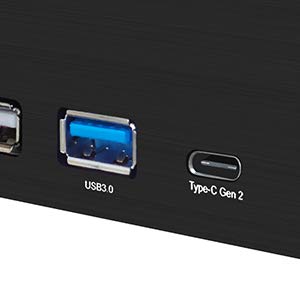
EZDIY-FAB PC Front Panel Internal Card Reader USB HUB, USB 3.1 Gen2 Type-C Port,USB 3.0 Support SD MS XD CF TF Card for Computer, Fits Any 5.25" Compu...
| SELLER | SELLER SCORE | AMAZON FULFILLED | PRIME | FREE SHIPPING |
|---|---|---|---|---|
| EZDIY-FAB | 9.85 | Yes | Yes | Yes |
Most desktop setups suffer from a frustrating lack of accessible ports, forcing you to crawl under your desk every time you need to offload a camera card. The EZDIY-FAB front panel hub transforms your aging tower into a modern workstation by utilizing that often-wasted 5.25" bay. I was particularly impressed by the USB 3.1 Gen2 Type-C port, which hits those 10Gbps speeds necessary for moving massive files from an M.2 SSD enclosure without the usual bottleneck. Beyond the high-speed data, the six-slot card reader covers everything from standard SD to legacy CF cards, making it a dream for photographers. It even includes a dedicated 2.4A charging port for your phone, though keep in mind that specific port is for power only and won't transfer data.
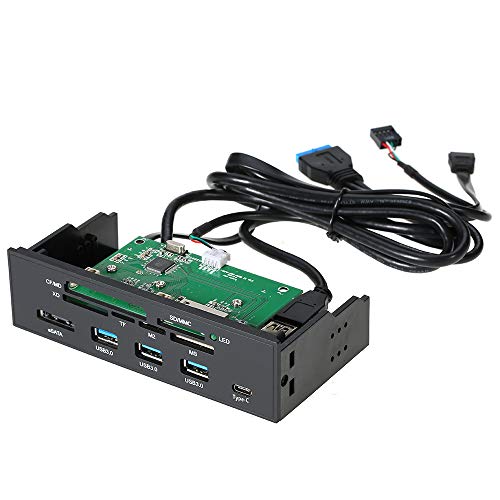
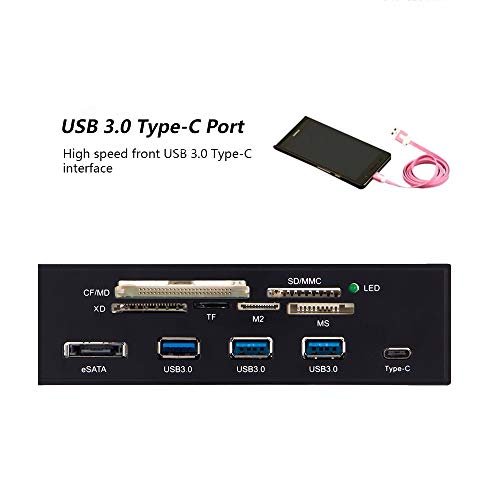


Docooler Sunshine-tipway STW 5.25 inches Internal Card Reader Media Multi-Function Dashboard PC Front Panel Type-C USB 3.1 USB 3.0 Support CF MD XD MM...
| SELLER | SELLER SCORE | AMAZON FULFILLED | PRIME | FREE SHIPPING |
|---|---|---|---|---|
| QUETIANXIN | 7.56 | Yes | Yes | Yes |
The Docooler Sunshine-tipway is a vital upgrade for desktop users who find themselves constantly swapping memory cards. By occupying a standard 5.25-inch drive bay, this unit transforms your front panel into a high-speed data hub. I was particularly impressed by the inclusion of both USB 3.1 Type-C and USB 3.0 interfaces, which ensures that modern devices transfer files without the usual bottlenecking. With six dedicated slots covering everything from CF and MD to TF and MS formats, you won't have to hunt for external dongles anymore. The integrated LED indicator is a thoughtful touch, providing immediate visual confirmation of your reading status. It is a practical, neat solution for photographers and media professionals working with older or diverse hardware setups.

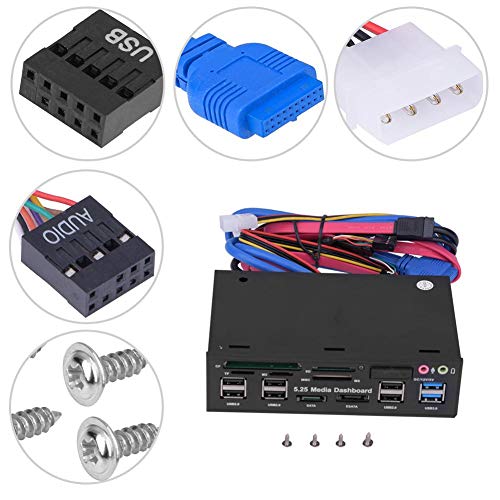

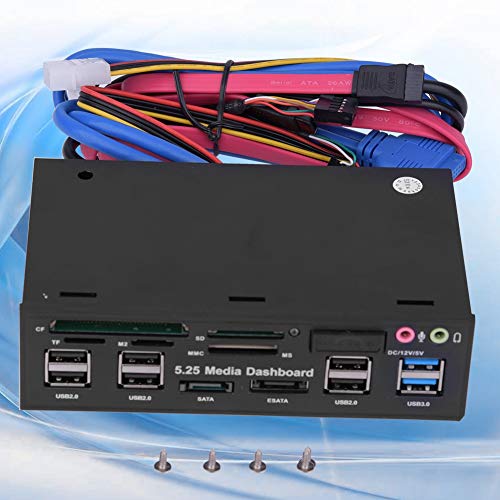

Bewinner Internal Card Reader, 5.25inch Media Dashboard Front Panel Audio, All-in-1 Card Reader with USB3.0/2.0 HUB eSATA SATA Multi Card Reader(M2 /...
| SELLER | SELLER SCORE | AMAZON FULFILLED | PRIME | FREE SHIPPING |
|---|---|---|---|---|
| Bewinner | 9.63 | Yes | Yes | Yes |
The Bewinner Internal Card Reader is a comprehensive connectivity overhaul for any desktop chassis with an available 5.25-inch bay. Instead of constantly reaching around the back of your tower to plug in peripherals, this dashboard brings everything right to your fingertips. It packs a versatile mix of USB 3.0 and 2.0 ports, eSATA, and SATA connections, alongside a built-in card reader that handles M2, SD, TF, and several other formats. I found the inclusion of dedicated audio jacks and LED status indicators for both power and hard drive activity to be incredibly practical for a workstation setup. With all the necessary motherboard cables included, it transforms an empty drive bay into a high-speed command center for data transfers and media management.

The first decision you must make is determining how the reader will physically connect to your motherboard or expansion slot. Internal readers typically fall into two categories: PCIe-based expansion cards and M.2 modules. If you are working with a desktop, a PCIe card is often the superior choice as it provides a dedicated lane for data, minimizing latency. For compact systems or modern laptops with available M.2 slots, a module-based reader might be your only option. You must verify the physical dimensions and the available slots in your chassis before purchasing. A reader that fits the electrical specification but exceeds the physical clearance of your case is a useless investment.
Speed is the primary reason to invest in an internal reader. When browsing options, look specifically at the bus standard supported. Older MMC readers might rely on legacy interfaces that cap your transfer speeds significantly, making them unsuitable for modern high-capacity cards. You want a reader that supports high-speed protocols, ideally one that can leverage the full bandwidth of the PCIe lane. Pay close attention to the 'read/write' specifications provided by the manufacturer. However, keep in mind that these are theoretical maximums. The real-world performance will be a combination of the reader's controller, the interface speed, and the class of the MMC card you are inserting.
While you are specifically looking for an MMC reader, it is rare to find a device that *only* reads MMC cards. Most high-quality internal readers are multi-slot, supporting SD, microSD, and sometimes even CFexpress. If your workflow involves switching between different types of media, a multi-slot reader is a massive efficiency gain. Ensure the reader explicitly lists compatibility with the specific generation of MMC you are using. Some older readers may struggle with the higher capacity densities of newer, larger-capacity cards, leading to detection errors or data corruption.
Because internal readers are housed within a computer case, they are subject to the ambient heat of your system. High-speed data transfers generate significant thermal energy in the reader's controller chip. Cheap, poorly constructed readers often suffer from thermal throttling, where the device slows down its transfer speed to prevent overheating. Look for readers that feature robust heat dissipation designs, such as integrated metal shielding or dedicated heat sinks. A well-built reader will maintain consistent speeds during long transfers of large video files, whereas a budget model will likely stutter or disconnect once it gets warm.
Finally, do not overlook the importance of driver stability. An internal reader is a permanent part of your system architecture. You want a device that utilizes standard, well-supported drivers that won't cause system instability or Blue Screen errors during high-load tasks. Avoid products that require obscure, proprietary software to function. A truly professional-grade reader should be 'plug-and-play' once the initial driver is installed through standard operating system updates. Reliability in an internal component is measured by its ability to remain invisible to the user—working perfectly every time you insert a card without requiring a system reboot.
Quick answers about Mmc Internal Memory Card Readers before you buy.
Share of top-ranked products by brand, from our rankings.
We compared Mmc Internal Memory Card Readers products using product details and customer ratings to identify the best options in the computers & accessories..
From that comparison we shortlisted the top 8 Mmc Internal Memory Card Readers for this page..
We aim to help you find the right readers products for your needs and save you time when choosing which Mmc Internal Memory Card Readers to buy.
Compare the top 8 picks at a glance — select a column to sort.