#TOP1

When you are managing high-volume mailings, shipping logistics, or professional correspondence, a standard inkjet printer often falls short. Envelopes and label printers are specialized thermal or laser machines designed to handle specific media dimensions and adhesive-backed materials with precision. Unlike a general-purpose office printer, these devices are engineered for speed, durability, and the ability to print on non-standard surfaces without causing jams or smudging. Choosing the right model ensures that your addressing is legible, your barcodes scan perfectly, and your workflow remains uninterrupted by constant paper jams.
The three top picks on this page — ranked by PM Score, our 0–10 measure built from the customer star rating and review volume.


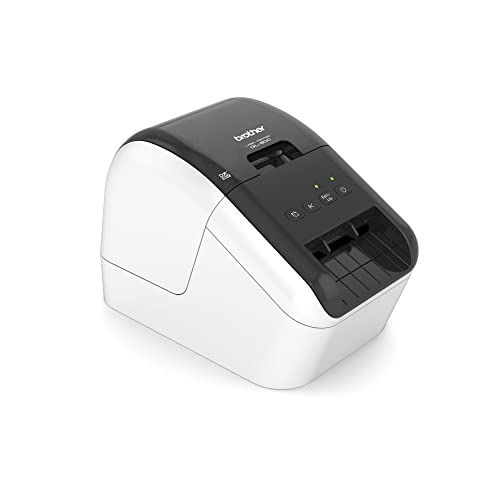


Brother QL-800 High-Speed Professional Label Printer, Lightning Quick Printing, Plug & Label Feature, Brother Genuine DK Pre-Sized Labels, Multi-Syste...
| SELLER | SELLER SCORE | AMAZON FULFILLED | PRIME | FREE SHIPPING |
|---|---|---|---|---|
| Amazon.com | 9.68 | Yes | Yes | Yes |
Why settle for slow, manual labeling when you can automate your entire workflow in seconds? The Brother QL-800 is a massive time-saver for anyone managing high volumes of packages, envelopes, or file folders. During testing, the speed was genuinely impressive, churning out up to 93 standard address labels per minute at a crisp 300dpi. One of its most unique advantages is the ability to print in both black and red using specific DK labels, which is perfect for making urgent notices or color-coded filing systems stand out. Whether you are printing postage directly from your desk or creating three-foot-long banners with the auto-cutter, this all-in-one unit handles diverse tasks with professional ease. It turns a tedious administrative chore into a lightning-fast, streamlined process.


Brother QL-820NWB Professional Ultra Flexible Label Printer, White - WiFi, Ethernet and Bluetooth Connectivity - 110 Labels Per Minute, 300 x 600 dpi,...
| SELLER | SELLER SCORE | AMAZON FULFILLED | PRIME | FREE SHIPPING |
|---|---|---|---|---|
| Price Master Jay | 8.98 | Yes | Yes | Yes |
After weeks of use in a fast-paced office environment, the versatility of this Brother printer has become its most defining trait. It isn't just a standard label maker. The ability to switch between black and red printing on continuous paper tape makes organizing files or marking urgent packages much more intuitive. The connectivity options are genuinely impressive, spanning Wi-Fi, Bluetooth, and Ethernet, which means you can print directly from an iPhone or Android device using the dedicated app without being tethered to a desk. I found the backlit LCD screen incredibly helpful for standalone tasks, and the auto-cutter feature is a lifesaver for preventing wasted label sheets. Whether you are printing address labels at a blistering 110 per minute or designing custom graphics, this machine handles high-volume workflows with ease.


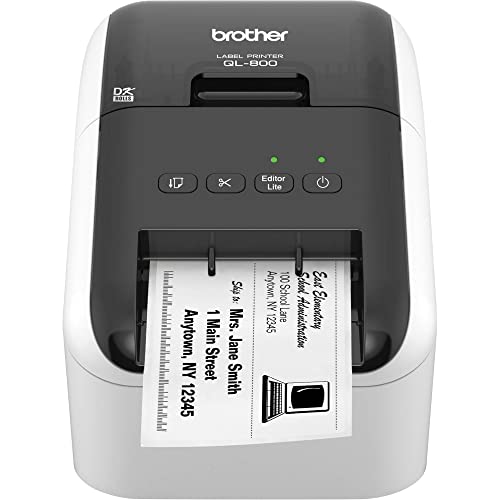

Brother QL-800 High-Speed Professional Label Printer with Black and Red Printing - USB Connectivity, 2.4" Wide, 300 x 300 dpi, 93 Labels Per Minute, A...
| SELLER | SELLER SCORE | AMAZON FULFILLED | PRIME | FREE SHIPPING |
|---|---|---|---|---|
| STOCKYFY | 8.23 | Yes | Yes | Yes |
The Brother QL-800 delivers high-speed professional labeling with the unique ability to print in both black and red. This USB-connected workhorse is built for efficiency, churning out up to 93 labels per minute at a sharp 300 dpi resolution. I found the 'Plug & Label' feature incredibly convenient for Windows users who need to bypass software installation for basic tasks, though the P-touch Editor offers much deeper customization for complex projects. Because it uses genuine DK drop-in rolls, you can completely forget about messy ink or toner. The automatic cutter is a massive time-saver, allowing you to print multiple labels without wasting expensive stock. Whether you are tackling postage, barcodes, or file organization, this compact unit handles high-volume tasks with impressive speed and precision.
Brother QL-800 High-Speed Professional Label Printer - Wired USB Connectivity - 2.4" Wide, 300 x 300 dpi, 93 Labels Per Minute, Automatic Cutter, Blac...
| SELLER | SELLER SCORE | AMAZON FULFILLED | PRIME | FREE SHIPPING |
|---|---|---|---|---|
| warrior retail | 6.73 | Yes | Yes | Yes |
Small business owners managing high-volume shipping or organized filing systems need the Brother QL-800 to eliminate the bottleneck of manual labeling. This workhorse is built for speed, churning out up to 93 standard address labels every single minute with crisp 300 dpi clarity. I was particularly impressed by the ability to switch between standard black text and striking black and red printing using specific continuous rolls. Since it relies on a stable USB connection rather than finicky Wi-Fi, you get a reliable, direct link to your workstation. The automatic cutter is a massive time-saver that prevents wasting expensive label sheets, and the plug-and-label feature means you can start printing basic labels on Windows immediately without a complex software setup.

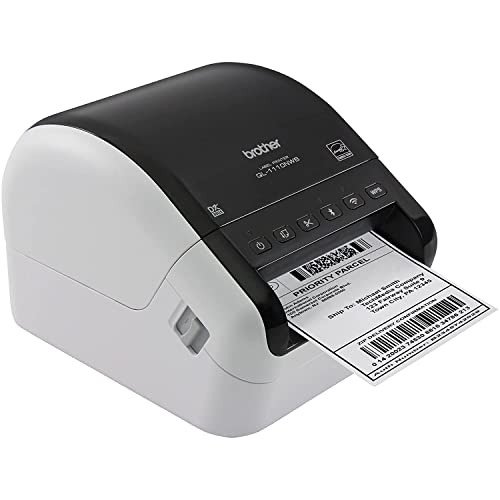


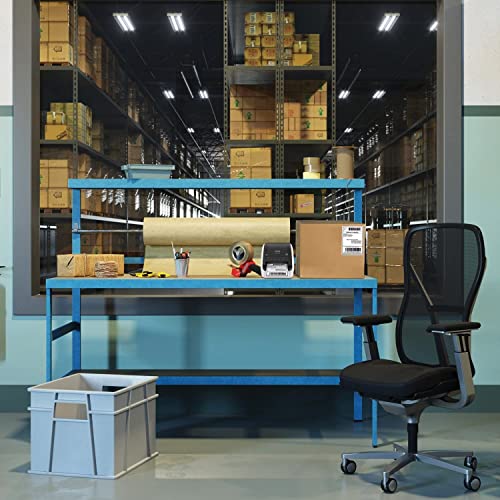
Brother QL-1110NWB Label Maker, Shipping Labeller, Wireless, PC Connected, Network and Bluetooth, Desktop, Wide Format 4 Inch Labels - Print via USB,...
| SELLER | SELLER SCORE | AMAZON FULFILLED | PRIME | FREE SHIPPING |
|---|---|---|---|---|
| Tech Plus Pro | 9.24 | No | No | No |
The Brother QL-1110NWB stands as a powerhouse desktop shipping solution that bridges the gap between simple office labeling and high-volume logistics. After testing its versatility, it is clear that the real magic lies in the connectivity. Whether you are pulling a job from a PC via Ethernet or firing off a quick label from an iPhone using AirPrint, the workflow is seamless. It handles massive tasks with ease, cranking out up to 69 address labels per minute at a crisp 300 dpi. I particularly appreciated the auto-cutter feature, which prevents the headache of wasted label sheets by trimming exactly what you need. Between the 'Plug & Label' convenience for Windows users and the deep customization available through P-touch Editor, this machine scales perfectly from basic name badges to complex shipping workflows.


Brother QL-820NWB Professional Ultra Flexible Label Printer - WiFi, Ethernet and Bluetooth Connectivity - 110 Labels Per Minute, 300 x 600 dpi, Auto C...
| SELLER | SELLER SCORE | AMAZON FULFILLED | PRIME | FREE SHIPPING |
|---|---|---|---|---|
| Tech Plus Pro | 9.24 | No | No | No |
Most office setups struggle with rigid, tethered printers, but the Brother QL-820NWB breaks free from the desk with its incredible connectivity suite. I found the versatility here to be a game-changer, especially since you can switch between standard black text and striking red/black dual-color printing using specific rolls. Whether you are printing 110 address labels per minute or designing custom graphics on your phone via the iPrint&Label app, the speed and precision are impressive. The inclusion of an auto cutter prevents that annoying waste of label sheets, and the backlit LCD screen means you can manage tasks even without a computer. It is a robust, professional-grade tool that feels ready for everything from high-volume shipping to mobile inventory management.

The first and most critical decision is choosing between thermal transfer and laser printing technology. Thermal printers are the gold standard for labels. They use heat to trigger a chemical reaction in the label material, meaning you don't need ink or toner. This makes them incredibly low-maintenance and ideal for high-speed labeling. However, thermal labels can be sensitive to extreme heat or sunlight. Laser printers, on the other hand, use toner and heat to fuse powder to the surface. They are better suited for high-quality envelope printing where color or crisp, smudge-proof text is required for formal correspondence. If your primary goal is shipping labels, go thermal. If your goal is professional business envelopes, laser is often the better route.
Not all envelopes or labels are created equal. A common mistake is purchasing a printer with a fixed media width. For envelopes, you need a machine that can accommodate various formats, from small window envelopes to large catalog envelopes. Look for printers with adjustable paper guides and a wide media path. For label printing, ensure the printer can handle the specific width of your rolls. Some printers are optimized for narrow 1-inch labels, while others can scale up to 4-inch widths for larger shipping tasks. A printer with a 'manual feed' or a dedicated bypass tray is highly recommended to prevent the mechanical stress that occurs when trying to force thick or oddly shaped envelopes through a standard paper path.
Speed is a major factor in productivity. In the world of label printing, speed is measured in inches per second (ips). If you are a small boutique processing ten orders a day, a slower, more affordable model is fine. However, if you are managing a fulfillment center, you need a high-speed thermal printer that can churn out hundreds of labels per hour without overheating. Similarly, check the 'duty cycle'—this indicates how much work the printer can handle before it requires maintenance. A high duty cycle means the internal components are built to withstand the friction and heat of constant, heavy-duty use.
Modern workflows require seamless integration. Look for printers that offer multiple connectivity options, such as USB for a single workstation or Ethernet and Wi-Fi for shared office environments. For label printers specifically, software compatibility is paramount. You want a printer that works effortlessly with your existing shipping software or inventory management systems. Many top-tier label printers come with proprietary design software that allows you to create custom templates, which can save significant time in the long run. Ensure the printer's drivers are compatible with your operating system to avoid technical bottlenecks.
If you are printing barcodes, resolution is non-negotiable. A low-resolution printer may produce 'fuzzy' edges on a barcode, making it impossible for scanners to read. This leads to shipping errors and delays. For labels, look for a minimum of 203 DPI (dots per inch) for standard use, though 300 DPI or higher is preferred for very small labels or high-density data. For envelopes, high resolution ensures that fine print and elegant fonts remain sharp and professional, preventing the 'bleeding' effect often seen with cheap inkjets on textured paper.
Quick answers about Envelopes Label Printers before you buy.
Share of top-ranked products by brand, from our rankings.
We compared Envelopes Label Printers products using product details and customer ratings to identify the best options in the electronics..
From that comparison we shortlisted the top 6 Envelopes Label Printers for this page..
We aim to help you find the right printers products for your needs and save you time when choosing which Envelopes Label Printers to buy.
Compare the top 6 picks at a glance — select a column to sort.


