#TOP1

For professionals and home offices dealing with high volumes of paperwork, a standard laser printer is only half the equation. The real efficiency driver is the Automatic Document Feeder (ADF). While the laser engine handles the crisp, high-speed text production, the ADF acts as the logistical engine, allowing you to digitize or copy multi-page reports without standing by the machine to flip every single sheet. Choosing the right laser printer with a robust ADF integration can mean the difference between a seamless workflow and a bottleneck of manual labor.
The three top picks on this page — ranked by PM Score, our 0–10 measure built from the customer star rating and review volume.


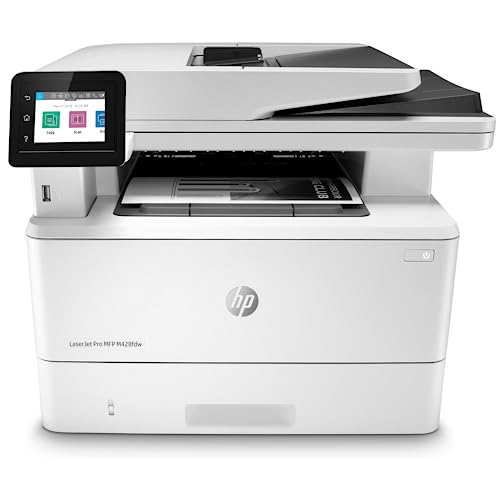
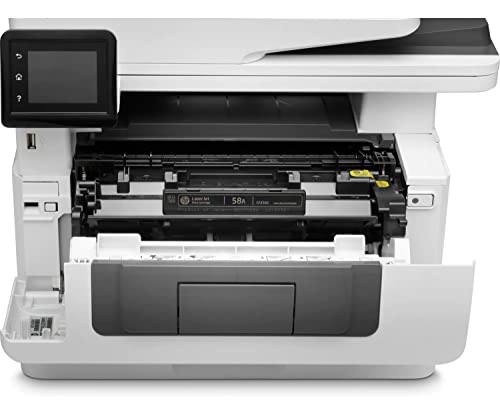
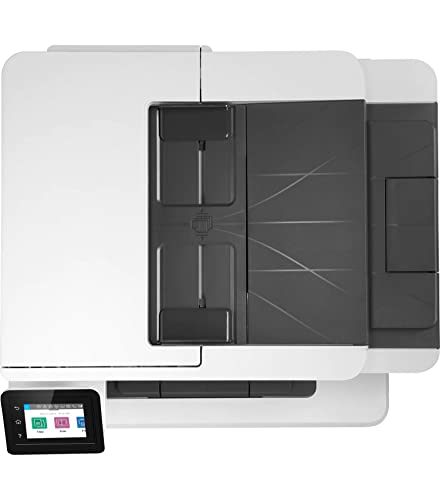


HP LaserJet Pro MFP M428fdw Wireless Monochrome All-in-One Printer with built-in Ethernet & 2-sided printing, works with Alexa (W1A30A)
| SELLER | SELLER SCORE | AMAZON FULFILLED | PRIME | FREE SHIPPING |
|---|---|---|---|---|
| Desire Base Electronics | 5.38 | No | No | No |
The HP LaserJet Pro MFP M428fdw dominates the small office space with its blistering 40-page-per-minute print speed. I found that this machine is built for teams that cannot afford downtime, especially with its single-pass, 2-sided scanning and a 50-sheet auto document feeder that breezes through heavy workloads. Security is a major win here too. The HP WOLF PRO SECURITY suite provides hardware-level protection that gives you real peace of mind regarding company data. You can easily automate your most repetitive, complicated workflows via the customizable control panel, saving precious minutes every day. Whether you are printing via Wi-Fi Direct on your phone or using the built-in Ethernet, this monochrome workhorse stays incredibly efficient and ready to scale with your business growth.

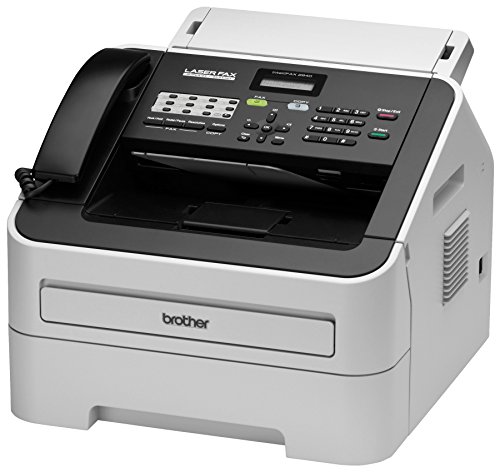
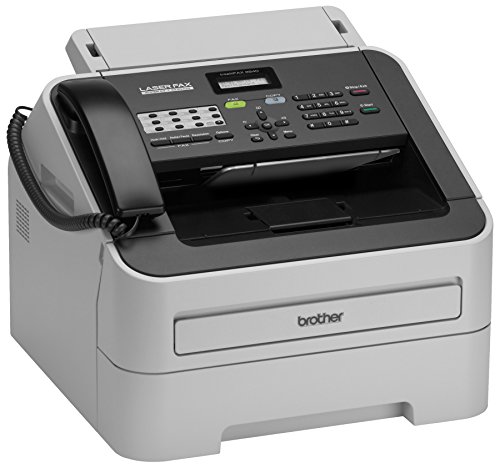
Brother RFAX2840 High Speed Mono Laser Fax Machine (Renewed Premium)
| SELLER | SELLER SCORE | AMAZON FULFILLED | PRIME | FREE SHIPPING |
|---|---|---|---|---|
| Amazon.com | 9.68 | Yes | Yes | Yes |
Most people assume fax machines are relics of a bygone era, but the speed of this Brother mono laser unit proves that professional-grade document transmission is still a vital office necessity. I was particularly impressed by the 33.6K bps modem, which manages to push a page through in just about 2.5 seconds. It handles heavy lifting easily thanks to the 250-sheet adjustable paper tray and a 20-page auto document feeder that keeps workflows moving. Even with its refurbished status, the machine feels incredibly robust, supported by 16MB of dual-access memory to manage larger jobs. Whether you are broadcasting to 272 locations or using the 222-station auto dialing, this unit delivers the reliable, high-speed performance required for a modern professional environment.
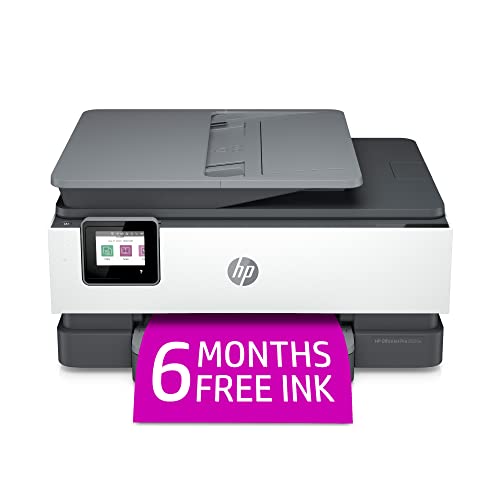
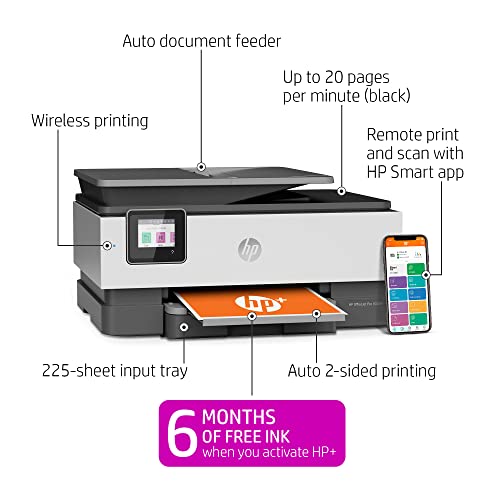


HP OfficeJet Pro 8025e Wireless Color All-in-One Printer with bonus 6 free months Instant Ink with HP+ (1K7K3A)
| SELLER | SELLER SCORE | AMAZON FULFILLED | PRIME | FREE SHIPPING |
|---|---|---|---|---|
| Amazon.com | 9.68 | Yes | Yes | Yes |
The HP OfficeJet Pro 8025e stands as a top-tier contender for anyone managing a high-volume home office or a growing small business. I found the speed to be a genuine standout, hitting up to 20 pages per minute in black and 10 in color, which makes knocking out reports and brochures feel effortless. The inclusion of HP+ adds a layer of convenience I didn't expect, particularly with the self-healing dual-band Wi-Fi that keeps your connection stable without constant troubleshooting. Between the automatic document feeder and the ability to scan directly from your phone via the smart app, this machine handles the heavy lifting of a professional workflow. Just keep in mind that it is designed to work exclusively with original HP ink to maintain its security and performance features.
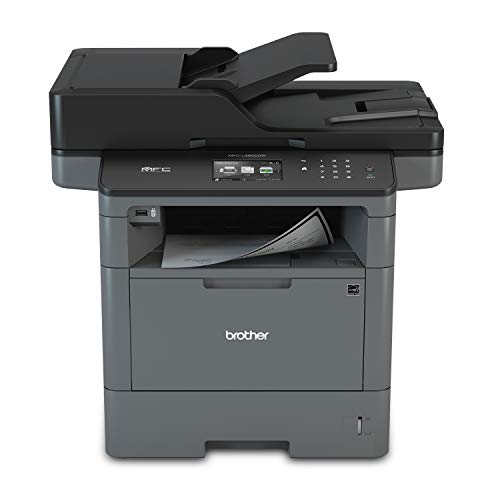


Brother Monochrome Laser Printer, Multifunction Printer, All-in-One Printer, MFC-L5800DW, Wireless Networking, Mobile Printing & Scanning, Duplex Prin...
| SELLER | SELLER SCORE | AMAZON FULFILLED | PRIME | FREE SHIPPING |
|---|---|---|---|---|
| Triplenet Pricing INC | 9.81 | No | No | No |
The rhythmic, rapid-fire sound of 42 pages per minute flying through the duplex tray is the first thing you'll notice when this workhorse is in high gear. This Brother monochrome laser printer is built for high-volume environments where waiting for a document is not an option, boasting a lightning-fast first page out time of just 7.2 seconds. I found the 70-page auto document feeder incredibly reliable for unattended scanning and faxing, while the ability to send files directly to SharePoint or cloud services simplifies a busy workflow. Security is a major win here, as it includes advanced features to protect your network from unauthorized access. Whether you are printing from a mobile device via AirPrint or managing large batches, this machine handles the heavy lifting with professional-grade efficiency.

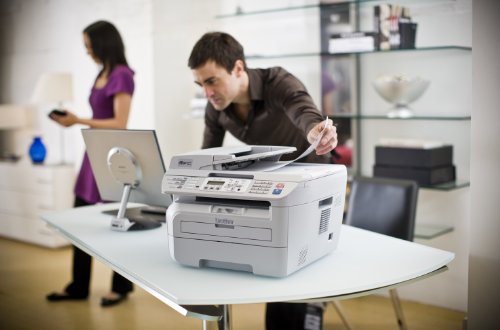


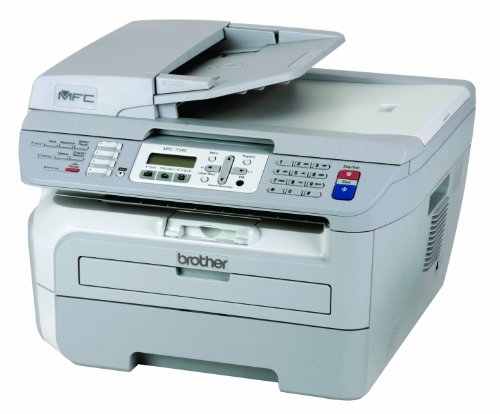
Brother MFC-7340 Flatbed Laser Multi-Function Center
| SELLER | SELLER SCORE | AMAZON FULFILLED | PRIME | FREE SHIPPING |
|---|---|---|---|---|
| surplusthewaytogo | 9.19 | No | No | No |
The Brother MFC-7340 Flatbed Laser Multi-Function Center delivers professional-grade monochrome precision that makes it a powerhouse for small office workflows. I found the 2400 x 600 dpi resolution produces remarkably crisp, rich black text that looks sharp on every page. It handles high-volume tasks easily thanks to the 21 pages per minute print and copy speeds, while the 35-page auto document feeder takes the headache out of multi-page scanning. Managing different media is a breeze with the 250-sheet tray that adjusts for both letter and legal sizes, plus a manual bypass slot specifically for envelopes. Whether you are utilizing the flatbed color scanner or churning through documents, this machine feels built for reliability and speed.
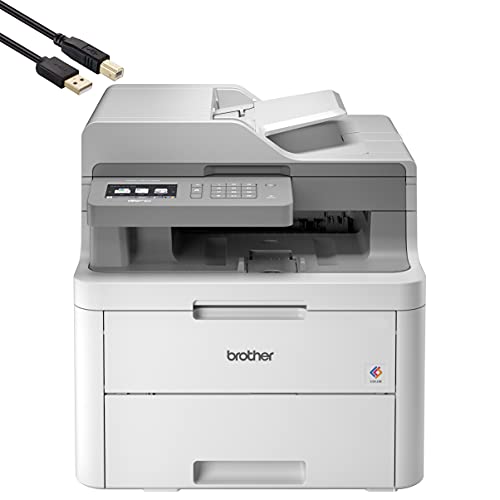


Brother MFC-L3710C Digital Color LED All-in-One Wireless Laser Printer - Print Copy Scan Fax - 3.7" LCD Touchscreen, 19 ppm, 600 x 2400 dpi, 8.5 x 14...
| SELLER | SELLER SCORE | AMAZON FULFILLED | PRIME | FREE SHIPPING |
|---|---|---|---|---|
| Hott Tech Geek | 9.18 | No | No | No |
Your home office desk is cluttered with loose documents until you finally deploy the Brother MFC-L3710C to centralize your workflow. I found that the 3.7-inch LCD touchscreen makes navigating complex scan and fax settings surprisingly intuitive, even when you are in a rush. The LED technology delivers sharp 600 x 2400 dpi color output, which is a massive step up from standard inkjet setups for professional-looking reports. Managing multi-page jobs is seamless thanks to the 50-sheet automatic document feeder, and the 250-sheet tray handles both letter and legal sizes without constant refilling. Since it supports Apple AirPrint and Mopria, I could easily send documents straight from my phone without fumbling with cables. It is a robust, all-in-one workhorse that truly earns its spot in a small business environment.


HP Color Laserjet Pro M183fw Wireless All-in-One Laser Printer, White - Print Scan Copy Fax - 16 ppm, 600 x 600 dpi, Voice-Activated, Auto Duplex Prin...
| SELLER | SELLER SCORE | AMAZON FULFILLED | PRIME | FREE SHIPPING |
|---|---|---|---|---|
| No | No | No |
Most people assume small office printers are slow, sluggish machines that stall your workflow, but the HP Color LaserJet Pro M183fw challenges that expectation with an impressive 11.5-second first-page-out time. I found that the real magic happens when you lean into the HP Smart app. Being able to scan and print directly from your smartphone makes document organization feel significantly faster than traditional methods. While it prints at a steady 16 pages per minute, the inclusion of a 35-page automatic document feeder and auto-duplex printing means you aren't constantly hovering over the machine. It handles the heavy lifting of color printing and faxing with ease, all while utilizing Auto-On/Auto-Off technology to keep your energy consumption in check during downtime.

The most critical distinction you will encounter is the difference between a simplex and a duplex ADF. A simplex feeder can only pull one side of a page through the scanner at a time. If you are scanning a double-sided contract, you will have to manually flip the stack. Conversely, a duplex ADF—often labeled as Single-Pass Duplex—is the gold standard for productivity. These units feature two scanning sensors, allowing them to capture both sides of a page in a single motion. This not only saves massive amounts of time but also reduces the mechanical wear on the feeder by minimizing the number of times the paper path is engaged.
When selecting a laser printer for document feeding, you must look beyond the tray capacity and focus on the ADF tray capacity and the monthly duty cycle. A small ADF tray that holds only 20 sheets will frustrate you if you frequently process 50-page packets. Look for feeders that accommodate at least 50 to 100 sheets for medium-scale office use. Furthermore, check the printer's rated monthly duty cycle. A printer designed for light home use may jam or overheat if you attempt to run a continuous stream of documents through the ADF every day. Ensure the machine's internal components are rated for the volume of scanning and copying you anticipate.
Speed is measured in Pages Per Minute (PPM). For a laser printer intended for heavy administrative work, you should aim for a minimum of 30 PPM through the feeder. However, speed should not come at the expense of clarity. Look for optical resolution specifications. While 300 x 300 DPI is standard for text, higher resolutions are beneficial if you are scanning documents that include fine print, intricate diagrams, or photographic elements. A high-quality ADF should maintain consistent speed without causing 'skewing,' which is when the paper enters the feeder at an angle, resulting in crooked digital images.
Modern ADF-equipped laser printers are no longer just peripherals. They are digital gateways. Consider how the ADF interacts with your network. Does the printer support 'Scan to Email' or 'Scan to Network Folder' directly from the control panel? This eliminates the need to scan to a computer first and then move the file manually. Additionally, look for features like OCR (Optical Character Recognition) software compatibility. A high-end laser printer will often work in tandem with software that converts your scanned PDFs into searchable, editable text documents, turning a physical stack of paper into a functional digital database.
Finally, evaluate the feeder's ability to handle different media weights. Some ADFs are finicky with thin paper or, conversely, struggle with thicker cardstock. If your workflow involves scanning diverse document types—such as receipts, heavy letterheads, or even slightly wrinkled archives—ensure the printer features adjustable paper guides and a robust feeding mechanism that prevents multi-sheet feeding (where two pages are pulled in at once due to static or friction).
Quick answers about Auto Document Feeder Laser Computer Printers before you buy.
Share of top-ranked products by brand, from our rankings.
We compared Auto Document Feeder Laser Computer Printers products using product details and customer ratings to identify the best options in the categories..
From that comparison we shortlisted the top 7 Auto Document Feeder Laser Computer Printers for this page..
We aim to help you find the right accessories products for your needs and save you time when choosing which Auto Document Feeder Laser Computer Printers to buy.
Compare the top 7 picks at a glance — select a column to sort.


