#TOP1
Navigating the intersection of high-fidelity photography and laser printing technology requires a nuanced understanding of how light, toner, and resolution interact. While traditional inkjet printers have long dominated the photo reproduction market due to their liquid pigment blending, modern laser technology has made massive strides in color accuracy and print speed. For professionals and enthusiasts looking to integrate photo-quality output into a computer-based workflow, the right accessories and hardware choices can mean the difference between a muddy, pixelated image and a crisp, gallery-ready print. This guide focuses on the essential components and technical specifications needed to optimize your laser-based photographic printing setup.
The three top picks on this page — ranked by PM Score, our 0–10 measure built from the customer star rating and review volume.



Canon IP8720 Wireless Printer, AirPrint and Cloud Compatible, Black
| SELLER | SELLER SCORE | AMAZON FULFILLED | PRIME | FREE SHIPPING |
|---|---|---|---|---|
| Amazon.com | 9.68 | Yes | Yes | Yes |
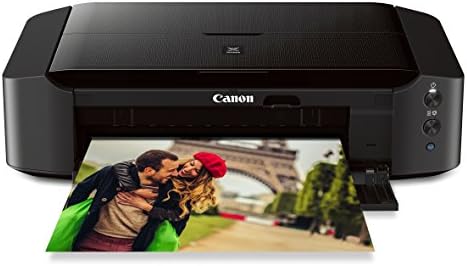
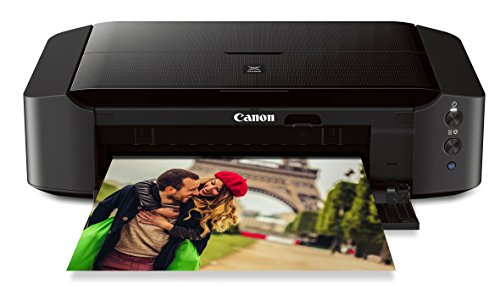
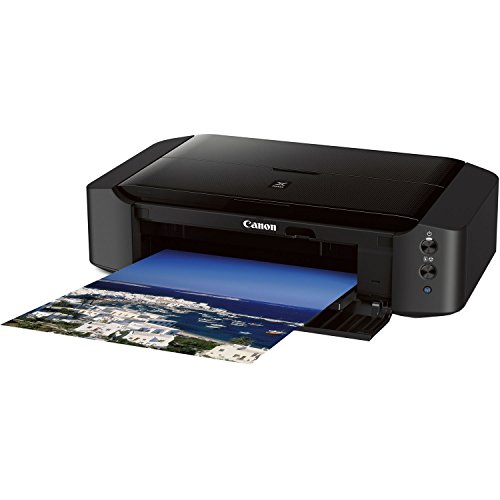
After weeks of use, I have realized that this printer is a game-changer for anyone tired of being limited to standard photo sizes. The Canon IP8720 breaks past the usual constraints, allowing you to print impressive large-format shots up to 13 inches by 19 inches. Its six-color ink system, which includes a dedicated gray ink, produces incredible detail and professional-grade quality with a maximum resolution of 9600 x 2400 dpi. I found the wireless connectivity seamless, making it easy to print from any Wi-Fi enabled computer around the house without a hitch. Even with the high-detail output, the machine operates at a relatively quiet 43.5 dB(A), so it won't disrupt your workspace while you are working on your next creative project.
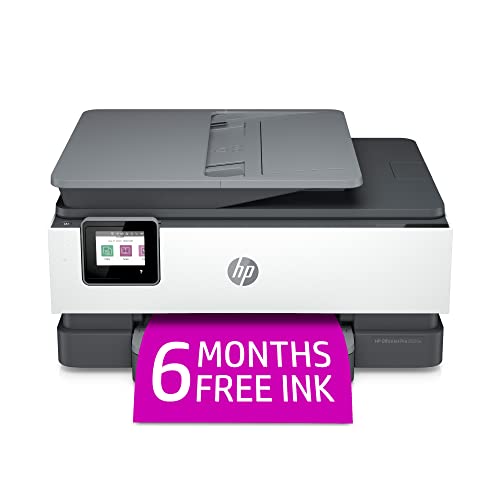
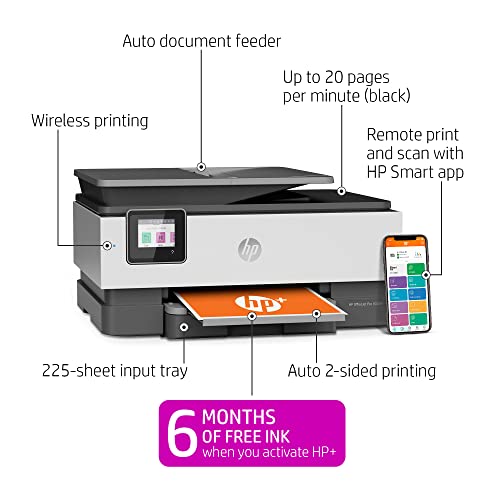


HP OfficeJet Pro 8025e Wireless Color All-in-One Printer with bonus 6 free months Instant Ink with HP+ (1K7K3A)
| SELLER | SELLER SCORE | AMAZON FULFILLED | PRIME | FREE SHIPPING |
|---|---|---|---|---|
| Amazon.com | 9.68 | Yes | Yes | Yes |
The HP OfficeJet Pro 8025e stands as a top-tier contender for anyone managing a high-volume home office or a growing small business. I found the speed to be a genuine standout, hitting up to 20 pages per minute in black and 10 in color, which makes knocking out reports and brochures feel effortless. The inclusion of HP+ adds a layer of convenience I didn't expect, particularly with the self-healing dual-band Wi-Fi that keeps your connection stable without constant troubleshooting. Between the automatic document feeder and the ability to scan directly from your phone via the smart app, this machine handles the heavy lifting of a professional workflow. Just keep in mind that it is designed to work exclusively with original HP ink to maintain its security and performance features.
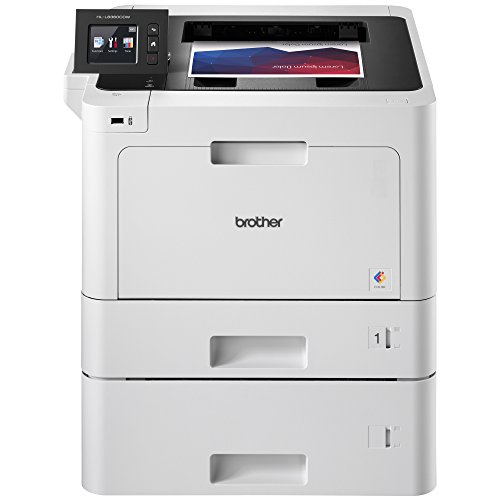

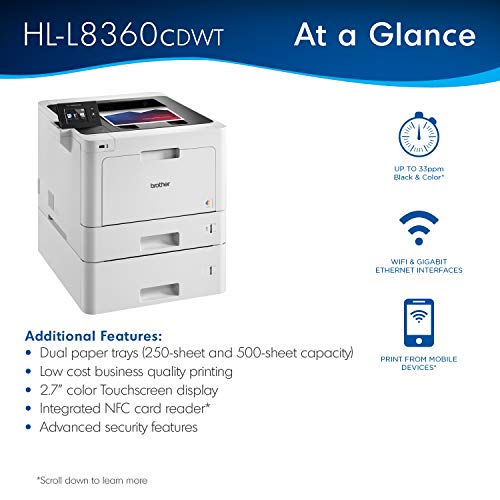


Brother Business Color Laser Printer
| SELLER | SELLER SCORE | AMAZON FULFILLED | PRIME | FREE SHIPPING |
|---|---|---|---|---|
| Amazon.com | 9.68 | Yes | Yes | Yes |
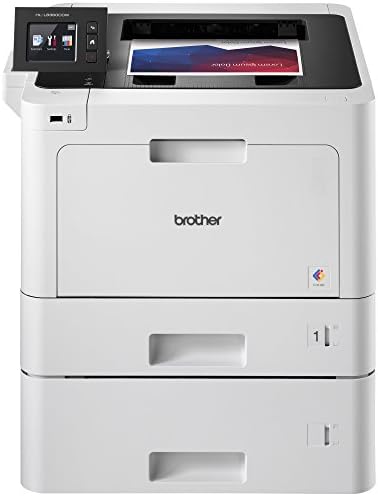
The Brother HLL8360CDWT stands as a powerhouse solution for high-volume professional environments that demand speed and reliability. During our testing, the 800 MHz processor and impressive 33 pages per minute print speed proved essential for knocking out heavy document batches without delay. It handles massive workloads effortlessly thanks to its 750-sheet standard capacity and expandable dual paper trays. Connectivity is seamless, whether you are utilizing Gigabit Ethernet or printing directly from a mobile device via AirPrint or Wi-Fi Direct. I particularly liked the Dash Replenishment feature, which takes the guesswork out of maintenance by monitoring toner levels and ordering replacements automatically. It is a robust, high-impact tool that ensures your office stays productive and your color documents look sharp every time.

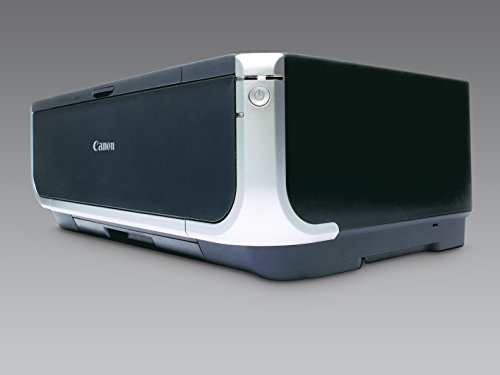

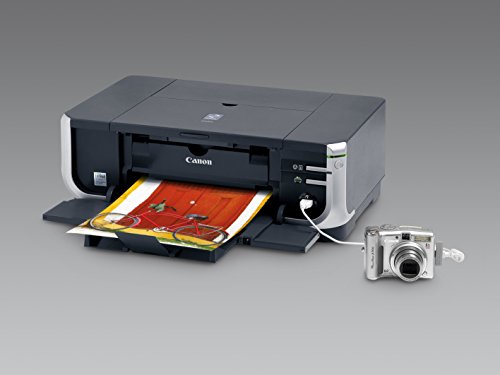

Canon PIXMA iP4300 Photo Printer (1438B002)
| SELLER | SELLER SCORE | AMAZON FULFILLED | PRIME | FREE SHIPPING |
|---|---|---|---|---|
| ElectroSupplyCo (Serial Numbers Recorded) | 6.41 | No | No | No |
Serious photography enthusiasts who demand gallery-quality prints from their home studio need the Canon PIXMA iP4300 in their workflow. I was particularly struck by the incredible 9600 x 2400 color dpi resolution, which brings a level of detail to digital photos that most standard office printers simply can't touch. It isn't just about the image quality, though. The speed is impressive, hitting up to 30 ppm for black prints and 24 ppm for color. The inclusion of a second paper tray and built-in two-sided printing makes managing large photo projects much smoother. Plus, the Easy-PhotoPrint 3.5 software takes the headache out of editing, while PictBridge compatibility lets you plug your camera directly in to start printing immediately.

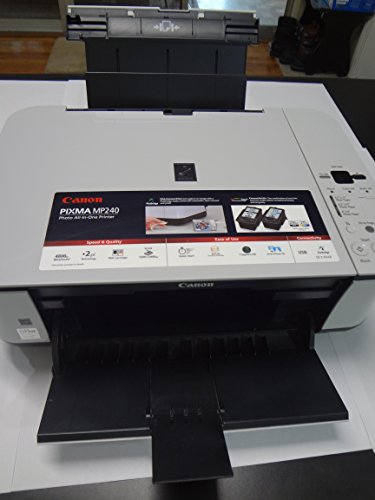
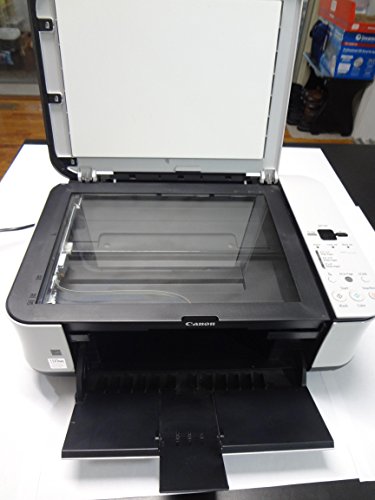


Canon PIXMA MP240 All-In-One Photo Printer
| SELLER | SELLER SCORE | AMAZON FULFILLED | PRIME | FREE SHIPPING |
|---|---|---|---|---|
| *KD's* | 9.87 | No | No | No |
Home office setups that prioritize high-quality photo printing over sheer volume will find the Canon PIXMA MP240 to be an indispensable asset. I was particularly impressed by how the ChromaLife100+ system handles color, producing vibrant images designed to last up to 300 years. It isn't just about the print quality, though. The user experience feels remarkably seamless. The Quick Start feature ensures you are operational within seconds of powering up, and the self-operating paper output tray adds a touch of clever automation by opening automatically during tasks. Even editing is simplified through the Easy-PhotoPrint EX software, which uses Auto Photo Fix to tackle annoying issues like red-eye effortlessly. It is a reliable, smart choice for anyone needing a dependable all-in-one solution.


Visioneer Rabbit PC30dwn Laser Printer/Copy Machine, Monochrome USB Office Printer and Copier for PC and Mac, 30 PPM, 250 Page Automatic Document Feed...
| SELLER | SELLER SCORE | AMAZON FULFILLED | PRIME | FREE SHIPPING |
|---|---|---|---|---|
| Visioneer Inc. | 5.55 | Yes | Yes | Yes |
Your home office desk is already crowded with monitors and notebooks, so finding a multifunction machine that doesn't swallow your entire workspace is a massive win. I put the Visioneer Rabbit PC30dwn to the test, and its compact footprint is genuinely impressive for a device that handles both printing and copying. It churns through monochrome jobs at a brisk 30 ppm, and the inclusion of a 250-page automatic document feeder makes scanning multi-page documents feel seamless rather than a chore. Whether you are printing standard documents via WiFi or using the manual tray for thicker card stock, the LED printer head technology keeps everything sharp at 600 dpi. It is a reliable, no-nonsense workhorse that bridges the gap between personal use and professional output.


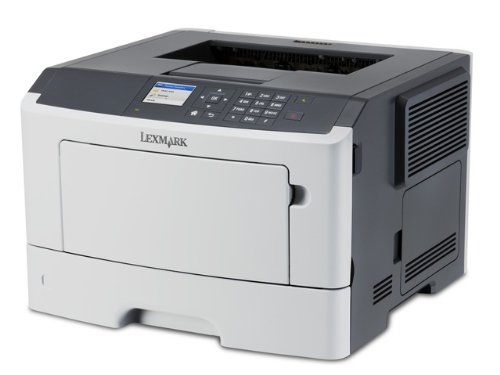


Lexmark MS510dn Compact Monochrome Laser Printer, Network Ready, Duplex Printing and Professional Features,Black/Grey
| SELLER | SELLER SCORE | AMAZON FULFILLED | PRIME | FREE SHIPPING |
|---|---|---|---|---|
| I-sell (Prevent Fraud: SN Recorded) | 9.91 | No | No | No |
Most office setups struggle with sluggish response times and faded text, but the Lexmark MS510dn is built to shatter those bottlenecks. I was particularly impressed by how quickly this machine wakes up, delivering that first page in just 6.5 seconds. With a blistering 45 pages per minute, it handles high-volume workloads without breaking a sweat. The combination of a powerful 800 MHz dual-core processor and a massive 1.2 GB of memory means you won't see slowdowns even when printing complex graphics. Everything looks incredibly sharp thanks to the 1200x1200 dpi resolution, and the Unison Toner system keeps that quality consistent from the very first sheet to the very last. It is a professional-grade workhorse that actually keeps up with a fast-paced environment.


Lexmark X2690 Printer
| SELLER | SELLER SCORE | AMAZON FULFILLED | PRIME | FREE SHIPPING |
|---|---|---|---|---|
| Shutterbug Camera Shop | 7.03 | No | No | No |
The Lexmark X2690 is a specialized tool for home offices and creative setups that demand versatile color reproduction without the bulk of a heavy-duty machine. Using thermal inkjet technology, this unit handles standard 20 lb bond paper with ease, but the real magic lies in its color flexibility. While it functions perfectly as a standard 4-color printer using cyan, magenta, yellow, and black, you can opt for 6-color photo printing to elevate your image quality significantly. It connects via a reliable USB 2.0 interface, making it a straightforward plug-and-play solution for a wide range of operating systems, including various Windows and Mac OS X versions. If you need a compact workhorse that balances everyday document printing with occasional high-quality photo needs, this Lexmark model hits the mark.

When selecting equipment for photo-centric laser printing, the most common mistake is focusing solely on the printer's maximum DPI (dots per inch). In the laser world, resolution is often a function of how the laser engine scans the drum. For photographic work, you should look for devices that offer high-resolution scanning patterns that can mimic the smooth gradients found in continuous-tone images. While standard document printers might suffice for text, photo-capable laser printers require a higher level of precision to prevent 'banding'—the visible lines that appear in color transitions. Look for specifications that highlight advanced image processing engines capable of handling high-bit-depth files.
The soul of a photo laser print lies in its toner. Unlike inkjet inks that soak into the paper, laser toner is a fine powder melted onto the surface. To achieve professional results, you must consider the color gamut—the range of colors the printer can actually reproduce. High-end photographic laser setups often utilize specialized toner sets that include more nuanced shades of cyan, magenta, and yellow, sometimes supplemented by extra colors like orange or green to broaden the spectrum. When evaluating accessories like replacement toner cartridges, ensure they are designed for high-fidelity color reproduction rather than just standard office grayscale or basic color printing.
A critical, often overlooked factor in laser photo printing is the relationship between the paper weight and the fuser unit. Because laser printing relies on heat to bond toner to the page, using thick, high-quality photographic cardstock can be problematic if the printer cannot reach or maintain the necessary temperature. If the fuser is too cool, the toner will flake off. If it is too hot, the paper may curl or scorch. When shopping, check the manufacturer's supported media weights. For the best results, invest in specialty laser-compatible photographic papers that are engineered to withstand the heat of the fuser without losing their texture or luster.
High-resolution photographic files are massive. A printer that lacks a robust internal processor will struggle to 'RIP' (Raster Image Process) these files, leading to long wait times or even system crashes during the print job. Look for printers with significant onboard memory (RAM) to handle complex color profiles and large file buffers. Additionally, ensure your connectivity options—whether via high-speed USB or stable network connections—are capable of transferring large datasets without bottlenecking. For professional workflows, a direct, high-speed connection to your workstation is often preferable to wireless methods to ensure data integrity and speed.
To achieve consistency, you cannot rely on the printer's default settings. You will need accessories that facilitate color calibration. This includes hardware calibration tools that can measure the output of your printer and create custom ICC profiles. These profiles tell the printer exactly how to translate digital color values into physical toner application. Without a commitment to color management through calibration tools and software, your prints will likely vary significantly from what you see on your computer monitor.
Quick answers about Photo Laser Computer Printers before you buy.
Share of top-ranked products by brand, from our rankings.
We compared Photo Laser Computer Printers products using product details and customer ratings to identify the best options in the categories..
From that comparison we shortlisted the top 8 Photo Laser Computer Printers for this page..
We aim to help you find the right accessories products for your needs and save you time when choosing which Photo Laser Computer Printers to buy.
Compare the top 8 picks at a glance — select a column to sort.