PickSmartly Buying Guide

Best Koolertron Mac Gaming Keyboards in 2026

9.1 PM Score
Products Compared
7
Brands Ranked
1
Our guides are compiled from product information and customer ratings. If you click on links we provide, we may receive compensation.

For macOS enthusiasts who refuse to compromise on gaming performance, finding a peripheral that bridges the gap between Apple's sleek ecosystem and high-octane gaming requirements is a unique challenge. Koolertron has carved out a specific niche by producing mechanical keyboards that respect the Mac layout while providing the tactile feedback and rapid response times demanded by competitive gamers. Unlike standard Windows-centric mechanical boards, a dedicated Mac gaming keyboard must handle specific command key mappings, function row behaviors, and connectivity nuances that ensure seamless integration with macOS. This guide will help you navigate the technical specifications to find a keyboard that feels native to your MacBook or iMac setup while delivering a professional-grade gaming experience.

Editor's Choice

Our Top Picks for Koolertron Mac Gaming Keyboards

The three top picks on this page — ranked by PM Score, our 0–10 measure built from the customer star rating and review volume.
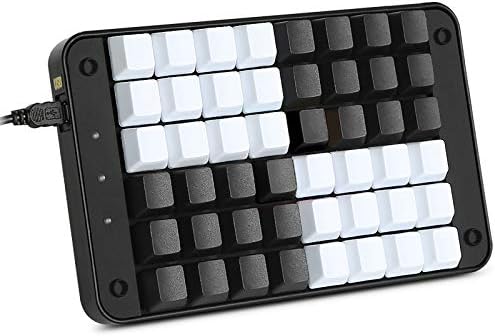
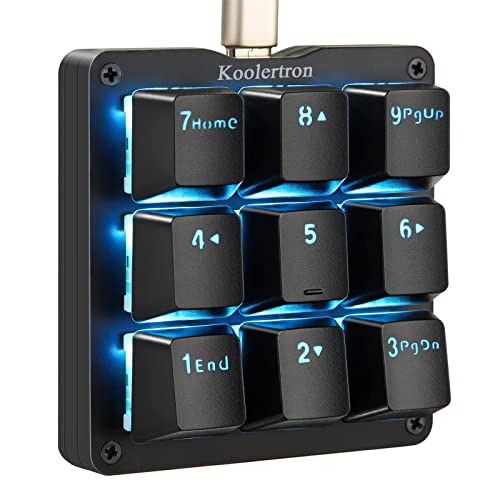
Koolertron One Handed Programmable Mechanical Keyboard with OEM Gateron Red Switch,All 48 Programmable Keys Tools Keypad,8 Macro Keys, PBT Keycaps.[SM...

Koolertron Programmable One Handed Mechanical Keypad

KOOLERTRON AE-SMKD7 8.00 X 5.00 X 2.00 Inches

PM Score for KOOLERTRON (PM Score)

9.1 PM Score
Buy on Amazon
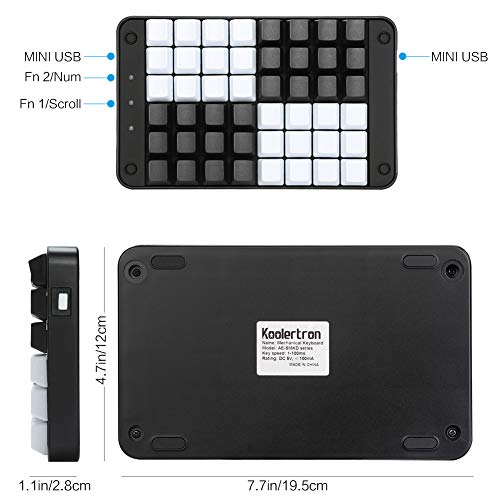
  • 【48 Programmable Keys & 8 Macro Keys Based Hardware】Program all 48 keys and create 8 complex macros with the configuration software to take full command of your computer. A macro key can output up to 31 characters. Perfect not only for gamers, but also for so many other types of users including supermarket cashier, designers and video editors.
  • 【Built-in MCU】After keyboard keys be set up, it will be automatically stored in keyboard's MCU, and no need reset the keyboard or even replace the computer.
  • 【Support 9 Kinds Key Program Types】 Normal/FN-Shift/Mouse/Combination/Burst/Round-Robin/Continue/Jitter/Special Functions/Disable key types, different key type with different function.
  • 【OEM Gateron Red Switches】OEM Gateron Red switches with trigger travel of 2±0.6mm, keystroke force of 45±15cN, plus full anti-ghosting ensures great feel and accuracy.
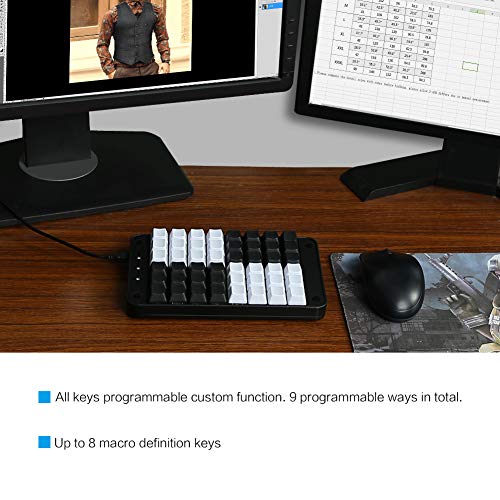
  • 【Portable Mini keypad】Portable Mini keypad, effectively save desktop space. You can connect the keypad and a 104-key keyboard with the same computer at the same time, they will not interfere with each other.
  • 【Programmable Keys】Create both single key and macro definitions, with the ability to activate a combo with the single press of the key. The macro editor also allows users to set and edit the millisecond delays between keystrokes.
  • Tips: User can download the keyboard configuration software from URL on user manual. Compatible with Windows 7,8,10, Mac OS, Linux. (Windows XP incompatibled) If you can't find the software download link, please feel free to contact us.
SELLER SELLER SCORE AMAZON FULFILLED PRIME FREE SHIPPING
xunlefei 8.10 Yes Yes Yes

Most people assume a secondary keypad is just a glorified number pad, but this Koolertron unit actually functions as a complete command center for your workflow. By leveraging the built-in MCU, you can program all 48 keys and 8 macro keys once, and they stay saved even if you switch computers. I found the Gateron Red switches provide a smooth, tactile experience that makes rapid-fire macro execution feel incredibly responsive. Whether you are a video editor needing complex combos or a designer streamlining repetitive tasks, the ability to set millisecond delays and choose from nine different programming types makes this a precision tool. It sits compactly on your desk without crowding your main keyboard, offering professional-grade customization that goes far beyond simple shortcuts.
What We Like
48 programmable keys
Gateron Red switches
Built-in MCU memory
Durable PBT keycaps
Eight macro keys
#2

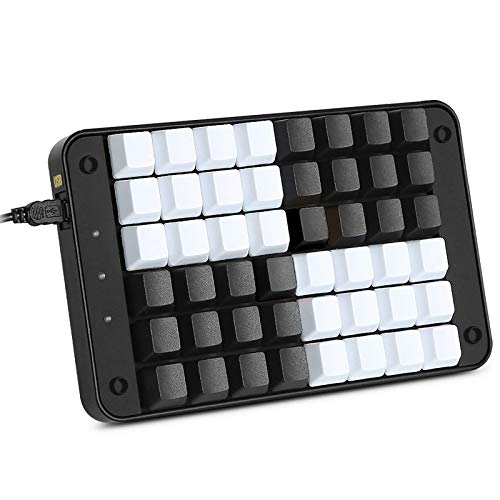
Koolertron One Handed Macro Mechanical Keyboard, Blue LED Backlit Portable Mini One-Handed Mechanical Gaming Keypad OSU! Keyboard 9 Fully Programmable...

Koolertron Programmable One-Handed Mechanical Macro Keypad

KOOLERTRON

PM Score for KOOLERTRON (PM Score)

9.1 PM Score
Buy on Amazon
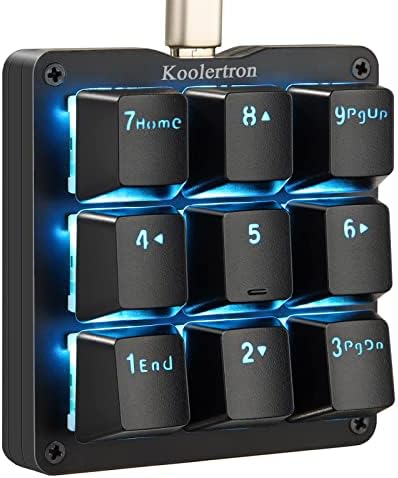
  • 【All 9 Keys Programmable】All keys can be programmable. The custom programmable key functions include regular 127 buttons, web navigation buttons, 19 multimedia shortcuts, keyboard locks, Windows locks, etc. Each button can be set to any of these buttons.
  • 【All Macro Keys】There are 16 macro function buttons. Macro functions can be used in series and can support up to 349 key commands, which can meet various complex usage scenarios, Such as: office/wps and other office software shortcuts, CAD/Ae/Pr/Ps shortcuts, various user accounts and passwords, game quick tricks, OSU!, basic code for programmers.
  • 【4-Layer Custom Configurations】 Built-in MCU, after keyboard keys be set up, it can be stored in keyboard's MCU, and no need reset the keyboard even replace the computer. Can save 4-layer of configurations to handle multiple usage scenarios. Perfect not only for gamers but also for so many other types of users including designers and video editors
  • 【Portable Mini Keypad】Portable Mini keypad,2.7" x 2.5" x 1.2" ultra-small size, effectively saves desktop space. Detachable USB cable. You can connect the keypad (plug and play) and a 104-key keyboard with the same computer at the same time, they will not interfere with each other.
  • 【Blue Backlight】Ice blue backlight can be customized to the player's modes, supports 4 kinds of cool lighting effects. The backlight brightness can be adjusted/turned off. Very clear and bright buttons, you can enjoy yourself in the dark night without the lamp
  • Note: Please download the latest version of the keyboard configuration software according to the website: (If you have any problems, please tell us in time)Windows--https://product_manual.s3.us-east-1.amazonaws.com/MYKB.zip . Mac OS--https://product_manual.s3.us-east-1.amazonaws.com/MYKB_For_MacOS.zip .
SELLER SELLER SCORE AMAZON FULFILLED PRIME FREE SHIPPING
xunlefei 8.15 Yes Yes Yes

Most desktop users struggle with repetitive keystrokes and cluttered workspaces, but the Koolertron One-Handed Macro Keypad turns those tedious workflows into a streamlined experience. This ultra-compact mechanical device is a powerhouse for anyone needing specialized shortcuts, whether you are a gamer playing OSU! or a creative professional navigating complex CAD and Adobe suites. With all nine keys fully programmable and 16 macro buttons capable of handling up to 349 commands, the customization potential is massive. I found the four-layer configuration storage particularly impressive because it saves your settings directly to the onboard MCU, meaning you can move between computers without losing your custom setups. The ice blue LED backlight adds a nice aesthetic touch for night sessions, and the detachable USB cable makes it incredibly portable for mobile workstations.
What We Like
Fully programmable keys
Onboard MCU storage
Four configuration layers
Ice blue backlight
Compact mechanical design
#3

Koolertron Single-Handed Programmable Mechanical Keyboard with Cherry MX Red Switch,All 48 Programmable Keys Tools Keypad,8 Macro Keys, PBT Keycaps.[S...

Koolertron Programmable Single-Handed Mechanical Macro Pad

KOOLERTRON AE-SMKD7

PM Score for KOOLERTRON (PM Score)

9.1 PM Score
Buy on Amazon
  • 【48 Programmable Keys & 8 Macro Keys Based Hardware】Program all 48 keys or create 8 complex macros with the configuration software to take full command of your computer. A macro key can output up to 31 characters. Perfect not only for gamers, but also for so many other types of users including supermarket cashier, designers and video editors
  • 【Built-in MCU】After keyboard keys be set up, it will be automatically stored in keyboard's MCU, and no need reset the keyboard even replace the computer
  • 【Support 9 Kinds Key Program Types】 Normal/FN-Shift/Mouse/Combination/Burst/Round-Robin/Continue/Jitter/Special Functions/Disable key types, different key type with different function
  • 【Cherry MX Red Switches】Cherry MX Red switches with trigger travel of 2±0.6mm, keystroke force of 45±15cN, plus full anti-ghosting ensures great feel and accuracy.
  • 【Portable Mini keypad】Portable Mini keypad, effectively save desktop space. You can connect the keypad and a 104-key keyboard with the same computer at the same time, they will not interfere with each other.
SELLER SELLER SCORE AMAZON FULFILLED PRIME FREE SHIPPING
xunlefei 7.95 Yes Yes Yes

Most power users struggle with repetitive workflows using standard keyboards, but the Koolertron programmable keypad turns complex sequences into a single keystroke. I found the integration of Cherry MX Red switches provides a smooth, tactile experience that makes rapid-fire macro execution feel incredibly responsive. Because it features a built-in MCU, your custom configurations stay locked into the hardware even if you switch computers, which is a massive win for professional mobility. Whether you are a video editor streamlining a timeline or a designer automating repetitive shortcuts, the ability to map 48 keys and 8 dedicated macro keys offers a level of control that standard peripherals simply cannot match. It sits compactly on your desk, working alongside your main keyboard without any interference.

What We Like
Cherry MX Red switches
48 programmable keys
Built-in MCU storage
Durable PBT keycaps
Eight macro keys

Koolertron Single-Handed Programmable Mechanical Keyboard with OEM Gateron Red Switch,All 46 Programmable Keys Tools Keypad,8 Macro Keys,PBT Keycap.[S...

Koolertron Programmable Single-Handed Mechanical Keypad

KOOLERTRON AE-SMKD7

PM Score for KOOLERTRON (PM Score)

9.1 PM Score
Buy on Amazon
  • 【46 Programmable Keys & 8 Macro Keys Based Hardware】Program all 46 keys or create 8 complex macros with the configuration software to take full command of your computer. A macro key can output up to 31 characters. Perfect not only for gamers, but also for so many other types of users including supermarket cashier, designers and video editors
  • 【Built-in MCU】After keyboard keys be set up, it will be automatically stored in keyboard's MCU, and no need reset the keyboard even replace the computer
  • 【Support 9 Kinds Key Program Types】 Normal/FN-Shift/Mouse/Combination/Burst/Round-Robin/Continue/Jitter/Special Functions/Disable key types, different key type with different function
  • 【OEM Gateron Red Switches】OEM Gateron Red switches with trigger travel of 2±0.6mm, keystroke force of 45±15cN, plus full anti-ghosting ensures great feel and accuracy.
  • 【Portable Mini keypad】Portable Mini keypad, effectively save desktop space. You can connect the keypad and a 104-key keyboard with the same computer at the same time, they will not interfere with each other.
SELLER SELLER SCORE AMAZON FULFILLED PRIME FREE SHIPPING
xunlefei 8.20 Yes Yes Yes

A video editor drowning in complex timeline shortcuts finally finds breathing room when they rest their left hand on this compact powerhouse. Instead of hunting for obscure key combinations, you can map every single one of the 46 keys to specific commands or deploy eight deep macros that handle up to 31 characters each. The Gateron Red switches provide a smooth, linear feel with a 45cN keystroke force that makes rapid-fire inputs feel incredibly precise. Because the configuration is stored directly in the internal MCU, your custom layouts stay intact even if you switch computers. It is a space-saving beast that sits perfectly alongside your main keyboard without causing any input interference.

What We Like
46 programmable keys
Gateron Red switches
Internal MCU storage
Eight macro keys
PBT keycaps
#5

Koolertron Single-Handed Programmable Mechanical Keyboard with OEM Gateron Red Switch,All 44 Programmable Keys Tools Keypad,8 Macro Keys,PBT Keycaps.[...

Koolertron Programmable Single-Handed Mechanical Keypad

KOOLERTRON AE-SMKD7

PM Score for KOOLERTRON (PM Score)

9.1 PM Score
Buy on Amazon
  • 【44 Programmable Keys & 8 Macro Keys Based Hardware】Program all 44 keys or create 8 complex macros with the configuration software to take full command of your computer. A macro key can output up to 31 characters. Perfect not only for gamers, but also for so many other types of users including supermarket cashier, designers and video editors
  • 【Built-in MCU】After keyboard keys be set up, it will be automatically stored in keyboard's MCU, and no need reset the keyboard even replace the computer
  • 【Support 9 Kinds Key Program Types】 Normal/FN-Shift/Mouse/Combination/Burst/Round-Robin/Continue/Jitter/Special Functions/Disable key types, different key type with different function
  • 【OEM Gateron Red Switches】OEM Gateron Red switches with trigger travel of 2±0.6mm, keystroke force of 45±15cN, plus full anti-ghosting ensures great feel and accuracy.
  • 【Portable Mini keypad】Portable Mini keypad, effectively save desktop space. You can connect the keypad and a 104-key keyboard with the same computer at the same time, they will not interfere with each other.
SELLER SELLER SCORE AMAZON FULFILLED PRIME FREE SHIPPING
xunlefei 8.10 Yes Yes Yes

The smooth, linear glide of the Gateron Red switches is the first thing you'll notice when you start tapping away on this compact powerhouse. Unlike standard peripherals, this Koolertron keypad is built for deep customization, offering 44 programmable keys and 8 dedicated macro keys that can handle complex 31-character strings. It uses a built-in MCU, which is a total game-changer because your custom settings stay saved even if you switch computers. Whether you are a video editor streamlining your workflow or a gamer needing rapid-fire inputs, the nine different programming types—ranging from burst to round-robin—give you incredible granular control. It’s a space-saving tool that sits perfectly alongside your main keyboard without any interference.

What We Like
Gateron Red switches
44 programmable keys
Onboard MCU memory
Durable PBT keycaps
Compact portable design

Koolertron One Handed Macro Mechanical Keyboard, Pink LED Backlit Portable Mini One-Handed Mechanical Gaming Keypad OSU! Keyboard 9 Fully Programmable...

Koolertron One-Handed Programmable Macro Mechanical Keypad

KOOLERTRON

PM Score for KOOLERTRON (PM Score)

9.1 PM Score
Buy on Amazon
  • 【All 9 Keys Programmable】All keys can be programmable. The custom programmable key functions include regular 127 buttons, web navigation buttons, 19 multimedia shortcuts, keyboard locks, Windows locks, etc. Each button can be set to any of these buttons.
  • 【All Macro Keys】There are 16 macro function buttons. Macro functions can be used in series and can support up to 349 key commands, which can meet various complex usage scenarios, Such as: office/wps and other office software shortcuts, CAD/Ae/Pr/Ps shortcuts, various user accounts and passwords, game quick tricks, OSU!, basic code for programmers.
  • 【4-Layer Custom Configurations】 Built-in MCU, after keyboard keys be set up, it can be stored in keyboard's MCU, and no need reset the keyboard even replace the computer. Can save 4-layer of configurations to handle multiple usage scenarios. Perfect not only for gamers but also for so many other types of users including designers and video editors
  • 【Portable Mini Keypad】Portable Mini keypad,2.7" x 2.5" x 1.2" ultra-small size, effectively saves desktop space. Detachable USB cable. You can connect the keypad (plug and play) and a 104-key keyboard with the same computer at the same time, they will not interfere with each other.
  • 【Blue Backlight】Ice blue backlight can be customized to the player's modes, supports 4 kinds of cool lighting effects. The backlight brightness can be adjusted/turned off. Very clear and bright buttons, you can enjoy yourself in the dark night without the lamp
  • Note: Please download the latest version of the keyboard configuration software according to the website: (If you have any problems, please tell us in time)Windows--https://product_manual.s3.us-east-1.amazonaws.com/MYKB.zip . Mac OS--https://product_manual.s3.us-east-1.amazonaws.com/MYKB_For_MacOS.zip .
SELLER SELLER SCORE AMAZON FULFILLED PRIME FREE SHIPPING
xunlefei 8.44 Yes Yes Yes

Most people assume a gaming peripheral needs to be massive to be effective, but this tiny mechanical keypad proves that extreme utility can fit in the palm of your hand. The Koolertron macro pad is a powerhouse for anyone tired of hunting for complex shortcuts in Premiere Pro, CAD, or even high-intensity rhythm games like OSU!. With all nine keys fully programmable and 16 macro functions capable of executing up to 349 commands, the level of customization is staggering for its 2.7-inch footprint. I love that it features an onboard MCU, meaning your custom 4-layer configurations stay saved even if you switch computers. The ice blue backlight adds a sharp aesthetic touch, making it easy to navigate your macros in a dark room without sacrificing desk space.

What We Like
Fully programmable keys
Onboard memory storage
Four lighting effects
Ultra-compact design
Complex macro support

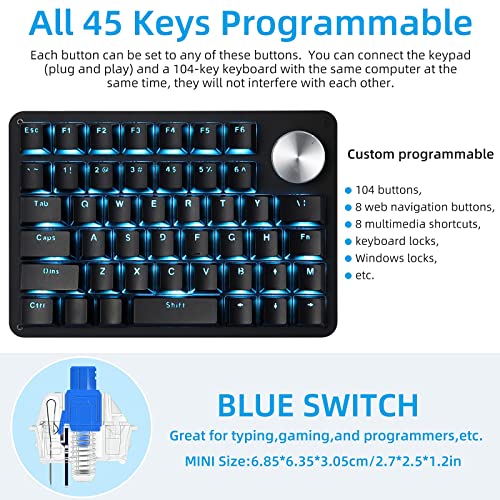
Koolertron One Handed Mechanical Gaming Keyboard, Programmable Keypad,Rotating Knob 45 Keys Blue Backlit/Blue Switches for Windows PC Gamers

Koolertron One Handed Programmable Mechanical Gaming Keypad

KOOLERTRON

PM Score for KOOLERTRON (PM Score)

5.5 PM Score
Buy on Amazon
  • 【Updated Function】The rotating knob is not only normal rotation left and right, but also can be used as other keys when you press it. Programmable with a rotating knob. The left and right rotation can be infinitely rotated, making it easy for you to set up and down the volume, switch between previous/next music, increase or decrease light brightness, switch between light modes, and forward and backward pages.
  • 【All 45 Key Programmable】Exclusive soft and allows you to program all keys. Customize to fit your environment Besides the normal 127 keys, you can set web navigation buttons, 19 multimedia shortcuts, keyboard locks, windows lock, etc
  • 【16 Macro Keys】The macro function also supports up to 349 key commands.It simplifies creative and complex editing tasks such as video and publishing,and greatly increases your work efficiency.Office software shortcuts such as Word/Excel,CAD,Adobe Ae/Pr/Ps software shortcuts and games quick tricks and programming. For example, you can set it and press it on the specific key to "ctrl + a 0.5s ctrl+c 0.5s ctrl+v"to operate this operation.
  • 【4-Layer Configuration】The contents of the program are stored in the built-in MCU (small CPU). 4 types of settings can be stored, so you can use them according to the situation. The settings are stored in the main unit, so you don't have to worry about resetting the keyboard every time you change the computer. Not only for gamers, but also for designers and video creators.
  • 【Blue LED Backlight】Black mechanical gaming keyboard with blue backlight and black and blue are a nice match. The black and blue matches give off a cool image and the cool voy and gull. You can adjust or turn off the brightness of the blue backlight. Very clear and bright to see your keys clearly. You can enjoy it in the dark night without a lamp.
  • 【Supports iPad】According to the Apple official site,1.iPad Pro 11 inch (1st generation)/later. 2. iPad Pro 12.9 inch (3rd generation)/later. 3.iPad Air (4th generation) and later.This 3 iPad types can be connected to a keyboard (docking station required).The small and portable one-handed mechanical keyboard can be used on your iPad.You can also use it for drawing and office software. (For more details, please refer to the "Product Description").
  • Caution:The keyboard can not be installed in the MAC system,but it can be used with MAC after setting it on a Windows PC,so please refrain from using if you only have MAC.
  • ❤Best service guarantee: If you have any questions after receiving the goods, please feel free to contact our customer service. xunlefei's customer service will do its best to help you.
  • Note: Please download the latest version of the keyboard configuration software according to the website: (If you have any problems, please tell us in time)Windows--https://product_manual.s3.us-east-1.amazonaws.com/MYKB.zip . Mac OS--https://product_manual.s3.us-east-1.amazonaws.com/MYKB_For_MacOS.zip .
SELLER SELLER SCORE AMAZON FULFILLED PRIME FREE SHIPPING
xunlefei 8.15 Yes Yes Yes

The Koolertron One Handed Mechanical Gaming Keyboard redefines desktop efficiency with its incredibly versatile rotating knob. Unlike standard dials, this knob functions as a clickable key while providing infinite rotation for seamless volume control or brightness adjustments. I found the 45 fully programmable keys to be a game-changer for both intensive gaming and heavy-duty creative workflows. You can map complex macro sequences—like a precise series of keystrokes for Adobe Premiere or Excel—directly onto the hardware. The blue switches offer a satisfying tactile response, complemented by a striking blue LED backlight that makes navigating in low light effortless. Because it features a built-in MCU, you can store four distinct configuration layers directly on the device, meaning your custom shortcuts travel with you across different Windows PCs without needing constant reconfiguration.

What We Like
Programmable rotating knob
Blue mechanical switches
Four configuration layers
Blue LED backlight
Macro command support
Buying Guide

A Guide to Selecting the Best koolertron mac gaming keyboards

A Guide to Selecting the Best koolertron mac gaming keyboards

Prioritizing Key Layout and macOS Compatibility

The most critical factor when selecting a Koolertron keyboard for Mac use is the layout. Standard mechanical keyboards are designed around the Windows 'Control, Windows, Alt' configuration. For a seamless Mac experience, you must look for models that either come pre-configured with the 'Command' and 'Option' keys in their correct positions or offer robust remapping software. A true Mac gaming keyboard should allow you to swap these modifiers easily so that your muscle memory remains intact during intense gaming sessions. Pay close attention to the function row. MacOS relies heavily on specific F-keys for brightness, mission control, and media control. A keyboard that allows you to toggle between standard F-key behavior and Mac media shortcuts is essential for a fluid workflow.

Switch Selection: Tactility vs. Speed

Since these are gaming-focused devices, the mechanical switches are the heart of the experience. You will generally choose between three main types: Linear, Tactile, and Clicky. For gaming, Linear switches (often color-coded red) are highly favored because they provide a smooth, consistent keystroke without a physical bump, allowing for rapid-fire inputs and faster double-tapping. Tactile switches (often brown) offer a subtle bump that provides feedback without being overly loud, making them excellent for players who also use their Mac for heavy typing or coding. Clicky switches (often blue) provide an audible snap that is satisfying but can be distracting in a shared workspace or during voice chat. When shopping, consider your environment and whether you prioritize raw speed or sensory feedback.

Connectivity and Latency

In the gaming world, latency is the enemy. While wireless convenience is tempting for a clean Mac desk setup, you must decide between Bluetooth and 2.4GHz wireless or wired connections. Bluetooth is excellent for productivity and switching between a MacBook and an iPad, but it can introduce slight input lag that might hinder competitive play. If you are a serious gamer, look for a model that offers a dedicated 2.4GHz wireless dongle or a reliable USB-C wired connection. A wired connection remains the gold standard for zero-latency performance, ensuring that every command is registered the millisecond you press the key.

Programmability and Customization

One of the standout features of high-end Koolertron models is their level of programmability. A great Mac gaming keyboard should offer more than just RGB lighting. Look for 'per-key macro' capabilities. This allows you to program complex sequences of commands—such as a specific combo of Command + Shift + Key—to a single button. This is incredibly useful for both gaming shortcuts and macOS productivity workflows. Additionally, ensure the lighting customization is software-driven, allowing you to create profiles that change based on the game you are playing or the application you are using, adding a layer of aesthetic personalization to your Mac setup.

Build Quality and Ergonomics

Gaming sessions can last for hours, so ergonomics cannot be an afterthought. Look for keyboards with a sturdy chassis—preferably aluminum or high-quality reinforced plastic—to prevent sliding during intense movement. Furthermore, check for adjustable feet or wrist rest compatibility. Because Mac users often value a clean, minimalist aesthetic, a keyboard that offers a low-profile design or a sleek, modern finish will integrate much better with the Apple hardware aesthetic than a bulky, overly aggressive 'gamer' design.

Ready to choose?

Jump back to our ranked picks or compare the shortlist side by side.

Frequently Asked Questions

Quick answers about Koolertron Mac Gaming Keyboards before you buy.

Yes, most Koolertron models are designed with multi-system compatibility in mind, offering specific key mapping and layout support for Mac users to ensure seamless function between command keys and gaming inputs.

Absolutely. Koolertron focuses on mechanical switch technology, providing tactile feedback and rapid actuation speeds that are essential for high-performance gaming and precision tasks.

Yes, many of their premium models include programmable macro keys and software support, allowing you to customize key functions for both complex gaming combos and Mac-specific productivity shortcuts.

Koolertron keyboards typically feature robust, heavy-duty chassis designs—often using aluminum or high-grade plastics—to prevent sliding and ensure durability during intense gameplay.

Yes, most gaming-centric models in their lineup feature customizable RGB or single-color LED backlighting to improve visibility and enhance your desk aesthetics.

Most Koolertron gaming models support N-key rollover, ensuring that every simultaneous keypress is registered accurately without ghosting, which is critical for fast-paced gaming.

It depends on the specific switch type you choose. You can select clicky switches for audible feedback or linear switches for a quieter, smoother experience during late-night sessions.
Rankings & Insights

Our Koolertron Mac Gaming Keyboards Rankings

7 Products Compared
8.6 Avg PM Score
1 Brands Ranked

Top 10 Koolertron Mac Gaming Keyboards Brands on Amazon

Share of top-ranked products by brand, from our rankings.

  1. 01 Koolertron 7 (100%)

How We Selected These Products

We compared Koolertron Mac Gaming Keyboards products using product details and customer ratings to identify the best options in the mac games & accessories..

From that comparison we shortlisted the top 7 Koolertron Mac Gaming Keyboards for this page..

We aim to help you find the right keyboards products for your needs and save you time when choosing which Koolertron Mac Gaming Keyboards to buy.