PickSmartly Buying Guide

Best Trackpad Mechanical Keyboards in 2026

9.8 PM Score
Products Compared
10
Brands Ranked
3
Our guides are compiled from product information and customer ratings. If you click on links we provide, we may receive compensation.

For years, mechanical keyboard enthusiasts were forced into a binary choice: the tactile precision of a custom keyboard or the ergonomic convenience of a mouse. The rise of trackpad-integrated mechanical keyboards has shattered this dichotomy, offering a seamless workflow for creative professionals, programmers, and minimalist desk setup enthusiasts. By merging high-performance switches with a built-in pointing device, these hybrid peripherals eliminate the need for a separate mouse, reclaiming precious desk real estate and reducing the physical distance your hand must travel during intense sessions. However, because this is a niche intersection of two distinct technologies, choosing the right model requires looking far beyond just the type of switches.

Editor's Choice

Our Top Picks for Trackpad Mechanical Keyboards

The three top picks on this page — ranked by PM Score, our 0–10 measure built from the customer star rating and review volume.

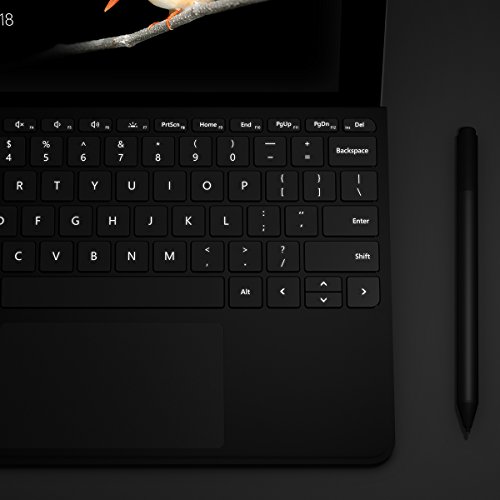
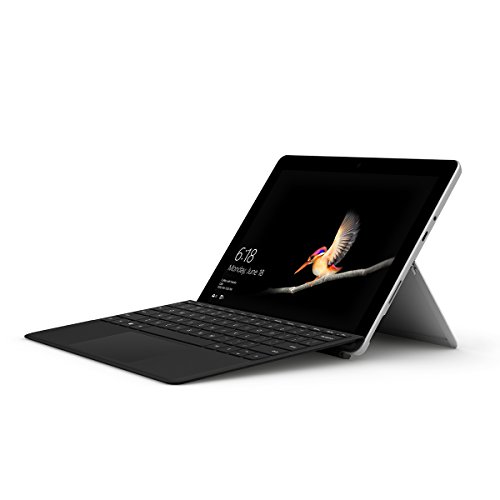
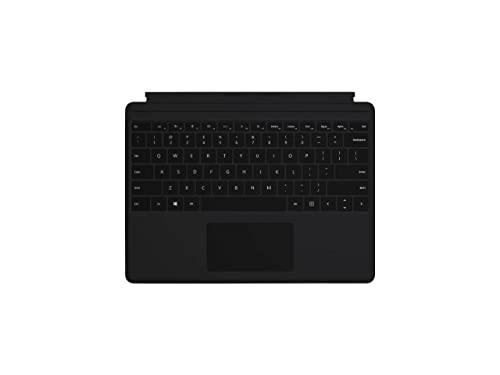
Microsoft Surface Go Type Cover (Black)

Microsoft Surface Go Type Cover in Black

MICROSOFT KCM-00001 7.48 X 9.77 X 0.18 Inches 0.46 Pounds

PM Score for MICROSOFT (PM Score)

9.8 PM Score
Buy on Amazon
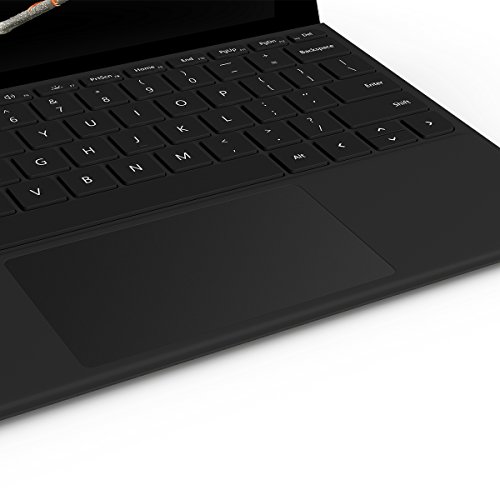
  • Features a full mechanical keyset, backlit keys, and extra-large trackpad for precise navigation and control. Slim and compact, yet performs like a traditional, full-size keyboard.
  • Clicks in place instantly — use in combination with Surface Go* Kickstand for a best-in-class laptop experience anywhere.
  • Alcantara material on select covers is soft and smooth, yet durable and stain resistant.
  • Close to protect screen and conserve battery, or fold back completely for a take-anywhere tablet.
  • Complement your style with a choice of rich colors1 — Platinum, Burgundy, and Cobalt Blue in Alcantara, plus Black..Material:Microfiber
  • Trackpad Dimension: 99.2 mm x 56.5 mm (height) / 3.9 Inches X 2.2 Inches
SELLER SELLER SCORE AMAZON FULFILLED PRIME FREE SHIPPING
IT Assets 7.28 No No No

The Microsoft Surface Go Type Cover in Black transforms your tablet into a powerhouse through its remarkably responsive mechanical keyset. While many portable accessories feel flimsy, this cover provides a tactile, full-size typing experience that punches far above its slim weight. I found the backlit keys and the extra-large trackpad—measuring roughly 3.9 by 2.2 inches—to be essential for precise navigation when working on the go. It clicks into place instantly, working seamlessly with the Surface Go kickstand to create a stable laptop setup. You can fold it back completely to use the device as a pure tablet, or keep it closed to protect your screen and extend battery life. The microfiber material feels premium and durable, making it a reliable companion for daily productivity.
What We Like
Full mechanical keyset
Backlit keys
Extra-large trackpad
Slim compact design
Protective microfiber material

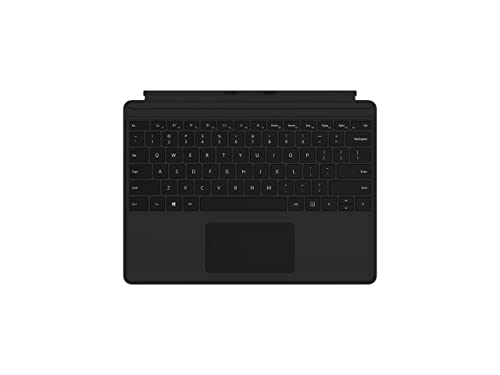
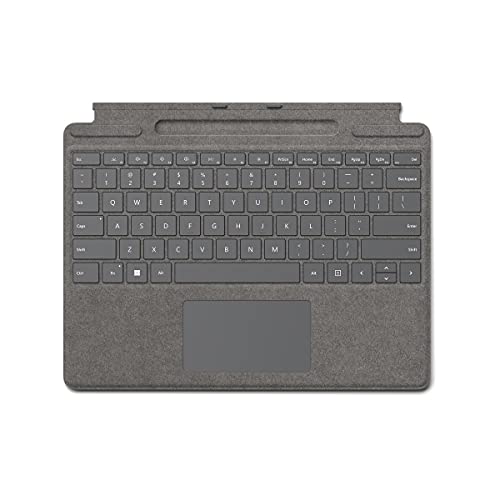
Microsoft Surface Pro Signature Keyboard - Platinum

Microsoft Surface Pro Signature Keyboard in Platinum

MICROSOFT 8XA-00061 11.38 X 8.90 X 0.19 Inches 1.00 Pounds

PM Score for MICROSOFT (PM Score)

9.6 PM Score
Buy on Amazon
  • Choose your keyboard color: Red, Ice Blue, Platinum, and Black. (1)
  • Features a full mechanical keyset, backlit keys, and large trackpad for precise navigation and control.
  • Typing and writing in one without the bulk, Surface Pro Signature Keyboard delivers fast and accurate typing like a traditional, full-size keyboard, plus natural on-screen writing with Surface Slim Pen 2 (sold separately).
  • Work your way anywhere. Surface Pro Signature Keyboard clicks into place instantly and stays securely attached so you always have your pen and keyboard with you. Use with Surface Pro 8* or Pro X* Kickstand for a full laptop experience.
  • Close to protect screen and conserve battery, or fold back completely for a tablet.
SELLER SELLER SCORE AMAZON FULFILLED PRIME FREE SHIPPING
Amazon.com 9.68 Yes Yes Yes

The tactile snap of the magnetic connection is the first thing you notice when this keyboard clicks instantly into your Surface Pro. It transforms your tablet into a legitimate workstation without adding the heavy bulk of a traditional laptop. I found the mechanical keyset to be impressively responsive, providing a fast and accurate typing experience that feels much more substantial than standard thin-profile covers. The backlit keys are a lifesaver for late-night sessions, and the large trackpad makes navigating through documents feel incredibly precise. Whether you are folding it back to use the Slim Pen 2 for sketching or using the kickstand for a full laptop setup, it stays securely attached. It is a seamless way to bridge the gap between a portable tablet and a high-performance computer.

What We Like
Mechanical keyset
Backlit keys
Large trackpad
Instant magnetic attachment
Protective folding design

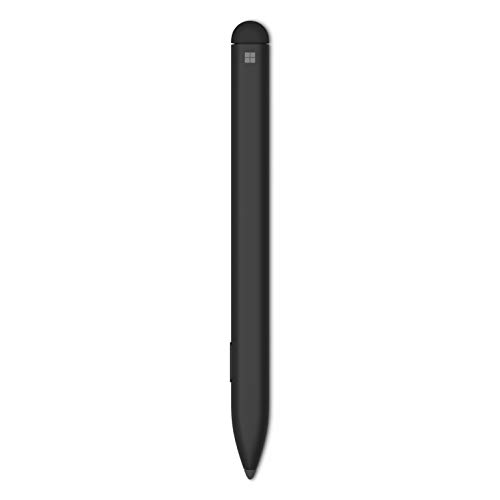
New Microsoft Surface Pro X Signature Keyboard with Slim Pen

Microsoft Surface Pro X Signature Keyboard with Slim Pen

MICROSOFT QSW-00001 11.38 X 8.90 X 0.19 Inches 0.62 Pounds

PM Score for MICROSOFT (PM Score)

9.6 PM Score
Buy on Amazon
  • All-new surface slim pen features a thin, light profile. It stores securely and recharges in the built-in storage tray of surface Pro X signature keyboard with slim pen.
  • Features a full mechanical keyset, backlit keys, and large trackpad for precise navigation and control.
  • Surface Pro X signature keyboard with slim pen delivers fast and accurate typing like a traditional, full-size keyboard, Plus natural on-screen writing.
  • Surface Pro X signature keyboard with slim pen clicks in place instantly, and stays securely attached so you always have your pen and keyboard with you. Use with Surface Pro X kickstand for a best-in-class laptop experience on the go.
  • Close to protect screen and conserve battery, or fold back completely for a take-anywhere tablet.
SELLER SELLER SCORE AMAZON FULFILLED PRIME FREE SHIPPING
OneDealOutlet Online 9.47 No No No

The tactile snap of the keyboard clicking into place instantly transforms your tablet into a legitimate workstation. This signature accessory isn't just about typing. It’s about the seamless marriage of a full mechanical keyset and a highly responsive Slim Pen. I found the backlit keys and expansive trackpad to be incredibly precise, making navigation feel natural even during long sessions. The real genius lies in the integration, as the slim pen rests securely in a built-in storage tray that recharges it automatically. Whether you are folding it back for tablet mode or using the kickstand for a laptop setup, the ability to protect your screen while conserving battery makes this an essential companion for anyone on the move.

What We Like
Full mechanical keyset
Integrated pen charging
Backlit keys
Large precise trackpad
Secure magnetic attachment

Microsoft Surface Pro Keyboard

Microsoft Surface Pro Keyboard for Surface Pro X and 8

MICROSOFT QJW-00001 11.38 X 8.71 X 0.20 Inches 0.74 Pounds

PM Score for MICROSOFT (PM Score)

9.6 PM Score
Buy on Amazon
  • Full keyboard experience - Features a full mechanical keyset, backlit keys, and a large trackpad for precise navigation and control. Optimal key spacing allows fast, fluid typing.
  • Slim and compact - Performs like a traditional, full-size keyboard.
  • Clicks in place instantly - Use in combination with the Surface Pro X kickstand for a perfect laptop experience anywhere.
  • Protective and power saving - Close to protect the screen and conserve battery, or fold back completely for a take-anywhere tablet.
  • Enhanced magnetic stability - Adjusts to almost any angle.
  • The keyboard is only compatible with Surface Pro X and Surface Pro 8 devices (sold separately).
SELLER SELLER SCORE AMAZON FULFILLED PRIME FREE SHIPPING
Bilsonic 9.26 No No No

Most people assume a slim tablet accessory must sacrifice tactile feedback, but this keyboard defies that expectation with a surprisingly robust mechanical keyset. While it maintains a thin, compact profile, the key spacing feels natural enough for long typing sessions without the usual cramped sensation found in ultra-portables. The integration is seamless. It clicks into place instantly and works in tandem with the Surface Pro X kickstand to transform your tablet into a legitimate workstation. I particularly liked how the large trackpad offers precise navigation, and the backlit keys make working in dim environments effortless. It even doubles as a protective layer for your screen when closed, making it a practical choice for mobile professionals who need both utility and battery conservation.

What We Like
Mechanical keyset
Backlit keys
Large trackpad
Magnetic stability
Protective design

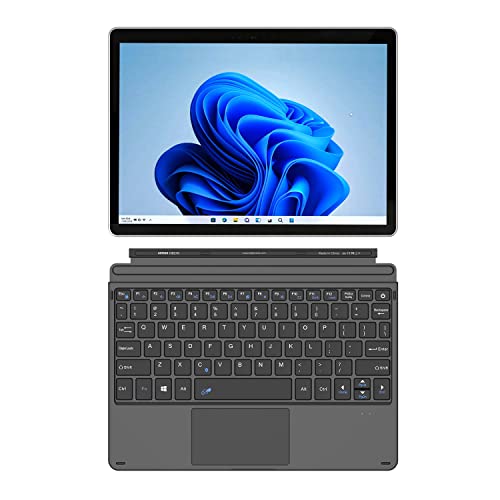
Arteck Microsoft Surface Go Type Cover, Ultra-Slim Portable Bluetooth Wireless Keyboard with Touchpad for Surface Go 3 (2021), Surface Go 2 (2020) and...

Arteck Bluetooth Type Cover for Microsoft Surface Go

ARTECK HB216

PM Score for ARTECK (PM Score)

9.5 PM Score
Buy on Amazon
  • Make Surface Go 3 / Surface Go 2 / Surface Go Like a Laptop: The keyboard is physically attached to Surface Go via magnetic like a laptop and the connection is though Bluetooth. After the Bluetooth is connected, mechanical keys and touchpad simply make you like using a laptop. (This keyboard doesn't fit for Surface Pro or Pro X)
  • Bluetooth Keyboard: Mechanical keys and extra-large trackpad make surface go 3 / Surface go 2 / surface go more useful with typing, navigation and control. Slim and compact, yet performs like a traditional, full-size keyboard.
  • Functional Media Keys and touchpad: Enjoy the easily control of your Surface Go 3/ Surface Go 2 / Surface Go with the touchpad and the media hot keys.
  • Charge up in 1 hour and enjoy 50 hours of uninterrupted use. The keyboard is recharged through a USB-A to micro USB cable (included) and you can recharge it from the cellphone charger. No need to drain power from the Surface Go.
  • Package contents: Arteck Bluetooth keyboard for Surface Go 3 / Surface Go 2 / Surface Go, USB charging cable, user manual, 24-month warranty and friendly support.
SELLER SELLER SCORE AMAZON FULFILLED PRIME FREE SHIPPING
Arteck 9.90 Yes Yes Yes

Imagine sitting in a crowded coffee shop trying to draft a long report on your Surface Go without the awkwardness of a separate, bulky keyboard setup. This Arteck Type Cover solves that problem by magnetically attaching to your device to mimic a true laptop experience. The Bluetooth connection is seamless, turning your tablet into a productivity powerhouse with tactile mechanical keys and an extra-large trackpad that makes navigation feel natural. I was particularly impressed by the power management. You can top it off in just one hour via a standard cellphone charger and get 50 hours of uninterrupted typing. It’s a slim, portable solution that keeps your Surface Go's battery free for the heavy lifting while giving you the functional media keys you actually need.

What We Like
Magnetic attachment
Mechanical keys
Large trackpad
50-hour battery
Rapid charging

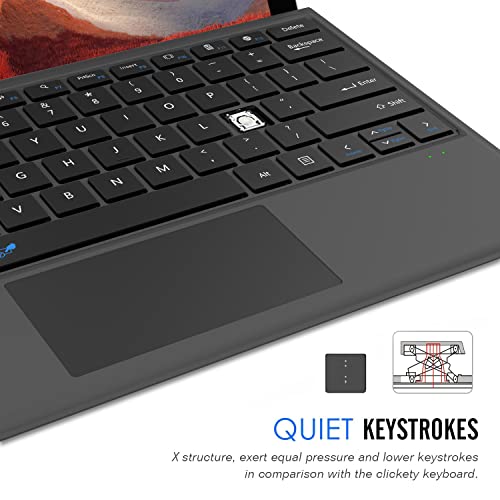
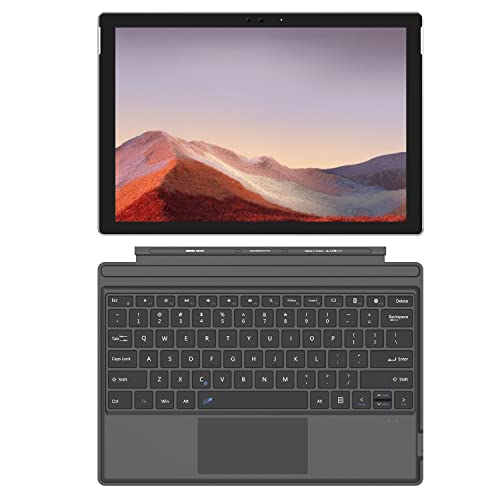
Arteck Microsoft Surface Pro Type Cover, Ultra-Slim Portable Bluetooth Wireless Keyboard with Touchpad Built-in Rechargeable Battery

Arteck Bluetooth Type Cover for Microsoft Surface Pro

ARTECK HB187

PM Score for ARTECK (PM Score)

9.5 PM Score
Buy on Amazon
  • Make Surface Pro Like a Laptop: The keyboard is physically attached to Surface Pro via magnetic like a laptop and the connection is though Bluetooth. After the Bluetooth is connected, mechanical keys and touchpad simply make you like using a laptop. This keyboard is suitable for Surface 12.3-inch Pro 7, Pro 6, Pro 5, Pro 4, Pro 3
  • Bluetooth Keyboard: Mechanical keys and extra-large trackpad make surface pro more useful with typing, navigation and control. Slim and compact, yet performs like a traditional, full-size keyboard.
  • Functional Media Keys and touchpad: Enjoy the easily control of your Surface Pro with the touchpad and the media hot keys.
  • Charge up in 1 hour and enjoy 50 hours of uninterrupted use.
  • Package contents: Arteck Bluetooth keyboard for Surface Pro, USB charging cable, user manual, 24-month warranty and friendly support.
SELLER SELLER SCORE AMAZON FULFILLED PRIME FREE SHIPPING
Arteck 9.90 Yes Yes Yes

Imagine sitting in a crowded coffee shop, needing to turn your Surface Pro into a legitimate workstation without lugging around a bulky external setup. The Arteck Type Cover solves this exact problem by snapping magnetically to your device to mimic a traditional laptop experience. I found the mechanical keys surprisingly tactile for such an ultra-slim profile, and the extra-large trackpad makes navigating spreadsheets or documents feel seamless. Because it connects via Bluetooth, you get the freedom of a wireless setup while maintaining that integrated, cohesive look. It is a massive productivity boost for Surface Pro 3 through 7 users who need to balance portability with serious typing capabilities, especially since a quick one-hour charge keeps you going for two full days of work.

What We Like
Magnetic attachment
Mechanical keys
Large trackpad
50-hour battery
One-hour charging
#7

Qulose Surface Pro 8 Keyboard, 7 Color Backlight Keyboard for Surface Pro 8 13 inch, Detachable Wireless Surface Pro 9 2022 / Surface Pro 8 2021 / Sur...

Qulose Backlit Wireless Keyboard for Surface Pro

QULOSE 11.38 X 8.89 X 0.24 Inches 0.02 Pounds

PM Score for QULOSE (PM Score)

9.3 PM Score
Buy on Amazon
  • Compatibility: This keyboard designed for Microsoft Surface Pro 9 (2022 new release), Surface Pro 8 13 inch (2021 release), Surface Pro X tablet all series, not for Surface Go or Surface Pro 7+/7/6/5/4/3 tablet. The keyboard is physically attached to Surface Pro via magnetic and use with your tablet built-in kickstand open for a complete laptop, work comfortably anywhere. Tips: please kindly check your tablet model carefully before purchase. (tablet and pen not included)
  • Magnetic Detachable Wireless Keyboard & Slim and Portable: This Surface pro 9/ pro 8/ pro x 13 inch keyboard makes it easy to do your work on the go. It is easy to pair with your device by BT with a range of up to 33 feet. You can hold and remove the keyboard at any time. The split keys and scissors switches will make your typing as comfortable as that on a laptop. Compact size and lightweight allow easily be carried and packed in backpack.
  • Full Keyboard Experience: Features a full mechanical keyset, shortcut keys and ergonomic scissors switch, sensitive trackpad for precise navigation and control. This surface pro 9/ pro 8 / surface pro x type cover with 7-Color elegant LED backlight and 3 brightness level. Optimal key spacing allows fast, fluid typing. The keyboard requires charging via a USB Type C cable, quite convenient and quick charging.
  • 7 Color Backlit & Pencil Holder: 3 levels of brightness and 7 vibrant colors make typing fun and easy in the dark. Keyboard will automatically turn itself on and off upon opening and closing. This surface pro 8 keyboard comes with pencil holder, it is convenient to store your pen without worrying about losing it. Notice: This surface pro 9/ pro 8/ pro x keyboard's pen slot only for storage, not for charging. (Note: Pen are not included)
  • Multiple Viewing Angles & Warranty: The build-in kickstand of surface pro 9/ pro 8/ pro x can hold securely, adjustment freely. It’s great for comfortable viewing or typing, you can have an excellent experience when you are relaxing or working. If there are any issues with your order, please feel free to contact us we will respond within 12 hours. Our keyboard come with a limited one year warranty and friendly support.
SELLER SELLER SCORE AMAZON FULFILLED PRIME FREE SHIPPING
Qulose 5.49 Yes Yes Yes

After weeks of use, the Qulose wireless keyboard has become an indispensable companion for my Surface Pro 9. It transforms a standalone tablet into a legitimate productivity machine thanks to the tactile scissors switches and a highly responsive trackpad that mimics a laptop experience. The standout feature is undoubtedly the seven-color LED backlight, which offers three brightness levels to make working in low-light environments much more enjoyable. I especially appreciate the integrated pen holder, which keeps my stylus secure even when I'm moving between meetings. While the pen slot is strictly for storage rather than charging, the magnetic attachment and slim profile make it incredibly easy to toss into a backpack for work on the go.

What We Like
Seven-color backlight
Tactile scissors switches
Integrated pen holder
Sensitive trackpad
USB-C charging

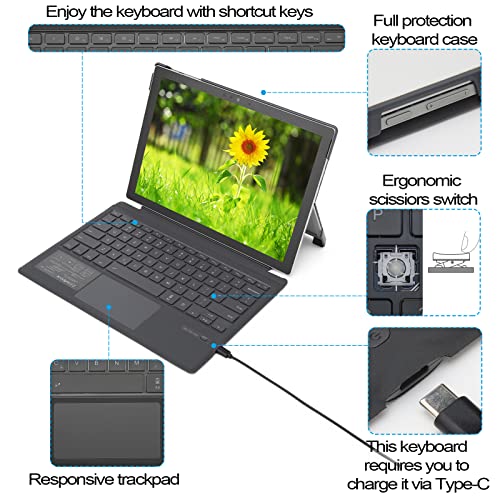
Qulose Surface Pro Keyboard Case, 7 Color Backlight Detachable Keyboard with Trackpad, Case with Keyboard for Microsoft Surface Pro 7+/ 7/6 / 5/4 / 3...

Qulose Backlit Detachable Keyboard Case for Microsoft Surface Pro

QULOSE 11.69 X 8.61 X 0.27 Inches 1.15 Pounds

PM Score for QULOSE (PM Score)

9.3 PM Score
Buy on Amazon
  • Compatibility: This keyboard case specially designed for Microsoft surface pro 7 Plus(2021), surface pro 7 (2019), surface pro 6 (2018), surface pro 5 (2017), surface pro 4 (2015) 12.3 inch, surface pro 3 (2014) 12 inch tablet. Not compatible with any other device, please kindly check your tablet model carefully before purchase. (tablet not included)
  • Magnetic Detachable Wireless Bluetooth Keyboard: The Surface Pro 7 keyboard case makes it easy to do your work on the go. It is easy to pair with your device by BT with a range of up to 33 feet. You can hold and remove the keyboard at any time. The split keys and scissors switches will make your typing as comfortable as that on a laptop. Auto sleep/wake initiates when the surface pro keyboard case is opened and closed to conserve battery life.
  • Backlight Keyboard and All in One Design: 3 levels of brightness and 7 vibrant colors make typing type easily in the dark. Keyboard will automatically turn itself on and off upon opening and closing. Features a full mechanical keyset, shortcut keys and ergonomic scissors switch, sensitive trackpad for precise navigation and control.(Note: Please peel off the protective film of the trackpad before using.) The keyboard requires charging via a Type C cable, quite convenient and quick charging.
  • Portable Keyboard Case for Surface Pro 7 and Full Protection: The wireless keyboard case is slim and portable, compact size (11.69*8.61*0.27in) and weight (18.57oz) , making it more convenient to carry. Protective keyboard case made with high quality durable PC. Prevents the tablet from scratching and bumping, and precise cutouts allow full access to all features (buttons, speakers, cameras). Every corner of the tablet is fully protected.
  • Multiple Viewing Angles and Warranty: The build-in kickstand of surface pro can hold securely, adjustment freely. It’s great for comfortable viewing or typing, easily adjusts to whatever comfortable position suits you best. If there are any issues with your order, please feel free to contact us we will respond within 12 hours. Our keyboard come with a limited one year warranty and friendly support.
SELLER SELLER SCORE AMAZON FULFILLED PRIME FREE SHIPPING
Qulose 5.67 Yes Yes Yes

Mobile professionals who treat their Surface Pro like a primary workstation will find the Qulose keyboard case an absolute game-changer for productivity. Instead of struggling with on-screen typing, you get a tactile experience thanks to the ergonomic scissors switches and split keys that mimic a traditional laptop. The seven-color backlight is a standout feature, allowing you to keep working in dim environments without losing your rhythm. I love how the magnetic design lets you detach the keyboard instantly when you just want to use the tablet, while the built-in kickstand offers versatile viewing angles. It wraps your device in a durable PC shell that protects every corner from bumps, making it a rugged yet slim companion for life on the go.

What We Like
Seven color backlight
Magnetic detachable design
Ergonomic scissors switches
Sensitive trackpad
Durable PC protection

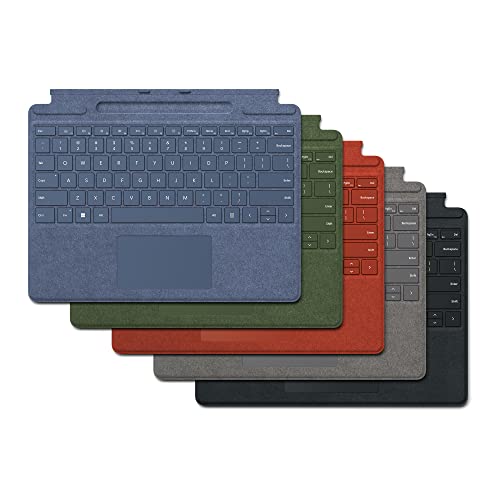
Microsoft Surface Pro Signature Keyboard, Backlit Keys and Large Trackpad, Durable and Smooth Alcantara Material, Sapphire Colour, 10.01 x 12.53 x 0.7...

Microsoft Surface Pro Signature Keyboard in Sapphire

MICROSOFT 8XA-00097 10.01 X 12.53 X 0.70 Inches 1.40 Pounds

PM Score for MICROSOFT (PM Score)

9.3 PM Score
Buy on Amazon
  • Transform Surface Pro 9* into a full laptop.
  • New Sapphire and Forest[1] colors are made with partially biobased Alcantara material.[2]
  • Designed for Surface Pro 9, Surface Pro 8, or Surface Pro X.*
  • Surface Slim Pen 2 (not included) recharges in the built in storage tray.
  • Full mechanical keyset, backlit keys, and large touchpad.
SELLER SELLER SCORE AMAZON FULFILLED PRIME FREE SHIPPING
Outlet 9.83 No No No

The first thing you notice is the soft, premium texture of the sapphire Alcantara material that feels remarkably smooth under your fingertips. This isn't just a flimsy cover. It is a complete transformation that turns your Surface Pro into a legitimate laptop workstation. The mechanical keyset provides a satisfying tactile response, while the backlit keys ensure you aren't left fumbling in dim environments. I was particularly impressed by the expansive trackpad, which offers much more precision than standard tablet accessories. Plus, the built-in storage tray is a clever touch, allowing you to keep your Surface Slim Pen 2 charged and ready to go right alongside your keyboard. It strikes that perfect balance between lightweight portability and heavy-duty productivity.

What We Like
Backlit mechanical keys
Large precision trackpad
Biobased Alcantara material
Built-in pen charging
Durable sapphire finish

Microsoft Surface Pro Signature Type Cover – Platinum (FFP-00141)

Microsoft Surface Pro Signature Type Cover in Platinum

MICROSOFT FFP-00141 12.00 X 9.00 X 1.00 Inches 0.68 Pounds

PM Score for MICROSOFT (PM Score)

0.0 PM Score
Buy on Amazon
  • Features a full mechanical keyset, backlit keys, and large trackpad for precise navigation and control
  • Slim and compact, yet performs like a traditional, full-size keyboard
  • Clicks in place instantly — use in combination with Surface Pro 7 Kickstand for a best-in-class laptop experience anywhere.
  • Luxurious Alcantara material on select covers is soft and smooth, yet durable and stain resistant
  • Close to protect screen and conserve battery, or fold back completely for a take-anywhere tablet
SELLER SELLER SCORE AMAZON FULFILLED PRIME FREE SHIPPING
Amazon.com 9.68 Yes Yes Yes

Imagine sitting in a cramped airplane seat or a crowded coffee shop, needing to hammer out a long report without the bulk of a traditional laptop. The Microsoft Surface Pro Signature Type Cover transforms your tablet into a legitimate workstation the moment it clicks into place. I found the mechanical keyset incredibly responsive, providing a tactile experience that defies its slim profile. The backlit keys are a lifesaver for late-night sessions, and the large trackpad makes navigating spreadsheets feel intuitive rather than a struggle. Wrapped in luxurious, stain-resistant Alcantara material, it feels premium to the touch while remaining durable enough for daily travel. It even doubles as a screen protector, making it an essential companion for anyone prioritizing mobility.

What We Like
Mechanical keyset
Backlit keys
Large trackpad
Stain-resistant Alcantara
Slim profile
Buying Guide

A Guide to Selecting the Best Trackpad Mechanical Keyboards

A Guide to Selecting the Best Trackpad Mechanical Keyboards

The Trackpad: Precision vs. Surface Area

The most critical decision factor is the trackpad itself. In a hybrid keyboard, the trackpad is often a compromise between size and stability. You must decide if you need a large, multi-touch surface area for complex gestures (like pinching to zoom in design software) or a compact, integrated pad that prioritizes typing stability. Look for trackpads that support multi-touch gestures natively via your operating system. A common pitfall in lower-end models is a trackpad that only supports basic cursor movement. For a professional workflow, you need a surface that recognizes swipes, two-finger scrolling, and pinch-to-zoom. Additionally, consider the texture. A glass-top surface provides much smoother gliding compared to plastic, which can feel 'scratchy' over time.

Switch Profiles and Typing Feel

Since the primary function remains typing, the mechanical switches are paramount. Because trackpad keyboards are often designed for productivity and ergonomics, you will encounter a wide range of switch types. Linear switches offer a smooth, consistent keystroke that is ideal for quiet office environments, while tactile switches provide a physical bump that helps with typing accuracy. If you are a heavy typist, avoid overly 'clicky' switches that might create excessive noise during video calls. Furthermore, pay attention to the keycap profile. Since your hand will be hovering near a trackpad, a low-profile mechanical keyboard can often feel more natural, reducing the wrist angle required to transition between typing and navigating the cursor.

Connectivity and Latency

A trackpad keyboard is a high-bandwidth device. It isn't just sending keystroke data. It is sending high-resolution coordinate data from the trackpad. For this reason, wireless models must feature high-quality Bluetooth or 2.4GHz wireless protocols to prevent 'cursor lag.' If you are a digital artist or an editor, even a millisecond of latency between your finger movement and the on-screen cursor can break your flow. If you work in a high-interference environment, a wired connection is always the safest bet for zero-latency performance, though it sacrifices the clean aesthetic of a wireless setup.

Layout and Ergonomics

The physical layout of a trackpad keyboard is inherently different from standard boards. The placement of the trackpad can affect your typing posture. Some models place the trackpad centrally, which can interfere with the spacebar or thumb usage, while others offset it to the side. Evaluate how the weight is distributed. A heavy, well-constructed chassis is essential to prevent the keyboard from sliding when you press down firmly on the trackpad. Finally, consider the 'split' or 'ergonomic' factor. Many users seeking this hybrid setup are also looking to improve wrist health, so look for models that offer tenting or a contoured shape to complement the integrated navigation.

Ready to choose?

Jump back to our ranked picks or compare the shortlist side by side.

Frequently Asked Questions

Quick answers about Trackpad Mechanical Keyboards before you buy.

It is a peripheral that combines the tactile typing experience of mechanical switches with a built-in precision pointing device, similar to a laptop trackpad, allowing for mouse-free navigation.

They are excellent for strategy games, MMOs, or productivity-heavy gaming, but competitive FPS players may still prefer a dedicated high-polling rate mouse for superior precision.

You get the full benefits of mechanical switches—customizable actuation, travel, and clickiness—while the trackpad provides a seamless way to navigate menus without reaching for a mouse.

Most modern models are cross-compatible, but you should check for specific gesture support (like multi-touch scrolling) to ensure it works natively with your operating system.

High-quality models use capacitive multi-touch technology, which supports gestures like pinch-to-zoom and two-finger scrolling, making them suitable for graphic design and video editing.

While many are plug-and-play, some brands offer proprietary software to customize key mappings, RGB lighting, and trackpad gesture sensitivity.

They are generally larger than standard compact keyboards due to the integrated trackpad, making them better suited for desk setups than ultra-mobile travel kits.

Use a slightly damp microfiber cloth. Avoid using harsh chemicals or spraying liquids directly onto the board, as moisture can seep under the trackpad sensor.
Rankings & Insights

Our Trackpad Mechanical Keyboards Rankings

10 Products Compared
8.5 Avg PM Score
3 Brands Ranked

Top 10 Trackpad Mechanical Keyboards Brands on Amazon

Share of top-ranked products by brand, from our rankings.

  1. 01 Microsoft 6 (60%)
  2. 02 Arteck 2 (20%)
  3. 03 Qulose 2 (20%)

How We Selected These Products

We compared Trackpad Mechanical Keyboards products using product details and customer ratings to identify the best options in the videogames..

From that comparison we shortlisted the top 10 Trackpad Mechanical Keyboards for this page..

We aim to help you find the right keyboards products for your needs and save you time when choosing which Trackpad Mechanical Keyboards to buy.