PickSmartly Buying Guide

Best Rechargeable Office Presentation Remotes in 2026

9.7 PM Score
Products Compared
16
Brands Ranked
10
Our guides are compiled from product information and customer ratings. If you click on links we provide, we may receive compensation.

In the modern professional landscape, the ability to command a room is often tethered to the technology in your hand. A presentation remote is no longer just a way to flip through slides. It is a tool for movement, engagement, and professional poise. Transitioning from traditional AAA or AA battery-powered clickers to rechargeable models is a significant upgrade for frequent presenters. Not only does it eliminate the frantic search for replacement batteries mid-conference, but it also offers a more streamlined, eco-friendly, and ergonomic experience. However, not all rechargeable remotes are created equal, and choosing the wrong one can lead to connectivity drops or awkward physical handling during a high-stakes pitch.

Editor's Choice

Our Top Picks for Rechargeable Office Presentation Remotes

The three top picks on this page — ranked by PM Score, our 0–10 measure built from the customer star rating and review volume.

Presentation Clicker USB Rechargeable Powerpoint Clicker, Finger Ring RF 2.4GHz Wireless Presenter Clicker for Powerpoint Presentations, Presentation...

DinoFire Rechargeable Finger Ring Wireless Presenter

DINOFIRE Q16-DF-US

PM Score for DINOFIRE (PM Score)

9.7 PM Score
Buy on Amazon
  • 【FINGER RING PRESENTATION CLICKER】 Finger ring concept is unique and practical, your hand remains relatively free so there's no need to set wireless presenter remote down and misplace it. Rubber loop is adjustable to fit fingers of different size
  • 【PLUG & PLAY POWERPOINT CLICKER】 No need to install software, this remote clicker for presentation supports page up, page down, black screen, full screen, super easy to use
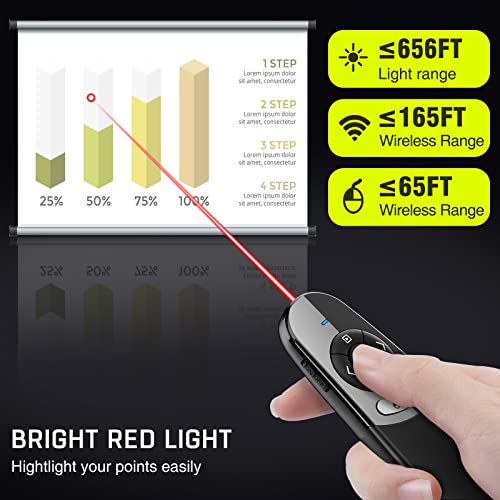
  • 【BRIGHT LIGHT & LONG CONTROL RANGE】 Bright red light that is easy to see against most backgrounds. Wireless range of presentation clicker is 40-50FT, powerpoint presentation clicker light range is 328FT
  • 【WIDELY APPLICABLE】 Clicker for powerpoint presentations supports systems: Windows 2003/XP/Vista/7/8/10, Mac OS, Linux, Android. Presenter clicker supports software: PowerPoint, Google Slides, iWork (Keynote & Numbers & Pages), Prezi, MS Word, Excel, ACD See, Website, etc.
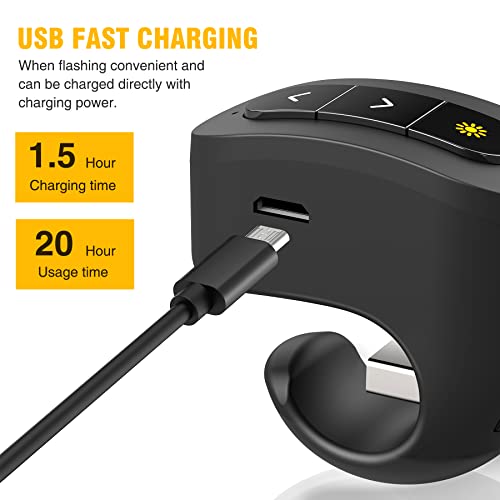
  • 【RECHARGEABLE PRESENTATION REMOTE】 Only requires 1 hour of charging time, support one week of using, slide clicker support auto sleep function to save energy.
SELLER SELLER SCORE AMAZON FULFILLED PRIME FREE SHIPPING
IMMANUEL 7.56 Yes Yes Yes

Why settle for fumbling with a bulky remote when you can control your slides with a simple gesture? The DinoFire wireless presenter breaks the mold by utilizing a unique finger ring design, allowing you to keep your hands free for gesturing or holding notes without the fear of misplacing a handheld device. The adjustable rubber loop ensures a secure fit for almost anyone, while the plug-and-play setup means you can jump straight into your presentation on Windows, Mac, or even Android without hunting for drivers. With a bright red laser that cuts through most backgrounds and a generous 50-foot control range, this rechargeable tool feels like a professional upgrade. It even features an auto-sleep function to ensure a single one-hour charge lasts you through a full week of presenting.
What We Like
Adjustable finger ring
Rechargeable battery
Plug and play
Long wireless range
Bright red laser
#2

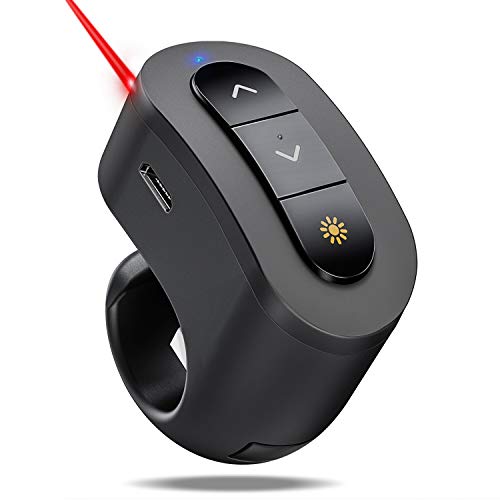
AMERTEER Wireless Presenter RF 2.4GHz Presentation Laser Pointer Finger Ring Remote PowerPoint PPT Slides Clicker Pen Rechargeable

AMERTEER Wireless Finger Ring Presentation Remote

AMERTEER AMERTEER-FLM2283AMTUS

PM Score for AMERTEER (PM Score)

9.7 PM Score
Buy on Amazon
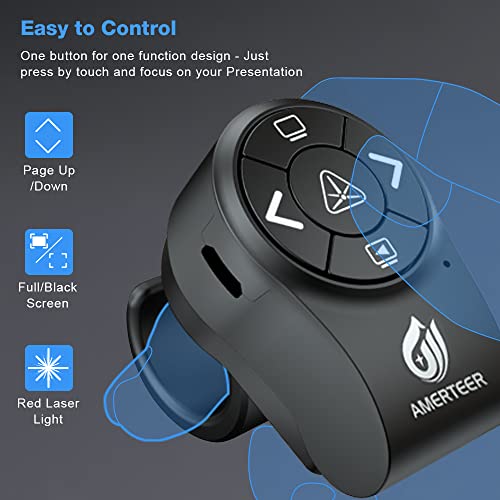
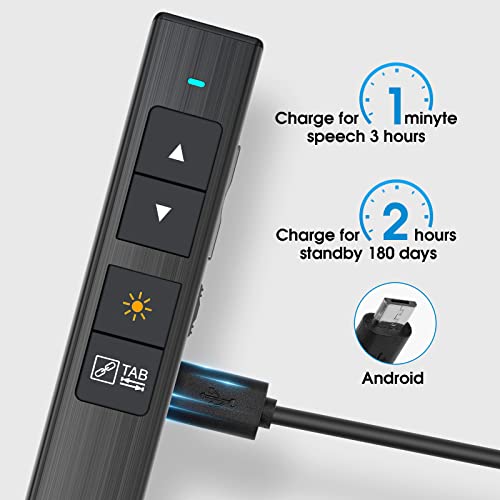
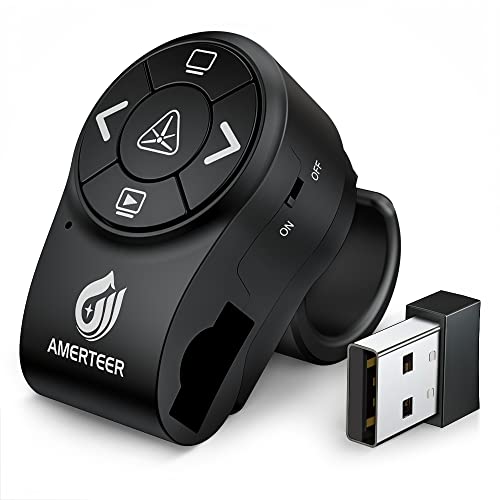
  • Wireless Presenter with finger ring design, the rubberized slip-resistant ring adjustable to fit finger sizes . The control area with five buttons can be controlled simply by your thumb, Support your both hands for comfortable control all day long.
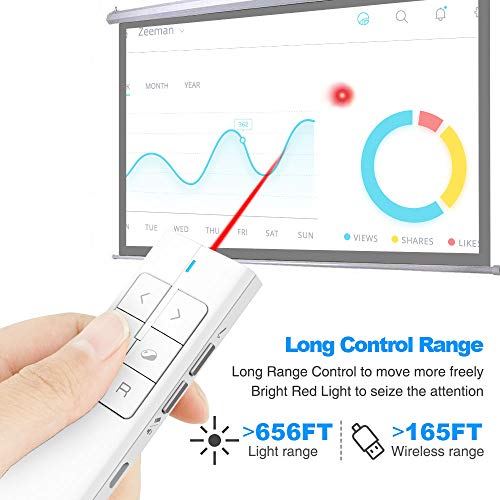
  • A red and bright laser pointer that's easy to see against most backgrounds, highlight key areas of your slides, super easy to use to take your eyes of your audience. Equipped with top-grade microchip, wireless control range up to 12 meters, so you can free to move around the room and interact with your audience.
  • The mini USB receiver supports plug and play technology. No driver is required. Built-in docking bay stores receiver magnetically so you are less likely to lose your receiver. One-touch keys easy to control slideshow. Buttons: laser pointer, page up, page down, launch slide show, black screen, switch on/off.
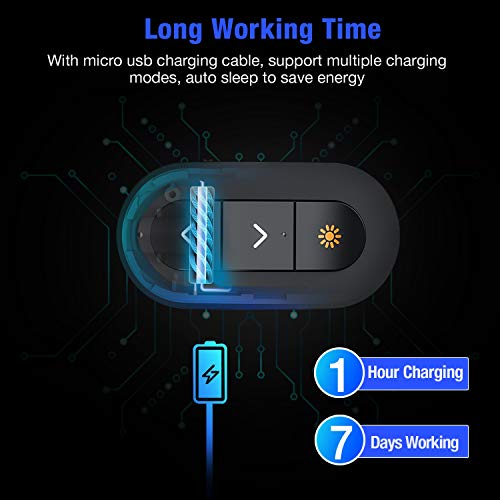
  • Built in rechargeable Li-polymer battery. You can charge it by a laptop or wall adapter via the standard Micro USB input port. Comes with auto standby and deep sleep functions for energy-saving and durable use, equipped with a separate switch that effectively avoids unwanted power consumption when you put it in your bag.
  • Support options: Supports MS Word, Excel, PowerPoint, ACD See, website, iwork (Keynote& Numbers&Pages), Gooles Slides, Prezi,etc. Supported OS: Win2000,XP,Vista,Win7,Win8,Win10,MAC OS, Linux
SELLER SELLER SCORE AMAZON FULFILLED PRIME FREE SHIPPING
AMERTEERUS 6.37 Yes Yes Yes

Most presenters struggle with bulky handheld clickers that force them to stay tethered to a podium, but the AMERTEER wireless presenter changes the game by turning your hand into the controller. The standout feature is the adjustable, rubberized finger ring that allows for true hands-free movement, letting you gesture naturally while navigating slides with simple thumb controls. I found the bright red laser pointer incredibly easy to spot against various backgrounds, ensuring your audience stays focused on your key points. With a 12-meter range and a built-in magnetic docking bay for the tiny USB receiver, you won't have to worry about losing your hardware or running out of space. It is a highly versatile tool that works seamlessly across everything from PowerPoint to Google Slides.

What We Like
Adjustable finger ring
Bright red laser
Magnetic receiver storage
Rechargeable battery
Twelve-meter range

Presentation Clicker Green Laser Pointer, Rechargeable PowerPoint Clicker Wireless Presenter Remote, RF 2.4GHz USB Presentation Pointer Slide Advancer...

TITIANCOOL Rechargeable Green Laser Presentation Clicker

TITIANCOOL TK701 5.50 X 0.70 X 0.80 Inches

PM Score for TITIANCOOL (PM Score)

9.4 PM Score
Buy on Amazon
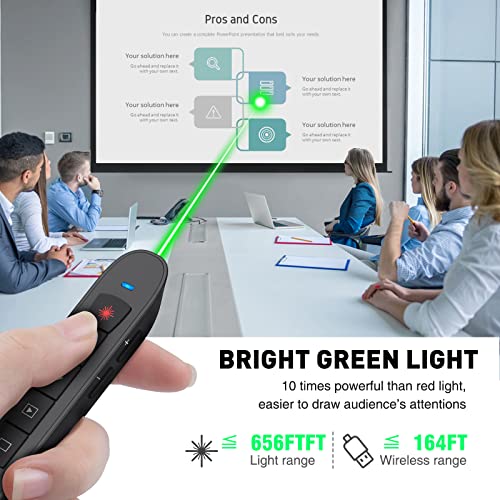
  • 【Bright Green Laser Clicker for PowerPoint Presentations】Bright green laser Slide clicker has good intensity, it is not only 10 times powerful than red light, it’s also vibrant, easier to draw audience’s attentions. Wireless control is freeing, you never being stuck at computer when teaching or presenting in larger rooms and auditoriums, you can speak from a distance while guiding the audience with a focal point.
  • 【Multi-features Rechargeable PowerPoint remote】Laser Pointer Rechargeable Presentation Remote serves all the basic functions via the press and double-press and hold features of page up/down, full/black screen, hyperlink, volume control, switch windows. Laser pointer Pen built-in 360mAh Lithium Battery, projector clicker only requires 1H full charge support weeks use
  • 【Plug & Play PowerPoint Clicker with Laser Pointer】Plug & Play, no need to install software. Clicker for laptop presentations supports Systems: Windows 2003 / XP / Vista / 7 / 8 / 10, Mac OS, Linux, Android. Supports Software: PowerPoint, Google Slides, Keynote, Prezi, PDF, MS Word, ACD See etc. Computer clicker for presentations supports devices: Macbook air, Macbook pro, Surface pro, PC, Computer etc.
  • 【Long Wireless Range Clicker 】With a wireless range of 164 feet, you are free to walk around the room and communicating with your audience. Helping you make ordinary presentations extraordinary. Remote clicker for presentation laser light range of 656 feet, suited for classrooms and conference rooms, auditoriums and halls with a lot of square footage to cover
  • 【1-Year Warranty & More Details】This clicker is about the size of a pen, comes with a usb charging cable, and doesn't require a driver so you can just plug it into your USB port and go! Plus, ①PPT Clicker One-piece magnetic usb storage, not easy to lose usb ②Soft and large rubber buttons, no noisy button pressing ③Comfortable grip allows you attach it to book/pocket, keep your Presentation Clicker pointer! ④ Bumped-buttons design for operating without looking down at it.
SELLER SELLER SCORE AMAZON FULFILLED PRIME FREE SHIPPING
TITIANCOOL-Direct 8.21 Yes Yes Yes

The TITIANCOOL Green Laser Pointer stands out immediately because its vibrant green beam is ten times more powerful than standard red lasers, making it a total game-changer for large auditoriums. I found that the 164-foot wireless range gives you incredible freedom to pace the room and engage with your audience without being tethered to a desk. The device feels incredibly intuitive thanks to the bumped-button design, which lets you navigate slides, hyperlinks, and volume controls purely by touch. It’s roughly the size of a pen and features a built-in magnetic storage slot for the USB receiver, so you won't be hunting for it in your bag. Since it’s rechargeable via USB and requires zero software installation, you can simply plug it into your MacBook or PC and start presenting in seconds.

What We Like
Vibrant green laser
Rechargeable lithium battery
Magnetic USB storage
164-foot range
Tactile bumped buttons

DINOSTRIKE Wireless Presenter Remote with Air Mouse Control, Rechargeable USB Presentation Clicker PPT Pointer RF 2.4GZ PowerPoint Clicker Slide Advan...

DINOSTRIKE Wireless Air Mouse Presentation Remote

DINOSTRIKE TK701

PM Score for DINOSTRIKE (PM Score)

9.4 PM Score
Buy on Amazon
  • 【Functions & Supports】Presenter remote support function: Black/Full screen, Page forward/ backward, Volume control, Mouse Feature, Open hyperlink, Switch windows and etc. Presentation pointer support systems:Windows 7/8 or above,Mac OS / Linux / Android. Powerpoint clicker support software: PowerPoint, Keynote, PDF, Word, Excel, Google Slides, Prezi and etc.
  • 【Bright Red Light & Long Control Distance】A bright red light that is easy to see against most backgrounds, clearly pointing out the key points you want to emphasize. Long control distance: Air mouse range: 82FT, Wireless control range: 164FT, Light range: 656FT, makes you can freely move around the room
  • 【Rechargeable Air Mouse presentation Remote Control】 The computer clicker for presentations is not only a powerpoint remote clicker, but also an air mouse, with terrifically sensitive wireless cursor control,which serves like a real mouse, enter/exit mouse mode by clicking cursor switch button (last button). Built in 300 mAh battery, charge 3H to get weeks of use time, the slide clicker will go into sleep mode and turn itself off when not in use to save power
  • 【Easy to Use and Carry】 The plug-and-play computer clicker for presentations helps with work flow when presenting without installing any software. USB receiver stores inside the bottom of this presentation clicker, the clip of the rechargeable wireless presenter remote like a pen, allowed you to clip it to pocket or book, convenient placement to prevent loss, curved design gives you a more comfortable grip
  • 【What you get】 Package list: 1xPresenter Remote with usb receiver, 1x User Manual. Responsible after-sale service, please don’t hesitate to contact with us if any problems, we promise will provide you with satisfactory solution.
SELLER SELLER SCORE AMAZON FULFILLED PRIME FREE SHIPPING
ST-Direct 9.89 Yes Yes Yes

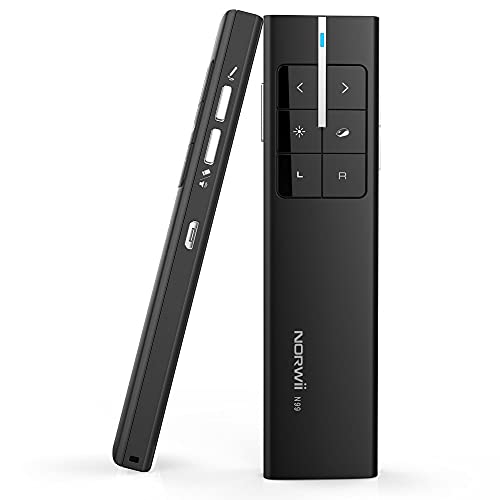
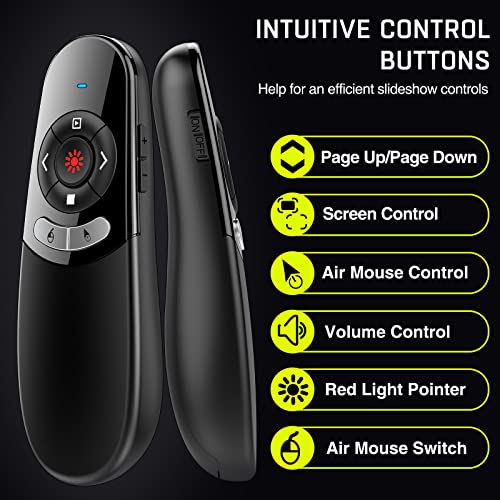
The DINOSTRIKE Wireless Presenter is a top-tier choice for professionals who need more than just a simple slide advancer. What sets this device apart is the integrated air mouse functionality, which allows you to navigate a cursor with impressive sensitivity just by moving the remote in the air. It covers massive distances, offering a 164-foot wireless range and a bright red light that cuts through most backgrounds easily. I love the plug-and-play setup. You just pop in the USB receiver and you are ready for PowerPoint, Keynote, or even Prezi without hunting for drivers. The built-in rechargeable battery is a lifesaver, providing weeks of use on a single three-hour charge, while the pen-like clip makes it incredibly easy to carry between meetings.
What We Like
Sensitive air mouse
Long wireless range
Rechargeable battery
Bright red pointer
Plug and play

NORWII N99 Presentation Clicker Air Mouse Function Wireless Presenter USB Powerpoint Clicker, RF 2.4 GHz Presentation Remote Control Clicker for power...

NORWII N99 Wireless Air Mouse Presentation Clicker

KNORVAY N99

PM Score for KNORVAY (PM Score)

9.3 PM Score
Buy on Amazon
  • Presentation Clicker with Air Mouse - ①Powerpoint remote combines the function of air mouse and wireless cursor control(left/ right mouse button), which makes it like a true mouse. ②According to the gravity sensing & acceleration sensing algorithm, along with the intelligent anti-shake technology you only need to swing the mouse clicker gently in the air, and then the mouse arrow on the screen will follow.
  • Wireless Presenter Rechargeable & 164FT Control Range - ①Built-in 300mAh rechargeable battery, presentation mouse provides weeks of use on only a 1.5-hour charge. ②The air mouse control and wireless control range of pointer presenter has been upgrated up to 50M/164FT, red light range: 200M/656FT.
  • Easy to Use - ①The presenter mouse is all-round for its functions: Electronic Mark / Eraser, Hyperlink, Volume Up/Down, Switch/Close Window, Play/Pause Multimedia, Full/ Black Screen, Page Up/ Down etc. ②Teh clicker for powerpoint presentations is easy to use, only Plug and Play.
  • Wide Compatibility - NORWII N99 slide clicker supports systems: Windows, macOS, Android.(Some of applications don't support mouse or e-mark function. Please refer to the last picture in Product Description part)
  • WHAT YOU GET - 1 years warranty. Any questions, please don’t hesitate to contact us, JUST log in to your Amazon Account - Your Order - Contact The Seller. Package included: 1x Presentation Pointer, 1x USB Receiver, 1x Gift Pouch, 1x User Manual, 1x USB Charging Cable.
SELLER SELLER SCORE AMAZON FULFILLED PRIME FREE SHIPPING
NORWII 9.87 Yes Yes Yes

The weight of the NORWII N99 feels perfectly balanced in your palm, making it much more than a standard slide advancer. What sets this device apart is the integrated air mouse functionality. By utilizing gravity and acceleration sensors, you can actually control the on-screen cursor just by waving the device through the air. It handles transitions smoothly thanks to intelligent anti-shake technology, ensuring your pointer doesn't jitter during a high-stakes pitch. Beyond simple clicking, you get dedicated controls for volume, hyperlinks, and even a black screen function to command the room's attention. With a massive 164-foot wireless range and a rechargeable battery that lasts for weeks on a single charge, it is a reliable tool for any professional presenter working across Windows, macOS, or Android systems.

What We Like
Integrated air mouse
Rechargeable battery
164ft wireless range
Gravity sensing technology
Plug and play
#6

NORWII N99 Wireless Presenter Mouse Pointer, 2.4GHz Presentation Clicker Rechargeable PPT PowerPoint Clicker for Powerpoint Presentation Remote Slide...

KNORVAY N99 Wireless Air Mouse Presentation Clicker

KNORVAY N99 0.15 Pounds

PM Score for KNORVAY (PM Score)

9.2 PM Score
Buy on Amazon
  • Presentation Clicker with Air Mouse - ①Powerpoint remote combines the function of air mouse and wireless cursor control(left/ right mouse button), which makes it like a true mouse. ②According to the gravity sensing & acceleration sensing algorithm, along with the intelligent anti-shake technology you only need to swing the mouse clicker gently in the air, and then the mouse arrow on the screen will follow.
  • Rechargeable Presenter & 100FT Control Range - ①Built-in 300mAh rechargeable battery, wireless presentation mouse provides weeks of use on only a 1.5-hour charge. ②Wireless pointer presenter range is up to 30M/100FT, Red Light Range: 200M/330FT.
  • Easy to Use - ①Mouse pointer is all-round for its functions: Electronic Mark / Eraser, Hyperlink, Volume Up/Down, Switch/Close Window, Play/Pause Multimedia, Full/ Black Screen, Page Up/ Down etc. ②Mouse clicker for laptop is easy to use, only Plug and Play.
  • Wide Compatibility - Clicker for Laptop presentations supports systems: Windows, macOS, Linux, Android.
  • WHAT YOU GET - 1 years warranty. Package included: 1x Presentation Pointer, 1x USB Receiver, 1x Gift Pouch, 1x User Manual, 1x USB Charging Cable.
SELLER SELLER SCORE AMAZON FULFILLED PRIME FREE SHIPPING
NORWII 9.87 Yes Yes Yes

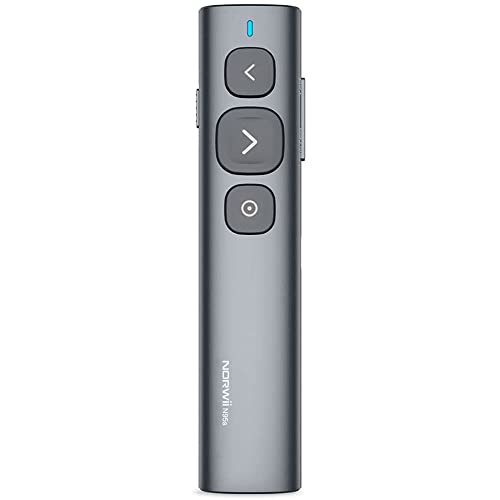
Public speakers who are tired of being tethered to a podium will find the KNORVAY N99 to be a total game-changer. Unlike standard clickers that only advance slides, this device functions as a true air mouse, using gravity and acceleration sensors to let you control the on-screen cursor with simple hand gestures. I was particularly impressed by the intelligent anti-shake technology, which keeps the pointer steady even if your hand moves slightly. It handles everything from volume control to hyperlinks and multimedia playback, all while maintaining a massive 100-foot wireless range. The rechargeable battery is a massive plus, providing weeks of utility from just a quick 90-minute charge. It is a versatile, plug-and-play tool that works seamlessly across Windows, Mac, and Android systems.
What We Like
Integrated air mouse
Gravity sensing technology
Rechargeable battery
100ft wireless range
Multi-system compatibility

NORWII N95 Presentation Remote Designed for LED LCD TV Screen, Digital Laser Pointer Highlighting Magnifier with Mouse Timer, Compatible with Windows...

Norwii N95 Digital Presentation Remote with Air Mouse

NORWII N95 0.14 Pounds

PM Score for NORWII (PM Score)

8.9 PM Score
Buy on Amazon
  • Designed for LCD LED Display - It ONLY has digital laser, no physical laser. Need download Norwii Presenter Software, or it won't work. Go beyond traditional laser pointer, use the advanced pointer system to precisely highlighting or magnify areas of focus in pixel-perfect detail. NORWII N95 digital presenter supports Highlighting, Magnify, Timer, Air Mouse Control, Play/Pause, Hyperlink/Volume Control, E-Mark, Eraser, Switch/Close Window, Full/ Black Screen, Page Up/ Down etc.
  • Customized Function - ①The size and color of digital laser dot can be easily adjusted. ②The digital laser dot can be customized with a cartoon/logo or any pattern you like. ③The size and opacity of Highlighting function can be customized. ④You can also customize the Magnify Function/Presenter’s Buttons/ Cursor Following/ Pointer Speed, etc by Norwii Presenter Software.
  • Long Control Range & Rechargeable – ①The N95 digital presentation clicker is equipped with top-grade microchip to ensure a 165ft (50 meters) long control distance, longer compared to other presenter with cursor control. ②Built-in 300mAh rechargeable battery provides weeks of use on only a 2-hour charge.
  • Compatibility - This highlight presentation remote needs download Norwii Presenter Software. The mouse pointer presenter ONLY supports systems: Windows, macOS. For Mac System, the Norwii Presenter Software requires three permissions: Input Monitoring, Screen Recording, and Accessibility. More information, please refer to "Product Description" Part.
  • Easy to Set Up - Open the presentation pointer, insert the USB receiver into the computer slot, a box will pop up to select "Open System Preferences", then the Norwii Presetner Software will be downloaded successfully. If failed, you can go to norwii official website (nowii dot com, Please Change to ENGLISH Version First) to download it. Any questions or concerns please don't hesitate contact NORWII.
SELLER SELLER SCORE AMAZON FULFILLED PRIME FREE SHIPPING
NORWII 9.87 Yes Yes Yes

After weeks of use in high-stakes boardroom meetings, the Norwii N95 has completely redefined how I interact with large LED and LCD screens. Unlike traditional clickers that rely on a physical laser that often disappears on bright displays, this device uses a sophisticated digital pointer system via dedicated software. This allows me to magnify specific data points or use a customized logo as a highlight, ensuring my audience never loses focus. The air mouse control feels incredibly intuitive, and the 165ft range gives me total freedom to move around the room. While you do need to install the Norwii Presenter Software to unlock these advanced features, the ability to customize everything from cursor speed to pointer opacity makes it a professional-grade tool for any modern presenter.

What We Like
Digital laser pointer
Air mouse control
165ft control range
Customizable pointer patterns
Rechargeable battery

Rechargeable Presentation Clicker with Red Laser Pointer, Wireless Presenter Remote for PPT Clicker, 2.4GHz Presentation Remote Slide Advancer Powerpo...

w2LigQu Rechargeable Wireless Presentation Remote with Red Laser

W2LIGQU

PM Score for W2LIGQU (PM Score)

8.5 PM Score
Buy on Amazon
  • 【 UPGRADED PRESENTATION REMOTE】The presentation pointer uses 2.4GHz radio frequency wireless technology and environmental protection ABS plastic, USB magnetic receiver integrated design, easy to store, quickly identify the computer system. Specially added LED button indicator to make the control easier.
  • 【RECHARGEABLE WIRELESS PRESENTER CONTROL】The slide clicker built-in 300mah battery, 1.5 hours of charging can be used for several weeks, there is a smart sleep mode, sliding the clicker will enter the sleep mode, not in use automatically shut down to save power. Essential presentation tools for the classroom or office.
  • 【EASY TO USE】Environmentally friendly ABS plastic material and ergonomic design appearance, comfortable to hold. Intuitive 5 touch keys for easy slide control. The clicker for powerpoint presentations works perfectly and efficiently by holding down the light button, with up and down page turning, full screen/black screen, laser-controlled long press and double click functions
  • 【LONG WIRELESS RANGE CLICKER】 The bright red laser pointer, controlled by the Wireless presenter, can easily highlight the key areas of the slide. The red light range is up to 600 feet, its 2.4Ghz range is up to 115 feet, 360° flexible, so you have the freedom and flexibility to interact with the audience away from the screen.
  • 【WIDELY COMPATIBLE LASER POINTER FOR PRESENTATIONS】 USB plug and play, no software installation. Clicker support systems for laptop presentations: Windows 2003 / Vista/XP/ 7/8/10, Linux, Mac, Android. Supported software: Word, Excel, PowerPoint, Google Slides, Keynote, Prezi, PDF, Word, ACD Seel, Website, iWork (Keynote & Numbers & Pages). Computer Clickers support devices for demonstration: Macbook Air, Macbook Pro, Surface Pro, PC, Computer, etc.
SELLER SELLER SCORE AMAZON FULFILLED PRIME FREE SHIPPING
JingYangSoft 5.45 Yes Yes Yes

The w2LigQu Rechargeable Presentation Clicker delivers an impressive 600-foot laser range that truly lets you command a room. I found the ergonomic ABS plastic build comfortable for long keynote sessions, and the five intuitive touch keys make navigating slides through PowerPoint or Google Slides feel seamless. One of the smartest design choices is the integrated magnetic USB receiver, which prevents you from losing the dongle in your laptop bag. The built-in 300mah battery is a lifesaver. A quick 90-minute charge provides weeks of use, and the automatic sleep mode ensures you aren't draining power when you aren't actively presenting. It is a reliable, plug-and-play tool for any professional using Mac, Windows, or Linux.

What We Like
600-foot laser range
Magnetic USB receiver
Rechargeable 300mah battery
Ergonomic ABS design
Smart sleep mode

Rechargeable Presentation Clicker with Green Laser Pointer, Wireless Presenter Remote for PPT Clicker, 2.4GHz Presentation Remote Slide Advancer Power...

w2LigQu Rechargeable Wireless Presentation Remote with Green Laser

W2LIGQU

PM Score for W2LIGQU (PM Score)

8.1 PM Score
Buy on Amazon
  • 【 UPGRADED PRESENTATION REMOTE】2.4GHz radio frequency wireless technology, environmental protection ABS plastic, USB magnetic receiver integrated design, easy to store, quickly identify the computer system. Specially added LED button indicator to make the control easier.
  • 【RECHARGEABLE WIRELESS PRESENTER CONTROL】Built-in 300mah battery, 1.5 hours of charging can be used for several weeks, there is a smart sleep mode, sliding the clicker will enter the sleep mode, not in use automatically shut down to save power. Essential presentation tools for the classroom or office.
  • 【EASY TO USE】Environmentally friendly ABS plastic material and ergonomic design appearance, comfortable to hold. Intuitive 5 touch keys for easy slide control. The remote works perfectly and efficiently by holding down the light button, with up and down page turning, full screen/black screen, laser-controlled long press and double click functions
  • 【LONG WIRELESS RANGE CLICKER】 The bright red laser pointer, controlled by the Wireless presenter, can easily highlight the key areas of the slide. The red light range is up to 600 feet, its 2.4Ghz range is up to 115 feet, 360° flexible, so you have the freedom and flexibility to interact with the audience away from the screen.
  • 【WIDELY COMPATIBLE LASER POINTER】 USB plug and play, no software installation. Clicker support systems for laptop presentations: Windows 2003 / Vista/XP/ 7/8/10, Linux, Mac, Android. Supported software: Word, Excel, PowerPoint, Google Slides, Keynote, Prezi, PDF, Word, ACD Seel, Website, iWork (Keynote & Numbers & Pages). Computer Clickers support devices for demonstration: Macbook Air, Macbook Pro, Surface Pro, PC, Computer, etc.
SELLER SELLER SCORE AMAZON FULFILLED PRIME FREE SHIPPING
JingYangSoft 4.95 Yes Yes Yes

Most presenters assume they need a bulky, battery-hungry device to command a room, but this w2LigQu wireless remote proves that streamlined efficiency is actually the better way to go. The ergonomic ABS plastic body feels natural in your hand, while the integrated magnetic USB receiver makes losing the dongle a thing of the past. I was particularly impressed by the smart sleep mode. The device automatically shuts down when you aren't sliding through pages, which is a lifesaver for long-term battery life. With a massive 115-foot wireless range and a bright green laser that cuts through the glare, you can move freely across a large lecture hall or boardroom without worrying about signal drops. It is a true plug-and-play solution that works seamlessly across Mac, Windows, and even Android systems.

What We Like
Green laser pointer
Rechargeable 300mah battery
Magnetic USB receiver
115-foot wireless range
Smart sleep mode

Presentation Clicker PowerPoint Wireless Presenter Remote: Auto Air Mouse Clicker with Laser Pointer, Rechargeable Red Mark Clickers for Computer Proj...

CLIKBUTM Wireless Air Mouse Presentation Clicker

CLIKBUTM BYJ87

PM Score for CLIKBUTM (PM Score)

6.6 PM Score
Buy on Amazon
  • [Plug and Play, No drivers required] No need to install any software,just plug USB dongle into the computer, then start seamless switching. The powerpoint remote is easy to use even for a beginner.Power Point clicker wireless control Distance: 98FT/30M. Red laser pointer range: 328FT/100M.
  • [Gyroscopic Presentation Clicker Air Mouse] Long press to move the cursor,single click to select target, double click to open target.Slide clicker is fantastic for anyone who wants control of their computer when they're not in reach of the mouse and keyboard.
  • [Red Marking to Add Focus to Presentation] Marking is only compatible with PowerPoint full screen mode,long press the marking button to mark,single click to wipe all markings. Clicker for powerpoint presentations allows you to point something out without getting in front of the projector.(for LED, LCD, TV screens ,etc).
  • [USB-C Charging Port & Magnetic Receiver] Laser pointer for presentations can easily charge from your computer through Type/USB C port. At the bottom of the slide advancer there is a magnet which can hold your USB dongle securely.
  • [Universal Compatibility] PPT clicker support systems: Windows 2003, XP, Vista, 7, 8, 10, Mac OS, Linux. Computer clicker for presentations support software: Keynote, Google Slides, MS Word, Excel, PowerPoint, etc.
SELLER SELLER SCORE AMAZON FULFILLED PRIME FREE SHIPPING
CLIKBUTM 8.23 Yes Yes Yes

The CLIKBUTM wireless presenter is a game-changer for educators and professionals who need more than just a basic slide advancer. What sets this device apart is the integrated gyroscopic air mouse, which allows you to navigate your cursor across the screen with simple hand gestures—no keyboard required. It functions seamlessly as a plug-and-play tool, meaning you can jump straight into a keynote or Google Slides presentation without wrestling with driver installations. The red laser pointer is impressively powerful, reaching up to 328 feet, and the dedicated marking feature lets you highlight specific data points in PowerPoint full-screen mode. With a convenient magnetic receiver and modern USB-C charging, it feels like a highly practical, modern upgrade to the standard remote.

What We Like
Gyroscopic air mouse
USB-C rechargeable
Magnetic USB receiver
Red laser pointer
Plug and play

Towlup Rechargeable Presentation Clicker, 2 in 1 USB Type C Powerpoint Clicker with Laser Pointer, Wireless Presentation Remote Slide Clicker for Mac,...

TOWLUP 2-in-1 Rechargeable Wireless Presentation Clicker

TOWLUP BYJ67-C 1.38 X 0.59 X 5.75 Inches

PM Score for TOWLUP (PM Score)

6.0 PM Score
Buy on Amazon
  • 【Multifunctional PPT clicker】The powerpoint clicker has many functions such as Page Up/Down, Full/Black Screen, Light Button, Hyperlink, Volume Control, Switch Windows.Also the pointer presenter is very easy to use and install, Plug & Use, no need to download software drivers,senconds to connect.
  • 【Rechargable & Buttons】The wireless pointer for presentations has built-in 300mAh rechargeable battery provides weeks of use on only a 2-hour charge. the buttons of presentation remote are located nicely you can handle accurately without looking.The silicone buttons are sensitive and durable, not easy to be damaged.
  • 【2 IN 1 USB and Type C receiver】The presenter clicker comes with a unique dual-head design, USB & TYPE-C can meet all your need. At the bottom of the slide clicker there is a magnet which can hold your USB dongle securely.The presentation remote is so slim that you can put it in your pocket or bag.
  • 【Long Range Control】The Wireless pointer has a wireless control range of more than 100FT, the wireless presenter remote produces a bright red light that's easy to see against most background,and the Red Light Distance is up to 660FT.
  • 【Wide Compatibility】The presentation clicker supports systems: Windows/Mac OS/Linux. Also works well with software including Prezi/keynote,Google slides,MS Word/Excel,PowerPoint/ACD See/Website/PDF ect
SELLER SELLER SCORE AMAZON FULFILLED PRIME FREE SHIPPING
TOWLUP 5.50 Yes Yes Yes

Standing at the front of a crowded lecture hall, you realize your laptop only has USB-C ports, but your old clicker is strictly USB-A. The TOWLUP presentation remote solves this headache immediately with its clever dual-head receiver design. I found the tactile silicone buttons incredibly intuitive. You can navigate through slides, control volume, or trigger hyperlinks entirely by feel without breaking eye contact with your audience. The slim profile makes it easy to slip into a pocket, and the built-in magnet at the base ensures you won't lose the tiny dongle between meetings. With a red laser that punches through most backgrounds and a battery that lasts weeks on a single charge, it removes the technical friction that usually ruins a high-stakes presentation.

What We Like
Dual USB/Type-C receiver
Long-range wireless control
Built-in magnetic storage
Sensitive silicone buttons
Rechargeable lithium battery
#12

MIPREZT Rechargeable Green Laser Pointer for Powerpoint, Wireless Presentation Clicker for Presenter, Presentation Remote, Slide Advancer USB C & USB...

MIPREZT Rechargeable Green Laser Presentation Clicker

MIPREZT GX75-G 5.53 X 1.12 X 0.47 Inches

PM Score for MIPREZT (PM Score)

5.9 PM Score
Buy on Amazon
  • [Presentation Clicker Introduction] The presentation clicker is very high-end and compact, metal material, sturdy and durable, the length is only about 13 cm, low power, built-in 2-in-1 usb receiver, support USB-A and USB-C interface, supports a maximum control distance of 100 feet, 300 Feet of laser distance, allowing you to move freely around the room. The rechargeable design allows you to avoid the hassle of replacing batteries, 1.5 hours of charging can be used for several weeks
  • [Presentation Clicker Functions] Turn on/off switch, Hyperlink button [click→select hyperlink, double click → enter(or open hyperlink),long press → Alt+tab to switch windows], Page up button (long press to show or exit the slide show), Page down button (long press to black the sccreen), green laser button (green laser is more stronger than red laser)
  • [Presentation Clicker Compatibility] The slide clicker supports Plug and Play, no need to install drives, Compatible Systems: Windows, macOS, Linux, Android, Compatible Software:MS office, Keynote, PDF, Prezi, Google Slides, ACD See, website etc.
  • [Presentation Clicker Package] The PPT clicker Package includes: 1 Powerpoint remote, 1 two in one USB-A & USB-C receiver (bulit in the Remote Clicker), 1 user manual, 1 charging cable.
  • [Our Services] Our Laser Pointer comes with a 1-year warranty, if you have any questions, please contact us for further assistance.
SELLER SELLER SCORE AMAZON FULFILLED PRIME FREE SHIPPING
R YY 5.10 Yes Yes Yes

Most presenters dread the moment a battery dies mid-speech, but this compact metal remote makes that anxiety a thing of the past. The MIPREZT clicker is surprisingly sturdy for its 13cm frame, offering a premium feel that cheap plastic alternatives lack. I was particularly impressed by the green laser, which cuts through bright presentation screens much more effectively than standard red lasers. The built-in 2-in-1 receiver is a genius touch, seamlessly switching between USB-A and USB-C so you aren't hunting for adapters during a lecture. With a 100-foot control range and a dedicated hyperlink button that handles everything from selecting links to switching windows with Alt+tab, it transforms a standard slideshow into a truly interactive experience. A quick 90-minute charge keeps you running for weeks.

What We Like
Powerful green laser
Dual USB-A/USB-C receiver
Sturdy metal build
Long-range wireless control
Rechargeable battery

2 in 1 USB Type C Rechargeable Presentation Clicker, 2.4GHz Presentation Remote Slide Advancer Powerpoint Clicker with Hyperlink/Volume Control for Ma...

w2LigQu 2-in-1 Rechargeable USB-C Presentation Remote

W2LIGQU

PM Score for W2LIGQU (PM Score)

5.5 PM Score
Buy on Amazon
  • 【2 IN 1 TYPE C USB RECHARGEABLE PRESENTATION CLICKER】With USB and Type C 2-in-1 dual-head design, you can freely switch between different port devices, such as Mac, laptop and pc, can meet all the needs. in addition to the built-in 200mah battery, 1 hours of charging can be used for weeks, with intelligent sleep mode, If the presentation pointer is not used automatically sleep mode when not in use to save electricity. Press any key again to wake up the pointer for presentations.
  • 【PLUG AND PLAY & PEN CLIP DESIGN】The clicker for powerpoint presentations is 2.4G radio frequency technology, plug and play wireless receiver, no software installation, no trouble setup. USB receiver is stored inside the powerpoint cliker to avoid loss while not in use. Wireless clicker for powerpoint presentations can also easily hangs on your lanyard or puts perfectly in your shirt pocket without any worry about falling off.
  • 【MULTI-FEATURES POWERPOINT REMOTE】Rechargeable laser pointer for presentations serves all the basic functions via the press and double-press and hold features page up/down, full/black screen, switch windows, hyperlink, volume control.
  • 【LONG WIRELESS RANGE CLICKER】 The bright red laser pointer, controlled by the wireless presenter remote, can easily highlight the key areas of the slide.The red light range is up to 656 feet, its 2.4Ghz range is up to 165 feet, 360° flexible, so you have the freedom and flexibility to interact with the audience away from the screen.
  • 【WIDELY COMPATIBILITY PRESENTER REMOTE 】 USB plug and play, no software installation. Clicker support systems for laptop presentations: Windows 2003 / Vista/XP/ 7/8/10, Linux, Mac, Android. Supported software: Word, Excel, PowerPoint, Google Slides, Keynote, Prezi, PDF, Word, ACD Seel, Website, iWork (Keynote & Numbers & Pages). Computer Clickers support devices for demonstration: Macbook Air, Macbook Pro, Surface Pro, PC, Computer, etc.
SELLER SELLER SCORE AMAZON FULFILLED PRIME FREE SHIPPING
JingYangSoft 4.95 Yes Yes Yes

You might assume a budget-friendly clicker is just another disposable piece of plastic, but the w2LigQu 2-in-1 remote actually solves the biggest headache for modern presenters: port compatibility. Because it features both a standard USB and a Type-C connector, you can jump from an older PC to a brand-new MacBook without hunting for a dongle. I was particularly impressed by the battery life. A quick hour of charging keeps it running for weeks, and the intelligent sleep mode ensures you aren't draining power between sessions. It handles everything from volume control to hyperlinks with ease, and the built-in storage for the receiver means you won't be scrambling for lost parts mid-presentation. It is a reliable, pocket-friendly tool that makes navigating Google Slides or Keynote feel seamless.

What We Like
Dual USB-C connectivity
Rechargeable built-in battery
Long wireless range
Integrated receiver storage
Hyperlink and volume control

Presentation Clicker Powerpoint Remote Pointer: Wireless 2.4Ghz Presenter, USB Rechargeable Slide Device for Teacher, Long Range Computer PPT Controll...

ONCHEER Wireless Rechargeable Presentation Clicker

ONCHEER P102

PM Score for ONCHEER (PM Score)

4.9 PM Score
Buy on Amazon
  • Wireless remote: Presentation clicker supports your remote control within 30m distance when you plug the usb receiver to your computer. There is buttons to control page up/down, volume, last/next song, hyperlink. The pointer pen is helpful for speech, meeting, teaching.
  • Rechargeable battery and long life: Build-in rechargeable lithium battery, smart saving electricity and auto-sleep tech, you can use the presentation clicker for a month without placing battery, just need to charge it for 1 hour. Rechargeable battery is environment-friendly and save your time and money.
  • Low power prompt: the led light will falsh to remind you of charging the device when the presentation clicker is running out of power.
  • Removable back clips: Not worry about lossing the presenter when you finish presentation. It is easy to place presentation remote in your pocket via back clips.
  • Widely Applicable: Wireless presenter remote supports systems: Windows 2003/XP/Vista/7/8/10, Mac OS, Linux, Android. Presenter remote supports software: PowerPoint, iWork (Keynote & Numbers & Pages), Prezi, MS Word, Excel, etc.
SELLER SELLER SCORE AMAZON FULFILLED PRIME FREE SHIPPING
Oncheer 6.85 Yes Yes Yes

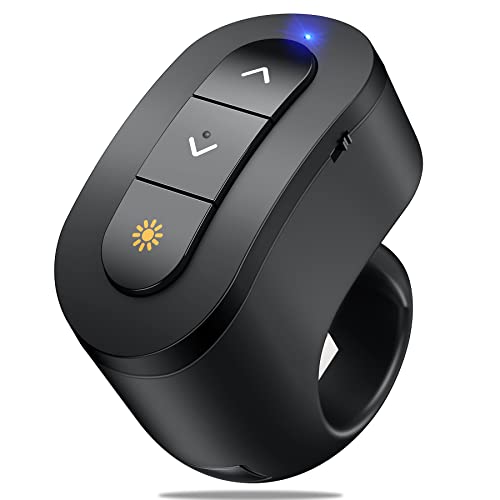
The ONCHEER Presentation Clicker stands out because it eliminates the constant hunt for replacement batteries. Instead of dealing with disposable cells, you simply plug this device in for an hour to get a full month of reliable use. During testing, the 30m wireless range felt incredibly stable, and the added controls for volume and media playback make it much more versatile than a standard slide advancer. It handles everything from PowerPoint to Prezi with ease across various operating systems. I particularly liked the built-in LED power indicator that flashes when it is time to recharge, along with the removable back clips that make it easy to secure in a pocket between sessions. It is a practical, eco-friendly tool for any teacher or professional speaker.
What We Like
Rechargeable lithium battery
30m wireless range
Integrated media controls
Removable back clips
Low power indicator

Presentation Clicker USB Rechargeable Powerpoint Clicker, Finger Ring RF 2.4GHz Wireless Presenter Remote Clicker for Powerpoint Presentations for Mac...

DINOSTRIKE Rechargeable Finger Ring Wireless Presenter

DINOSTRIKE

PM Score for DINOSTRIKE (PM Score)

0.0 PM Score
Buy on Amazon
  • PORTABLE PRESENTATION CLICKER-Finger ring design is practical, rubber loop is adjustable to fit fingers of different size, makes your hand remains relatively free, easy to carry and no longer misplace your presenter clicker anymore
  • PLUG & PLAY POWERPOINT CLICKER-No need to install software, just plug into the USB to start your presentations(For mac, you may need to complete an easy set-up first). PowerPoint Presenter support page up, page down, black screen, full screen
  • BRIGHT LIGHT & LONG CONTROL RANGE-Bright red light that is easy to see against most backgrounds (Not recommended for LED/LCD screens). Powerpoint remote control range is 40-50FT, light control range is 328FT, so you can free to move around the room and interact with your audience
  • WIRELESS PRESENTER REMOTE SUPPORT-Windows 2003/XP/Vista/7/8/10, Mac OS, Linux, Android. Supported software: PowerPoint, Google Slides, iWork (Keynote & Numbers & Pages), Prezi, MS Word, Excel, ACD See, Website, etc.
  • RECHARGEABLE PRESENTER CLICKER-Only requires 1 hour of charging time, support one week of using, support auto sleep function to save power.
SELLER SELLER SCORE AMAZON FULFILLED PRIME FREE SHIPPING
ST-Direct 9.88 Yes Yes Yes

You might assume a device this small would be flimsy or easy to lose, but the DINOSTRIKE wireless presenter turns that skepticism on its head with its clever ring design. Instead of fumbling with a bulky remote, you just slide your finger through the adjustable rubber loop, keeping your hands free to gesture or take notes. It is a true plug-and-play tool that works seamlessly with PowerPoint and Google Slides across Windows, Mac, and even Android. I was particularly impressed by the range. You can wander up to 50 feet away from your laptop without losing control. Plus, the one-hour recharge time provides a full week of use, making it a reliable companion for back-to-back meetings or large lecture halls.

What We Like
Adjustable finger ring
One-hour rapid charging
50-foot wireless range
Plug and play
Bright red laser
#16

2 in 1 USB Type C Presentation Clicker Air Mouse with Red Light Pointer, Wireless Presenter for PowerPoint Presentation PPT Clicker, 2.4GHz Presenter...

TITIANCOOL 2-in-1 Air Mouse Presentation Clicker

TITIANCOOL

PM Score for TITIANCOOL (PM Score)

0.0 PM Score
Buy on Amazon
  • 【Presentation Air Mouse with 2 IN 1 USB and Type C receiver】Ergonomics design makes comfortable hold feeling. Come with a unique dual-head design, USB & TYPE C dongle (store in back slot) can meet all your need. Adding air mouse clicker function design, very reliable for your presentations.
  • 【Multi-features PowerPoint remote】Laser Pointer Rechargeable Presentation Remote serves all the basic functions of page up/down, full/black screen, and add extra functions of air mouse clicker, volume control. Buttons’ layout very clear, it makes slides so much easier for presentation.
  • 【Long Wireless Control Range】The maximum distance range of the wireless remote control is 164FT, you never being stuck at computer when teaching or presenting in larger rooms and auditoriums, you can speak from a distance while guiding the audience with a focal point. With bright laser light, you can highlight the key areas of the slide to attract the attention of the audience.
  • 【Widely Compatible】Plug & Play, no need to install software. Clicker for laptop presentations supports Systems: Windows 2003 / XP / Vista / 7 / 8 / 10, Mac OS, Linux, Android. Supports Software: PowerPoint, Google Slides, Keynote, Prezi, PDF, MS Word, ACD See etc. Computer clicker for presentations supports devices: Macbook air, Macbook pro, Surface pro, PC, Computer etc.
  • 【1-Year Warranty & More Details】, ①PPT Clicker One-piece back slot usb storage, not easy to lose usb ②Soft and large rubber buttons, no noisy button pressing ③ Presentation Air Mouse with 2 in 1 usb and type c design, meet all your need! ④ Bumped-buttons design for operating without looking down at it. ⑤ Blue LED keep flashing to indicate Low power need to replace batteries (2 pcs of AAA batteries are not included).⑥What you get: 1 x presentation remote with receiver, 1x user manual.
SELLER SELLER SCORE AMAZON FULFILLED PRIME FREE SHIPPING
TITIANCOOL-Direct 8.98 Yes Yes Yes

Standard presentation remotes often leave you tethered to a laptop or struggling with incompatible ports, but this TITIANCOOL dual-receiver tool solves that connectivity headache instantly. I found the hybrid USB and Type-C dongle design incredibly practical, especially when switching between an older PC and a modern MacBook. The standout feature is the integrated air mouse functionality, which lets you navigate slides with much more fluidity than a standard clicker. The buttons are large, rubberized, and strategically bumped so you can operate them by feel without breaking eye contact with your audience. With a massive 164-foot range and a bright red laser, you can confidently command a large auditorium while staying mobile and engaged.

What We Like
Dual USB/Type-C receiver
Integrated air mouse
164ft wireless range
Quiet rubber buttons
Tactile bumped design
Buying Guide

A Guide to Selecting the Best rechargeable office presentation remotes

A Guide to Selecting the Best rechargeable office presentation remotes

Connectivity Range and Protocol

The most critical factor in a presentation remote is how it communicates with your computer. Most modern remotes utilize a 2.4GHz wireless USB receiver, which provides a much more stable connection than older Bluetooth-only models. When shopping, look for a device that offers a reliable range of at least 30 to 50 feet. This allows you to walk around the presentation area, engage with the audience, and move away from the podium without losing control of your deck. If you are presenting in large auditoriums or convention centers, check if the remote supports dual-mode connectivity (both Bluetooth and a dedicated USB dongle) to ensure compatibility with various laptop ports and operating systems.

Ergonomics and Tactile Feedback

You will likely be holding this device for extended periods, often while your adrenaline is pumping. A remote that is too small can feel fiddly and prone to dropping, while one that is too bulky can be cumbersome in a pocket. Look for a contoured design that fits the natural grip of your hand. Furthermore, pay close attention to the tactile feedback of the buttons. In a dimly lit room, you shouldn't have to look down at your hand to find the 'Next' or 'Back' buttons. High-quality remotes feature distinct, slightly raised buttons that allow for muscle memory development, ensuring you can navigate your slides by touch alone.

Battery Life and Charging Efficiency

Since you are specifically looking for a rechargeable model, the charging mechanism is paramount. Avoid remotes that use proprietary charging cables. Instead, prioritize those that utilize standard USB-C ports. This ensures you can charge the device using your laptop, a power bank, or a standard phone charger. Beyond the port type, investigate the standby time. A professional-grade remote should offer dozens of hours of active use on a single charge and a long standby period to prevent the battery from draining while sitting in your laptop bag. Some premium models even include a battery indicator light, which is a lifesaver when you are preparing for a presentation and realize you need a quick top-off.

Advanced Presentation Features

Basic slide advancement is the bare minimum. To truly elevate your presentation, look for remotes that include dedicated buttons for laser pointers (red or green) or digital pointer functions. Digital pointers are particularly useful when presenting on large LED screens where a physical laser might be invisible. Additionally, consider if you need specialized controls, such as a black-screen button to pause the presentation for Q&A sessions, or a volume control toggle if your deck includes embedded video. The more specialized the buttons, the more intuitive your workflow becomes during complex transitions.

Software Compatibility and Customization

Finally, ensure the remote is truly 'plug-and-play.' While most work instantly with Windows and macOS, some advanced remotes come with proprietary software that allows you to remap buttons. This is a game-changer if you use specific software like Prezi, Keynote, or specialized webinar tools. If you find yourself frequently switching between different types of software, a remote with customizable macro functions will provide the versatility needed to maintain professional control across all platforms.

Ready to choose?

Jump back to our ranked picks or compare the shortlist side by side.

Frequently Asked Questions

Quick answers about Rechargeable Office Presentation Remotes before you buy.

Most high-quality rechargeable remotes offer between 2 to 6 months of usage on a single charge, depending on how frequently you use the backlight or vibration features.

Most modern presentation remotes are plug-and-play via a USB receiver and do not require additional software, making them compatible with PowerPoint, Keynote, and Google Slides immediately.

USB receivers are generally more stable and offer a more consistent connection, whereas Bluetooth is ideal for tablets and laptops that lack available USB ports.

Yes, but you will likely need a USB-C or Lightning adapter to connect the wireless dongle to your mobile device.

Standard remotes typically work reliably within a 30 to 100-foot radius, though physical obstructions like walls can reduce this distance.

Many models feature an LED indicator light that flashes red when the battery is low, while others will simply lose responsiveness or signal strength.

Yes, they are compatible with macOS, though users with newer MacBooks will almost certainly need a USB-A to USB-C adapter to plug in the receiver.

While designed for slide navigation, many remotes include media keys that allow you to play, pause, or adjust the volume of videos during your presentation.
Rankings & Insights

Our Rechargeable Office Presentation Remotes Rankings

16 Products Compared
6.9 Avg PM Score
10 Brands Ranked

Top 10 Rechargeable Office Presentation Remotes Brands on Amazon

Share of top-ranked products by brand, from our rankings.

  1. 01 W2Ligqu 3 (20%)
  2. 02 Dinostrike 2 (13.3%)
  3. 03 Knorvay 2 (13.3%)
  4. 04 Titiancool 2 (13.3%)
  5. 05 Amerteer 1 (6.7%)
  6. 06 Clikbutm 1 (6.7%)
  7. 07 Dinofire 1 (6.7%)
  8. 08 Miprezt 1 (6.7%)
  9. 09 Norwii 1 (6.7%)
  10. 10 Oncheer 1 (6.7%)

How We Selected These Products

We compared Rechargeable Office Presentation Remotes products using product details and customer ratings to identify the best options in the categories..

From that comparison we shortlisted the top 16 Rechargeable Office Presentation Remotes for this page..

We aim to help you find the right remotes products for your needs and save you time when choosing which Rechargeable Office Presentation Remotes to buy.