#TOP1
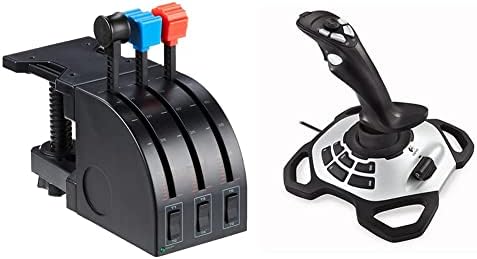
For flight simulation enthusiasts, the immersion of a digital cockpit is only as good as the hardware used to pilot it. While many peripheral manufacturers focus on flashy RGB lighting or multicolored designs, a growing niche of simmers prefers the sleek, professional aesthetic of black flight controls. A matte black joystick or throttle not only blends seamlessly into a dedicated cockpit setup but also minimizes visual distractions, allowing you to focus entirely on your flight path and instrument readings. Whether you are navigating a commercial airliner through a storm or dogfighting in a high-performance fighter jet, choosing the right control surface is the difference between a frustrating experience and true atmospheric immersion.
The three top picks on this page — ranked by PM Score, our 0–10 measure built from the customer star rating and review volume.



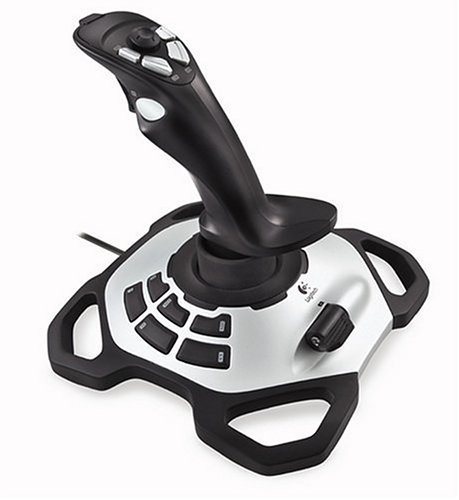
Logitech Pro Flight Throttle Quadrant & Extreme 3D Pro Joystick for Windows - Black/Silver
| SELLER | SELLER SCORE | AMAZON FULFILLED | PRIME | FREE SHIPPING |
|---|---|---|---|---|
| Amazon.com | 9.68 | Yes | Yes | No |
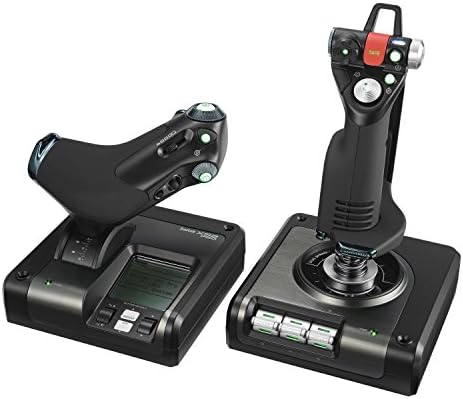
The cockpit comes alive the moment you bank a heavy transport plane through a storm, feeling every subtle adjustment through the precision of the Extreme 3D Pro joystick. This bundle pairs a highly responsive flightstick with a versatile throttle quadrant that truly elevates the immersion. I found the three-axis levers and two-way rocker switches incredibly useful for managing complex engine settings, while the joystick's custom twist-handle rudder provides the stability needed for tight maneuvers. With twelve programmable buttons and an eight-way hat switch, you can map intricate macros to keep your hands on the controls. Whether you mount the quadrant on your desk or in front of it, the setup adapts perfectly to your specific pilot or co-pilot configuration.


Logitech G Saitek X52 Pro Flight Control System, Controller and Joystick Simulator, LCD Display, Illuminated Buttons, 2xUSB, PC - Black/Silver
| SELLER | SELLER SCORE | AMAZON FULFILLED | PRIME | FREE SHIPPING |
|---|---|---|---|---|
| IPC-STORE✅ | 9.84 | No | No | No |
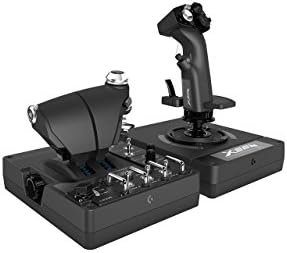
Serious flight simulator enthusiasts require the Logitech G Saitek X52 Pro to bridge the gap between casual gaming and true cockpit immersion. This setup stands out immediately because of its intuitive LCD multi-function display and illuminated buttons, which provide real-time feedback right at your fingertips. The precision is genuinely impressive. Thanks to the No Contact Technology on the X and Y axes combined with a constant spring force, you get incredibly smooth, centered movement without the wear and tear of traditional sensors. I particularly enjoyed the progressive throttle, which features adjustable resistance and physical detents for idle and afterburner settings. With a five-position handle adjustment system and a contoured, soft-touch grip, it accommodates almost any hand size while maintaining comfort during long sorties.


Logitech G X56 H.O.T.A.S Throttle and Joystick Flight Simulator Game Controller, 4 Spring Options, +189 Programmable Controls, RGB Lighting, 2x USB, P...
| SELLER | SELLER SCORE | AMAZON FULFILLED | PRIME | FREE SHIPPING |
|---|---|---|---|---|
| No | No | No |
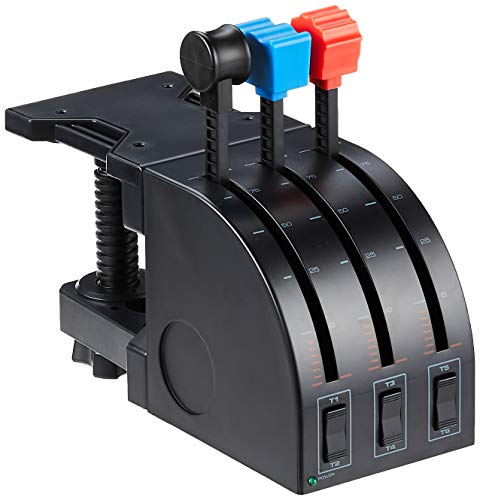
Can a single hardware upgrade truly bridge the gap between a casual gamer and a precision combat pilot? The Logitech G X56 H.O.T.A.S. aims to do exactly that by providing military-grade precision through high-accuracy 16-bit hall-effect sensors. During testing, the tactile distinction of the buttons made navigating the complex layout effortless, which is a massive advantage when you are immersed in a VR cockpit. I found the advanced four-spring system particularly impressive, allowing you to dial in the exact stick tension your flight style requires. With twin throttles featuring friction adjusters and a massive array of over 189 programmable controls, this setup gives you total mastery over everything from pitch and roll to independent gimballed weapons.


Logitech 945-000028 - G Saitek Pro Flight Multi Panel (Black) (Renewed)
| SELLER | SELLER SCORE | AMAZON FULFILLED | PRIME | FREE SHIPPING |
|---|---|---|---|---|
| Triplenet Pricing INC | 9.81 | No | No | No |
After weeks of use, the sheer immersion provided by this flight simulation control center becomes impossible to ignore. This panel acts as the tactile heart of a home cockpit, offering a dedicated full autopilot suite and a series of essential switches that move you away from clunky keyboard commands. The integrated LED displays provide much-needed visual feedback, making it feel like you are sitting in a real cockpit rather than just staring at a monitor. While it is designed to mount seamlessly onto the Pro Flight Yoke System, its versatility allows it to fit into almost any custom flight rig. It remains a reliable staple for anyone serious about Microsoft Flight Simulator X or 2004, bridging the gap between software and physical sensation.


EG STARTS 2 Player Arcade Game Kit Parts USB Pc Joystick Compatible Mame Game DIY Zero Delay USB Encoder + 2X 5pin 8 Way Stick + 20 Push Buttons Red +...
| SELLER | SELLER SCORE | AMAZON FULFILLED | PRIME | FREE SHIPPING |
|---|---|---|---|---|
| EG STARTS | 7.70 | No | No | No |
Ever wondered how easy it actually is to build your own retro gaming station from scratch? This EG STARTS kit removes the guesswork by providing everything necessary for a dedicated two-player MAME arcade project. I was impressed by the zero delay USB encoder, which ensures your inputs feel responsive rather than sluggish during intense gameplay. The package includes two 8-way joysticks in contrasting red and black, along with twenty push buttons to round out your control scheme. Setup is remarkably straightforward since you essentially just connect the wires to the buttons and sticks. Whether you are running a Windows PC or a Raspberry Pi, this hardware provides a solid, plug-and-play foundation for any DIY enthusiast looking to bring classic arcade cabinets to life.

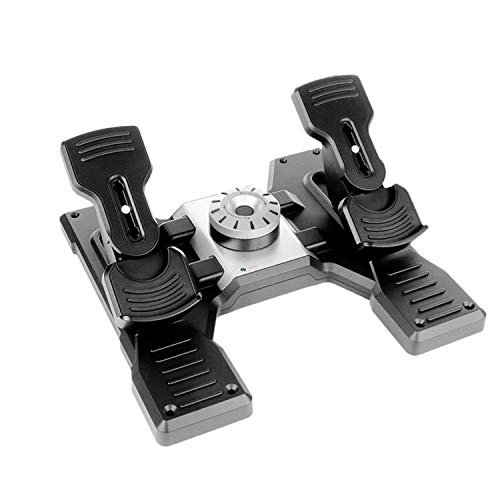


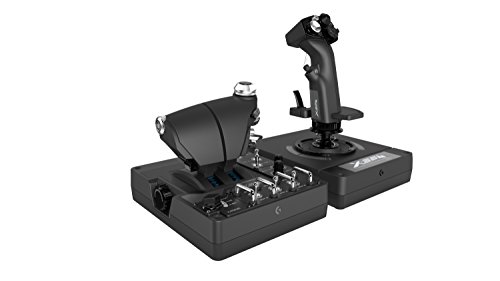
logitech G X56 H.O.T.A.S Throttle and Joystick Flight Simulator Game Controller, 4 Spring Options, 189 Programmable Controls, RGB Lighting, 2x USB, PC...
| SELLER | SELLER SCORE | AMAZON FULFILLED | PRIME | FREE SHIPPING |
|---|---|---|---|---|
| Amazon.com | 9.68 | Yes | Yes | No |
Aspiring combat pilots who refuse to compromise on precision need the Logitech G X56 to bridge the gap between a desk and a cockpit. This setup delivers military-grade space and flight simulation accuracy, especially with the addition of the smooth, self-centering rudder pedals. I found the mini analog stick control surfaces particularly impressive, as they allow for independent gimballed weapon control separate from your primary flight path. Whether you are navigating a VR environment or managing complex maneuvers, the tactile button shapes ensure you never lose your place. You can even customize the tension with an adjustable dial to mimic anything from a light aircraft to a heavy jet, all while matching the RGB lighting to your specific gaming rig.
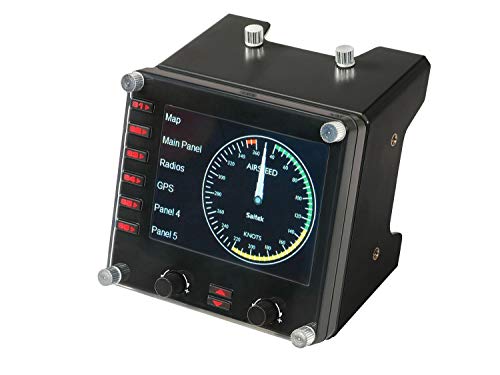
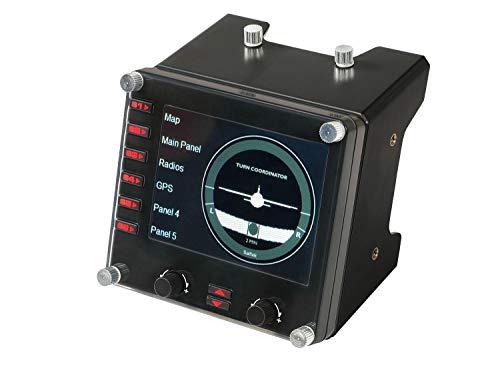


Logitech G Pro Flight Instrument Panel (Black) (Renewed)
| SELLER | SELLER SCORE | AMAZON FULFILLED | PRIME | FREE SHIPPING |
|---|---|---|---|---|
| Eight Enterprise inc | 6.44 | Yes | Yes | Yes |
Most flight sim enthusiasts spend hundreds on complex physical switches, yet the most critical data often remains trapped behind a digital screen. This Logitech G Pro Flight Instrument Panel changes that dynamic by bringing a dedicated 3.5-inch colorful LCD directly into your physical cockpit setup. It isn't just a static display. The panel acts as a living extension of your software, reacting instantly to real-time aircraft events. As you maneuver through a flight, the screen updates automatically to provide the exact telemetry and instrument information you need without forcing you to hunt through menus. It turns a standard simulation into a much more immersive, data-driven experience by bridging the gap between your software and your hands.

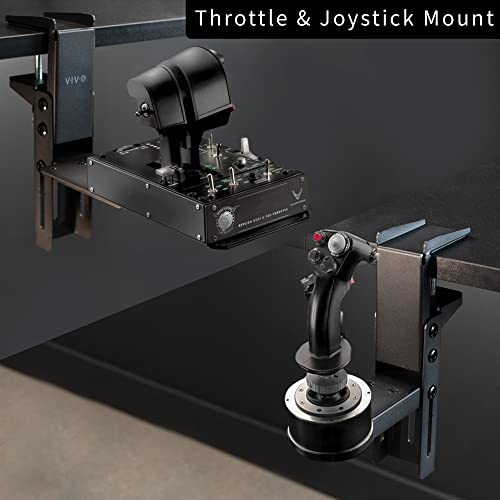


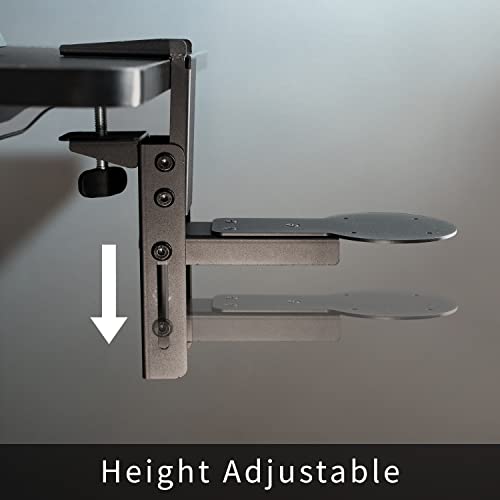
VIVO Steel Clamp-on Joystick and Throttle Mount Designed ONLY for Thrustmaster Hotas Warthog Dual Throttle System for Windows, Attaches to Desks up to...
| SELLER | SELLER SCORE | AMAZON FULFILLED | PRIME | FREE SHIPPING |
|---|---|---|---|---|
| V I V O | 9.90 | Yes | Yes | Yes |
Does your flight sim setup feel more like a desk clutter nightmare than a professional cockpit? The VIVO Steel Clamp-on Joystick and Throttle Mounts solve that exact problem by moving your Thrustmaster HOTAS Warthog gear below the desk surface for a much more natural, ergonomic feel. I found that the heavy-duty C-clamps make installation a breeze, securing to surfaces up to 2.3 inches thick without needing tools or risking damage to your furniture. Because the mounts offer 3.2 inches of height adjustment, you can fine-tune your positioning to prevent wrist strain during long sessions. The solid steel construction feels incredibly sturdy, providing a stable foundation for the heavy Warthog replica set that won't budge during intense maneuvers.

The first decision in selecting black flight controls is determining the scope of your simulation. If you primarily fly combat simulators, a high-quality joystick (HOTAS - Hands On Throttle-And-Stick) is your priority. Look for a stick with a heavy, centered feel that provides resistance during high-G maneuvers. If your passion lies in long-haul commercial aviation, a dedicated throttle quadrant with multiple levers for engines, flaps, and speed brakes will be more beneficial than a combat-oriented stick. For the ultimate experience, many enthusiasts seek out integrated sets that include both a stick and a throttle, ensuring the aesthetic of the black hardware remains consistent across your entire desk setup.
The core of any flight control is its ability to translate minute hand movements into smooth in-game actions. When reviewing black flight controllers, look past the exterior finish and investigate the internal sensors. Hall Effect sensors are the gold standard. They use magnets to detect movement rather than physical contact. This means there is no friction to wear down the components, providing much smoother input and preventing the 'jitter' that plagues cheaper, potentiometer-based controllers. For precision flight, you want a high number of axes—at least three for a joystick (X, Y, and Twist/Z) and several more for a throttle to handle complex engine management.
Flight simulation often involves long sessions, making ergonomics a critical factor. A well-designed black joystick should feature adjustable grips that accommodate different hand sizes and allow for various grip styles (such as a 'palm' grip for heavy maneuvers or a 'fingertip' grip for fine adjustments). Material choice is equally important. While many controllers use high-impact plastics, look for models that incorporate metal components in the base or the gimbal mechanism. A heavier base prevents the controller from sliding during intense maneuvers, while metal internals ensure that the precision of your inputs remains consistent over years of use.
A flight controller is essentially a specialized gamepad. The effectiveness of your control scheme depends on how many functions you can access without taking your hands off the grips. Look for controllers with a mix of momentary buttons, HAT switches (small directional pads on the stick), and potentially even analog triggers. The ability to customize these inputs via software is vital. You should be able to map complex macros or specific aircraft functions—like landing gear, trim, or weapon systems—directly to the hardware. High-end black flight controls often feature customizable profiles, allowing you to switch between a fighter jet layout and a civilian airliner layout with a single click.
Finally, ensure the hardware integrates seamlessly with your specific flight simulation software. While most modern controllers are plug-and-play via USB, the quality of the driver support varies wildly. Check that the manufacturer provides robust software for remapping buttons and adjusting deadzones. If you plan on expanding your setup later with rudder pedals, ensure your primary controls are part of an ecosystem that allows for easy integration, creating a cohesive, professional-grade black flight station.
Quick answers about Black Pc Game Flight Controls before you buy.
Share of top-ranked products by brand, from our rankings.
We compared Black Pc Game Flight Controls products using product details and customer ratings to identify the best options in the pc games & accessories..
From that comparison we shortlisted the top 8 Black Pc Game Flight Controls for this page..
We aim to help you find the right controls products for your needs and save you time when choosing which Black Pc Game Flight Controls to buy.
Compare the top 8 picks at a glance — select a column to sort.


