#TOP1

For flight simulation enthusiasts, the difference between an immersive experience and a frustrating session often comes down to the interface between human and machine. Standard gamepads or keyboard inputs lack the nuanced, multi-axis precision required to master complex maneuvers in a cockpit. Ergonomic PC game flight controls—comprising joysticks, throttles, and rudder pedals—are engineered to replicate the tactile feedback and physical geometry of real-world aviation. Investing in the right setup is not just about performance. It is about preventing wrist fatigue and ensuring that every minute adjustment to your pitch, roll, or yaw feels natural and instinctive.
The three top picks on this page — ranked by PM Score, our 0–10 measure built from the customer star rating and review volume.
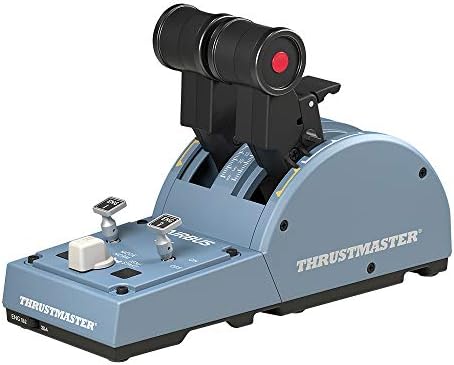

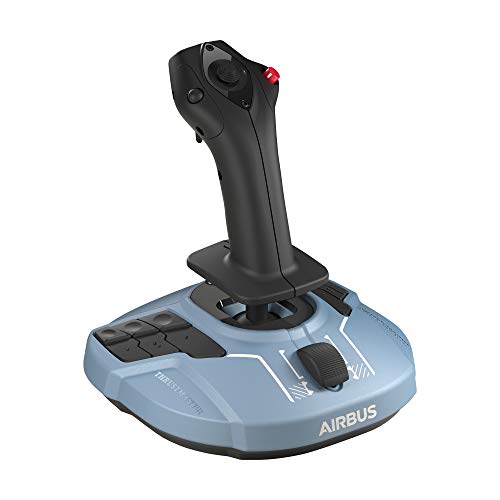


Thrustmaster TCA Sidestick Airbus Edition (PC)
| SELLER | SELLER SCORE | AMAZON FULFILLED | PRIME | FREE SHIPPING |
|---|---|---|---|---|
| Amazon.com | 9.68 | Yes | Yes | Yes |
Aspiring flight sim enthusiasts demanding authentic cockpit immersion need the Thrustmaster TCA Sidestick Airbus Edition to bridge the gap between gaming and reality. This 1:1 scale replica captures the ergonomic essence of an actual Airbus sidestick, making every maneuver feel intentional. I was particularly impressed by the contactless magnetic sensor technology. By ditching traditional potentiometers, it offers incredible precision and a much longer lifespan. The customization is where this really shines, featuring 17 action buttons—complete with braille-style identification for tactile navigation—and four swappable button modules. You can even manage rudder control by rotating the handle, which can be locked or unlocked depending on your flight phase. It is a highly versatile tool that handles everything from high-altitude cruising to complex ground operations with ease.


Thrustmaster TCA Quadrant Airbus Edition (PC)
| SELLER | SELLER SCORE | AMAZON FULFILLED | PRIME | FREE SHIPPING |
|---|---|---|---|---|
| Delaware | 9.93 | Yes | Yes | Yes |
Can a single piece of hardware truly bridge the gap between a desk setup and a professional flight deck? The Thrustmaster TCA Quadrant Airbus Edition attempts exactly that by providing an ergonomic replica of iconic Airbus flight controls. During testing, the two navigational axes felt incredibly responsive, thanks to the contactless magnetic sensor technology that eliminates the wear and tear seen in traditional potentiometers. You get sixteen different buttons and switches, including a satisfyingly tactile thrust reverser mechanism for ground operations. What makes this stand out is the versatility. The mechanical selectors allow you to disable detents to switch into a linear axis mode, making it just as viable for non-Airbus aircraft. It is a precision-engineered tool that brings authentic tactile feedback to every phase of flight.
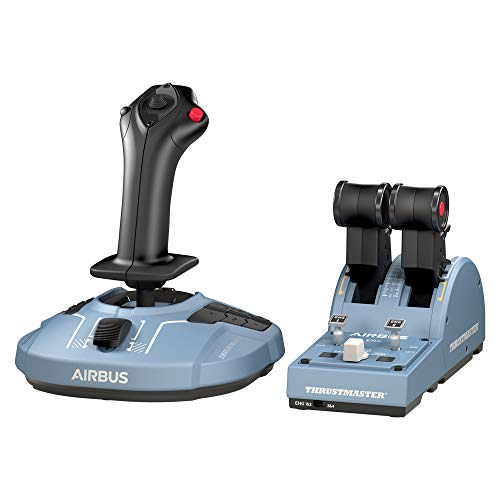

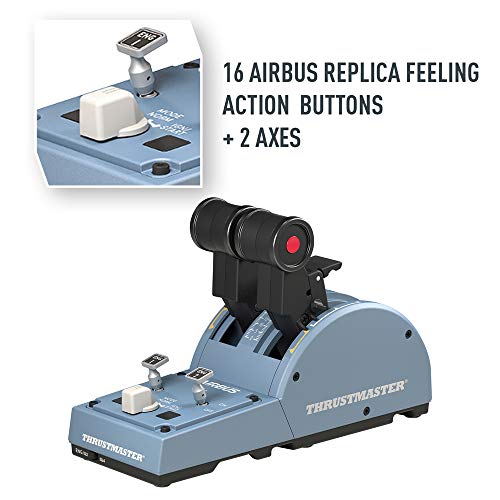


Thrustmaster TCA Officer Pack Airbus Edition (PC)
| SELLER | SELLER SCORE | AMAZON FULFILLED | PRIME | FREE SHIPPING |
|---|---|---|---|---|
| Amazon.com | 9.68 | Yes | Yes | Yes |
Most flight sim enthusiasts eventually tire of generic joysticks that lack the tactile soul of a real cockpit, but the Thrustmaster TCA Officer Pack Airbus Edition changes the game by bringing authentic scale replicas directly to your desk. This officially licensed set features a sidestick and throttle quadrant that mirror the exact ergonomics of iconic Airbus airliners. I was particularly impressed by the precision afforded by the contactless magnetic sensor technology, which ditches traditional potentiometers to ensure an incredibly long lifespan. The sidestick is highly customizable with four swappable button modules, while the throttle quadrant feels remarkably immersive thanks to the integrated thrust reverser mechanism and various navigational switches. It is a sophisticated, professional-grade setup that bridges the gap between casual gaming and true aviation simulation.
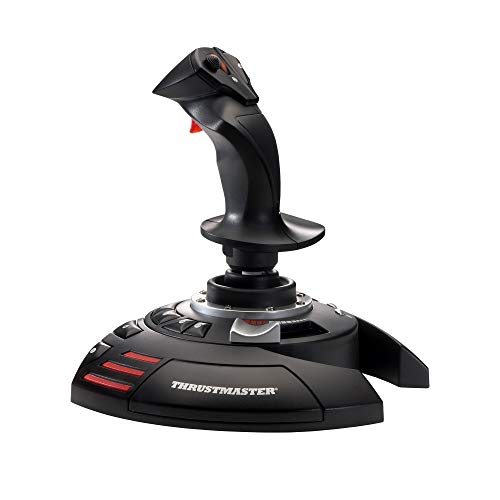


Thrustmaster USB T-Flight Stick X (Windows)
| SELLER | SELLER SCORE | AMAZON FULFILLED | PRIME | FREE SHIPPING |
|---|---|---|---|---|
| Amazon.com | 9.68 | Yes | Yes | Yes |
Budget-conscious flight sim enthusiasts need the Thrustmaster T-Flight Stick X to bridge the gap between casual gaming and immersive flight control without breaking the bank. This plug-and-play device is a dream for immediate takeoff, featuring preconfigured settings for popular titles like Microsoft Flight Simulator X. I found the precision of the joystick impressive, especially with the adjustable resistance control that lets you fine-tune the feel. The ergonomic design is thoughtful, providing a wide hand rest and a throttle lever that feels natural during long sessions. You also get a rotating handle with a built-in locking system for rudder control and a versatile trigger that switches between airbrake and rapid fire modes. With twelve programmable buttons and internal memory, it offers a level of customization that punches far above its weight class.

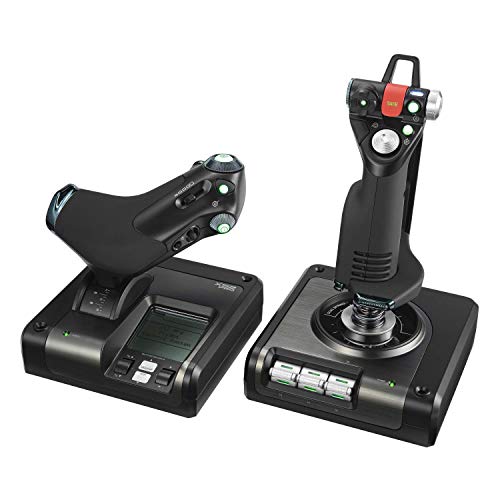
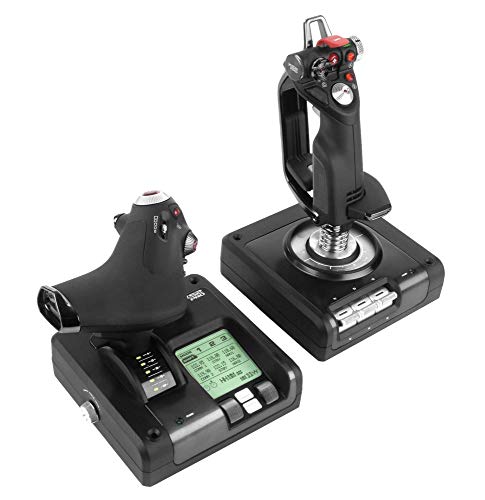

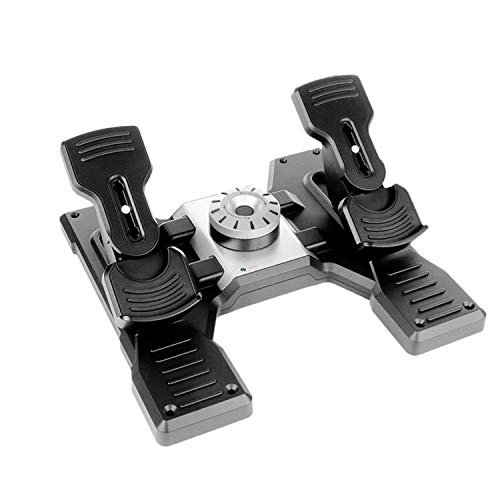
Logitech X52 Pro Flight Control System & Flight Rudder Pedals
| SELLER | SELLER SCORE | AMAZON FULFILLED | PRIME | FREE SHIPPING |
|---|---|---|---|---|
| Amazon.com | 9.68 | Yes | Yes | No |
The Logitech G X52 Pro Flight Control System and Rudder Pedals redefine cockpit immersion through high-precision magnetic sensors. Testing this setup feels remarkably natural because the magnetic non-contact X and Y axis sensors offer incredible longevity and pinpoint accuracy. I was particularly impressed by the multifunction LCD display, which lets you manage radio panel functions directly without breaking your flight flow. The ergonomic 5-position grip ensures you never have to overreach during intense maneuvers, while the 3D twist includes a rudder lock feature for those who prefer using dedicated pedals. When paired with the self-centering rudder pedals, the experience is seamless. You can even use the adjustable tension dial to switch between the light touch of a small plane and the heavy resistance of a jet, making the entire simulation feel incredibly tactile.

THRUSTMASTER TCA Sidestick Airbus Edition (PC) TCA Quadrant Airbus Edition (PC)
| SELLER | SELLER SCORE | AMAZON FULFILLED | PRIME | FREE SHIPPING |
|---|---|---|---|---|
| Amazon.com | 9.68 | Yes | Yes | No |
Most flight sim enthusiasts assume they need a full cockpit setup to feel authentic, but this Airbus-inspired duo brings the sensation of a real flight deck straight to your desk. The sidestick is a true 1:1 scale replica, featuring 17 action buttons with tactile braille-style identification that makes flying by feel incredibly intuitive. I was particularly impressed by the modularity. You can swap out four different joystick head button modules to customize your layout. The throttle quadrant is equally sophisticated, utilizing contactless magnetic sensor technology instead of traditional potentiometers to ensure an unlimited lifespan and pinpoint precision. Whether you are utilizing the built-in thrust reverser or switching to linear axis mode via the mechanical selectors, the level of tactile feedback is genuinely professional.


Thrustmaster TCA Yoke Boeing Edition (Xbox Series X/S, PC)
| SELLER | SELLER SCORE | AMAZON FULFILLED | PRIME | FREE SHIPPING |
|---|---|---|---|---|
| Amazon.com | 9.68 | Yes | Yes | Yes |
After weeks of use, the immersion provided by this 1:1 scale replica is genuinely startling. The Thrustmaster TCA Yoke Boeing Edition isn't just a peripheral. It’s a piece of engineering that captures the specific soul of a Dreamliner. The standout feature is undoubtedly the PENDUL_R mechanism, which offers an 8.3-inch range of travel to replicate that unique pendular sensation found in actual Boeing cockpits. Because the internal structure is 100% metal, the yoke feels incredibly sturdy and well-balanced rather than plasticky. With 18 action buttons and two additional axes for complex maneuvers like takeoffs and landings, the level of control is professional-grade. The adjustable springs allow you to fine-tune the linear resistance, making every banking turn feel smooth and intentional.

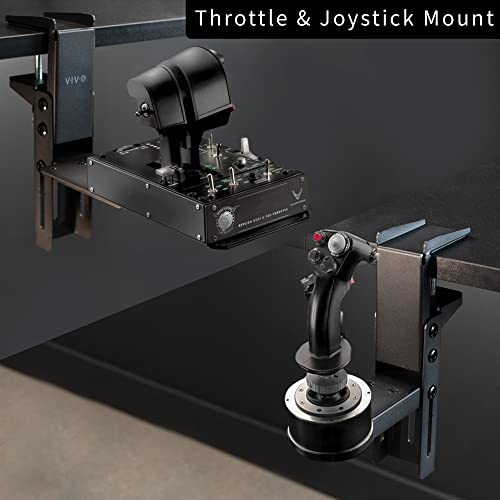


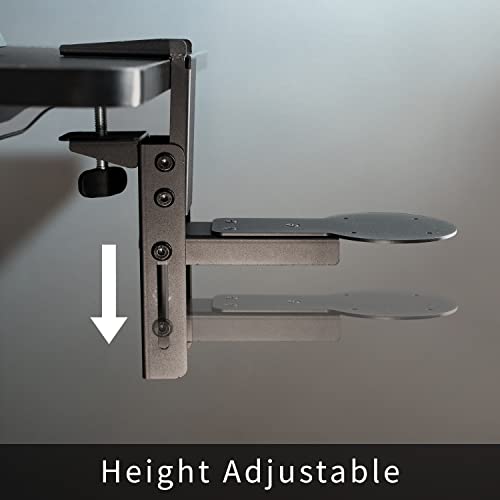
VIVO Steel Clamp-on Joystick and Throttle Mount Designed ONLY for Thrustmaster Hotas Warthog Dual Throttle System for Windows, Attaches to Desks up to...
| SELLER | SELLER SCORE | AMAZON FULFILLED | PRIME | FREE SHIPPING |
|---|---|---|---|---|
| V I V O | 9.90 | Yes | Yes | Yes |
Does your flight sim setup feel more like a desk clutter nightmare than a professional cockpit? The VIVO Steel Clamp-on Joystick and Throttle Mounts solve that exact problem by moving your Thrustmaster HOTAS Warthog gear below the desk surface for a much more natural, ergonomic feel. I found that the heavy-duty C-clamps make installation a breeze, securing to surfaces up to 2.3 inches thick without needing tools or risking damage to your furniture. Because the mounts offer 3.2 inches of height adjustment, you can fine-tune your positioning to prevent wrist strain during long sessions. The solid steel construction feels incredibly sturdy, providing a stable foundation for the heavy Warthog replica set that won't budge during intense maneuvers.

Before diving into specific hardware, you must decide on the scope of your setup. Flight simulation controls are generally divided into three distinct categories: HOTAS (Hands On Throttle-And-Stick), standalone sticks, and rudder pedals. A HOTAS setup is the gold standard for combat flight sims, providing a dedicated throttle quadrant and a joystick that allows you to manage engine power and weapon systems without ever letting go of the primary flight controls. If you are a casual explorer in space, a high-quality standalone joystick might suffice. However, if you demand absolute realism for landing aircraft on carrier decks or performing precision aerobatics, integrating rudder pedals is essential to control your yaw without relying on awkward twist-axis movements on a joystick.
The most critical technical specification to evaluate is the number of axes. A basic joystick may only offer four axes (pitch, roll, yaw, and throttle), but advanced ergonomic setups provide additional axes for trim, camera control, or secondary engine functions. Look specifically at the sensor technology used. Hall Effect sensors are highly recommended over traditional potentiometers. Because Hall Effect sensors use magnets to detect movement, they are contactless, meaning they are virtually immune to the 'jitter' or signal degradation that occurs as mechanical parts wear down over time. This ensures that your flight remains smooth even after hundreds of hours of operation.
Ergonomics in flight controls is about more than just comfort. It is about the physical reach and grip. When selecting a joystick, consider the grip shape and the placement of the hat switches (small directional thumbsticks). If the switches are too far from your thumb's natural resting position, you will experience hand cramping during long sessions. For throttles, look for modularity. High-end ergonomic throttles allow you to swap out levers or add sliders to customize the physical resistance and travel distance. Additionally, consider the base stability. A heavy, weighted base or a mounting system that clamps securely to your desk prevents the 'wobble' that can ruin a delicate landing approach.
Modern flight controls should offer seamless integration with your simulation software. Check for high polling rates, which dictate how frequently the computer receives data from the controller. A higher polling rate translates to lower input latency. Furthermore, ensure the manufacturer provides robust software for button remapping and sensitivity curves. Being able to adjust how aggressively the aircraft responds to a small movement of the stick is vital for creating a personalized 'feel' that matches your skill level. Finally, consider the connection type. While USB is standard, ensure the cable length and management options are sufficient for your specific cockpit layout to avoid tension on the sensor components.
Quick answers about Ergonomic Pc Game Flight Controls before you buy.
Share of top-ranked products by brand, from our rankings.
We compared Ergonomic Pc Game Flight Controls products using product details and customer ratings to identify the best options in the pc games & accessories..
From that comparison we shortlisted the top 8 Ergonomic Pc Game Flight Controls for this page..
We aim to help you find the right controls products for your needs and save you time when choosing which Ergonomic Pc Game Flight Controls to buy.
Compare the top 8 picks at a glance — select a column to sort.


