#TOP1
For flight simulation enthusiasts, the transition from a standard keyboard or gamepad to dedicated flight controls is the single most impactful upgrade you can make. Whether you are navigating a commercial airliner through a storm or engaging in high-G dogfights in a fighter jet, the precision and tactile feedback of a specialized USB controller dictate the level of immersion and realism you can achieve. This guide is designed to help you navigate the complex landscape of flight peripherals, ensuring your investment translates into smoother banking, more precise pitch control, and a cockpit experience that feels authentic.
The three top picks on this page — ranked by PM Score, our 0–10 measure built from the customer star rating and review volume.


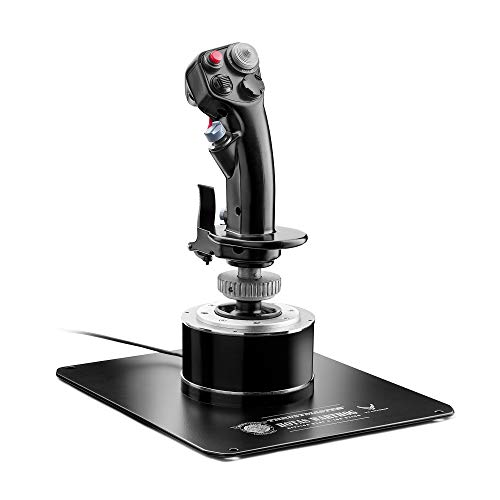


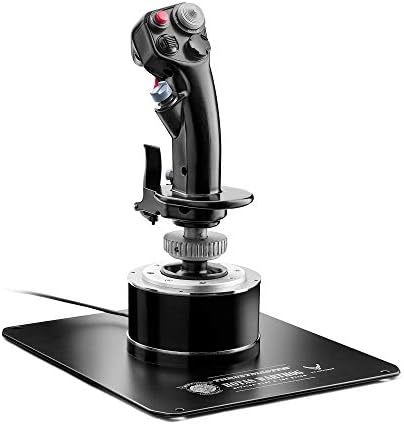
Thrustmaster HOTAS Warthog Flight Stick for Flight Simulation, Official Replica of the U.S Air Force A-10C Aircraft (PC)
| SELLER | SELLER SCORE | AMAZON FULFILLED | PRIME | FREE SHIPPING |
|---|---|---|---|---|
| Amazon.com | 9.68 | Yes | Yes | Yes |
The Thrustmaster HOTAS Warthog Flight Stick is a heavy-duty metal masterpiece designed specifically for A-10C enthusiasts. Stepping into the cockpit feels remarkably authentic because this isn't some plastic toy. It is a weighted, six-pound beast that stays anchored to your desk during intense maneuvers. The detachable metal handle is a highlight, offering a tactile precision that mirrors the actual U.S. Air Force hardware. With 19 action buttons and three different hat switches, you have incredible control over every flight function without ever reaching for a keyboard. It is a professional-grade piece of hardware that leverages the legacy of the original HOTAS concept to deliver a benchmark-setting simulation experience.

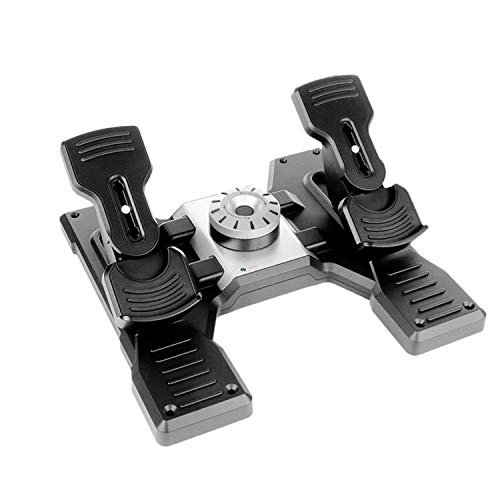


Logitech G USB PRO Flight Rudder Pedals
| SELLER | SELLER SCORE | AMAZON FULFILLED | PRIME | FREE SHIPPING |
|---|---|---|---|---|
| High Desert Distribution | 6.40 | No | No | No |
Most flight sim enthusiasts focus entirely on their joystick, yet the real magic of smooth landings happens under your feet. The Logitech G USB PRO Flight Rudder Pedals offer a level of tactile precision that transforms a basic setup into a legitimate cockpit experience. I was particularly impressed by the adjustable damping and tension settings, which let you dial in exactly how much resistance you want when banking or braking. The partial metal construction gives them a sturdy, premium feel that suggests they can handle years of intense sessions. Between the non-slip foot rests and the ability to customize controls via Saitek Smart Technology software, these pedals feel less like a peripheral and more like a specialized instrument designed for serious space and flight simulation.
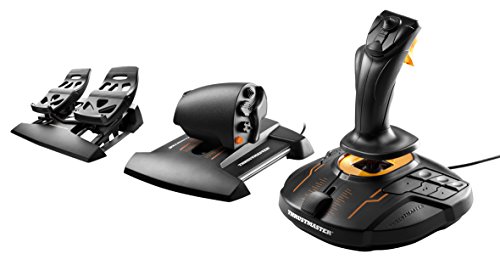


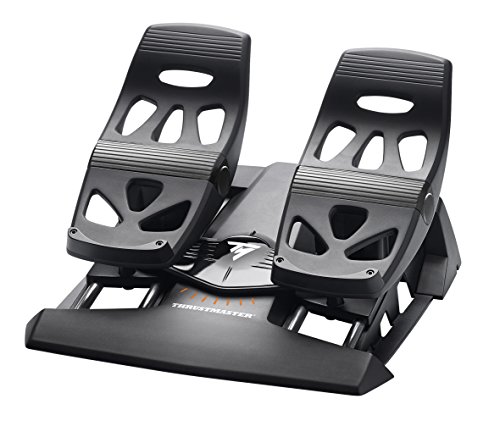

Thrustmaster T16000M FCS Flight Pack (PC)
| SELLER | SELLER SCORE | AMAZON FULFILLED | PRIME | FREE SHIPPING |
|---|---|---|---|---|
| Amazon.com | 9.68 | Yes | Yes | Yes |
You are banking a heavy cargo plane through a storm, and every micro-adjustment to your pitch and yaw feels instantaneous and life-like. That level of control is exactly what the Thrustmaster T16000M FCS delivers thanks to its patented H.E.A.R.T technology, which ensures your precision stays razor-sharp without degrading over time. I found the ambidextrous design incredibly thoughtful. You can swap three removable components to make it feel natural whether you are left or right-handed. With 16 tactile buttons featuring braille-style identification and a twist rudder for seamless axis control, you won't be fumbling for commands mid-flight. Plus, the T.A.R.G.E.T software makes customizing your mapping profiles for different sims a breeze, turning a standard setup into a professional-grade cockpit.
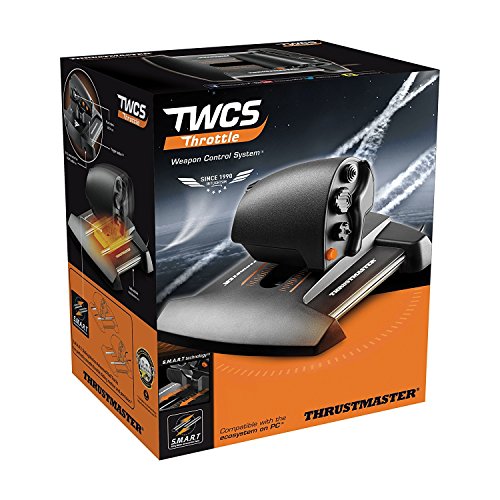


Thrustmaster TWCS Throttle (PC)
| SELLER | SELLER SCORE | AMAZON FULFILLED | PRIME | FREE SHIPPING |
|---|---|---|---|---|
| Amazon.com | 9.68 | Yes | Yes | Yes |
The Thrustmaster TWCS Throttle redefines precision through its innovative S.M.A.R.T. sliding motion technology. During my testing, the advanced rail tracks provided a remarkably smooth glide that makes fine-tuning engine output feel incredibly natural. Its low-profile design is a clever touch, allowing you to execute complex maneuvers with just your fingertips without breaking your ergonomic flow. With 5 axes and 14 action buttons, plus an 8-way POV hat switch, you have a massive amount of control at your command. I also found the T.A.R.G.E.T. software essential for tailoring specific mapping profiles to different flight sims. It is a robust, highly tactile component that integrates seamlessly into any serious Windows-based flight ecosystem.


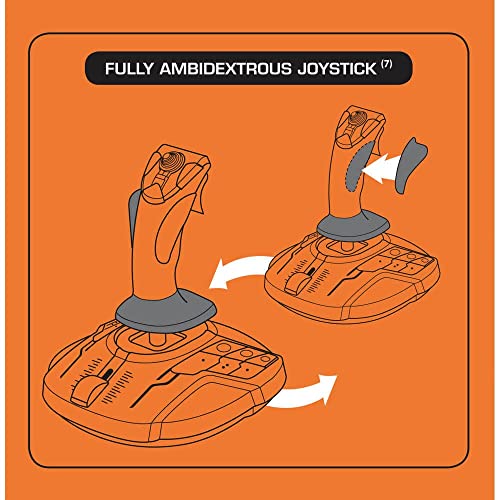
Thrustmaster T16000M FCS USB Flight Stick (Windows)
| SELLER | SELLER SCORE | AMAZON FULFILLED | PRIME | FREE SHIPPING |
|---|---|---|---|---|
| Amazon.com | 9.68 | Yes | Yes | Yes |
The Thrustmaster T16000M FCS delivers professional-grade precision through its patented H.E.A.R.T technology, ensuring your flight controls never lose their edge over time. I was particularly impressed by how inclusive the design feels. Because it features three removable components, you can swap it from a right-handed setup to a left-handed one in minutes. It is packed with utility, offering 16 action buttons with tactile braille-style identification and an 8-way hat switch for quick maneuvers. Between the four independent axes—including a twist rudder—and the T.A.R.G.E.T software for custom mapping, this stick gives you total command over your cockpit. It is a highly versatile piece of hardware for any Windows PC flight simulator enthusiast looking to upgrade their immersion.
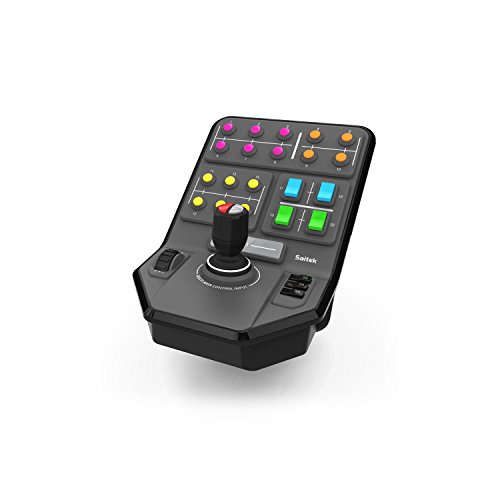


Logitech USB G PC Farm Sim Vehicle Side Panel
| SELLER | SELLER SCORE | AMAZON FULFILLED | PRIME | FREE SHIPPING |
|---|---|---|---|---|
| Dave Parkers | 9.85 | No | No | No |
The heavy-duty screw-thread clamp provides an immediate sense of stability, locking this controller to your desk so it won't budge during intense maneuvers. This side panel is a massive upgrade for anyone tired of fighting a keyboard while managing complex machinery. The six-axis loader control stick makes operating intricate logging equipment feel intuitive rather than a struggle, while the dedicated cruise control speed dial lets you set your pace and focus on the task at hand. With 37 programmable buttons, you essentially have a command center at your fingertips. While it is built for farming, the open compatibility means it functions beautifully in space sims like Elite Dangerous or Star Citizen, making it a versatile powerhouse for any serious flight or driving enthusiast.


Thrustmaster USB T-Flight Stick X (Windows)
| SELLER | SELLER SCORE | AMAZON FULFILLED | PRIME | FREE SHIPPING |
|---|---|---|---|---|
| Amazon.com | 9.68 | Yes | Yes | Yes |
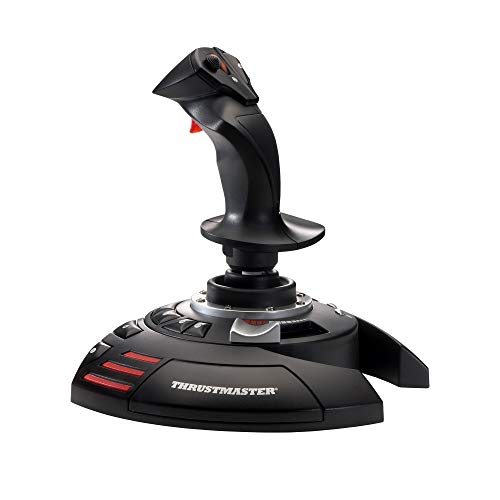
Budget-conscious flight sim enthusiasts need the Thrustmaster T-Flight Stick X to bridge the gap between casual gaming and immersive flight control without breaking the bank. This plug-and-play device is a dream for immediate takeoff, featuring preconfigured settings for popular titles like Microsoft Flight Simulator X. I found the precision of the joystick impressive, especially with the adjustable resistance control that lets you fine-tune the feel. The ergonomic design is thoughtful, providing a wide hand rest and a throttle lever that feels natural during long sessions. You also get a rotating handle with a built-in locking system for rudder control and a versatile trigger that switches between airbrake and rapid fire modes. With twelve programmable buttons and internal memory, it offers a level of customization that punches far above its weight class.


Logitech G Saitek X52 Pro Flight Control System, Controller and Joystick Simulator, LCD Display, Illuminated Buttons, 2xUSB, PC - Black/Silver
| SELLER | SELLER SCORE | AMAZON FULFILLED | PRIME | FREE SHIPPING |
|---|---|---|---|---|
| IPC-STORE✅ | 9.84 | No | No | No |
Serious flight simulator enthusiasts require the Logitech G Saitek X52 Pro to bridge the gap between casual gaming and true cockpit immersion. This setup stands out immediately because of its intuitive LCD multi-function display and illuminated buttons, which provide real-time feedback right at your fingertips. The precision is genuinely impressive. Thanks to the No Contact Technology on the X and Y axes combined with a constant spring force, you get incredibly smooth, centered movement without the wear and tear of traditional sensors. I particularly enjoyed the progressive throttle, which features adjustable resistance and physical detents for idle and afterburner settings. With a five-position handle adjustment system and a contoured, soft-touch grip, it accommodates almost any hand size while maintaining comfort during long sorties.


Logitech G X56 H.O.T.A.S Throttle and Joystick Flight Simulator Game Controller, 4 Spring Options, +189 Programmable Controls, RGB Lighting, 2x USB, P...
| SELLER | SELLER SCORE | AMAZON FULFILLED | PRIME | FREE SHIPPING |
|---|---|---|---|---|
| No | No | No |
Can a single hardware upgrade truly bridge the gap between a casual gamer and a precision combat pilot? The Logitech G X56 H.O.T.A.S. aims to do exactly that by providing military-grade precision through high-accuracy 16-bit hall-effect sensors. During testing, the tactile distinction of the buttons made navigating the complex layout effortless, which is a massive advantage when you are immersed in a VR cockpit. I found the advanced four-spring system particularly impressive, allowing you to dial in the exact stick tension your flight style requires. With twin throttles featuring friction adjusters and a massive array of over 189 programmable controls, this setup gives you total mastery over everything from pitch and roll to independent gimballed weapons.


Logitech G Saitek X52 Pro USB Flight Contol System (Renewed) compatible with Windows
| SELLER | SELLER SCORE | AMAZON FULFILLED | PRIME | FREE SHIPPING |
|---|---|---|---|---|
| BHHT Deals | 9.20 | Yes | Yes | Yes |
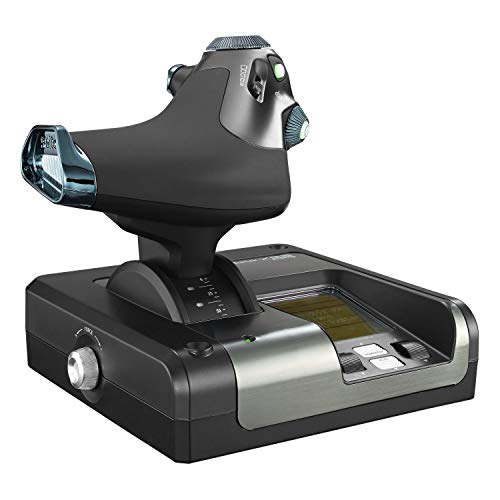
You are deep in a dogfight, banking hard through a cloud bank, and suddenly that intuitive LCD Multi-Function Display gives you the exact telemetry you need to stay in the fight. The Logitech G Saitek X52 Pro isn't just a peripheral. It is a tactile extension of your cockpit. I found the precision centering mechanism particularly impressive, as the no-contact technology on the X and Y axes prevents the dreaded stick drift common in lesser controllers. The progressive throttle feels incredibly realistic with its adjustable resistance and dedicated detents for afterburner and idle settings. Even during marathon sessions, the five-position handle adjustment and soft-touch contoured grips ensure your hands don't fatigue, making this a professional-grade setup for any serious flight sim enthusiast.


EG STARTS 2 Player Arcade Game Kit Parts USB Pc Joystick Compatible Mame Game DIY Zero Delay USB Encoder + 2X 5pin 8 Way Stick + 20 Push Buttons Red +...
| SELLER | SELLER SCORE | AMAZON FULFILLED | PRIME | FREE SHIPPING |
|---|---|---|---|---|
| EG STARTS | 7.70 | No | No | No |
Ever wondered how easy it actually is to build your own retro gaming station from scratch? This EG STARTS kit removes the guesswork by providing everything necessary for a dedicated two-player MAME arcade project. I was impressed by the zero delay USB encoder, which ensures your inputs feel responsive rather than sluggish during intense gameplay. The package includes two 8-way joysticks in contrasting red and black, along with twenty push buttons to round out your control scheme. Setup is remarkably straightforward since you essentially just connect the wires to the buttons and sticks. Whether you are running a Windows PC or a Raspberry Pi, this hardware provides a solid, plug-and-play foundation for any DIY enthusiast looking to bring classic arcade cabinets to life.

logitech G X56 H.O.T.A.S Throttle and Joystick Flight Simulator Game Controller, 4 Spring Options, 189 Programmable Controls, RGB Lighting, 2x USB, PC...
| SELLER | SELLER SCORE | AMAZON FULFILLED | PRIME | FREE SHIPPING |
|---|---|---|---|---|
| Amazon.com | 9.68 | Yes | Yes | No |
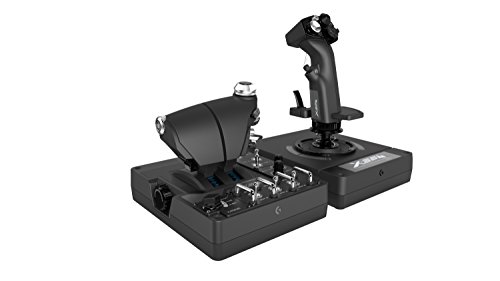
Aspiring combat pilots who refuse to compromise on precision need the Logitech G X56 to bridge the gap between a desk and a cockpit. This setup delivers military-grade space and flight simulation accuracy, especially with the addition of the smooth, self-centering rudder pedals. I found the mini analog stick control surfaces particularly impressive, as they allow for independent gimballed weapon control separate from your primary flight path. Whether you are navigating a VR environment or managing complex maneuvers, the tactile button shapes ensure you never lose your place. You can even customize the tension with an adjustable dial to mimic anything from a light aircraft to a heavy jet, all while matching the RGB lighting to your specific gaming rig.



PXN X9 Fighting Joystick - DIY Sawan Arcade Joystick, Arcade Fight Stick with Turbo & Macro and DP/LS/RS Functions, Compatible Android, TV, PC, PS3, P...
| SELLER | SELLER SCORE | AMAZON FULFILLED | PRIME | FREE SHIPPING |
|---|---|---|---|---|
| No | No | No |
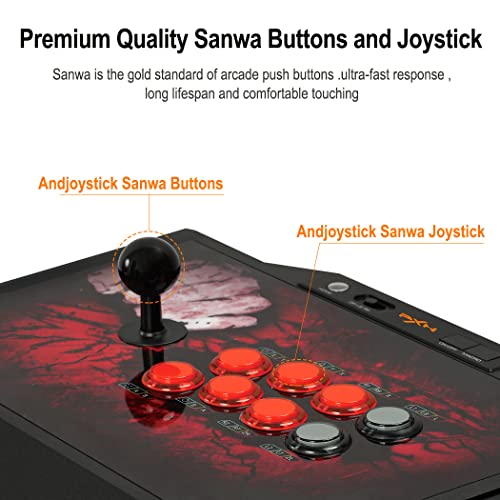
The PXN X9 Arcade Fight Stick stands out as a highly versatile fighting controller that bridges the gap between professional-grade hardware and customizable DIY enthusiast gear. Using authentic Sanwa joystick and button components, it delivers that essential, snappy tactile response required for high-stakes titles like Tekken or Street Fighter. What really impressed me is the thoughtful internal design. It actually houses a screwdriver and spare parts so you can swap buttons or modify the layout on the fly. The inclusion of Turbo and Macro functions, alongside the ability to switch between DP, LS, and RS modes, makes it a powerhouse for different genres. Whether you are playing on a PC, Switch, or the latest Xbox consoles, this stick feels ready for the competitive arena.





YYDGH Smart Water Bottle Dispenser, Wate Pump 5 gallon Water Dispenser Automatic Drinking Water Pump USB Rechargeable Water Jug Pump Dispenser Switch...
| SELLER | SELLER SCORE | AMAZON FULFILLED | PRIME | FREE SHIPPING |
|---|---|---|---|---|
| 【US FAST SHIPPING 】YYDGH | 2.62 | No | No | No |
You might wonder if a small plastic pump can actually replace a heavy traditional dispenser, but the YYDGH Smart Water Bottle Dispenser proves that simplicity often beats bulk. After testing its setup, the ease of use is what really stands out. You just fasten it to the mouth of the jug and use a single-press switch that even kids can master. It is built with high-density ABS plastic and food-grade silicone, ensuring your water stays clean and free of odors. The USB rechargeable battery is a massive convenience, lasting through roughly four to six large bottles on a single charge. Whether you are at a campsite or just in your kitchen, this lightweight, portable tool makes hydration effortless without the heavy lifting.


SYDYSOSO COCKPITMASTER Flight Simulator Mode Control Panel CS 737X MCP, PMDG 737NG, IXEG 737, Zibo 737, B737 CDU Control Display Unit, Boeing Edition,...
| SELLER | SELLER SCORE | AMAZON FULFILLED | PRIME | FREE SHIPPING |
|---|---|---|---|---|
| SYDYSOSO INC | 5.15 | No | No | No |
Most flight sim enthusiasts eventually tire of clicking mice and keyboard shortcuts, but the SYDYSOSO Cockpitmaster MCP offers a definitive escape into true tactile immersion. Unlike DIY kits that feel like science projects, this is a polished, 1:1 scale engineering marvel housed in a professional plastic shell. I was particularly impressed by the 14 custom switches featuring dual-color legends and the rotary knobs that provide a distinct, satisfying mechanical feel. The digital display even uses the authentic aircraft font, making the transition from your desk to the virtual cockpit feel seamless. It is a plug-and-play powerhouse that handles both Captain and Co-pilot logic via a single USB connection, eliminating the cable clutter that usually plagues high-end home cockpits.


Honeycomb Bravo Flight Simulator Throttle Quadrant - Trim, Gear, Flaps, Autopilot, Radio Switch Panel - 6 Interchangeable Levers – Desk Clamps Include...
| SELLER | SELLER SCORE | AMAZON FULFILLED | PRIME | FREE SHIPPING |
|---|---|---|---|---|
| Gulf Coast Avionics Corp. | 9.84 | No | No | No |
The Honeycomb Bravo is the definitive centerpiece for any serious flight sim pilot looking to bridge the gap between a controller and a real cockpit. What makes this unit stand out is its incredible modularity. By swapping the six interchangeable levers, you can transition from a single-engine piston plane to a complex four-engine jet in minutes. The integration of an annunciator panel with 14 warning lights and a dedicated gear lever with LED indicators adds a level of tactile immersion that software alone simply cannot replicate. Whether you are managing flaps and trim or programming the seven custom keys for specific aircraft functions, the hardware feels purposeful and professional. It is a versatile, all-in-one solution that scales alongside your growing virtual hangar.

The first decision in your journey is determining which specific control surface fits your preferred genre of flight. Flight simulation generally splits into two camps: combat flight and civil aviation. For combat sims, a high-quality Joystick (or HOTAS—Hands On Throttle-And-Stick) is essential. These devices prioritize rapid, twitchy movements and button density, allowing you to manage weapons, flares, and radar without letting go of the flight controls. For civil aviation enthusiasts, a Yoke-based system is often preferred. Yokes mimic the steering wheels found in general aviation aircraft and provide a different mechanical feel that is better suited for the gradual, steady corrections required during landing and cruising.
In flight simulation, the number of axes is more important than the number of buttons. A standard controller might have four axes (X, Y, Z, and Throttle), but high-end flight controls often include additional axes for rudder control via pedals or trim wheels. When comparing models, look closely at how the axes are implemented. Hall Effect sensors are the gold standard. They use magnets rather than physical contact to detect movement, which eliminates the 'jitter' and physical wear common in older potentiometer-based sticks. This ensures that when you make a minute adjustment to your pitch, the aircraft responds exactly as intended, rather than drifting due to sensor inaccuracies.
Flight controls are subject to constant physical stress. A joystick that feels 'mushy' or has excessive dead zones will ruin the simulation experience. Look for controllers with a weighted base to prevent the unit from sliding across your desk during aggressive maneuvers. Furthermore, consider the tension settings. Many premium sticks allow you to adjust the spring tension, enabling you to customize how much resistance you feel when pulling back on the stick. For those seeking ultimate realism, throttle quadrants with physical detents—notches that you can feel when moving into afterburner or idle positions—provide much-needed tactile confirmation during high-stress flight phases.
While all modern flight controls use USB connectivity, you must consider how the device integrates into a larger setup. If you plan to expand your cockpit later by adding rudder pedals or a dedicated landing gear lever, check if the manufacturer offers a unified software ecosystem. A unified driver suite allows you to calibrate all your devices simultaneously, ensuring that your throttle and stick are perfectly synchronized. Additionally, be mindful of the footprint. Some high-end flight sticks require significant desk or mounting space, so ensure your workspace can accommodate the physical scale of the hardware you choose.
To make your final decision, follow this logic: If you want to fly combat missions, prioritize a HOTAS setup with high button density and Hall Effect sensors. If you want to simulate airline operations, prioritize a Yoke and Throttle system with smooth, high-resolution axes. Finally, always prioritize build quality and sensor type over the sheer number of flashy LED lights or aesthetic gimmicks.
Quick answers about Usb Pc Game Flight Controls before you buy.
Share of top-ranked products by brand, from our rankings.
We compared Usb Pc Game Flight Controls products using product details and customer ratings to identify the best options in the pc games & accessories..
From that comparison we shortlisted the top 16 Usb Pc Game Flight Controls for this page..
We aim to help you find the right controls products for your needs and save you time when choosing which Usb Pc Game Flight Controls to buy.
Compare the top 16 picks at a glance — select a column to sort.


