PickSmartly Buying Guide

Best Wpa-Psk Points in 2026

9.6 PM Score
Products Compared
8
Brands Ranked
7
Our guides are compiled from product information and customer ratings. If you click on links we provide, we may receive compensation.

Navigating the landscape of wireless security protocols can be daunting, especially when you are looking for hardware or software configurations that support WPA-PSK (Wi-Fi Protected Access Pre-Shared Key). While modern networks have moved toward WPA3, WPA-PSK remains a critical standard for ensuring compatibility across a vast range of legacy IoT devices, older laptops, and smart home appliances. Choosing the right hardware that implements these security points effectively is the difference between a seamless, secure connection and a network riddled with vulnerabilities or connectivity drops. This guide is designed to help you understand the technical nuances of WPA-PSK implementations so you can build a robust wireless environment.

Editor's Choice

Our Top Picks for Wpa-Psk Points

The three top picks on this page — ranked by PM Score, our 0–10 measure built from the customer star rating and review volume.

#1

Netgear WNDR4500-100PAS N900 Dual Band Gigabit Wifi Router

NETGEAR N900 Dual Band Gigabit WiFi Router

NETGEAR WNDR4500-100PAS 11.57 X 10.35 X 3.39 Inches 2.49 Pounds

PM Score for NETGEAR (PM Score)

9.6 PM Score
Buy on Amazon
  • Faster WiFi—Up to 450+450 Mbps. Gigabit wired—Ideal for HD gaming & video
  • Simultaneous dual band 2.4GHz & 5GHz
  • Advanced QoS—Optimized for smooth HD streaming & gaming.
  • Five (5) 10/100/1000 (1 WAN and 4 LAN) Gigabit Ethernet ports with auto-sensing technology.
  • Two (2) USB 2.0 port. WiFi Protected Access (WPA/WPA2—PSK) and WEP, Double firewall protection (SPI and NAT firewall), Denial-of-service (DoS) attack prevention.
SELLER SELLER SCORE AMAZON FULFILLED PRIME FREE SHIPPING
NetBetShop 9.73 No No No

The NETGEAR N900 stands out in the personal computer networking category as a surprisingly robust solution for households struggling with bandwidth congestion. By utilizing simultaneous dual-band technology, it manages both 2.4GHz and 5GHz frequencies to keep your devices from fighting over the same airwaves. I found the inclusion of five Gigabit Ethernet ports particularly useful for anyone serious about HD gaming or high-definition video streaming, as the wired connection provides a level of stability wireless simply can't match. The advanced QoS settings further refine this experience, prioritizing your most important traffic to prevent lag during critical moments. It is a reliable, high-speed hub that balances wireless flexibility with heavy-duty wired performance.

What We Like
Dual band WiFi
Gigabit Ethernet ports
Advanced QoS optimization
Double firewall protection
Two USB 2.0 ports
#2

EnGenius 802.11ac 3x3 Dual Band, high-powered, long range, 28 dBm, Indoor Ceiling-Mount Wireless AP with integrated Antennas, gigabit port, (EAP1750H)

EnGenius Dual Band High Power Wireless Access Point

ENGENIUS EAP1750H 0.50 X 0.50 X 0.50 Inches 1.85 Pounds

PM Score for ENGENIUS (PM Score)

7.1 PM Score
Buy on Amazon
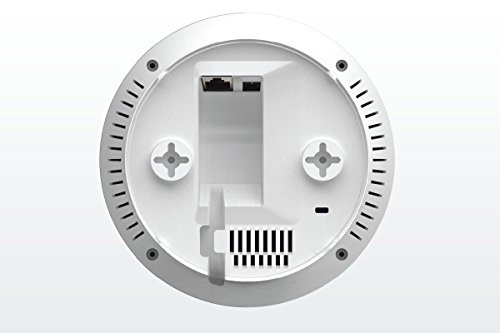
  • High power, Long range and multiple floor penetration
  • Dual-band operation
  • Converts housing
  • Band steering
  • Ssid-to-vlan tagging
  • Up to 1300 Mbps on the 5 GHz band, Up to 450 Mbps on the 2.4 GHz band
  • Up to 28 dBm transmit power on both the 2.4 GHz and 5 GHz frequency bands
  • Band Steering to relieve network congestion
  • Works with PoE 802.3at capable switches
  • Secured Guest Network option available
  • Supports wireless encryption standards such as Wi-Fi Protected Access (WPA-PSK/WPA2-PSK) Encryption, IEEE 802.1X with RADIUS.
  • Internal 3D Sectored Antenna Array that minimizes RF interference
  • Can be monitored after deployment with EnGenius EZ Controller(Free download)
SELLER SELLER SCORE AMAZON FULFILLED PRIME FREE SHIPPING
Bstoreusa 5.73 Yes Yes Yes

The sleek, ceiling-mounted profile of this EnGenius access point disappears into your decor while its internal 3D sectored antenna array does the heavy lifting. I was immediately impressed by how the 28 dBm transmit power pushes a signal through multiple floors without the typical drop-off seen in consumer-grade hardware. It manages a massive combined throughput of up to 1750 Mbps, using band steering to intelligently offload traffic from the congested 2.4 GHz band to the faster 5 GHz lane. Setting it up feels professional rather than hobbyist, especially with SSID-to-VLAN tagging and RADIUS support for robust security. Whether you are segmenting a guest network or managing a large indoor space, the ability to monitor everything via the EZ Controller makes maintaining a seamless connection surprisingly effortless.

What We Like
High power range
Dual-band operation
Band steering technology
Integrated 3D antennas
Gigabit ethernet port
#3

BrosTrend Wireless Access Point, Home WiFi Access Point Wall Plug Design 300Mbps Wireless AP Easy Setup Works with All Routers Ethernet Access Point f...

BrosTrend Wireless Access Point with Wall Plug Design

BROSTREND N300 WIRELESS ACCESS POINT HOME WIFI AP 3.80 X 1.40 X 7.00 Inches 0.20 Pounds

PM Score for BROSTREND (PM Score)

5.8 PM Score
Buy on Amazon
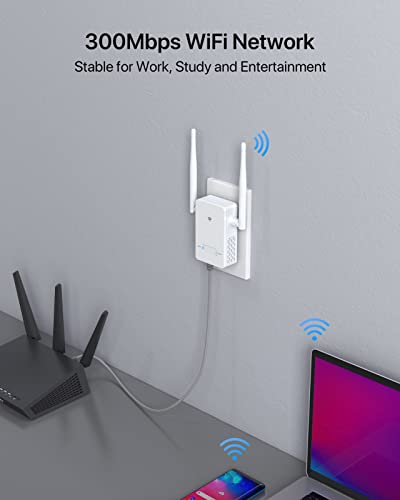
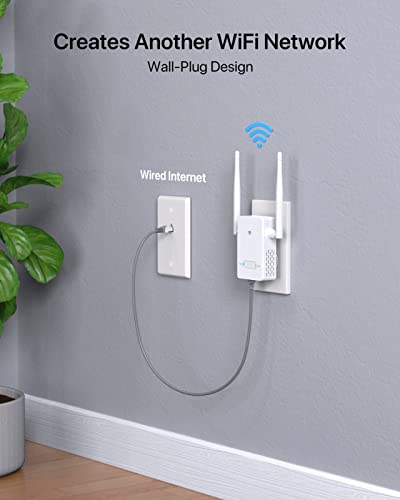
  • Create a New WiFi Network: Use an Ethernet cable to connect this wireless access point to an Internet-enabled Ethernet port or your router to set up another wireless network. Easily blends into your home décor with compact wall-plug design
  • 300Mbps Fast Speed on 2.4GHz WiFi: Excellent for online 4K video streaming, high-quality music, gaming, etc. You can install this WiFi access point in your places with poor WiFi signals, such as your basement, garage, attic, etc
  • Works Better than WiFi Extenders: Uplinked with your home router with wired Ethernet cable, this home WiFi access point creates a more stable and faster network than a WiFi range extender does, which delivers fake WiFi signals with lagging and low speed
  • Better Signal: 2 external high-gain antennas of the wireless ap boost broader WiFi range. You can also adjust the angel of both antennas for better WiFi coverage
  • Universal Compatibility: Easy to use as it works with any routers or ISP gateways. Supports power voltage range of 100V-240V
  • Advanced Encryption: Supporting WPA2/WPA-PSK, the wireless access point creates a secure network that you can count on
SELLER SELLER SCORE AMAZON FULFILLED PRIME FREE SHIPPING
BrosTrend 9.85 Yes Yes Yes

The BrosTrend Wireless Access Point eliminates dead zones by turning a wired Ethernet connection into a robust, high-speed wireless network. Unlike standard range extenders that often struggle with lagging and unstable signals, this unit uses a direct wired uplink to provide a much more reliable 300Mbps connection on the 2.4GHz band. It is perfect for streaming 4K video or gaming in hard-to-reach spots like a basement or garage. The compact wall-plug design keeps things tidy, while the two adjustable high-gain antennas allow you to fine-tune your coverage. It is incredibly versatile, working seamlessly with any existing router or ISP gateway, and can support up to 15 devices simultaneously with WPA2 encryption keeping your data secure.

What We Like
300Mbps wireless speed
Compact wall-plug design
Adjustable high-gain antennas
Supports 15 devices
WPA2 secure encryption

UeeVii WiFi 6 Access Point Indoor Ceiling | US Model | 48V PoE Adapter Included | 2.4G & 5.8G (UAP03)

UeeVii WiFi 6 Dual-Band Indoor Access Point

UEEVII UAP03 1.20 X 7.00 X 7.00 Inches 1.76 Pounds

PM Score for UEEVII (PM Score)

5.3 PM Score
Buy on Amazon
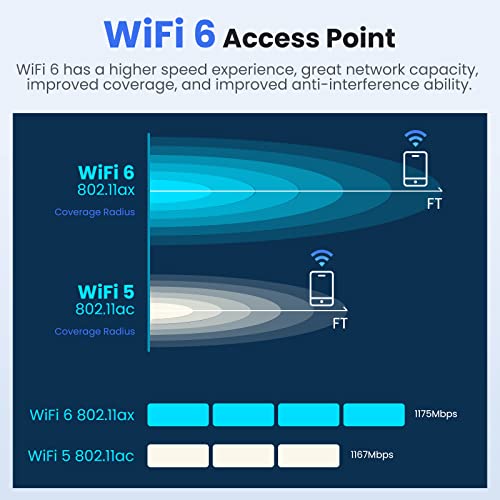
  • WiFi 6 Network Technology: UeeVii WiFi 6 access point adopts the latest WiFi 6 802.11ax standard, with faster speed, lower latency, larger capacity, WPA3 more secure, TWT technology more power saving, and compatible with WiFi 5.
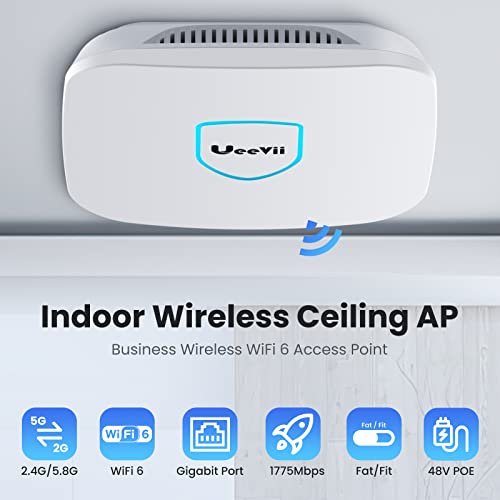
  • Dual-band Concurrent Design: Wireless access point is equipped with 2*5dBi 2.4G antennas and 2*5dBi 5.8G antennas, 2.4G can provide a rate of 574Mbps, 5.8G provides a rate of 1201Mbps, and the maximum concurrent rate of the whole machine can reach 1775Mbps.
  • Gigabit RJ45 POE Port: Indoor access point has 2 built-in Gigabit ports, one of which supports 48V standard 802.11af PoE power supply and adaptive WAN port, and the other port is convenient to expand other devices (such as cameras). The access point also supports 12V ~1.5A DC power supply, accessories do not include DC power adapter.
  • Superior Performance: The memory of the WiFi access point is 256MB, and the flash memory is 16MB to ensure the smooth and stable operation of the system. The maximum wireless transmission power is 23dMb, and it supports network coverage with a diameter of 328FT. Suitable for 120 users to access at the same time.
  • Standalone Working Mode: UAP03 network access point supports 2 modes of FAT/FIT. It works independently in FAT mode, only needs a power supply and Internet to work, no need to use AC controller software or cloud. Of course, if you need to configure large-scale projects, you can also choose to purchase UeeVii's AC controller to configure and manage multiple access points.
  • Designed for Indoor Networks: WiFi 6 wireless access points are very suitable for spacious indoor installations, such as home lobbies, villa lobbies, hotel lobbies, restaurants, churches, classrooms, offices/meeting rooms. Note that the access point signal cannot pass through walls and floors and also Not waterproof, it is recommended to install indoors.
  • 3-Installation Methods: POE access point support ceiling installation, wall-mounted installation, placed on the desktop, you can choose the installation method freely, different installation methods have different coverage, it is recommended to install in the center of the ceiling, the signal will be good if placed on the desktop in a small room.
  • Safe and Stable Performance: WiFi 6 adapter access point supports hardware watchdog function, and automatic recovery of abnormal equipment, and is maintenance-free. Support WPA (TKIP), WPA-PSK, WPA2, and WAP3 multiple security modes to ensure your network data is worry-free.
SELLER SELLER SCORE AMAZON FULFILLED PRIME FREE SHIPPING
UeeVii 9.11 Yes Yes Yes

Picture your office lobby or a busy restaurant filled with guests, all trying to stream video or join video calls simultaneously without the dreaded spinning loading icon. The UeeVii WiFi 6 access point is engineered specifically for these high-density environments, offering a massive concurrent rate of 1775Mbps to keep everyone connected. I found the dual-band design particularly impressive, utilizing 5dBi antennas to push a signal across a wide 328FT diameter. Setting it up is a breeze because it works in standalone FAT mode, meaning you don't need a complex cloud controller just to get online. With built-in Gigabit ports and a hardware watchdog for automatic recovery, it acts as a set-it-and-forget-it solution for anyone needing professional-grade indoor coverage.
What We Like
WiFi 6 technology
1775Mbps concurrent rate
Dual Gigabit ports
328FT coverage diameter
PoE power included

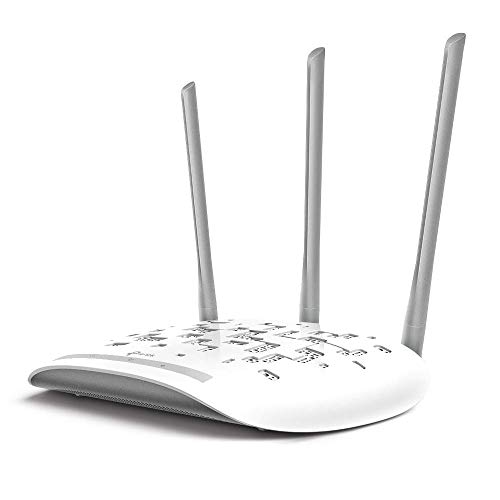
TP-Link Wireless Access Point TL-WA901N | 2.4Ghz N450 Desktop WiFi Bridge | Supports AP/Multi-SSID/Client/RE Mode | 3 Fixed Antennas | Passive PoE w/...

TP-Link N450 Wireless Access Point and Range Extender

TP-LINK TL-WA901N-CR 7.67 X 5.27 X 1.43 Inches 0.49 Pounds

PM Score for TP-LINK (PM Score)

5.1 PM Score
Buy on Amazon
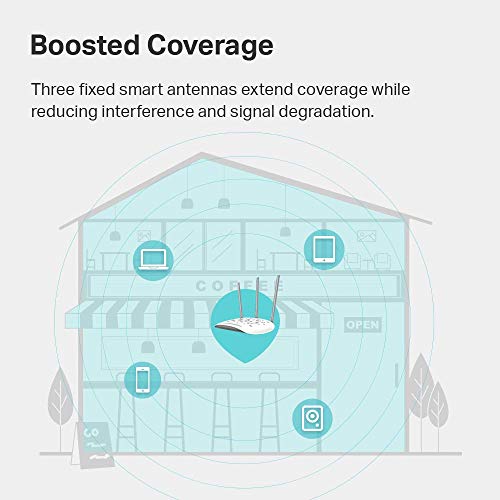
  • TL-WA901N is designed to establish or expand a scalable high-speed wireless N network or to connect an Ethernet-enabled device such as a game console, digital media adapter, printer, or network-attached storage device to a wireless network
  • Supports Client, Multi-SSID, Range Extender, and AP operation modes to enable various wireless applications to give users a more dynamic and comprehensive experience when using your AP
  • TL-WA901N is able to be powered using an Ethernet cable to simultaneously send data and electricity, up to 30 meters (100 feet) of flexible deployment with included Power over Ethernet Injector
  • Easily setup a WPA-PSK/WPA2-PSK encrypted secure connection at a push of the WPS button
  • Industry leading 2 year and Free 24/7 technical support
SELLER SELLER SCORE AMAZON FULFILLED PRIME FREE SHIPPING
Quality Photo 9.92 Yes Yes Yes

Most people settle for dead zones and spotty signals, but the TP-Link TL-WA901N turns those connectivity gaps into a high-speed wireless N network. I found it incredibly versatile because it isn't just a single-purpose tool. You can deploy it as an Access Point, a Range Extender, or even a Client to bridge your Ethernet-enabled game consoles and printers to the Wi-Fi. The inclusion of a free PoE injector is a massive win for deployment flexibility, allowing you to run power and data through a single cable up to 30 meters away. Setting up a secure WPA2-PSK connection is a breeze with the WPS button, making it a reliable, low-cost solution for anyone needing to scale their home or office coverage without a massive headache.

What We Like
Four operation modes
Passive PoE included
Three fixed antennas
WPS secure connection
Scalable wireless network

Wireless WiFi Access Point︱Dual Band AC1200 Wave 2.0︱POE Gigabit Powered Port︱4 x 4 MU-MIMO︱Seamless Roaming for Indoor Wall/Ceiling Mounted

ORBOCOM Dual Band AC1200 Wireless Access Point

ORBOCOM WZ122

PM Score for ORBOCOM (PM Score)

4.2 PM Score
Buy on Amazon
  • 【Plug-Play】 Compact design for wall/ceiling mounted. Support power through IEEE 802.3at 48V POE standard or DC power supply. Setup and configure quickly from web browser. Do not need to download APP or subscription
  • 【Suitable For Multiple Scenarios】 Coupled with WAVE 2.0 MU-MIMO technology, multi-user, multi-input, multi-output. Supports up to 128 client devices and 2000 sq. ft. of coverage. Widely used in home, hotel, office, coffee shop,etc
  • 【High Speed Transmission】 Build in 2.4&5.8 GHz dual band 5dBi MIMO Antenna and poe gigabit port. Fast and efficient 1200 Mbps data throughput coverage 360 degrees without dead zones
  • 【Seamless Roaming】 Seamless roaming will automatically connect to the strong signal AP when you moving to other location. Keep the network stable and surf the Internet happily
  • 【Trustworthy After-Sale Service】 Support 64/128-bit WEP, WPA / WPA2, WPA-PSK/ WPA2-PSK wireless security encryption. 1 Year warranty and lifetime support provided directly. Any question or concerns, please contact us through Amazon email
SELLER SELLER SCORE AMAZON FULFILLED PRIME FREE SHIPPING
ORBOCOM 5.75 Yes Yes Yes

The ORBOCOM AC1200 is a powerhouse solution for anyone struggling to maintain a stable connection across a large office or multi-room home. What really stands out is the Wave 2.0 MU-MIMO technology, which allows the unit to handle up to 128 devices simultaneously without the typical lag you see in cheaper hardware. I was particularly impressed by the seamless roaming capability. You can walk from the kitchen to the bedroom without your video call dropping or your signal stuttering. Installation is remarkably straightforward thanks to the plug-and-play web configuration and PoE support, meaning you can mount it on a ceiling or wall and power it through a single cable. It effectively eliminates dead zones within a 2000 sq. ft. radius, making it a reliable backbone for high-speed internet.

What We Like
Dual band AC1200 speed
Seamless roaming technology
PoE gigabit port
128 device capacity
Plug-and-play setup
#7

Ruckus Wireless ZoneFlex R310 Unleashed Indoor Access Point Dual-Band, 802.11ac, PoE (9U1-R310-US02)

Ruckus Wireless ZoneFlex R310 Unleashed Indoor Access Point

RUCKUS WIRELESS, INC. 9U1-R310-US02 5.31 X 5.43 X 1.30 Inches 0.49 Pounds
  • MIMO 2x2:2, dual-band 867 Mbps (5 GHz) and 300 Mbps (2.4 GHz) of user throughput
  • Up to 4dB of statistical BeamFlex gain and up to 10dB of interference mitigation
  • Capable of supporting up to 100 clients per access point, supports multicast IP video streaming
  • Up to 2x to 4x increase in Wi-Fi signal coverage, WPA-PSK (AES), 802.1X support
  • Blazing fast 802.11ac speeds, 802.3af Power over Ethernet (PoE) Power adapters sold separately
SELLER SELLER SCORE AMAZON FULFILLED PRIME FREE SHIPPING
ÀLACART 5.92 No No No

Small business owners and high-density home offices require the Ruckus Wireless ZoneFlex R310 to solve the nightmare of dropped connections and dead zones. I found that the standout feature here isn't just the 802.11ac speeds, but the BeamFlex technology that provides up to 10dB of interference mitigation. This makes a massive difference in crowded environments where other signals usually cause chaos. You get a significant boost in coverage—up to four times what standard setups offer—thanks to the 2x2:2 MIMO architecture. Whether you are streaming multicast IP video or managing up to 100 simultaneous clients, this dual-band unit stays stable. Just keep in mind that you will need to source your own 802.3af PoE power adapter to get this unit up and running.

What We Like
BeamFlex interference mitigation
Dual-band 802.11ac speeds
100 client capacity
Enhanced signal coverage
Multicast video support

Outdoor WiFi Range Extender,UeeVii 2.4G/5.8G Wireless Gigabit Access Point with 2 * 5dbi Antenna, Power Amplifier,48V PoE Adapter, IP66 Weatherproof,...

UeeVii Dual-Band Outdoor Wireless Gigabit Access Point

UEEVII 11.81 X 11.42 X 3.15 Inches

PM Score for UEEVII (PM Score)

0.0 PM Score
Buy on Amazon
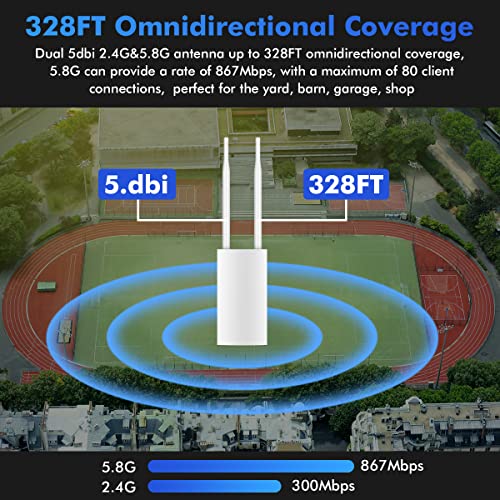
  • UeeVii UAP180 access point adopts 2.4G&5.8G dual-band 802.11ac wireless technology standard, 5.8G single band can provide up to 867Mbps, allowing up to 120+ users to connect. Equipped with two 5dBi dual-band omnidirectional 360° high-power gain antennas, the 500mW transmit power can achieve 328FT large-area WiFi coverage (Clear sight).
  • Outdoor WiFi AP uses IP66 grade waterproof technology, effectively prevents the impact of bad weather such as wind, frost, rain, and snow on the equipment, ensures that the repeater maintains stable operation in harsh environments, and is very suitable for applications such as front and backyards and docks.
  • UeeVii outdoor AP comes with dual RJ45 Gigabit Ethernet ports, and the wired network speed can reach 1000Mbps. Both WAN/PoE and LAN/PoE ports support 802.3af 48V standard power supply, saving energy consumption and easy deployment. Support up to 164FT CAT 5e/6 network cable, PoE adapter is not waterproof, and waterproof measures should be taken.
  • Wireless AP equipped with a high-performance independent power amplifier circuit (PA) to improve wireless transceiver performance, the signal is stronger than ordinary AP, AP/Router/Repeater/Bridge 4 working modes are optional, the default is routing mode, it is recommended to use AP mode.
  • Support PSK, WEB, and other authentication methods, WEB security is realized through URL keyword filtering, support WPA (TKIP), WPA-PSK, WPA2, (AES), and other data encryption methods, support attack defense in AP routing mode, mainly including DDOS defense network attack.FCC ID: OYR-CF-EW72
SELLER SELLER SCORE AMAZON FULFILLED PRIME FREE SHIPPING
UeeVii 9.08 Yes Yes Yes

Most homeowners simply accept dead zones in their backyard or garage, but the UeeVii UAP180 is designed to push high-speed connectivity far beyond your interior walls. I found that the integrated power amplifier really sets this apart from standard repeaters, providing a much punchier signal that covers up to 328 feet in clear sight. It handles dual-band 802.11ac speeds beautifully, supporting over 120 users without breaking a sweat. The IP66 weatherproof rating gives me peace of mind that rain or snow won't kill the connection, and the PoE support makes the physical installation surprisingly clean. While it offers four different modes, sticking to the recommended AP mode ensures you get the most stable, high-performance throughput for your outdoor smart devices or streaming.

What We Like
Dual-band 802.11ac
IP66 weatherproof
Integrated power amplifier
Gigabit Ethernet ports
328ft coverage range
Buying Guide

A Guide to Selecting the Best WPA-PSK Compatible Hardware

A Guide to Selecting the Best WPA-PSK Compatible Hardware

Understanding the WPA-PSK Standard

Before diving into specific hardware, it is essential to understand what you are actually looking for. WPA-PSK is a security method where a single password (the pre-shared key) is used to authenticate all devices on the network. When shopping for access points, routers, or wireless adapters that support this, you aren't just looking for a checkbox. You are looking for how the device handles the handshake process. A high-quality implementation ensures that the encryption process does not introduce significant latency, which is a common issue in budget-grade hardware when managing multiple simultaneous WPA-PSK connections.

Key Decision Factor: Security Protocol Depth

Not all WPA-PSK implementations are created equal. When evaluating products, look for devices that offer 'Mixed Mode' capabilities. This allows your network to support WPA2-PSK (AES) for modern devices while still maintaining a fallback for older devices that may only recognize the original WPA-PSK. Avoid hardware that forces a single mode if you have a diverse ecosystem of smart home gadgets. Furthermore, pay attention to the encryption standard used alongside the PSK. You should prioritize devices that utilize AES (Advanced Encryption Standard) over the much older and less secure TKIP (Temporal Key Integrity Protocol). A device that supports WPA2-PSK with AES is the current 'sweet spot' for compatibility and security.

Hardware Performance and Throughput

The security protocol adds a layer of computational overhead to every packet sent over the air. If you are selecting a wireless access point or a high-end router, ensure the processor (CPU) is capable of handling the encryption/decryption tasks without bottlenecking your internet speeds. If you have a gigabit connection but choose a low-end device that struggles with WPA-PSK overhead, you will see your actual throughput drop significantly once the security is enabled. Look for dual-band or tri-band support to ensure that the management of security keys on the 2.4GHz band (often used by IoT devices) does not interfere with the high-speed performance of the 5GHz or 6GHz bands.

Compatibility and Ecosystem Integration

The primary reason users seek WPA-PSK support is often to accommodate legacy hardware. Before purchasing, verify the specific 'handshake' requirements of your most sensitive or oldest devices. Some older smart plugs or industrial sensors are notoriously picky about how the SSID (Service Set Identifier) and the PSK are broadcast. A premium device will offer granular control over these settings, allowing you to create a dedicated 'Legacy SSID' that uses WPA-PSK specifically for those older devices, while keeping your main network on a more modern, stringent protocol. This 'segmentation' capability is a hallmark of high-quality networking gear.

Final Recommendation Logic

When making your final selection, follow this hierarchy: First, prioritize security versatility (the ability to run mixed modes). Second, prioritize processing power (to ensure encryption doesn't kill your speed). Third, prioritize management software (to allow for easy SSID segmentation). If you are a casual user with only modern smartphones, focus on WPA2/WPA3 compatibility. If you are a smart-home enthusiast with dozens of older gadgets, prioritize a device with robust, granular WPA-PSK management settings and high CPU overhead capacity.

Ready to choose?

Jump back to our ranked picks or compare the shortlist side by side.

Frequently Asked Questions

Quick answers about Wpa-Psk Points before you buy.

WPA-PSK (Wi-Fi Protected Access Pre-Shared Key) provides encryption for your wireless network using a single password, ensuring that only authorized users with the correct key can access your data and local network.

While WPA-PSK is a standard, the security level depends on the protocol version. WPA2-PSK is the current baseline, while WPA3-PSK offers significantly stronger protection against brute-force attacks.

WPA-PSK uses one shared password for all users, making it ideal for homes and small offices. WPA-Enterprise requires a central server to authenticate each user individually, which is more secure for large corporations.

This is a compatibility mode that allows newer devices using WPA2 to connect while still supporting older legacy devices that may only recognize the original WPA standard.

Yes. The most effective way to boost security is to use a long, complex passphrase that includes a mix of symbols, numbers, and letters to prevent dictionary attacks.

The encryption process requires a tiny amount of processing power from your router, but on modern hardware, the impact on your actual data throughput is virtually unnoticeable.

First, ensure you are using the correct security protocol version (e.g., WPA2 vs WPA3) in your device settings. If that fails, try forgetting the network and re-entering the password to clear any cached credential errors.
Rankings & Insights

Our Wpa-Psk Points Rankings

8 Products Compared
4.6 Avg PM Score
7 Brands Ranked

Top 10 Wpa-Psk Points Brands on Amazon

Share of top-ranked products by brand, from our rankings.

  1. 01 Ueevii 2 (25%)
  2. 02 Brostrend 1 (12.5%)
  3. 03 Engenius 1 (12.5%)
  4. 04 Netgear 1 (12.5%)
  5. 05 Orbocom 1 (12.5%)
  6. 06 Ruckus Wireless, Inc. 1 (12.5%)
  7. 07 Tp-Link 1 (12.5%)

How We Selected These Products

We compared Wpa-Psk Points products using product details and customer ratings to identify the best options in the categories..

From that comparison we shortlisted the top 8 Wpa-Psk Points for this page..

We aim to help you find the right points products for your needs and save you time when choosing which Wpa-Psk Points to buy.