PickSmartly Buying Guide

Best Xdo Ps4 Adapters in 2026

9.6 PM Score
Products Compared
1
Brands Ranked
1
Our guides are compiled from product information and customer ratings. If you click on links we provide, we may receive compensation.

For PlayStation 4 enthusiasts looking to expand their hardware capabilities, XDO adapters serve as a vital bridge between legacy peripherals and modern console ecosystems. Whether you are attempting to connect a wired controller to a wireless setup, utilizing a specific headset that lacks native PS4 compatibility, or trying to integrate specialized input devices, choosing the right adapter is the difference between a seamless gaming session and frustrating input lag. This guide is designed to help you navigate the technical nuances of these small but critical components, ensuring your hardware works in harmony with your console.

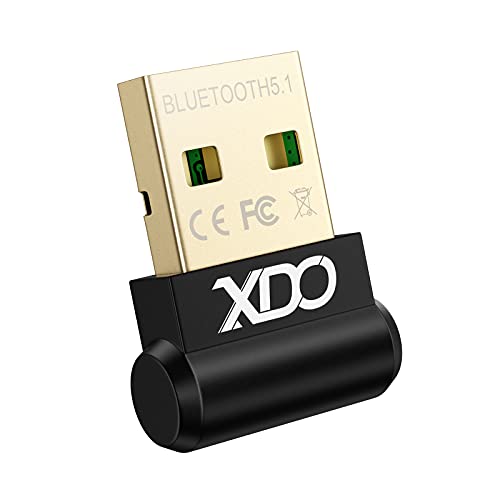
Bluetooth Adapter for PC, XDO USB Bluetooth Adapter 5.1 EDR, Bluetooth Dongle Wireless Bluetooth Receiver for Desktop, Laptop, Speaker, Mouse, Keyboar...

XDO Bluetooth 5.1 EDR USB Adapter for Windows

XDO 64615 1.10 X 0.59 X 0.31 Inches

PM Score for XDO (PM Score)

9.6 PM Score
Buy on Amazon
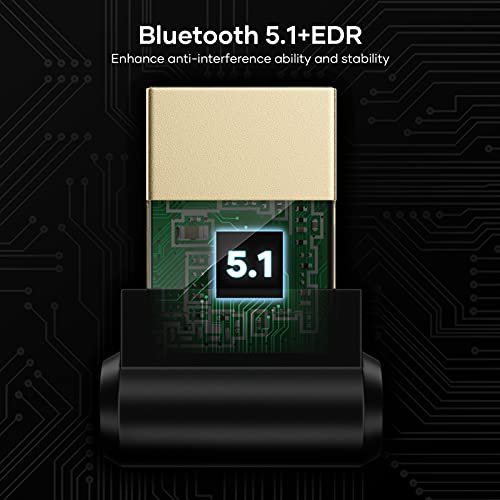
  • Bluetooth adapter 5.1 + EDR: The Bluetooth USB adapter uses the latest upgraded Bluetooth 5.1 + EDR technology. The anti-interference ability and stability is enhanced, and the transmission efficiency loss caused by interference in the 2.4 GHz frequency band is reduced.
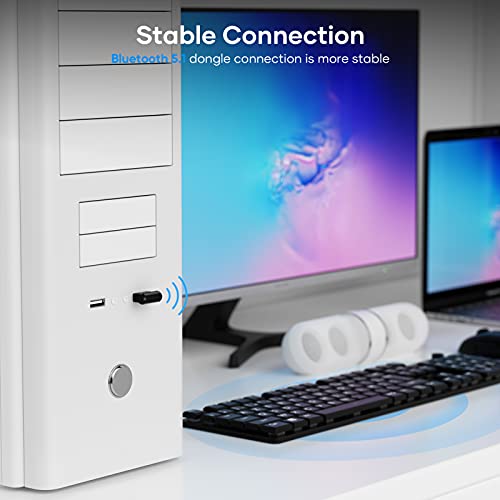
  • More Stable Connection: The Bluetooth 5.1 dongle has a more stable connection with transmission rate of up to 3Mbps. The configuration of Bluetooth low energy (BLE) and dual-mode Bluetooth transmission can obtain faster data transmission speed. The transmission distance can reach up to 32ft (10m) in an open place.
  • Wide Range of Applications: The wireless Bluetooth adapter can connect multiple devices, such as Bluetooth speakers, keyboards, headsets, and mice. You can make full use of the Bluetooth adapter to wirelessly transfer files while enjoying music.
  • Ultra-Small Size: The stylish and compact design makes the Bluetooth receiver perfect for placing on a laptop or PC without even noticing it. You can easily carry it on your laptop without blocking the USB ports next to it.
  • System support: USB Bluetooth adapter only supports Windows 11 / 10 / 8.1 / 8 / 7 (Not support Mac, Linux, TV, car stereo, PS4 or xbox). Driver is required. Backward compatible with Bluetooth 4.2/4.0/3.0/2.1.
SELLER SELLER SCORE AMAZON FULFILLED PRIME FREE SHIPPING
XDODirect 9.87 Yes Yes Yes

Most people assume a tiny USB dongle is just a cheap afterthought, but the XDO Bluetooth 5.1 adapter actually solves the massive headache of 2.4 GHz signal interference. By utilizing EDR technology, it manages to stabilize connections that usually stutter when your wireless mouse and keyboard compete for bandwidth. I found the 3Mbps transmission rate surprisingly snappy for multitasking, allowing me to stream music to a speaker while handling file transfers. The ultra-small footprint is a massive win too. It sits flush against your laptop without hogging the adjacent ports. Just keep in mind that this is strictly a Windows-based solution requiring a driver, so don't expect it to work on your Mac or gaming console.

What We Like
Bluetooth 5.1 EDR
Stable 3Mbps speed
Ultra-compact design
Dual-mode transmission
32ft wireless range
Buying Guide

A Guide to Selecting the Best xdo ps4 adapters

A Guide to Selecting the Best xdo ps4 adapters

Prioritize Latency and Polling Rates

When dealing with PS4 adapters, the single most important factor is input latency. In fast-paced genres like fighting games, shooters, or soulslikes, even a few milliseconds of delay can result in a missed parry or a failed shot. When evaluating an adapter, look for descriptions that emphasize high polling rates. A high-quality adapter should communicate with the console at a frequency that mimics a direct connection. If an adapter is marketed primarily for 'charging' or 'simple connectivity' without mentioning data transmission speeds, it may be unsuitable for competitive gaming. Always prioritize adapters designed specifically for gaming inputs rather than generic USB-to-device converters.

Connection Protocol and Compatibility

Not all USB connections are created equal when it comes to the PlayStation 4 architecture. The console is notoriously picky about the handshake protocol between the peripheral and the system. When selecting an XDO adapter, you must confirm whether it is a passive adapter or an active converter. A passive adapter simply changes the physical shape of the plug, whereas an active converter contains a chipset that translates signals from one device type to another. If you are trying to use a controller from a different console generation or a specialized PC peripheral, you must ensure the adapter includes the necessary logic to 'trick' the PS4 into recognizing the device as a licensed DualShock 4 controller.

Audio vs. Data Transmission

A common mistake is purchasing an adapter that only handles data (for controllers) when you actually need an audio-centric solution. If your goal is to use a high-end wired headset with a PS4 controller, you need an adapter that supports high-fidelity audio passthrough. Look for specifications that mention support for 48kHz sampling rates or dedicated jack layouts that prevent signal interference. Conversely, if you are using an adapter to connect a keyboard or mouse for social browsing or specific game types, ensure the adapter is optimized for HID (Human Interface Device) protocols to prevent erratic cursor movement or missed keystrokes.

Build Quality and Cable Durability

Because these adapters are often used in high-intensity environments—tangled in controller wires or plugged into the front of a console that may be moved—build quality is paramount. Avoid adapters that rely on extremely thin, flimsy cabling. Look for reinforced stress relief points where the cable meets the plug, as this is the most common failure point. A rigid, high-quality housing for the adapter itself is also beneficial, as it prevents the connection from wiggling or disconnecting during vigorous gameplay. A stable physical connection is just as important as a stable digital one.

Recommendation Logic

When making your final decision, follow this hierarchy: First, identify your primary goal (Audio, Controller Input, or Peripheral Integration). Second, check for 'Plug and Play' certification to avoid the need for cumbersome firmware updates. Third, weigh the importance of latency against your gaming style. For competitive play, invest in the highest-rated active converters. For casual media use or simple headset connections, a more budget-friendly passive solution will suffice. Always prioritize adapters that offer a dedicated connection for both the device and the console to minimize signal loss.

Ready to choose?

Jump back to our ranked picks or compare the shortlist side by side.

Frequently Asked Questions

Quick answers about Xdo Ps4 Adapters before you buy.

Most standard PS4 adapters are designed for the original PS4 and PS4 Slim, but many modern wireless adapters are cross-compatible with PS5 via the USB ports. Always check the specific compatibility list for wireless dongles.

Most wired adapters provide power through the connection, but if you are using a wireless adapter with a controller, you may still need a micro-USB cable to charge the controller itself.

Yes, many high-quality adapters are designed to bridge the gap between different ecosystems, allowing you to use PC-native controllers on your console.

While all wireless connections introduce a marginal amount of latency, premium adapters use 2.4GHz technology to ensure the delay is imperceptible during fast-paced gaming.

Compatibility varies. While some adapters are built to be universal, others are specifically tuned for official hardware. Check the product description for 'third-party support' before purchasing.

For console use, adapters are typically 'plug-and-play,' meaning they work instantly upon connection. Driver installation is usually only required if you are using the adapter on a Windows or Mac computer.

Most single-port adapters are designed for one controller. To use multiple controllers, you will generally need one adapter per controller or a specialized multi-port wireless hub.
Rankings & Insights

Our Xdo Ps4 Adapters Rankings

1 Products Compared
9.6 Avg PM Score
1 Brands Ranked

Top 10 Xdo Ps4 Adapters Brands on Amazon

Share of top-ranked products by brand, from our rankings.

  1. 01 Xdo 1 (100%)

How We Selected These Products

We compared Xdo Ps4 Adapters products using product details and customer ratings to identify the best options in the videogames..

From that comparison we shortlisted the top 1 Xdo Ps4 Adapters for this page..

We aim to help you find the right adapters products for your needs and save you time when choosing which Xdo Ps4 Adapters to buy.

Side by Side

Comparison Table

Compare the top 1 picks at a glance — select a column to sort.

# Product Brand PM Score Where to Buy
1 XDO Bluetooth 5.1 EDR USB Adapter for Windows XDO 9.6 Buy on Amazon