#TOP1

Maximizing the utility of an HP scanning ecosystem requires more than just the hardware itself. While HP scanners are renowned for their color accuracy and document processing speeds, the longevity and efficiency of your digitizing workflow often depend on the peripheral ecosystem you build around them. Whether you are managing a high-volume legal office, a creative studio, or a home office for archiving family photos, selecting the right accessories can mean the difference between a seamless digital transition and a frustrating bottleneck of hardware errors and poor image quality.
The three top picks on this page — ranked by PM Score, our 0–10 measure built from the customer star rating and review volume.

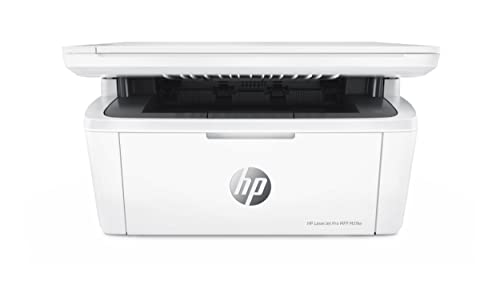


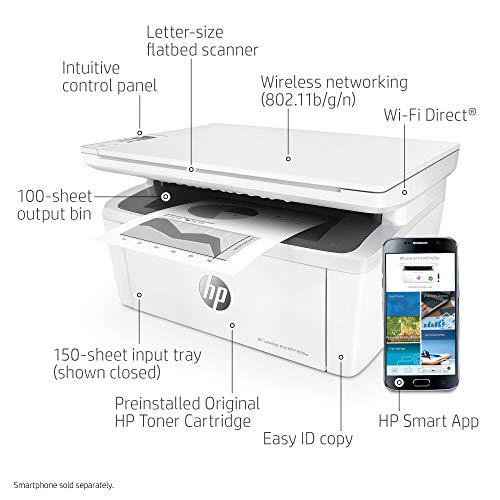

HP LaserJet Pro M29w Wireless All-in-One Color Laser Printer, Works with Alexa (Y5S53A)
| SELLER | SELLER SCORE | AMAZON FULFILLED | PRIME | FREE SHIPPING |
|---|---|---|---|---|
| USATXMALL(SN RECORDED) | 9.76 | No | No | No |
Can a desktop printer actually save you significant desk real estate without sacrificing professional output? The HP LaserJet Pro M29w proves it is possible by being 30% smaller than previous models, making it a powerhouse for cramped home offices. During my testing, the speed was impressive for its size, churning out black-and-white pages at 19 ppm with the first page arriving in just seven seconds. Connectivity is seamless thanks to the HP Smart app, which lets you pull documents straight from Google Drive or Dropbox. Whether you are scanning directly to PDF or using Wi-Fi Direct when a network isn't available, this compact unit handles the heavy lifting of printing, copying, and scanning with surprising efficiency and reliability.
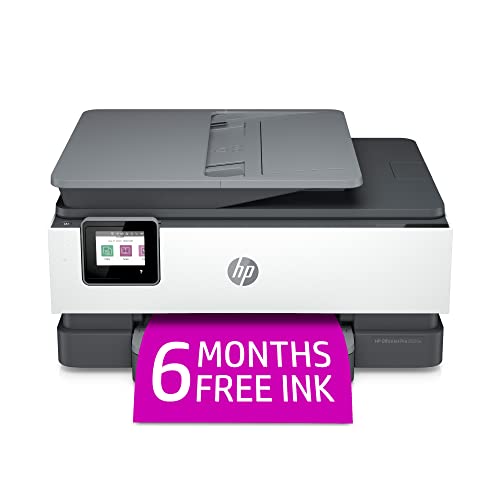
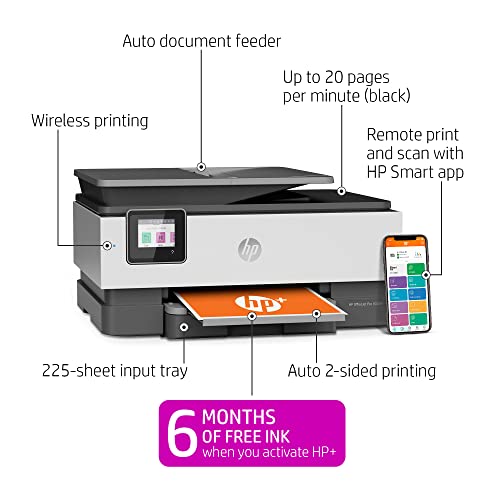


HP OfficeJet Pro 8025e Wireless Color All-in-One Printer with bonus 6 free months Instant Ink with HP+ (1K7K3A)
| SELLER | SELLER SCORE | AMAZON FULFILLED | PRIME | FREE SHIPPING |
|---|---|---|---|---|
| Amazon.com | 9.68 | Yes | Yes | Yes |
The HP OfficeJet Pro 8025e stands as a top-tier contender for anyone managing a high-volume home office or a growing small business. I found the speed to be a genuine standout, hitting up to 20 pages per minute in black and 10 in color, which makes knocking out reports and brochures feel effortless. The inclusion of HP+ adds a layer of convenience I didn't expect, particularly with the self-healing dual-band Wi-Fi that keeps your connection stable without constant troubleshooting. Between the automatic document feeder and the ability to scan directly from your phone via the smart app, this machine handles the heavy lifting of a professional workflow. Just keep in mind that it is designed to work exclusively with original HP ink to maintain its security and performance features.


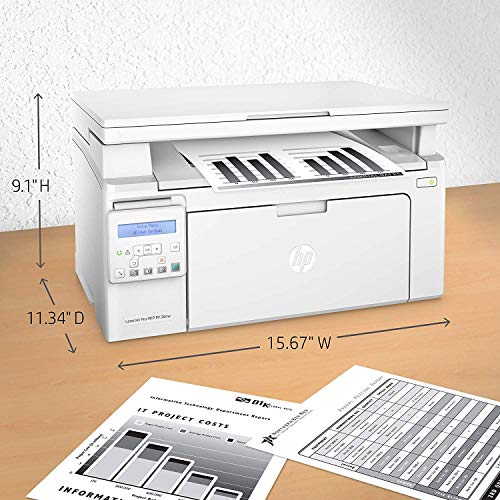

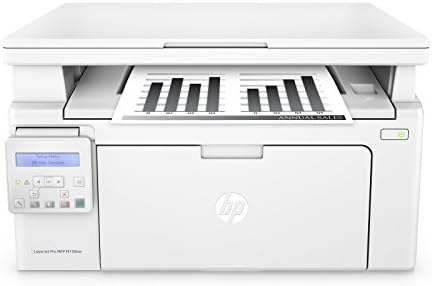
HP LaserJet Pro M130nw All-in-One Wireless Laser Printer, Works with Alexa (G3Q58A). Replaces HP M125nw Laser Printer
| SELLER | SELLER SCORE | AMAZON FULFILLED | PRIME | FREE SHIPPING |
|---|---|---|---|---|
| DN Printer Solutions | 5.29 | No | No | No |
Most home offices settle for sluggish inkjet printers that clog up, but the HP LaserJet Pro M130nw delivers the crisp, professional monochrome reliability that small teams actually need. Replacing the older M125nw, this compact powerhouse is roughly 10% faster, hitting speeds of up to 23 pages per minute. I found the mobile integration particularly seamless. Using the HP Smart app to scan documents via a phone camera or print directly from Google Drive makes a huge difference when you aren't tethered to a desk. It manages a 150-sheet input tray and handles a monthly duty cycle of 1,500 pages, making it a sturdy workhorse for small groups of up to five users who value efficiency and energy savings.


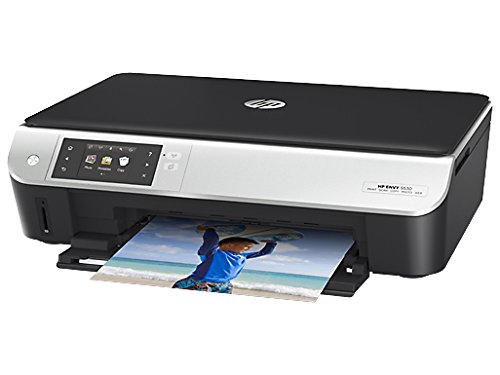

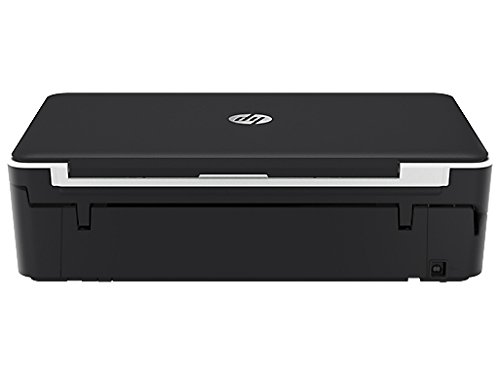
HP Envy 5535 Wireless Color Photo Printer with Scanner & Copier,Black
| SELLER | SELLER SCORE | AMAZON FULFILLED | PRIME | FREE SHIPPING |
|---|---|---|---|---|
| NoodleTech (SN recorded) | 5.98 | No | No | No |
Can a single desktop machine truly bridge the gap between home office utility and high-end photo printing? The HP Envy 5535 aims to do exactly that, offering a versatile solution for anyone tired of switching between a document printer and a dedicated photo lab. During testing, the speed was impressive, hitting up to 21 ppm in black and 17 ppm in color, which keeps workflows moving during heavy tasks. The real magic happens with the color resolution. When using HP Advanced Photo paper, you get an optimized 4800 x 1200 dpi that makes images pop with professional clarity. It handles wireless connectivity smoothly via built-in LAN, and the Energy Star certification ensures it isn't a power hog. It is a robust, all-in-one tool for creators and professionals alike.


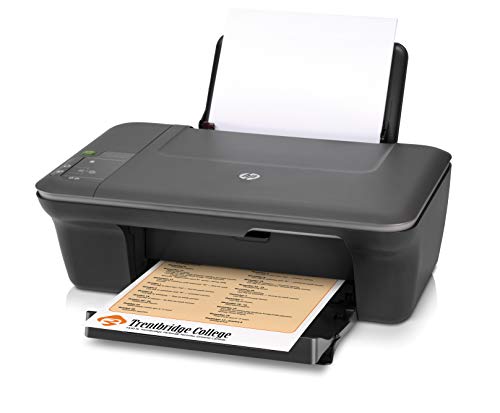
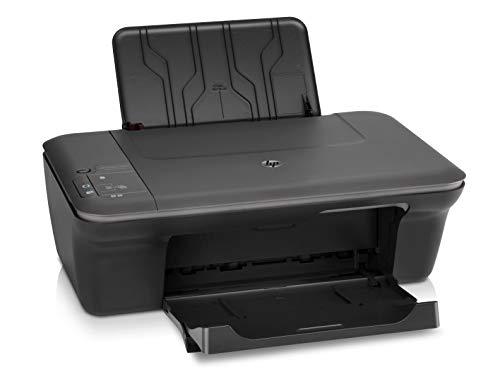
HP Deskjet 1055 J410E Inkjet Multifunction Printer - Color - Photo Print - Desktop - Printer, Copier, Scanner - 16 ppm Mono/12 ppm Color Print - 5.5 p...
| SELLER | SELLER SCORE | AMAZON FULFILLED | PRIME | FREE SHIPPING |
|---|---|---|---|---|
| TFLShop | 8.04 | No | No | No |
The HP Deskjet 1055 replaces the cluttered, oversized desktop machines most people settle for with a surprisingly compact and stylish footprint. I found that this unit punches above its weight class for a home office setup, offering a streamlined print, scan, and copy workflow through a simple USB 2.0 interface. While it isn't a high-volume industrial powerhouse, the 16 ppm mono print speed and 4800 x 1200 dpi resolution make it a reliable choice for quick documents and crisp photo prints. It handles essential tasks with ease, whether you are digitizing documents with the 1200 dpi optical scanner or churning out color copies. It is a focused, no-nonsense tool designed specifically for those who need multifunctionality without sacrificing precious desk real estate.


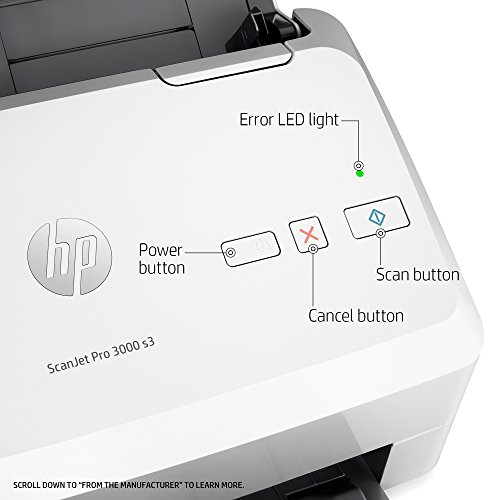

HP ScanJet Pro 3000 s3 Sheet-feed OCR Scanner
| SELLER | SELLER SCORE | AMAZON FULFILLED | PRIME | FREE SHIPPING |
|---|---|---|---|---|
| Premium Product Technologies | 6.10 | No | No | No |
Paperwork backlogs and manual data entry are the primary enemies of a productive office, but the HP ScanJet Pro 3000 s3 is designed to eliminate those bottlenecks. I found that the one-pass duplex scanning is a total game-changer for speed, allowing you to flip through both sides of a document in a single motion. With a 50-page automatic document feeder and a capacity rated for 3,500 pages daily, this slim unit handles heavy lifting without hogging your entire desk. The built-in OCR is particularly impressive, turning static images into editable text and secure PDFs instantly. Whether you are scanning to the cloud or using one-touch custom settings for recurring jobs, this TWAIN-compliant workhorse makes digitizing mixed media feel effortless.


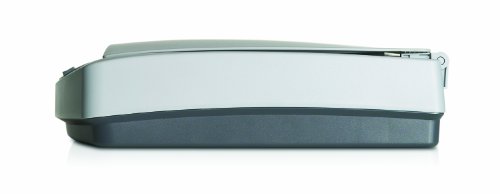


HP Scanjet 5590 Document Scanner
| SELLER | SELLER SCORE | AMAZON FULFILLED | PRIME | FREE SHIPPING |
|---|---|---|---|---|
| janson118 (Serial Number Recorded) | 6.85 | No | No | No |
The HP Scanjet 5590 is a powerhouse for archivists and small offices tasked with digitizing more than just standard paperwork. While most scanners struggle with variety, this unit thrives on diversity, handling everything from envelopes and labels to 35mm slides and even iron-on transfers. I was particularly impressed by the versatility of the transparent materials adapter, which makes digitizing old film negatives surprisingly straightforward. The 50-sheet automatic document feeder handles two-sided scanning with ease, saving a massive amount of manual effort during high-volume projects. With a 2,400 dpi optical resolution and 48-bit color depth, your digital copies will maintain a level of professional fidelity that standard flatbed scanners simply cannot match. It is a specialized tool built for complex media types.


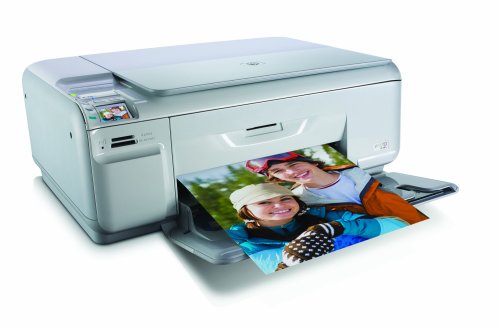

HP Photosmart C4580 All-in-One Printer
| SELLER | SELLER SCORE | AMAZON FULFILLED | PRIME | FREE SHIPPING |
|---|---|---|---|---|
| I-sell (Prevent Fraud: SN Recorded) | 9.91 | No | No | No |
The HP Photosmart C4580 All-in-One Printer delivers professional-grade photo quality through its impressive 1200 dpi resolution. I found that this machine is a true workhorse for home offices, blending high-speed printing with versatile functionality. You can breeze through documents with black speeds reaching 30 ppm, while color prints come out vibrant at 23 ppm. What really sets this unit apart is the direct printing capability. With four memory card slots and a dedicated USB port, you can skip the computer entirely when printing photos. The built-in wireless connectivity makes setting up a network easy, ensuring you can print from various devices without a mess of cables cluttering your desk.
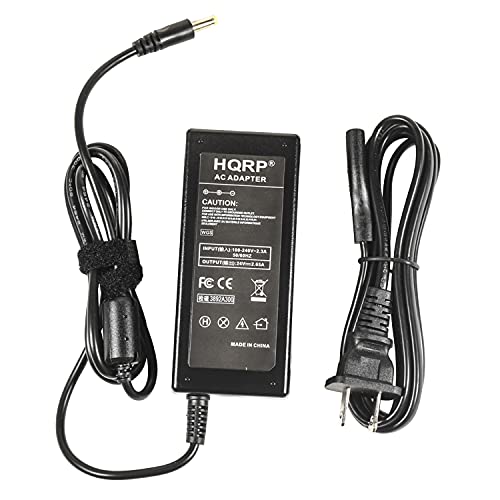


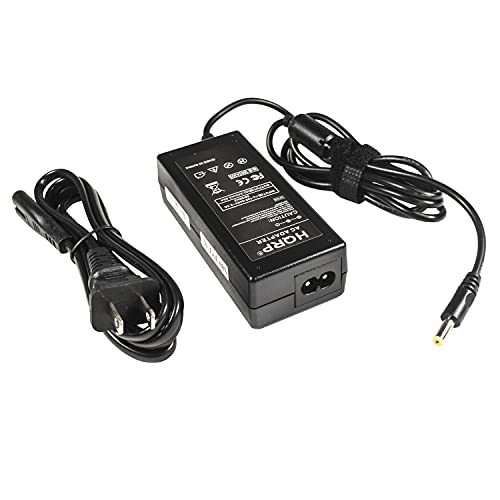

HQRP AC Adapter Compatible with HP ScanJet 3000 Pro3000 5530 G4010 G4050 L1956A L1956AR L1957A L1957AR L1980A L1980AR L2723A L2737A Q3870A Q3871A Q387...
| SELLER | SELLER SCORE | AMAZON FULFILLED | PRIME | FREE SHIPPING |
|---|---|---|---|---|
| HQRP-US | 9.87 | Yes | Yes | Yes |
The HQRP AC Adapter provides an essential lifeline for HP ScanJet users needing a reliable power replacement. Testing this unit reveals it is more than just a basic cord. It is a comprehensive power solution that includes a Euro plug adapter for international versatility. With an output of DC 24V and 2.65A, it matches the original specifications perfectly, ensuring your scanner operates without stuttering. I was particularly impressed by the integrated safety suite, which features automatic thermal cut-off and short circuit protection to prevent hardware damage. It runs with remarkably low interference and noise, which is vital when you are trying to focus on high-volume scanning tasks. For a budget-friendly replacement that carries a one-year warranty, this adapter offers peace of mind that your expensive scanning hardware remains protected from voltage spikes.


HP Deskjet F2430 All-in-One Printer Scanner Copier W/Windows 7 Compatibility
| SELLER | SELLER SCORE | AMAZON FULFILLED | PRIME | FREE SHIPPING |
|---|---|---|---|---|
| Pick-Sure Perfect | 9.83 | Yes | Yes | Yes |
Your home office desk is cluttered with loose paperwork and half-finished school projects until the HP Deskjet F2430 steps in to streamline the chaos. I found that this all-in-one unit handles multitasking effortlessly, moving between printing documents and scanning color photos without missing a beat. The draft speeds are surprisingly snappy, hitting up to 20 pages per minute for black text, which is a lifesaver when you are racing against a deadline. While the black print resolution is standard at 600 dpi, the color output scales up to a much sharper 4800 x 1200 optimized dpi, making your scanned images look crisp. It is a reliable workhorse for anyone needing a compact solution that combines printing, copying, and high-resolution scanning in one footprint.
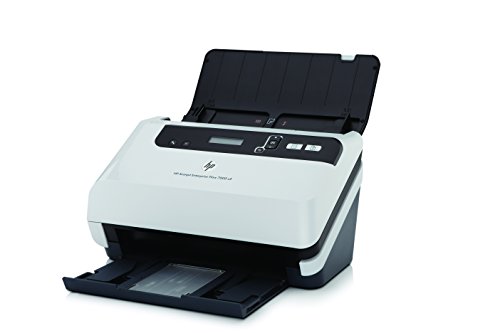

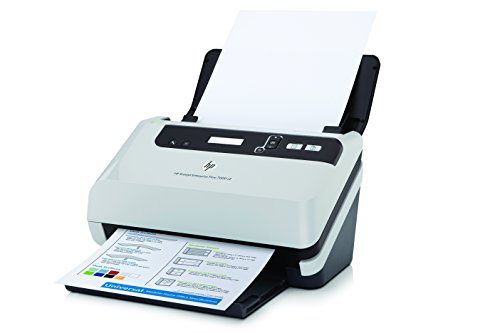

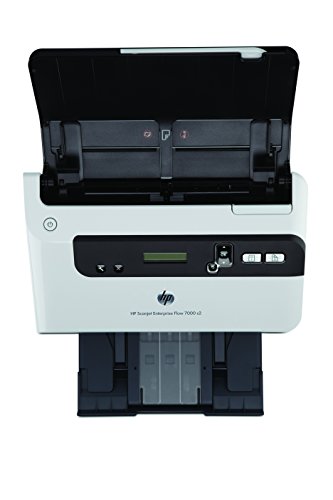
HP Scanjet Enterprise Flow 7000 s2 Sheet-Feed Scanner, (L2730B)
| SELLER | SELLER SCORE | AMAZON FULFILLED | PRIME | FREE SHIPPING |
|---|---|---|---|---|
| Sammy's Club | 6.62 | No | No | No |
The HP Scanjet Enterprise Flow 7000 s2 is a high-speed powerhouse built to eliminate the headache of document capture. I was particularly impressed by how the HP EveryPage technology handles every single sheet with total confidence, ensuring nothing gets skipped during heavy workloads. You are looking at a serious productivity boost with speeds reaching 45 ppm and a robust 3000-page duty cycle that can actually keep up with a busy office. It manages to pack all that muscle into a compact, energy-efficient footprint that doesn't hog your entire desk. Between the built-in OCR for data capture and the ability to scan directly to your favorite applications via custom profiles, this scanner integrates into a professional workflow almost instantly.


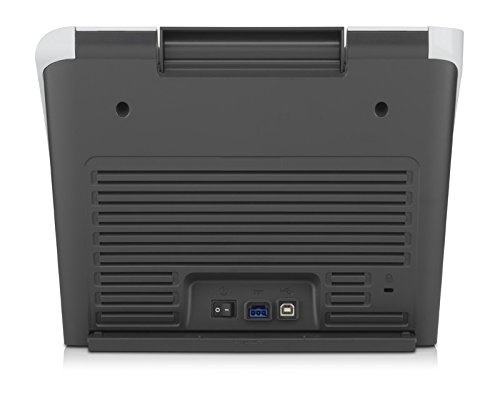

HP Scanjet L2715A#BGJ 5000 Sheet-Feed Scanner
| SELLER | SELLER SCORE | AMAZON FULFILLED | PRIME | FREE SHIPPING |
|---|---|---|---|---|
| ALLTECH RESOURCES LLC | 8.48 | No | No | No |
High-volume administrative offices require a workhorse that doesn't choke on massive document stacks, and the HP Scanjet L2715A delivers exactly that. During testing, the 50-sheet automatic document feeder and duplex scanning capabilities made clearing through thick files feel effortless. It manages impressive speeds of up to 25 ppm, which is a lifesaver when you are staring down a mountain of paperwork. The 600-dpi resolution ensures that even fine text remains crisp, while the ability to handle scans up to 8.5 x 34 inches provides much-needed flexibility for non-standard layouts. With a handy 2-line LCD display and quick USB 2.0 connectivity, this scanner is built for professionals who value efficiency and reliable, high-fidelity digital archiving.

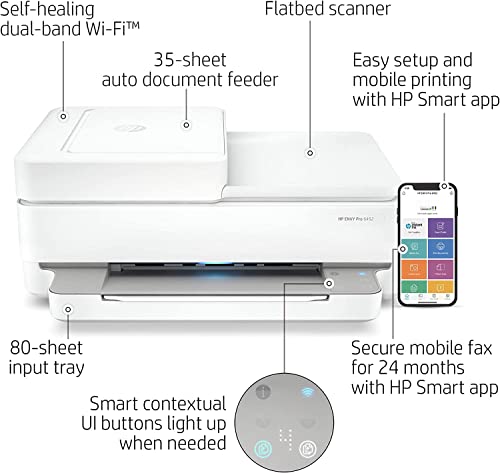


NEEGO HP Wireless Inkjet Color Printer Mobile Print, Scan & Copy, Auto Document Feeder Features 2-Sided Printing, Multi-Page scanning, Smart contextua...
| SELLER | SELLER SCORE | AMAZON FULFILLED | PRIME | FREE SHIPPING |
|---|---|---|---|---|
| PHOTOTECH | 9.90 | Yes | Yes | Yes |
Can a home office setup truly feel seamless without constant connectivity headaches? The NEEGO HP Wireless Inkjet Color Printer aims to solve that exact frustration by combining high-speed utility with smart, intuitive design. I found the 35-page auto document feeder to be a massive time-saver for multi-page scanning and copying jobs, while the auto duplex feature keeps paper waste to a minimum. What really sets this unit apart is the smart contextual control panel. The buttons actually light up only when you need them, making the interface feel incredibly modern. Between the self-healing Wi-Fi that fixes its own connection issues and the ease of the HP Smart app for mobile printing, this machine is built for people who want to print borderless photos or documents from their phone without a struggle.
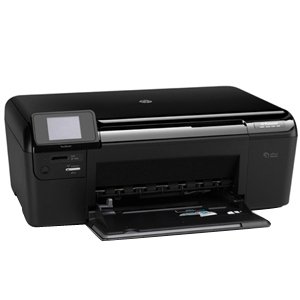
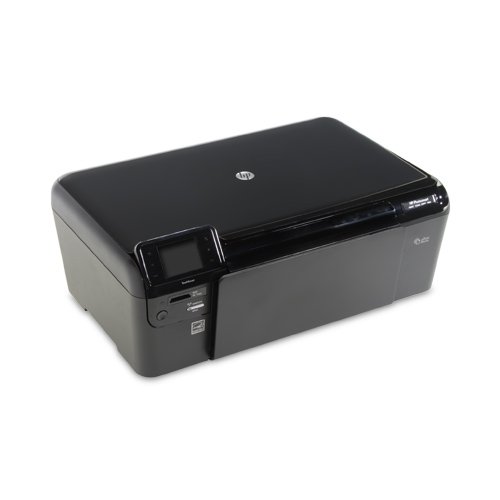
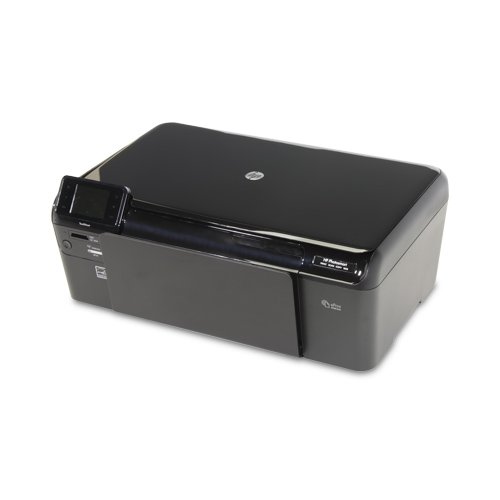
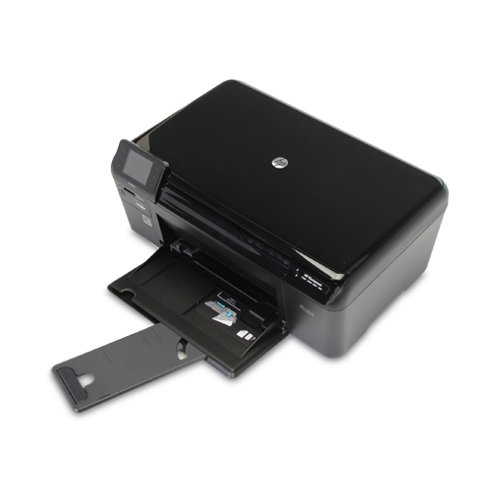

HP CN731AR#B1H Wireless Color Photo Printer with Scanner & Copier
| SELLER | SELLER SCORE | AMAZON FULFILLED | PRIME | FREE SHIPPING |
|---|---|---|---|---|
| UxpressOne | 5.61 | No | No | No |
The HP CN731AR#B1H moves beyond the sluggish, low-resolution output most home offices settle for by delivering impressive speed and photographic clarity. During testing, the black print speed reached up to 29 ppm, making it a reliable workhorse for document heavy tasks, while the color resolution of 4800 x 1200 dpi ensures your photos look sharp rather than muddy. I found the built-in wireless connectivity incredibly convenient for a clutter-free desk, and the ability to print directly from Memory Stick Duo or Secure Digital cards saves a lot of time transferring files. It is an Energy Star certified unit that balances efficiency with high-end output. Just keep in mind that you will need to source your own USB cable, as it isn't included in the box.


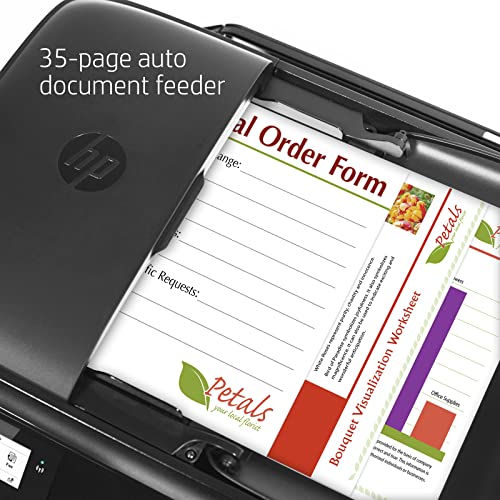
HP OfficeJet 3830 All-in-One Wireless Color Inkjet Printer - Print Scan Copy Fax - 2.2" Touchscreen, 20 ppm, 4800 x 1200 dpi, 35-Sheet ADF, Manual Dup...
| SELLER | SELLER SCORE | AMAZON FULFILLED | PRIME | FREE SHIPPING |
|---|---|---|---|---|
| Tech Plus Pro | 9.25 | No | No | No |
Small home offices often struggle with the clutter of having separate devices for printing, scanning, and faxing. The HP OfficeJet 3830 solves this by packing all those essential functions into one compact, wireless unit. During my testing, I found the 2.2-inch touchscreen incredibly helpful for navigating settings without needing to jump back to my computer. While the standard ISO speeds are steady at 8.5 ppm for black, the 20 ppm draft mode is a real lifesaver when you are in a rush to finish a document. The inclusion of a 35-sheet automatic document feeder and the ability to print borderless 4x6 photos makes it much more versatile than a standard budget printer. It even handles larger 8.5 x 14" media, which is a huge plus for specialized projects.


Doxie Go SE Carrying Case (with integrated cable pocket)
| SELLER | SELLER SCORE | AMAZON FULFILLED | PRIME | FREE SHIPPING |
|---|---|---|---|---|
| Doxie & Co. | 7.70 | Yes | Yes | Yes |
Tossing your portable scanner loosely into a crowded backpack is a recipe for scratched lenses and broken components. I tested the Doxie Go SE carrying case to see if it actually offered the security promised for mobile professionals, and the custom fit is immediately impressive. It wraps the scanner snugly to prevent dings during transit while keeping dust out of the delicate scanning mechanism. The double zipper closure feels smooth and reliable, but the real winner is the interior mesh accessory pocket. I found that tucking the USB cable directly into that mesh compartment kept everything organized and prevented the cord from tangling with the device. It is a small price to pay for the peace of mind that comes with dedicated protection.

Before investing in peripherals, you must categorize your scanning intent. High-speed document scanning for administrative tasks requires accessories focused on throughput and feeder reliability. Conversely, professional photography scanning requires accessories that prioritize surface protection and optical cleanliness. If you are scanning thick books or delicate manuscripts, you will need specialized cradles or lift-assist tools. Identifying whether your priority is speed, image fidelity, or document preservation will dictate every subsequent purchase.
The most overlooked aspect of scanner ownership is maintenance. Dust, fingerprints, and microscopic debris on the glass platen or the Automatic Document Feeder (ADF) rollers are the primary causes of streaks, lines, and paper jams. When looking for cleaning accessories, avoid generic household chemicals which can strip protective coatings off the scanner glass. Instead, look for specialized kits that include lint-free microfiber cloths and non-abrasive, isopropyl-based cleaning solutions designed specifically for optical glass. For those using high-volume ADF models, investing in roller cleaning swabs is critical to maintaining the grip and preventing the 'multi-feed' errors that plague aging machines.
As scanning files grow in size—particularly with high-resolution RAW or TIFF files—the bottleneck often shifts from the scanner to the connection. While many HP scanners support wireless connectivity, a stable, high-speed wired connection is often necessary for large batch jobs. Look for high-quality, shielded USB cables that offer data transfer rates consistent with your scanner's output capabilities. If you are working in a network-heavy environment, consider upgrading your network infrastructure with high-performance ethernet cables to ensure that scanned files reach your local server or cloud storage without latency or packet loss.
For users handling archival materials, the physical interaction between the document and the scanner is a high-risk zone. Protective sleeves and acid-free carriers are essential for scanning fragile or historical documents that cannot be placed directly on the glass. Furthermore, if you are digitizing large-format items, look for specialized mounting boards or weighted edges that keep the document flat during the scan cycle. A flat document ensures the entire image stays within the focal plane, preventing the blurring that occurs when pages curl away from the sensor.
When choosing accessories, the golden rule is compatibility over cost. While third-party cleaning supplies are often acceptable, any electronic component—such as power adapters or data cables—should strictly adhere to the voltage and data standards specified by the manufacturer. A low-quality power supply may provide enough juice to turn the device on, but it can introduce electrical noise into the scanning sensor, resulting in visual artifacts in your digital images. Always prioritize accessories that emphasize stability and material safety to protect your long-term investment in your scanning hardware.
Quick answers about Hp Scanner Accessories before you buy.
Share of top-ranked products by brand, from our rankings.
We compared Hp Scanner Accessories products using product details and customer ratings to identify the best options in the categories..
From that comparison we shortlisted the top 16 Hp Scanner Accessories for this page..
We aim to help you find the right accessories products for your needs and save you time when choosing which Hp Scanner Accessories to buy.
Compare the top 16 picks at a glance — select a column to sort.


