#TOP1
When a device screen cracks, develops dead pixels, or loses touch sensitivity, the entire utility of the hardware vanishes. Replacing the display assembly is often the most cost-effective way to breathe life back into a premium device, but not all replacement screens are created equal. The market is flooded with varying tiers of quality, ranging from budget-friendly components that might compromise color accuracy to premium, high-fidelity assemblies that mirror the original factory experience. This guide is designed to help you navigate the technical nuances of screen replacements so you can restore your device with confidence and clarity.
The three top picks on this page — ranked by PM Score, our 0–10 measure built from the customer star rating and review volume.
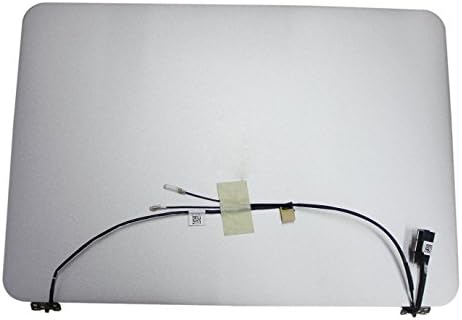

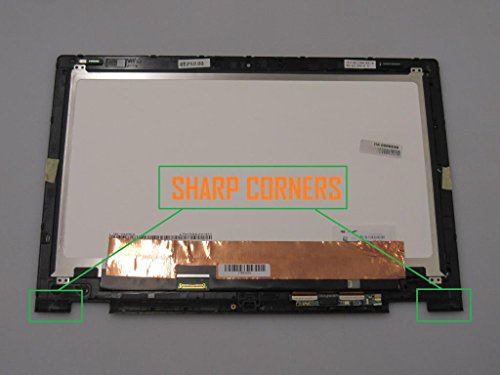
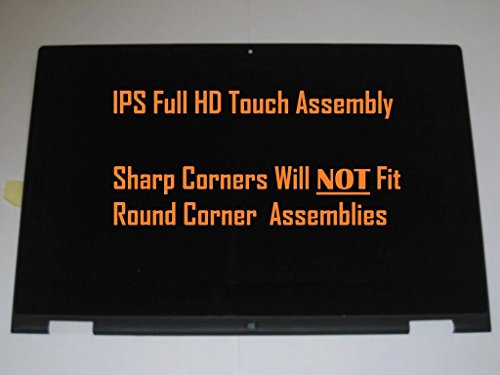

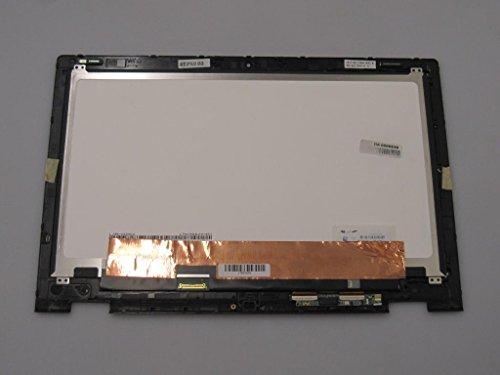

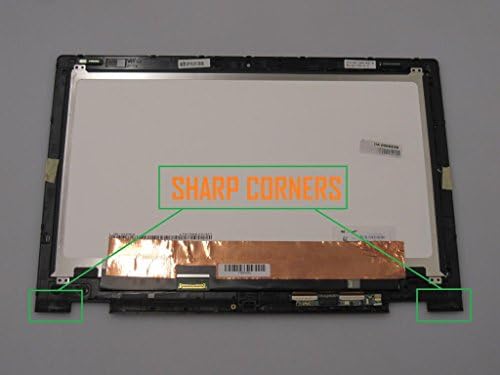
13.3" Screen Replacement Assembly Touch Digitizer LCD Display Full HD 1920x1080 for Dell Inspiron 13-7347, Inspiron 13-7348, Inspiron 13-7359
| SELLER | SELLER SCORE | AMAZON FULFILLED | PRIME | FREE SHIPPING |
|---|---|---|---|---|
| Kreplacement | 9.78 | No | No | No |
A cracked laptop screen usually signals an expensive trip to a repair shop, but this KREPLACEMENT assembly offers a much more affordable path to restoration. Instead of settling for a dim, low-resolution replacement, this unit delivers a crisp Full HD 1920x1080 experience that matches the original Dell Inspiron 13-7347, 7348, or 7359 specifications perfectly. I found the matte surface glass particularly useful because it handles various lighting conditions well, whether you prefer a matte finish or a mirror-like look. The square bezel corner design ensures a precise fit, and the brand even provides dedicated video tutorials to help if the installation process feels daunting. It is a solid, reliable fix for anyone looking to breathe new life into their hardware without the premium service center markup.


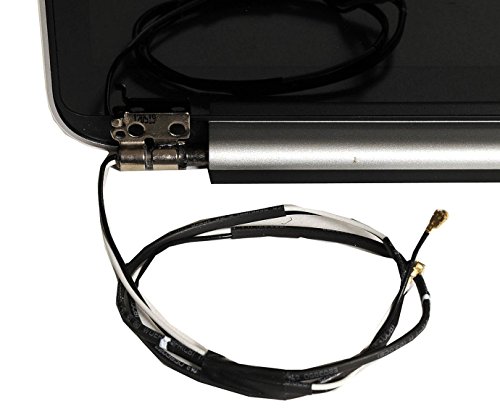

Kreplacement® 13.3" Screen Replacement Assembly LCD Display for Dell XPS 13 L321X N34H6 (D13 LVDS Cable)
| SELLER | SELLER SCORE | AMAZON FULFILLED | PRIME | FREE SHIPPING |
|---|---|---|---|---|
| Kreplacement | 9.78 | No | No | No |
Your trusty Dell XPS 13 suddenly turns into a paperweight after a single clumsy drop, leaving you staring at a web of cracked glass and dead pixels. This KREPLACEMENT LCD assembly is designed to breathe life back into that specific L321X model, providing a direct fix for a shattered display. It is important to realize you are purchasing a dedicated screen component rather than a complete laptop, so ensure your hardware matches the N34H6 specifications before ordering. While the 1366 x 768 resolution is standard for this era of device, the replacement serves as a vital lifeline for productivity. Just keep in mind that this kit is strictly the hardware. You will need to supply your own specialized tools and follow your own repair guide to get the job done.

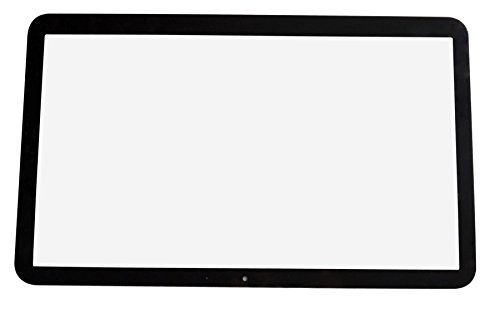


Kreplacement 17.3" Touch Screen Digitizer Front Glass Replacement for HP Envy 17T-J100 17-J Series
| SELLER | SELLER SCORE | AMAZON FULFILLED | PRIME | FREE SHIPPING |
|---|---|---|---|---|
| Kreplacement | 9.78 | No | No | No |
Most laptop owners assume a cracked touchscreen means an expensive trip to a repair shop, but this digitizer offers a much more targeted fix. This KREPLACEMENT front glass specifically addresses the outer layer of the HP Envy 17-J series, allowing you to restore touch functionality without replacing the entire display assembly. It is important to realize that this is a component-only solution. You aren't getting the LCD or the bezel with this purchase. Because it arrives without included tools or a manual, you really need to be comfortable with professional-grade hardware repairs to pull this off successfully. It is a specialized part for a specific job, making it a practical choice for those who already possess the technical skills to perform a precision transplant.


Kreplacement 15.6" Digitizer Glass Touch Screen Replacement for Toshiba Satellite C55DT-A5348 C55DT-A5159 (Non-LCD)
| SELLER | SELLER SCORE | AMAZON FULFILLED | PRIME | FREE SHIPPING |
|---|---|---|---|---|
| Kreplacement | 9.78 | No | No | No |
A cracked or unresponsive touch surface can turn a perfectly functional laptop into a frustratingly limited device. This KREPLACEMENT digitizer glass is designed specifically to address that exact hardware failure for the Toshiba Satellite C55DT series. It is important to understand that this is a specialized component. It is the glass layer only, meaning the LCD and the outer bezel are not included in this package. You should approach this purchase with a high level of technical confidence because the kit does not provide any tools or instructional guides. This is a precision repair meant for those with professional-grade replacement skills who need to restore touch functionality without replacing the entire display assembly.

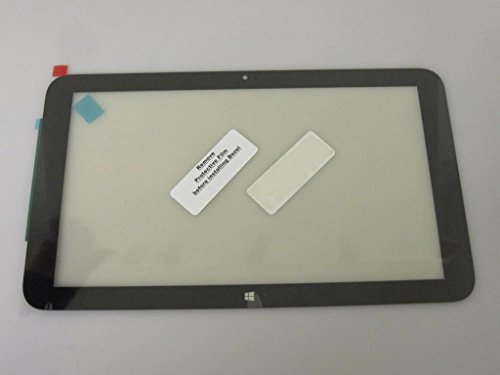
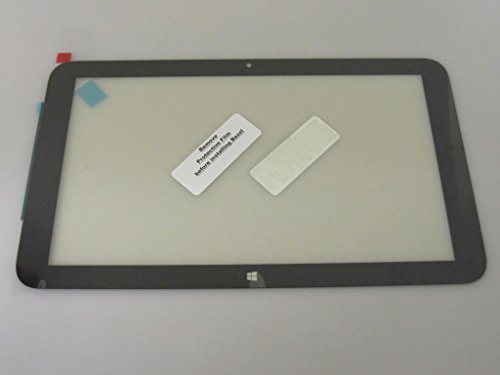

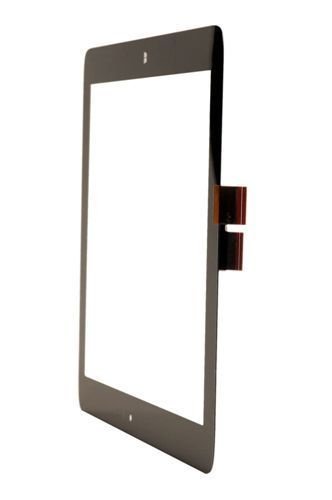
Kreplacement 11.6" Touch Screen Digitizer Glass Screen Replacement Panel for HP 11-n011dx Pavilion 11 X360 (Non-LCD)
| SELLER | SELLER SCORE | AMAZON FULFILLED | PRIME | FREE SHIPPING |
|---|---|---|---|---|
| Kreplacement | 9.78 | No | No | No |
After weeks of battling a shattered touchscreen that made my HP Pavilion X360 nearly unusable, I finally decided to attempt a DIY repair with this KREPLACEMENT digitizer glass. You need to be extremely cautious before hitting the buy button, because this is strictly the glass panel and does not include the LCD display or the plastic bezel. I had to carefully transplant the bezel from my original broken unit to complete the installation. Since this kit arrives without tools or instructions, you really need professional-level repair skills to avoid damaging your laptop. It is a cost-effective way to restore touch functionality, provided you are comfortable with a technical, hands-on hardware project.




KREPLACEMENT 15.6" Touch Screen Replacement Digitizer G Slass Panel for Toshiba Satellite C55-B5382 (Non-LCD)
| SELLER | SELLER SCORE | AMAZON FULFILLED | PRIME | FREE SHIPPING |
|---|---|---|---|---|
| Kreplacement | 9.78 | No | No | No |
This KREPLACEMENT digitizer is the definitive fix for Toshiba Satellite C55-B5382 owners facing unresponsive touch functionality. It is important to understand that this is a specialized glass panel replacement, not a full LCD screen assembly, so you are specifically repairing the touch layer. The installation process is quite technical. You will need to carefully remove your existing plastic bezel and the touch control board to swap the components. While the part arrives via a carrier optimized for fragile shipments to ensure it reaches you intact, the DIY nature of this repair means you should only attempt it if you have significant technical experience. It is a targeted, cost-effective solution for restoring interactivity to your laptop without replacing the entire display unit.


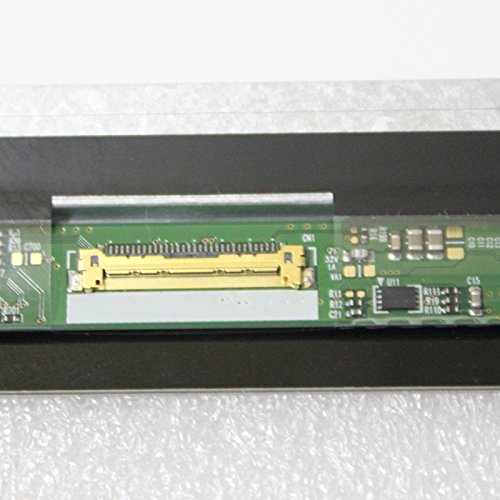

KREPLACEMENT® 15.6 inch Touch Screen for Acer Aspire V5-571P-6815 V5-571P-6407 (MS2361)+Digitizer
| SELLER | SELLER SCORE | AMAZON FULFILLED | PRIME | FREE SHIPPING |
|---|---|---|---|---|
| Kreplacement | 9.78 | No | No | No |
DIY laptop repair enthusiasts with a broken Acer Aspire V5-571P deserve this specific digitizer and LCD assembly to breathe life back into their hardware. This KREPLACEMENT unit is a comprehensive solution that combines the LCD screen with the digitizer panel, ensuring your touch functionality returns to its original state. Because this component is notably friable, you should approach the installation with extreme care and a steady hand. It is important to note that this kit does not include specialized tools or step-by-step instructions, so you will need existing professional-level technical skills to complete the swap. While the shipping to the USA takes about a week, it serves as a vital lifeline for those wanting to avoid the massive expense of a full laptop replacement.


Kreplacement 15.6" Senor Screen Replacement Panel for Envy 15-J (Non-LCD)
| SELLER | SELLER SCORE | AMAZON FULFILLED | PRIME | FREE SHIPPING |
|---|---|---|---|---|
| Kreplacement | 9.78 | No | No | No |
Most people assume a broken touch interface requires a complete, expensive display overhaul, but this digitizer panel proves you can often target the specific point of failure. This KREPLACEMENT component is designed exclusively for the Envy TouchSmart 15-J, serving as the outer touch layer rather than the internal LCD. It is a highly specialized fix that requires a confident hand during installation, as you are essentially performing precision surgery on your laptop. While the shipping process takes between 7 and 15 days to reach the U.S., the carrier used is specifically chosen to protect this friable glass component from cracking in transit. It is a smart, surgical solution for restoring responsiveness to your device without the cost of a full screen assembly.
KREPLACEMENT LP133WF2 (SP)(L2) Screen Replacement Touch Digitizer + LCD + Bezel for Dell Inspiron 13 7000 (Compatible Model Will be Sent) (Square Beze...
| SELLER | SELLER SCORE | AMAZON FULFILLED | PRIME | FREE SHIPPING |
|---|---|---|---|---|
| Kreplacement | 9.78 | No | No | No |
The KREPLACEMENT LP133WF2 (SP)(L2) assembly is a comprehensive lifesaver for anyone dealing with a shattered Dell Inspiron 13 7000 display. Unlike many confusing listings that only offer a single component, this kit provides the full stack: the LCD screen, the touch digitizer, and the bezel all in one package. It is specifically designed for the version with the square bottom bezel, which is a critical distinction to make before you start your repair. While you definitely need to be comfortable with laptop teardowns to install this successfully, having the integrated unit makes the process much more streamlined. Shipping is handled via a carrier optimized for fragile goods, which gives you some peace of mind that the glass will arrive intact.

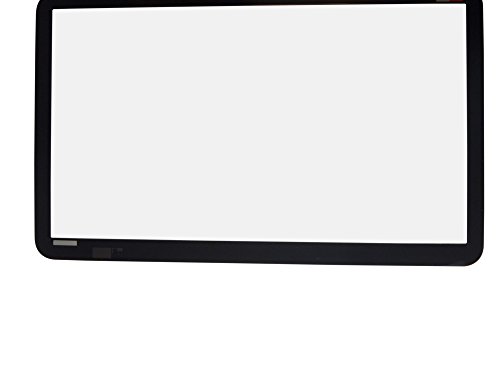
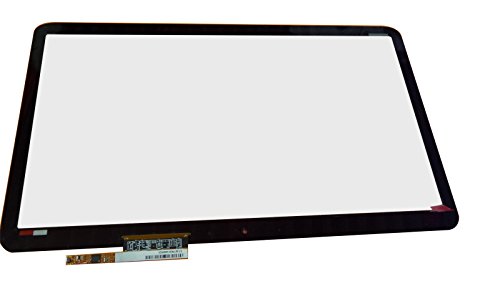
Kreplacement® 17.3" Touch Screen Digitizer Front Glass Replacement for Envy 17-J Series
| SELLER | SELLER SCORE | AMAZON FULFILLED | PRIME | FREE SHIPPING |
|---|---|---|---|---|
| Kreplacement | 9.78 | No | No | No |
The KREPLACEMENT Touch Screen Digitizer offers a targeted fix for anyone dealing with a shattered Envy 17-J display. This component is strictly the front glass replacement, meaning you won't find the LCD or the surrounding bezel included in this package. It is a specialized part designed for precision, but don't expect a DIY starter kit because it arrives without any tools or instructional guides. You will definitely need professional-level technical skills to swap this out successfully. The responsibility for a seamless installation rests entirely on your repair expertise. Just ensure your postal code is accurate and provide a contact number if you opt for expedited shipping to avoid any delivery hiccups.

Kreplacement 15.6" Touch Digitizer Glass Touch Screen Replacement Panel for Toshiba Satellite S55T-B5273NR (Non-LCD)
| SELLER | SELLER SCORE | AMAZON FULFILLED | PRIME | FREE SHIPPING |
|---|---|---|---|---|
| Kreplacement | 9.78 | No | No | No |
Has a cracked or unresponsive touch interface rendered your entire laptop useless? This KREPLACEMENT digitizer glass is a highly specialized fix designed specifically for the Toshiba Satellite S55T-B5273NR. It is vital to understand that this component is strictly the digitizer panel and does not include the internal LCD screen, so you aren't buying a full display assembly. Because glass is incredibly fragile, the shipping process is handled by a carrier optimized for friable goods to ensure it arrives intact. This is not a plug-and-play solution for novices. You should only attempt this repair if you possess the technical skill required for precision hardware installation. If you can handle the delicate work, it offers a targeted way to restore touch functionality.


13.3" Touch Screen Replacement Assembly Digitizer + LCD Display for Dell P57G002 Full HD 1080p 1920x1080
| SELLER | SELLER SCORE | AMAZON FULFILLED | PRIME | FREE SHIPPING |
|---|---|---|---|---|
| Kreplacement | 9.78 | No | No | No |
This KREPLACEMENT touch screen assembly is a vital lifesaver for anyone needing to restore their Dell laptop to its original Full HD glory. Replacing a damaged display can feel daunting, but this unit delivers a crisp 1920x1080 resolution that matches the high-definition standards you expect from your hardware. The integration of both the digitizer and the LCD display into one assembly simplifies the repair process significantly. While the technical side requires precision, the availability of dedicated instructional videos makes the installation much more approachable for DIY enthusiasts. It is a solid, specialized component that focuses on bringing clarity and touch functionality back to your personal computer without the headache of sourcing separate parts.


Kreplacement® 15.5" Screen Replacement Touch Digitizer + LCD Display for Sony Vaio SVF15N17CXB Fit 15A Flip
| SELLER | SELLER SCORE | AMAZON FULFILLED | PRIME | FREE SHIPPING |
|---|---|---|---|---|
| Kreplacement | 9.78 | No | No | No |
A cracked display or unresponsive touch interface can instantly turn a premium laptop into an expensive paperweight. This KREPLACEMENT kit solves that problem by providing a complete overhaul, bundling both the internal LCD and the outer touch digitizer into one package. Unlike many listings that only offer one component, this set ensures your Sony Vaio Fit 15A or Flip SVF17N17CXB gets a full visual and tactile restoration. The 1920 x 1080 resolution maintains the crispness you expect from your device. Just keep in mind that this is a technical replacement part intended for those with the hardware skills to handle a delicate installation. It arrives via a specialized carrier designed to protect fragile glass during transit.

The first and most critical decision factor is the underlying panel technology. Most modern high-end devices utilize OLED (Organic Light Emitting Diode) technology, which offers infinite contrast ratios, true blacks, and superior energy efficiency because each pixel produces its own light. If you are replacing a screen for a flagship device, opting for an OLED replacement is essential to maintain the visual integrity of the device. If you opt for a cheaper LCD (Liquid Crystal Display) replacement on a device designed for OLED, you will notice thicker bezels, a lack of deep blacks, and significantly higher battery consumption. Always verify the panel type before finalizing your purchase.
A screen is more than just a visual output. It is your primary input method. When browsing replacements, you must distinguish between the display panel and the digitizer. The digitizer is the layer responsible for sensing your touch. High-quality replacement screens come with a pre-bonded digitizer that offers seamless responsiveness. Lower-tier screens often suffer from 'ghost touching' (where the device registers touches you didn't make) or dead zones where the screen fails to respond entirely. Look for reviews or specifications that emphasize touch sampling rates and responsiveness to ensure a smooth user experience.
One of the most common complaints with third-party screens is that they look 'washed out' or 'dim' compared to the original. This is due to differences in color gamut coverage and maximum nit brightness. If your device is used for professional photo editing, video consumption, or outdoor use, you should prioritize screens that claim high color accuracy (sRGB or DCI-P3 coverage) and high peak brightness. A screen that is too dim will make the device nearly unusable in direct sunlight, while poor color calibration will make images look unnaturally blue or yellow.
Precision is everything in screen replacement. A screen that is even a fraction of a millimeter too thick can prevent the device frame from closing properly, leading to structural weakness or even further damage to internal components. Furthermore, pay attention to the bezel width. Many budget replacements use 'thick bezel' designs to save on manufacturing costs, which can make a modern device look outdated. Premium replacements will feature slim, edge-to-edge glass that fits the original chassis perfectly, ensuring the device remains aesthetically pleasing and structurally sound.
Before purchasing, assess your own technical proficiency. Some replacement screens are sold as 'Display Only' components, which require advanced adhesive application and delicate heat-transferring techniques. Others are sold as 'Full Assembly' modules, which include the frame. Choosing a full assembly is highly recommended for DIY enthusiasts, as it simplifies the process by allowing you to move the internal components into a new, pre-tested housing, significantly reducing the risk of damaging fragile ribbon cables during the transplant.
Quick answers about Kreplacement Screens before you buy.
Share of top-ranked products by brand, from our rankings.
We compared Kreplacement Screens products using product details and customer ratings to identify the best options in the categories..
From that comparison we shortlisted the top 13 Kreplacement Screens for this page..
We aim to help you find the right screens products for your needs and save you time when choosing which Kreplacement Screens to buy.
Compare the top 13 picks at a glance — select a column to sort.


