PickSmartly Buying Guide

Best Gaming Trackballs in 2026

9.6 PM Score
Products Compared
19
Brands Ranked
2
Our guides are compiled from product information and customer ratings. If you click on links we provide, we may receive compensation.

For many gamers, the traditional mouse is a liability. Whether it is the limited range of motion on a small mousepad, the physical fatigue caused by repetitive wrist flicking, or the need for extreme precision in tactical shooters, the standard optical mouse isn't always the answer. Enter the gaming trackball: a device that replaces large arm movements with fine motor control of the thumb or fingers. Unlike standard mice, trackballs remain stationary, making them ideal for cramped setups and ergonomic health. However, transitioning from a mouse to a trackball requires a specific understanding of sensor technology, ball friction, and ergonomic geometry to ensure your gameplay doesn't suffer.

Editor's Choice

Our Top Picks for Gaming Trackballs

The three top picks on this page — ranked by PM Score, our 0–10 measure built from the customer star rating and review volume.

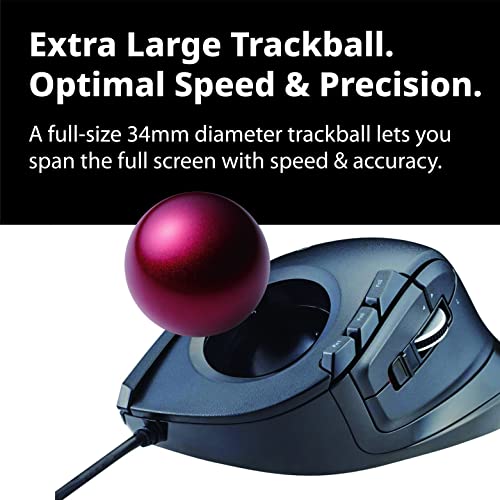
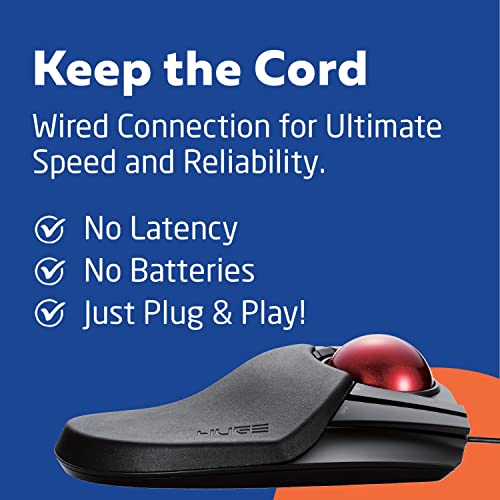
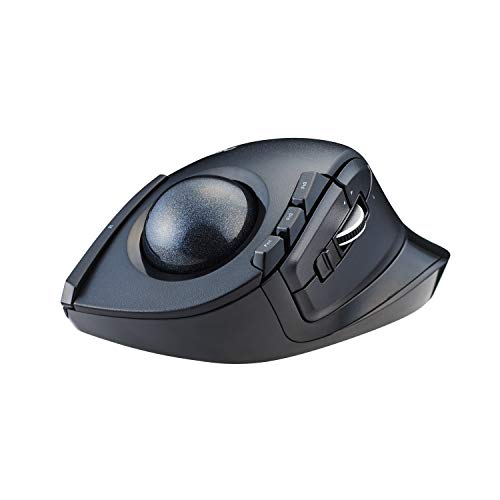
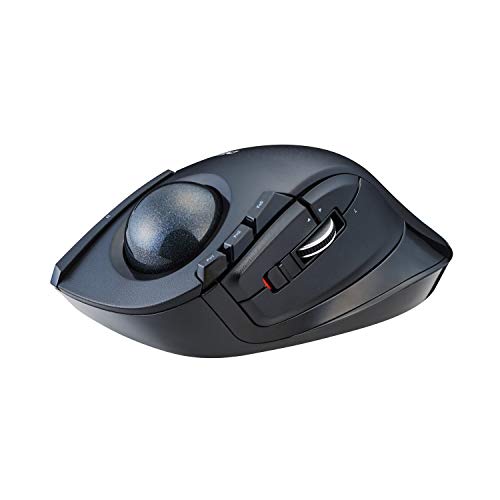
ELECOM HUGE Trackball Mouse, 2.4GHz Wireless, Finger Control, 8-Button Function, Precision Optical Gaming Sensor, Palm Rest Attached, Smooth Red Ball,...

ELECOM Huge Wireless Finger Control Trackball Mouse

ELECOM M-HT1DRBK 2.25 X 4.52 X 7.16 Inches 0.57 Pounds

PM Score for ELECOM (PM Score)

9.6 PM Score
Buy on Amazon
  • ✅《Optical Tracking Technology》The ELECOM trackball provides precise cursor movement for superior accuracy so you can get where you want on the screen quickly with less hand movement, improving productivity and efficiency.
  • ✅《Functional 8 Buttons》It is very easy to move in any direction. It comes with 8 physical buttons on the device and the two extra buttons are the scrollwheel tilting that allow horizontal scroll.
  • ✅《DPI Cursor》Designed with a high-performance gaming optics system sensor and lens. The DPI button can easily change between 500(LOW), 1000(MID) and 1500(HIGH) DPI, making the movements of your cursor faster or slower.
  • ✅《Easy Maintenance 》The ball rolls on three 2.5 mm large artificial ruby ball bearings. They are extremely smooth and the relatively large size prevents dust and dirt from clogging them. So you don’t have to clean the ball bearings too often. The ball is held in place by the ball bearings, but can easily be popped out of the device, by pushing it through the hole in the bottom and it can be easily cleaned.
  • ✅《Product Details》System requirements: Windows 7, Windows 8, Windows 10 or later, macOS 10.13 or later, Size: W4.5"(114.7mm) X L7.2"(181.9mm) X H2.3"(57.2mm), Weight: 9.2oz(without battery), DPI: 500/1000/1500 count (switchable), Connectivity: wireless, 1 X AA battery(Included)- Battery Remaining Light Lamp equipped.
SELLER SELLER SCORE AMAZON FULFILLED PRIME FREE SHIPPING
ELECOM Japan Direct US 9.67 Yes Yes Yes

Most people assume a smaller mouse is more portable, but the ELECOM Huge proves that sheer scale is actually your best friend for ergonomic productivity. This massive trackball is designed to let your hand rest naturally on its integrated palm support, moving the workload from your entire arm to just your fingertips. The precision optical sensor is surprisingly snappy, offering three switchable DPI levels from 500 to 1500 to match your workflow. I found the eight physical buttons, including the helpful horizontal scrolling via the tilting wheel, to be incredibly intuitive for multitasking. Even better, the maintenance is a breeze. The red ball sits on large artificial ruby bearings that resist dust, and you can pop the ball out through the bottom for quick cleaning whenever needed.

What We Like
Finger control design
Eight functional buttons
Smooth ruby bearings
Switchable DPI levels
Integrated palm rest

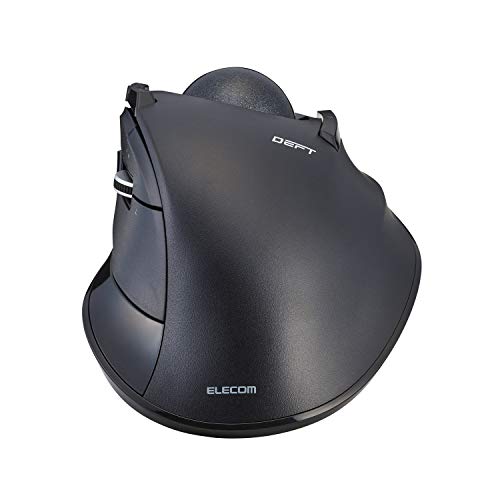
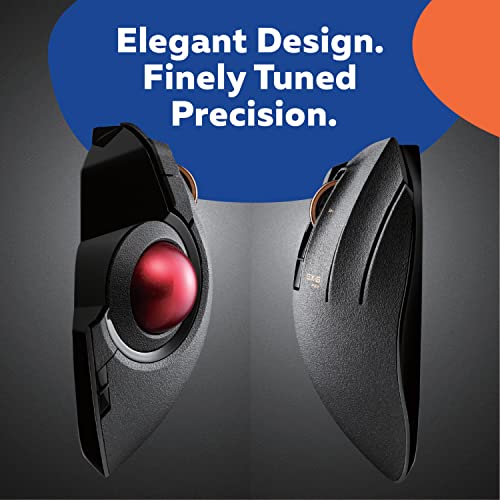
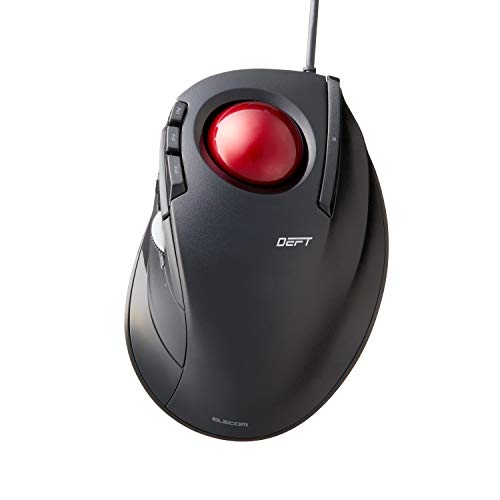
ELECOM DEFT Trackball Mouse, Wired, Finger Control, 8-Button Function with Smooth Tracking, Ergonomic Design, Windows11, macOS (M-DT2URBK)

ELECOM DEFT Wired Finger Control Trackball Mouse

ELECOM M-DT2URBK 4.90 X 3.73 X 1.88 Inches 0.44 Pounds

PM Score for ELECOM (PM Score)

9.6 PM Score
Buy on Amazon
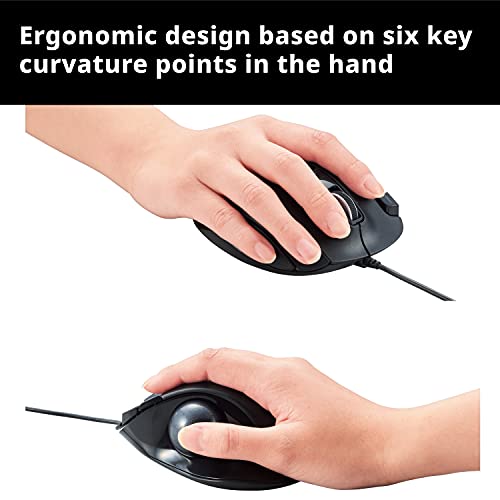
  • ✅《Ergonomic Unique Design》The mouse design is based on 6 different muscle and skeletal structures of the hands giving special emphasis to the folding actions of the hands to provide "a new level of hand comfort"
  • ✅《Optical Tracking Technology》The ELECOM "EX-G series" trackball provides precise cursor movement for superior accuracy so you can get where you want on the screen quickly with less hand movement, improving productivity and efficiency. It is very easy to move in any direction.
  • ✅《Functional 8 Buttons》It comes with 8 physical buttons on the device and the two extra buttons are the scrollwheel tilting that allow horizontal scroll. The high durability left and right button switches passed the click testing of more than 10 Million clicks. ELECOM Mouse Assistant software can be easy to customize button functions.
  • ✅《DPI Cursor》Designed with a high-performance gaming optics system sensor and lens. The DPI button can easily change between 500(LOW) and 1500(HIGH) DPI, making the movements of your cursor faster or slower. The ball is held in place by the ball bearings, but can easily be popped out of the device, by pushing it through the hole in the bottom and it can be easily cleaned.
  • ✅《Product Details》System requirements: Windows 8, Windows 10, Windows 11 or later (Horizontal scrolling function is not working in Windows RT8.1), macOS 10.10 or later, Size: W3.7"(94.7mm) X L4.9"(124.4mm) X H1.9"(47.9mm), Weight: 4oz, DPI: 750/1500 count (switchable), Connectivity: wired
SELLER SELLER SCORE AMAZON FULFILLED PRIME FREE SHIPPING
ELECOM Japan Direct US 9.68 Yes Yes Yes

Repetitive strain and wrist fatigue often stem from the constant sweeping motions required by traditional mice, which is exactly what the ELECOM DEFT aims to eliminate. By utilizing a finger-controlled trackball, this device allows your hand to remain stationary, resting on an ergonomic frame designed around six different skeletal muscle structures. I found the precision of the EX-G series optical tracking to be impressively smooth, especially when toggling between the 500 and 1500 DPI settings to suit different tasks. The eight physical buttons, including a tilting scrollwheel for horizontal navigation, provide a massive productivity boost. Maintenance is also a breeze since you can easily pop the ball out through the bottom hole to clean the bearings, ensuring that the movement stays as fluid as day one.
What We Like
Ergonomic muscle-based design
Eight customizable buttons
Horizontal scroll tilting
Switchable DPI settings
Easy ball cleaning
#3

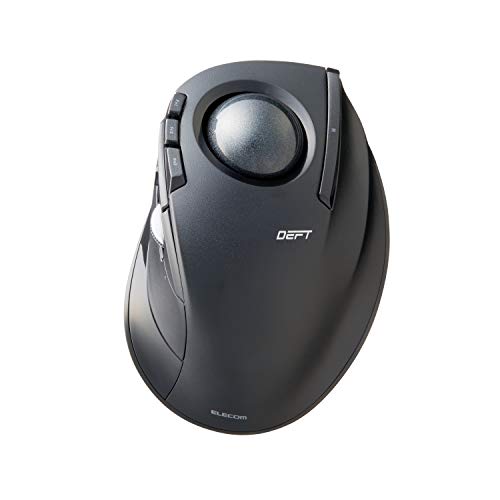
ELECOM DEFT Trackball Mouse, Wired, Finger Control, 8-Button Function with Smooth Tracking, Ergonomic Design, Optical Gaming Sensor, Smooth Red Ball,...

ELECOM DEFT Wired Finger Control Trackball Mouse

ELECOM M-DT2URBK-G 4.88 X 3.74 X 1.89 Inches 0.25 Pounds

PM Score for ELECOM (PM Score)

9.6 PM Score
Buy on Amazon
  • ☑️《COMFORTABLE DESIGN》The mouse design is based on 6 different muscle and skeletal structures of the hands giving special emphasis to the folding actions of the hands to provide a new level of hand comfort.
  • ✅《RED BALL FOR THE BEST OPTICAL TRACKING》 For the tracking accuracy and the best sensor, this item uses a RED BALL. RED COLOR sensing provides more accuracy for current optical tracking technology, a must for high-performance gaming optics system sensors. You will enjoy the results of trackball high performance optical sensors for all movement!!
  • ✅《FUNCTIONAL 8 BUTTONS》 You can assign favorite function to each button by using "ELECOM Mouse Assistant" ELECOM Mouse Assistant Software will be available to download from ELECOM NET website.
  • ✅《DPI CURSOR》Designed with a high-performance gaming optics system sensor and lens. The DPI button can easily change between 750(LOW) and 1500(HIGH) DPI, making the movements of your cursor faster or slower. The ball is held in place by the ball bearings, but can easily be popped out of the device, by pushing it through the hole in the bottom and it can be easily cleaned.
  • ✅《PRODUCT DETAILS》 System requirements: Windows 7, Windows 8.1, Windows RT8.1, Windows 10 or later (Horizontal scrolling function is not working in Windows RT8.1), macOS 10.10 or later, Size: W3.7"(94.7mm) X L4.9"(124.4mm) X H1.9"(47.9mm), Weight: 4oz(without battery), DPI: 750/1500 count (switchable), Connectivity: wired
SELLER SELLER SCORE AMAZON FULFILLED PRIME FREE SHIPPING
ELECOM Japan Direct US 9.67 Yes Yes Yes

The ELECOM DEFT Trackball Mouse redefines ergonomic comfort by centering its entire design around six specific hand muscle and skeletal structures. This wired device feels incredibly natural because it prioritizes the way your hand actually folds during use, reducing strain during long sessions. The standout feature is the specialized red ball, which is engineered to provide superior optical tracking accuracy compared to standard sensors. You can toggle between 750 and 1500 DPI to suit your workflow, and the eight customizable buttons allow for deep personalization via the dedicated software. Maintenance is a breeze too, as you can simply pop the ball out through the bottom hole to clean it. It is a high-performance tool that blends gaming-grade precision with serious ergonomic consideration.

What We Like
Ergonomic skeletal design
High-accuracy red ball
Eight programmable buttons
Switchable DPI settings
Easy cleaning access

ELECOM EX-G Trackball Mouse, Wired, Thumb Control, Sculpted Ergonomic Design, 6-Button Function with Smooth Tracking, Ergonomic Design, Optical Gaming...

ELECOM EX-G Wired Thumb Control Trackball Mouse

ELECOM M-XT3URBK 4.90 X 3.73 X 1.88 Inches 0.44 Pounds

PM Score for ELECOM (PM Score)

9.6 PM Score
Buy on Amazon
  • ✅《OPTICAL TRACKING TECHNOLOGY》The ELEOM trackball provides precise cursor movement for superior accuracy so you can get where you want on the screen quickly with less hand movement, improving productivity and efficiency.
  • ✅《FUNCTIONAL 6 BUTTONS》You can assign favorite function to each button by using "ELECOM Mouse Assistant" ELECOM Mouse Assistant Software will be available to download from ELECOM NET website.
  • ✅《DPI CURSOR》Designed with a high-performance gaming optics system sensor and lens. The DPI button can easily change between 750(LOW) and 1500(HIGH) DPI, making the movements of your cursor faster or slower.
  • ✅《EASY MAINTENANCE》The ball rolls on three 2.5 mm large artificial ruby ball bearings. They are extremely smooth and the relatively large size prevents dust and dirt from clogging them. So you don’t have to clean the ball bearings too often. The ball is held in place by the ball bearings, but can easily be popped out of the device, by pushing it through the hole in the bottom and it can be easily cleaned.
  • ✅《PRODUCT DETAILS》System requirements: Windows Vista, Windows 7, Windows 8.1, Windows RT8.1, Windows 10 or later (Horizontal scrolling function is not working in Windows RT8.1), macOS 10.10 later, Size: W3.7"(94.7mm) X L4.9"(124.4mm) X H1.9"(47.9mm), Weight: 4.5oz, DPI: 750/1500 count (switchable), Connectivity: wired
SELLER SELLER SCORE AMAZON FULFILLED PRIME FREE SHIPPING
lookupLLC Ship by FedEx or DHL 9.95 No No No

The sculpted ergonomic contours of the ELECOM EX-G immediately settle into your palm, making it feel less like a peripheral and more like a natural extension of your hand. Because this is a thumb-controlled trackball, you can ditch the sweeping arm movements and focus entirely on precision cursor control. I found the high-performance optical sensor incredibly responsive, especially when toggling between the 750 and 1500 DPI settings to suit different tasks. Maintenance is surprisingly painless too. The ball sits on three large artificial ruby bearings that keep movement smooth and resist dust buildup. If things do get gritty, you just pop the ball out through the bottom for a quick clean. It is a solid, wired productivity tool that prioritizes comfort and long-term reliability.

What We Like
Thumb control design
Switchable DPI settings
Ruby ball bearings
Six programmable buttons
Easy ball removal

ELECOM HUGE Trackball Mouse, Wired, Finger-Operated, 8-Button Function, Palm Rest Attached, 52mm Smooth Red Ball Windows11, macOS (M-HT1URBK)

ELECOM Huge Wired Finger-Operated Trackball Mouse

ELECOM M-HT1URBK 7.16 X 4.52 X 2.25 Inches 0.59 Pounds

PM Score for ELECOM (PM Score)

9.6 PM Score
Buy on Amazon
  • ✅《Optical Tracking Technology》The ELECOM trackball provides precise cursor movement for superior accuracy so you can get where you want on the screen quickly with less hand movement, improving productivity and efficiency.
  • ✅《Functional 8 Buttons》It is very easy to move in any direction. It comes with 8 physical buttons on the device and the two extra buttons are the scrollwheel tilting that allow horizontal scroll.
  • ✅《DPI Cursor》Designed with a high-performance gaming optics system sensor and lens. The DPI button can easily change between 500(LOW), 1000(MID) and 1500(HIGH) DPI, making the movements of your cursor faster or slower.
  • ✅《Easy Maintenance》The ball rolls on three 2.5 mm large artificial ruby ball bearings. They are extremely smooth and the relatively large size prevents dust and dirt from clogging them. So you don’t have to clean the ball bearings too often. The ball is held in place by the ball bearings, but can easily be popped out of the device, by pushing it through the hole in the bottom and it can be easily cleaned.
  • ✅《Product Details》System requirements: Windows 8, Windows 10, Windows 11 or later, macOS 10.12 or later, Size: W4.5"(114.7mm) X L7.2"(181.9mm) X H2.3"(57.2mm), Weight: 9.2oz, DPI: 500/1000/1500 count (switchable), Connectivity: wired
SELLER SELLER SCORE AMAZON FULFILLED PRIME FREE SHIPPING
ELECOM Japan Direct US 9.68 Yes Yes Yes

After weeks of use, my wrist fatigue has practically vanished thanks to this oversized ergonomic powerhouse. The ELECOM Huge trackball is a massive, stable device that prioritizes comfort with its integrated palm rest and substantial footprint. Moving the cursor feels incredibly fluid because of the 52mm red ball resting on three large artificial ruby bearings, which naturally resist dust buildup. I found the eight physical buttons, plus the horizontal scrolling via the tilting wheel, to be essential for speeding up my daily workflow. You can quickly toggle between 500, 1000, and 1500 DPI to match your precision needs, and when the ball does get dirty, popping it out through the bottom for a quick clean is a breeze.

What We Like
Smooth ruby bearings
Eight functional buttons
Integrated palm rest
Switchable DPI settings
Easy ball maintenance

ELECOM DEFT Trackball Mouse, 2.4GHz Wireless, Finger Control, 8-Button Function with Smooth Tracking, Ergonomic Design, Optical Gaming Sensor, Windows...

ELECOM DEFT Wireless Finger Control Trackball Mouse

ELECOM M-DT2DRBK 3.70 X 1.80 X 4.90 Inches 0.25 Pounds

PM Score for ELECOM (PM Score)

9.6 PM Score
Buy on Amazon
  • ✅《COMFORTABLE DESIGN》The mouse design is based on 6 different muscle and skeletal structures of the hands giving special emphasis to the folding actions of the hands to provide a new level of hand comfort.
  • ✅《OPTICAL TRACKING TECHNOLOGY》The ELEOM "EX-G series" trackball provides precise cursor movement for superior accuracy so you can get where you want on the screen quickly with less hand movement, improving productivity and efficiency. It is very easy to move in any direction.
  • ✅《FUNCTIONAL 8 BUTTONS》You can assign favorite function to each button by using "ELECOM Mouse Assistant" ELECOM Mouse Assistant Software will be available to download from ELECOM NET website.
  • ✅《DPI CURSOR》Designed with a high-performance gaming optics system sensor and lens. The DPI button can easily change between 750(LOW) and 1500(HIGH) DPI, making the movements of your cursor faster or slower. The ball is held in place by the ball bearings, but can easily be popped out of the device, by pushing it through the hole in the bottom and it can be easily cleaned.
  • ✅《PRODUCT DETAILS》System requirements: Windows 7, Windows 8.1, Windows RT8.1, Windows 10 or later (Horizontal scrolling function is not working in Windows RT8.1), macOS 10.10 or later, Size: W3.7"(94.7mm) X L4.9"(124.4mm) X H1.9"(47.9mm), Weight: 4oz(without battery), DPI: 750/1500 count (switchable), Connectivity: wireless, 1 X AA battery(Included)- Battery Remaining Light Lamp equipped.
SELLER SELLER SCORE AMAZON FULFILLED PRIME FREE SHIPPING
ELECOM Japan Direct US 9.67 Yes Yes Yes

Why settle for wrist strain when you can master your desktop with a single finger? The ELECOM DEFT trackball is a masterclass in ergonomic engineering, specifically designed around six different skeletal and muscle structures to minimize hand fatigue during long sessions. Unlike traditional mice, this wireless device uses a high-performance optical gaming sensor that provides incredibly precise cursor movement. You can toggle between 750 and 1500 DPI to match your workflow speed, and the eight programmable buttons allow for deep customization via the dedicated software. I particularly like how the ball is held by bearings but remains easy to pop out through the bottom for quick cleaning. It is a productivity powerhouse that feels incredibly natural in the hand.

What We Like
Ergonomic skeletal design
Eight programmable buttons
Dual DPI settings
Easy ball cleaning
Precise optical tracking

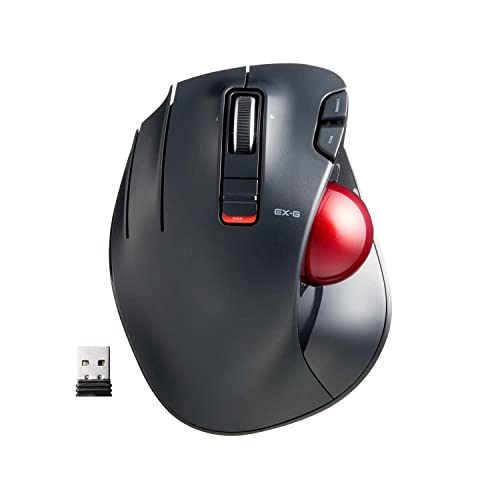
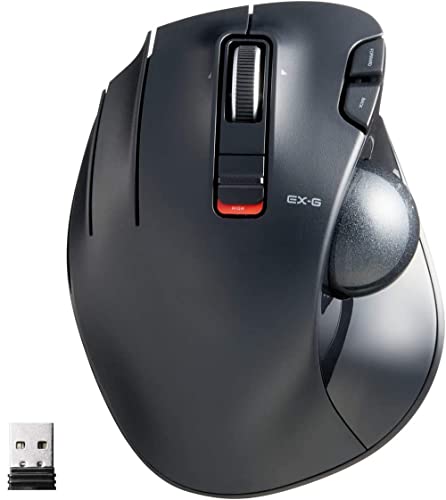
ELECOM EX-G Trackball Mouse, 2.4GHz Wireless, Thumb Control, Sculpted Ergonomic Design, 6-Button Function with Smooth Tracking, Ergonomic Design, Opti...

ELECOM EX-G Wireless Thumb Control Trackball Mouse

ELECOM M-XT3DRBK 4.90 X 3.73 X 1.88 Inches 0.44 Pounds

PM Score for ELECOM (PM Score)

9.6 PM Score
Buy on Amazon
  • ✅《OPTICAL TRACKING TECHNOLOGY》The ELECOM trackball provides precise cursor movement for superior accuracy so you can get where you want on the screen quickly with less hand movement, improving productivity and efficiency.
  • ✅《FUNCTIONAL 6 BUTTONS》It is very easy to move in any direction. It comes with 6 physical buttons on the device and the two extra buttons are the scrollwheel tilting that allow horizontal scroll.
  • ✅《DPI CURSOR》Designed with a high-performance gaming optics system sensor and lens. The DPI button can easily change between 500(LOW) and 1500(HIGH) DPI, making the movements of your cursor faster or slower.
  • ✅《EASY MAINTENANCE》The ball rolls on three 2.5 mm large artificial ruby ball bearings. They are extremely smooth and the relatively large size prevents dust and dirt from clogging them. So you don’t have to clean the ball bearings too often. The ball is held in place by the ball bearings, but can easily be popped out of the device, by pushing it through the hole in the bottom and it can be easily cleaned.
  • ✅《PRODUCT DETAILS》System requirements: Windows 8, Windows 10, Windows 11 or later (Horizontal scrolling function is not working in Windows RT8.1), macOS 10.10 later, Size: W3.7"(94.7mm) X L4.9"(124.4mm) X H1.9"(47.9mm), Weight: 4.5oz(without battery), DPI: 750/1500 count (switchable), Connectivity: wireless, 1 X AA battery(Included)- Battery Remaining Light Lamp equipped.
SELLER SELLER SCORE AMAZON FULFILLED PRIME FREE SHIPPING
ELECOM Japan Direct US 9.67 Yes Yes Yes

Digital professionals battling repetitive strain injury need the ELECOM EX-G trackball to reclaim their desktop comfort. This sculpted, ergonomic device shifts the workload from your entire arm to a precise thumb movement, which is a total game-changer for long productivity sessions. I was particularly impressed by the optical gaming sensor that allows you to toggle between 750 and 1500 DPI with a single button, making cursor control feel incredibly snappy. The six physical buttons, plus the tilting scrollwheel for horizontal navigation, provide a level of utility that standard mice just can't match. Maintenance is also surprisingly painless. You can simply pop the ball out through the bottom to clean it, and the large artificial ruby ball bearings keep everything gliding smoothly without constant dust buildup.
What We Like
Thumb control design
Switchable DPI sensor
Horizontal scrolling wheel
Ruby ball bearings
Easy ball removal

ELECOM EX-G Left-Handed Trackball Mouse, 2.4GHz Wireless, Thumb Control, 6-Button Function, Ergonomic Design, Optical Gaming Sensor, Smooth Red Ball,...

ELECOM EX-G Left-Handed Wireless Trackball Mouse

ELECOM M-XT4DRBK-G 3.73 X 4.90 X 1.89 Inches 0.28 Pounds

PM Score for ELECOM (PM Score)

9.5 PM Score
Buy on Amazon
  • ✅《OPTICAL TRACKING TECHNOLOGY》The ELEOM "EX-G series" trackball provides precise cursor movement for superior accuracy so you can get where you want on the screen quickly with less hand movement, improving productivity and efficiency. This mouse is designed for a LEFT-HANDED person.
  • ✅《FUNCTIONAL 6 BUTTONS》You can assign favorite function to each button by using "ELECOM Mouse Assistant" ELECOM Mouse Assistant Software will be available to download from ELECOM NET website.
  • ✅《DPI CURSOR》Designed with a high-performance gaming optics system sensor and lens. The DPI button can easily change between 750(LOW) and 1500(HIGH) DPI, making the movements of your cursor faster or slower.
  • ✅《RED BALL FOR THE BEST OPTICAL TRACKING》 For the tracking accuracy and the best sensor, this item uses a RED BALL. RED COLOR sensing provides more accuracy for current optical tracking technology, a must for high-performance gaming optics system sensors. You will enjoy the results of trackball high performance optical sensors for all movement!!
  • ✅《PRODUCT DETAILS》System requirements: Windows Vista, Windows 7, Windows 8, Windows 10 or later (Horizontal scrolling function is not working in Windows RT8.1), macOS 10.10 later, Size: W3.7"(94.7mm) X L4.9"(124.4mm) X H1.9"(47.9mm), Weight: 4.5oz(without battery), DPI: 750/1500 count (switchable), Connectivity: wireless, 1 X AA battery(Included)- Battery Remaining Light Lamp equipped.
SELLER SELLER SCORE AMAZON FULFILLED PRIME FREE SHIPPING
ELECOM Japan Direct US 9.68 Yes Yes Yes

Left-handed power users have finally found their ergonomic savior in the ELECOM EX-G trackball. Most peripherals ignore southpaws, but this wireless unit is purpose-built for left-handed thumb control, making it a rare gem for ergonomic comfort. The standout feature is the specialized red ball, which is engineered specifically to maximize the accuracy of the high-performance optical gaming sensor. I found the dual DPI settings—switching between 750 and 1500—extremely helpful for toggling between precise design work and rapid cursor movement. With six customizable buttons via the dedicated software, you can truly tailor your workflow. It is a lightweight, efficient tool that prioritizes precision without requiring massive hand movements across your desk.
What We Like
Left-handed ergonomic design
High-performance optical sensor
Customizable six buttons
Switchable DPI settings
Smooth red ball

ELECOM EX-G Left-Handed Trackball Mouse, 2.4GHz Wireless, Thumb Control, 6-Button Function with Smooth Tracking, Ergonomic Design, 32mm ball Windows11...

ELECOM EX-G Left-Handed Wireless Trackball Mouse

ELECOM M-XT4DRBK 3.70 X 1.80 X 4.90 Inches 0.28 Pounds

PM Score for ELECOM (PM Score)

9.5 PM Score
Buy on Amazon
  • ✅《Optical Tracking Technology》The ELECOM "EX-G series" trackball provides precise cursor movement for superior accuracy so you can get where you want on the screen quickly with less hand movement, improving productivity and efficiency. This mouse is designed for a LEFT-HANDED person.
  • ✅《Functional 6 Buttons》It is very easy to move in any direction. It comes with 6 physical buttons on the device and the two extra buttons are the scrollwheel tilting that allow horizontal scroll. ELECOM Mouse Assistant software can be easy to customize button functions, it is available to download from ELECOM US website.
  • ✅《DPI Cursor》Designed with a high-performance gaming optics system sensor and lens. The DPI button can easily change between 750(LOW) and 1500(HIGH) DPI, making the movements of your cursor faster or slower. Comes with a BLACK BALL that can be replaced with a RED BALL (sold separately).
  • ✅《Easy Maintenance 》The ball rolls on three 2.5 mm large artificial ruby ball bearings. They are extremely smooth and the relatively large size prevents dust and dirt from clogging them. So you don’t have to clean the ball bearings too often. The ball is held in place by the ball bearings, but can easily be popped out of the device, by pushing it through the hole in the bottom and it can be easily cleaned.
  • ✅《Product Details》System requirements: Windows 8.1, Windows RT8.1, Windows 10, Windows 11 (Horizontal scrolling function is not working in Windows RT8.1), macOS 10.10, Size: W3.7"(94.7mm) X L4.9"(124.4mm) X H1.9"(47.7mm), Weight: 5.3oz(without battery), DPI: 750/1500 count (switchable), Connectivity: 2.4GHz wireless
SELLER SELLER SCORE AMAZON FULFILLED PRIME FREE SHIPPING
ELECOM Japan Direct US 9.68 Yes Yes Yes

The ELECOM EX-G Left-Handed Trackball Mouse is a rare find that finally brings ergonomic thumb control to the left-handed community. Instead of dragging a traditional mouse across your desk, you simply manipulate the 32mm ball for precise, high-performance optical tracking that significantly boosts productivity. I found the six physical buttons, including the tiltable scroll wheel for horizontal movement, incredibly intuitive for navigating complex spreadsheets or creative software. The ability to toggle between 750 and 1500 DPI allows you to switch from slow, surgical precision to rapid cursor movement instantly. Maintenance is a breeze too. The ball sits on three large artificial ruby bearings that prevent dust buildup, and you can easily pop the ball out through the bottom for quick cleaning.

What We Like
Left-handed ergonomic design
Six customizable buttons
Smooth ruby bearings
Dual DPI settings
Wireless 2.4GHz connectivity

ELECOM DEFT PRO Trackball Mouse, Wired, Wireless, Bluetooth 3 Types Connection, Ergonomic Design, 8-Button Function, Red Ball, Windows11, MacOS (M-DPT...

ELECOM DEFT PRO Ergonomic Trackball Mouse

ELECOM M-DPT1MRXBK 5.25 X 3.60 X 2.26 Inches 0.36 Pounds

PM Score for ELECOM (PM Score)

9.5 PM Score
Buy on Amazon
  • ✅《OPTICAL TRACKING TECHNOLOGY》The ELECOM "DEFT PRO" trackball provides precise cursor movement for superior accuracy so you can get where you want on the screen quickly with less hand movement, improving productivity and efficiency.
  • ✅《FUNCTIONAL 8 BUTTONS》You can assign favorite function to each button by using "ELECOM Mouse Assistant" ELECOM Mouse Assistant Software will be available to download from ELECOM NET website.
  • ✅《DPI CURSOR》Designed with a high-performance gaming optics system sensor and lens. The DPI button can easily change between 500, 1000 and 1500 DPI, making the movements of your cursor faster or slower.
  • ✅《EASY MAINTENANCE》The ball rolls on three 2.5 mm large artificial ruby ball bearings. They are extremely smooth and the relatively large size prevents dust and dirt from clogging them. So you don’t have to clean the ball bearings too often. The ball is held in place by the ball bearings, but can easily be popped out of the device, by pushing it through the hole in the bottom and it can be easily cleaned.
  • ✅《PRODUCT DETAILS》System requirements: Windows 8, Windows 10, Windows 11 or later (Horizontal scrolling function is not working in Windows RT8.1), macOS 10.13 or later, Size: W3.6"(91.4mm) X L5.3"(133.4mm) X H2.3"(57.3mm), Weight: 5.7oz(without battery), DPI: 500/1000/1500 count (switchable), Connectivity: wired / wireless / bluetooth
SELLER SELLER SCORE AMAZON FULFILLED PRIME FREE SHIPPING
ELECOM Japan Direct US 9.67 Yes Yes Yes

Most people settle for standard mice that force their wrists into awkward, repetitive strain, but the ELECOM DEFT PRO shifts the entire workload to your thumb. This ergonomic powerhouse utilizes high-performance optical tracking to ensure every micro-movement is translated with precision onto your screen. I was particularly impressed by the triple-mode connectivity, allowing you to swap between wired, wireless, and Bluetooth setups seamlessly. The eight customizable buttons, paired with switchable DPI settings of 500, 1000, and 1500, turn this into a genuine productivity tool rather than just a peripheral. Even maintenance is a breeze. The red ball sits on large artificial ruby bearings that resist dust, and you can pop the ball out through the bottom for quick cleaning without any struggle.

What We Like
Triple connectivity modes
Eight programmable buttons
Switchable DPI settings
Ruby ball bearings
Ergonomic thumb control

ELECOM EX-G Trackball Mouse, Wired, Thumb Control, Ergonomic Design, 5-Button Function with Smooth Tracking, Ergonomic Design, Optical Gaming Sensor,...

ELECOM EX-G Wired Thumb Control Trackball Mouse

ELECOM M-XT2URBK-G 4.90 X 3.73 X 1.89 Inches 0.33 Pounds

PM Score for ELECOM (PM Score)

9.4 PM Score
Buy on Amazon
  • ✅《COMFORTABLE DESIGN》The mouse design is based on 6 different muscle and skeletal structures of the hands giving special emphasis to the folding actions of the hands to provide a new level of hand comfort.
  • ✅《FUNCTIONAL 5 BUTTONS》You can assign favorite function to each button by using "ELECOM Mouse Assistant" ELECOM Mouse Assistant Software will be available to download from ELECOM NET website.
  • ✅《DPI CURSOR》Designed with a high-performance gaming optics system sensor and lens. The DPI button can easily change between 750(LOW) and 1500(HIGH) DPI, making the movements of your cursor faster or slower.
  • ✅《RED BALL FOR THE BEST OPTICAL TRACKING》 For the tracking accuracy and the best sensor, this item uses a RED BALL. RED COLOR sensing provides more accuracy for current optical tracking technology, a must for high-performance gaming optics system sensors. You will enjoy the results of trackball high performance optical sensors for all movement!!
  • ✅《PRODUCT DETAILS》System requirements: Windows Vista, Windows 7, Windows 8.1, Windows RT8.1, Windows 10 (Horizontal scrolling function is not working in Windows RT8.1), macOS 10.10, Size: W3.7"(94.7mm) X L4.9"(124.4mm) X H1.9"(47.7mm), Weight: 5.3oz(without battery), DPI: 750/1500 count (switchable), Connectivity: wired
SELLER SELLER SCORE AMAZON FULFILLED PRIME FREE SHIPPING
ELECOM Japan Direct US 9.68 Yes Yes Yes

Most people assume a trackball is a compromise for desk space, but the ELECOM EX-G actually prioritizes ergonomic precision over traditional movement. This wired device is built around six specific skeletal and muscle structures, meaning it cradles your hand rather than forcing it into a claw. The standout feature is the specialized red ball, which is engineered specifically to maximize the accuracy of the high-performance optical gaming sensor. You can toggle between 750 and 1500 DPI to suit your workflow, and the five programmable buttons allow for deep customization via the ELECOM Mouse Assistant software. It feels substantial in the hand without being cumbersome, making it a legitimate tool for both long productivity sessions and gaming.

What We Like
Ergonomic skeletal design
High-performance red ball
Programmable five buttons
Switchable DPI settings
Smooth optical tracking

ELECOM Relacon Handheld Trackball Mouse, Thumb Control, Left Right Handed Mice, Bluetooth, 10-Button Function, Ergonomic Design, Optical Gaming Sensor...

ELECOM Relacon Handheld Bluetooth Trackball Mouse

ELECOM M-RT1BRXBK 4.39 X 1.60 X 2.23 Inches 0.17 Pounds

PM Score for ELECOM (PM Score)

9.3 PM Score
Buy on Amazon
  • ✅《Trackball Comfort》Elecom Handheld Trackball Mouse Has A Sensitive Rolling Ball And Frequency Stable Bluetooth Connection. Sculpted Shape Supports Your Hand Staying In One Place, Move The Cursor Without Moving Your Arm. Suitable For Both Left And Right Hand
  • ✅《Functional10 Buttons》It Is Very Easy To Move In Any Direction. It Comes With 10 Physical Buttons On The Device And You Can Assign Your Favorite Functions To All Buttons
  • ✅《DPI Cursor》The Dpi Button Can Easily Change Between 500(Low), 1000(Mid) And 1500(High) Dpi, Making The Movements Of Your Cursor Faster Or Slower
  • ✅《Easy Maintenance》The Ball Rolls On Three 2.5 Mm Large Artificial Ruby Ball Bearings. They Are Extremely Smooth And The Relatively Large Size Prevents Dust And Dirt From Clogging Them. So You Don’t Have To Clean The Ball Bearings Too Often. The Ball Is Held In Place By The Ball Bearings, But Can Easily Be Popped Out Of The Device, By Pushing It Through The Hole In The Bottom And It Can Be Easily Cleaned
  • ✅《PRODUCT DETAILS》 System Requirements: Windows 7, Windows 8.1, Windows RT8.1, Windows 10 or later, MacOS Mojave 10.14 or later, Android 6.0 or later Size: W1.6"(40.7mm) X L4.4"(111.5mm) X H2.2"(56.6mm), Weight: 77g/2.7oz (without battery), DPI: 500/1000/1500 count (switchable), Connectivity: Wireless, 2 X AAA Battery (included)
SELLER SELLER SCORE AMAZON FULFILLED PRIME FREE SHIPPING
ELECOM Japan Direct US 9.68 Yes Yes Yes

The ELECOM Relacon redefines desktop ergonomics by bringing precision thumb-control trackball functionality to a compact, handheld form factor that feels incredibly liberating for your wrist. Instead of sliding a traditional mouse across a desk, you can keep your hand stationary and navigate with the smooth red ball, which glides effortlessly on three large artificial ruby bearings. I found the ten programmable buttons to be a massive productivity booster, allowing for custom shortcuts that make complex workflows feel intuitive. With three switchable DPI settings ranging from 500 to 1500, you can instantly toggle between slow, precise movements and rapid cursor sweeps. It is a clever, lightweight solution for anyone looking to minimize arm movement without sacrificing control or functionality.

What We Like
Thumb-controlled trackball
Ten programmable buttons
Smooth ruby bearings
Switchable DPI settings
Ambidextrous design

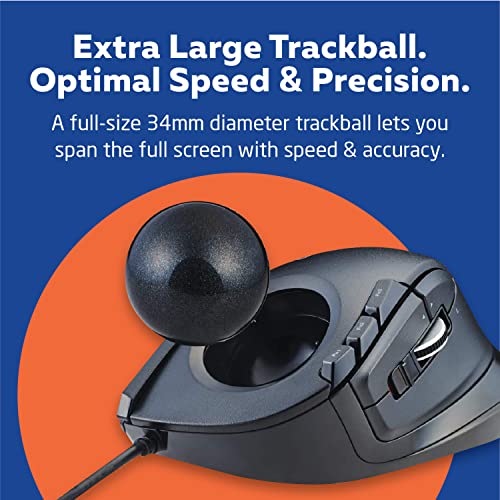
ELECOM EX-G Pro Trackball Mouse, Wired, Wireless, Bluetooth, 3 Types Connection, Thumb Control, 8-Button Function, Ergonomic Design, 34㎜ Smooth Red B...

ELECOM EX-G Pro Thumb Control Trackball Mouse

ELECOM M-XPT1MRXBK 5.31 X 4.25 X 1.88 Inches 0.03 Pounds

PM Score for ELECOM (PM Score)

9.3 PM Score
Buy on Amazon
  • ✅《Optical Tracking Technology》The ELECOM "EX-G PRO" trackball provides precise cursor movement for superior accuracy so you can get where you want on the screen quickly with less hand movement, improving productivity and efficiency. Wired / wireless / bluetooth connectivities are available
  • ✅《FUNCTIONAL 8 BUTTONS》You can assign favorite function to each button by using "ELECOM Mouse Assistant" ELECOM Mouse Assistant Software will be available to download from ELECOM NET website.
  • ✅《DPI CURSOR》Designed with a high-performance gaming optics system sensor and lens. The DPI button can easily change between 500(LOW), 1000(MID) and 1500(HIGH) DPI, making the movements of your cursor faster or slower.
  • ✅《EASY MAINTENANCE》The ball rolls on three 2.5 mm large artificial ruby ball bearings. They are extremely smooth and the relatively large size prevents dust and dirt from clogging them. So you don’t have to clean the ball bearings too often. The ball is held in place by the ball bearings, but can easily be popped out of the device, by pushing it through the hole in the bottom and it can be easily cleaned.
  • ✅《PRODUCT DETAILS》System requirements: Windows 7, Windows 8.1, Windows RT8.1, Windows 10 or later, macOS 10.13 or later, Size: W4.3"(108mm) X L5.3"(135mm) X H1.9"(47.7mm), Weight: 5.2oz(without battery), DPI: 500/1000/1500 count (switchable), Connectivity: wired / wireless / bluetooth, 1 X AA battery(Included)- Battery Remaining Light Lamp equipped.
SELLER SELLER SCORE AMAZON FULFILLED PRIME FREE SHIPPING
ELECOM Japan Direct US 9.68 Yes Yes Yes

The first thing you’ll notice is the satisfyingly smooth glide of the 34mm red ball, which feels remarkably effortless under your thumb. This ELECOM EX-G Pro isn't just another peripheral. It’s a versatile powerhouse that lets you toggle between wired, wireless, and Bluetooth connections depending on your setup. I found the optical tracking incredibly precise, especially when switching DPI levels between 500, 1000, and 1500 to match the task at hand. The eight programmable buttons are a massive productivity boost once you map them using the dedicated software. Maintenance is also a breeze because the large artificial ruby bearings resist dust buildup, and if things do get gritty, you can simply pop the ball out through the bottom for a quick clean.

What We Like
Triple connectivity modes
Eight programmable buttons
Smooth ruby bearings
Switchable DPI settings
Ergonomic thumb control

ELECOM EX-G Trackball Mouse, 2.4GHz Wireless, Thumb Control, 6-Button Function with Smooth Tracking, Ergonomic Design, Optical Gaming Sensor, Smooth R...

ELECOM EX-G Wireless Thumb Control Trackball Mouse

ELECOM M-XT3DRBK-G 5.28 X 8.58 X 2.05 Inches 0.28 Pounds

PM Score for ELECOM (PM Score)

9.3 PM Score
Buy on Amazon
  • 《ERGONOMIC UNIQUE DESIGN》The mouse design is based on 6 different muscle and skeletal structures of the hands giving special emphasis to the folding actions of the hands to provide a new level of hand comfort. It comes with a RED TRACK BALL, RED COLOR sensing provides more accuracy for current optical tracking technology, a must for high-performance gaming optics system sensors.
  • 《FUNCTIONAL 6 BUTTONS》It is very easy to move in any direction. It comes with 6 physical buttons on the device and the two extra buttons are the scrollwheel tilting that allow horizontal scroll. ELECOM Mouse Assistant software can be easy to customize button functions, it is available to download from ELECOMUS website.
  • 《DPI CURSOR》Designed with a high-performance gaming optics system sensor and lens. The DPI button can easily change between 750(LOW) and 1500(HIGH) DPI, making the movements of your cursor faster or slower.
  • 《EASY MAINTENANCE》The ball rolls on three 2.5 mm large artificial ruby ball bearings. They are extremely smooth and the relatively large size prevents dust and dirt from clogging them. So you don’t have to clean the ball bearings too often. The ball is held in place by the ball bearings, but can easily be popped out of the device, by pushing it through the hole in the bottom and it can be easily cleaned.
  • 《PRODUCT DETAILS》System requirements: Windows 8.1, Windows RT8.1, Windows 10, Windows 11 (Horizontal scrolling function is not working in Windows RT8.1), macOS 10.10, Size: W3.7"(94.7mm) X L4.9"(124.4mm) X H1.9"(47.7mm), Weight: 5.3oz(without battery), DPI: 750/1500 count (switchable), Connectivity: 2.4GHz Wireless
SELLER SELLER SCORE AMAZON FULFILLED PRIME FREE SHIPPING
ELECOM Japan Direct US 9.68 Yes Yes Yes

Your wrist starts aching halfway through a massive spreadsheet session, and suddenly, a standard mouse just isn't cutting it anymore. The ELECOM EX-G changes the game by prioritizing hand ergonomics through a design informed by actual skeletal and muscle structures. Instead of sliding your whole arm, you just use your thumb to navigate via the high-performance optical sensor. I found the red trackball particularly impressive, offering incredibly smooth movement thanks to the three large artificial ruby bearings. You can easily pop the ball out for cleaning through the bottom hole, which is a lifesaver for long-term maintenance. With six customizable buttons and tiltable scrollwheel functionality for horizontal scrolling, it handles complex workflows with surprising precision and comfort.

What We Like
Ergonomic skeletal design
Smooth red trackball
Customizable six buttons
Switchable DPI settings
Ruby ball bearings

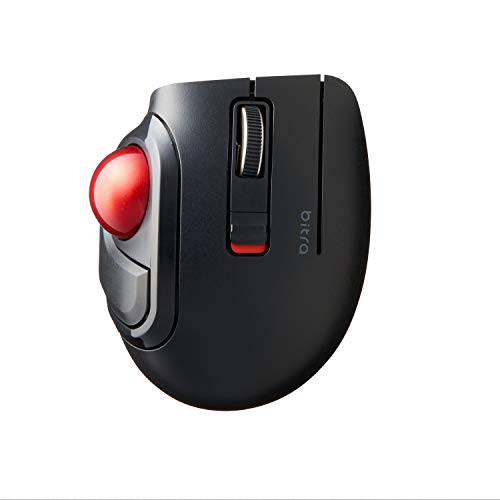
ELECOM bitra Trackball Mouse, Bluetooth, Thumb Control, Small Size, with Semi-Hard Case, Silent Click, Ergonomic Design, 5-Button, Windows11, MacOS (M...

ELECOM bitra Bluetooth Thumb Control Trackball Mouse

ELECOM M-MT1BRSBK 3.54 X 2.90 X 1.63 Inches 0.17 Pounds

PM Score for ELECOM (PM Score)

9.0 PM Score
Buy on Amazon
  • ✅《OPTICAL TRACKING TECHNOLOGY》The ELEOM trackball provides precise cursor movement for superior accuracy so you can get where you want on the screen quickly with less hand movement, improving productivity and efficiency.
  • ✅《FUNCTIONAL 5 BUTTONS》Even this is compact-size, it comes with 5 physical buttons on the device. It is very easy to move in any direction. Also this mouse provides noise reduction on the click sound.
  • ✅《DPI CURSOR》Designed with a high-performance gaming optics system sensor and lens. The DPI button can easily change between 750(LOW) and 1500(HIGH) DPI, making the movements of your cursor faster or slower.
  • ✅《EASY MAINTENANCE》The ball rolls on three 2.5 mm large artificial ruby ball bearings. They are extremely smooth and the relatively large size prevents dust and dirt from clogging them. So you don’t have to clean the ball bearings too often. The ball is held in place by the ball bearings, but can easily be popped out of the device, by pushing it through the hole in the bottom and it can be easily cleaned.
  • ✅《PRODUCT DETAILS》System requirements: Windows 7, Windows 8.1, Windows RT8.1, Windows 10 or later, macOS 10.14, iOS13.4, iPad OS13.4, Size: W2.9"(73.7mm) X L3.5"(89.9mm) X H1.6"(41.3mm), Weight: 2.7oz(without battery), DPI: 750/1500 count (switchable), Connectivity: bluetooth, 1 X AAA battery(Included), Mouse semi-hard case Includes
SELLER SELLER SCORE AMAZON FULFILLED PRIME FREE SHIPPING
ELECOM Japan Direct US 9.68 Yes Yes Yes

Desktop clutter and wrist fatigue often stem from bulky mice that require constant arm movement, but the ELECOM bitra solves this by condensing precision into a compact, thumb-controlled footprint. This little device packs a surprisingly punch with five physical buttons and a switchable DPI sensor that toggles between 750 and 1500 for tailored cursor speed. I found the silent click feature particularly helpful for working in quiet environments without the distracting chatter of a standard mouse. Maintenance is a breeze too. The ball sits on three large artificial ruby bearings that resist dust buildup, and you can pop the ball out through the bottom for quick cleaning. It even comes with a semi-hard case, making it a legitimate powerhouse for mobile professionals who need ergonomic efficiency on the go.

What We Like
Silent click buttons
Thumb control design
Switchable DPI sensor
Ruby ball bearings
Includes semi-hard case

ELECOM brita Trackball Mouse, 2.4GHz Wireless, Finger Control, Small sizse, with Semi-Hard Case, Silent Click, Ergonomic Design, 5-Button, Smooth Red...

ELECOM Wireless Finger Control Trackball Mouse

ELECOM M-MT2DRSBK 3.70 X 2.44 X 1.58 Inches 0.18 Pounds

PM Score for ELECOM (PM Score)

9.0 PM Score
Buy on Amazon
  • ✅《OPTICAL TRACKING TECHNOLOGY》The ELEOM trackball provides precise cursor movement for superior accuracy so you can get where you want on the screen quickly with less hand movement, improving productivity and efficiency.
  • ✅《FUNCTIONAL 5 BUTTONS》You can assign favorite function to each button by using "ELECOM Mouse Assistant" ELECOM Mouse Assistant Software will be available to download from ELECOM NET website.
  • ✅《DPI CURSOR》Designed with a high-performance gaming optics system sensor and lens. The DPI button can easily change between 750(LOW) and 1500(HIGH) DPI, making the movements of your cursor faster or slower.
  • ✅《EASY MAINTENANCE》The ball rolls on three 2.5 mm large artificial ruby ball bearings. They are extremely smooth and the relatively large size prevents dust and dirt from clogging them. So you don’t have to clean the ball bearings too often. The ball is held in place by the ball bearings, but can easily be popped out of the device, by pushing it through the hole in the bottom and it can be easily cleaned.
  • ✅《PRODUCT DETAILS》System requirements: Windows 7, Windows 8.1, Windows RT8.1, Windows 10 or later, macOS 10.14 or later, Size: W2.4"(61.9mm) X L3.7"(93.9mm) X H1.6"(40.2mm), Weight: 2.9oz(without battery), DPI: 750/1500 count (switchable), Connectivity: wireless, 1 X AAA battery(Included), Mouse semi-hard case Includes
SELLER SELLER SCORE AMAZON FULFILLED PRIME FREE SHIPPING
ELECOM Japan Direct US 9.68 Yes Yes Yes

The ELECOM wireless trackball mouse redefines desk efficiency through its ultra-compact, finger-controlled design. After testing this small-form-factor device, I found the optical tracking technology incredibly precise, allowing for quick cursor jumps with minimal hand movement. The red ball rolls exceptionally smoothly thanks to three large artificial ruby bearings that resist dust buildup, making maintenance a breeze. I love that you can pop the ball out through the bottom for quick cleaning. With five programmable buttons via the ELECOM Mouse Assistant and a switchable DPI of 750 or 1500, you can tailor the speed to your specific workflow. It even comes with a semi-hard case, making it a perfect companion for mobile professionals working on Windows or macOS.

What We Like
Smooth ruby bearings
Programmable five buttons
Switchable DPI settings
Silent click design
Includes semi-hard case

ELECOM bitra Trackball Mouse, Bluetooth, Finger Control, Smaii size, with Semi-Hard Case, Silent Click, Ergonomic Design, 5-Button, Smooth Red Ball, W...

ELECOM bitra Bluetooth Finger Control Trackball Mouse

ELECOM M-MT2BRSBK 3.70 X 2.44 X 1.58 Inches 0.18 Pounds

PM Score for ELECOM (PM Score)

9.0 PM Score
Buy on Amazon
  • ✅《OPTICAL TRACKING TECHNOLOGY》The ELEOM trackball provides precise cursor movement for superior accuracy so you can get where you want on the screen quickly with less hand movement, improving productivity and efficiency.
  • ✅《FUNCTIONAL 5 BUTTONS》You can assign favorite function to each button by using "ELECOM Mouse Assistant" ELECOM Mouse Assistant Software will be available to download from ELECOM NET website.
  • ✅《DPI CURSOR》Designed with a high-performance gaming optics system sensor and lens. The DPI button can easily change between 750(LOW) and 1500(HIGH) DPI, making the movements of your cursor faster or slower.
  • ✅《EASY MAINTENANCE》The ball rolls on three 2.5 mm large artificial ruby ball bearings. They are extremely smooth and the relatively large size prevents dust and dirt from clogging them. So you don’t have to clean the ball bearings too often. The ball is held in place by the ball bearings, but can easily be popped out of the device, by pushing it through the hole in the bottom and it can be easily cleaned.
  • ✅《PRODUCT DETAILS》System requirements: Windows 7, Windows 8.1, Windows RT8.1, Windows 10 or later, macOS 10.14, iOS13.4, iPad OS13.4, Size: W2.4"(61.9mm) X L3.7"(93.9mm) X H1.6"(40.2mm), Weight: 2.9oz(without battery), DPI: 750/1500 count (switchable), Connectivity: bluetooth, 1 X AAA battery(Included), Mouse semi-hard case Includes
SELLER SELLER SCORE AMAZON FULFILLED PRIME FREE SHIPPING
ELECOM Japan Direct US 9.67 Yes Yes Yes

Can a tiny trackball actually replace your traditional mouse without sacrificing precision? The ELECOM bitra proves that compact design doesn't have to mean compromised performance. Testing this Smaii-sized device felt surprisingly natural because the finger-control layout minimizes wrist movement while the optical tracking keeps your cursor snappy. I particularly enjoyed the switchable DPI settings, allowing for a quick jump between 750 and 1500 for different tasks. Maintenance is a breeze thanks to the large artificial ruby ball bearings that resist dust buildup, and if things do get dirty, you can pop the ball out through the bottom in seconds. It even comes with a semi-hard case, making it an ideal companion for mobile professionals moving between Windows and macOS setups.

What We Like
Silent click buttons
Switchable DPI sensor
Ruby ball bearings
Bluetooth connectivity
Included semi-hard case

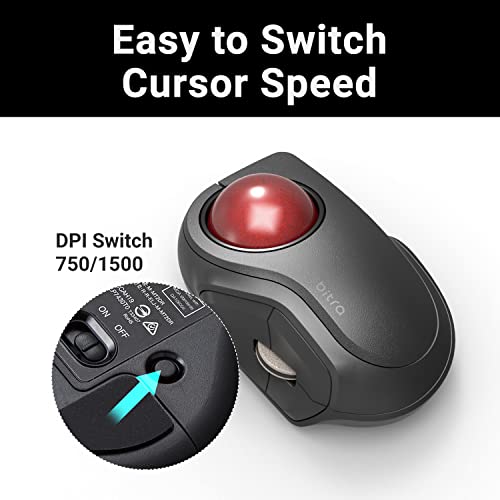
ELECOM bitra Mobile Trackball Mouse, 2.4Ghz Wireless, Thumb Control, Small Size, with Semi-Hard Case, Silent Click, Ergonomic Design, 5-Button, Smooth...

ELECOM bitra Wireless Thumb Control Trackball Mouse

ELECOM M-MT1DRSBK 3.54 X 2.90 X 1.63 Inches 0.17 Pounds

PM Score for ELECOM (PM Score)

9.0 PM Score
Buy on Amazon
  • ✅《OPTICAL TRACKING TECHNOLOGY》The ELEOM trackball provides precise cursor movement for superior accuracy so you can get where you want on the screen quickly with less hand movement, improving productivity and efficiency.
  • ✅《FUNCTIONAL 5 BUTTONS》Even this is compact-size, it comes with 5 physical buttons on the device. It is very easy to move in any direction. Also this mouse provides noise reduction on the click sound.
  • ✅《DPI CURSOR》Designed with a high-performance gaming optics system sensor and lens. The DPI button can easily change between 750(LOW) and 1500(HIGH) DPI, making the movements of your cursor faster or slower.
  • ✅《EASY MAINTENANCE》The ball rolls on three 2.5 mm large artificial ruby ball bearings. They are extremely smooth and the relatively large size prevents dust and dirt from clogging them. So you don’t have to clean the ball bearings too often. The ball is held in place by the ball bearings, but can easily be popped out of the device, by pushing it through the hole in the bottom and it can be easily cleaned.
  • ✅《PRODUCT DETAILS》System requirements: Windows 7, Windows 8.1, Windows RT8.1, Windows 10 or later, macOS 10.14 or later, Size: W2.9"(73.7mm) X L3.5"(89.9mm) X H1.6"(41.3mm), Weight: 2.7oz(without battery), DPI: 750/1500 count (switchable), Connectivity: wireless, 1 X AAA battery(Included), Mouse semi-hard case Includes
SELLER SELLER SCORE AMAZON FULFILLED PRIME FREE SHIPPING
ELECOM Japan Direct US 9.67 Yes Yes Yes

Tucking the ELECOM bitra into a crowded laptop bag during a frantic commute used to mean worrying about my peripherals, but the included semi-hard case makes this a non-issue. This compact trackball is a productivity powerhouse for anyone working in tight spaces like coffee shops or airplane trays. The thumb-controlled design allows for precise cursor movement via optical tracking, and the switchable 750/1500 DPI settings let you toggle between slow precision and fast navigation instantly. I was particularly impressed by the silent click buttons, which won't annoy neighbors in quiet libraries. Maintenance is a breeze too. The red ball sits on large artificial ruby bearings that keep movement smooth and prevent dust buildup, and you can easily pop the ball out through the bottom for a quick clean.

What We Like
Silent click buttons
Thumb control design
Switchable DPI settings
Ruby ball bearings
Semi-hard carrying case

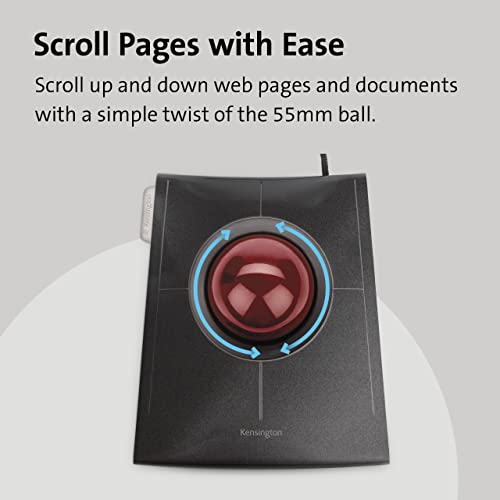
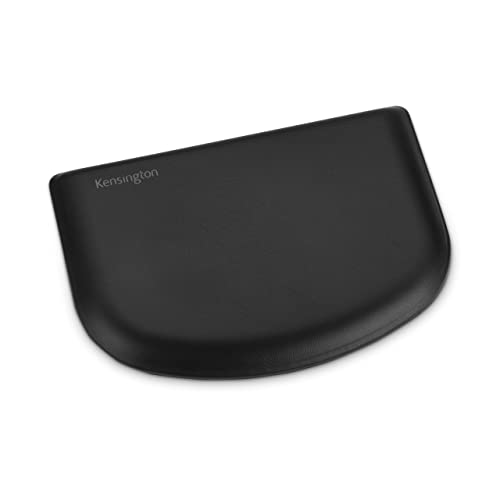
Kensington SlimBlade Trackball Mouse (K72327U) & ErgoSoft Wrist Rest for Slim Mouse/Trackpad, Black (K52803WW)

Kensington SlimBlade Trackball and ErgoSoft Wrist Rest

KENSINGTON

PM Score for KENSINGTON (PM Score)

4.3 PM Score
Buy on Amazon
  • Product 1: Low-profile shape and silver metallic finish deliver ergonomic comfort and beautiful aesthetics
  • Product 1: Requires less arm and wrist movement (for better comfort) and takes up less desk space than a traditional mouse
  • Product 1: Laser tracking delivers precision cursor control
  • Product 1: Ambidextrous design
  • Product 2: Ultra-soft feel with a premium exterior that is supported by gel-cushioned padding to provide unmatched quality and comfort
  • Product 2: Ergonomist approved to provide optimal health, comfort and protection through proper alignment, tailored dimensions, and unique curved design
  • Product 2: Provides functional and sophisticated low-profile elegance. Non-skid rubber backing keeps the rest from slipping whether you're working or gaming
  • Product 2: Ideal for a mouse less than 1" high
SELLER SELLER SCORE AMAZON FULFILLED PRIME FREE SHIPPING
Amazon.com 9.68 Yes Yes No

Digital professionals fighting desk clutter and repetitive strain deserve this sophisticated ergonomic duo. The Kensington SlimBlade trackball is a masterclass in space-saving design, utilizing a low-profile shape and a striking silver metallic finish that looks as good as it performs. Because the laser tracking handles the heavy lifting, you can ditch the sweeping arm movements of a traditional mouse for precise, stationary thumb control. Pairing this with the ErgoSoft wrist rest elevates the experience. Its gel-cushioned padding and unique curved design offer ergonomist-approved support that keeps your alignment perfect. The non-skid rubber backing ensures the rest stays put during intense workflows, making this a seamless, high-end setup for anyone prioritizing both aesthetics and long-term wrist health.

What We Like
Precision laser tracking
Ambidextrous design
Gel-cushioned padding
Non-skid rubber backing
Low-profile aesthetics
Buying Guide

A Guide to Selecting the Best Gaming Trackballs

A Guide to Selecting the Best Gaming Trackballs

Thumb vs. Finger Control

The first and most critical decision in selecting a gaming trackball is determining how you want to manipulate the sphere. Most devices fall into two camps: thumb-operated or finger-operated. Thumb-operated trackballs feature a large ball positioned to the side, allowing your palm to rest naturally while your thumb does the heavy lifting. These are excellent for users who want to maintain a traditional grip. Finger-operated trackballs, often referred to as 'ring' or 'index' style, place the ball directly in front of your fingers. This configuration often allows for more granular, micro-adjustments, which is highly prized in high-stakes competitive gaming, but it requires a different hand posture that may take longer to master.

Sensor Precision and Polling Rates

In the gaming world, 'good enough' is rarely sufficient. When evaluating a trackball, you must look past the ergonomics and scrutinize the internal sensor. A high-DPI (Dots Per Inch) sensor is necessary for quick turns, but more importantly, you need a sensor that can handle rapid acceleration without 'spinning out.' Look for devices that offer adjustable DPI stages, allowing you to switch between a slow setting for sniping and a fast setting for sweeping camera movements. Additionally, pay attention to the polling rate—the frequency at which the device reports its position to your computer. For gaming, a polling rate of at least 1000Hz is the gold standard to ensure there is no perceptible input lag between your movement and the on-screen action.

Ball Material and Friction Management

ext{

The smoothness of your cursor movement is entirely dependent on the physical interaction between the ball and the bearing supports. High-quality gaming trackballs typically use ceramic or high-grade steel bearings to minimize friction. If the ball feels 'gritty' or catches periodically, your precision will plummet. When shopping, consider the ease of maintenance. A gaming trackball should be easy to disassemble so you can clean the dust and skin oils that inevitably accumulate on the bearing supports. A clean trackball feels like it is gliding on ice. A dirty one feels like it is dragging through sand.

Weight and Connectivity

While weight is a major factor for traditional mice, it is less critical for trackballs since the device doesn't move. However, the weight of the base can contribute to stability. A heavier trackball is less likely to slide around your desk during intense sessions. Regarding connectivity, wireless options are increasingly popular for clean, cable-free setups. If you go wireless, ensure the device uses a dedicated 2.4GHz USB dongle rather than standard Bluetooth. Bluetooth is prone to interference and latency, which can be fatal in a gaming environment. A 2.4GHz connection provides the near-instantaneous response time required for competitive play.

Ergonomics and Hand Fatigue

The primary reason many gamers switch to trackballs is to combat Repetitive Strain Injury (RSI). When choosing a model, consider the angle of the device. A tilted design can help maintain a more neutral wrist position, reducing the risk of carpal tunnel issues. Ensure the device provides enough support for your palm. If your hand is 'hovering' over the trackball, you will experience fatigue within minutes. The goal is a device that supports your hand's natural resting position while providing the dexterity needed for high-level play.

Ready to choose?

Jump back to our ranked picks or compare the shortlist side by side.

Frequently Asked Questions

Quick answers about Gaming Trackballs before you buy.

It depends on your playstyle. Trackballs offer superior desk space efficiency and reduced wrist strain, making them ideal for MMOs or tactical shooters, whereas traditional mice provide better raw speed for high-intensity flick shots.

Thumb-operated models use your thumb for navigation, leaving your fingers free for mouse buttons. Finger-operated (or ring-operated) models use your index and middle fingers, which many gamers find offers higher precision and finer control.

Yes, provided you choose a model with a high-quality sensor and a high polling rate. While there is a learning curve, many professional players prefer trackballs for their consistency and lack of desk-surface interference.

Periodically remove the ball and wipe the sensor lens with a dry microfiber cloth. Use a cotton swab to gently clean the small bearings (support points) where dust and skin oils tend to accumulate.

Most high-end gaming trackballs feature multiple programmable buttons that can be mapped to specific macros or in-game actions via dedicated software, which is essential for complex RPGs or MOBAs.

Yes. It typically takes anywhere from a few days to two weeks to develop the muscle memory required to move the ball accurately without overshooting your target.

Modern wireless trackballs using 2.4GHz dongles offer latency so low it is virtually indistinguishable from wired connections, making them perfectly viable for competitive play.

Look for a heavy, stable base to prevent the device from sliding during intense movements, and ensure the ball itself has a smooth, high-quality coating for minimal friction.
Rankings & Insights

Our Gaming Trackballs Rankings

19 Products Compared
9.1 Avg PM Score
2 Brands Ranked

Top 10 Gaming Trackballs Brands on Amazon

Share of top-ranked products by brand, from our rankings.

  1. 01 Elecom 18 (94.7%)
  2. 02 Kensington 1 (5.3%)

How We Selected These Products

We compared Gaming Trackballs products using product details and customer ratings to identify the best options in the computers & accessories..

From that comparison we shortlisted the top 19 Gaming Trackballs for this page..

We aim to help you find the right trackballs products for your needs and save you time when choosing which Gaming Trackballs to buy.

Side by Side

Comparison Table

Compare the top 19 picks at a glance — select a column to sort.

# Product Brand PM Score Where to Buy
1 ELECOM Huge Wireless Finger Control Trackball Mouse ELECOM 9.6 Buy on Amazon
2 ELECOM DEFT Wired Finger Control Trackball Mouse ELECOM 9.6 Buy on Amazon
3 ELECOM DEFT Wired Finger Control Trackball Mouse ELECOM 9.6 Buy on Amazon
4 ELECOM EX-G Wired Thumb Control Trackball Mouse ELECOM 9.6 Buy on Amazon
5 ELECOM Huge Wired Finger-Operated Trackball Mouse ELECOM 9.6 Buy on Amazon
6 ELECOM DEFT Wireless Finger Control Trackball Mouse ELECOM 9.6 Buy on Amazon
7 ELECOM EX-G Wireless Thumb Control Trackball Mouse ELECOM 9.6 Buy on Amazon
8 ELECOM EX-G Left-Handed Wireless Trackball Mouse ELECOM 9.5 Buy on Amazon
9 ELECOM EX-G Left-Handed Wireless Trackball Mouse ELECOM 9.5 Buy on Amazon
10 ELECOM DEFT PRO Ergonomic Trackball Mouse ELECOM 9.5 Buy on Amazon
11 ELECOM EX-G Wired Thumb Control Trackball Mouse ELECOM 9.4 Buy on Amazon
12 ELECOM Relacon Handheld Bluetooth Trackball Mouse ELECOM 9.3 Buy on Amazon
13 ELECOM EX-G Pro Thumb Control Trackball Mouse ELECOM 9.3 Buy on Amazon
14 ELECOM EX-G Wireless Thumb Control Trackball Mouse ELECOM 9.3 Buy on Amazon
15 ELECOM bitra Bluetooth Thumb Control Trackball Mouse ELECOM 9.0 Buy on Amazon
16 ELECOM Wireless Finger Control Trackball Mouse ELECOM 9.0 Buy on Amazon
17 ELECOM bitra Bluetooth Finger Control Trackball Mouse ELECOM 9.0 Buy on Amazon
18 ELECOM bitra Wireless Thumb Control Trackball Mouse ELECOM 9.0 Buy on Amazon
19 Kensington SlimBlade Trackball and ErgoSoft Wrist Rest Kensington 4.3 Buy on Amazon