#TOP1

When businesses transition from standard desktop computing to specialized interactive environments, the hardware requirements shift dramatically. Elo video monitors are not mere peripherals. They are industrial-grade interactive hubs designed for high-traffic, high-reliability scenarios. Unlike consumer-grade screens meant for home offices, these displays are engineered to handle constant touch input, varying lighting conditions, and continuous operational cycles. Whether you are outfitting a self-service kiosk, a retail point-of-sale station, or a digital signage network, selecting the right Elo monitor requires a deep understanding of environmental durability and interface precision.
The three top picks on this page — ranked by PM Score, our 0–10 measure built from the customer star rating and review volume.


ASUS ProArt Display PA248QV 24.1” WUXGA (1920 x 1200) 16:10 Monitor, 100% sRGB/Rec.709 ΔE < 2, IPS, DisplayPort HDMI D-Sub, Calman Verified, Anti-glar...
| SELLER | SELLER SCORE | AMAZON FULFILLED | PRIME | FREE SHIPPING |
|---|---|---|---|---|
| Amazon.com | 9.68 | Yes | Yes | Yes |
Most creators struggle with color drift and inaccurate hues on standard screens, but the ASUS ProArt PA248QV aims to eliminate that guesswork immediately. This monitor is a dream for anyone needing reliable color fidelity right out of the box, thanks to its Calman Verified certification and a DeltaE < 2 rating. The 16:10 WUXGA resolution provides a bit more vertical workspace than standard widescreen setups, which is a massive plus for timeline editing or coding. You get full sRGB and Rec.709 coverage, meaning what you see on this IPS panel is actually what you get. With a versatile stand that handles tilt, pivot, and height adjustments, plus a solid mix of DisplayPort, HDMI, and D-Sub connectivity, it feels like a specialized tool built specifically for the professional workflow.


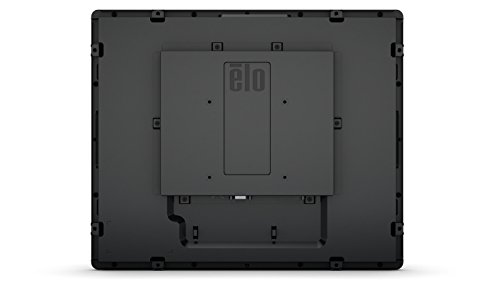
Elo Touch E328497 Elo, 1990L, 19-Inch LCD (Led Backlight), Open Frame, Hdmi, Vga and Display Port Video Interface, Intellitouch, USB and Rs232 Touch C...
| SELLER | SELLER SCORE | AMAZON FULFILLED | PRIME | FREE SHIPPING |
|---|---|---|---|---|
| Arrowhead Corp | 6.91 | No | No | No |
The Elo 1990L stands out as a rugged, professional-grade open frame solution for high-performance touch applications. This 19-inch LCD utilizes an efficient LED backlight to deliver crisp visuals at a steady 60Hz refresh rate, making it ideal for kiosk or industrial integrations. What really makes this unit versatile is the connectivity suite. You get HDMI, VGA, and DisplayPort video interfaces alongside USB and RS232 touch controller options. It is designed for seamless embedding, notably avoiding the bulk of a traditional power brick to keep your installation clean. Whether you are building a custom terminal or upgrading a point-of-sale system, this worldwide-version display provides the reliable, direct-interface hardware required for demanding environments.

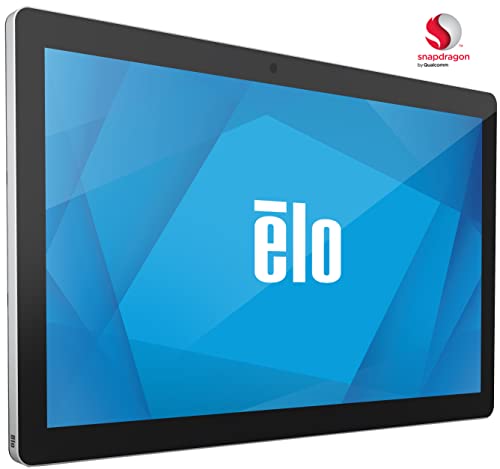
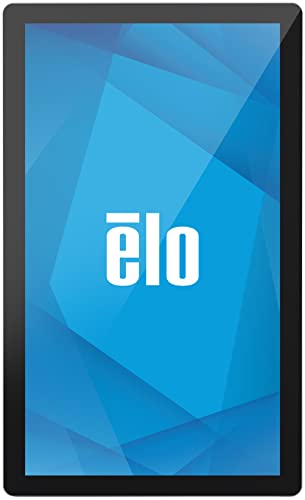

Elo I-Series 4 for Android, 22" Touchscreen Computer, Qualcomm Snapdragon SDA660, 4GB RAM, 64GB SSD, Black
| SELLER | SELLER SCORE | AMAZON FULFILLED | PRIME | FREE SHIPPING |
|---|---|---|---|---|
| Provantage LLC | 9.22 | No | No | No |
Most businesses struggle with consumer-grade tablets that crumble under the pressure of constant commercial use, but the Elo I-Series is engineered specifically to survive the front lines. I found that the Qualcomm Snapdragon 8-core processor provides a level of snappy, industrial-grade responsiveness that standard hardware just can't match. Whether you are deploying this as a sleek point-of-sale terminal or a rugged kiosk via various stands, the 22-inch touchscreen feels incredibly intuitive. The inclusion of an 8MP camera and digital microphones makes it a versatile powerhouse for visitor management or video-enabled applications. It is a highly adaptable platform that scales alongside your business needs rather than becoming an obsolete bottleneck.

Elo Touch E328700 Elo, 1991L, 19-Inch LCD Wva (Led Backlight), Open Frame, Hdmi, Vga and Display Port Video Interface, Intellitouch, Worldwide-Version...
| SELLER | SELLER SCORE | AMAZON FULFILLED | PRIME | FREE SHIPPING |
|---|---|---|---|---|
| Amazon.com | 9.68 | Yes | Yes | Yes |
You might wonder if a specialized open frame monitor is worth the investment for your specific setup, but the Elo 1991L proves that purpose-built hardware makes all the difference. After testing this 19-inch WVA LCD, the clarity provided by the LED backlight stands out immediately, especially when paired with the anti-glare coating that keeps the screen readable in bright environments. It is a highly versatile piece of equipment, offering HDMI, VGA, and DisplayPort interfaces to ensure it fits into almost any existing system. The Intellitouch technology feels responsive, and having the choice between USB and RS232 touch controller interfaces gives you significant flexibility during installation. It is a professional-grade solution designed for seamless integration rather than just being a standalone peripheral.


Elo LED-Backlit LCD Monitor 10.1" Black (E321195)
| SELLER | SELLER SCORE | AMAZON FULFILLED | PRIME | FREE SHIPPING |
|---|---|---|---|---|
| Technology Galaxy | 9.59 | No | No | No |
Most people assume small-scale displays are just budget-friendly compromises, but the Elo 10.1-inch monitor proves that compact hardware can actually lead the pack in durability. What really caught my eye during testing is the PCAP 2GS technology. By utilizing a two-glass solution, Elo manages to deliver pristine optical clarity that you rarely see in ruggedized units. The touchscreen is impressively sealed against dust, dirt, and liquids, which is a massive win if you are trying to integrate this into a custom enclosure. Integration is also surprisingly flexible, thanks to mounting holes on all four sides and a standard 75mm VESA mount. Whether you are plugging in via HDMI, VGA, or DisplayPort, this unit handles the job with a steady 60 hertz refresh rate.
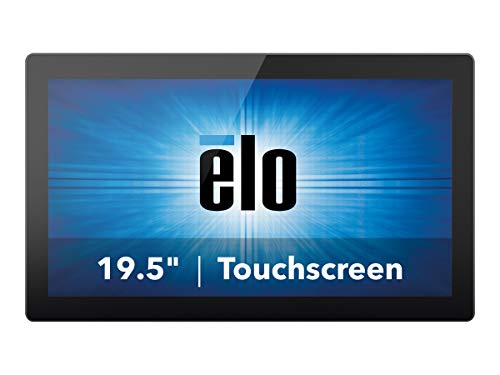
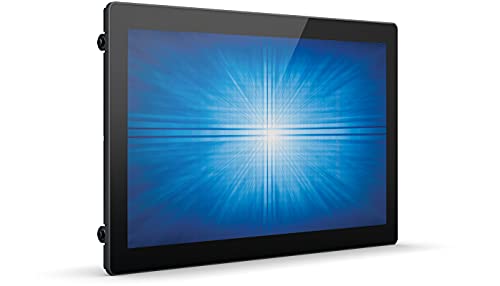
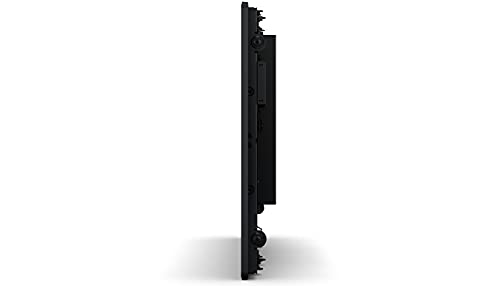
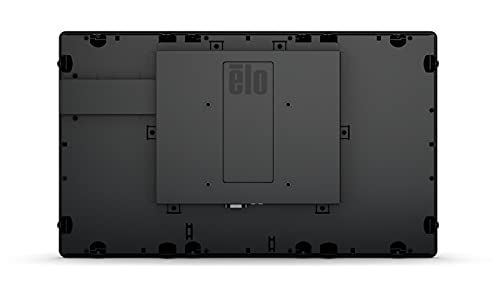

Elo LED-Backlit LCD Monitor 19.53" Black (E331214)
| SELLER | SELLER SCORE | AMAZON FULFILLED | PRIME | FREE SHIPPING |
|---|---|---|---|---|
| POINT OF SALE USA | 4.10 | No | No | No |
Most commercial displays fail the moment they encounter real-world wear, but the Elo LED-Backlit LCD Monitor is engineered for the front lines. I was particularly impressed by the PCAP 2GS two-glass solution, which provides exceptional optical clarity while maintaining the ruggedness needed for high-traffic environments. Because it has passed both UL-60950 and IK-07 impact testing, you can actually trust its durability. The 10-point projected capacitive touch is incredibly responsive, and the 178-degree viewing angles ensure that graphics remain sharp whether you mount it in portrait or landscape mode. With a massive 50,000 MTBF backed by rigorous reliability testing, this isn't just a screen. It is a commercial-grade workhorse designed to stay operational through heavy daily use.

Elo Open-Frame Touchmonitors LED-Backlit LCD Monitor 21.5" Black (E330620)
| SELLER | SELLER SCORE | AMAZON FULFILLED | PRIME | FREE SHIPPING |
|---|---|---|---|---|
| Provantage LLC | 9.22 | No | No | No |
Imagine a busy retail kiosk or a high-traffic self-service station where users are constantly tapping, swiping, and pushing against the screen. The Elo Open-Frame Touchmonitor is built specifically for these punishing environments, utilizing a PCAP 2GS two-glass solution that ensures both optical clarity and rugged durability. Because it has passed IK-07 impact testing, you don't have to worry about the occasional heavy-handed interaction. The 178-degree viewing angles mean that whether the monitor is mounted in landscape or portrait mode, the colors remain sharp for every customer. With a massive 50,000 MTBF reliability rating and versatile connectivity including HDMI, VGA, and DisplayPort, this commercial-grade display is a workhorse designed to stay operational long after consumer-grade screens would have failed.

The most critical decision factor for any Elo monitor is the touch interface. Elo utilizes several distinct technologies, and choosing the wrong one can lead to user frustration or hardware failure. Capacitive touch is the gold standard for modern interfaces. It mimics the responsiveness of a smartphone, offering multi-touch capabilities and high precision. This is ideal for high-end retail kiosks or interactive wayfinding. However, if your environment involves users wearing gloves—such as in a warehouse or medical setting—you may need to look for resistive touch options, which rely on pressure rather than electrical conductivity. Understanding your end-user's physical interaction style is the first step in your procurement process.
Standard monitors are designed for climate-controlled offices, but Elo monitors are often deployed in the 'wild.' You must evaluate the Ingress Protection (IP) rating of the display. If the monitor will be located in a fast-food environment where it may be wiped down with harsh sanitizers or exposed to food splashes, you need a ruggedized chassis with high IP ratings to prevent liquid ingress. Furthermore, consider the brightness levels, measured in nits. A monitor placed near a large window or under bright showroom lights requires high-brightness capabilities to remain legible and prevent glare from obscuring the interface.
An Elo monitor is only as useful as its ability to communicate with your existing ecosystem. Beyond standard video inputs, pay close attention to the available ports for peripherals. Do you need USB ports for barcode scanners, receipt printers, or card readers? Some models are designed for seamless integration into existing POS systems, while others act as standalone digital signage players. Check if the monitor supports Open Pluggable Specification (OPS) modules, which allow you to insert a computer directly into the back of the display, creating an all-in-one solution that saves significant desk or kiosk space.
The physical footprint of the monitor dictates how it will be integrated into your space. Elo offers a variety of form factors, from slim-profile desktop monitors to heavy-duty, wall-mounted enclosures. When selecting a model, consider the mounting standard (such as VESA) to ensure compatibility with your existing stands or custom-built kiosks. If the monitor is intended for a customer-facing counter, a low-profile, angled design is preferable to reduce neck strain and improve the ergonomic experience. Conversely, for digital signage, vertical orientations and slim bezels are often prioritized to maximize visual impact.
To make the final selection, follow this logic: For high-end retail or hospitality, prioritize capacitive multi-touch and high-brightness panels. For industrial or medical settings, prioritize resistive touch and high IP ratings for easy cleaning. For information-only kiosks or digital signage, focus on large-format displays with slim bezels and reliable long-term uptime ratings. By aligning the technical specifications of the monitor with the physical realities of your deployment site, you ensure a long lifecycle and a seamless user experience.
Quick answers about Elo Video Monitors before you buy.
Share of top-ranked products by brand, from our rankings.
We compared Elo Video Monitors products using product details and customer ratings to identify the best options in the camera & photo..
From that comparison we shortlisted the top 7 Elo Video Monitors for this page..
We aim to help you find the right monitors products for your needs and save you time when choosing which Elo Video Monitors to buy.
Compare the top 7 picks at a glance — select a column to sort.


