Best App Wide Format Printers in 2026
- Products Compared
- 16
- Brands Ranked
- 8
When your creative or commercial output outgrows the standard letter-sized page, transitioning to an app-wide format printer is a transformative step for your workflow. These machines are not merely larger versions of home office devices. They are specialized instruments designed to handle oversized media, high-resolution graphics, and complex material textures. Whether you are a professional architect rendering blueprints, a graphic designer producing large-scale marketing banners, or a fine art photographer requiring museum-quality color accuracy, selecting the right wide format printer requires a deep understanding of print technology, media handling, and color management.
Our Top Picks for App Wide Format Printers
The three top picks on this page — ranked by PM Score, our 0–10 measure built from the customer star rating and review volume.
Quick Filter
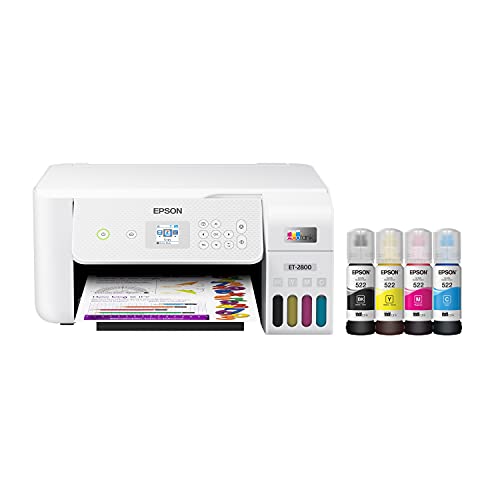
Showing 16 of 16Epson EcoTank ET-2800 Wireless Color All-in-One Cartridge-Free Supertank Printer with Scan and Copy – The Ideal Basic Home Printer - White
Epson EcoTank ET-2800 Wireless Color All-in-One Printer
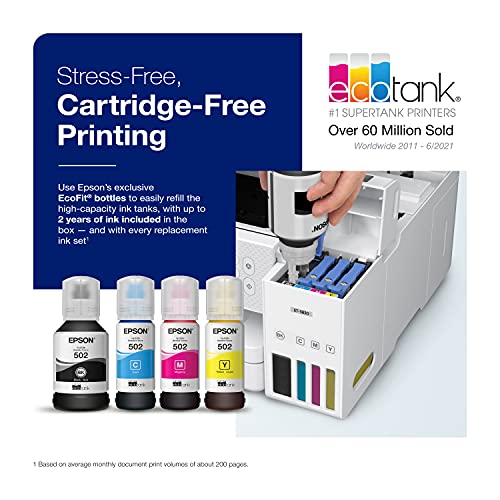
- Innovative Cartridge-Free Printing ― High-capacity ink tanks mean no more tiny, expensive ink cartridges. Epson’s exclusive EcoFit ink bottles make filling easy and worry-free
- Dramatic Savings on Replacement Ink ― Save up to 90% with replacement ink bottles vs. ink cartridges (1) – that’s enough to print up to 4,500 pages black/7,500 color (2), equivalent to about 90 individual ink cartridges (3)
- Stress-Free Printing — Up to 2 years of ink in the box (4) – and with every replacement ink set – for fewer out of ink frustrations
- Zero Cartridge Waste – By using an EcoTank printer, you can help reduce the amount of cartridge waste ending up in landfills
- Impressive Print Quality ― Unique Micro Piezo Heat-Free Technology produces sharp text – plus impressive color photos and graphics – on virtually any paper type
- Built-in Scanner and Copier ― High-resolution flatbed scanner and a color display for easy document copying and navigation
- Modern Connectivity ― Features wireless, plus hands-free voice-activated printing (5). Easily print from your smart device (6) using AirPrint or the intuitive Epson Smart Panel App (7)
- Designed for Reliability ― Worry-free 2-year limited warranty with registration (8), including full unit replacement
- Genuine Epson Ink ― For genuine Epson quality. Use of non-genuine ink could cause damage not covered under the printer’s ltd. wnty.
| SELLER | SELLER SCORE | AMAZON FULFILLED | PRIME | FREE SHIPPING |
|---|---|---|---|---|
| Amazon.com | 9.68 | Yes | Yes | Yes |
Home office users tired of the constant, expensive cycle of buying tiny ink cartridges need to switch to the Epson EcoTank ET-2800 immediately. This printer replaces traditional cartridges with high-capacity ink tanks that utilize a specialized EcoFit filling system, making refills easy and much less stressful. I was particularly impressed by the Micro Piezo Heat-Free Technology, which delivers sharp text and vibrant color photos across various paper types without the high overhead. Since it comes with up to two years of ink included in the box, you can focus on your work rather than worrying about running dry mid-project. Between the built-in scanner, color display, and seamless wireless connectivity via the Epson Smart Panel App, it serves as a reliable, eco-friendly hub for all your basic document and photo needs.
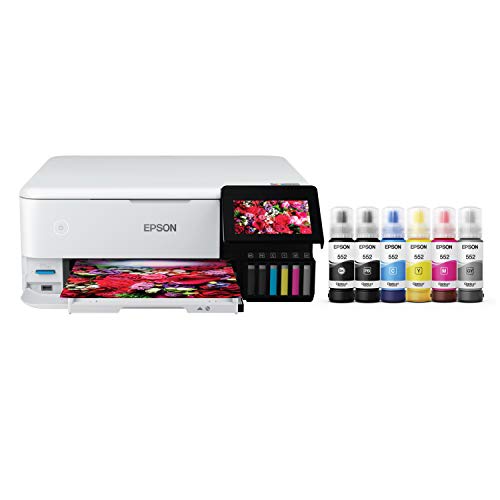
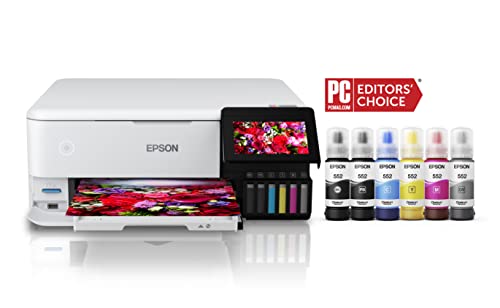
Epson EcoTank Photo ET-8500 Wireless Wide-Format Color All-in-One Supertank Printer with Scanner, Copier, Ethernet and 4.3-inch Touchscreen
Epson EcoTank Photo ET-8500 Wireless All-in-One Printer
- Cartridge-free printing for lab-quality photos, graphics and creative projects — get vibrant colors and sharp text with Epson's high-accuracy printhead and Claria ET Premium 6-color inks. Print a 4 x 6" photo in as fast as 15 seconds (4)
- Extraordinary media handling capabilities —print borderless pictures up to 8.5" x 11" on a variety of paper types including cardstock, CD/DVDs and other specialty media up to 1.3 mm thick. Auto 2-sided printing
- Amazing value — save a ridiculous amount on photos (1) and creative projects with affordable in-house photo printing. Print 4" x 6" photos for about 4 cents each vs. 40 cents with traditional ink cartridges (1)
- Save up to 80% with low-cost replacement ink bottles vs. ink cartridges (3) — that's about Dollar-2000 on each set (3), enough ink to print up to 6,200 pages color (5)
- Print up to 2 years (2) — with each included and replacement ink bottle set
- Zero-cartridge waste — with high-yield ink bottles. Each replacement ink bottle set is equivalent to about 100 individual ink cartridges (6)
- Print, scan and more from your mobile device (7) with Epson Smart Panel app (8) — set up, monitor and operate your printer directly from your mobile device. Supports iOS and Android
- Intuitive touch display and wireless connectivity — 4.3" color display, voice-activated printing (9) and more for fast, easy performance
- Exclusive EcoFit ink bottle design — uniquely keyed for easy filling of each color
- Product protection you can count on — 2-year limited warranty with registration (10)
| SELLER | SELLER SCORE | AMAZON FULFILLED | PRIME | FREE SHIPPING |
|---|---|---|---|---|
| Office Depot LLC | 9.72 | No | No | No |
Creative professionals and dedicated hobbyists will find their holy grail in the Epson EcoTank Photo ET-8500. This isn't just another office printer. It is a specialized powerhouse designed to crush the high cost of photo printing. By ditching traditional cartridges for a Claria ET Premium 6-color ink system, you get lab-quality vibrancy for a fraction of the usual price—we're talking 4 cents per 4x6 photo instead of 40. The media handling is equally impressive, effortlessly gliding through everything from standard paper to thick 1.3 mm cardstock and even CDs. Between the intuitive 4.3-inch touchscreen and the seamless Epson Smart Panel app, managing your creative workflow feels incredibly fluid. It is a massive investment in long-term savings and professional-grade output.
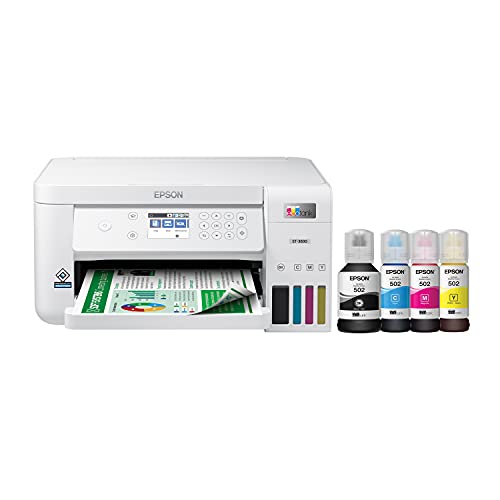
Epson EcoTank ET-3830 Wireless Color All-in-One Cartridge-Free Supertank Printer with Scan, Copy, Auto 2-Sided Printing and Ethernet – The Perfect Pri...
Epson EcoTank ET-3830 Wireless All-in-One Printer
- Innovative Cartridge-Free Printing ― High-capacity ink tanks mean no more tiny, expensive ink cartridges. Epson’s exclusive EcoFit ink bottles make filling easy and worry-free
- Dramatic Savings on Replacement Ink ― Save up to 90% with replacement ink bottles vs. ink cartridges (1) – that’s enough to print up to 7,500 pages black/6,000 color (2), equivalent to about 90 individual ink cartridges (3)
- Stress-Free Printing — Up to 2 years of ink in the box (4) – and with every replacement ink set – for fewer out of ink frustrations
- Zero Cartridge Waste – By using an EcoTank printer, you can help reduce the amount of cartridge waste ending up in landfills
- Impressive Print Quality ― Unique PrecisionCore Heat-Free Technology and Claria ET pigment black ink produce extremely sharp text – plus impressive color photos and graphics – on virtually any paper type
- Robust Paper Handling ― Paper-saving auto 2-sided printing and a 250-sheet paper tray for higher productivity
- Built-in Scanner & Copier ― High-resolution flatbed scanner and a 2.4" color display for easy document copying and navigation
- Modern Connectivity ― Features Ethernet and wireless, plus hands-free voice-activated printing (5). Easily print from your smart device (6) with the intuitive Epson Smart Panel App (7)
- Designed for Reliability ― Worry-free 2-year limited warranty with registration (8), including full unit replacement
- Genuine Epson Ink for Genuine Epson Quality― Epson strongly recommends the use of genuine ink to ensure optimal print quality and performance. Use of non-genuine ink could cause damage not covered under the printer’s ltd. wnty.
| SELLER | SELLER SCORE | AMAZON FULFILLED | PRIME | FREE SHIPPING |
|---|---|---|---|---|
| Amazon.com | 9.68 | Yes | Yes | Yes |
The most expensive part of owning a printer is often the ink, not the machine itself. The Epson EcoTank ET-3830 flips this logic on its head by ditching expensive cartridges for high-capacity, refillable ink tanks. I found the PrecisionCore Heat-Free technology produces incredibly sharp text, while the Claria ET pigment ink handles color graphics with impressive clarity. It is a productivity powerhouse for busy homes, featuring a 250-sheet paper tray and automatic two-sided printing to keep things moving. You can manage everything through the Epson Smart Panel App or even use voice-activated printing. Between the massive ink yields and the reduction in landfill waste, this setup feels like a smarter, more sustainable way to handle heavy document loads without constant refills.
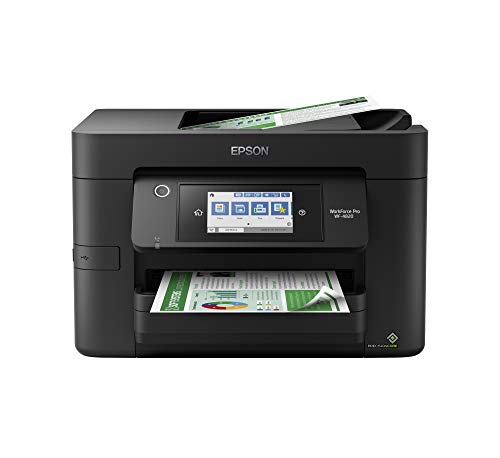
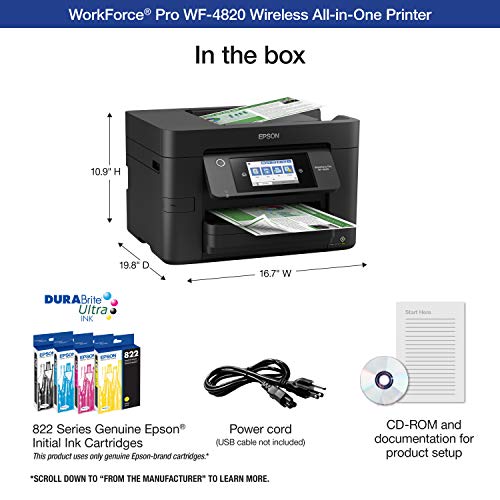
Epson® Workforce® Pro WF-4820 Wireless Color Inkjet All-In-One Printer
Epson Workforce Pro Wireless Color Inkjet All-In-One Printer
- High-speed printing — PrecisionCore Heat-Free Technology delivers high-speed, high-volume printing with 25 black/12 color ISO ppm and fast first-page-out.
- High-precision printing — accurate dot placement and DURABrite Ultra instant-dry pigment inks for professional-quality prints.
- High-volume reliability for heavy workloads — innovative heat-free technology designed for reliability and reduced downtime.
- Easy to use — 4.3" color touchscreen for quick navigation and control, plus all-new Epson Smart Panel App (1) for enhanced connectivity and productivity from your mobile device.
- Designed for productivity — auto 2-sided printing and 1-sided, 35-page ADF streamline workflow.
- Maximize efficiency — with large, 250-sheet paper capacity.
- Convenient, wireless setup — using a smartphone or mobile device (2) with Bluetooth Low Energy (BLE). Also includes built-in wireless, Wi-Fi Direct (3) and Ethernet networking.
- Seamless scanning — Epson ScanSmart supports easy scanning and editing with a user-friendly interface.
- Comprehensive security features — including secure wireless and Secure Data Erase.
| SELLER | SELLER SCORE | AMAZON FULFILLED | PRIME | FREE SHIPPING |
|---|---|---|---|---|
| Office Depot OfficeMax | 9.74 | No | No | No |
After weeks of use in a high-demand home office, the Epson Workforce Pro WF-4820 has proven to be a true productivity workhorse. The PrecisionCore Heat-Free Technology is the real star here, delivering impressive speeds of 25 black and 12 color ISO ppm without the typical downtime associated with traditional heat-based systems. I found the 4.3" color touchscreen incredibly intuitive for quick adjustments, and the Epson Smart Panel App makes mobile printing feel seamless. Whether I am utilizing the 35-page auto document feeder for scanning or relying on the 250-sheet paper capacity for heavy batches, the workflow remains uninterrupted. The DURABrite Ultra inks also ensure that my professional documents dry instantly and look sharp, making this a reliable choice for anyone needing high-volume, high-precision output.
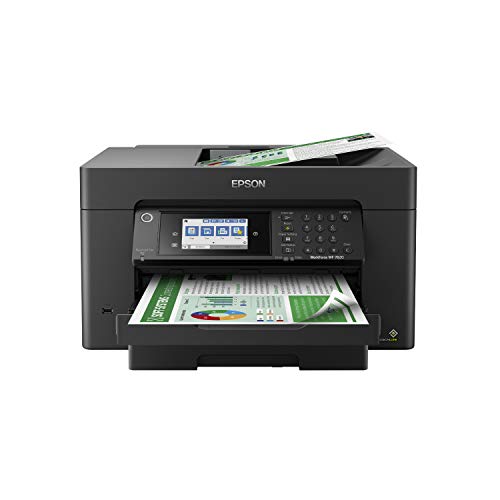
Epson Workforce Pro WF-7820 Wireless All-in-One Wide-Format Printer with Auto 2-Sided Print 13" x 19", Copy, Scan & Fax, 50-Page ADF, 250-sheet Paper...
Epson WorkForce Pro Wide-Format All-in-One Printer
- Epson printing system is designed to be used exclusively with Epson Genuine Cartridges. Use of non-genuine ink could cause damage not covered under the printer’s ltd. wnty.
- High-speed wide-format printing up to 13" x 19" — PrecisionCore Heat-Free Technology delivers high-speed prints, with 25 black/12 color ISO ppm () and fast first-page-out.
- High-precision printing — accurate dot placement and DURABrite Ultra instant-dry pigment inks for professional-quality prints.
- High-volume reliability for heavy workloads — innovative heat-free technology designed for reliability and reduced downtime.
- Complete duplex solution — auto 2-sided print, copy, scan and fax. Plus 50-sheet ADF.
- Maximize efficiency — with large, 250-sheet paper capacity.
- Easy to use — 4.3" color touchscreen for quick navigation and control, plus all-new Epson Smart Panel App (1) for enhanced connectivity and productivity from your mobile device.
- Convenient, wireless setup — using a smartphone or mobile device (2) with Bluetooth Low Energy (BLE). Also includes built-in wireless, Wi-Fi Direct (3) and Ethernet networking.
- Seamless scanning — Epson ScanSmart supports easy scanning and editing with a user-friendly interface.
| SELLER | SELLER SCORE | AMAZON FULFILLED | PRIME | FREE SHIPPING |
|---|---|---|---|---|
| Amazon.com | 9.68 | Yes | Yes | Yes |
Small studios and home offices often struggle to find a machine that handles large-scale layouts without sacrificing daily productivity. The Epson WorkForce Pro WF-7820 solves this by offering impressive 13" x 19" wide-format printing alongside standard office tasks like scanning and faxing. I found the PrecisionCore Heat-Free Technology particularly useful because it delivers high-speed results—hitting 25 black ppm—without the long warm-up times of traditional printers. The DURABrite Ultra pigment inks ensure that your professional prints dry instantly and look sharp. Navigating the device is a breeze thanks to the responsive 4.3" color touchscreen, and the Epson Smart Panel App makes mobile workflows feel incredibly seamless. It is a robust, high-volume workhorse designed to keep your workflow moving.
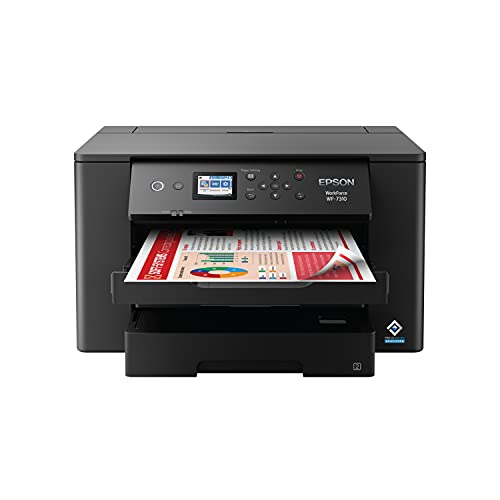
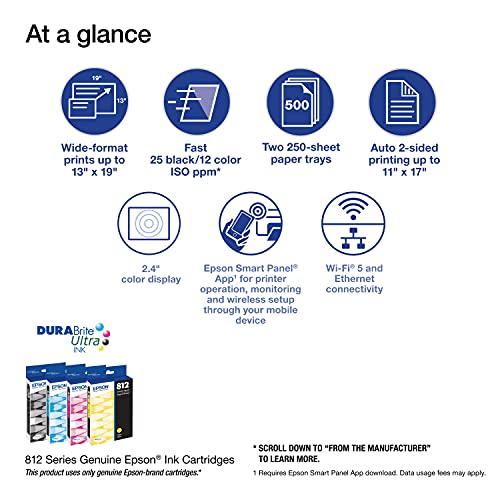
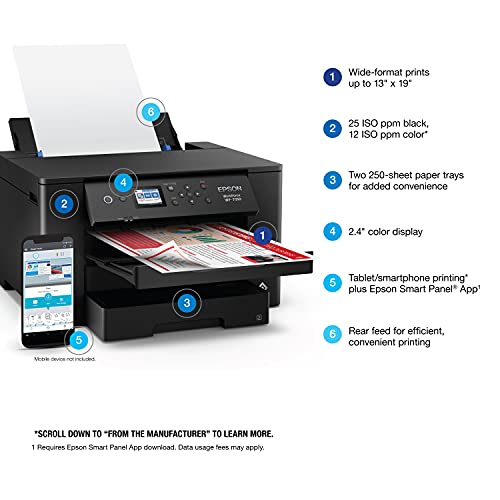
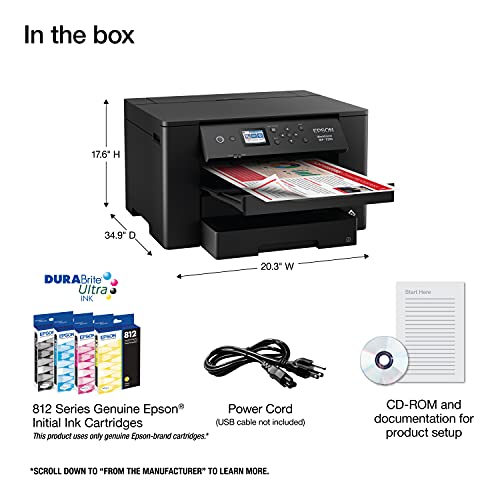
Epson Workforce Pro WF-7310 Wireless Wide-Format Printer with Print up to 13" x 19", Auto 2-Sided Printing up to 11" x 17", 500-sheet Capacity, 2.4" C...
Epson WorkForce Pro Wide-Format Wireless Printer
- Epson printing system is designed to be used exclusively with Epson Genuine Cartridges. Use of non-genuine ink could cause damage not covered under the printer’s ltd. wnty.
- High-performance wide-format printing — accomplish more with fast wide-format printing up to 13" x 19"
- High-speed printing — PrecisionCore Heat-Free Technology streamlines workflow with 25 black/12 color ISO ppm () and fast first-page-out
- Print-shop quality — DURABrite Ultra instant-dry pigment inks deliver sharp text and vivid colors
- Designed for productivity — engineered for durability, reliability and heavy workloads
- 500-sheet paper capacity — easily tackle high-volume print tasks with two 250-sheet trays and a rear feed for efficient, convenient printing
- Convenient navigation and control — features a 2.4" color display, plus Epson Smart Panel App (2) for easy setup and control from smart devices (3)
- Complete wireless solution — stay connected with Wi-Fi 5 compatibility, plus network-free Wi-Fi Direct (1)
- Zero warmup time — and low energy consumption (4) with PrecisionCore Heat-Free Technology
| SELLER | SELLER SCORE | AMAZON FULFILLED | PRIME | FREE SHIPPING |
|---|---|---|---|---|
| Amazon.com | 9.68 | Yes | Yes | Yes |
A marketing agency designer stares at a deadline, needing a crisp 13" x 19" poster printed immediately without waiting for a lengthy machine warmup. The Epson WorkForce Pro WF-7310 handles this pressure with ease, utilizing PrecisionCore Heat-Free Technology to deliver instant-dry pigment inks that look professional right off the tray. I was particularly impressed by how the dual 250-sheet trays and rear feed manage high-volume workloads without constant refilling. Navigating tasks feels intuitive thanks to the 2.4" color display, and if you prefer working from your phone, the Smart Panel App makes wireless control seamless. It is a heavy-duty workhorse that balances wide-format versatility with the speed required for a busy office environment.
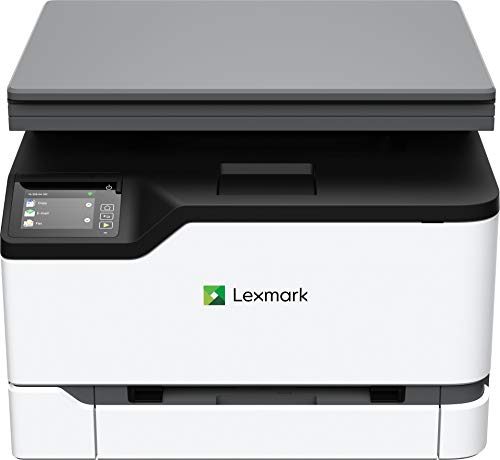
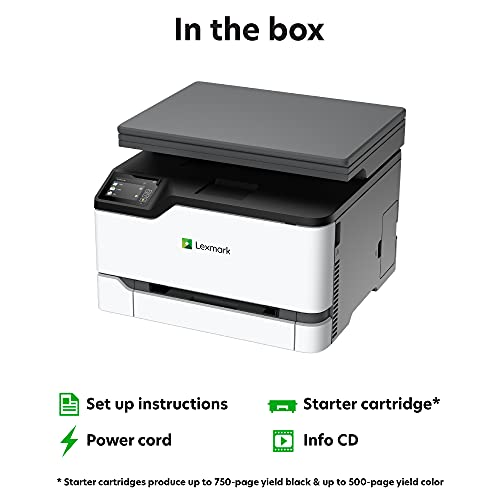
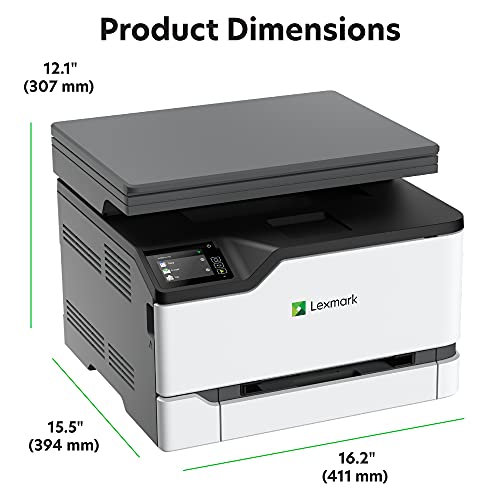
Lexmark MC3224dwe Color Multifunction Laser Printer with Print, Copy, Scan, and Wireless Capabilities, Two-Sided Printing with Full-Spectrum Security...
Lexmark MC3224dwe Color Multifunction Laser Printer
- Multifunction color compact device that fits almost anywhere and can print, copy, and scan with a tray capacity up to 250 pages, plus single-sheet feeder with a color touch screen
- Wireless. Setup is fast and easy. Standard Wi-Fi makes it easy to print from mobile devices. Usb and Ethernet connectivity also available. Mobile support via Lexmark mobile print app, Morea, Air Print, and Google cloud Print
- Secure. Includes Lexmark’s full-spectrum security architecture keep your information safely The document, on the device, over the network and at all points in between.
- Output that works. Capable of printing up to 24 pages per minute, 1-GHz dual-core processor and 512 MB of memory and standard two-sided printing
- Environmentally friendly. Rated EPEAT Silver and energy Star Certified with Lexmark toner cartridge recycling available. That benefits the planet and your budget.
- Form Factor: All-in-One
| SELLER | SELLER SCORE | AMAZON FULFILLED | PRIME | FREE SHIPPING |
|---|---|---|---|---|
| eCOMMERCEBUSINESSPRIME | 9.40 | No | No | No |
The Lexmark MC3224dwe Color Multifunction Laser Printer delivers enterprise-grade security in a footprint small enough to sit on almost any desk. I was particularly impressed by how this compact all-in-one manages to balance speed and intelligence, utilizing a 1-GHz dual-core processor to hit 24 pages per minute without breaking a sweat. Whether you are printing, copying, or scanning, the color touch screen makes navigation feel intuitive rather than a chore. Setting up the wireless connectivity is a breeze, allowing for seamless mobile printing via AirPrint or Google Cloud Print. It is a rare find that offers robust two-sided printing and full-spectrum data protection while remaining environmentally conscious with its EPEAT Silver rating.
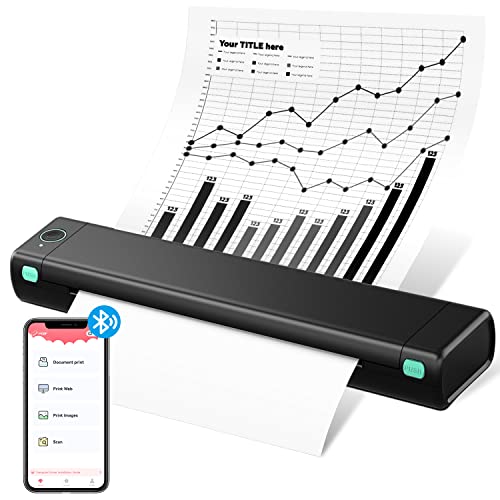
Odaro M08F Letter Portable Printer Wireless for Travel, Bluetooth Thermal Printer Inkless, Small Compact Printer Support 8.5" X 11" Letter Size Therma...
Odaro M08F Portable Wireless Thermal Printer
- Best Portable Gift: The thermal printer is an ideal choice to be given to your family or friends. A mini portable printer can bring more convenience to your life. Because you can print in anywhere, like when you are in travel, vehicles, office, home, school and other places.
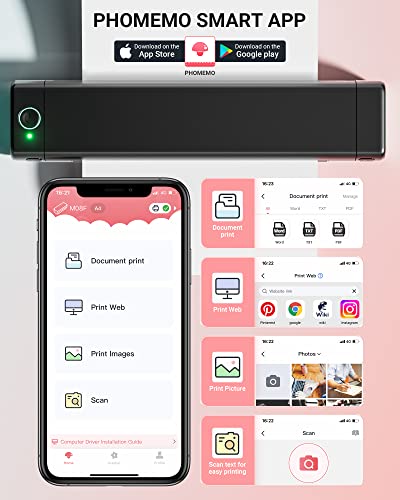
- Easy Use For Everyone: The mobile printer is very easy to use. Only 1 minute to start phone print. Just download the free APP, turn on Bluetooth and connect the M08F device to print.
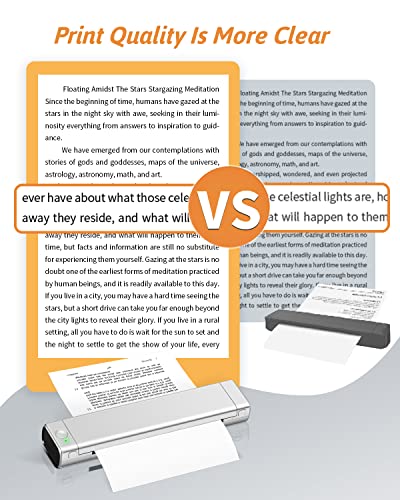
- Save Money & Print Clearly: Save your money! The inkless printer does not need expensive ribbon or ink, only needs our thermal label paper. It can clearly print and support multiple print types, like word, txt, pdf, website content and graphics.
- Compatible Multiple Devices: The wireless printer can support IOS and Android mobile phones. also be compatible with MAC and Windows system computers, laptops, and tablet computers.
- Easy To Charge: Don't worry that the mini compact printer has no power and will affect the work. This smart electronics printer can be connected to a variety of devices for charging. Such as a power bank, power adapter, car charger, laptop charger and other chargers.
| SELLER | SELLER SCORE | AMAZON FULFILLED | PRIME | FREE SHIPPING |
|---|---|---|---|---|
| Odarol | 9.91 | Yes | Yes | Yes |
Traditional desktop printers are a massive headache for anyone who needs to work on the move. The Odaro M08F changes that by offering a compact, inkless solution that fits right into your travel kit. I found the setup incredibly fast. You just download the app, toggle your Bluetooth, and you are printing in about a minute. Since it uses thermal technology, you can finally stop worrying about buying expensive ink or ribbons, as it only requires thermal paper to function. Whether I was pulling up a PDF on my phone or a document from my laptop, the wireless connectivity remained stable across iOS, Android, and Windows. It even charges easily via a power bank, making it a reliable companion for remote work or school.
Odaro M08F Letter Portable Printer Wireless for Travel, Bluetooth Thermal Printer Inkless, Small Compact Printer Support 8.5" X 11" Letter Size Therma...
Odaro M08F Portable Wireless Thermal Printer
- Best Portable Gift: The thermal printer is an ideal choice to be given to your family or friends. A mini portable printer can bring more convenience to your life. Because you can print in anywhere, like when you are in travel, vehicles, office, home, school and other places.
- Easy Use For Everyone: The mobile printer is very easy to use. Only 1 minute to start phone print. Just download the free APP, turn on Bluetooth and connect the M08F device to print.
- Save Money & Print Clearly: Save your money! The inkless printer does not need expensive ribbon or ink, only needs our thermal label paper. It can clearly print and support multiple print types, like word, txt, pdf, website content and graphics.
- Compatible Multiple Devices: The wireless printer can support IOS and Android mobile phones. also be compatible with MAC and Windows system computers, laptops, and tablet computers.
- Easy To Charge: Don't worry that the mini compact printer has no power and will affect the work. This smart electronics printer can be connected to a variety of devices for charging. Such as a power bank, power adapter, car charger, laptop charger and other chargers.
| SELLER | SELLER SCORE | AMAZON FULFILLED | PRIME | FREE SHIPPING |
|---|---|---|---|---|
| Odarol | 9.91 | Yes | Yes | Yes |
Digital nomads and frequent travelers will find the Odaro M08F to be an absolute game-changer for staying productive on the move. I was impressed by how this silver, compact device manages to handle full 8.5" x 11" letter-sized paper without feeling bulky in a bag. Since it uses thermal technology, you can finally ditch the headache of carrying expensive ink cartridges or ribbons. You just need the thermal paper and you are good to go. Setting it up is incredibly fast, taking about a minute to connect via Bluetooth through a free app. Whether you are printing PDFs from a laptop or quick graphics from an Android or iOS device, the clarity is surprisingly sharp. Plus, the ability to charge it via a simple power bank or car charger makes it a reliable companion for long trips.
Portable Bluetooth Wireless Thermal Mobile-Printer - Compact Inkless Printer for Travel, Support Phone & Laptop, Small Printers for Home Use Vehicles...
Itari Portable A4 Wireless Thermal Printer
- Portable Printer: M08F-A4 portable printers wireless for travel is compact and portable.This wireless portable printer fit easily into your briefcase or computer bag, and can be quickly used in any vehicle or small work area.The weight of M08F-A4 mobile printer is 1.57LB only,80% smaller in size and weight than traditional printers.
- Thermal Printing Wireless Printer:M08F-A4 impresora portatil using advanced Direct Thermal Printing Technology and provides crisp text and graphics every time, without the need to purchase ink, toner or ribbon,which is more environmentally friendly and safer.ATTENTION: 1.This printer only support thermal paper not normal paper)
- High Compatible Travel Printer- M08F-A4 bluetooth printer not only support IOS and Android mobile phone by Bluetooth connection, also support USB connection for mac OS, Windows & Chrome))
- Large Battery Capacity: M08F-A4 portable thermal printer built in 1200mAh rechargeable battery. which can print up to 140 sheets A4 thermal paper when fully charged, meeting your needs for office work.(A4 size: 8.27 x 11.6 inches)
- Easy to Use: This small portable printer is quite easy to set up. Just install the app on your phone or tablet to print your documents or pictures with one click, or connect to a computer via a Type-C cable for printing.
| SELLER | SELLER SCORE | AMAZON FULFILLED | PRIME | FREE SHIPPING |
|---|---|---|---|---|
| Itari-Direct | 6.75 | Yes | Yes | Yes |
You would never guess that a device weighing just over a pound could replace a bulky desktop setup for your mobile office needs. The Itari portable printer is a game-changer for anyone tired of lugging heavy equipment through airports or between client meetings. Because it utilizes advanced direct thermal technology, you can completely ditch the expensive ink, toner, and ribbons that usually clutter up a workspace. It slides easily into a briefcase and connects seamlessly via Bluetooth to your phone or through a Type-C cable to your laptop. While you must remember to use specific thermal paper rather than standard sheets, the ability to print up to 140 A4 pages on a single 1200mAh charge makes it an incredibly reliable companion for traveling professionals and students alike.
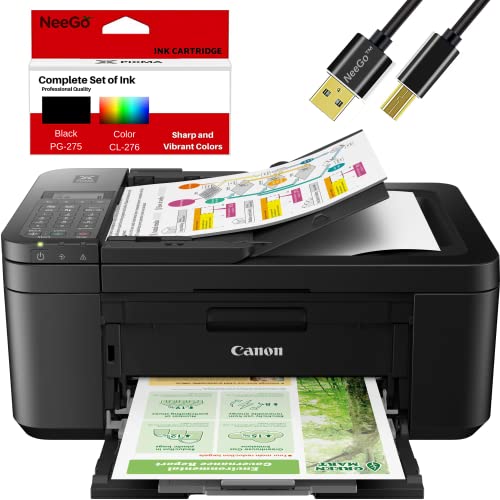
Canon Wireless Pixma TR-Series Inkjet All-in-one Printer with Scanner, Copier, Mobile Printing and Cloud + Bonus Set of NeeGo Ink
Canon PIXMA TR-Series Wireless All-in-One Printer
- EASY SETUP: With Wireless Connect and the Canon Print app, use your smartphone to quickly and easily set up your printer and print right from your smartphone or tablet
- BONUS SET OF INK: The Wireless inkjet Wi-Fi printer was designed with you in mind to deliver exceptional results and look great with its multiple color options.
- STYLISH & COMPACT. The Wireless printer is the all-in-one that fits perfectly anywhere in the home, is simple to use, and delivers outstanding quality results every time. Enjoy the simplicity of connecting your smartphone, tablet and all your favorite devices with ease
- PRINTING FEATURES: With features like AirPrint2, Auto 2-Sided (Duplex) Printing, Borderless Printing4, Canon PRINT app3, Document Printing, Easy-PhotoPrint Editor Software/app 8, Google Cloud Print9, Message In Print10, Mopria Print Service5, Photo Printing, PIXMA Cloud Link3, Template Print, Wireless Printing it's easy to see why PIXMA printers are so simple to use. Features a 4800 x 1200dpi (Black and color) Print resolution quality and 600 x 1200dpi scan resolution quality
- SCANNER FEATURES: Auto Document Feeder (ADF), Auto Scan Mode13, Document Removal Reminder, Save to PC, Scan to Canon PRINT app3, Multi-Page PDF, Wireless Scanning1
| SELLER | SELLER SCORE | AMAZON FULFILLED | PRIME | FREE SHIPPING |
|---|---|---|---|---|
| PHOTOTECH | 9.90 | Yes | Yes | Yes |
Small home offices often struggle with bulky equipment that eats up precious desk real estate and complicates connectivity. This Canon PIXMA TR-Series setup solves that headache by combining a compact, stylish footprint with a robust suite of wireless capabilities. I found the integration with the Canon PRINT app and AirPrint incredibly seamless, allowing for quick mobile printing without fumbling with cables. The inclusion of a bonus NeeGo ink set is a massive win for immediate productivity right out of the box. Beyond simple documents, the 4800 x 1200dpi resolution ensures photo printing looks sharp, while the Auto Document Feeder makes scanning multi-page PDFs a breeze. It is a versatile, space-saving powerhouse for anyone needing reliable scanning, copying, and printing in one unit.
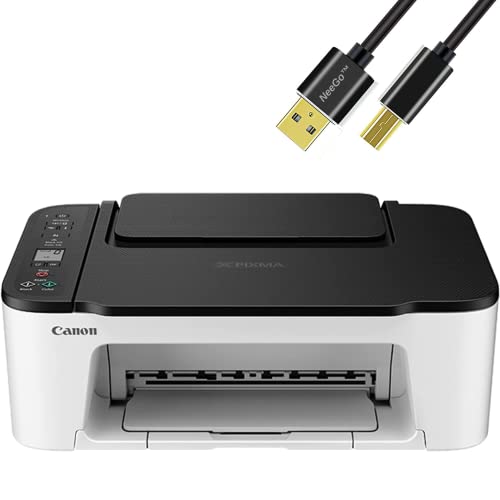
NEEGO Canon Wireless Inkjet All in One Printer, Print Copy Fax Scan Mobile Printing with LCD Display, USB and WiFi Connection with 6 ft Printer Cable
NEEGO Canon Wireless All-in-One Inkjet Printer
- PRINTING MADE EASY - With the PIXMA Printer, enjoy a quick and easy setup with Wireless Connect and an improved Web Getting Started Guide. In no time you’ll be printing crisp black text & documents, and vivid 5"x7" borderless photos5 all from a two FINE Hybrid ink cartridge system.
- SIMPLE CONNECTIVITY - Print easily from your computer or mobile devices with a high-speed USB connection or Wi-Fi connection. You can also easily print from your mobile devices using the Canon PRINT app, AirPrint, Mopria Print Service, or from computers with built-in Wi-Fi.
- 1.5" SEGMENT LCD SCREEN - Use the intuitive 1.5" segment LCD screen with straight-forward buttons for printing, copying, and scanning directly from the printer to allow you to have an easy and intuitive printing experience.
- EXCELLENT PRINT RESOLUTION GIVES YOU HIGH QUALITY PRINTS - The printers 4800 x 1200 DPI print resolution gives you rich and bright photos up to 8.5 x 14"
- FAST PRINT SPEED - The printer will print documents at fast speed. Black Document (Letter/Simplex): Approx. 7.7 ipm12, Color Document (Letter/Simplex): Approx. 4.0 ipm12 and 4 x 6 Borderless Photo (PP-201): Approx. 65.0 Seconds12.
| SELLER | SELLER SCORE | AMAZON FULFILLED | PRIME | FREE SHIPPING |
|---|---|---|---|---|
| PHOTOTECH | 9.90 | Yes | Yes | Yes |
The NEEGO Canon Wireless Inkjet All in One Printer delivers impressive 4800 x 1200 DPI resolution that makes borderless photo printing feel like a premium experience. Setting this up is surprisingly painless thanks to the improved Web Getting Started Guide and seamless wireless connectivity options. I found the 1.5" segment LCD screen incredibly helpful for navigating tasks like scanning or copying without needing to hunt through a computer menu. Whether you are printing black documents at 7.7 ipm or snapping out a 4x6 photo in about 65 seconds, the speed feels snappy for a home office. It handles everything from mobile printing via AirPrint to traditional USB connections with ease, making it a versatile workhorse for anyone needing a reliable, all-in-one solution.
Phomemo Mini Thermal Printer M03AS Notes Printer Inkless Pocket Printer 300dpi, Compatible with 15/53/80mm Sizes Paper, Great for memo/flashcards/Stic...
Phomemo M03AS Wide Format Mini Thermal Printer
- New version thermal printer-Phomemo M03AS upgraded wide format mini printer, cute envelope shape, compatible with three sizes of thermal paper, 15mm/53mm/80mm, both can print file and small labels.
- Highly Resolution - Phomemo M03AS portable thermal printer adopts thermal printing technology, HD resolution is 300dpi, no ink or ribbon is required. The printed pattern or text is clear and neat, and will not drop ink and will not turn black over time.
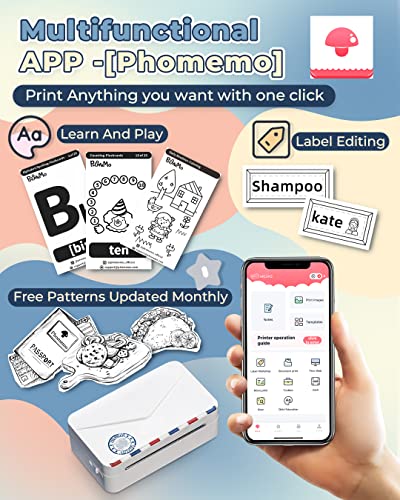
- Bluetooth Portable Printer - Use [Phomemo] APP and connect to the printer for editing, you can print photos, text, web pages, documents, labels, etc., support 11 national languages, 50+ fonts, hundreds of free patterns can be used, and updated monthly.
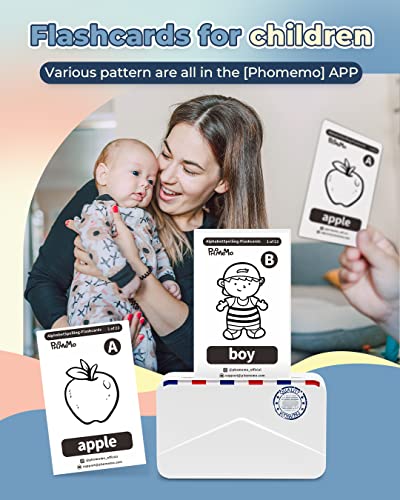
- Early Education Function - 2022 Phomemo APP new function, you can use the patterns inside to print flashcards for children's education, such as alphabet or number flashcards, you can also print the games or coloring pages to play with your kids, a very convenient and useful printer for preschoolers to learn.
- Multifunctional Mini Printer - Phomemo M03AS is suitable for everyone, simple and convenient, you can print photos, notes or labels at home, print documents at school or office, and is also a very good gift choice for holidays or birthdays.
| SELLER | SELLER SCORE | AMAZON FULFILLED | PRIME | FREE SHIPPING |
|---|---|---|---|---|
| Phomemo | 9.85 | Yes | Yes | Yes |
Students and organized professionals will find the Phomemo M03AS to be an absolute game-changer for on-the-go documentation. This upgraded wide-format printer ditches the traditional ink-and-ribbon headache, utilizing high-resolution 300dpi thermal technology to produce crisp, smudge-free text and images. What really sets it apart is the versatility. You can switch between 15mm, 53mm, and 80mm paper sizes to handle everything from tiny labels to full documents. The dedicated app makes customization effortless with dozens of fonts and patterns, and I was particularly impressed by the early education features that allow parents to print custom flashcards and coloring pages. It is a rare piece of tech that feels equally useful for a high-stakes office environment and a preschooler's learning toolkit.
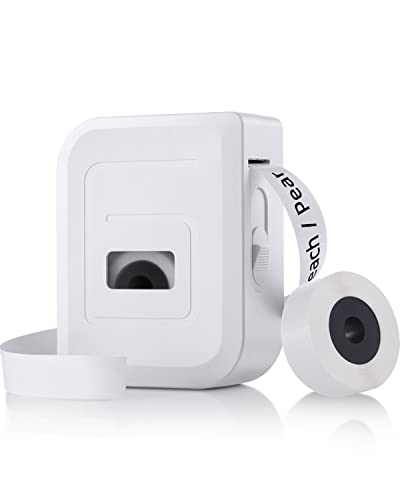
OROSAUR Label Makers Machine with Tape, HP1 Portable Mini Bluetooth Printer Label Maker for Home Storage,Office Organization,School,Wireless Thermal U...
OROSAUR HP1 Portable Bluetooth Thermal Label Maker
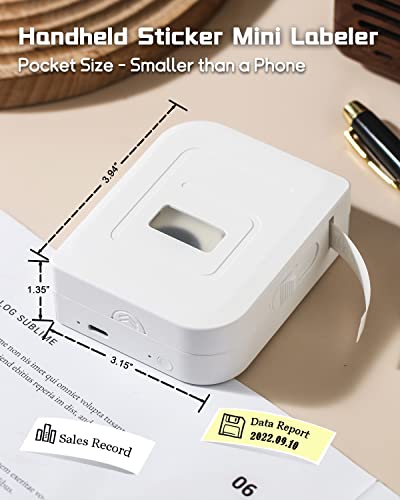
- UPGRADED VERSION: This HP1 thermal label maker machine with tape does not require ink or toner. With the newest technology, its 203dpi guarantees finer printing quality. You can print labels directly from your smart phone or pad via bluetooth. The small handheld labelmaker can be easily slipped into your pocket or bag. Smaller, lighter, more stylish and convenient.
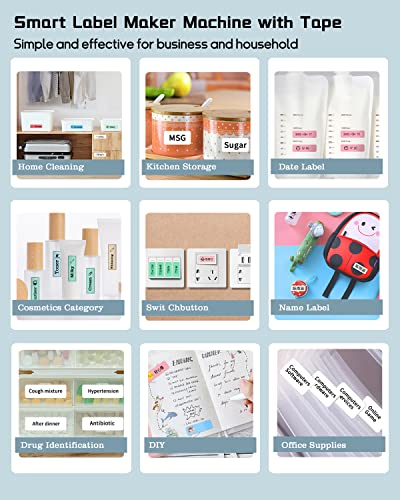
- WIDELY USED: As a portable label maker, it has a wide range of applications in our life. The labeler machine can be used for sorting food in refrigerators and storage jars. Clothing and luggage sorting in closets. Stationery and file sorting. Sorting of cosmetics and jewelery as well as various sorting of laboratory utensils. Apart from that, it is also an ideal gift for Christmas/Mother's Day/Father's Day/New Year etc.
- EASY TO USE: Such mini label maker eliminates the keyboard buttons and letter format of traditional label printers. The HP1 connects easily to your iOS or Android device via Bluetooth. It can use the internal hand cutter to design labels of different lengths and print out your desired label. With a built-in 1000mAH battery, it supports more than three hours of continuous printing.
- DURABLE & EASY TO CLEAN: General label makers adopts thermal technology, this HP1 wireless mini label-maker is more resistant to freezing, high temperature, water, oil and UV etc. It is more durable and has the functions that BPA should have. No sticky residue is left when the label is removed. Take it how you want and stay where you need it, greatly improving your satisfaction.
- MULTIPLE LABEL TEMPLATES & CUSTOMIZE YOUR OWN LABELS: This bluetooth thermal label printer not only supports built-in templates, but also supports a variety of common artistic fonts, office and life icons, simple label borders, small pictures, text, number, logo, barcode, QR Code printing. With its powerful APP you can easily design your personalized labels.
| SELLER | SELLER SCORE | AMAZON FULFILLED | PRIME | FREE SHIPPING |
|---|---|---|---|---|
| BongC | 6.29 | Yes | Yes | Yes |
The OROSAUR HP1 is a pocket-sized organizational powerhouse that swaps clunky physical keyboards for seamless smartphone control. I was impressed by the 203dpi print clarity, which makes even tiny text on spice jars or office files look incredibly sharp. Because it uses advanced thermal technology, you never have to worry about hunting for ink or toner cartridges. The Bluetooth connectivity via the dedicated app is snappy, allowing you to play with artistic fonts, icons, and even QR codes before hitting print. It feels rugged enough to handle kitchen oils or freezer condensation, and the built-in cutter makes customizing label lengths a breeze. Whether you are tidying a pantry or labeling laboratory gear, this lightweight tool makes professional-grade organization feel effortless.
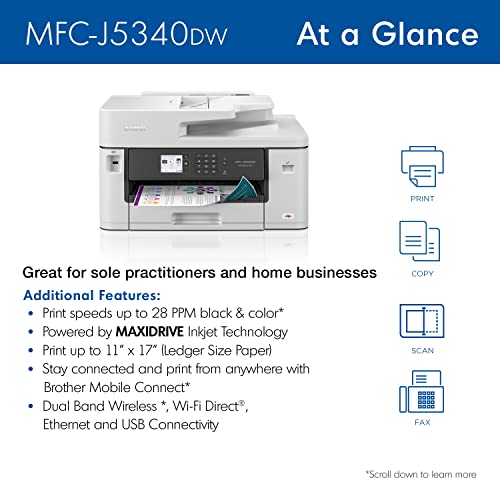
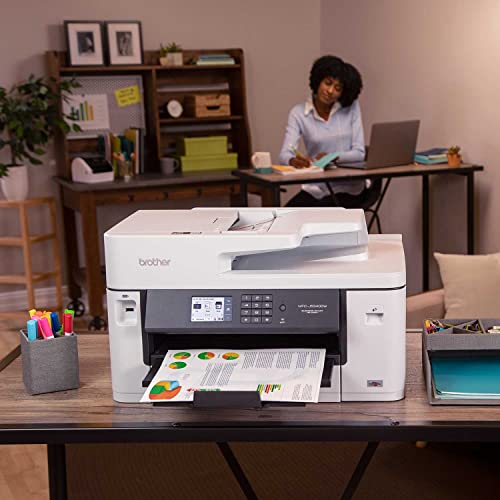
Brother MFC-J5340DW Business Color Inkjet All-in-One Printer with Printing up to 11”x17 (Ledger) Size Capabilities
Brother MFC-J5340DW Business Color Inkjet All-in-One Printer
- FEATURES BROTHER MAXIDRIVE INKJET TECHNOLOGY: Delivering Brother’s fastest and most durable traditional color inkjets ever.
- TRIPLE LAYER SECURITY HELPS KEEP DOCUMENTS SECURE: Helps create secure connections to the device and network, safeguarding sensitive documents while printing.
- PRINTS UP TO 11” X 17” (LEDGER) SIZE PAPER: Print up to 11"x17" from a 250-sheet capacity paper tray(1) or the single sheet bypass tray. Use the 50-page automatic document feeder(1) to copy, scan or fax up to 8.5"x11" (Letter) size capabilities.
- CONNECT YOUR WAY – built-in dual band wireless(2.4GHz / 5GHz)(2), Wi-Fi Direct, Ethernet, local USB connection, or print & scan on-the-go through the Brother Mobile Connect App(3)
- PRINT CONFIDENTLY WITH BROTHER GENUINE INK: From homework to business reports, Brother Genuine Ink is engineered to perform optimally with your Brother Color Inkjet printer.
| SELLER | SELLER SCORE | AMAZON FULFILLED | PRIME | FREE SHIPPING |
|---|---|---|---|---|
| Amazon.com | 9.68 | Yes | Yes | Yes |
Most small offices settle for standard letter-sized printers that struggle with large-format layouts, but this Brother inkjet breaks that limitation by handling up to 11”x17” ledger paper. I found the Maxidrive technology makes a noticeable difference in speed and durability, which is essential when you are churning through business reports. It handles everything from scanning via the 50-page automatic document feeder to printing on the go through the mobile app. Security is a major plus here too. The triple-layer protection ensures your sensitive documents stay safe on the network. Whether you are using the dual-band wireless or a direct Ethernet connection, it feels like a robust, professional tool designed to keep a busy workspace running without constant interruptions.
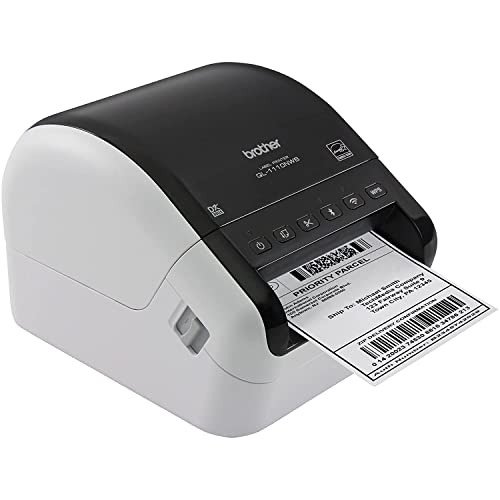
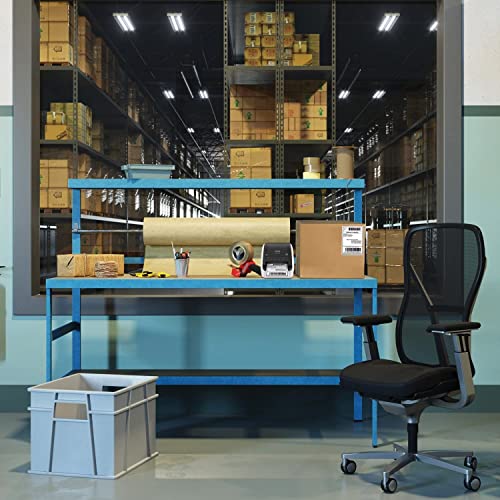
Brother QL-1110NWB Label Maker, Shipping Labeller, Wireless, PC Connected, Network and Bluetooth, Desktop, Wide Format 4 Inch Labels - Print via USB,...
Brother QL-1110NWB Wireless Wide Format Label Printer
- Brother QL-1110NWB with Ethernet and Bluetooth allows you to print black labels using Brother's DK pre-sized, easy-peel labels for packages, envelopes, file folders, name badges, postage, and more.
- It can print up to 69 standard address labels per minute, with black text at 300 dpi. An auto cutter allows for printing one or multiple labels at a time, eliminating wasted label sheets. Additionally, the QL-1110NWB prints via USB, Ethernet, or Bluetooth.
- The "Plug & Label" feature supports quick label printing of basic labels, which does not require software installation for Windows computers. The P-touch Editor software for Windows and Mac lets you customize your labels. You can also print from Microsoft Word, Excel, and Outlook. When using genuine Brother DK drop-in rolls, you do not need ink or toner.
- Create and print labels from your mobile device when connected to a wireless network via AirPrint or the Brother iPrint&Label app. Using the free Brother iPrint&Label app with your Apple iPhone, iPad, and iPod touch, or Android smartphones, you can quickly access and print label templates.
- In the Box: Brother Wide Format Professional Label Printer with Ethernet and Bluetooth. 41 x DK-1247 Die-Cut Large Shipping Label. DK-2205 2.4" / 6.2mm Continuous Length Black on White Paper Tape (26.2' / 8m). USB Cable. AC Adapter.
| SELLER | SELLER SCORE | AMAZON FULFILLED | PRIME | FREE SHIPPING |
|---|---|---|---|---|
| Tech Plus Pro | 9.24 | No | No | No |
The Brother QL-1110NWB stands as a powerhouse desktop shipping solution that bridges the gap between simple office labeling and high-volume logistics. After testing its versatility, it is clear that the real magic lies in the connectivity. Whether you are pulling a job from a PC via Ethernet or firing off a quick label from an iPhone using AirPrint, the workflow is seamless. It handles massive tasks with ease, cranking out up to 69 address labels per minute at a crisp 300 dpi. I particularly appreciated the auto-cutter feature, which prevents the headache of wasted label sheets by trimming exactly what you need. Between the 'Plug & Label' convenience for Windows users and the deep customization available through P-touch Editor, this machine scales perfectly from basic name badges to complex shipping workflows.
A Guide to Selecting the Best App Wide Format Printers
Determine Your Primary Output Type
The first decision in selecting a wide format printer is defining your primary use case, as the technology required for a technical blueprint is vastly different from that required for a fine art photograph. If your work is primarily technical—such as CAD drawings, architectural schematics, or engineering layouts—you should prioritize a plotter-style printer that emphasizes line precision and speed over color depth. These machines are optimized for high-contrast black lines and rapid-fire printing of large-scale documents.
Conversely, if you are working in the realm of fine art or commercial signage, you need a photo-quality wide format printer. These models focus on high ink counts (often utilizing pigment-based inks rather than dye-based) to achieve a wider color gamut and smoother gradients. For signage, you may even need to consider specialized printers capable of handling vinyl, canvas, or backlit films.
Ink Technology and Color Management
Understanding the chemistry of the ink is critical for long-term cost and quality. Pigment inks are generally preferred for professional work because they are more resistant to fading and water, making them ideal for archival prints and outdoor signage. Dye-based inks, while often cheaper and capable of producing very vibrant colors, are more susceptible to UV degradation.
Furthermore, look for printers that offer advanced color management capabilities. High-end wide format printers often include integrated color calibration tools or support for ICC profiles, which allow you to ensure that the colors you see on your monitor are exactly what emerges on the media. For professional environments, a printer with more ink channels (e.g., 8 to 12 colors versus the standard 4) will provide much better color transitions and a wider range of hues.
Media Handling and Versatility
A wide format printer is only as useful as the materials it can process. Evaluate the 'media path' of the machine. Does it support heavy-weight art paper, or is it limited to thin bond paper? Does it feature a multi-roll feeder, allowing you to switch between different media types without manual intervention?
Pay close attention to the maximum roll width. While a 24-inch printer is a great entry point for small studios, a 36-inch or 44-inch machine provides the necessary real estate for large-scale posters and professional blueprints. Additionally, consider the presence of an integrated cutter. An automatic, precision cutter is essential for maintaining a professional workflow and preventing media waste.
Workflow Integration and Connectivity
Wide format printers generate massive file sizes. Ensure the printer has sufficient onboard memory and robust connectivity options, such as high-speed Ethernet or reliable Wi-Fi, to prevent bottlenecks during the print process. If you are working in a collaborative studio, look for models that support network printing and can be managed via centralized print servers. Finally, consider the footprint. These machines require significant desk or floor space and often need a dedicated environment with controlled humidity to prevent media curling or ink drying issues.
Frequently Asked Questions
Quick answers about App Wide Format Printers before you buy.
Our App Wide Format Printers Rankings
Top 10 App Wide Format Printers Brands on Amazon
Share of top-ranked products by brand, from our rankings.
How We Selected These Products
We compared App Wide Format Printers products using product details and customer ratings to identify the best options in the electronics..
From that comparison we shortlisted the top 16 App Wide Format Printers for this page..
We aim to help you find the right printers products for your needs and save you time when choosing which App Wide Format Printers to buy.
Comparison Table
Compare the top 16 picks at a glance — select a column to sort.