#TOP1
For creative professionals, architects, and graphic designers operating within the macOS ecosystem, a wide-format printer is more than just a peripheral. It is the final bridge between a digital canvas and a physical masterpiece. Unlike standard desktop inkjet printers, wide-format machines are engineered to handle oversized media, high-fidelity color accuracy, and intricate line work. However, finding a machine that integrates seamlessly with Mac software and hardware workflows requires a nuanced understanding of print heads, color management profiles, and connectivity. This guide is designed to help you navigate the technical complexities of wide-format printing to ensure your hardware matches the caliber of your creative output.
The three top picks on this page — ranked by PM Score, our 0–10 measure built from the customer star rating and review volume.


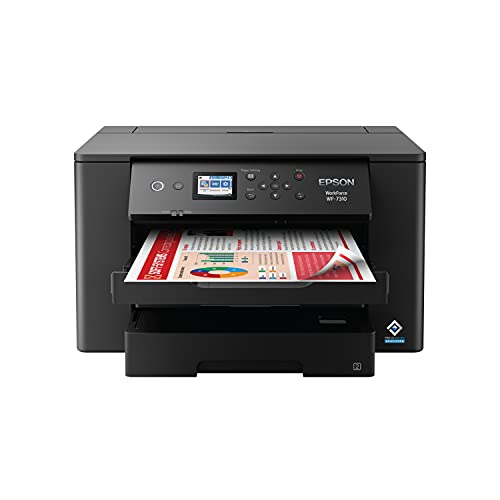

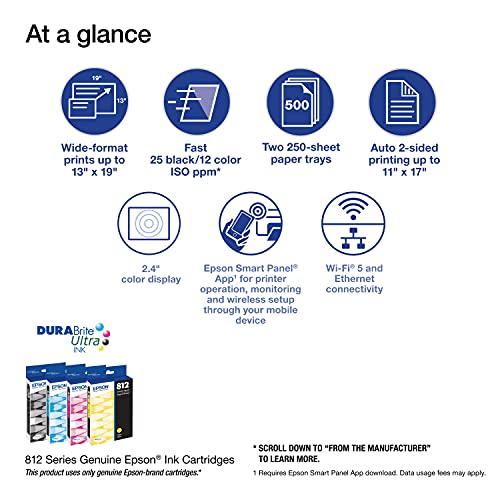
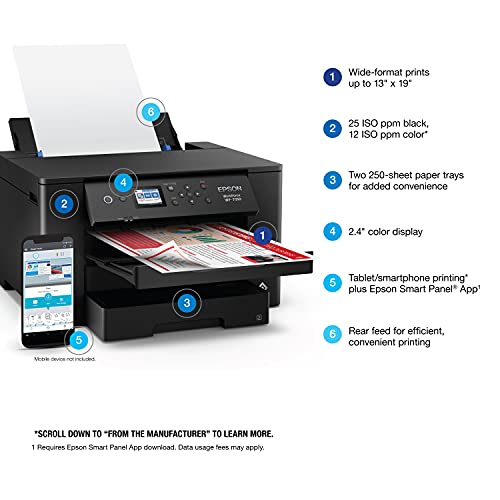
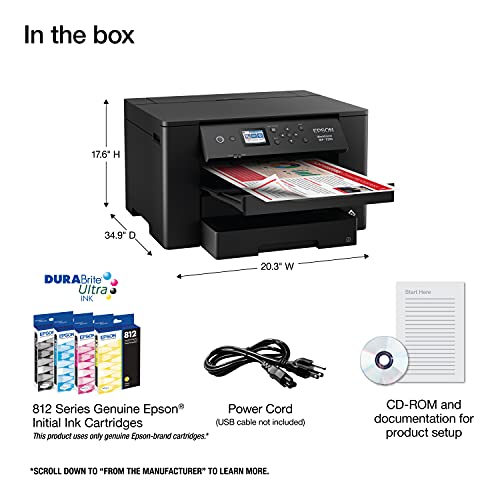
Epson Workforce Pro WF-7310 Wireless Wide-Format Printer with Print up to 13" x 19", Auto 2-Sided Printing up to 11" x 17", 500-sheet Capacity, 2.4" C...
| SELLER | SELLER SCORE | AMAZON FULFILLED | PRIME | FREE SHIPPING |
|---|---|---|---|---|
| Amazon.com | 9.68 | Yes | Yes | Yes |
A marketing agency designer stares at a deadline, needing a crisp 13" x 19" poster printed immediately without waiting for a lengthy machine warmup. The Epson WorkForce Pro WF-7310 handles this pressure with ease, utilizing PrecisionCore Heat-Free Technology to deliver instant-dry pigment inks that look professional right off the tray. I was particularly impressed by how the dual 250-sheet trays and rear feed manage high-volume workloads without constant refilling. Navigating tasks feels intuitive thanks to the 2.4" color display, and if you prefer working from your phone, the Smart Panel App makes wireless control seamless. It is a heavy-duty workhorse that balances wide-format versatility with the speed required for a busy office environment.
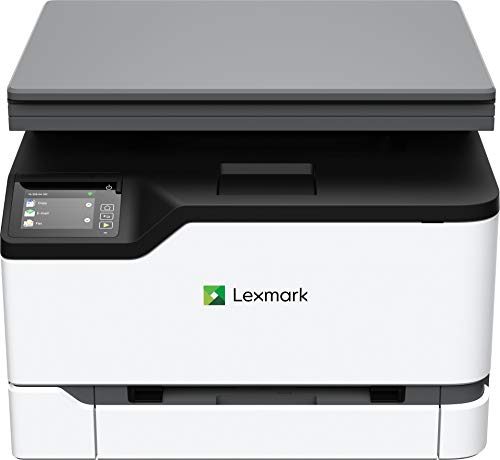


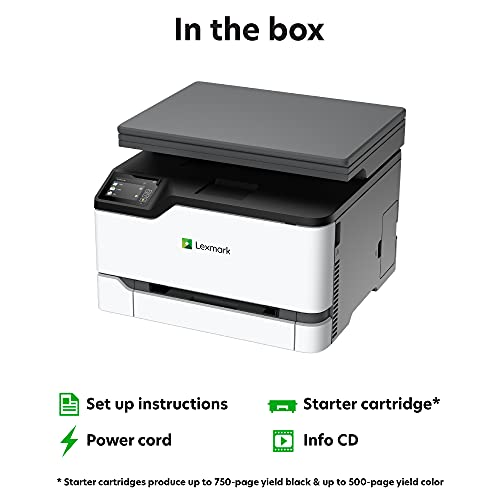
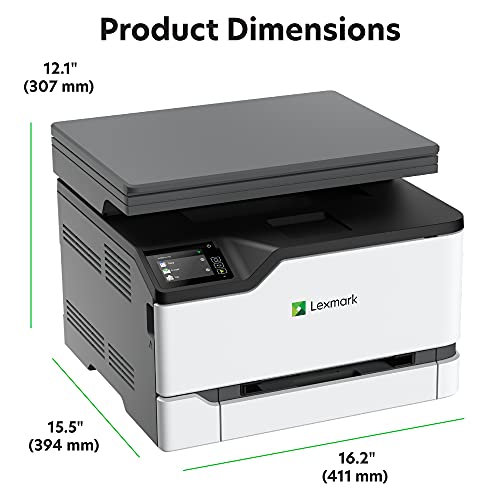
Lexmark MC3224dwe Color Multifunction Laser Printer with Print, Copy, Scan, and Wireless Capabilities, Two-Sided Printing with Full-Spectrum Security...
| SELLER | SELLER SCORE | AMAZON FULFILLED | PRIME | FREE SHIPPING |
|---|---|---|---|---|
| eCOMMERCEBUSINESSPRIME | 9.40 | No | No | No |
The Lexmark MC3224dwe Color Multifunction Laser Printer delivers enterprise-grade security in a footprint small enough to sit on almost any desk. I was particularly impressed by how this compact all-in-one manages to balance speed and intelligence, utilizing a 1-GHz dual-core processor to hit 24 pages per minute without breaking a sweat. Whether you are printing, copying, or scanning, the color touch screen makes navigation feel intuitive rather than a chore. Setting up the wireless connectivity is a breeze, allowing for seamless mobile printing via AirPrint or Google Cloud Print. It is a rare find that offers robust two-sided printing and full-spectrum data protection while remaining environmentally conscious with its EPEAT Silver rating.
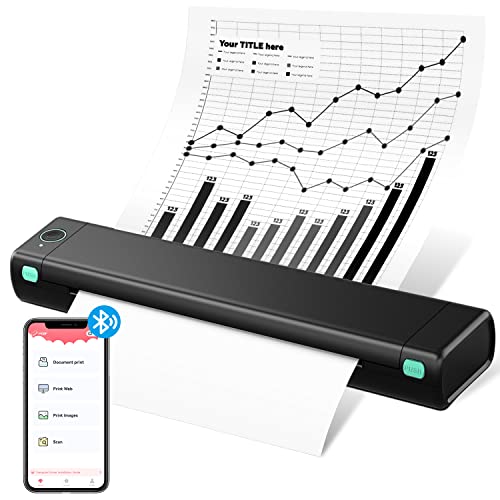


Odaro M08F Letter Portable Printer Wireless for Travel, Bluetooth Thermal Printer Inkless, Small Compact Printer Support 8.5" X 11" Letter Size Therma...
| SELLER | SELLER SCORE | AMAZON FULFILLED | PRIME | FREE SHIPPING |
|---|---|---|---|---|
| Odarol | 9.91 | Yes | Yes | Yes |
Traditional desktop printers are a massive headache for anyone who needs to work on the move. The Odaro M08F changes that by offering a compact, inkless solution that fits right into your travel kit. I found the setup incredibly fast. You just download the app, toggle your Bluetooth, and you are printing in about a minute. Since it uses thermal technology, you can finally stop worrying about buying expensive ink or ribbons, as it only requires thermal paper to function. Whether I was pulling up a PDF on my phone or a document from my laptop, the wireless connectivity remained stable across iOS, Android, and Windows. It even charges easily via a power bank, making it a reliable companion for remote work or school.




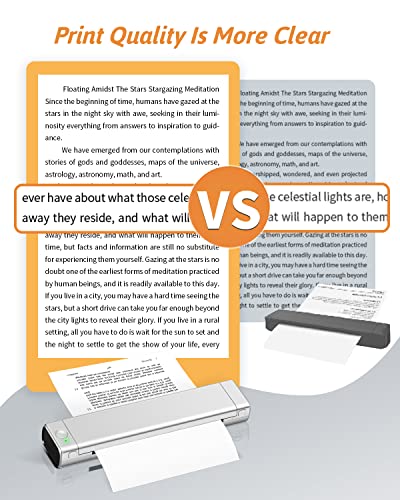
Odaro M08F Letter Portable Printer Wireless for Travel, Bluetooth Thermal Printer Inkless, Small Compact Printer Support 8.5" X 11" Letter Size Therma...
| SELLER | SELLER SCORE | AMAZON FULFILLED | PRIME | FREE SHIPPING |
|---|---|---|---|---|
| Odarol | 9.91 | Yes | Yes | Yes |
Digital nomads and frequent travelers will find the Odaro M08F to be an absolute game-changer for staying productive on the move. I was impressed by how this silver, compact device manages to handle full 8.5" x 11" letter-sized paper without feeling bulky in a bag. Since it uses thermal technology, you can finally ditch the headache of carrying expensive ink cartridges or ribbons. You just need the thermal paper and you are good to go. Setting it up is incredibly fast, taking about a minute to connect via Bluetooth through a free app. Whether you are printing PDFs from a laptop or quick graphics from an Android or iOS device, the clarity is surprisingly sharp. Plus, the ability to charge it via a simple power bank or car charger makes it a reliable companion for long trips.
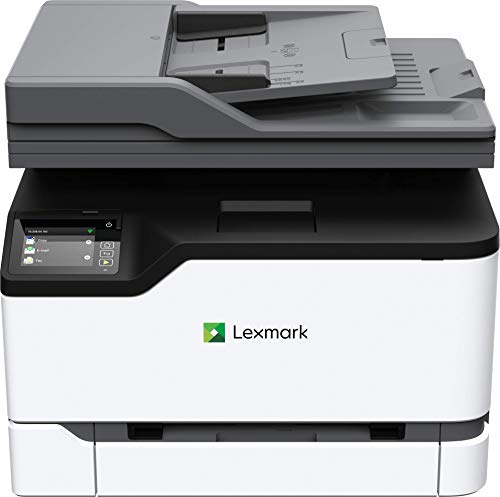


Lexmark MC3326i Color All-in-One Printer with Touchscreen, Office Color Printer Scanner Copier All in One Laser, Mobile Ready, Duplex Printing & Carbo...
| SELLER | SELLER SCORE | AMAZON FULFILLED | PRIME | FREE SHIPPING |
|---|---|---|---|---|
| eCOMMERCEBUSINESSPRIME | 9.40 | No | No | No |
Can a compact desktop machine actually handle the heavy lifting of a professional office environment? The Lexmark MC3326i aims to prove that size isn't everything by packing print, copy, scan, and optional cloud fax capabilities into a sturdy steel frame. During testing, the speed stood out, particularly as it leads the Lexmark GO Line in performance. Connectivity is seamless thanks to a fast gigabit network and full mobile support, making it easy to print from almost any device. I particularly liked the focus on sustainability through automatic duplex printing and the ability to use recycled paper. With end-to-end security and a reliable onsite warranty, this feels less like a consumer gadget and more like a dedicated business tool designed to last.


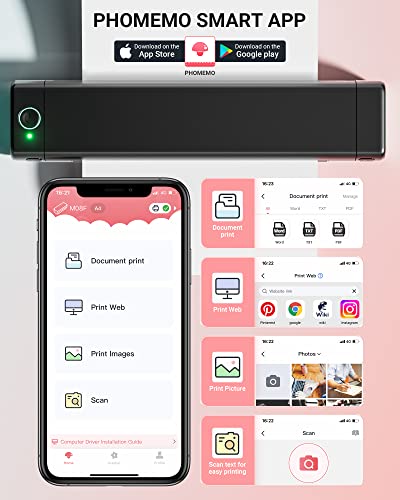


Portable Bluetooth Wireless Thermal Mobile-Printer - Compact Inkless Printer for Travel, Support Phone & Laptop, Small Printers for Home Use Vehicles...
| SELLER | SELLER SCORE | AMAZON FULFILLED | PRIME | FREE SHIPPING |
|---|---|---|---|---|
| Itari-Direct | 6.75 | Yes | Yes | Yes |
You would never guess that a device weighing just over a pound could replace a bulky desktop setup for your mobile office needs. The Itari portable printer is a game-changer for anyone tired of lugging heavy equipment through airports or between client meetings. Because it utilizes advanced direct thermal technology, you can completely ditch the expensive ink, toner, and ribbons that usually clutter up a workspace. It slides easily into a briefcase and connects seamlessly via Bluetooth to your phone or through a Type-C cable to your laptop. While you must remember to use specific thermal paper rather than standard sheets, the ability to print up to 140 A4 pages on a single 1200mAh charge makes it an incredibly reliable companion for traveling professionals and students alike.


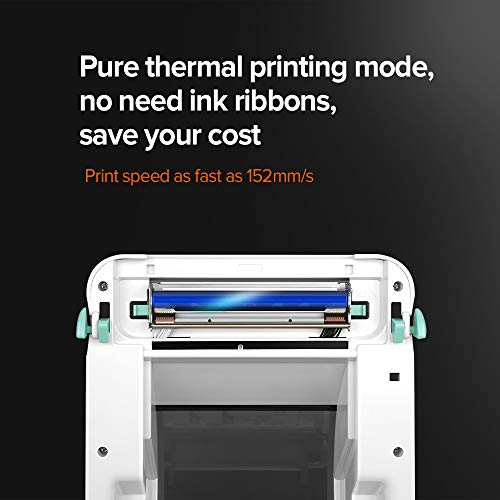


Fangtek Shipping Label Printer - Direct Thermal High Speed Printer - Compatible with Amazon, Ebay, Etsy, Shopify - 4×6 Label Printer & Multifunctional...
| SELLER | SELLER SCORE | AMAZON FULFILLED | PRIME | FREE SHIPPING |
|---|---|---|---|---|
| Fangtek | 9.89 | Yes | Yes | Yes |
After weeks of use in a high-volume shipping environment, the Fangtek thermal printer has proven itself to be a reliable workhorse for any e-commerce seller. The standout feature is the redesigned print head, which eliminates the frustrating paper jams and stuck labels that plague cheaper models. Because it uses direct thermal technology, you can completely forget about the hassle of buying ink or TTR ribbons. It handles a massive variety of barcode modes like CODE128 and EAN13 with ease, making it perfect for everything from warehouse labels to FBA shipments. With a blistering print speed of 152 mm per second and the ability to run for 12 continuous hours, it keeps up with even the busiest shipping days without breaking a sweat.
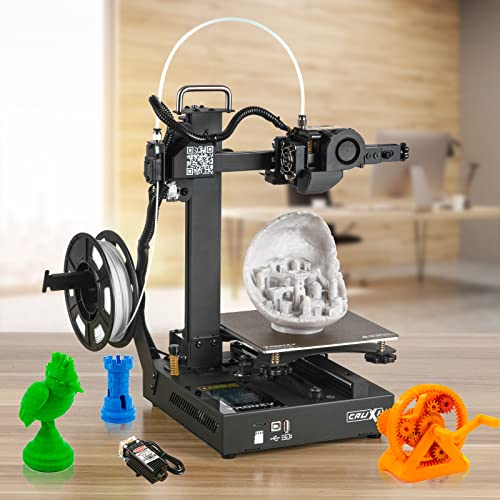


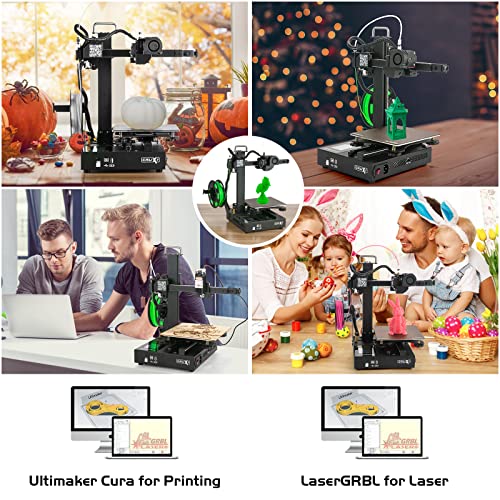
3D Printer, FDM 2-in-1 3D Printers with Engraver, Portable DIY 3D Printers for Beginners with 10m Filament, Quick Assembly, Smart Screen Control, Resu...
| SELLER | SELLER SCORE | AMAZON FULFILLED | PRIME | FREE SHIPPING |
|---|---|---|---|---|
| 3D Star Bay | 5.05 | Yes | Yes | Yes |
After weeks of use, the versatility of the ULTRABOT CRUX-1 has completely changed how I approach small DIY projects. It is rare to find a machine that lets you switch seamlessly between FDM 3D printing and laser engraving, making it a true dual-threat for any home maker or student. The assembly was a breeze, taking only about ten minutes, and the integrated power supply makes it feel much safer and more professional than other beginner models with exposed wires. I particularly love the peace of mind provided by the filament sensor and the resume printing feature, which prevents a power outage from ruining hours of work. Whether you are using the touchscreen to monitor progress or carrying it to a different room via the built-in handle, this compact unit feels incredibly intentional and user-friendly.
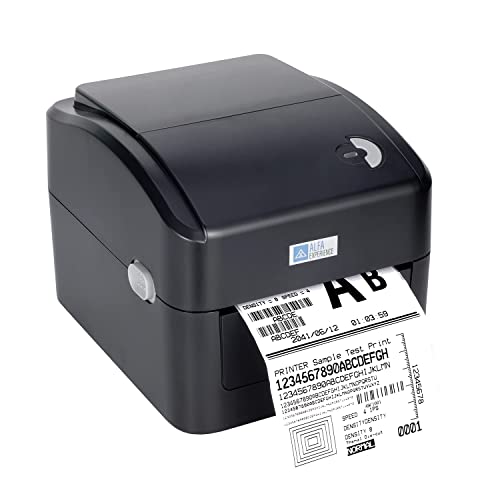
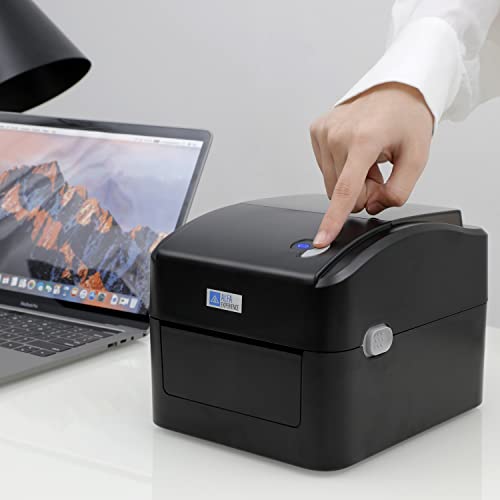


ALFA EXPERIENCE 6x4 Thermal Label Printer,Shipping Label Printer for Shipping Packages, Barcode - Label Maker Thermal Printer Compatible with Amazon,...
| SELLER | SELLER SCORE | AMAZON FULFILLED | PRIME | FREE SHIPPING |
|---|---|---|---|---|
| Perfect Circle Pro | 0.00 | Yes | Yes | Yes |
Most small business owners settle for cramped 4-inch labels that make reading barcodes a chore, but the ALFA EXPERIENCE thermal printer breaks that mold by supporting widths up to 6 inches. I found the direct thermal technology incredibly convenient since it completely eliminates the need for messy ink or expensive cartridges. It moves fast, cranking out up to 72 labels per minute at a 152mm/sec speed, which is a massive time-saver during heavy shipping windows. The 203 dpi resolution ensures that even small fonts and complex logos stay sharp and scannable. Whether you are running an Etsy shop or managing a warehouse, the ability to print large-format identification and bulk mailing labels with such ease makes this a heavy-duty tool for any professional workspace.


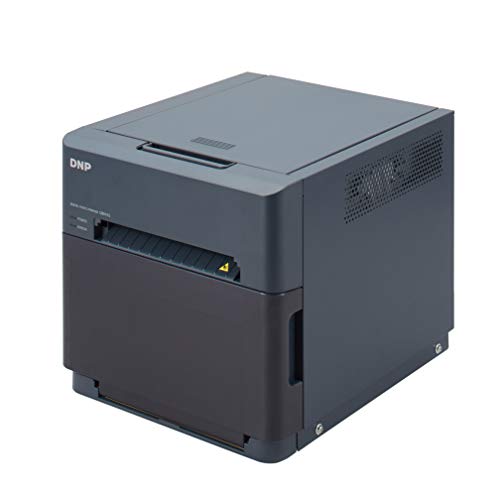
DNP QW410 4.5-inch Dye-Sublimation Professional Event Photo Booth Printer Essential Bundle with 4x6-inch Digital Media, 2 Rolls (300 Total Prints), Sl...
| SELLER | SELLER SCORE | AMAZON FULFILLED | PRIME | FREE SHIPPING |
|---|---|---|---|---|
| SmBusi | 4.58 | No | No | No |
The DNP QW410 redefines mobile photo booth efficiency by packing professional-grade dye-sublimation technology into an incredibly lightweight, ultra-compact frame. Weighing just 13 lbs, this printer is a total game-changer for event pros who need to lug gear between venues without breaking a sweat. What really sets it apart is the proprietary 4.5-inch print head, which finally lets you print stunning 16:9 wide-ratio photos without those annoying crops. You get high-quality 300x300 dpi resolution in either glossy or matte finishes, and the 19-second print speed keeps the line moving during busy weddings or parties. This essential bundle even includes a padded Slinger carrying case and enough premium media for 300 prints, making it a truly plug-and-play solution for any professional setup.

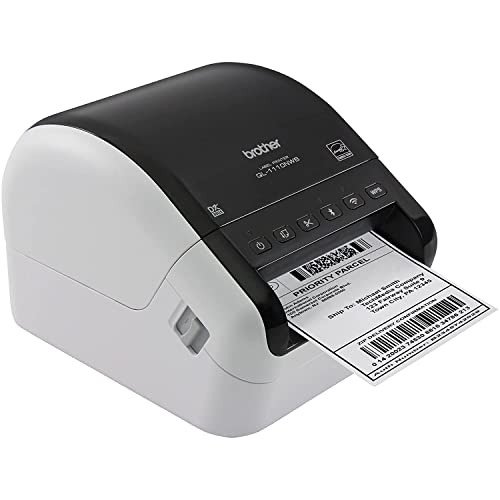


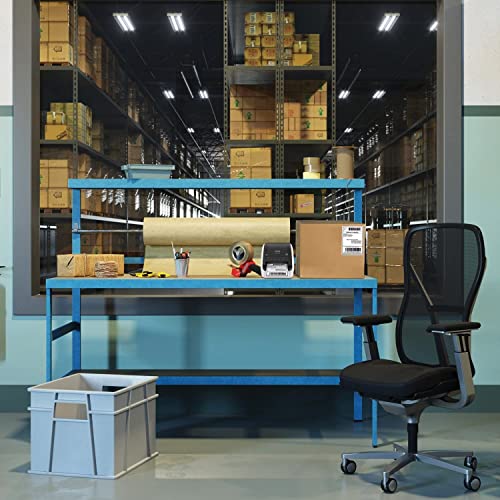
Brother QL-1110NWB Label Maker, Shipping Labeller, Wireless, PC Connected, Network and Bluetooth, Desktop, Wide Format 4 Inch Labels - Print via USB,...
| SELLER | SELLER SCORE | AMAZON FULFILLED | PRIME | FREE SHIPPING |
|---|---|---|---|---|
| Tech Plus Pro | 9.24 | No | No | No |
The Brother QL-1110NWB stands as a powerhouse desktop shipping solution that bridges the gap between simple office labeling and high-volume logistics. After testing its versatility, it is clear that the real magic lies in the connectivity. Whether you are pulling a job from a PC via Ethernet or firing off a quick label from an iPhone using AirPrint, the workflow is seamless. It handles massive tasks with ease, cranking out up to 69 address labels per minute at a crisp 300 dpi. I particularly appreciated the auto-cutter feature, which prevents the headache of wasted label sheets by trimming exactly what you need. Between the 'Plug & Label' convenience for Windows users and the deep customization available through P-touch Editor, this machine scales perfectly from basic name badges to complex shipping workflows.

The most critical factor for any Mac user is how the printer handles color profiles. Since macOS relies heavily on ColorSync for system-wide color management, you must ensure the printer supports industry-standard profiles like ICC. When working with professional design suites, you need a printer that can interpret the wide color gamut of your monitor and translate it accurately onto paper. Look for machines that offer robust driver support for macOS, specifically those that allow for deep integration with professional layout software. Avoid printers that require cumbersome third-party translation layers. Instead, seek out manufacturers known for native, high-performance Mac drivers that minimize latency and color shifting during the RIP (Raster Image Processor) process.
Wide-format printing is a game of precision. You will generally choose between pigment-based inks and dye-based inks. For architectural blueprints and technical drawings where longevity and water resistance are paramount, pigment inks are the gold standard. For fine art photography where color vibrancy and smooth gradients are the priority, certain dye-based or hybrid systems may be preferable. Pay close attention to the number of ink tanks. A printer with more ink channels (such as 8 to 12 colors) will provide significantly better tonal transitions and a wider gamut than a standard 4-color setup. This is particularly important when printing large-scale photographic prints where banding or color stepping can ruin the professional aesthetic.
A wide-format printer is only as useful as the media it can accept. Consider the weight and texture of the materials you intend to use. If you are printing on heavy watercolor paper, canvas, or thick architectural vellum, the printer must have a sophisticated feeding mechanism to prevent jams and ensure consistent tension. Look for models that offer both roll feeding for continuous long-format prints and sheet feeding for specific heavy-duty media. The ability to switch between media types without extensive recalibration is a massive time-saver in a high-volume studio environment.
In a modern Mac-centric studio, connectivity is about more than just plugging in a cable. While a high-speed USB connection provides the most stable data transfer for massive, high-resolution files, many professionals prefer high-speed Ethernet or reliable Wi-Fi for multi-user environments. Furthermore, consider the physical footprint. Wide-format printers are substantial pieces of equipment. Evaluate whether you need a standalone unit or a compact version that can sit on a sturdy desk. Finally, consider the maintenance ecosystem: how easy is it to replace print heads, and does the software provide clear diagnostic tools for Mac users to troubleshoot paper jams or ink depletion without needing a technician?
Quick answers about Mac Wide Format Printers before you buy.
Share of top-ranked products by brand, from our rankings.
We compared Mac Wide Format Printers products using product details and customer ratings to identify the best options in the electronics..
From that comparison we shortlisted the top 11 Mac Wide Format Printers for this page..
We aim to help you find the right printers products for your needs and save you time when choosing which Mac Wide Format Printers to buy.
Compare the top 11 picks at a glance — select a column to sort.


