#TOP1
Navigating the ecosystem of Xbox One peripherals can be frustrating, especially when you are trying to bridge the gap between older hardware and modern connectivity standards. Whether you are trying to connect a wired headset that uses a standard 3.5mm jack to your controller, or you are attempting to extend your console's reach with specialized power or video adapters, selecting the right component is critical for maintaining signal integrity. This guide focuses on the specific nuances of CableCreation adapters designed for the Xbox One environment, helping you avoid the common pitfalls of latency, audio distortion, and physical fitment issues that often plague third-party accessories.
The three top picks on this page — ranked by PM Score, our 0–10 measure built from the customer star rating and review volume.
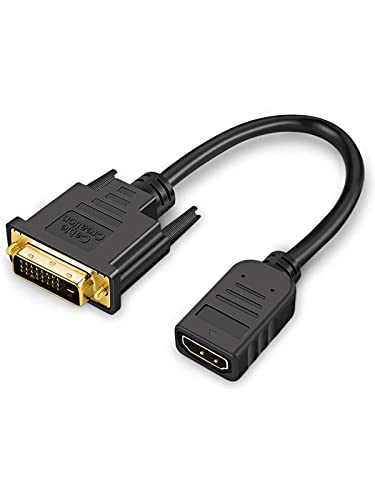
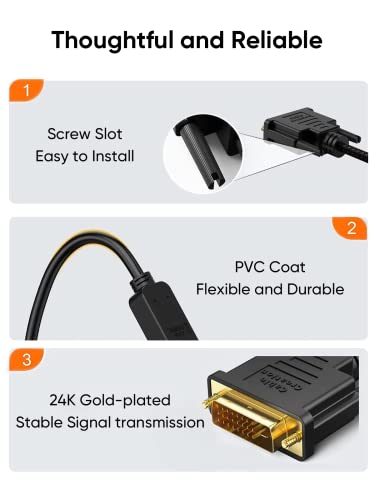

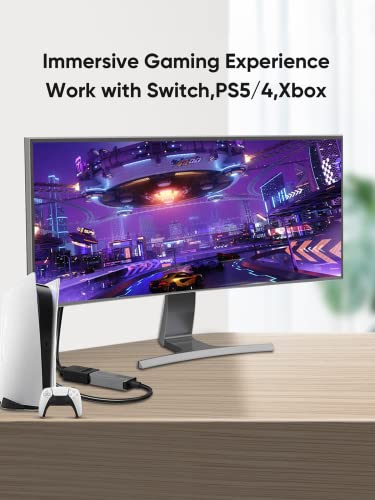
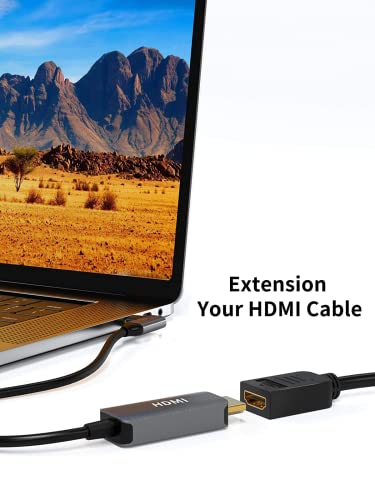
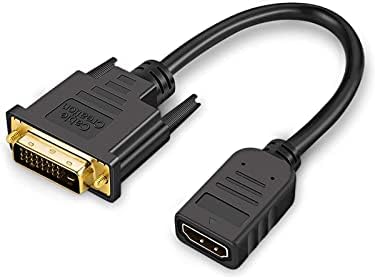
CableCreation DVI to HDMI Cable 0.5ft Short Bi-Directional HDMI Female to DVI-D(24+1) Male Adapter, 1080P DVI-D to HDMI Conveter, for PC,TV Box, PS5,...
| SELLER | SELLER SCORE | AMAZON FULFILLED | PRIME | FREE SHIPPING |
|---|---|---|---|---|
| CableCreation | 9.95 | Yes | Yes | Yes |
The CableCreation bi-directional adapter is a lifesaver for anyone stuck with a mismatch between an aging monitor and a modern gaming console or laptop. I found its short 0.5ft length incredibly useful for tight setups where a long cable would just create unnecessary clutter. Because it works both ways, you can easily bridge the gap between a DVI-enabled projector and an HDMI source, or vice versa, without hunting for a specialized converter. The 24K gold-plated connectors and oxygen-free copper lines ensure the 1080p signal stays crisp and stable, which is vital for devices like the PS4 or Xbox. It is a small, rugged piece of hardware that solves a massive connectivity headache for a very reasonable price.


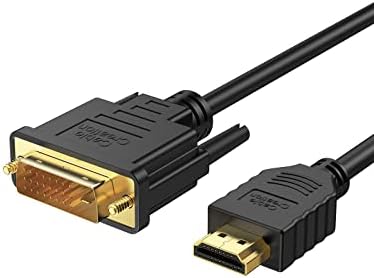
CableCreation DVI to HDMI Cable, 5ft HDMI Male to DVI-D Male Bi-Directional Adapter Cable, HDMI to DVI-D 24+1 High Speed Cable Support 1080P HD for Ra...
| SELLER | SELLER SCORE | AMAZON FULFILLED | PRIME | FREE SHIPPING |
|---|---|---|---|---|
| CableCreation | 9.95 | Yes | Yes | Yes |
Most people settle for messy adapters or cheap, single-use cables when trying to bridge the gap between older monitors and modern consoles, but the CableCreation DVI to HDMI cable offers a much more seamless solution. I found the bi-directional capability particularly useful because it doesn't matter if your source is an HDMI laptop or a DVI desktop. It just works. The build quality feels substantial thanks to the 24K gold-plated metal connectors and oxygen-free copper wiring, which kept my 1080p signal rock-solid during gaming sessions on my Xbox. Just keep in mind that since DVI doesn't carry sound, you'll need a separate audio path for your speakers. It is a reliable, high-speed bridge for anyone looking to extend the life of their existing hardware without sacrificing video clarity.


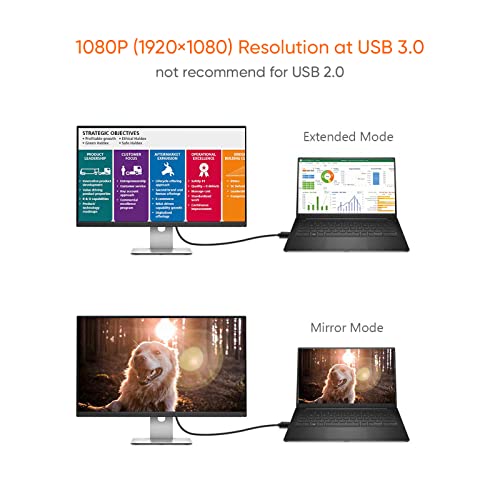
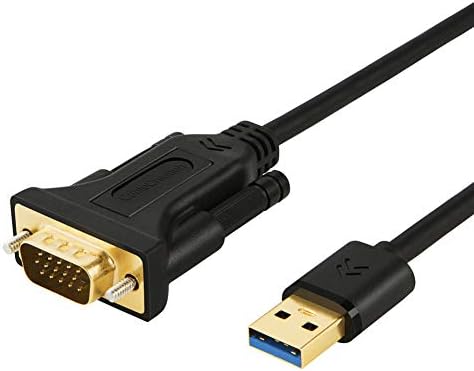
CableCreation USB 3.0 to VGA Cable 6.6 Feet, USB to VGA 15 Pin Adapter 1080P @ 60Hz, with Built-in Driver, Only Support Windows 10/8.1/8 / 7 (NO XP/Vi...
| SELLER | SELLER SCORE | AMAZON FULFILLED | PRIME | FREE SHIPPING |
|---|---|---|---|---|
| CableCreation | 9.95 | Yes | Yes | Yes |
You are sitting in a cramped hotel conference room with a single laptop screen and a massive projector, realizing your hardware lacks the necessary video ports to present your slides. This CableCreation adapter solves that exact headache by turning a standard USB 3.0 port into a functional VGA output. I found that the built-in FL2000DX chip delivers a remarkably stable 1080P resolution at 60Hz, which is essential for smooth video playback. Just remember that this isn't a plug-and-play miracle for every device. You'll need to install the driver via the Paradetech site first, and it is strictly for Windows users. It works beautifully for extending your desktop or mirroring your screen, provided you plug it directly into your computer rather than a hub to ensure you get that full 5Gbps transmission speed.

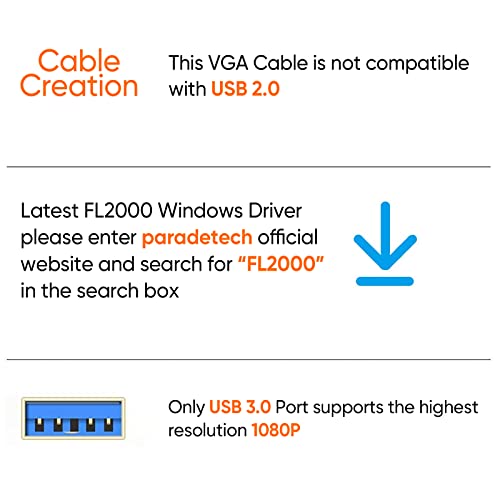
CableCreation USB 3.0 to VGA Cable 6 Feet, USB to VGA 15 Pin Adapter 1080P @ 60Hz, with Built-in Driver Only Support Windows 10/8.1/8 / 7 (NO XP/Vista...
| SELLER | SELLER SCORE | AMAZON FULFILLED | PRIME | FREE SHIPPING |
|---|---|---|---|---|
| CableCreation | 9.95 | Yes | Yes | Yes |
The gold-plated connectors on this CableCreation adapter feel substantial and secure the moment you plug them into your hardware. It is a clever, budget-friendly way to breathe new life into an old VGA monitor without the headache of tearing apart your PC to upgrade an internal graphics card. I found that sticking strictly to a USB 3.0 port is non-negotiable if you want that crisp 1080P resolution at 60Hz. Just a heads-up: you will need to download the FL2000 driver from the official site to get things moving, and it is strictly for Windows users. It works beautifully for extending your workspace or mirroring your screen, provided you aren't trying to use it with a Mac or a docking station.
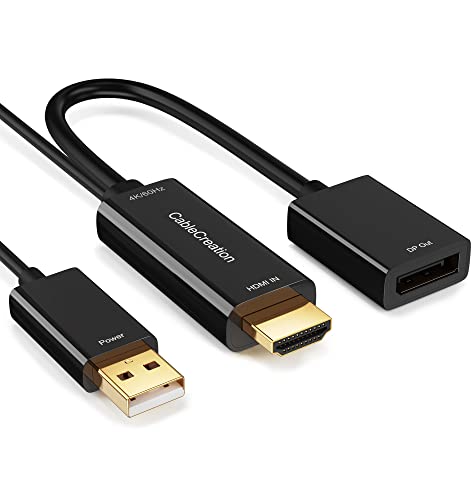


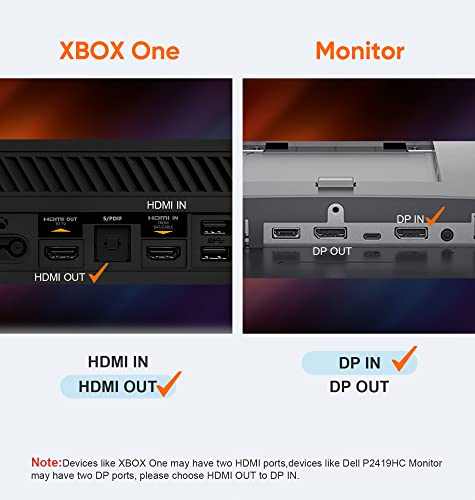

CableCreation HDMI to DisplayPort Adapter with USB Power, 4K X 2K@60Hz HDMI Male to DP Female Adapter Compliant with Xbox One/PS4/PS5
| SELLER | SELLER SCORE | AMAZON FULFILLED | PRIME | FREE SHIPPING |
|---|---|---|---|---|
| CableCreation | 9.95 | Yes | Yes | Yes |
Most people assume a simple cable adapter should work in both directions, but this CableCreation unit is strictly a one-way street from HDMI to DisplayPort. I found that the secret to its stability lies in the included 3ft USB power cable, which acts as a voltage stabilizer rather than a video carrier. It is a true plug-and-play solution for connecting consoles like the PS5 or Xbox One to a DisplayPort monitor without hunting for drivers. Just keep in mind that if your HDMI source has a weak current, you'll want to plug that USB connector into a wall charger to ensure a smooth 4K @ 60Hz experience. It effectively bridges the gap for extended desktop setups without the usual handshake headaches.

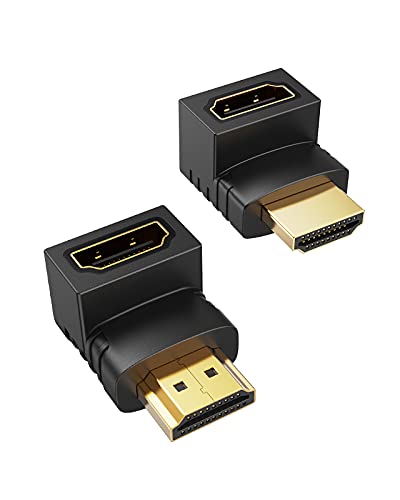
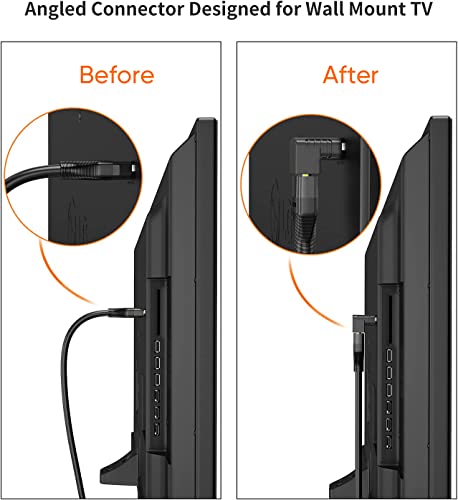
CableCreation Bundle – 2 Items 90 Degree HDMI Adapter 2-Pack+ 5Ft DVI to HDMI Cable
| SELLER | SELLER SCORE | AMAZON FULFILLED | PRIME | FREE SHIPPING |
|---|---|---|---|---|
| CableCreation | 9.95 | Yes | Yes | No |
Tight spaces behind a wall-mounted TV suddenly feel much less claustrophobic thanks to these clever L-shaped converters. I tested this CableCreation bundle to solve the exact headache of bulky cables sticking out awkwardly from a gaming console or streaming stick. The 90 and 270-degree upward angle adapters allow you to tuck your Roku or Fire Stick flush against the wall, while the included 5ft DVI to HDMI cable provides a seamless high-speed connection for older monitors or Raspberry Pi setups. Everything supports 1080P HD, ensuring your visuals stay crisp whether you are transitioning from a PC to a DVI display or simply managing cable clutter in a media center. It is a practical, no-nonsense kit for anyone looking to clean up their entertainment hub.


CableCreation Bundle – 2 Items HDMI Adapter Male to Female 2Pack+DVI to HDMI Cable 5ft
| SELLER | SELLER SCORE | AMAZON FULFILLED | PRIME | FREE SHIPPING |
|---|---|---|---|---|
| CableCreation | 9.95 | Yes | Yes | No |
Most people settle for bulky, protruding cables that strain ports and clutter their entertainment centers, but this CableCreation bundle offers a much smarter way to manage your media setup. By pairing two right-angle HDMI adapters with a dedicated DVI to HDMI cable, you can finally tuck your Fire Stick or gaming console flush against the wall. The 90 and 270-degree L-shape converters are absolute lifesavers for tight spaces behind a mounted TV, preventing that awkward gap. I found the 5ft DVI-D cable particularly useful for bridging the gap between older monitors and modern hardware like a Raspberry Pi or PS5. It is a practical, cohesive solution for anyone trying to clean up their cable management without sacrificing 1080P high-speed performance.

The first step in choosing an adapter is identifying exactly what signal you are trying to translate. For Xbox One users, most adapter needs fall into two distinct categories: audio and video/power. If you are looking for an audio adapter, you are likely trying to integrate a legacy headset into the controller's jack. In this case, you must ensure the adapter supports the specific impedance requirements of the Xbox controller to prevent 'static hiss' or a volume drop. If you are looking for video or power adapters, your priority shifts from audio fidelity to bandwidth and voltage stability. An improper video adapter can lead to flickering screens or resolution downgrades, while a subpar power adapter can cause the console to shut down unexpectedly during high-load gaming sessions.
Because gaming consoles are high-interference environments—surrounded by Wi-Fi routers, Bluetooth devices, and power bricks—the physical construction of your adapter matters more than it would for a standard office peripheral. Look for adapters that feature high-quality shielding. In audio adapters, this prevents electromagnetic interference (EMI) from leaking into your headset. For video-related adapters, look for gold-plated connectors. While often marketed as a luxury, gold plating provides superior corrosion resistance and ensures a more consistent connection over years of plugging and unplugging. A flimsy, unshielded cable might work during a ten-minute test, but it will likely fail or produce noise during a marathon gaming session.
One of the most common mistakes when buying Xbox One adapters is overlooking the physical dimensions of the ports. The Xbox One controller jack, for instance, is quite deep. Some third-party adapters have housings that are too thick, preventing the plug from seating fully into the controller. If the connection isn't flush, you will experience intermittent audio cutting out. When browsing options, look for 'low-profile' designs if you are working with tight spaces like the controller jack or the rear I/O panel of the console. Additionally, always verify if the adapter is specifically rated for 'Xbox One' or 'Xbox Series' compatibility, as the internal wiring standards for audio grounding can vary slightly between generations.
For competitive gamers, latency is the ultimate enemy. While most simple passive adapters (like a 3.5mm to 3.5mm extension) do not introduce noticeable digital latency, active adapters—those that convert a signal from one format to another (such as optical to digital)—can introduce a millisecond of delay. If you are using an adapter to improve your audio setup, check if the product documentation mentions 'lossless' transmission or 'zero-latency' design. For video adapters, ensure the bandwidth capacity exceeds your console's output (e.g., ensuring an adapter supports 4K if you are playing on a high-end display) to avoid the dreaded input lag that can ruin a fast-paced shooter experience.
When making your final decision, use this hierarchy: First, confirm the physical fitment to ensure the plug actually goes all the way in. Second, prioritize shielded, gold-plated connectors to combat interference. Third, match the bandwidth or audio fidelity to your specific hardware needs. If you are a casual player, a standard, well-reviewed basic adapter will suffice. However, if you are a competitive player or a streamer, investing in the higher-shielded, low-profile models is essential for a seamless, uninterrupted experience.
Quick answers about Cablecreation Xbox One Adapters before you buy.
Share of top-ranked products by brand, from our rankings.
We compared Cablecreation Xbox One Adapters products using product details and customer ratings to identify the best options in the xbox one games, consoles & accessories..
From that comparison we shortlisted the top 7 Cablecreation Xbox One Adapters for this page..
We aim to help you find the right adapters products for your needs and save you time when choosing which Cablecreation Xbox One Adapters to buy.
Compare the top 7 picks at a glance — select a column to sort.


