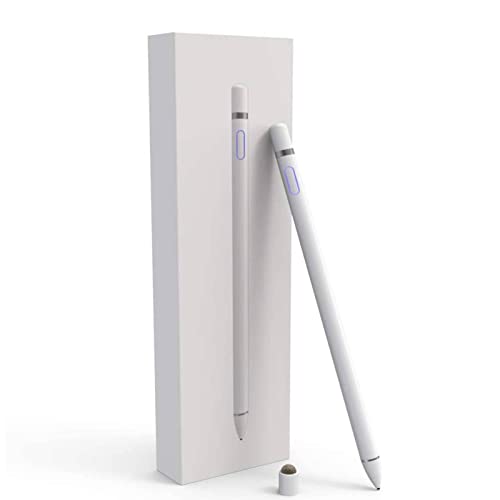


Stylus Pen Compatible with iPad, Pencil Styluses Compatible with iPad 2/3/4/5/6/7/8/9/10 Generation Pro 9.7/10.5/11/12.9 Air 2/3/4/5 Mini 2/3/4/5/6 Al...
Aoitun Smart Stylus Pen for iPad
- Simple Starting - No Bluetooth needed, ready to use out of box. Just click the button and transform your iPad into a brilliant tool for creating digital art. Instantly unleash your creativity on apps like Procreate, Notability, Adobe Photoshop Sketch and more!
- Revolutionized Workflow - Whether you are sketching, taking notes in class, jotting down meeting notes, signing PDFs, all right on your iPad, Aoitun will simplify your life.
- Low Latency - When you write on the iPad, there's no delay between the movement of the pencil and what appears on the display. Incredibly easy to use and ready when inspiration strikes.
- High Precision - Accurate down to the pixel. Perfect line every time thanks to the 1.5mm fine tip that writes and draws naturally without fear of missing a single line or detail. No offsetting between where the pencil is located and what's shown on the screen.
- Improved Virtual Learning - Does your kindergartener have virtual classes? It’s hard for the little one to use a mouse or the hand on an iPad to draw letters and lines. Aoitun is more pencil shaped which allows the little one to have the feeling of a pencil for handwriting technique.
| SELLER | SELLER SCORE | AMAZON FULFILLED | PRIME | FREE SHIPPING |
|---|---|---|---|---|
| Amazon.com | 9.68 | Yes | Yes | Yes |
Why should a high-end digital workflow require a complicated setup process? The Aoitun Smart Stylus eliminates the usual Bluetooth pairing headaches by being ready to work right out of the box with a single click. I found the 1.5mm fine tip to be incredibly precise, ensuring that every stroke in apps like Procreate or Notability lands exactly where you intend without any frustrating offsets. The low latency is a game changer for artists and students alike, as the digital ink follows your movement instantly. Even for younger children transitioning to virtual learning, the traditional pencil shape makes handwriting much more intuitive than using a finger or a mouse. It is a streamlined, budget-friendly way to turn your iPad into a professional canvas.