

Active Stylus Pen Compatible for iOS&Android Touch Screens, Pencil for iPad with Dual Touch Function,Rechargeable Stylus for iPad/iPad Pro/Air/Mini/iP...
KECOW Dual-Function Active Stylus Pen
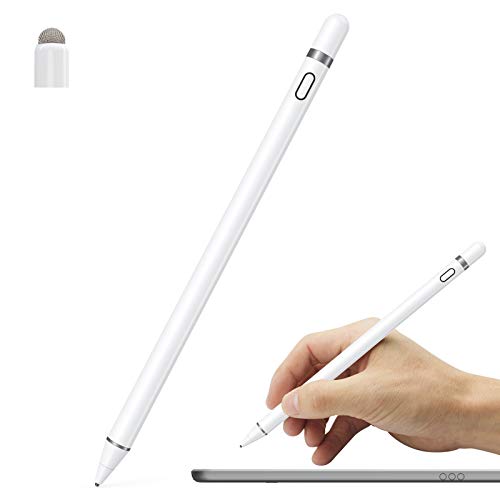
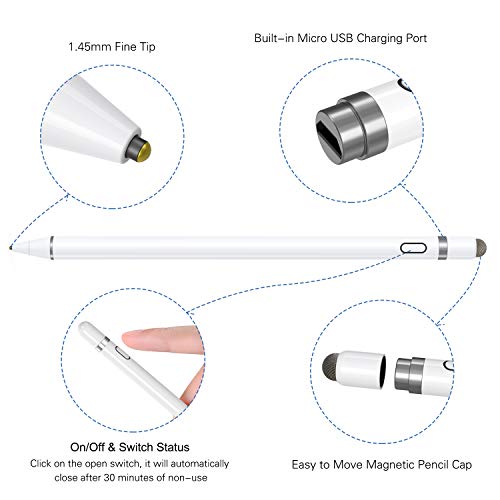
- 【2 in 1 Copper & Mesh Fine Tip】This stylus pencil has a 1.45mm accurate copper fine point tip end and a magnetic mesh end. Both ends can use. The mesh end also supports the zoom function and allows input in the text box, both used smoothly and sensitively.
- 【User-Friendly Design】: This Stylus pen feels Like a real traditional pen and it is slim and light. Use this pen for iPad to draw, write or take notes directly on iPad /iPad Pro/iPad Mini/iPad Air/iPhone, Samsung, Smart Phone, Tablet or other touch screen devices just need to press the button once (Blue light on). drivers or Bluetooth settings NOT REQUIRED.
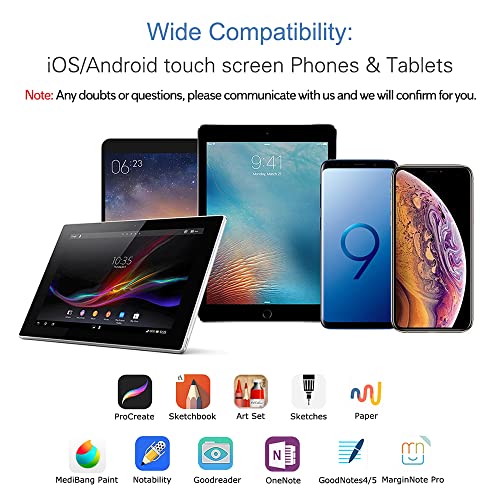
- 【Widely Used】 This iPad stylus pencil is compatible for hand-writing note-taking, drawing and design on an electronic device. Tested on iPhone iPad Pro Smart-Phones Tablets and any capacitance touch screens, all works great! A great alternative for Apple Pencil for artists, journalists, engineers, teachers and students, game players and etc.
- 【Long-lasting Battery Life】With USB charging port and built-in battery, only 1-1.5 hours of charging, 8-10 hours of use. With an intelligent power saving function, the pen automatically turns off the power every 30 minutes to protect battery life.
- 【Thoughtful After-sales Service】We provide ALL of our stylus pencils with 12 months quality guarantee. The package comes with: stylus pen * 1, replacement pen cap * 1, USB cable * 1. If you have any product related issues, please communicate with us, we will solve them for you as soon as possible.
| SELLER | SELLER SCORE | AMAZON FULFILLED | PRIME | FREE SHIPPING |
|---|---|---|---|---|
| ZspeedDirect | 9.82 | Yes | Yes | Yes |
The slim, lightweight profile of the KECOW stylus immediately makes it feel like a familiar traditional pen in your hand. I was particularly impressed by the dual-ended design, which features a precise 1.45mm copper fine tip for detailed drawing and a magnetic mesh end that handles zooming and text input with ease. It is incredibly straightforward to use. You just press the button once to activate it, skipping the headache of Bluetooth pairing or driver installations. Whether I was sketching on an iPad or navigating a Samsung tablet, the responsiveness remained consistent. With a quick 90-minute charge providing up to ten hours of active use and an intelligent auto-off feature to preserve battery life, it serves as a highly efficient, budget-friendly tool for students and professionals alike.