Macipa
- PM Seller Rank
- Not ranked
- Products Listed
- 4
Macipa Profile
Macipa primarily sells Office Products products from vixic.
The seller, Macipa, currently offers 4 products for sale, all shipping from the United States. Current prices are shown on each product's Amazon listing.
Macipa is an established seller on the Amazon marketplace.
We include Macipa because its products appear in the categories we cover. Check the current seller rating and feedback on Amazon itself before buying.
Star ratings and review counts for Macipa's products are shown on Amazon's own product pages — check the current figures there before buying.
Macipa does not currently appear on our PM Sellers ranking list, which covers the 1,000 US Amazon Marketplace stores with the most lifetime customer feedback. That is a statement about how much we know of them, not a verdict on them.
Top 4 Macipa Products
Last Updated: Sep 27, 2023

Vixic M960 Label Makers - Bluetooth Mini Label Maker Machine with Tape - Portable Handheld Label Pri...
【Save Your money】Print Larger Fonts & Rechargeable-The M960 Label maker machine with tape Use the latest printing technology to print...
Check Price on Amazon
Vixic Label Maker D1600 - Smart Mini Label Printer Machine Bluetooth Wireless Portable Labeling Prin...
【Upgraded Label Printer】 - In order to improve the use experience, D1600 label maker machine with tape is upgraded to...
Check Price on Amazon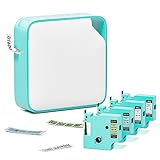
Vixic D1600 Label Maker Portable Label Maker Machine Bluetooth Printer for iPhone, Small Label Print...
【Easy to use】Using this D1600 Label maker machine with tape Labels for Printer Only 4 steps needed to create your...
Check Price on Amazon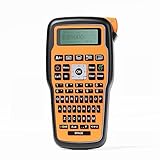
Vixic E1000 Label Maker - Laminated Label-Maker-Machine with AC Adapter, Labeler Makchine with QWERT...
Handheld Portable Label Maker Machine with Tape - The Vixic E1000 Desktop label printer can be easiy put into a...
Check Price on AmazonProduct Analysis
Top 4 best sellers, ranked by PM Score
- 1 Vixic M960 Label Makers - Bluetooth Mini Label Maker Machine with Tape - Po...
- 2 Vixic Label Maker D1600 - Smart Mini Label Printer Machine Bluetooth Wirele...
- 3 Vixic D1600 Label Maker Portable Label Maker Machine Bluetooth Printer for...
- 4 Vixic E1000 Label Maker - Laminated Label-Maker-Machine with AC Adapter, La...
Our Unbiased Macipa Review
Is Macipa a Trustworthy Seller on Amazon?
Absolutely. Macipa is a prominent seller on Amazon's North American marketplaces, trading under the brands of Vixic.
Amazon is a reputable platform that enforces a rigorous KYC (Know Your Customer) procedure for all its sellers. This process allows Amazon to gather vital information about each seller that can be used for identification and communication purposes.
Furthermore, Amazon offers robust buyer protection. If you ever feel that a purchase has not lived up to your expectations, you have the right to return the product and claim a refund, ensuring your transactions are safe and secure.
Is Macipa Known for Quality Products?
We include Macipa because its products appear in the Office Products category we cover. Product-specific star ratings, review counts and sales figures are shown on Amazon's own listing pages — check the current values there before buying.
We do not run our own testing of sellers or their products; our pages organize product information and customer ratings so you can compare at a glance.
Featured Buying Guides Related to Macipa


Macipa FAQs
Common questions buyers ask about this seller — how to find their products, payment and shipping, returns, and how PickSmartly ranks what they sell.
To search for Macipa products on PickSmartly, you can do the following:
- Go to the PickSmartly homepage.
- Look for the search bar, which is usually at the top of the page.
- Enter "Macipa" into the search bar and hit Enter.
- You will then see a list of Macipa products that are currently available.
Please note that product availability can change, so if you don't see what you're looking for, be sure to check back later.
Macipa offers a wide variety of products. Their offerings cover label makers, other office equipment and label makers wi fi in Office Products categories. To get a complete picture of all the products Macipa offers, please visit the Macipa section on the PickSmartly website.
Check the product's current star rating, review count and seller feedback on its Amazon listing, and read the listing's product details and feature bullets. Our pages gather that product information so you can compare items side by side.
Our pages rank products with the PM Score, a 0–10 number computed from the customer star rating and the volume of reviews, alongside the product details and features listed on Amazon. Weigh them against your own budget and needs.
The quantity of suggested products for each brand on PickSmartly may differ. We generally list about 10-15 products for each brand, giving you a broad overview and multiple options. Macipa has 4 products for sale; our pages list up to 4 of them, ranked with the PM Score.
To purchase Macipa products through PickSmartly, follow these steps:
- Go to the PickSmartly website and find the Macipa brand page.
- Look through the Macipa products listed there.
- Click on the product you like to see its details and a link to the customer reviews on Amazon.
- To buy, click 'Check on Amazon'. This will take you to the product's Amazon page.
- Finish your purchase on the Amazon page.
Our Seller Guide covers Macipa, a seller on PickSmartly. It outlines the products they sell and lists a ranked selection drawn from product details and customer ratings, so you can see the range at a glance. Check current seller feedback and product ratings on Amazon itself before buying.
Macipa accepts various payment methods including credit cards and debit cards. They might also accept bank transfers and checks. As you'll be completing your purchase on Amazon, you can refer to Amazon's 'Manage Payment Methods' page for comprehensive information on payment options. Here is the link: Amazon Payment Methods
As a buyer, you can check a Macipa's shipping methods on Amazon by following these steps:
- Visit the Product Page: Navigate to the product page of the item you're interested in.
- Check Macipa Information: On the product page, you'll see a section that says "Sold by [Seller's Name]". Click on the Seller's name.
- Visit Seller's Page: This will take you to the Macipa's page where you can find more information about their policies.
- Look for Shipping Information: On the Seller's page, look for a section that says "Shipping Policies" or "Delivery Policies". This section will provide information about the seller's shipping methods, costs, and estimated delivery times.
Please note that not all sellers provide detailed shipping information. If you can't find the information you're looking for, you can contact the seller directly to ask about their shipping methods. To do this, click on the "Ask a question" button on the seller's page.
If you have ordered from Macipa through Amazon, you can follow these steps to track your order:
- Sign in to Your Amazon Account: Go to Amazon's homepage and sign in using your credentials.
- Go to Your Orders: From the top right of the screen, click on 'Returns & Orders'. This will take you to a page listing all your recent orders.
- Find Your Order: Look for the order you placed with Macipa.
- Track Package: Once you've found the order, there should be an option on the right side that says 'Track Package'. Click on this to see the current status and location of your package.
If you have not received a tracking number or if the tracking information is not available, you may need to contact Macipa directly for more information. You can do this by going back to the product page, clicking on Macipa's name to go to their seller page, and then clicking on 'Ask a question'.
To check the return policy of a specific seller like Macipa on Amazon, follow these steps:
- Go to the Amazon homepage.
- Type "Macipa" into the search bar and click on the search icon.
- Click on any product that is sold by Macipa.
- On the product page, you will see the seller's name. Click on the name "Macipa".
- This will take you to the seller's detailed page. Look for the section "Returns & Refunds".
- Click on it, and you will be able to see the specific return policy for Macipa.
Remember, policies can vary by seller, so it's always a good idea to check this before you make a purchase.
To contact the seller Macipa on Amazon, you can follow these steps:
- Go to the Amazon homepage.
- Log into your account if you're not already logged in.
- Go to "Your Orders".
- Find the order that you want to discuss or ask about, then click on "Contact Seller".
- In the pop-up window, select the subject of your issue from the drop-down menu, write your message, and then press "Send".
Remember to keep all communication with the seller within Amazon's platform for your own protection and to comply with Amazon's policies. If you haven't placed an order and just have a query, you can still go to the seller's profile and look for a "Contact" button or link there.
To find out if Macipa offers a warranty on their products, you will need to check the product details on the individual product pages on Amazon. Here's how you can do this:
- Go to the Amazon homepage.
- Type "Macipa" into the search bar and click on the search icon.
- Click on any product that is sold by Macipa.
- Scroll down to the product details or product description section. If a warranty is offered, it will usually be mentioned here.
If you are unable to find the warranty information or if it's unclear, you can contact Macipa directly through Amazon to ask about the warranty for a specific product. Remember, warranties can vary from product to product and from seller to seller, so it's always a good idea to check this information before making a purchase.
Typical procedures for handling damaged or defective items on Amazon are as follows:
- Contact the Seller: If the item was sold by a third-party seller like Macipa, you should contact them directly. You can do this by going to "Your Orders", locating your order, and clicking on "Problem with order". From there, you can choose "Contact Seller" and describe the issue in detail.
- Return the Item: Amazon usually allows you to return items sold and fulfilled by third-party sellers within 30 days of receipt. The seller's return policy can be found on the product page or seller profile. If the item is damaged or defective, the seller is generally responsible for return shipping costs.
- Request a Refund or Replacement: Depending on the issue and the seller's policy, you may be able to request a refund or replacement. If the seller doesn't respond or refuses to help, you can file an A-to-z Guarantee claim with Amazon.
Remember, these are general steps and the specific policy may vary for Macipa. It's always best to check the seller's specific return and refund policy on their profile page or contact them directly for the most accurate information.
According to Amazon's general policies:
- Cancel an Order: After placing an order, you can cancel it within a certain timeframe if the seller hasn't shipped it yet. You can do this by going to "Your Orders" and clicking "Cancel Items". If the seller has already shipped the product, you may need to wait until you receive it and then initiate a return.
- Change an Order: Changing an order after it's been placed can be more challenging. Amazon generally doesn't allow changes to orders once they've been placed. If you need to change something, you usually have to cancel the original order (if the seller hasn't shipped it yet) and place a new one.
Remember, these are general policies and Macipa's may vary. For the most accurate information, check the seller's specific policy on their profile page or contact them directly. If the seller is unresponsive or their policy is unclear, you can contact Amazon customer service for assistance.