#TOP1

For digital artists, illustrators, and photo editors, a Wacom tablet is more than just a peripheral. It is the bridge between human intuition and digital precision. Unlike a standard mouse, which relies on clunky, binary movements, a Wacom tablet utilizes electromagnetic resonance technology to translate the subtle nuances of hand pressure, tilt, and stroke velocity into fluid digital lines. Whether you are a hobbyist looking to scratch out concept sketches or a professional retouching expert requiring millimeter-level accuracy, selecting the right device requires understanding the delicate balance between surface texture, pressure sensitivity, and screen integration.
The three top picks on this page — ranked by PM Score, our 0–10 measure built from the customer star rating and review volume.
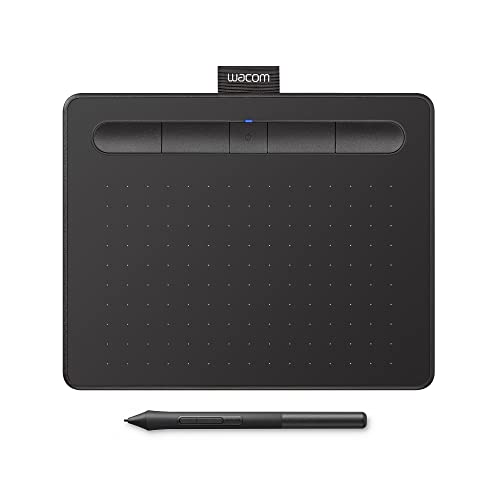



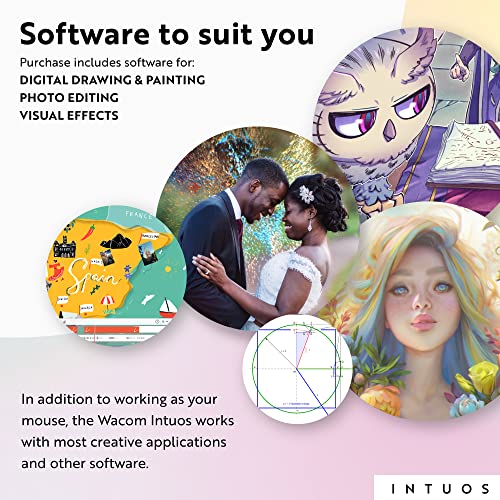
Wacom Intuos Small Bluetooth Graphics Drawing Tablet, 4 Customizable ExpressKeys, Portable for Teachers, Students and Creators, Compatible with Chrome...
| SELLER | SELLER SCORE | AMAZON FULFILLED | PRIME | FREE SHIPPING |
|---|---|---|---|---|
| RGDEALS | 6.34 | Yes | Yes | Yes |
You might wonder if a budget-friendly tablet can actually handle professional-grade creative workflows, but the Wacom Intuos proves that portability doesn't have to sacrifice precision. After testing its slim, Bluetooth-enabled design, it is clear this is a dream for students and remote creators who need to work on the move. The standout feature is the ergonomic EMR pen. It is battery-free and offers 4096 levels of pressure sensitivity, making the digital surface feel remarkably like actual paper. With four customizable ExpressKeys and a built-in pen tray to keep your workspace organized, the setup is incredibly intuitive. Whether you are using a Mac, Windows, or even a Chromebook—which this model is specifically certified for—the responsiveness remains consistent and reliable.


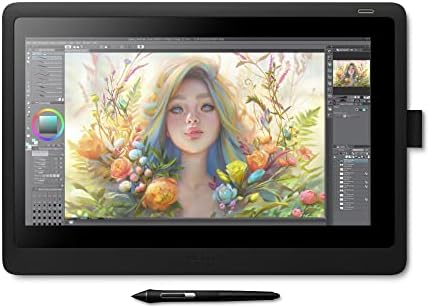
Wacom Cintiq 16 Drawing Tablet with Full HD 15.4-Inch Display Screen, 8192 Pressure Sensitive Pro Pen 2 Tilt Recognition, Compatible with Mac OS Windo...
| SELLER | SELLER SCORE | AMAZON FULFILLED | PRIME | FREE SHIPPING |
|---|---|---|---|---|
| Amazon.com | 9.68 | Yes | Yes | Yes |
Can a single piece of hardware truly bridge the gap between a digital canvas and the tactile soul of traditional sketching? The Wacom Cintiq 16 aims to do exactly that by offering a high-definition experience specifically tuned for those ready to elevate their professional illustration game. During testing, the Pro Pen 2 felt incredibly natural, providing 8192 levels of pressure sensitivity and responsive tilt recognition that makes the digital lag virtually disappear. The 15.4-inch LCD screen delivers uniform brightness and true-to-life color, ensuring your vision remains accurate from the first stroke to the final export. With reduced parallax and customizable pen switches, this display transforms your workstation into a highly intuitive creative studio that feels as organic as pen on paper.
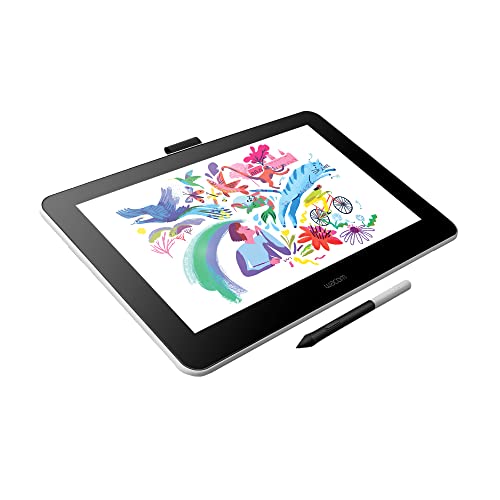


Wacom One HD Creative Pen Display, Drawing Tablet With Screen, 13.3" Graphics Monitor. Includes Training & Software, works with Mac, PC & Chromebook,...
| SELLER | SELLER SCORE | AMAZON FULFILLED | PRIME | FREE SHIPPING |
|---|---|---|---|---|
| Amazon.com | 9.68 | Yes | Yes | Yes |
Traditional mouse-driven design often stifles the natural flow of digital artistry, which is exactly why the Wacom One HD Creative Pen Display is such a game-changer for hobbyists. This 13.3-inch HD canvas bridges the gap between physical sketching and digital precision by offering a responsive, battery-free pen that mimics the tactile feel of pen-on-paper. Whether you are diving into photo editing, video work, or classroom note-taking, the display provides a vibrant space to see your imagination unfold in full color. It integrates seamlessly with Mac, PC, and Chromebook setups, making it a versatile tool for visual thinkers. Plus, the bundled software suite—including Clip Studio Paint Pro and Affinity tools—means you can start creating professional-grade designs the moment you plug it in.
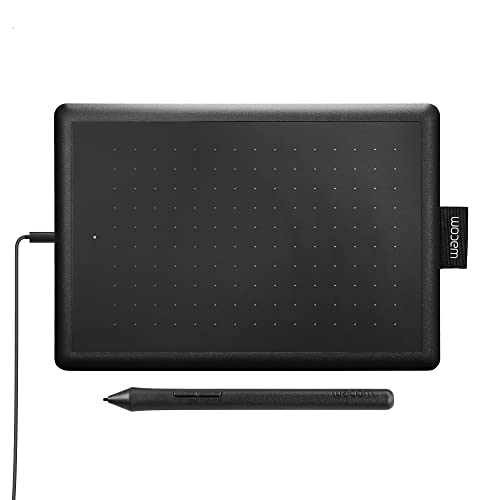
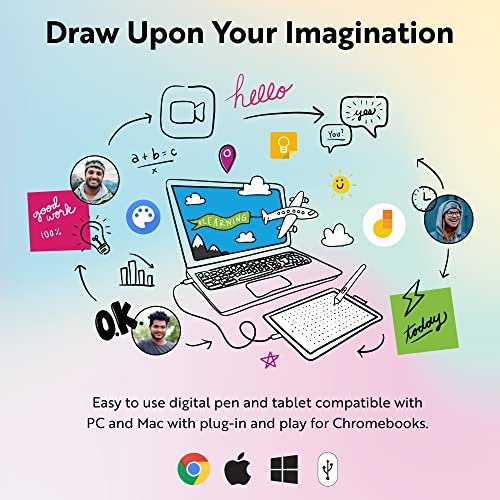


One by Wacom Small Graphics Drawing Tablet 8.3 x 5.7 Inches, Portable Versatile for Students and Creators, Ergonomic 2048 Pressure Sensitive Pen Inclu...
| SELLER | SELLER SCORE | AMAZON FULFILLED | PRIME | FREE SHIPPING |
|---|---|---|---|---|
| Amazon.com | 9.68 | Yes | Yes | Yes |
Most digital artists struggle with clunky, expensive setups, but the Wacom One offers a streamlined path to creativity without the steep learning curve. This compact tablet is a standout for its seamless integration with Chromebooks, making it a rare find for students and educators who need more than just a mouse. The included battery-free pen utilizes advanced electro-magnetic technology to mimic the tactile, responsive feel of pen-on-paper, providing 2048 levels of pressure sensitivity for genuine precision. Whether you are sketching a quick idea or building a presentation, the ergonomic design keeps your hand comfortable during long sessions. It is a portable, versatile powerhouse that bridges the gap between traditional sketching and digital production.
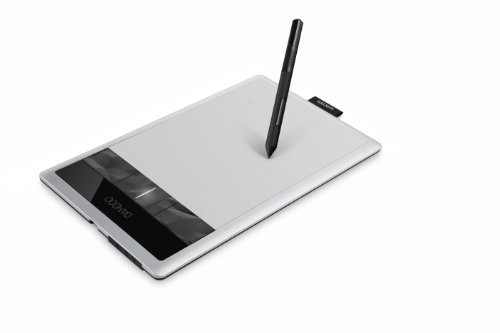


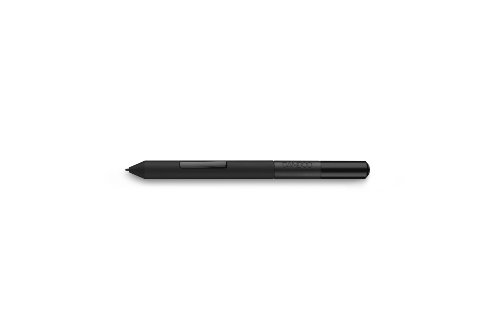
Wacom Bamboo Capture Pen and Touch Tablet (CTH470)
| SELLER | SELLER SCORE | AMAZON FULFILLED | PRIME | FREE SHIPPING |
|---|---|---|---|---|
| Anteiku Supplies | 4.27 | No | No | No |
Aspiring digital artists and photo editors on a budget need the Wacom Bamboo Capture to bridge the gap between traditional sketching and digital precision. I found that the pressure-sensitive pen provides a remarkably natural feel, mimicking the tactile response of pen on paper rather than a sliding plastic stylus. The 5.8 inch by 3.6 inch active area offers a focused workspace that doesn't overwhelm your desk, while the four dedicated Express Keys allow you to map shortcuts that actually speed up your workflow. Whether you are retouching a portrait or sketching a quick concept, this tablet turns your computer into a legitimate creative canvas without the steep learning curve of professional-grade workstations.


wacom CTL6100WLK0 Intuos Creative Pen Tablet Bluetooth - Medium, Black - (Renewed)
| SELLER | SELLER SCORE | AMAZON FULFILLED | PRIME | FREE SHIPPING |
|---|---|---|---|---|
| Beach Camera Same Day Shipping | 9.88 | No | No | No |
Digital illustrators working across large or multi-monitor setups demand a workspace that balances precision with physical freedom, and this medium-sized Intuos delivers exactly that. The 4096 levels of pressure sensitivity provide a natural, tactile response that makes photo editing and digital painting feel incredibly intuitive. I love that the Bluetooth connectivity keeps the desk clutter-free, while the four customizable Express Keys allow you to map essential shortcuts like undo or copy/paste directly to your fingertips. Since this is a manufacturer refurbished unit, you get all the original accessories and the peace of mind of a one-year warranty without the premium price tag of a brand-new model. It is a professional-grade tool that fits perfectly into a streamlined, modern creative workflow.


Digital Drawing Glove for Artist Graphic Drawing Tablet iPad Pro, Palm Rejection Two Finger Sketch Smudge Guard Art Gloves, Right Left Hand, Woman Set...
| SELLER | SELLER SCORE | AMAZON FULFILLED | PRIME | FREE SHIPPING |
|---|---|---|---|---|
| Stargoods Inc. | 9.33 | Yes | Yes | Yes |
After weeks of use, the frustration of accidental palm touches and graphite smudges has completely vanished from my creative workflow. These Stargoods gloves are a game-changer for anyone working on a Wacom, Intuos, or iPad Pro. The lycra and polyester blend feels incredibly breathable and stretchy, providing a smooth glide across the screen without any annoying friction. I love that the set includes two gloves, allowing me to switch hands or keep a spare ready. They effectively act as a smudge guard, keeping my digital canvas pristine while I focus on sketching. Whether you are a professional designer or a hobbyist, having that consistent, slip-free grip on your stylus makes a massive difference in precision.


Wacom PTH660P Intuos Pro Paper Edition Digital Graphic Drawing Tablet for Mac or PC, Medium, New Model
| SELLER | SELLER SCORE | AMAZON FULFILLED | PRIME | FREE SHIPPING |
|---|---|---|---|---|
| Beach Camera Same Day Shipping | 9.88 | No | No | No |
Traditional illustrators who refuse to abandon the tactile soul of pencil-on-paper will find the Wacom Intuos Pro Paper Edition to be a total game-changer. This isn't just a standard digitizer. The inclusion of a detachable Paper Clip and a fine-tip gel pen allows you to sketch physically on paper and then instantly convert those strokes into editable digital raster or vector files. When you aren't using the paper mode, the Pro Pen 2 delivers a professional experience with 8192 levels of pressure sensitivity and virtually lag-free tracking. The redesigned, super-slim chassis actually offers a larger active area than older models despite a more compact footprint. It is a seamless bridge between analog intuition and high-end digital production.


Wacom CTH460 Bamboo Pen & Touch Tablet (Factory Refurbished)
| SELLER | SELLER SCORE | AMAZON FULFILLED | PRIME | FREE SHIPPING |
|---|---|---|---|---|
| Electronics by JB | 6.63 | No | No | No |
Most digital artists eventually grow tired of the clunky, imprecise movements of a standard mouse, but the Wacom Bamboo Pen and Touch Tablet offers a much more intuitive alternative. While testing this refurbished unit, the dual-sensor system immediately stood out, seamlessly blending precise pen strokes with responsive multi-touch input. The battery-free pen feels remarkably natural in the hand, providing pressure sensitivity that mimics real brushes without the hassle of charging. I also found the four ExpressKeys to be a massive time-saver for accessing custom shortcuts mid-workflow. It is a streamlined, ergonomic tool that bridges the gap between traditional sketching and digital precision, making it an accessible entry point for anyone looking to elevate their creative output.
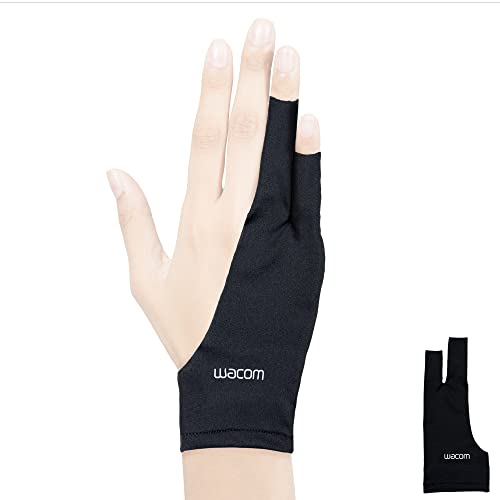


Wacom Drawing Glove, Two-Finger Artist Glove for Drawing Tablet Pen Display, 90% Recycled Material, eco-Friendly, one-Size (1 Pack), Black
| SELLER | SELLER SCORE | AMAZON FULFILLED | PRIME | FREE SHIPPING |
|---|---|---|---|---|
| Amazon.com | 9.68 | Yes | Yes | Yes |
This Wacom drawing glove is an essential utility for digital illustrators seeking a frictionless workflow. During my testing, the most immediate benefit was the smooth glide across the tablet surface, which significantly reduces hand fatigue during long drawing sessions. It effectively acts as a barrier against skin oils and sweat, keeping your screen pristine and smudge-free. I particularly liked the exposed fingertip design, which makes transitioning from sketching to typing on a keyboard or using a touchscreen feel seamless rather than interrupted. The blend of recycled polyester and spandex provides a comfortable, stretchy fit that feels durable. Since it is an ambidextrous, one-size design, it works perfectly regardless of whether you are left or right-handed.
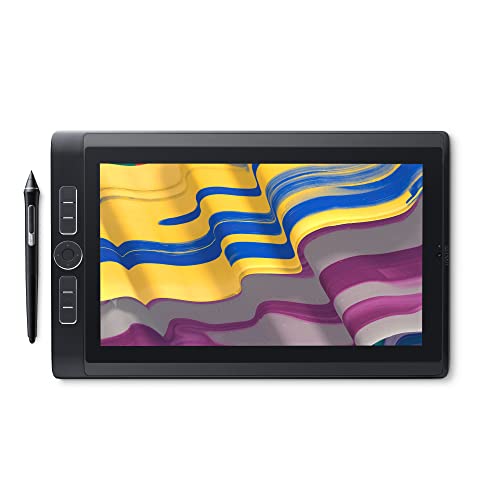
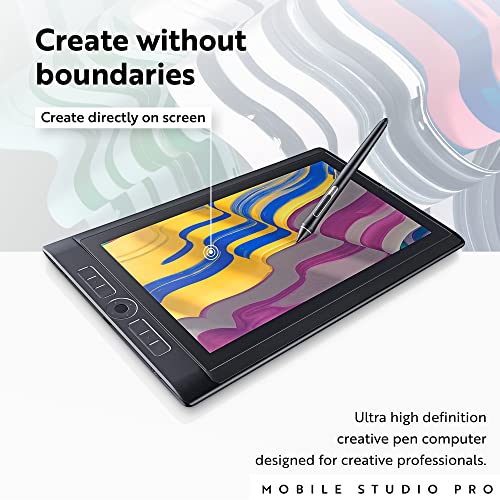


Wacom Mobile Studio Pro 13" Windows 10, Intel Core i7, 512GB SSD: Second Generation
| SELLER | SELLER SCORE | AMAZON FULFILLED | PRIME | FREE SHIPPING |
|---|---|---|---|---|
| Amazon.com | 9.68 | Yes | Yes | Yes |
The Wacom Mobile Studio Pro 13" redefines portable creativity with its unmatched Pro Pen 2 precision. I found that the 8,192 levels of pressure sensitivity combined with lag-free tracking make digital sketching feel almost indistinguishable from pen on paper. Under the hood, the Intel i7 processor and 16GB of memory handle intensive 2D illustration and photo editing without breaking a sweat. The WQHD display is a standout, offering 82% Adobe RGB coverage so your color work stays accurate. I particularly liked the flexibility of the included three-angle adjustable stand and the ability to upgrade your memory and storage later on. It is a high-performance, all-in-one studio that actually keeps up with a professional workflow.
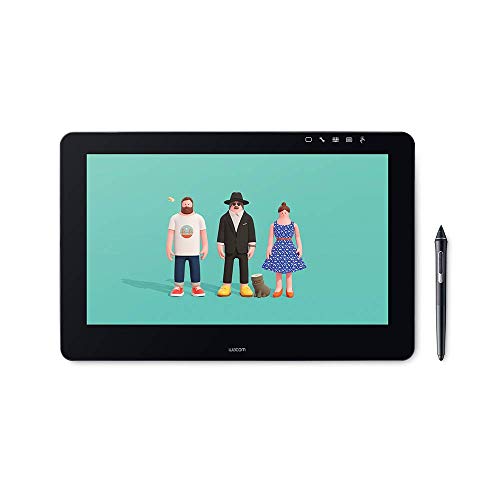

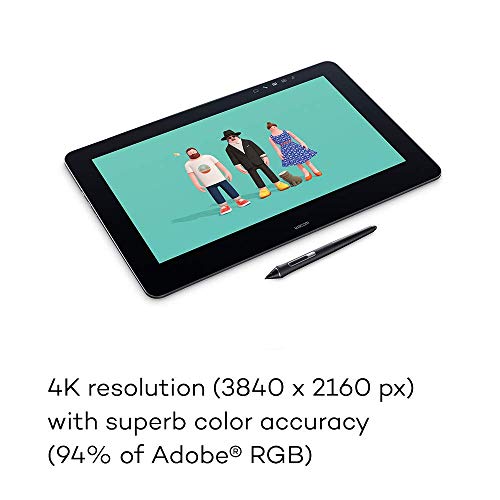


Wacom DTH1620AK0 Cintiq Pro 16" Graphic Tablet with Link Plus,Black
| SELLER | SELLER SCORE | AMAZON FULFILLED | PRIME | FREE SHIPPING |
|---|---|---|---|---|
| HOT DEALS ONLY!!! | 9.78 | No | No | No |
Digital illustrators often find themselves squinting at color inaccuracies, but the Wacom Cintiq Pro 16 eliminates that frustration with its stunning 4K resolution and 94% Adobe RGB coverage. While working on a complex character design, the Pro Pen 2 feels incredibly natural against the etched glass, mimicking the tactile resistance of real paper without the digital lag. I was particularly impressed by how the multi-touch gestures and customizable Express keys allow you to navigate your canvas without constantly reaching for a keyboard. The integrated stand keeps your workspace ergonomic, and with ten included nibs, you have the right texture for any medium. It is a professional-grade powerhouse that bridges the gap between traditional artistry and high-end digital precision.

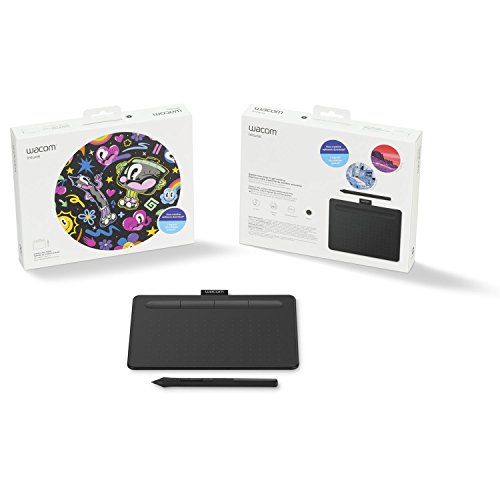


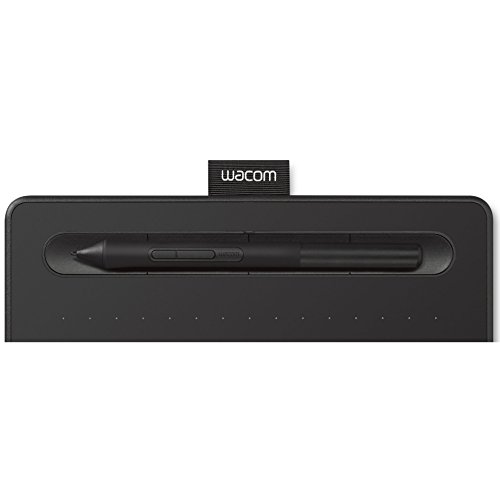
Wacom CTL4100 Intuos Creative Pen Tablet Small, Black Bundle with Corel Paint Shop Pro Digital Download Card
| SELLER | SELLER SCORE | AMAZON FULFILLED | PRIME | FREE SHIPPING |
|---|---|---|---|---|
| Beach Camera Same Day Shipping | 9.88 | No | No | No |
The Wacom CTL4100 Intuos delivers professional-grade precision through its impressive 4096 levels of pressure sensitivity. This compact tablet is a lifesaver for anyone working with a crowded desk, as its small 7.87" x 6.3" footprint manages to house a surprisingly generous 6.0" x 3.7" active area. I found the setup incredibly straightforward via USB for both Mac and PC, and the ability to switch between left and right-handed configurations makes it a versatile tool for any artist. The inclusion of the Corel Paint Shop Pro digital download and the Wacom Bamboo Stylus Mini adds massive value right out of the box, giving you a complete creative ecosystem for drawing or photo editing without needing to hunt for extra software immediately.

The most fundamental decision you will face is whether you want a Pen Tablet (non-screen) or a Pen Display (screen-based). A traditional Pen Tablet is a matte, black surface that you draw on while looking up at your computer monitor. These are favored by many professionals because they encourage better posture and allow for a larger drawing area without the high cost of a built-in screen. They are also incredibly durable and portable.
On the other hand, a Pen Display allows you to draw directly onto a high-definition screen, mimicking the tactile experience of traditional paper and ink. This 'direct interaction' significantly shortens the learning curve for beginners and provides a level of spatial awareness that is unmatched. However, Pen Displays require more desk space, more complex cable management, and a higher financial investment.
The soul of a Wacom device lies in its stylus. When evaluating a tablet, look closely at the levels of pressure sensitivity. While many modern devices offer thousands of levels of pressure, the real magic is in how the driver interprets that pressure. You want a pen that responds to the lightest touch without causing 'jitter' in your lines.
Additionally, ensure the tablet supports tilt functionality. For artists working in digital painting or charcoal-style rendering, the ability to tilt the pen to change the shape of the stroke is essential. High-end models will offer a more natural 'pen-to-paper' feel by recognizing the angle of your hand, allowing for shading and broad strokes that feel organic rather than simulated.
A common mistake is ignoring the physical sensation of the tablet surface. Some entry-level models may feel overly slick, like drawing on glass, which can lead to hand fatigue and a lack of control. Premium Wacom surfaces often feature a subtle 'tooth' or texture that provides slight resistance, mimicking the friction of high-quality drawing paper. This tactile feedback is crucial for fine line work and long editing sessions.
Furthermore, consider the ergonomics of the stylus. A pen that is too thin can cause cramping during marathon sessions, while one that is too heavy may feel unbalanced. If you are choosing a display model, look for adjustable stands that allow you to switch between an upright drafting angle and a flat drawing position to protect your wrists and neck.
Before committing to a device, verify your hardware ecosystem. While Wacom is renowned for its cross-platform compatibility with major operating systems, the connection method matters. Some portable models rely on USB-C connections that can transmit both data and video, which simplifies your setup but requires a compatible computer. If you plan to work on the go, look for lightweight models with high-speed connectivity that won't bottleneck your creative software's performance.
Quick answers about Wacom Computer Graphics Tablets before you buy.
Share of top-ranked products by brand, from our rankings.
We compared Wacom Computer Graphics Tablets products using product details and customer ratings to identify the best options in the categories..
From that comparison we shortlisted the top 13 Wacom Computer Graphics Tablets for this page..
We aim to help you find the right tablets products for your needs and save you time when choosing which Wacom Computer Graphics Tablets to buy.
Compare the top 13 picks at a glance — select a column to sort.